Search on a map
The driver types a destination and a time. The map shows spaces nearby with the price on each pin, and filters for car size and covered parking.
Owners list a space and set their own hours and price. Drivers find a space on a map, book it and get a gate code for the time they need.
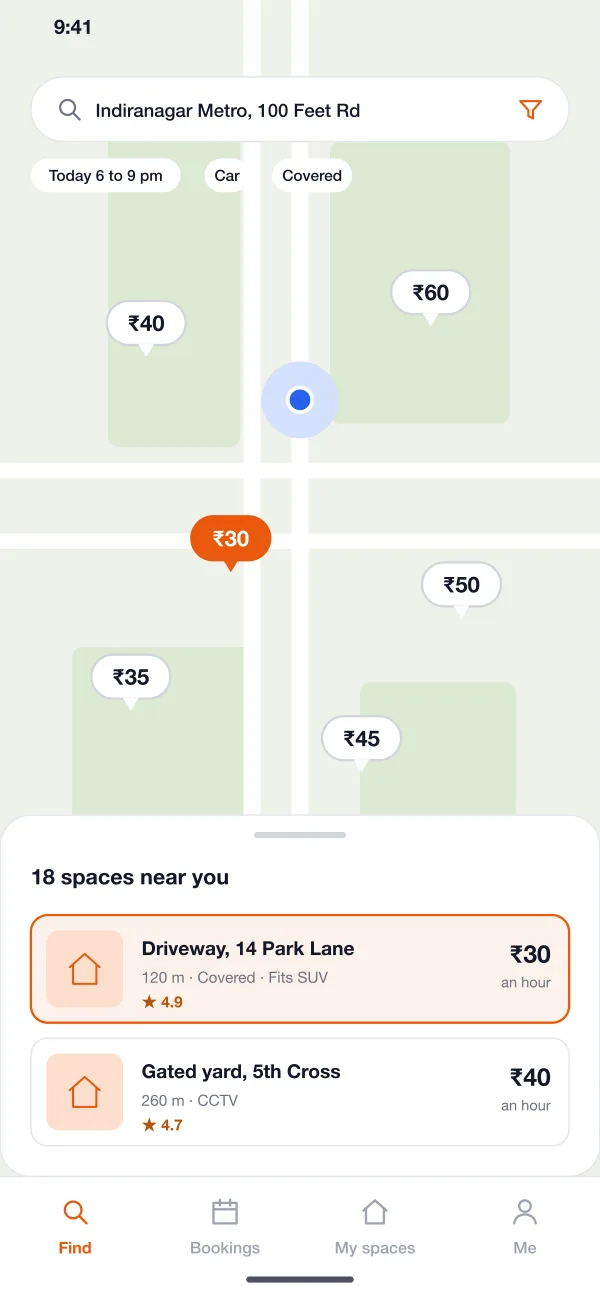
Prices show on each pin, with filters for car size and covered spots.
The code works only in the booked time, with a few minutes of grace.
Set open hours, a price and the car size allowed. Block hours when you need the space.
Follow one booking along the route: the driver finds and uses a space, and the owner lists it and gets paid.
A driver heading to a concert searches near the venue, compares two pins and books a covered space for three hours.
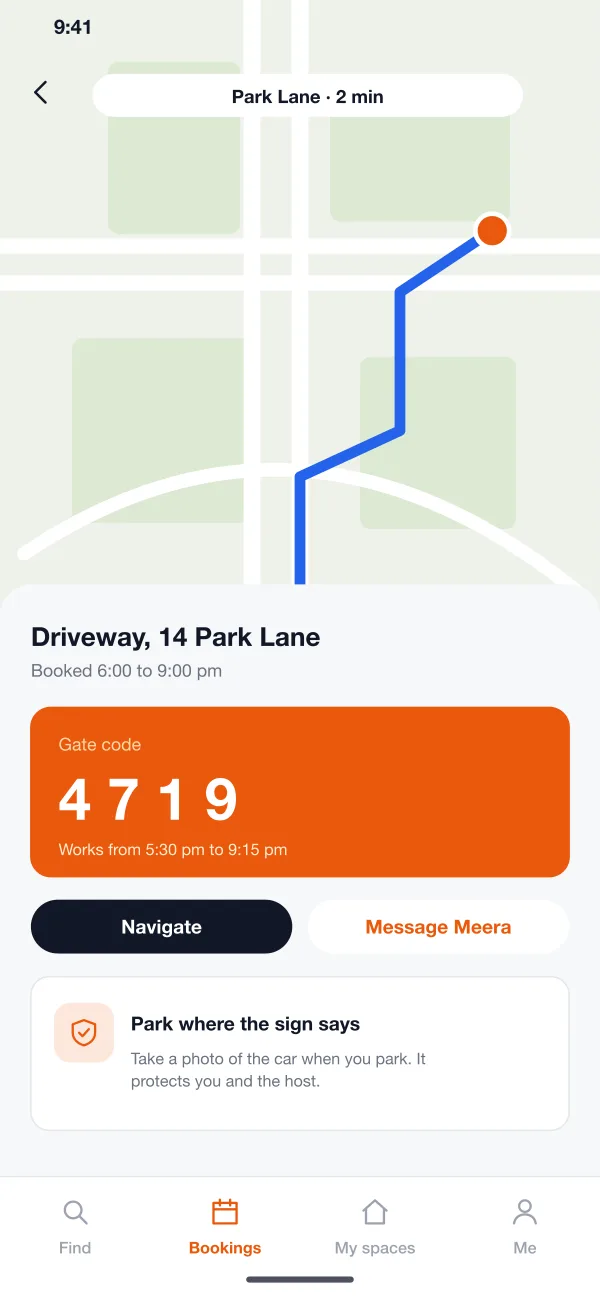
The driver gets the gate code, follows the route, takes a photo on arrival and leaves before the end time.
An owner adds photos, sets open hours and a price, picks a gate code and sees the listing go live after a quick check.
The booking ends, the owner's share is added to their balance and a payout goes out on the set day with a clear statement.
Short paths for drivers, full control for owners.
The driver types a destination and a time. The map shows spaces nearby with the price on each pin, and filters for car size and covered parking.
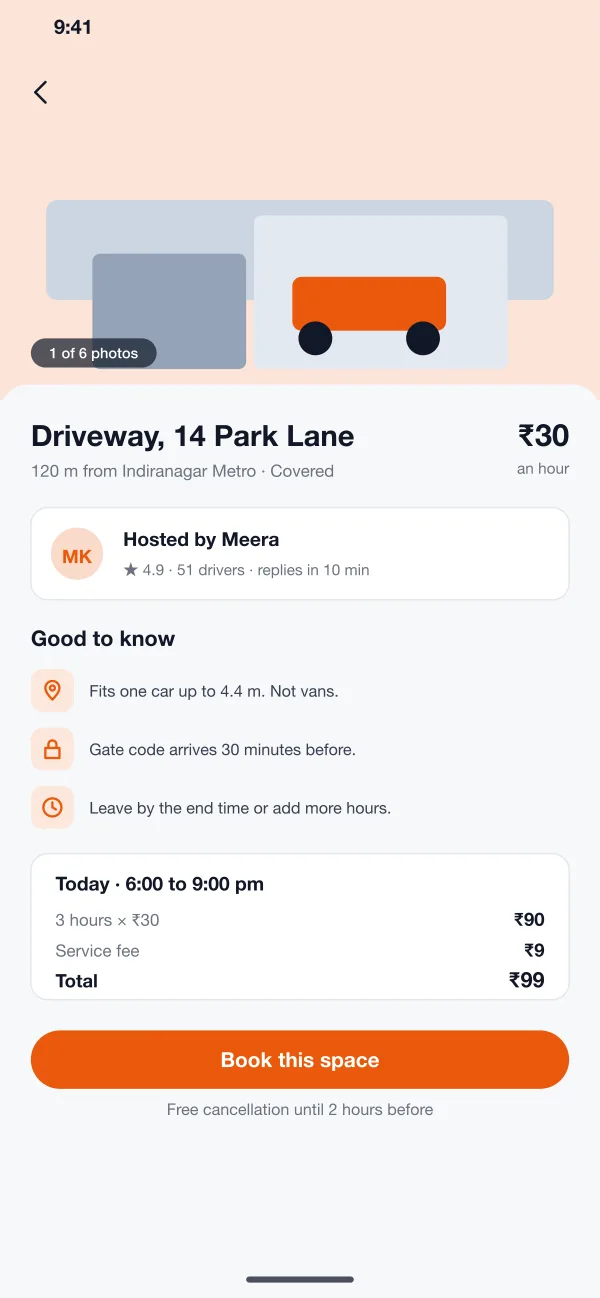
Each space has photos, the rules, the size it fits, the host's rating and a total with fees shown before the driver books.
After booking, the driver gets directions and, shortly before the start, a gate code. The code works only in the booked window, with a few minutes of grace.
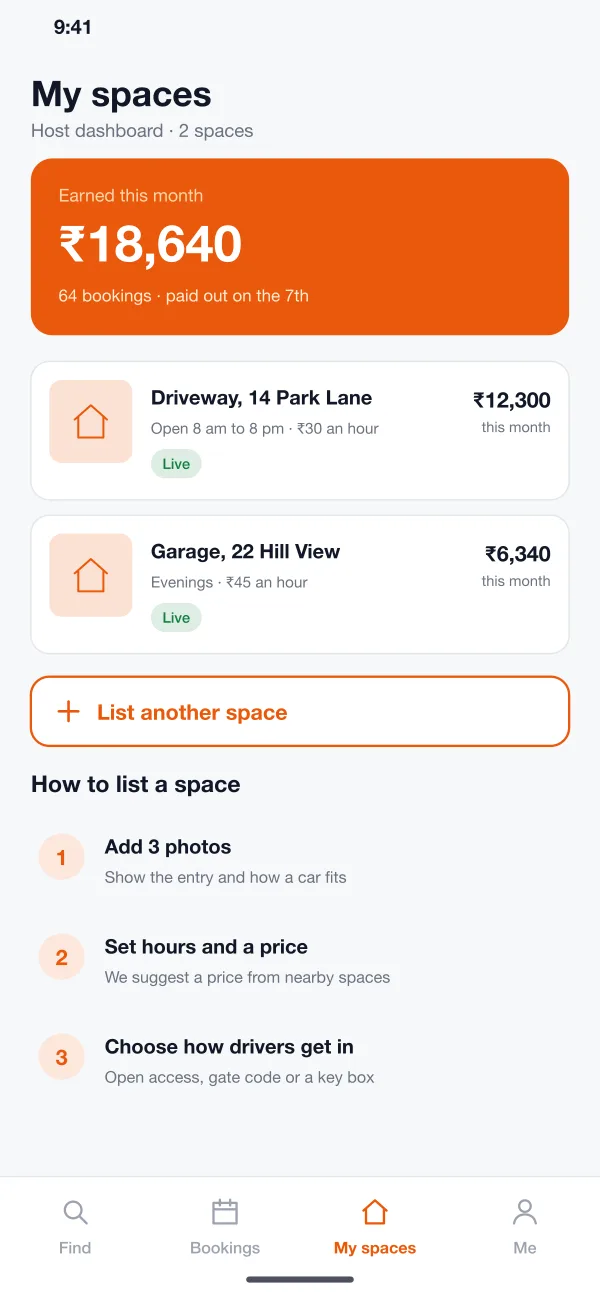
Owners set open hours, a price and the car size allowed. They see a weekly calendar, arrivals and earnings, and can block hours when they need the space.
Drivers and owners are checked with a phone number and an ID. Both can message in the app. A photo at arrival helps to settle any dispute.
The team sees listings waiting for approval, bookings, payouts and a queue of disputes and refunds.
Owners and the platform team see bookings, earnings and open hours for each listed space.
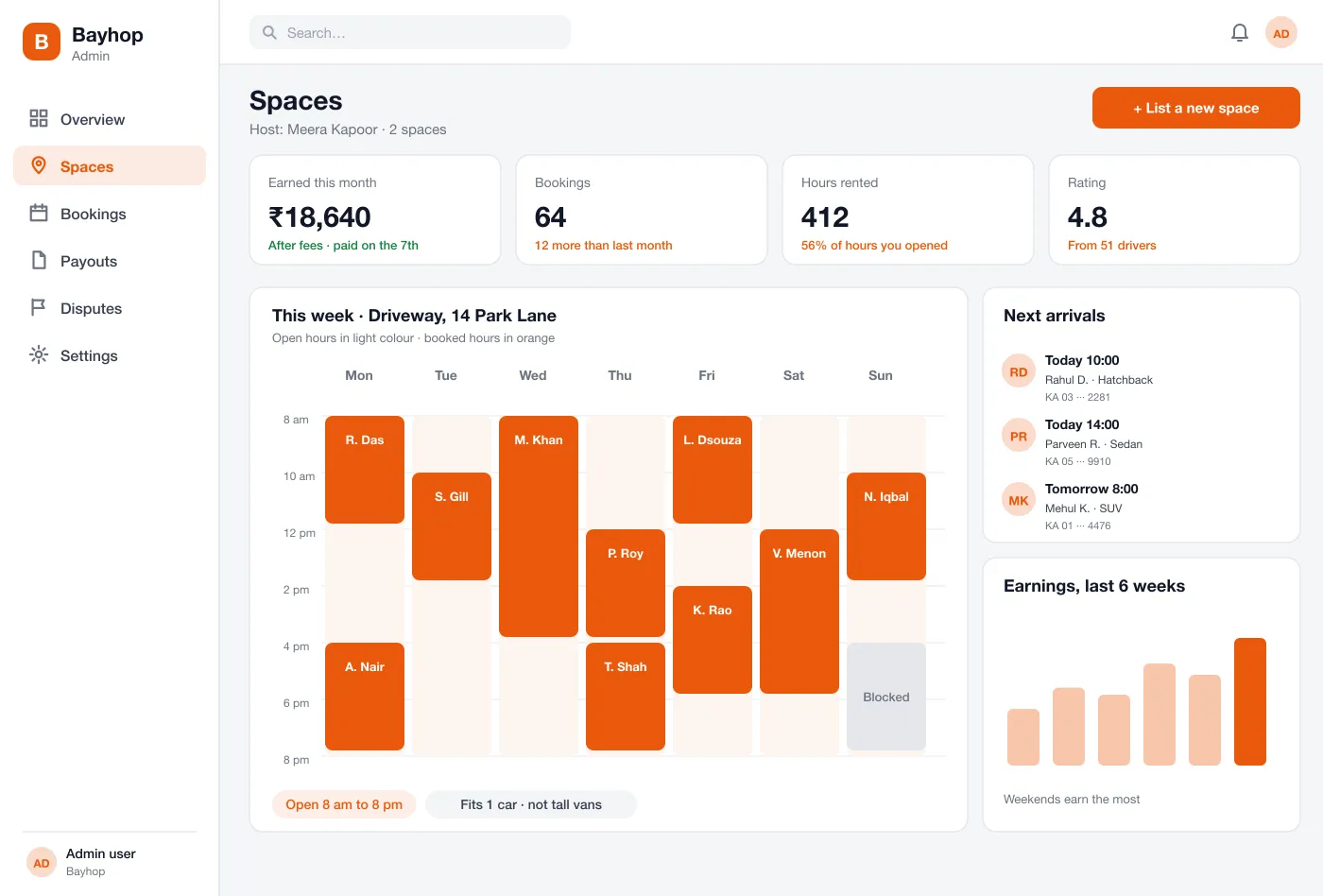
Host dashboard: bookings, earnings and the calendar for each listed space
Book a space for an hour or a day and see the full price before you pay.
List a driveway, watch the calendar fill and see payouts on set days.
Check new listings, handle disputes and see the bookings in one panel.
About parking apps, driveways and how bookings work.
People who have a spare driveway, garage or yard list it with the hours it is free. Drivers search on a map, book a time, pay in the app and use a code or open access to park.
A parking app can take card and UPI payments through a gateway such as Razorpay or Stripe, pay owners on a set day, and use Google Maps or Mapbox for the map, search and directions.
Yes. We can build the driver and host apps for Android and iOS, an admin panel for you, and connect maps, payments and gate or key-box systems.
The host chooses: open access, a gate code or a key box. The code reaches the driver shortly before the booking and works only for the booked time.
Both sides can message each other in the app, and photos taken at arrival help to settle disputes. The admin panel has a queue for disputes and refunds.
Tap through the driver search, the booking, the owner tools and the admin panel.