Search by port
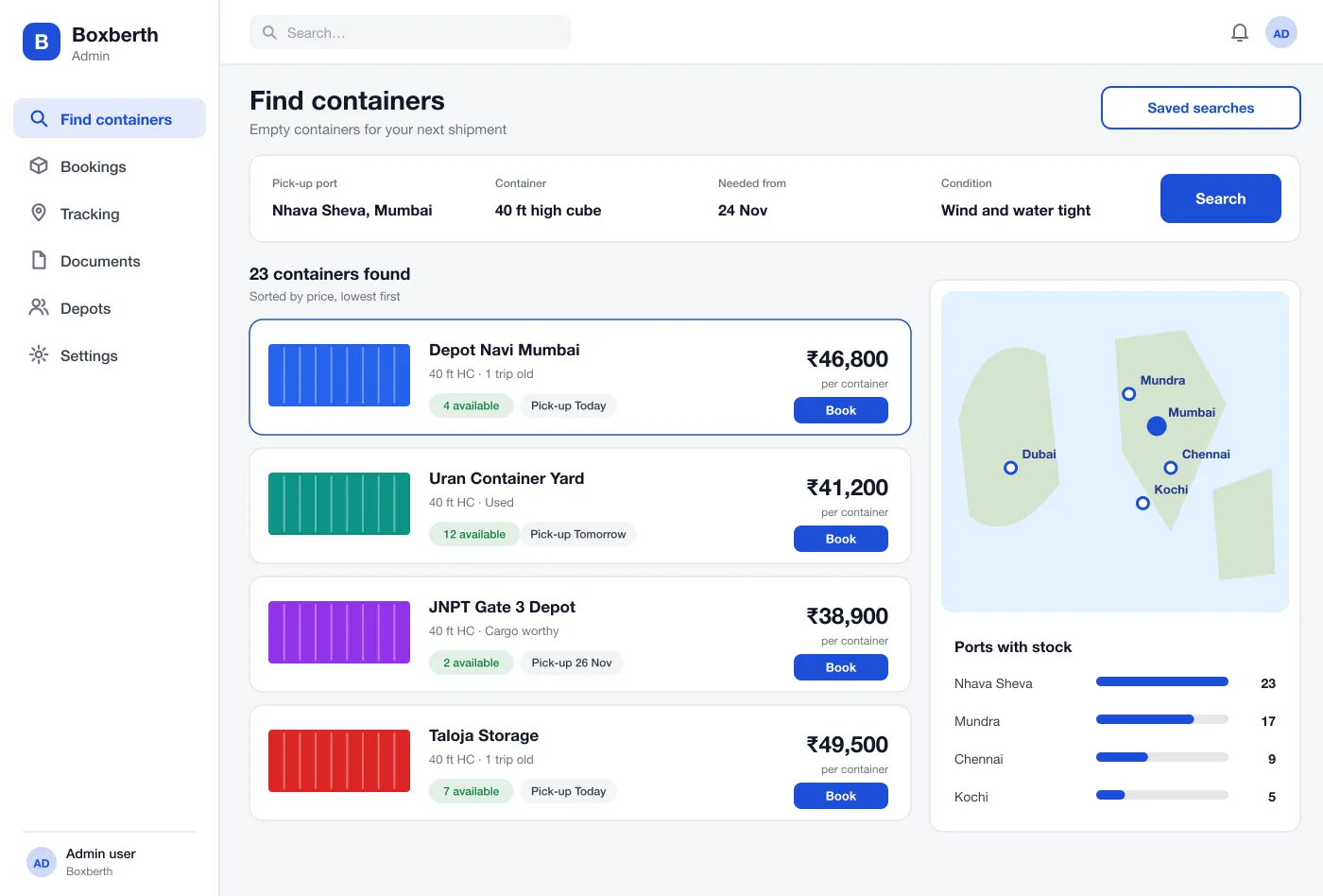
The buyer picks a port, a container size, a date and a condition. Results show each depot, the price and when the box can be picked up, with a map of ports that have stock.
Empty containers, booked by port
Search by port, container size and date. Compare depots by price, book a pick-up and track each step until the box reaches the port.
Key
Pick a port, size and date. Results show each depot, its price and pick-up time.
The depot is paid after gate-out. The buyer gets a refund if the depot cancels.
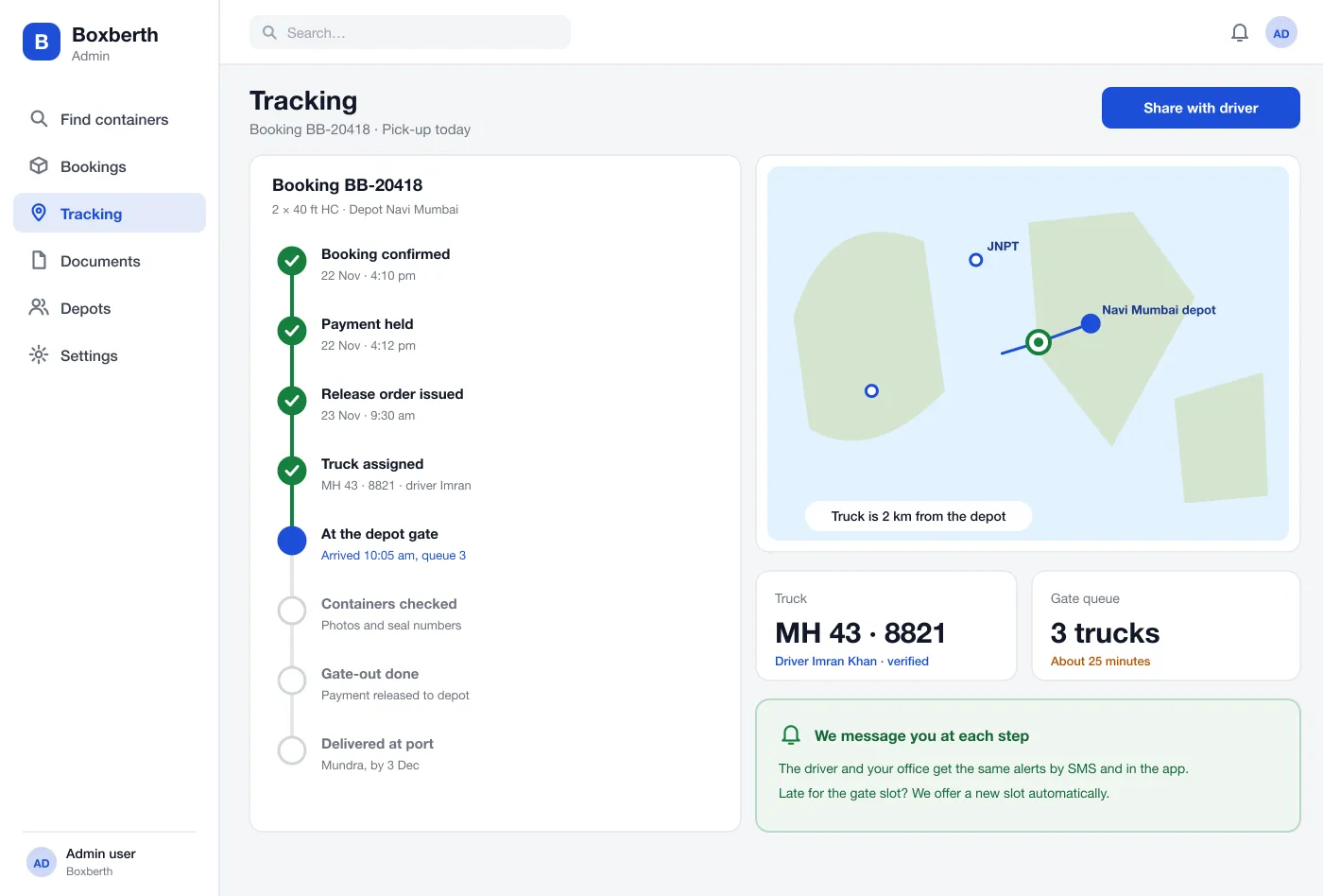
Every step from booking to delivery shows on a map and sends an alert.
Route
Four stops on one route. Each one shows on the map and sends an alert.
The buyer picks a port, size and date and sees every matching depot sorted by price.
The buyer picks a depot, adds a truck and confirms. The payment is held and the depot is told.
The release order arrives, the truck reaches the gate and the buyer follows each step with alerts.
After gate-out the payment goes to the depot, and the buyer has the booking record and photos.
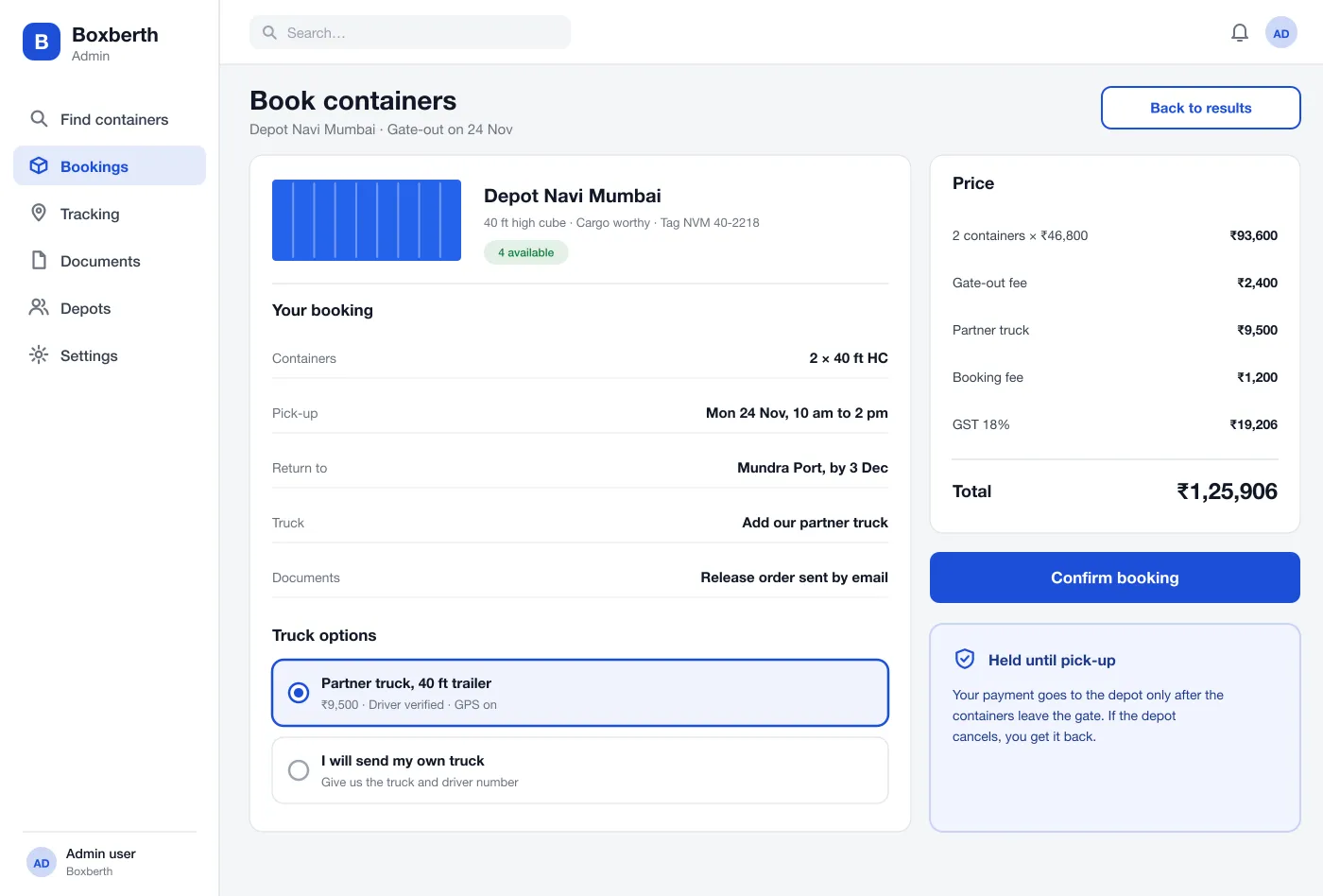
The buyer sees every charge before confirming. Depot staff see stock by size and the bookings waiting for release.
Tracking
Every step from the release order to gate-out, with the truck on the map and the time of each step.
The buyer picks a port, a container size, a date and a condition. Results show each depot, the price and when the box can be picked up, with a map of ports that have stock.
One page shows the containers, pick-up window, return port and truck choice. The full price is listed line by line.
The payment is held until the containers leave the gate. The depot is paid after gate-out, and the buyer is refunded if the depot cancels.
The buyer can add a partner truck with a verified driver. The release order is sent by email as soon as the depot issues it.
Eight steps run from booking confirmed to delivered at port. The truck shows on a map, with the gate queue and an alert at each step.
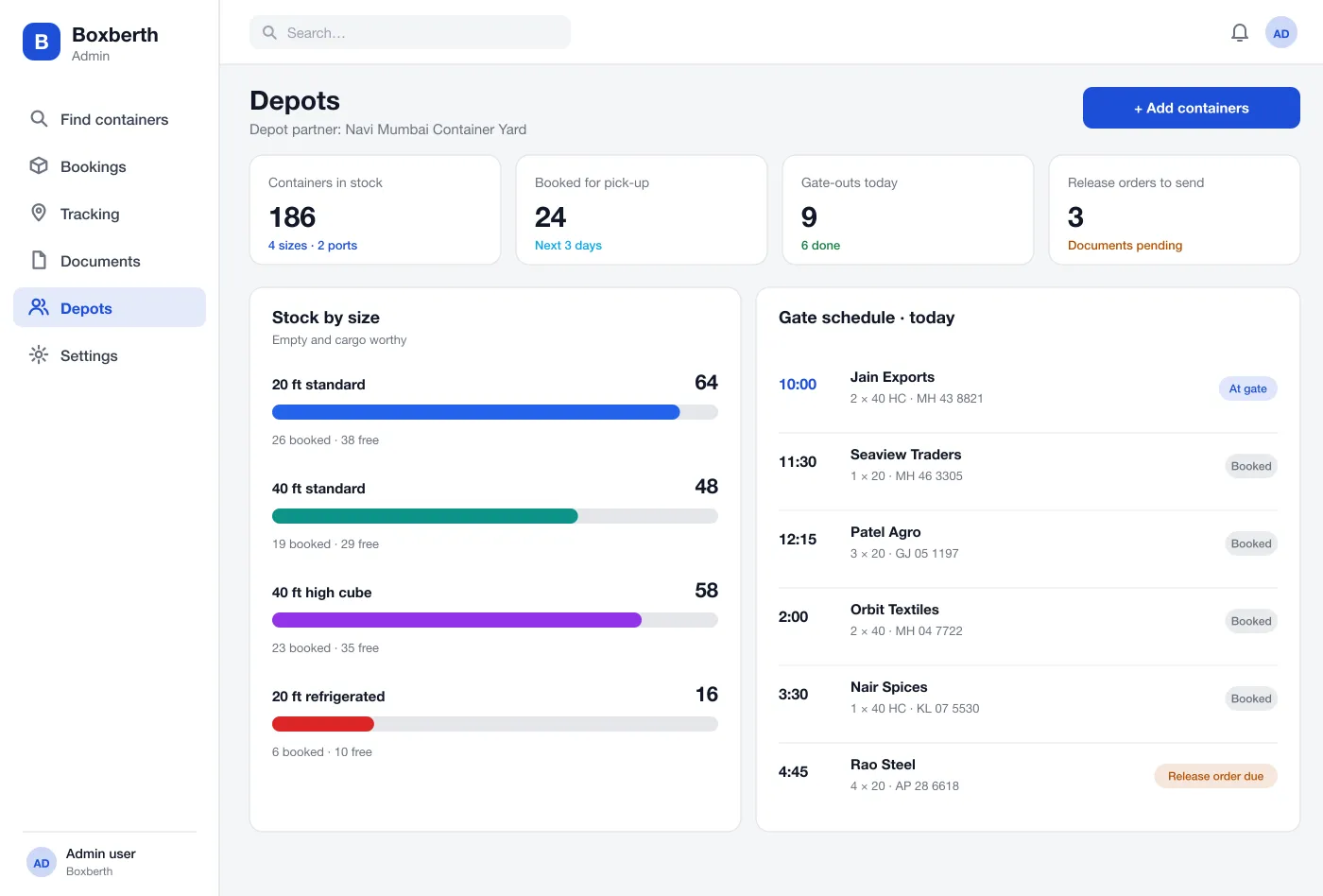
Depots see stock by size, containers booked, the gate schedule for the day and any release orders still to send.
Search, book and add a truck. Get the release order by email.
List stock, release orders and manage the gate queue from one dashboard.
Add your truck and a verified driver to a booking, then follow each pick-up step.
FAQ
It is a website where depots list the empty shipping containers they have, and exporters or forwarders search by port, size and date, then book the ones they need.
It can link to depot stock systems, port and terminal gate data, trucking partners, a payment gateway and the accounting tool the depot already uses. Each link can be added in phases, starting with the depot stock feed.
Yes. We can build the search and booking site, the depot dashboard and the tracking, and connect them to your payments, maps and document flow.
The buyer's payment is held when the booking is made and goes to the depot only after the containers leave the gate. If the depot cancels, the payment goes back to the buyer.
Yes. The buyer can add a partner truck with a verified driver and GPS, or give the depot the number of their own truck and driver.
Tap through the search, the booking page and the pick-up tracker.