Trading education, learning only
Learn trading step by step with live classes
Students work through four levels of short lessons, take quizzes that explain each answer and join live classes. This is learning only, not trading advice.
Four levels, one clear path
Each level is a set of short lessons. Pass the quizzes and the next one opens.
- Level 1
Beginner
What a market is, how prices move and the words traders use.
- Level 2
Reading charts
Candles, trends and volume, with every chart marked as an example.
- Level 3
Risk and money rules
Position size, stop levels and why most losses come from skipping the plan.
- Level 4
Strategy ideas
How a plan is built and tested, taught as ideas, never as tips.
What is inside the portal
Each answer comes with a short reason, so a wrong answer still teaches something.
- 01Courses by level
- The path has four levels, from beginner to strategy ideas. Each level has short lessons, usually under fifteen minutes, and the next level unlocks when the quizzes are passed.
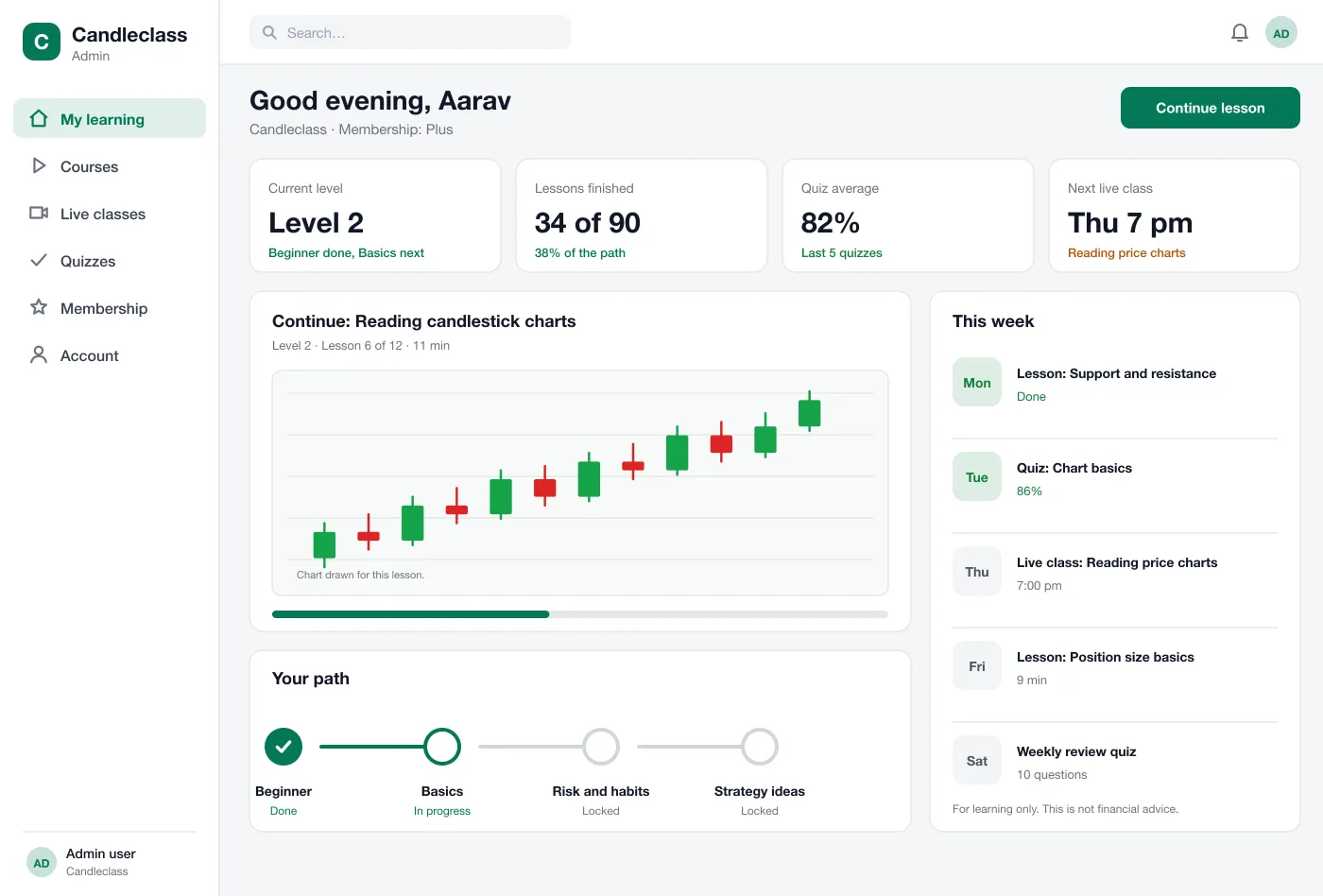
- 02Student home
- The home screen shows the next lesson, the level, quiz scores and the week ahead. It lets a student continue in one click.
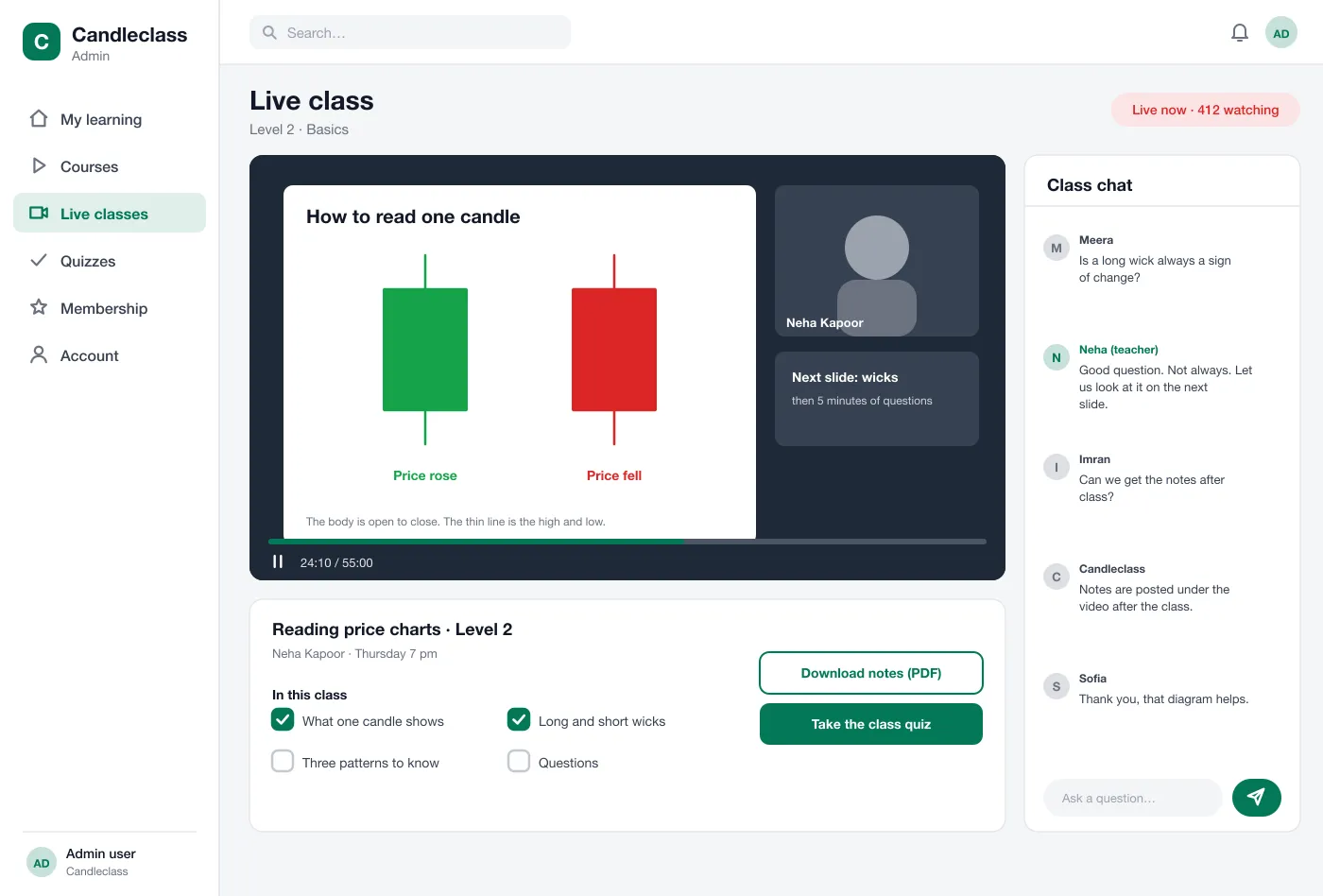
- 03Live classes
- A class room shows the teacher's slides and video, a list of what the class will cover and a chat. Notes and the recording are posted afterwards.
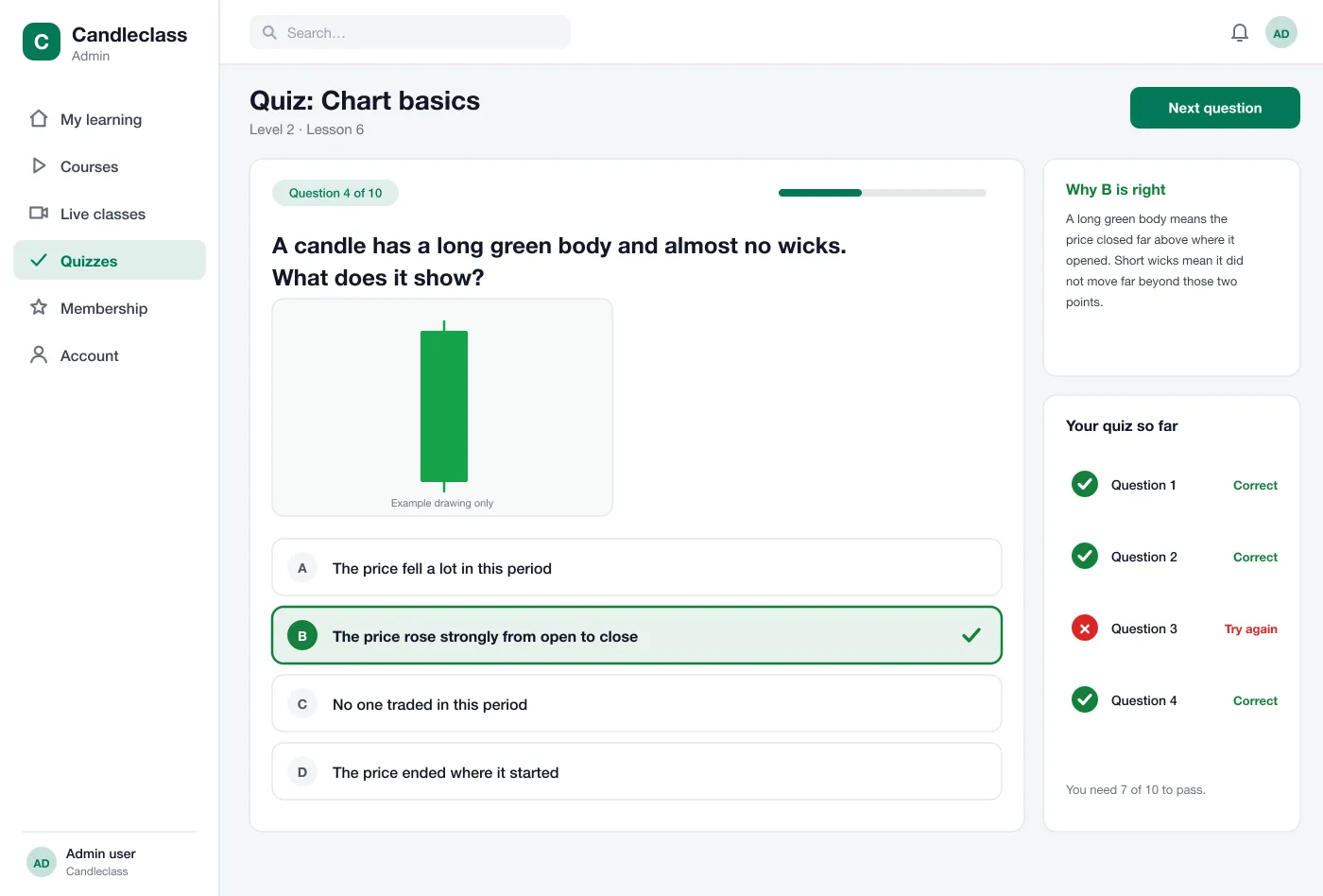
- 04Quizzes with reasons
- After each lesson the student answers a few questions. Each answer comes with a short reason, so a wrong answer still teaches something.
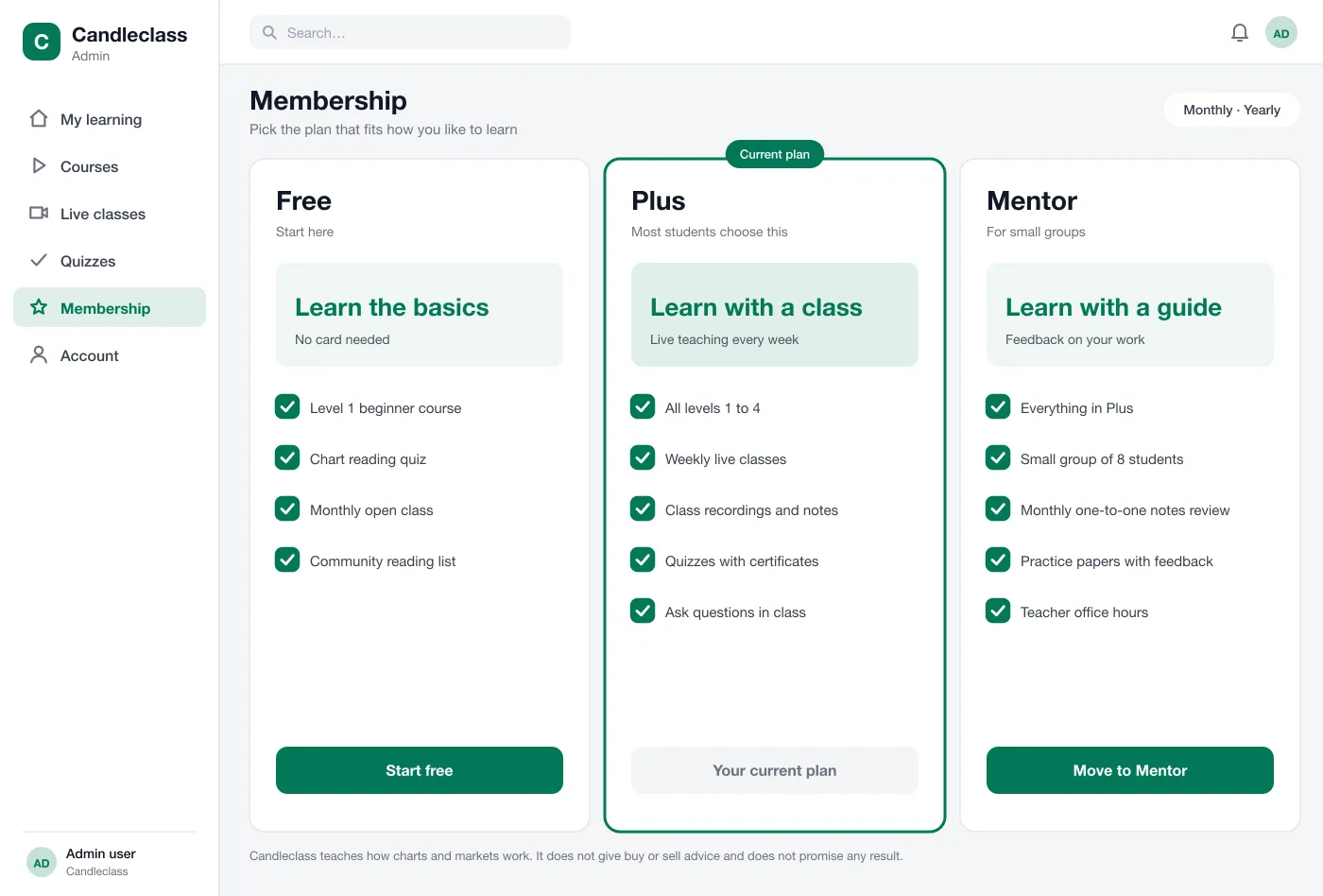
- 05Membership plans
- A free plan opens the first level. Paid plans add live classes, recordings and small groups. Students can move between plans at any time.
- 06Clear learning-only notices
- Chart drawings are marked as examples. The portal does not show profits, tips or signals, and each key page says it is for learning only.
A week with Candleclass
Join a class with slides, video and chat. Notes and the recording follow after.
- Step 1
Start free
A new student joins the free plan, takes the first lesson and quiz and sees the full path ahead.
- Step 2
Join a class
On Thursday the student opens the live class, asks a question in the chat and downloads the notes.
- Step 3
Check and repeat
They take the quiz, read why one answer was wrong and try that part again before moving on.
- Step 4
Move up
After passing the level quizzes, the next level opens. The student can choose a plan with more live classes.
Three desks, one portal
Students
Take lessons, check your quiz scores and see the week ahead in one place.
Teachers
Run live classes and post notes and recordings for each class.
Admins
Set up courses, membership plans and who can see each class.
Candleclass teaches how markets and charts work. It does not give buy or sell advice, tips or signals, and it never shows profits.
Questions before you start
What is a trading education portal?
It is a website that teaches people how markets and charts work through courses, live classes and quizzes. It is a place to learn, not a place to trade.
Which features should a trading course portal launch with?
Start with courses by level, short quizzes, live classes and a membership page. Certificates, a community area and a mobile app can come in a later phase once the first courses are running.
Does Candleclass give trading advice?
No. In this design the lessons teach how things work. There are no buy or sell calls, no tips and no promises about results. Every screen reminds students that it is for learning only.
Can you build a course portal like this for my business?
Yes. We can build the courses, live classes, quizzes, member plans and payments, and connect your video tool and email. We can also make a mobile app later.
How do live classes work?
The teacher streams a class at a set time. Students watch, ask questions in a chat and get the notes and recording afterwards. Members of a plan can join; others see the date only.
See the learning portal
Tap through the student home, a live class, quizzes and membership plans.
Start free