Availability calendar
Every villa is a row and every day is a column. Bookings, holds and blocked days show as bars. The manager sees free days and gaps between stays at a glance.
Villa booking console
See every villa, booking, hold and block on one calendar. Track payments, guest notes and the daily cleaning board from the same records.
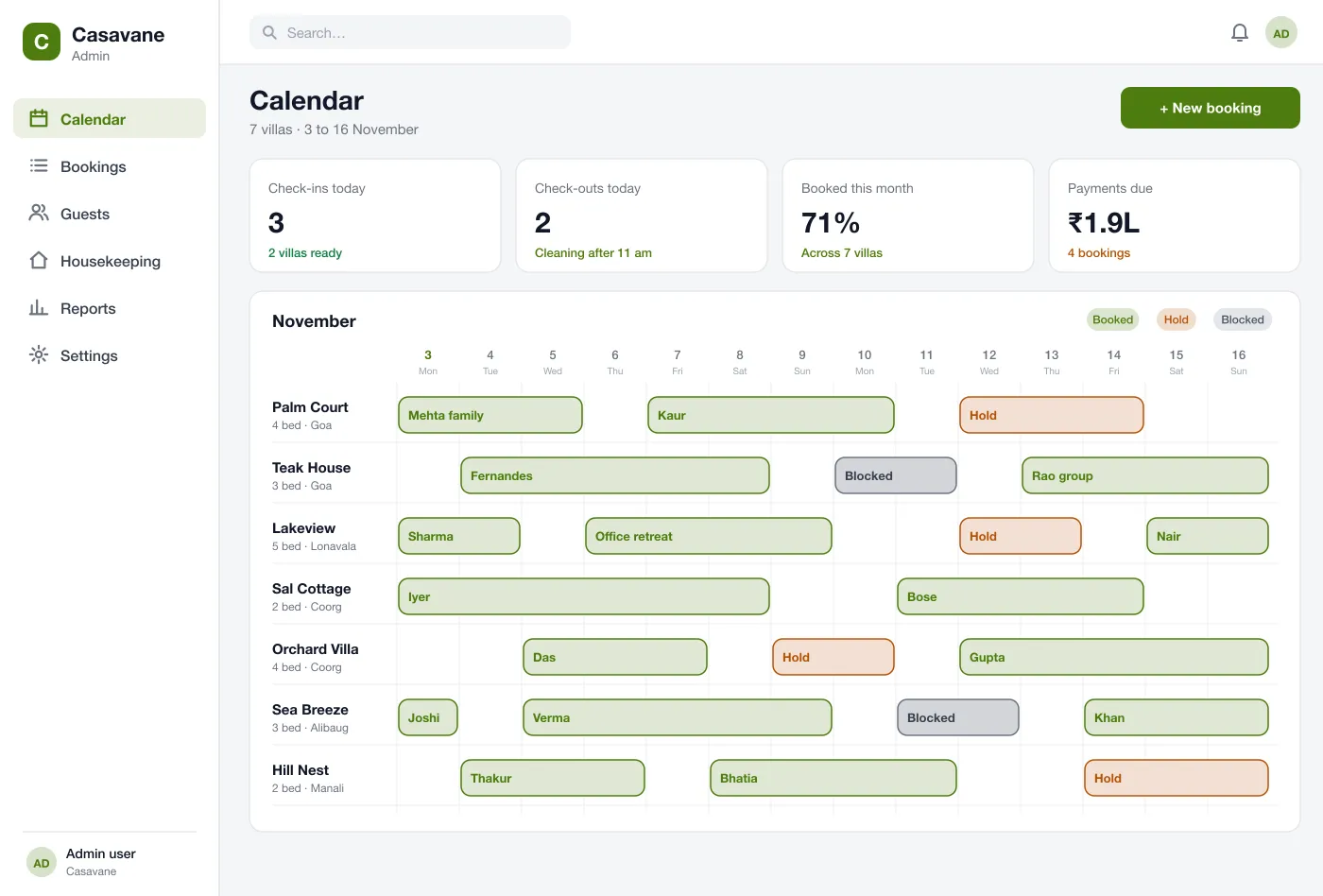
Each villa is a row and each day a column, so free gaps stand out.
Short holds and owner blocks show in their own colour, so dates are not double-booked.
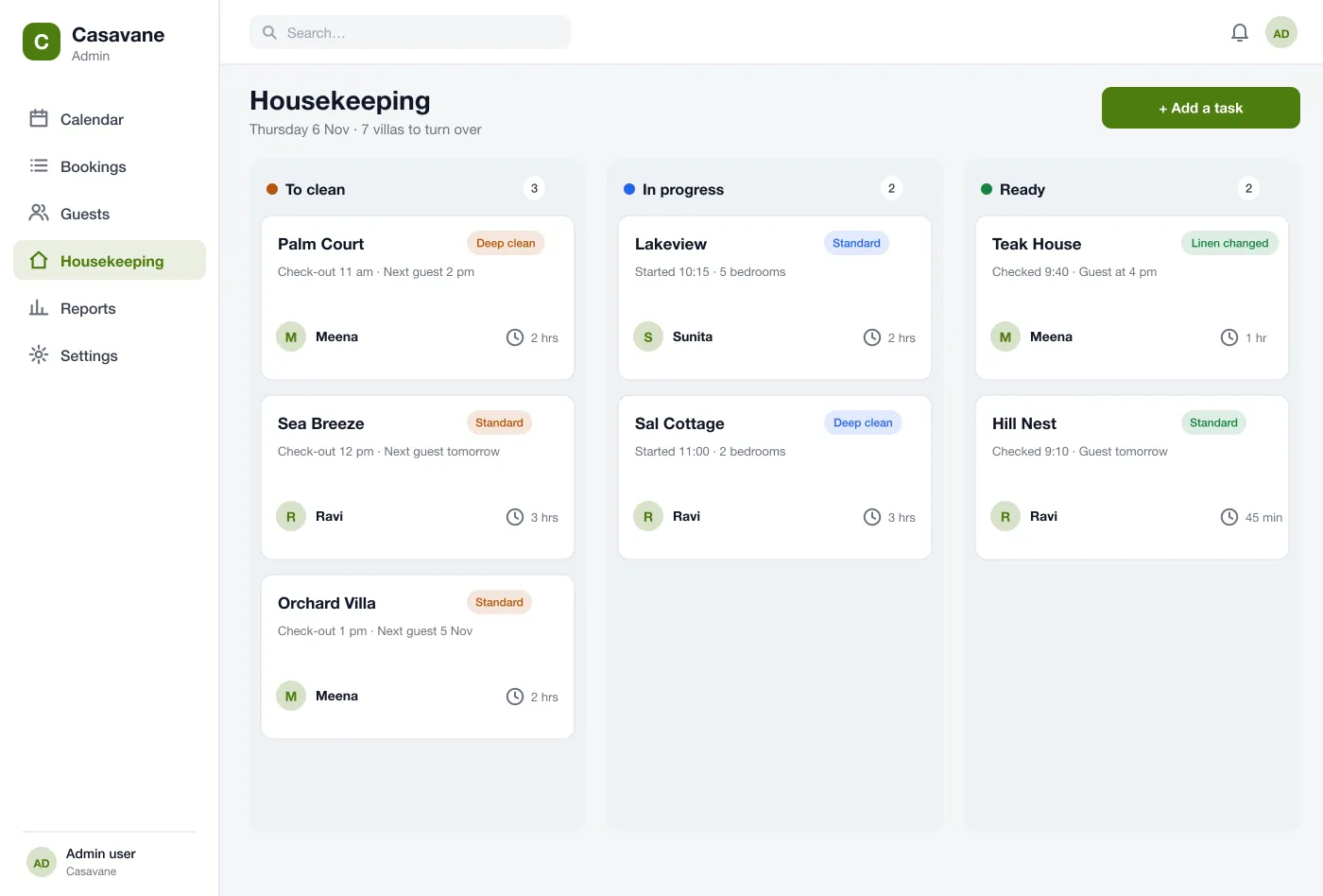
Cleaning moves from to clean to ready, with the next guest shown on each card.
Features
Every villa is a row and every day is a column. Bookings, holds and blocked days show as bars. The manager sees free days and gaps between stays at a glance.
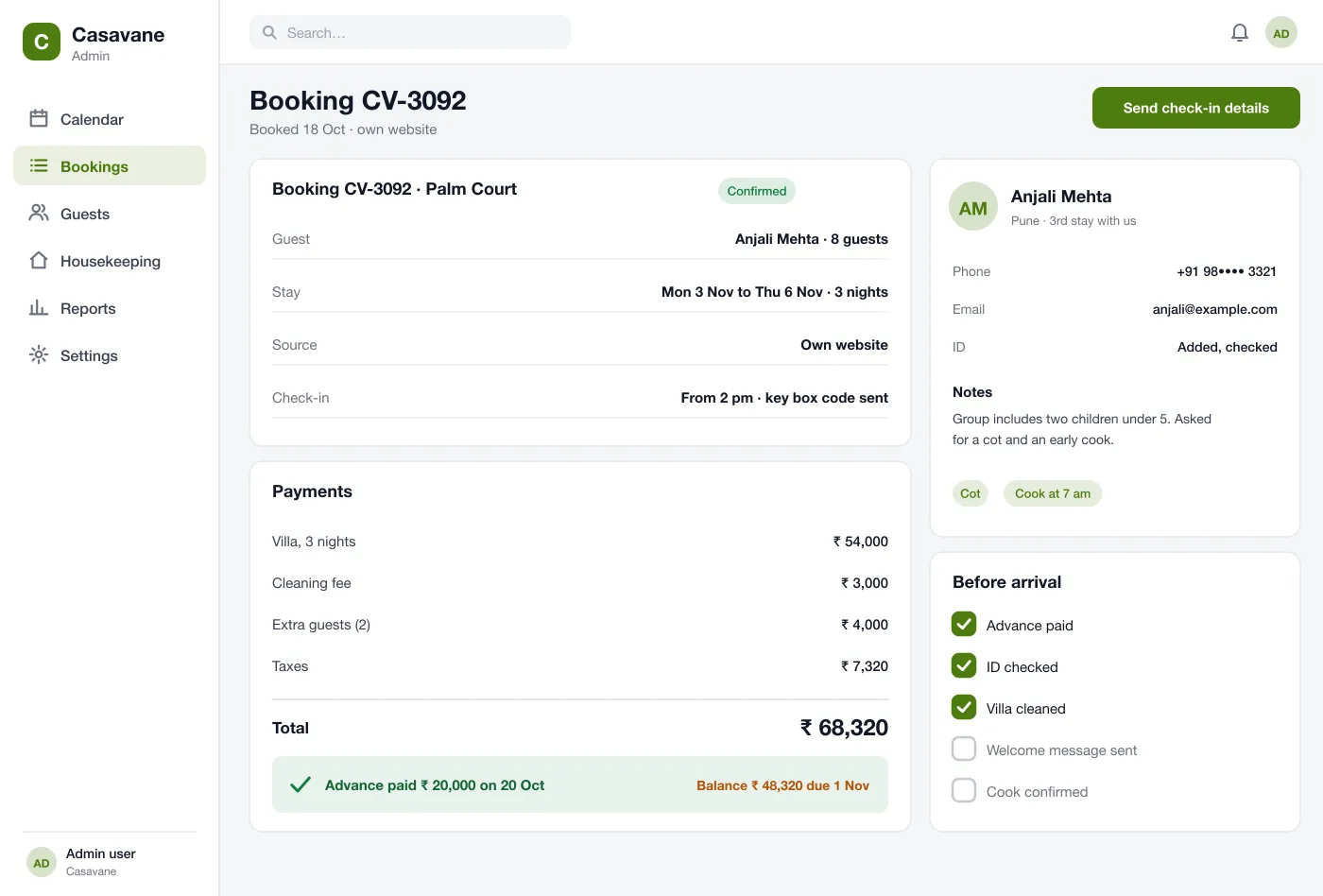
A booking shows the guest, the dates, the source and the payments. It lists the villa charge, cleaning fee, extra guests and taxes, then the advance paid and the balance due.
A hold keeps dates for a guest for a short time. A block closes a villa for repairs or the owner's own use. Both show in a different colour.
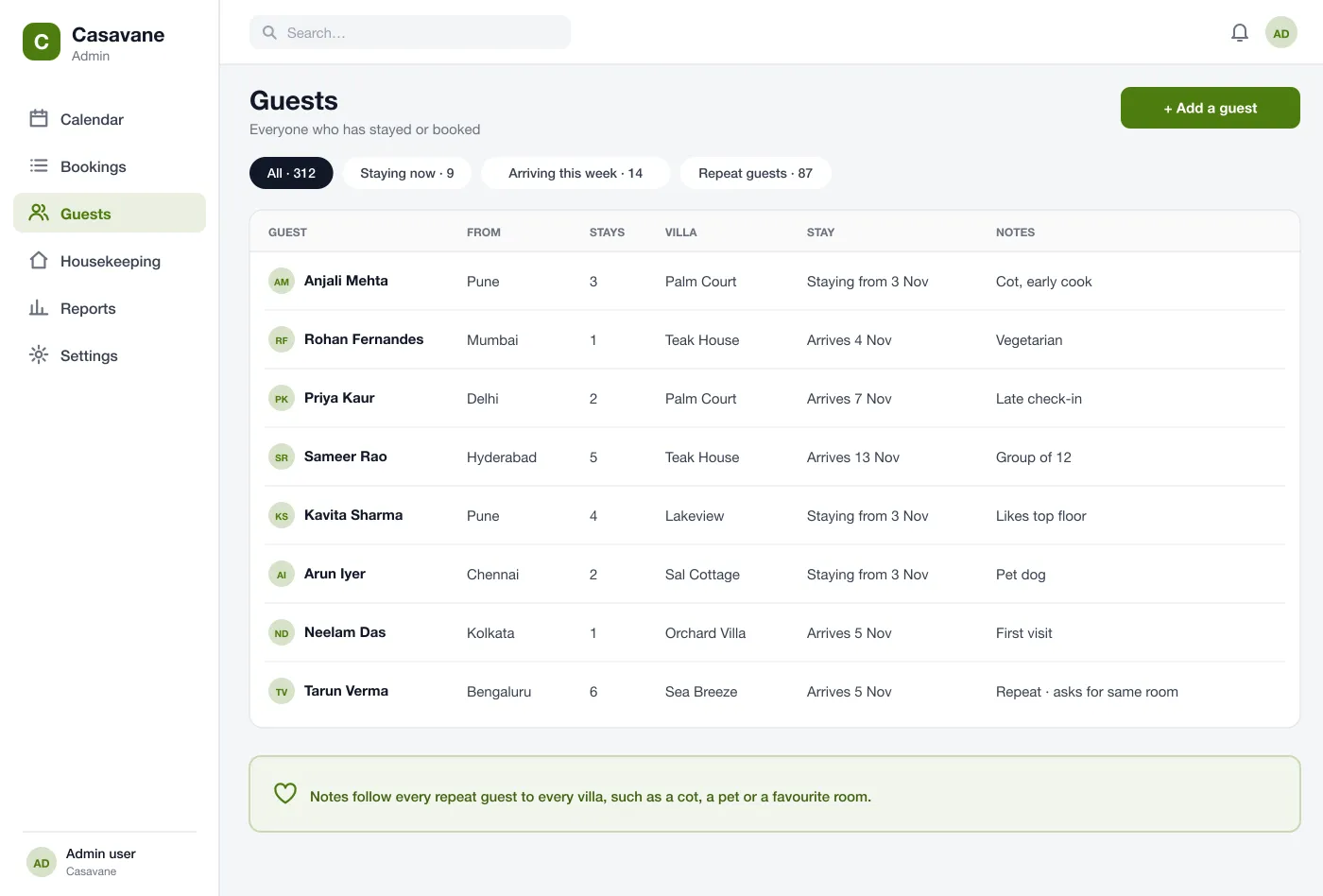
Every guest has a record with past stays and notes. The notes come back when the same guest books another villa.
Each booking has a checklist: advance paid, ID checked, villa cleaned, welcome message sent and cook confirmed. Items tick off as they are done.
Tasks move from to clean to in progress to ready. Each card shows the villa, the check-out time, the next guest, the cleaner and the time it should take.
Screens
How it works
The manager picks a villa and dates on the calendar, adds the guest and records the advance.
The manager works through the checklist: ID, welcome message and cook. The guest notes appear on the booking.
After check-out the cleaning task moves across the board. When it is ready, the manager sees the villa is clear for the next guest.
When the same guest books again, the guest record shows past stays and notes, so the team already knows what they like.
Who it is for
See bookings, balances due and guest notes in one place.
Work through the cleaning board and the before-arrival checklist.
Block dates for repairs or your own stay with one action.
FAQ
It is software that shows when each villa is free or booked, stores each booking and guest, takes payments and tells the staff what to clean and when.
Yes. Bookings from your own website, holiday rental sites and phone calls can land on the same calendar through calendar sync or the sites' own APIs, and payments can run through the gateway you already use.
Yes. We can build the web console, a booking page for your website and a simple app for your cleaners. We can connect it to your payment gateway.
Each villa has one calendar. When a booking, a hold or a blocked day is saved, those dates close for every booking source at once.
Yes. The housekeeping board lists each villa to turn over, who does it, how long it should take and when the next guest arrives.
Tap through the calendar, a booking and the housekeeping board.
See the screens