Search and filters
Buyers search by product name or CAS number. Filters narrow the list by category, grade and pack size. Each card shows the price per tonne, the grade, the number of suppliers and a safety sheet tag.
Marketplace for industrial buyers
Search by product or CAS number, compare quotes from checked suppliers side by side, order in bulk, and track delivery with papers attached.
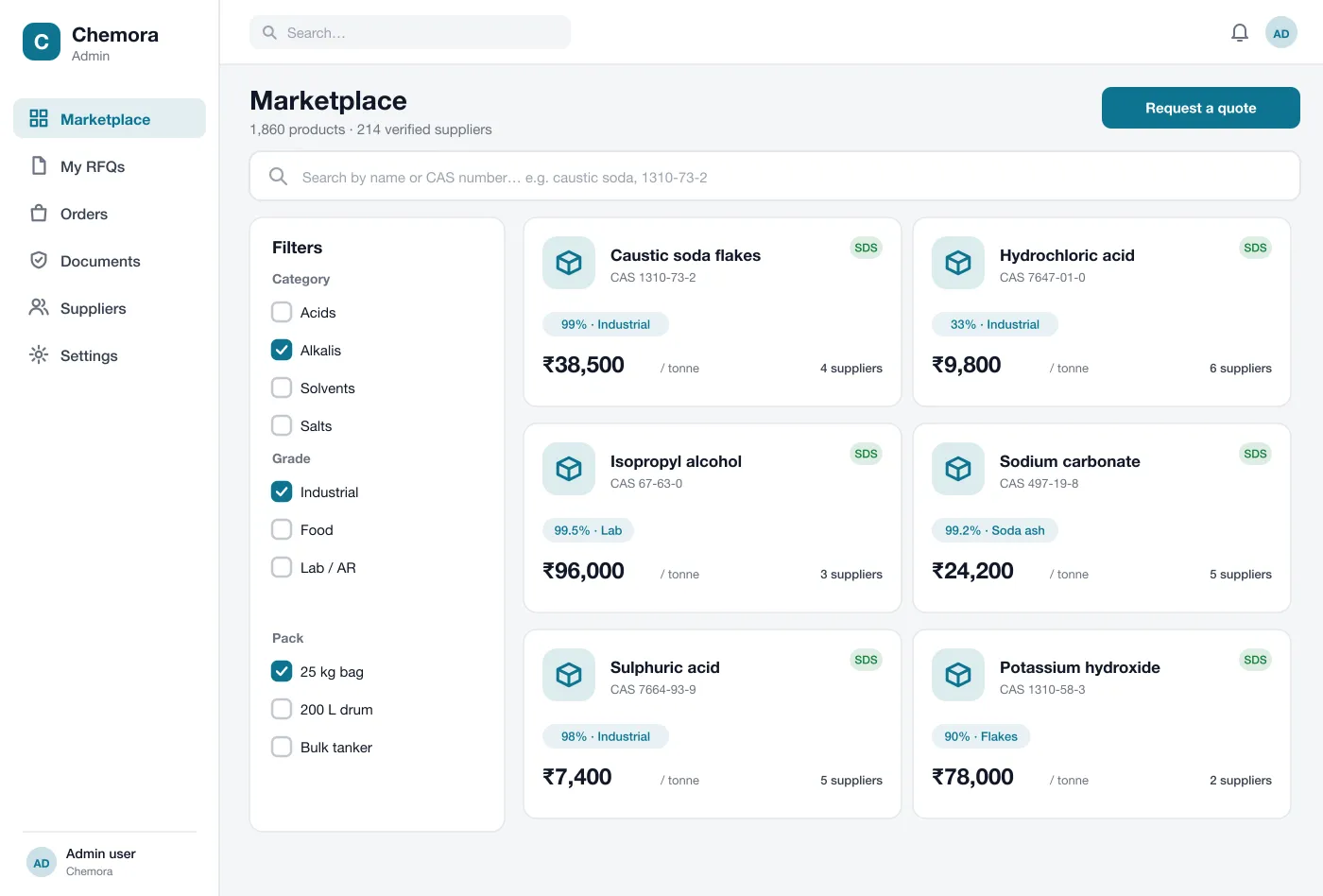
Every product carries its CAS number, grade, pack sizes and hazard class. Buyers search the way they already talk about chemicals, then narrow the list with filters.
| SECTION 1Search by CAS number | Find products by name or CAS number, then filter by grade. |
|---|---|
| SECTION 2Quotes side by side | Send one request to several suppliers and compare the offers in one table. |
| SECTION 3Safety papers attached | Safety data sheets and certificates travel with every quote and order. |
Six parts work together so a purchase manager can go from a search to a confirmed bulk order without a pile of emails.
Buyers search by product name or CAS number. Filters narrow the list by category, grade and pack size. Each card shows the price per tonne, the grade, the number of suppliers and a safety sheet tag.
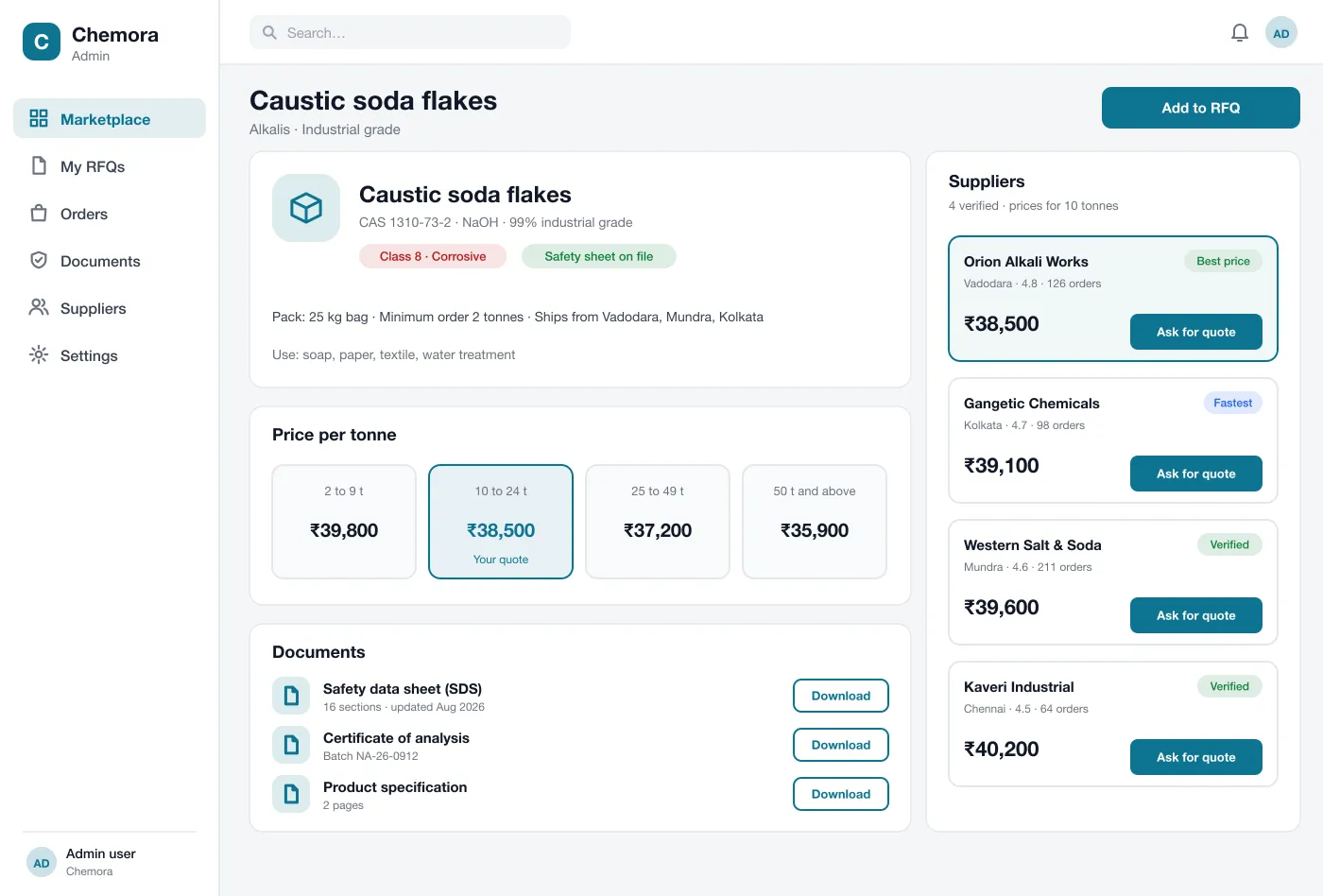
A product page shows how the price changes with the quantity, so buyers can see the gain from ordering more. The hazard class and use are written in plain words next to the price.
Each supplier is checked by the admin team before listing. The page shows the supplier's city, rating and number of orders. Tags such as Best price and Fastest help buyers choose.
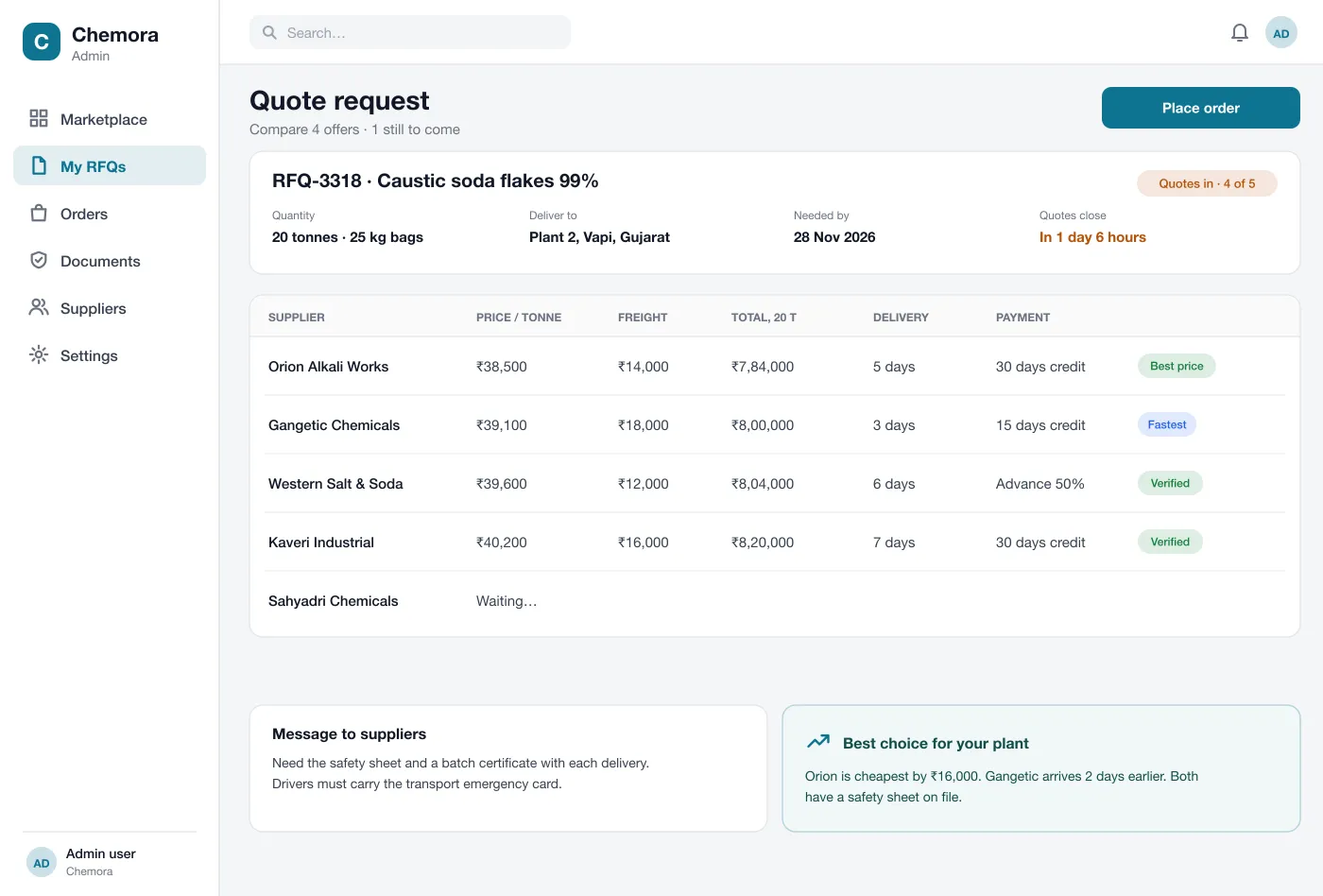
A buyer sets the quantity, place and date and sends the request to chosen suppliers. Quotes arrive in one table with price, freight, delivery time and payment terms. A short note points out the best choice for the buyer's needs.
The safety data sheet, certificate of analysis and specification sit on the product page. Copies are attached to every quote and order, and flagged when they are out of date.
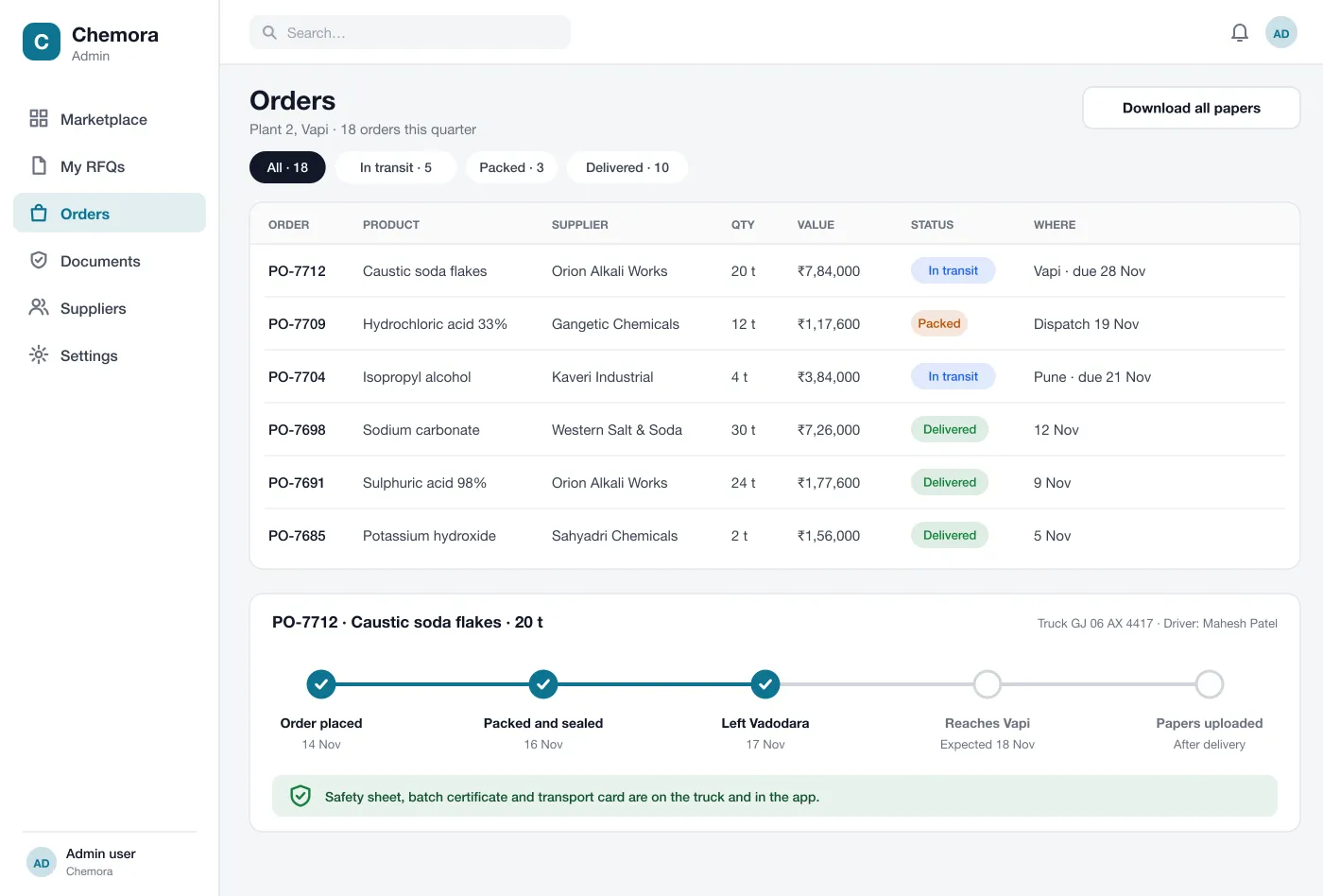
Orders show each step, from placed and packed to left the supplier and delivered. The truck and driver details are visible, and delivery papers are saved after the goods arrive.
A bulk order moves through four clear steps. The same record holds the quotes, the order and every document.
The buyer types a name or CAS number, filters by grade and pack, and opens a product to see price breaks and papers.
The buyer sends one request to several suppliers and sees the offers side by side as they come in.
The buyer picks an offer, checks the freight and payment terms, and places a bulk order that the supplier confirms.
The buyer follows the truck, gets the safety sheet and certificate with the delivery, and finds all papers in the order record.
Buyers, suppliers and the admin team each get their own view of the same quote and order.
Find a product, ask for quotes and place a bulk order.
Answer quote requests with a price, freight and delivery time.
Check each supplier before listing and flag papers that are out of date.
Four screens from the web app, from the product list to order tracking. Open them full screen.
It is a website where factories and traders buy chemicals from many suppliers in one place. Buyers search for a product, ask for quotes, compare them and place bulk orders.
Start with search by name or CAS number, supplier checks, quote requests and safety data sheets on every product. Order tracking, price breaks and supplier ratings can follow in the next phase.
Yes. We can build a marketplace for chemicals or another industrial product, with your own approval steps for suppliers, price rules, document handling and payment terms.
A supplier uploads company papers, licences and tax details. The admin team checks them and approves the supplier before any product goes live. Papers are re-checked when they expire.
Each product must have a safety data sheet before it can be listed. The sheet is shown on the product page, and a copy is attached to every quote and order.
Walk through a search, a quote request and an order.