Find salons nearby
The Discover screen lists salons by distance with the rating, the type of work they do and the next free time. Filters such as Hair, Skin, Nails and Men narrow the list.
Find salons nearby, pick services and a stylist, see only the times that fit, and let salon staff run one calendar for the whole day.
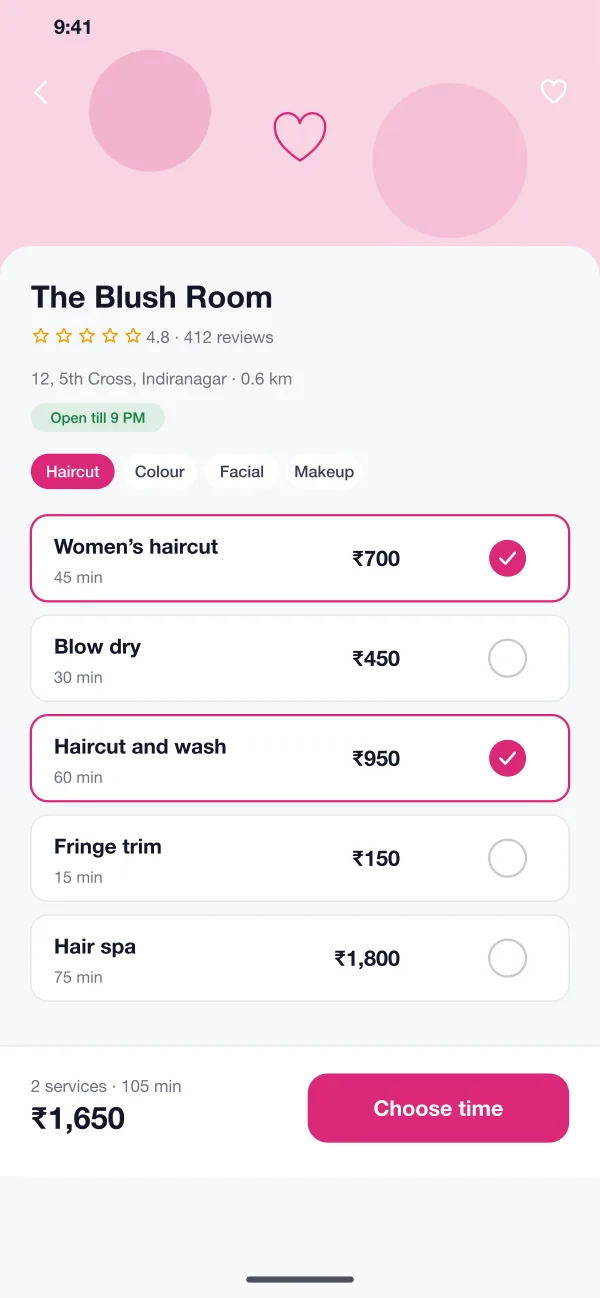
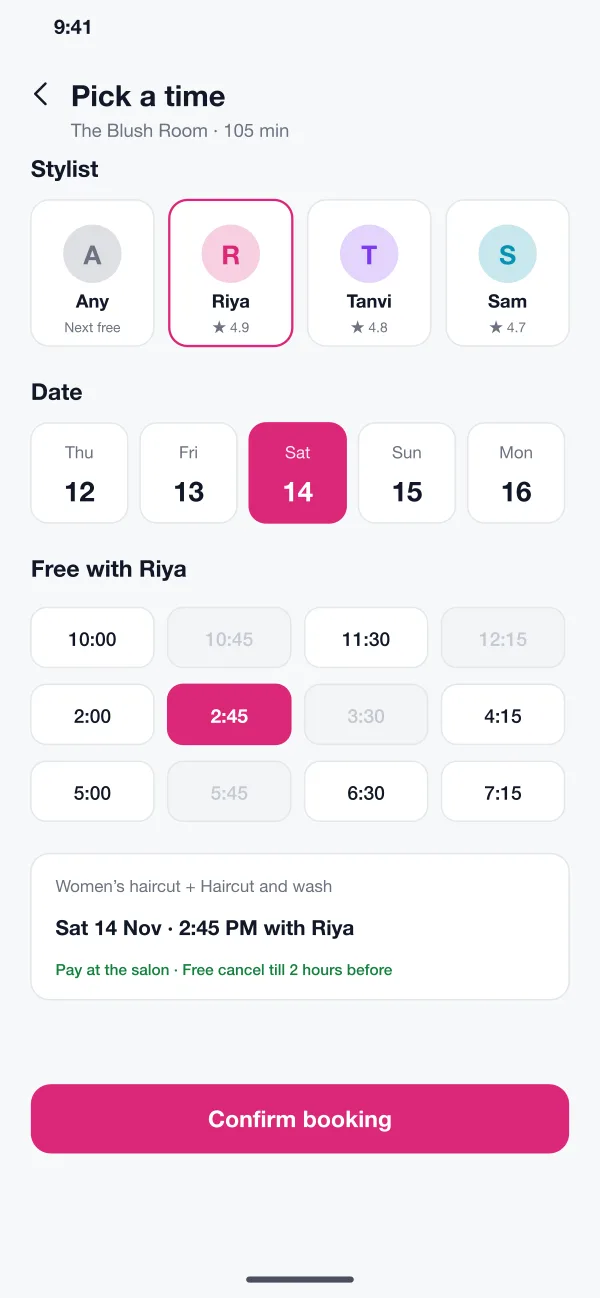
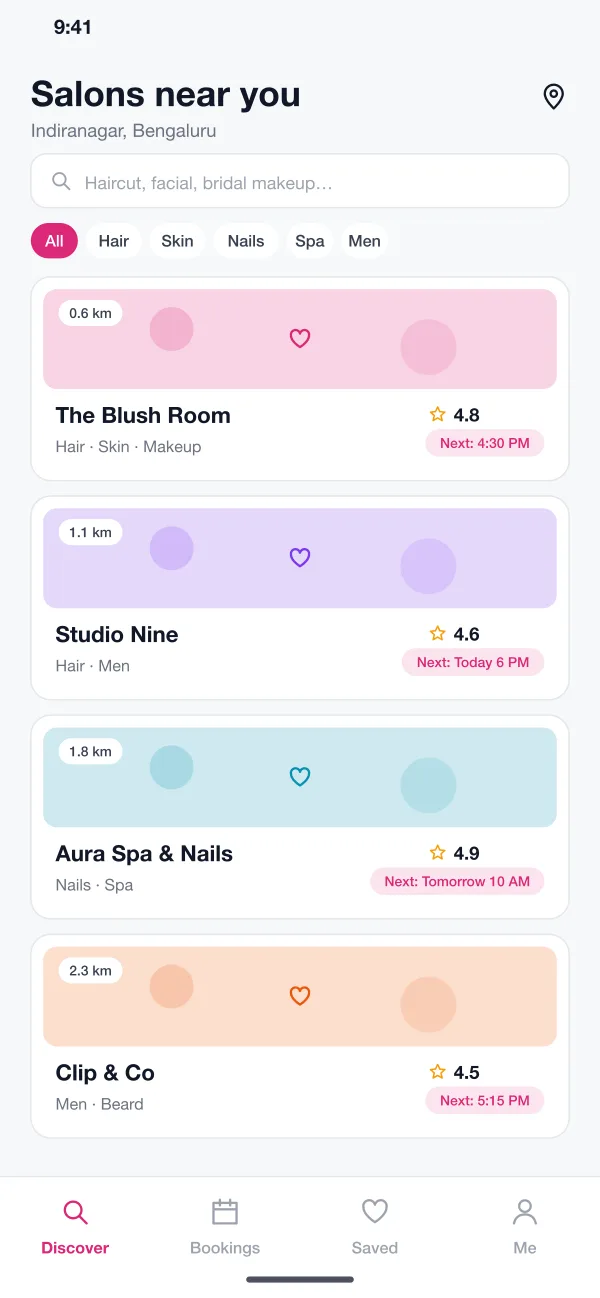
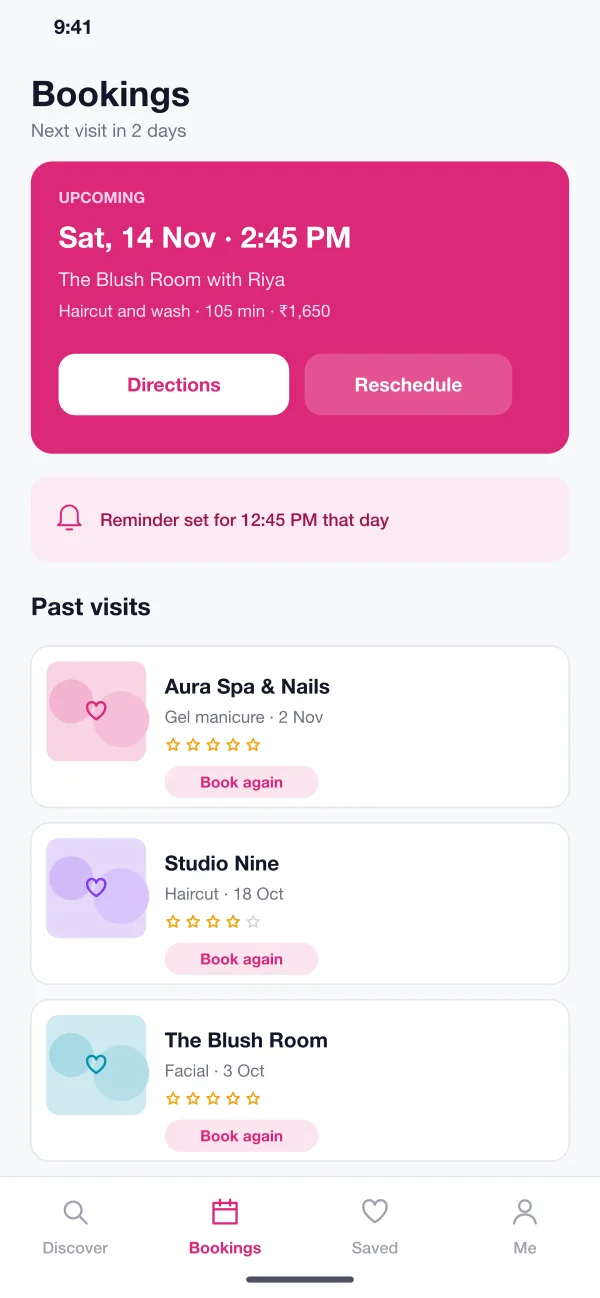
From the first search to the next booking, each step is short and clear.
The Discover screen lists salons by distance with the rating, the type of work they do and the next free time. Filters such as Hair, Skin, Nails and Men narrow the list.
A salon page shows each service with its price and how long it takes. Customers tick more than one, and the total price and time update as they go.
The customer picks a stylist, or any stylist, then a day. Only slots long enough for the chosen services are shown. Taken times are greyed out.
After booking, the customer gets a reminder before the visit. The Bookings screen has directions, a reschedule button and a one-tap Book again for past visits.
Staff see the day in one column per stylist. App bookings and walk-ins show side by side, and the app points out gaps that could take another customer.
After each visit the customer can rate the salon and the stylist. Past visits stay in the app, which makes it quick to book the same service again.
The customer opens Discover, picks a salon, ticks two services, chooses a stylist and a time, and confirms in under a minute.
Before the visit the customer opens Bookings and taps Reschedule. A free cancel window of a few hours applies.
The salon opens the calendar, adds a walk-in to a free gap and sees which stylist is free next.
After the visit the customer rates the salon and uses Book again to repeat the same service.
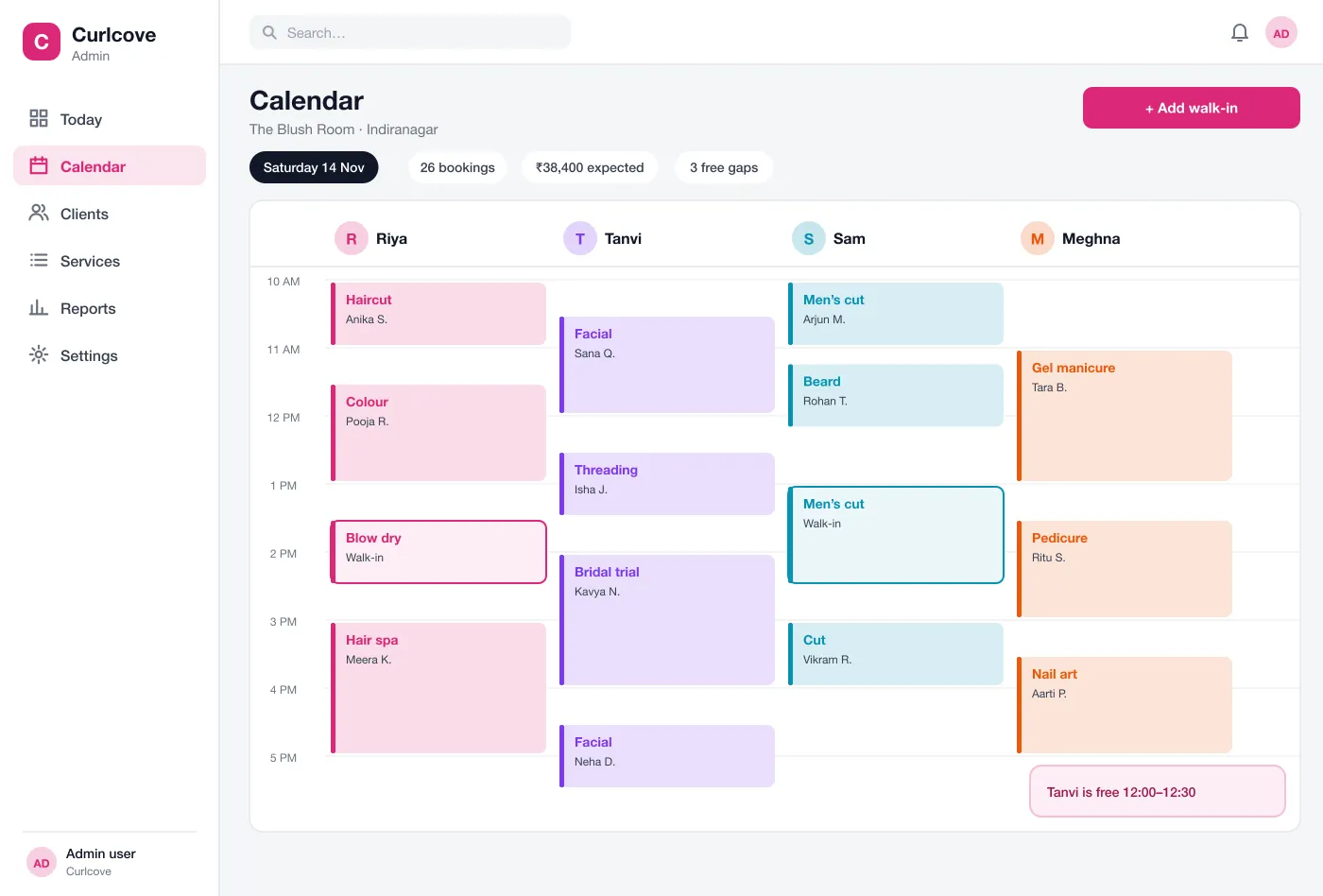
App bookings and walk-ins sit side by side, one column per stylist, so the front desk always knows who is free next.
It is an app that lists many salons in one place. A customer searches by area or service, sees prices and open slots, and books without calling. Each salon manages its own calendar.
The cost depends on the number of apps, how many salons join, payment and SMS needs, and whether you want a single brand or an open marketplace. Starting with booking, calendar and reminders keeps the first release small.
Yes. We can build it for a group of salons, a single chain or an open marketplace, with Android and iOS apps and a web dashboard for your staff.
Every booking, from the app or added by staff for a walk-in, goes into one calendar. A slot taken by one person cannot be booked by another, and a stylist's time off blocks the slots.
Yes. The booking screen lets customers choose a named stylist or pick any stylist and get the next free slot. Staff see who is booked in each column of the calendar.