Jewellery, given well
Send jewellery gifts on a set day, with a gift wallet
Buyers pick jewellery by occasion and budget, then send a gift card by WhatsApp or SMS on a day they choose. Receivers spend it from one gift wallet.
Three quiet ideas
- 01
Gift cards on a set day
The sender picks an amount, writes a note and a send time. The card arrives on time.
- 02
One gift wallet
Gift cards a person receives are added to one balance, with each use listed.
- 03
Reminders for special dates
The app reminds a buyer seven days before a date and shows pieces within the budget.
Gift first, shop second.
Every screen starts from the person you are buying for, then shows pieces that fit the day and the budget.
Inside the app
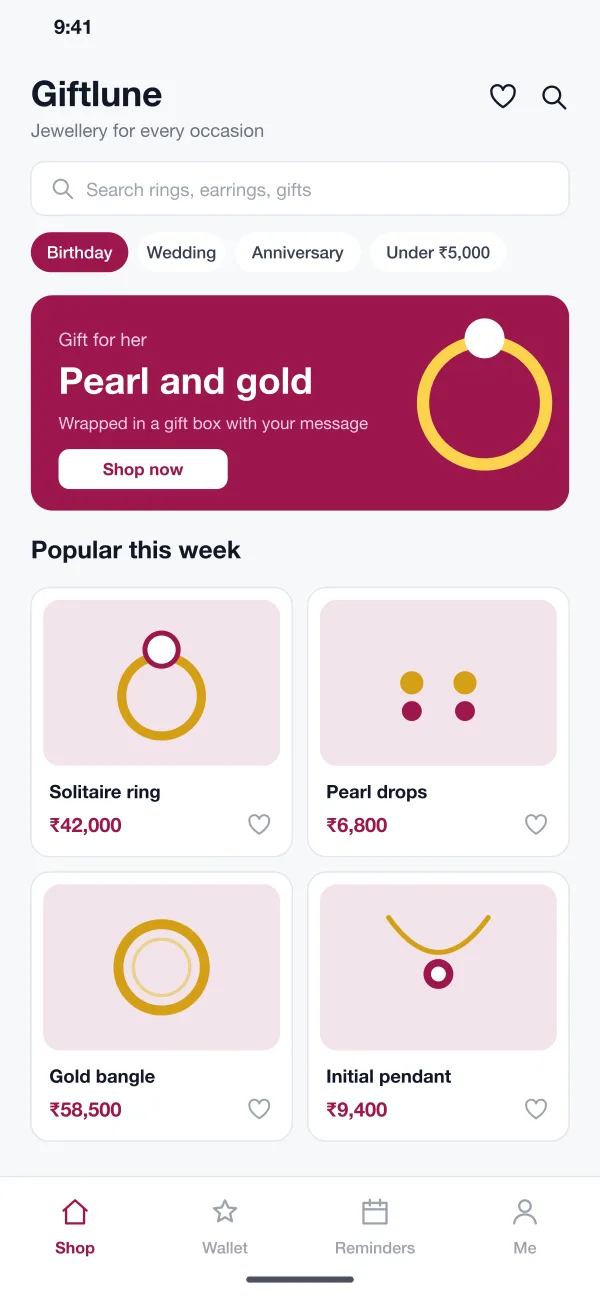
- Shop by occasion and budget
- The home screen has chips for birthday, wedding, anniversary and price bands. Pieces are shown on soft tiles with the price and a heart to save them.
- Gift cards
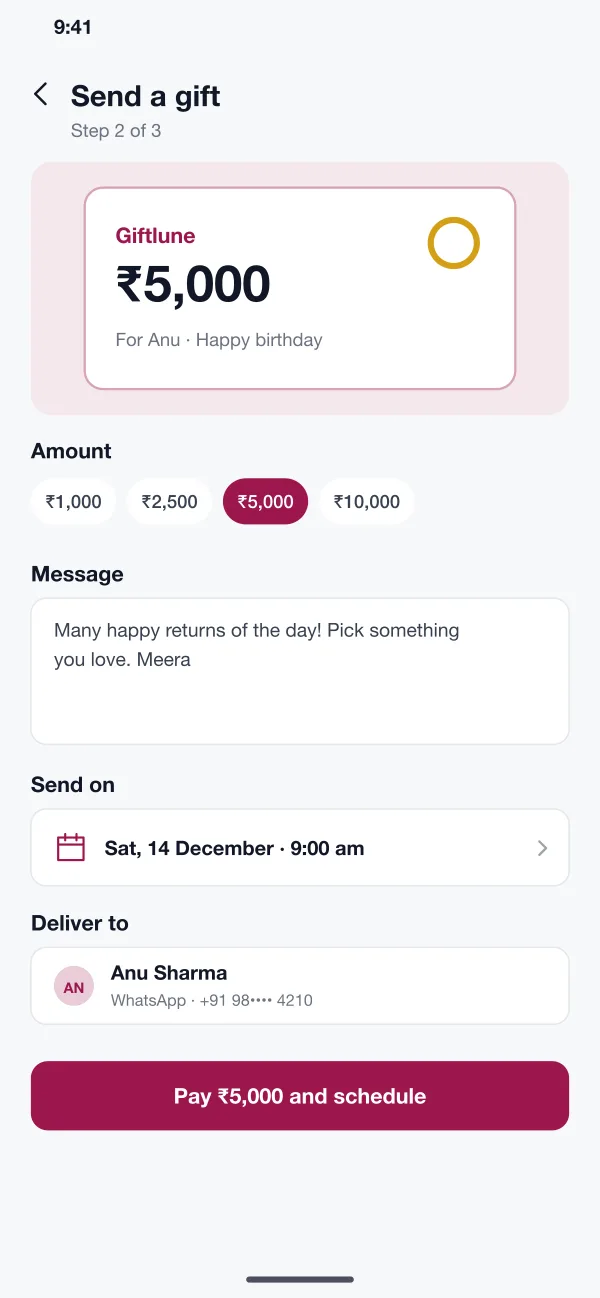
- The sender picks an amount, writes a message and chooses a send time. The card looks like a small gift note and reaches the receiver by WhatsApp or SMS.
- Gift wallet
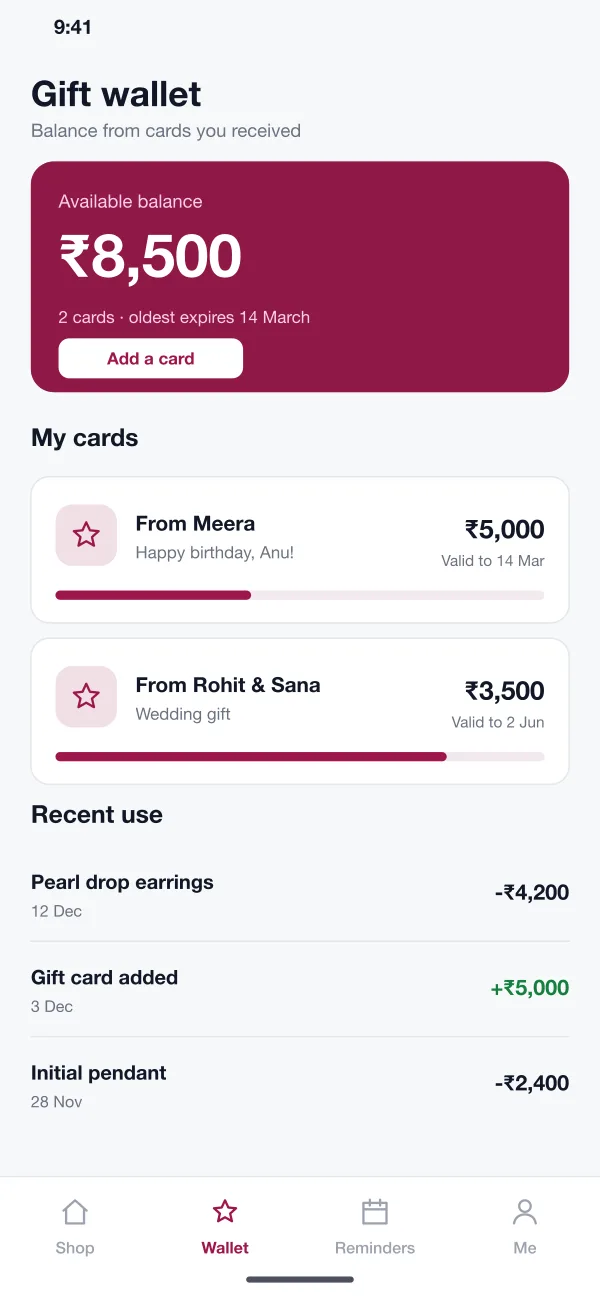
- Cards the person receives are added to one balance. The wallet shows each card, who sent it, when it ends and every use of the money.
- Reminders
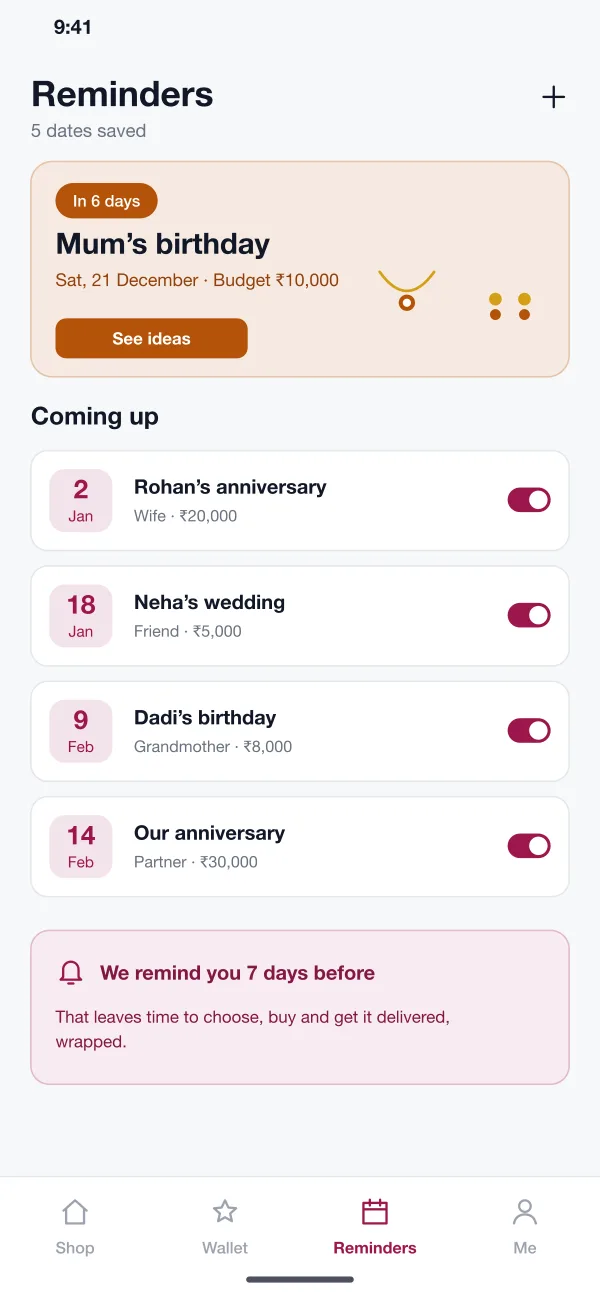
- A person saves dates with the name, who it is for and a budget. The app reminds them seven days before and shows pieces within the budget.
- Checkout
- At checkout the wallet balance is used first. The buyer can add a gift box and a printed message, and pay the rest by UPI or card.
- Store admin
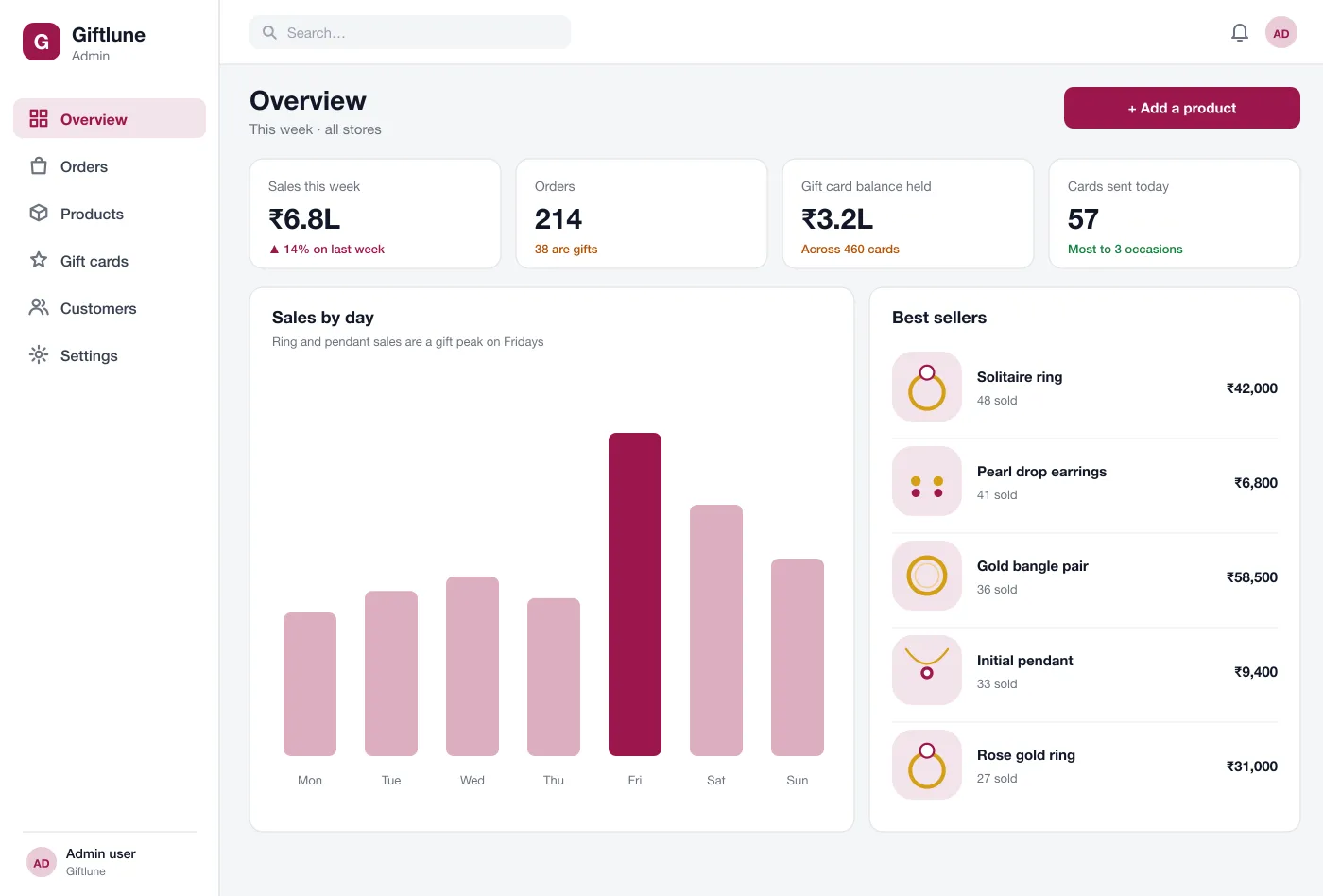
- The team sees sales by day, gift cards sold and the money still held in cards. They add products, set prices and track orders on the web.
How a gift travels
Send a gift
A buyer picks an amount, writes a line, chooses Saturday 9 am, pays, and the receiver gets the card on time.
Use a gift
The receiver opens the wallet, sees the balance, picks a pair of earrings and pays with the wallet. Any amount left stays for next time.
Plan ahead
A buyer saves a mother's birthday with a budget. A week before, the app reminds them and shows a few pieces to choose from.
Run the store
The team checks the weekly sales, sees which pieces sell as gifts and fills stock before the Friday peak.
More of the app
For
Buyers
Shop by occasion and budget, send a gift card and save the dates to remember.
Receivers
See the wallet balance, spend it at checkout and keep any amount left for next time.
Store team
See weekly sales, gift cards sold and the money still held on cards.
Questions
What is a gift wallet?
It is a balance inside the app. When someone sends you a gift card, the money is added to your wallet. You can use it for any purchase in the store, in one go or over several orders.
Which platforms can a jewellery gifting app run on?
The shop app runs on Android and iOS, and the same catalogue and gift wallet can power a website. The store team uses a web admin panel for products, gift cards and orders.
Can you build a jewellery and gifting app like this for my business?
Yes. We can build the shopping app for Android and iOS, a web admin for your team, and connect your payment gateway, stock list and delivery partners.
How does the gift reminder work?
A person saves a date, who it is for and a budget. The app sends a reminder a week before and shows pieces that fit the budget.
Can a gift card be sent at a set time?
Yes. The sender picks a date and time. The card is paid for at once and delivered to the receiver by WhatsApp or SMS at that time.
Send a gift from start to finish
Follow one card from the buyer's note to the receiver's wallet.
Browse by occasion