Chain overview
The owner sees today's sales for each branch, the busiest services, chair use and a short list of things that need attention, such as low stock.
One web system for billing, stock by branch, monthly staff pay with commission, and memberships that work at every branch of the chain.
See the screens Modules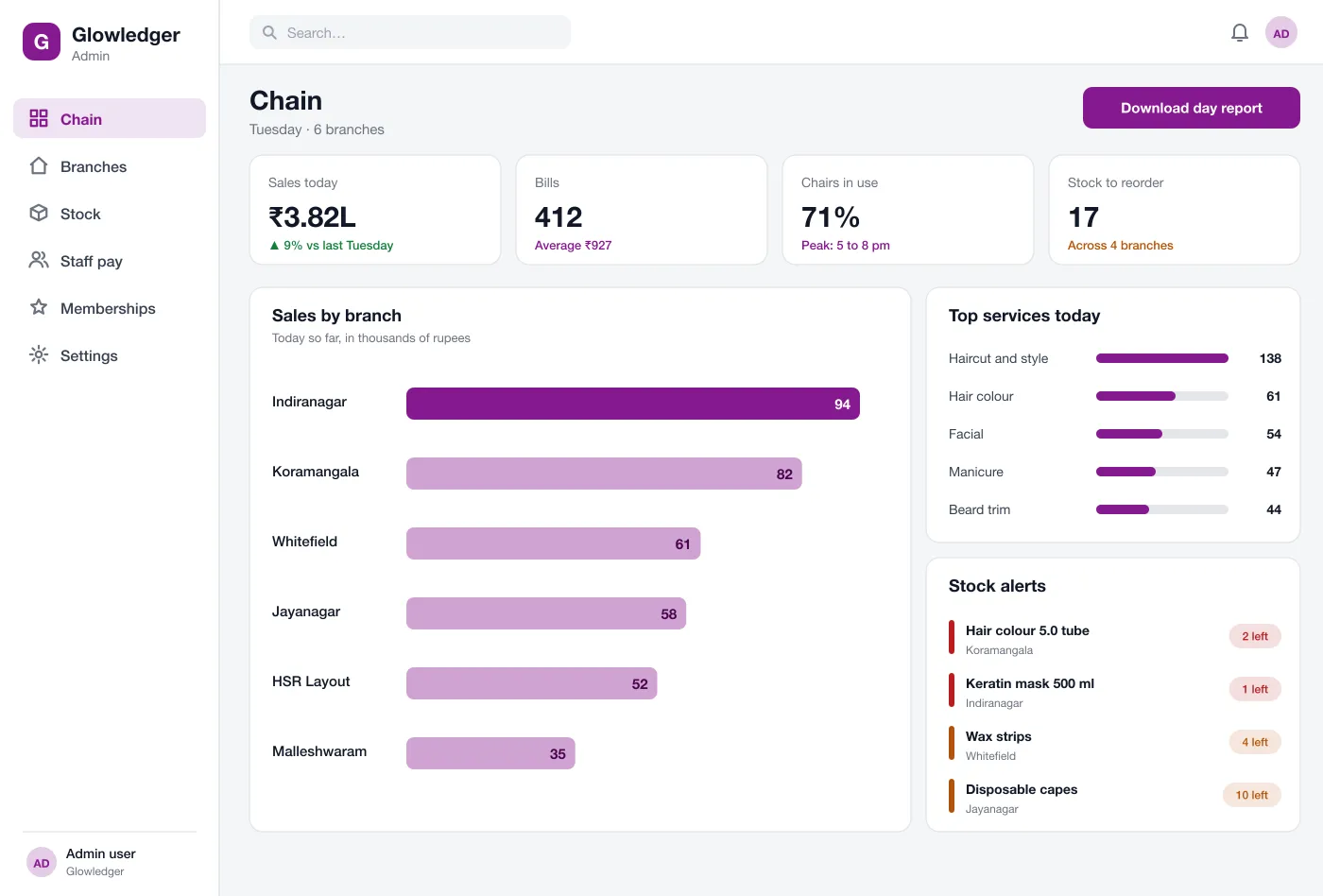
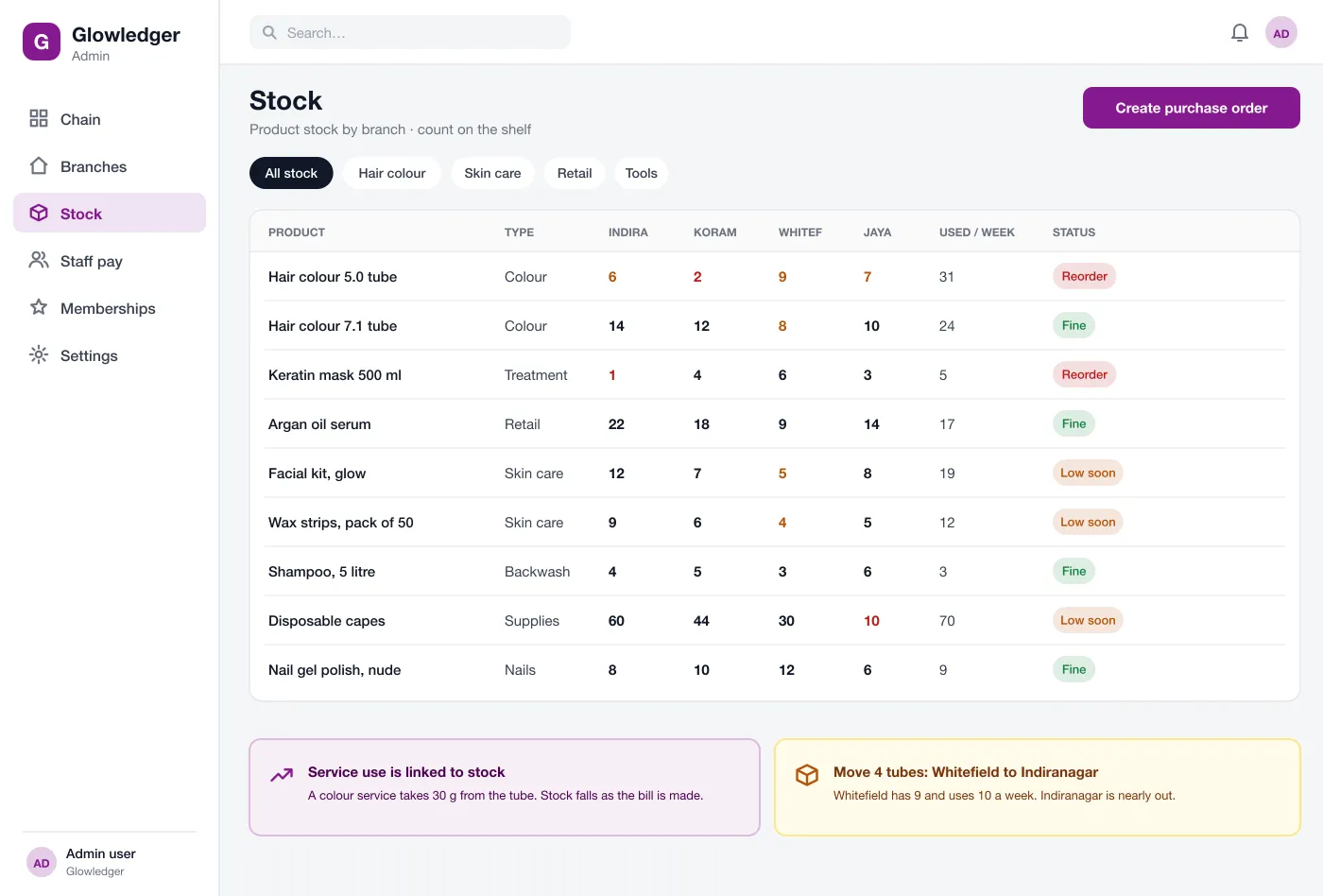
See each product count at every branch, and move stock before buying more.
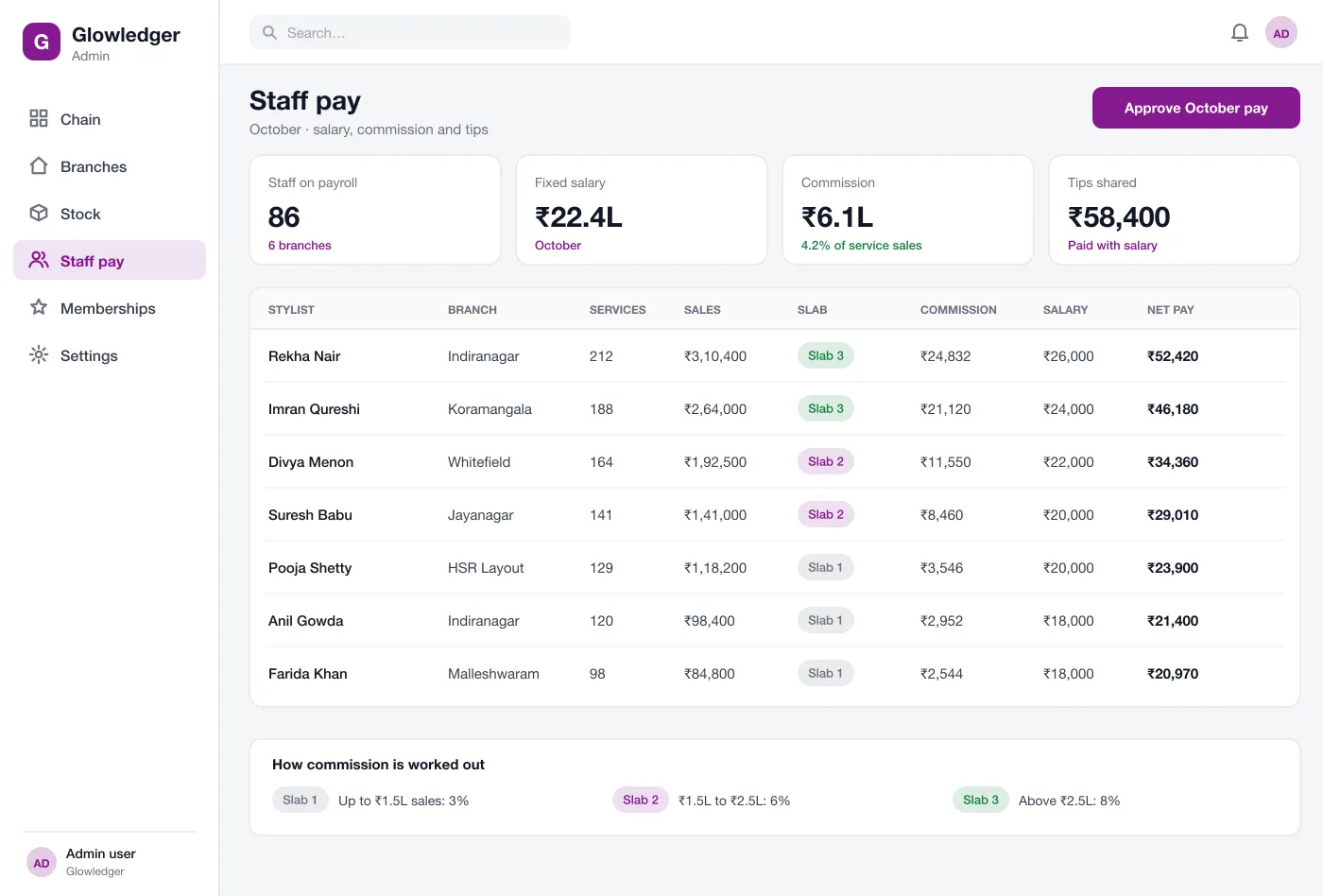
Salary, commission slabs and advances are worked out each month.
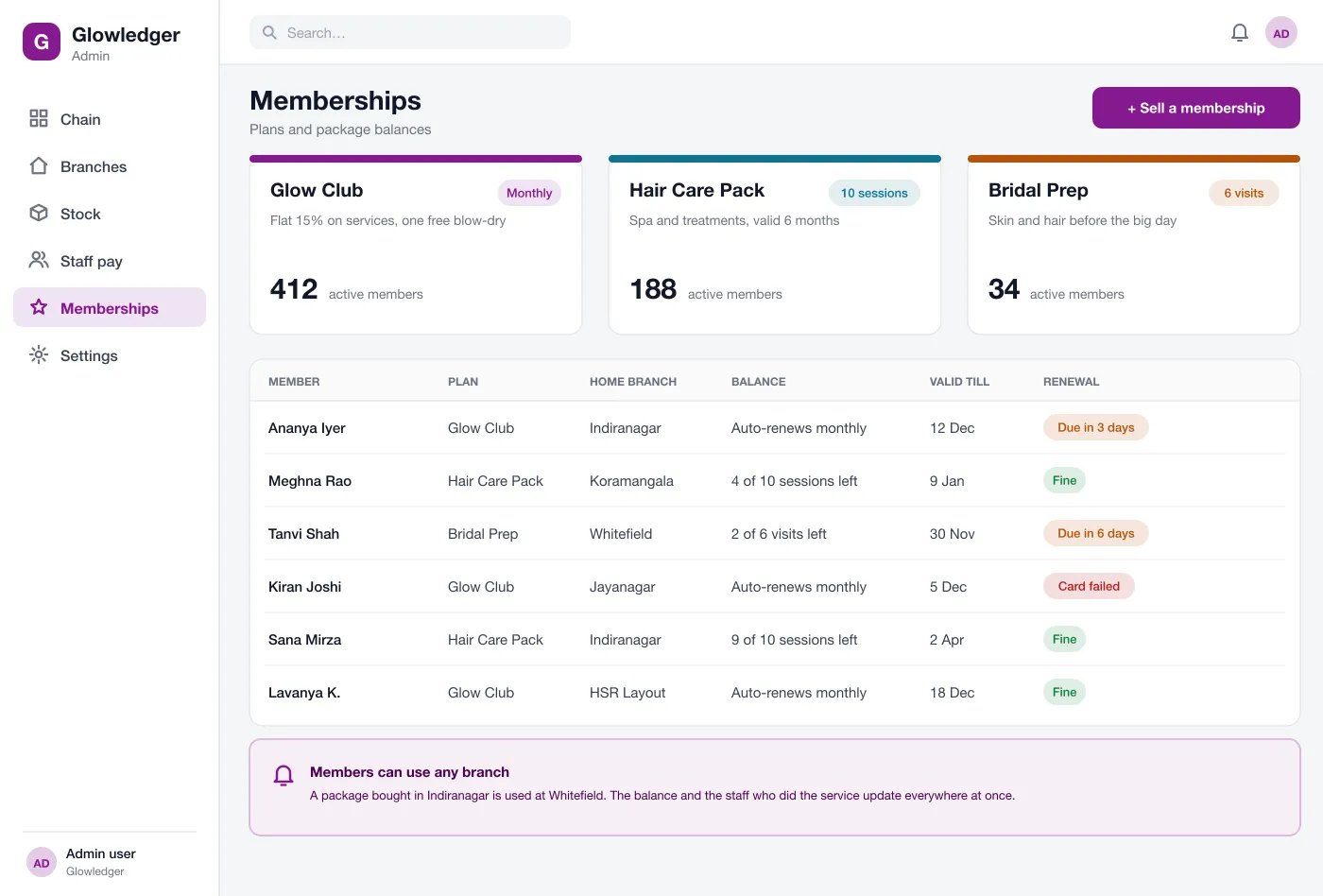
Plans and packs keep one balance that works at every branch.
The owner sees today's sales for each branch, the busiest services, chair use and a short list of things that need attention, such as low stock.
Each branch bills services and products on the same system. Stylists, offers and taxes are set once for the chain and can be changed for one branch when needed.
Every product shows its count at every branch, how much is used in a week and a status. The system suggests moving stock between branches before buying more.
Salary, commission slabs, advances and tips are worked out each month. The manager checks one table and approves pay for the whole chain.
Plans such as a monthly club or a ten-session pack are sold at any branch. The balance, the valid-till date and the staff who did each visit are kept in one record.
The owner can download a day report, compare branches and see which services and stylists bring in the most.
The owner opens one page in the morning, sees yesterday's sales for each branch and the stock that is low.
The manager sees that Whitefield has extra colour, moves four tubes to Indiranagar and raises one purchase order for the rest.
At month end the accounts team opens the pay table, checks the slabs and approves pay for all branches at once.
The front desk sells a package at one branch. The customer uses it at another branch the next week with the right balance.
See each branch sales, busy services and things that need attention.
Bill sales, check stock and move items between branches.
Check the pay table once and approve pay for all branches together.
It is software that runs the business side of a salon: billing, stock, staff pay, memberships and reports. A chain version shows all branches in one place.
Most chains start with billing, stock by branch and staff pay, because those three take the most time by hand. Memberships, reports and a stylist app can follow in a second phase.
Yes. We can build it as a web app, add a mobile app for stylists or for customers if you want one, and connect your billing printer and payment gateway.
Each service can use a set amount of a product. When the bill is made, stock for that branch goes down by that amount, so the shelf count stays close to real.
Yes. Rules can be set in slabs by sales, by service type or by person. The pay screen shows how each amount was worked out.
Walk through the chain overview, stock, pay and memberships.
See the screens