Book tutors and trainers by free slot, with reminders
Customers find a provider by need, pick an open time and pay. Providers manage their hours and share a booking link, and the team handles payouts.
-
Only free slots can be booked
Taken times cannot be picked. A slot is held for a few minutes while payment goes through.
-
Reminders and free changes
Both sides get a message a day and an hour before. Times can change free until a cut-off.
-
Video link in the calendar
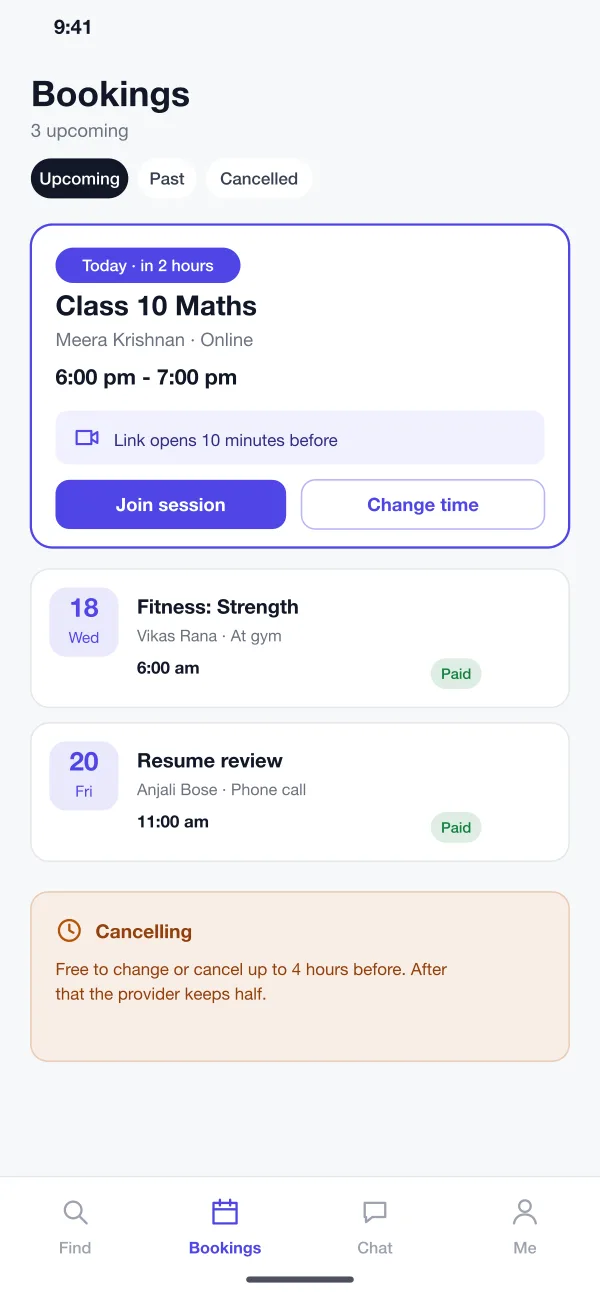
Online sessions add a calendar entry and a link that opens ten minutes before the start.
One app, three views
Pick a role to see the screens each person uses.
Find the right person and a time that fits
Search by subject or goal, open a provider page, pick a free slot and pay. Bookings, reminders and the video link sit in one list.
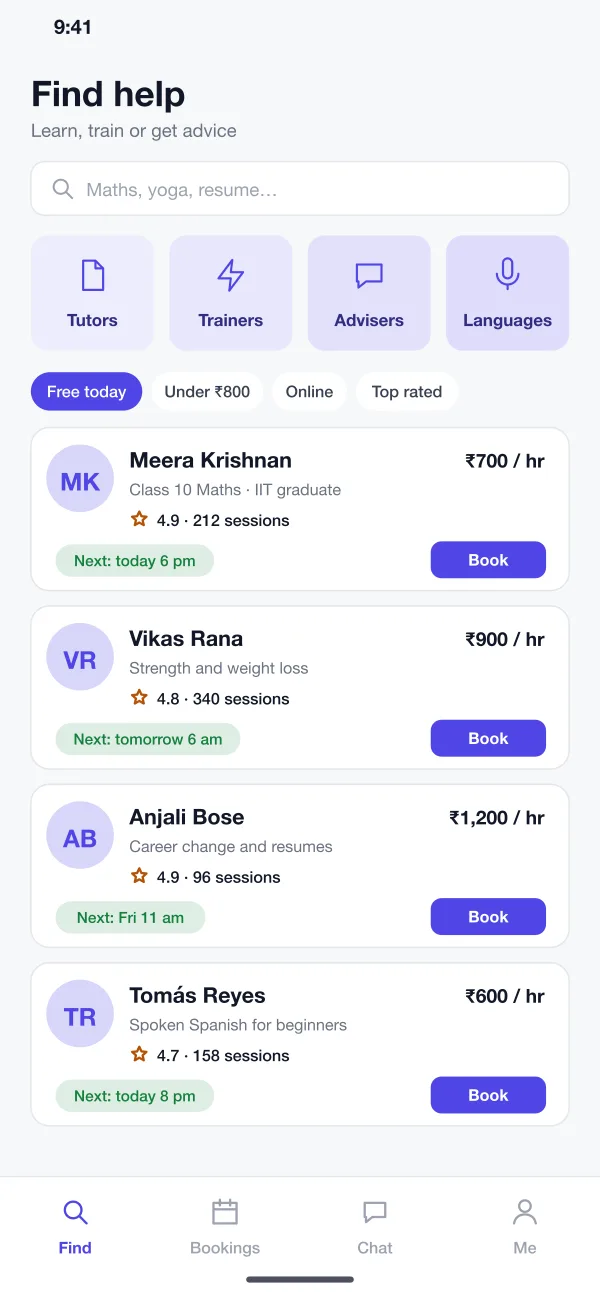
- Find by need
- The customer searches by subject or goal and filters by free today, price and online or in person. Each result shows the next open time.
- Provider page
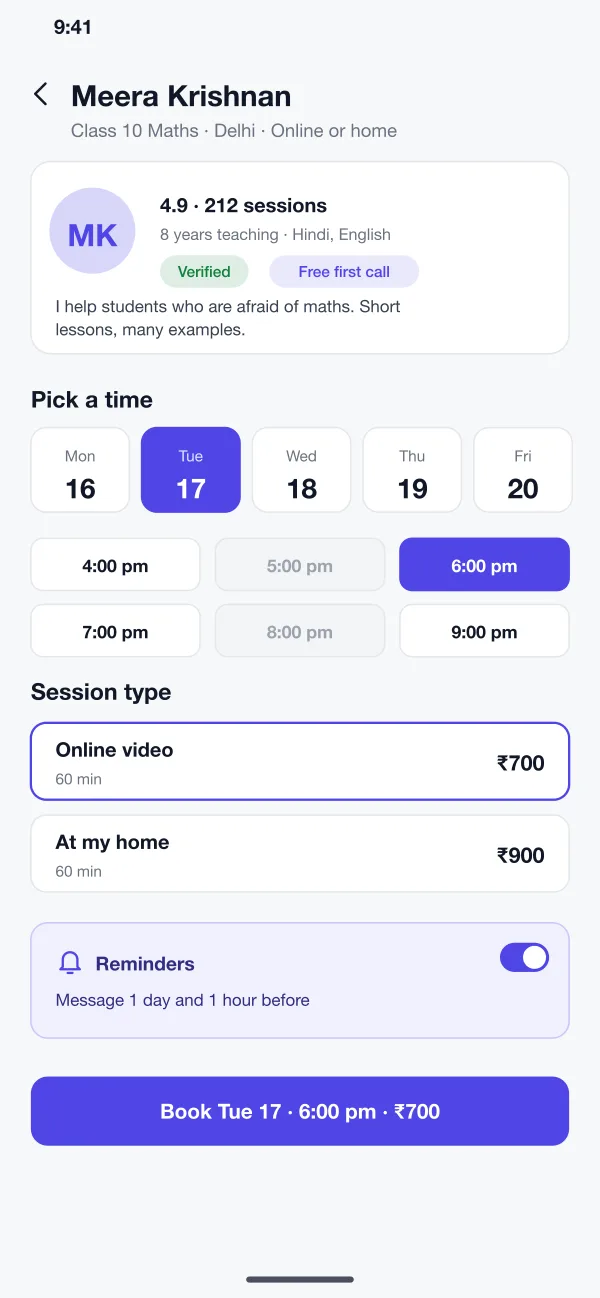
- A provider shows a short intro, years of work, languages, session types and prices. Customers can read ratings from people who booked before.
- Slots and booking
- The customer picks a day, a time and a session type, and sees the total. The slot is held for a few minutes while the payment goes through.
Run your own hours from your phone
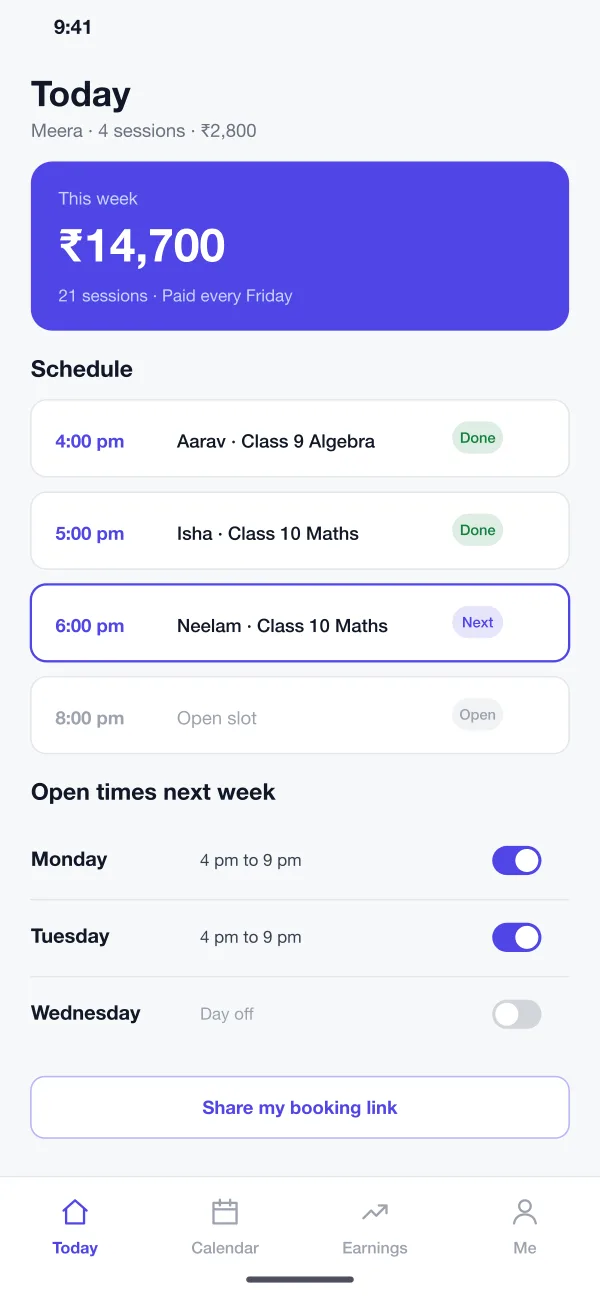
Switch open slots on or off for each day, see today's sessions and what you have earned, and share a personal booking link.
- Reminders and changes
- Both sides get messages a day and an hour before. The customer can change a time free until a cut-off. After that, the provider keeps part of the fee.
- Provider app
- Providers see today's sessions, switch open hours on or off for each day and share a personal booking link. Their earnings show by week.
Look after quality and payouts
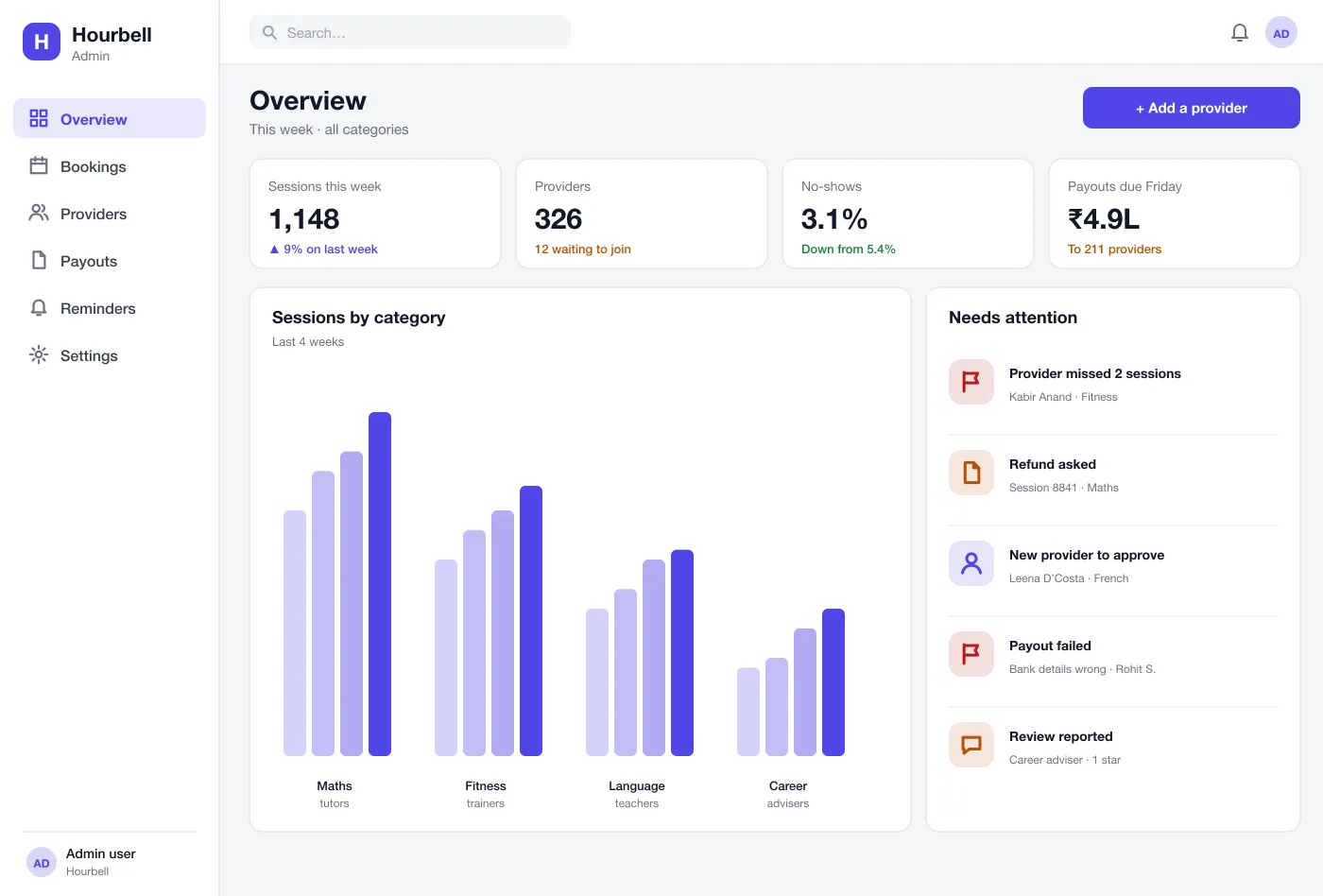
Approve new providers, watch missed sessions, handle refunds and run weekly payouts from one overview.
- Admin
- The team approves new providers, watches no-shows, handles refunds and runs weekly payouts. A list shows what needs attention first.
A week with Hourbell
Book a session
A parent finds a maths tutor, picks Tuesday at 6 pm, pays and gets a calendar entry and a video link.
Show up on time
The customer gets a message one hour before. The link opens ten minutes before the session starts.
Run the week
A tutor switches off Wednesday, opens an extra evening on Thursday and shares her link with new students.
Look after quality
The team sees a trainer who missed two sessions, calls them, and pauses new bookings until it is sorted out.
Common questions
What is an appointment booking marketplace?
It is an app where many independent people, such as tutors and trainers, list their open times. Customers pick a time, pay, and the booking appears in both calendars.
Which payment and calendar tools can a booking app connect to?
A booking app usually connects to a payment gateway such as Razorpay or Stripe, to Google or Outlook calendars so provider hours stay in sync, to a video call tool for online sessions, and to SMS, email or push for reminders.
Can you build a booking app like this for my business?
Yes. We can build the customer app, the provider app and the web admin, and connect payments, calendar, reminders and video links to match how your business works.
How does the app stop double bookings?
A slot is held the moment a customer starts to pay. If the payment is not finished in a few minutes, the slot is open again. Two customers can never hold the same slot.
Can providers set their own prices and hours?
Yes. Each provider sets the types of session, the price for each and the hours they are free. They can switch a day off in one tap.
Follow one booking from search to the session
See a parent book a tutor, get a reminder and join the video link on time.