A safe way for staff to raise workplace concerns
Staff can raise a concern with or without their name, and follow each step. HR can reply, keep private notes and share the outcome.
Speak without a name
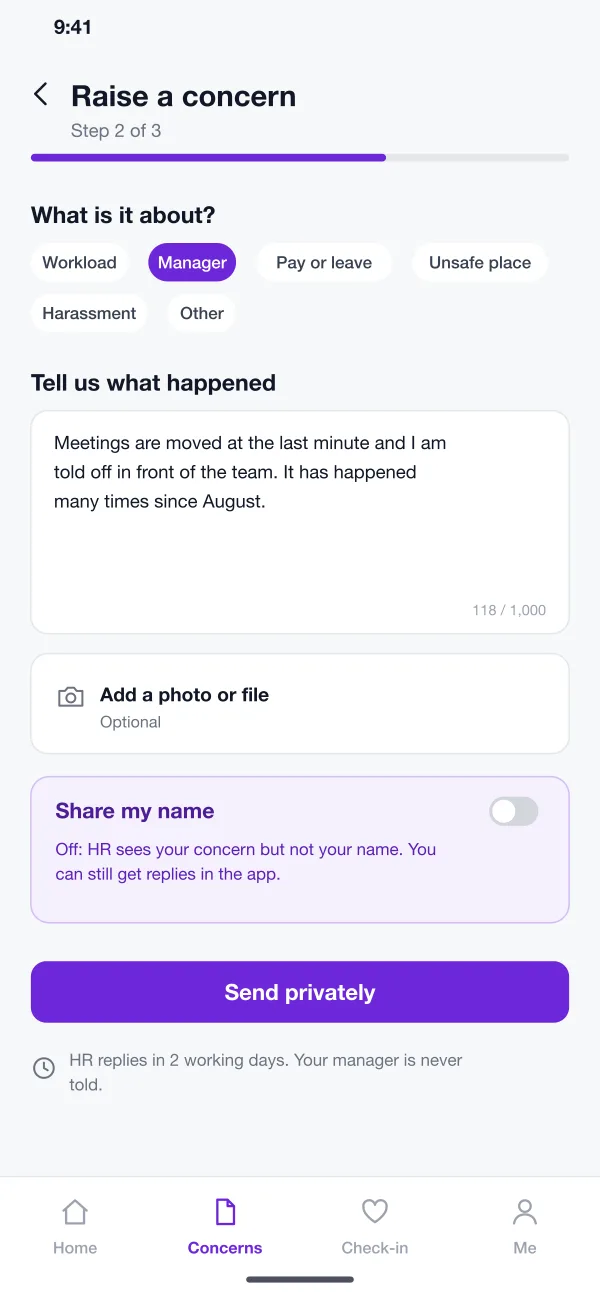
Staff can stay anonymous, and HR can still reply inside the app.
Every step is visible
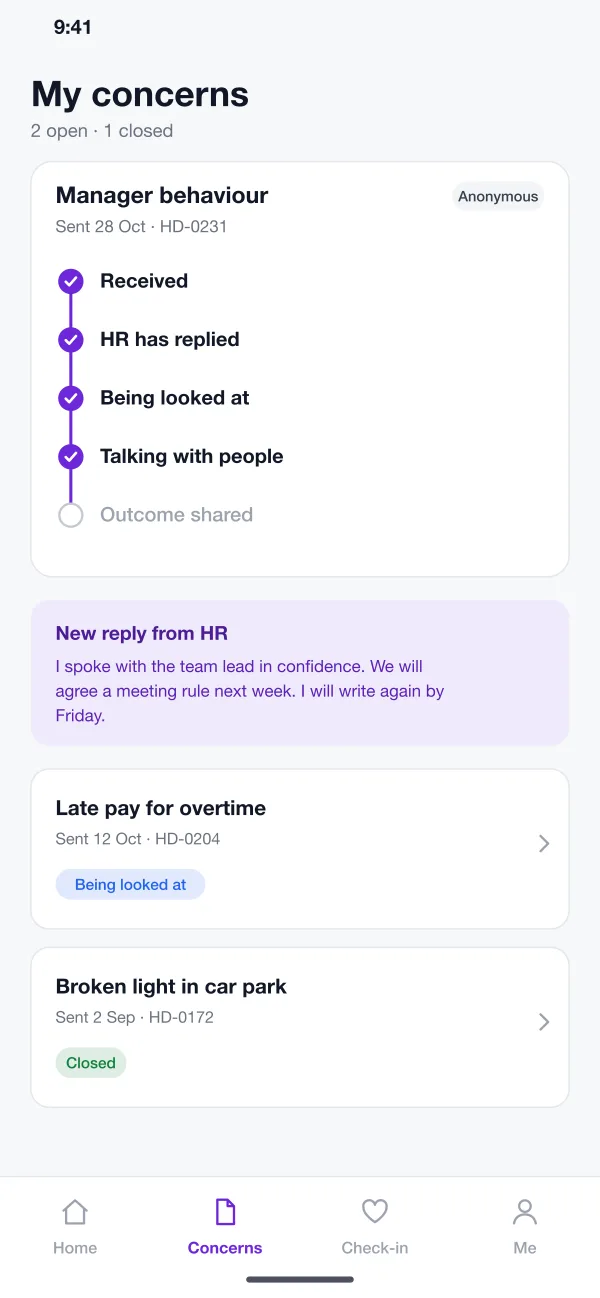
The person sees the same stages HR sees, from received to outcome.
Group trends only
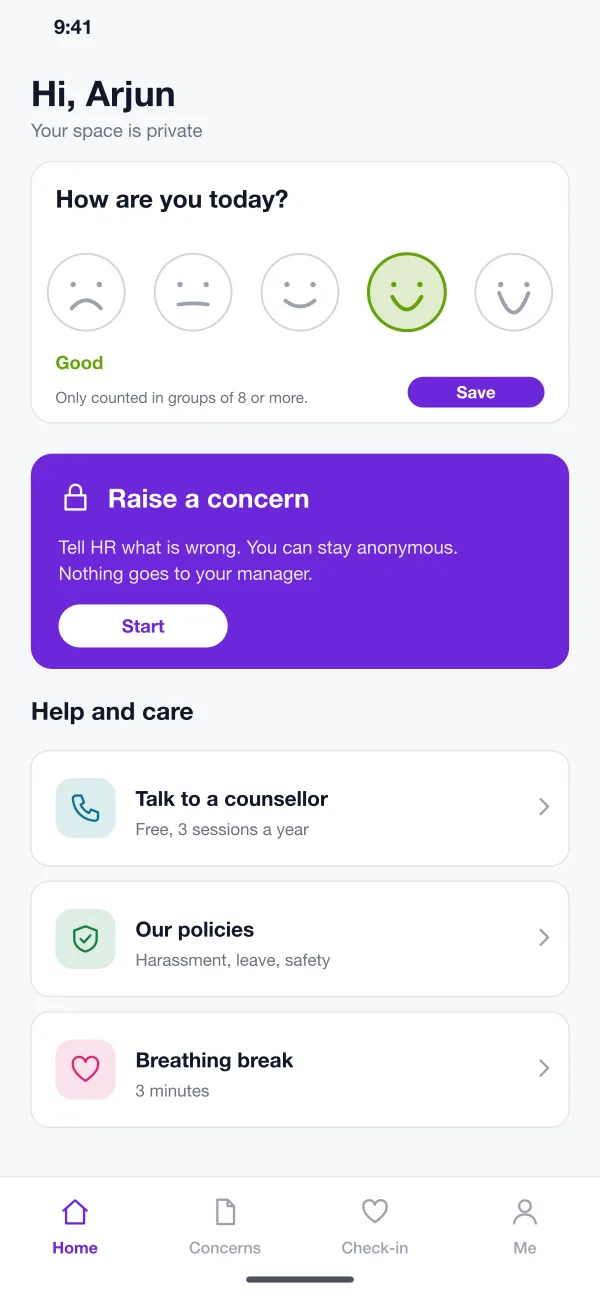
Mood trends are shown only for groups of 8 or more people.
Built around privacy
Raise a concern
The person picks a topic, writes freely, adds a photo or file if they want and chooses whether to share their name. A short note says who will see it and when HR will reply.
Anonymous replies
When someone stays anonymous, HR can still write back. The person reads the reply in the app. Their name and phone number are not shown to HR.
Case timeline
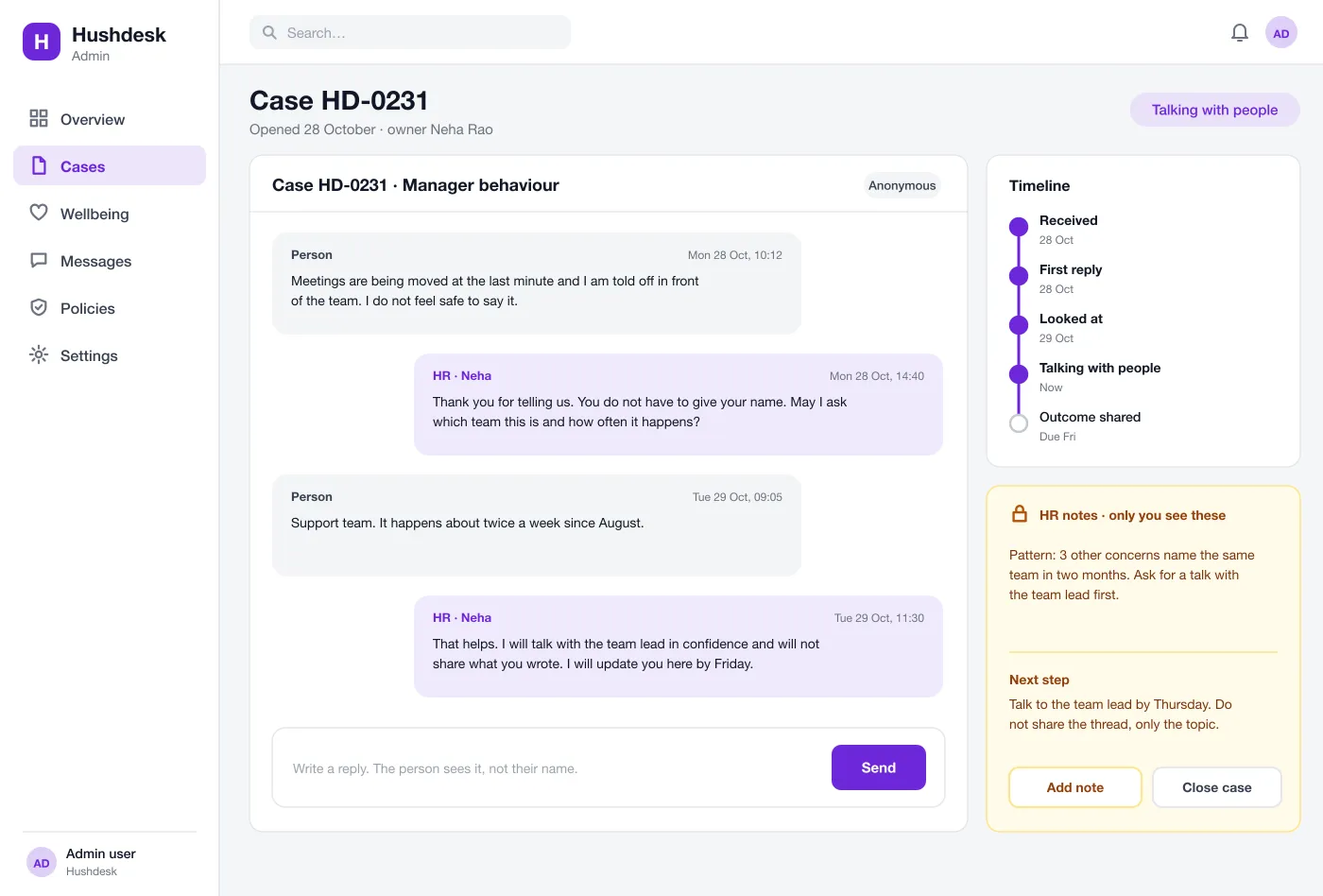
Each concern moves through clear stages: received, replied, looked at, talking with people and outcome shared. The person sees the same stages that HR sees.
HR case page
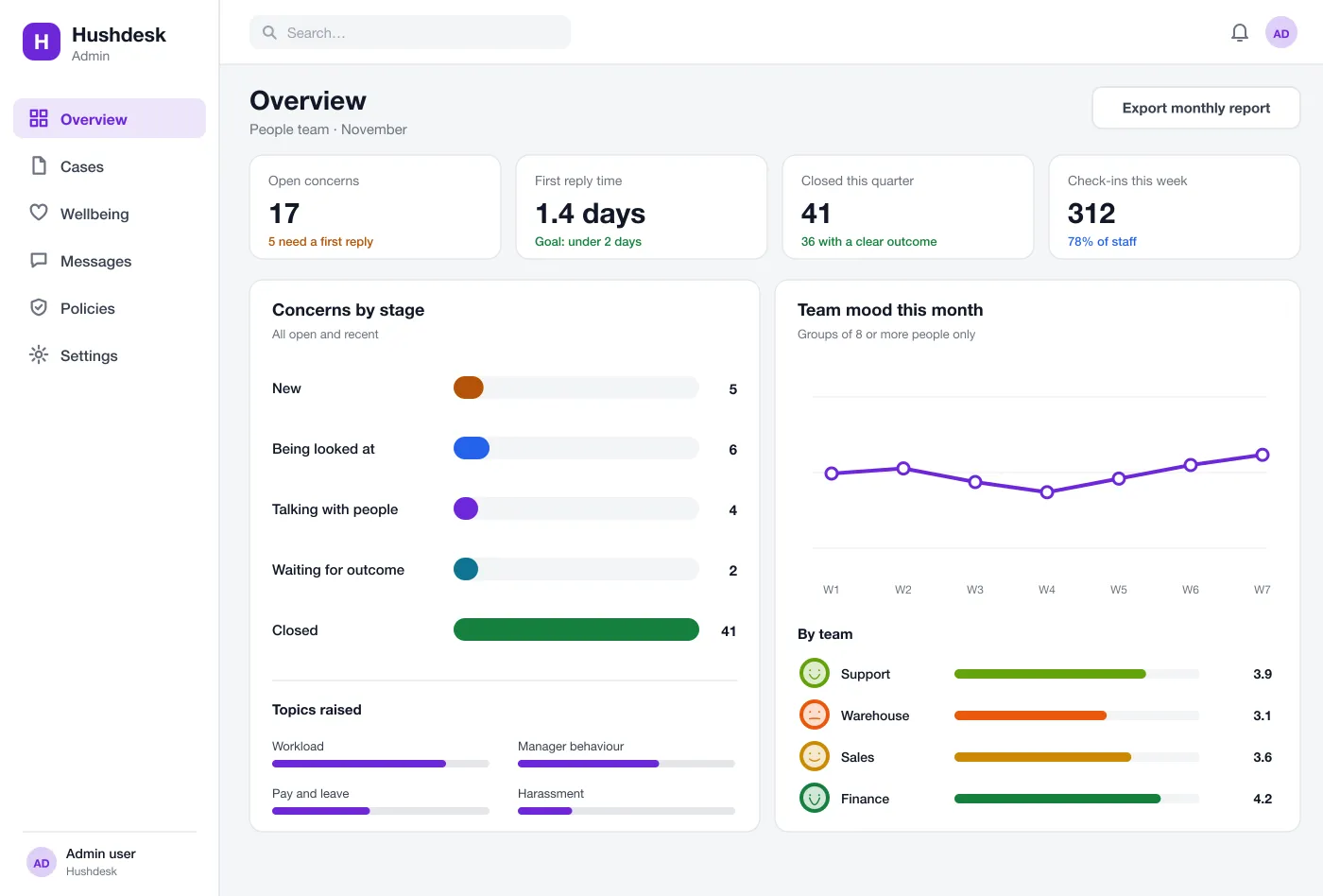
HR sees the thread, the timeline and a private notes box. A note can flag a pattern, such as several concerns about one team.
Mood check-in
Staff tap one face a day or week. HR sees the trend by team, only when a group has 8 or more people, so no single answer can be traced.
Help and policies
The app lists counselling, the harassment and leave policies and a short breathing break, so a person has somewhere to go even before they write.
For the HR team
Staff
Raise a concern, read replies and see where it has got to.
HR team
Read each case, keep private notes and share the outcome.
Team leads
Get a private heads-up when HR sees a pattern in their team.
From a first worry to a clear outcome
Raise it
A staff member opens the app, chooses a topic, writes what happened and sends it without a name.
Get a reply
HR answers within two working days. The person sees the reply and the new stage in the app.
Look into it
HR notes a pattern, talks with the team lead in confidence and keeps the thread private.
See the outcome
HR shares the outcome, the person confirms it and the case closes with a record.
Questions HR teams ask
What is a workplace grievance app?
It is an app where staff can raise a problem at work in private. HR gets the concern, replies, keeps a record of what was done and tells the person the outcome.
How is the data in a grievance app kept secure?
Concerns and notes are stored encrypted, and each HR user sees only the cases they are given. Anonymous concerns never store who sent them, private notes stay inside HR, and every view and change is kept in an audit log.
Can you build a grievance and wellbeing app like this for my company?
Yes. We can build the HR console on the web and a staff app for Android and iOS, and set it up with your own topics, policies and rules about who can see what.
Can staff stay anonymous?
Yes, in this design. Staff choose whether to share their name. If they do not, HR sees the concern and can reply through the app, but does not see who wrote it.
How is the mood check-in kept private?
Each person answers in one tap, and the results are shown only for groups of 8 or more people. No one can see a single person’s answers.