Marriage matchmaking app with family involvement
Marriage matchmaking with family in the loop
Members pick profiles each day, families add comments, and a matchmaker checks each profile first. Chat opens only after both people say yes.
Members choose. Family helps. A matchmaker checks.
Chapter I
A profile that tells the whole story
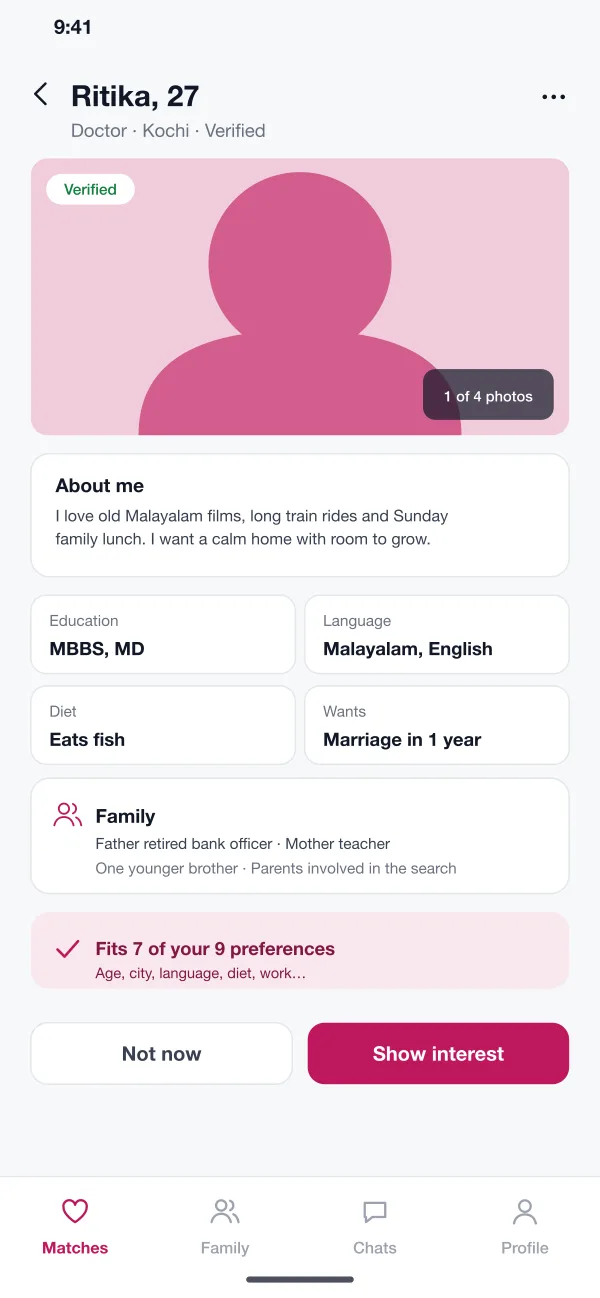
Marriage is about more than one photo. A Jodiloom profile carries family, work, languages, diet and what the person hopes for.
Detailed profile
A profile has several photos, a short note about the person, education, work, languages, diet and what they want. A family section lists the parents and siblings.
Chapter II
A few good picks each day
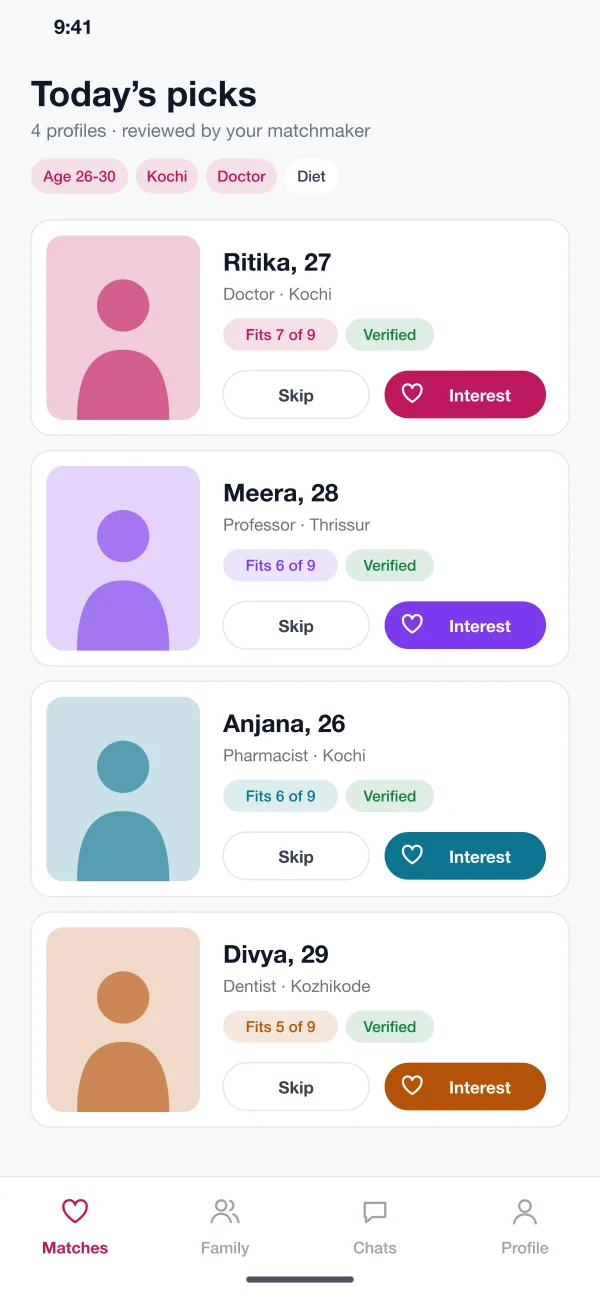
Instead of an endless feed, each member sees a short list chosen from their preferences, with a tag that shows how well each one fits.
Daily picks
Each day the member sees a few profiles chosen from their preferences. A tag shows how many of their preferences each profile fits, such as seven of nine.
Show interest
The member taps interest or skips. Interest goes to the other person. Nothing opens until they accept as well.
Chapter III
The family has a seat at the table
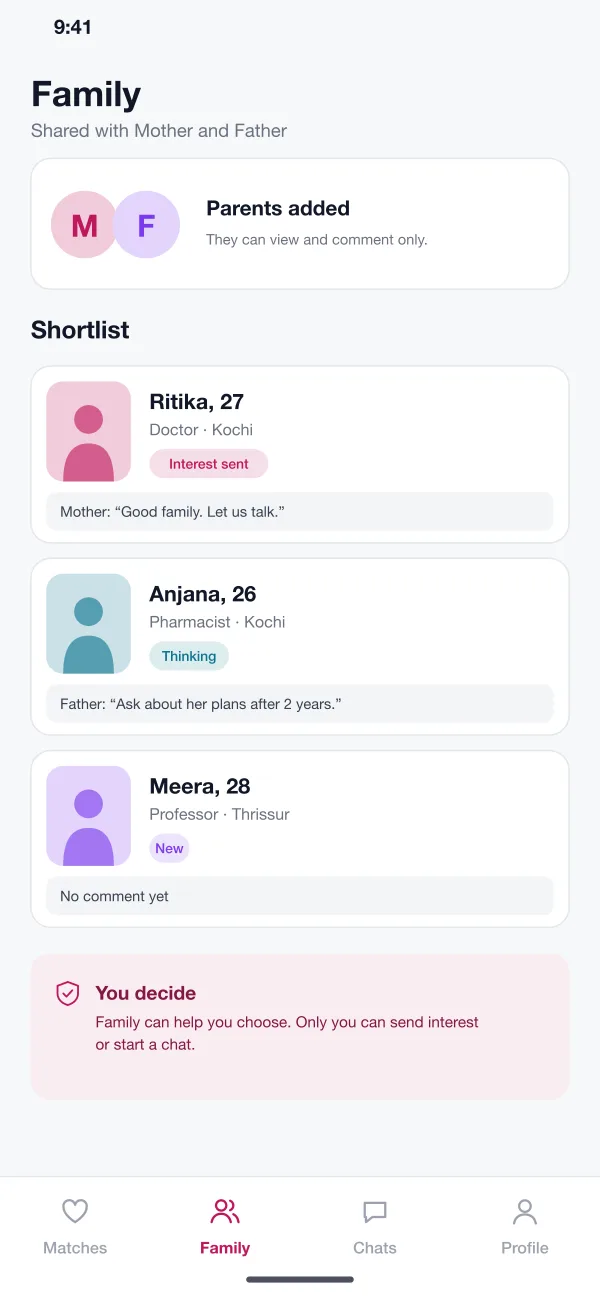
Parents and siblings can join the account. They see the same shortlist and leave comments, but the choice stays with the member.
Family view
Parents added by the member see the same shortlist. They can leave a comment on each profile. They cannot send interest or chat.
Chapter IV
A matchmaker checks every profile
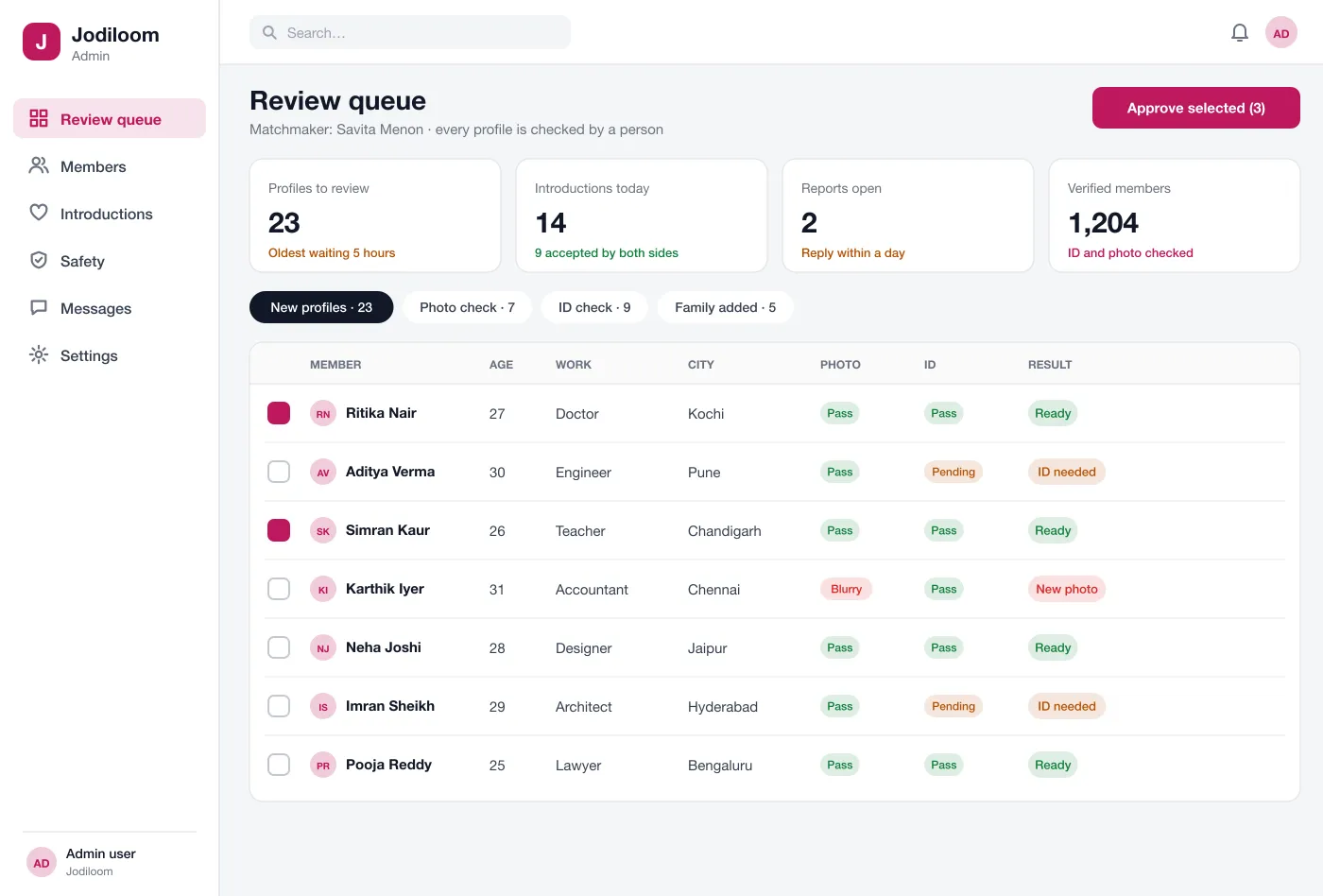
No profile goes live until a person on the team has checked the photos and the ID.
Matchmaker review
The matchmaker desk lists new profiles with photo and ID results. The matchmaker approves a profile only when both checks pass.
Chapter V
Talking, when both are ready
Interest goes both ways. Chat opens only when both people accept, with safety tools always in reach.
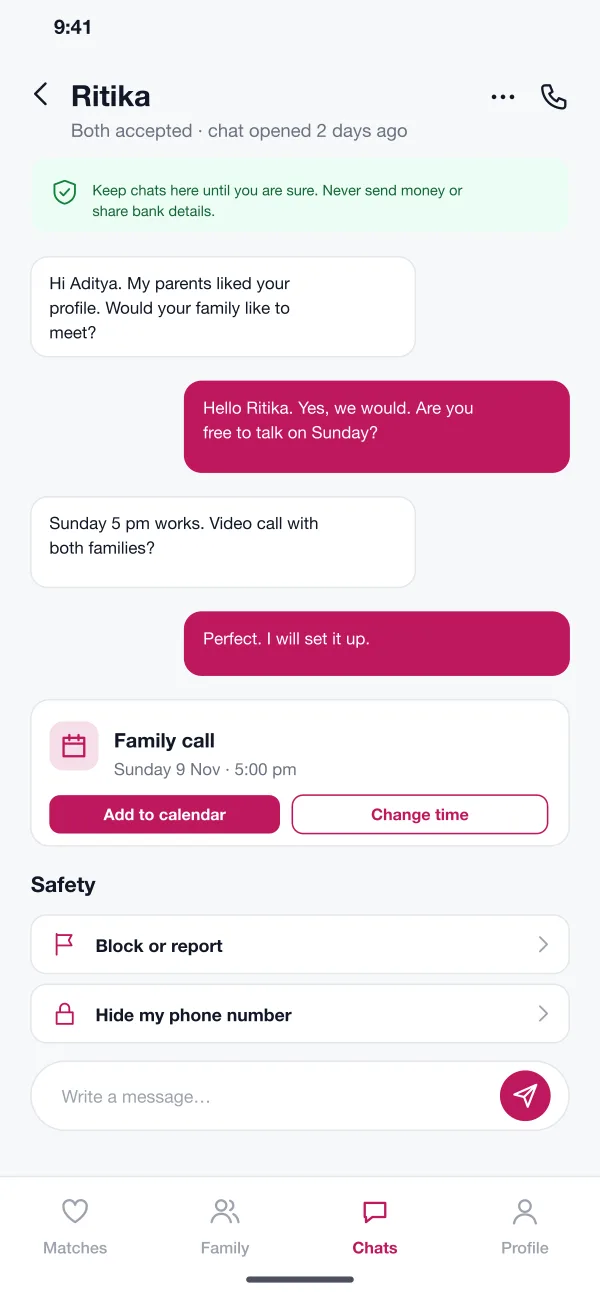
Private chat and safety
Chat opens after both accept. A note reminds members never to send money. Members can set up a family call, hide their number, block or report.
Checked before it goes live
A matchmaker checks photos and ID before a profile is shown to anyone.
Family helps, does not decide
Parents see the same shortlist and comment, but cannot send interest.
Chat only after both agree
Nothing opens until both accept, and a note warns never to send money.
Chapter VI
From sign-up to a family call
Join and get checked
The member fills in the profile and uploads a photo and ID. The matchmaker checks them before the profile goes live.
Shortlist with family
The member and parents look at the daily picks, and the parents leave comments on the ones they like.
Say yes together
The member shows interest. When the other person accepts, a private chat opens.
Meet the families
The two people set up a call with both families from the chat and add it to their calendars.
Members
Build a detailed profile and pick from a short daily list.
Family members
Add parents and siblings to comment on the shortlist.
Matchmakers
Approve profiles from one queue once both checks pass.
Chapter VII
Questions families ask
How is a marriage matchmaking app different from a dating app?
It is built for people who want marriage. Profiles carry more detail, such as family, work, language and plans. Parents can help, and every profile is checked by a person.
Which features should a matchmaking app start with?
Start with detailed profiles, photo and ID checks on the matchmaker desk, daily picks, interest and private chat after both accept. Family view, paid plans, horoscope matching and video calls can follow once members are active.
Can you build a matchmaking app like this for my business?
Yes. We can build the member app for Android and iOS and a web desk for your matchmakers. We can add your own checks, plans and rules.
How does the family part work?
A member can add parents to their account. The parents can see the shortlist and leave comments. Only the member can send interest or start a chat.
How does the app keep members safe?
Every profile is checked by a matchmaker for photo and ID. Chat opens only when both people accept. Members can hide their phone number, block someone or report a profile.
Epilogue
Follow a match from profile to family call
Tap through the member app and the matchmaker desk.
Try the app