A bilingual call-centre website with a lead portal
Visitors read the site in English or Spanish and send a short form. Every enquiry lands in one portal, with call-back times and a seat planner.
Explore the screens
Two languages, one page
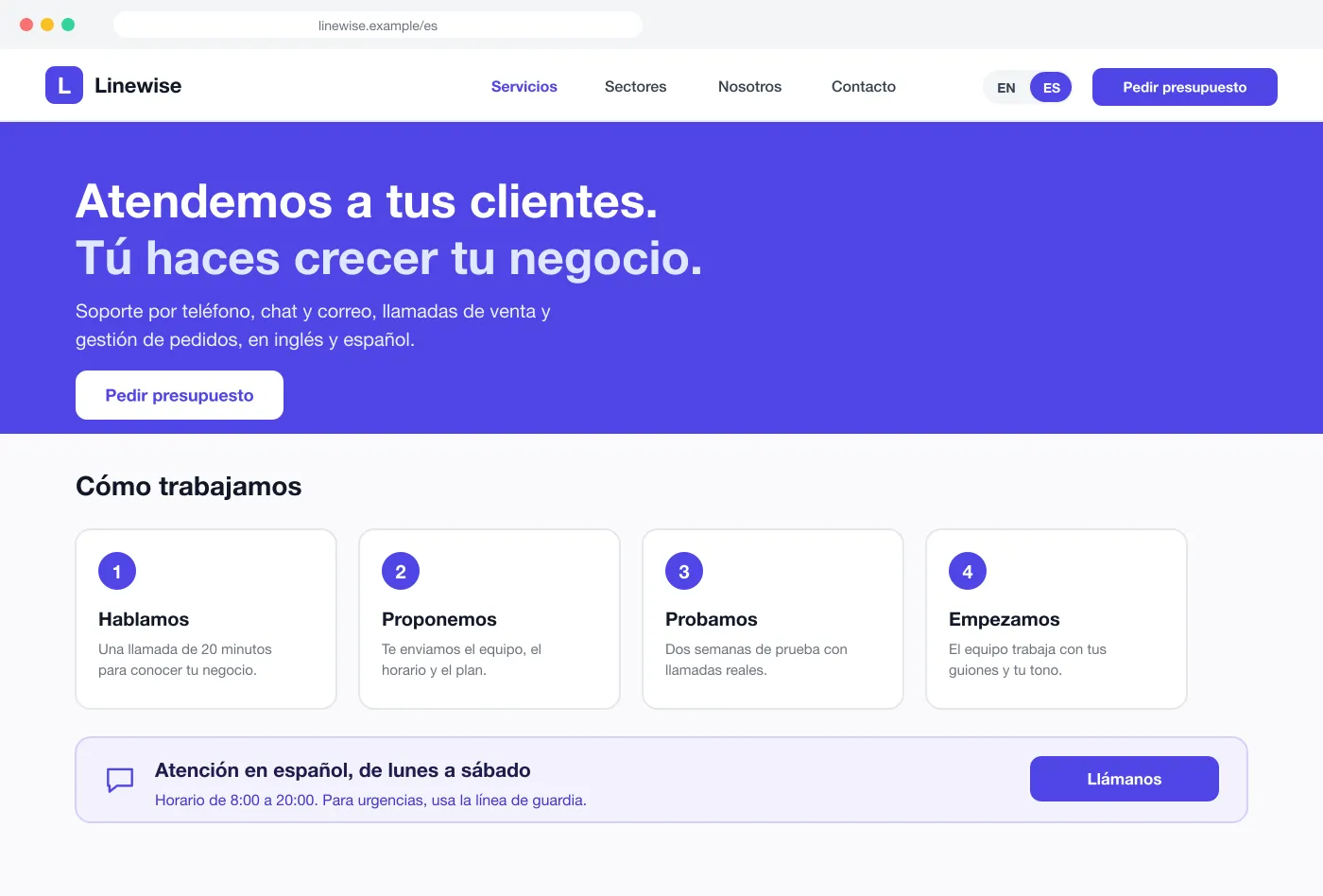
A switch in the top bar keeps the visitor on the same page.
Every lead in one list
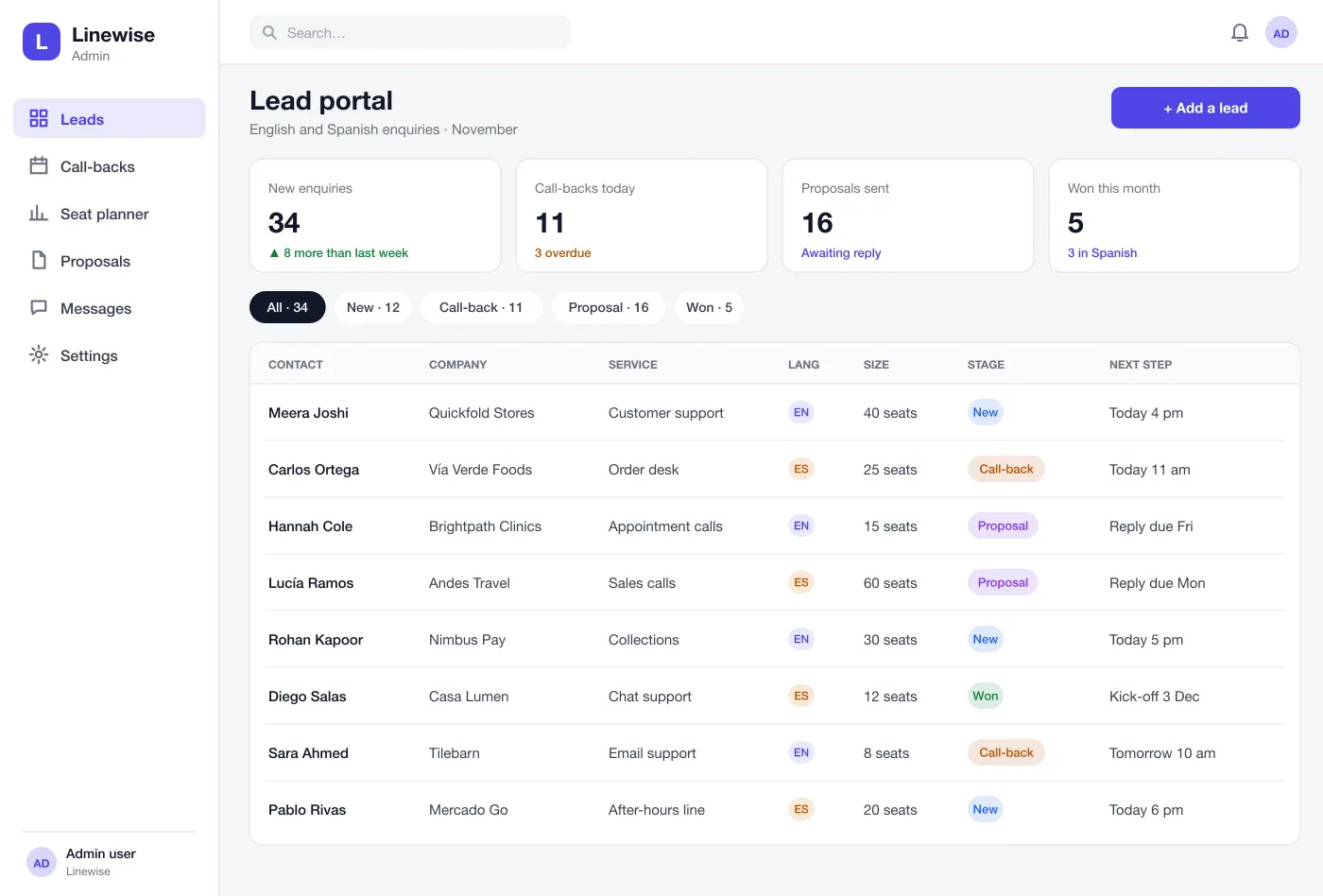
Each enquiry shows the company, service, language and stage.
Seat planner
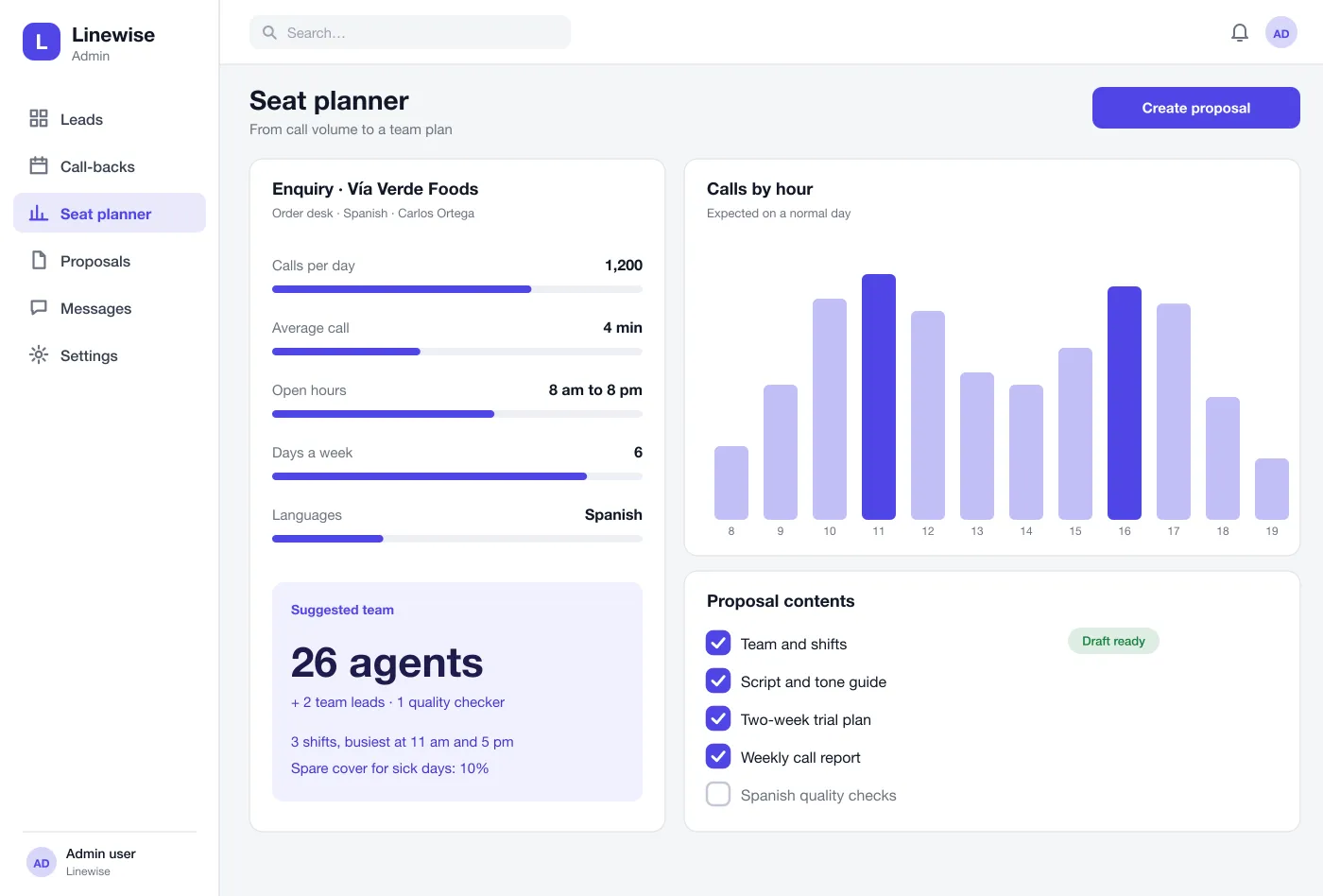
Enter calls per day and hours. The planner suggests the shifts and team.
One site for visitors, one portal for the team
On the website
Two-language website
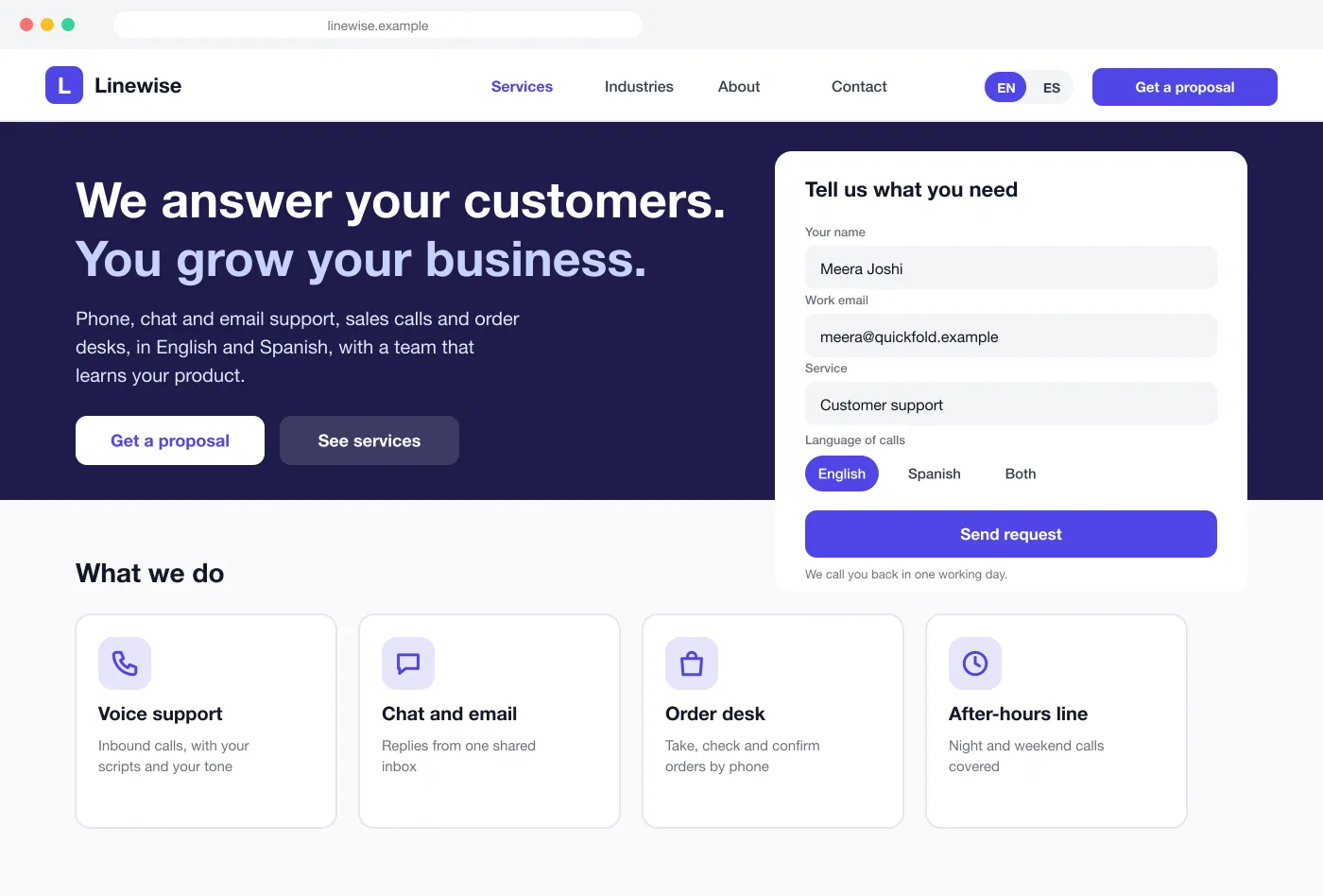
Every page has an English and a Spanish version. A switch in the top bar changes the page and keeps the visitor in the same place. The form and the buttons change too.
Services pages
Voice support, chat and email, order desk and after-hours line each get a short page. Each page says what the team does and how a trial works.
Proposal form
The visitor tells us what they need, how many seats and which language the calls should be in. They get a thank-you note and a promise of a call-back in one working day.
In the lead portal
Lead portal
Every enquiry lands in one list. It shows the contact, company, service, language, size and stage. Overdue call-backs stand out.
Call-back list
Each lead has a next step and a time. The portal reminds the owner before the time and flags it when it is late.
Seat planner
The sales team enters calls per day, call length and hours. The planner shows calls by hour, suggests agents, team leads and shifts, and lists what goes in the proposal.
From a visit to a proposal
- 1
Visit and ask
A buyer reads the page in Spanish, fills in the short form and picks Spanish for calls.
- 2
Get a call-back
The lead goes to a Spanish-speaking sales person with a call-back time. The portal reminds them.
- 3
Plan the team
On the call the sales person enters the volume and hours. The planner suggests a team and the shifts.
- 4
Send the proposal
The sales person ticks what goes in, sends the proposal and the lead moves to the proposal stage.
Who uses it
Visitors
Read about the services, fill in a short form and pick a language.
Sales team
Work the call-back list and plan the team for each proposal.
Owners
See overdue call-backs and the stage of every lead.
Questions and answers
What should a call centre website do?
It should explain the services in plain words, show the languages you support and make it easy to ask for a proposal. Every enquiry should reach the sales team at once.
Can the lead portal connect to my CRM?
Yes. New leads can be sent to HubSpot, Zoho, Salesforce or another CRM as they arrive, with the language, service and call-back time kept on each record.
Can you build a bilingual website like this for my business?
Yes. We can build the site in two or more languages, with a switch on every page, and a lead portal for your sales team. The languages can be the ones your customers speak.
How does the seat planner work?
The sales team enters calls per day, call length, hours and languages. The planner suggests a team size and shifts. The team can then turn the plan into a proposal.
Can the sales team see which language a lead used?
Yes. Each lead shows the language of the page they used and the language they want for calls. Spanish leads can be given to Spanish-speaking sales staff.
See Linewise in action
Tap through the website, the lead portal and the seat planner.