Dental visits, video chats and treatment plans
Patients book a dentist, see their tooth chart and treatment plan, and talk by video between visits. The clinic runs the day on a chair-by-chair board.
Book a visit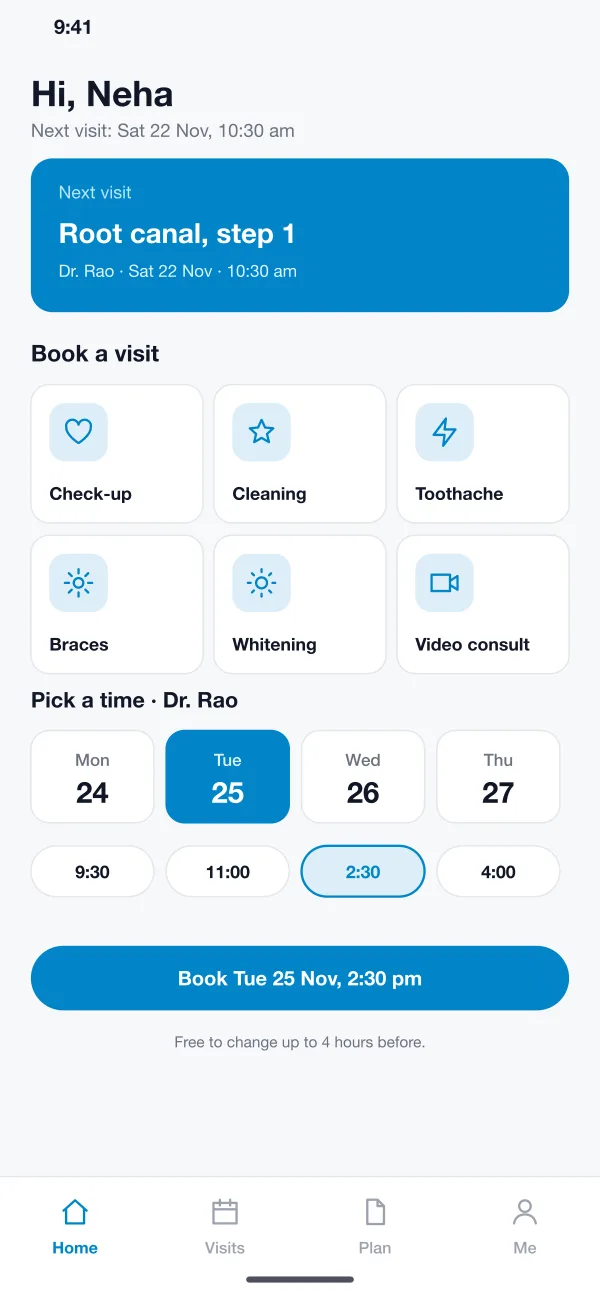
Three things that make a dental visit simpler
Tooth chart and plan
The dentist marks teeth on a chart and tags each one as cavity, root canal or crown.
Video between visits
Patients can send photos during the call, and the dentist can type short notes on screen.
Reminders before each visit
A reminder goes out one day and two hours before, with care tips after each visit.
What is inside
- Booking
- The patient picks a reason such as check-up, cleaning or toothache, then a dentist and a free time. The clinic sees it on the day view straight away.
- Day view for the clinic
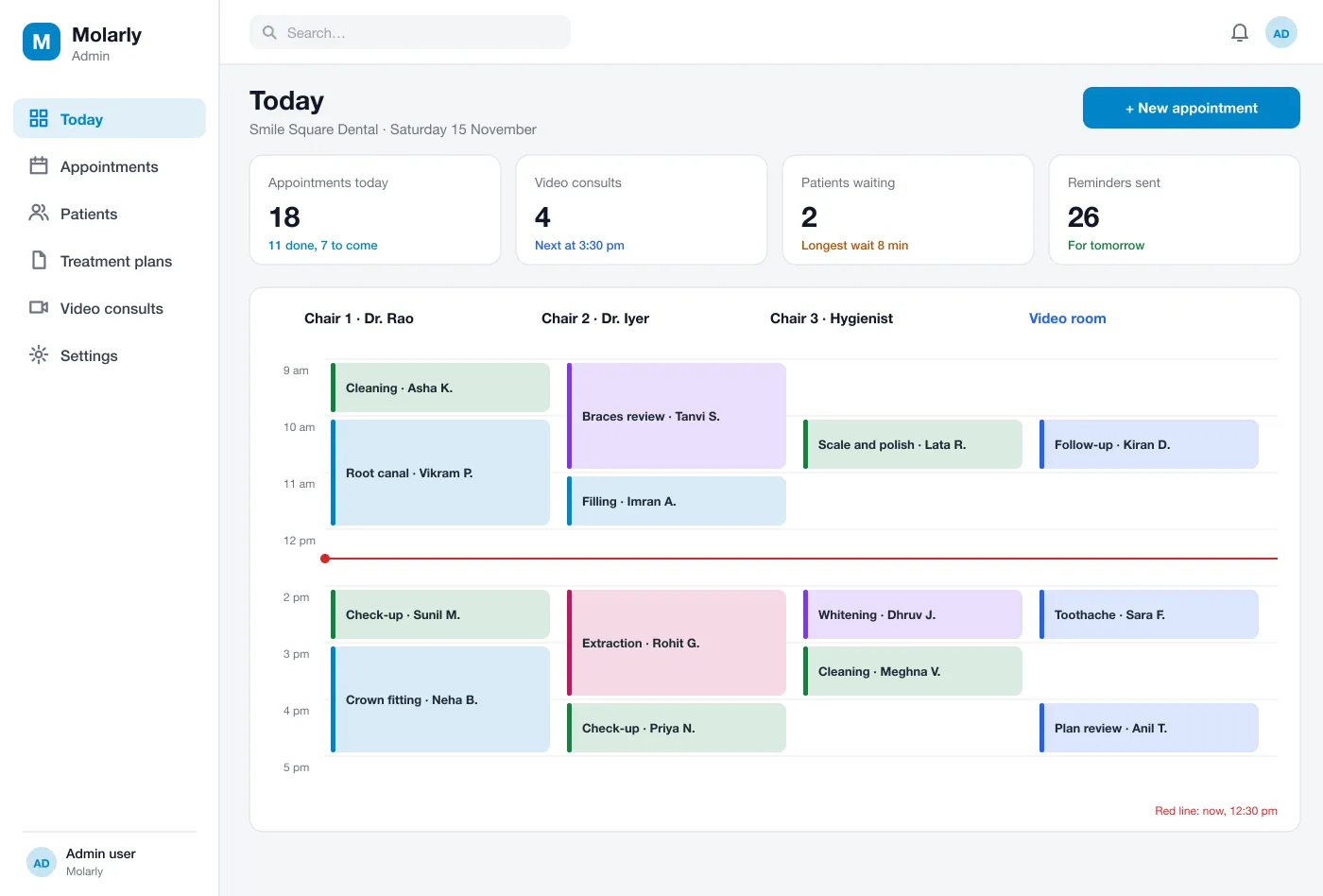
- Each chair and the video room are columns, and each patient is a block with the treatment. A line shows the time now.
- Video consult
- The patient and dentist talk on video. The patient can send photos in the call, and the dentist can type short notes the patient sees on screen.
- Photos and tooth chart
- The dentist takes photos, marks the teeth that need work on a chart and tags each as cavity, root canal or crown.
- Treatment plan
- Each step shows the treatment, the tooth, the visit and the time needed. The patient sees the same plan in the app and books the next step.
- Reminders
- The patient gets a reminder one day and two hours before each visit, and care tips after each one.
The clinic runs the day chair by chair
From the first booking to the last step
- 01
Book a visit
The patient picks a reason and a time on the phone and gets a reminder.
- 02
Get a plan
At the first visit the dentist takes photos, marks the teeth and makes a plan with each step.
- 03
Check in by video
Between visits the patient sends a photo or has a short video call with the dentist.
- 04
Finish the treatment
The patient books each step from the plan, and the clinic sees the chair filled for each one.
For each person in the visit
Patients
Pick a reason such as cleaning or toothache, then a dentist and a free time.
Dentists
Take photos, mark the chart and follow each step of the treatment plan.
Clinic staff
Watch the day view, with each chair and the video room in its own column.
Questions
What is a dental clinic app?
It is an app that lets patients book visits, talk to the dentist by video and follow their treatment, and lets the clinic manage its chairs, patients and reminders in one place.
How is patient data kept private in a dental app?
Records and photos are stored on secure servers and sent over encrypted links. Staff see only what their role needs, and every view of a record is logged. The app does not give medical advice; the dentist does.
Can you build a dental clinic app like this for my business?
Yes. We can build the patient app, the clinic dashboard and the video consult, and connect your reminders and payments.
What can a video consult do in the app?
The patient and the dentist talk by video, and the patient can send photos during the call. It suits a first look at a toothache or a follow-up. It does not replace a visit when one is needed.
How do treatment plans work?
The dentist takes photos, marks the teeth that need work and lists each step with a visit. The patient sees the plan in the app, books the next step and gets a reminder before each visit.
Follow a patient from booking to the last step
See one treatment plan move from the first visit to the final booking.
Book a visit