Find nearby
Customers pick a service group and see vendors on a small map and a list. Each card shows the distance, the rating and the next free time.
Customers see nearby vendors with their next free slot, pick a time and get reminders. Vendors run the day from a simple timeline.
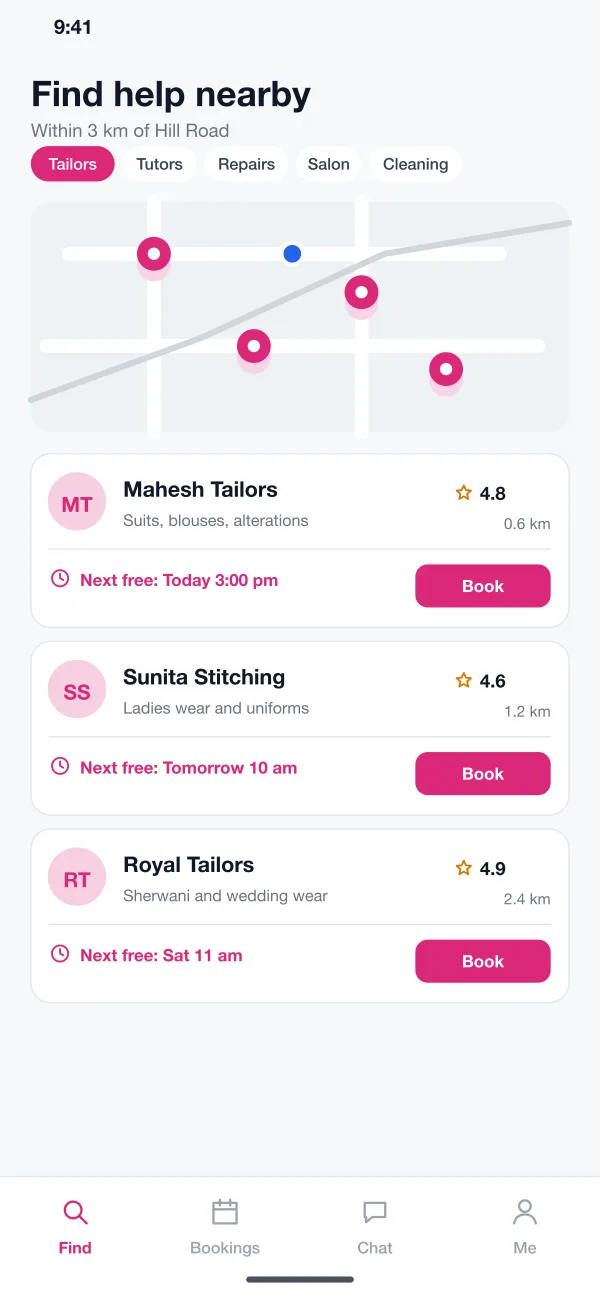
Each vendor card shows the distance, reviews and the next free time.
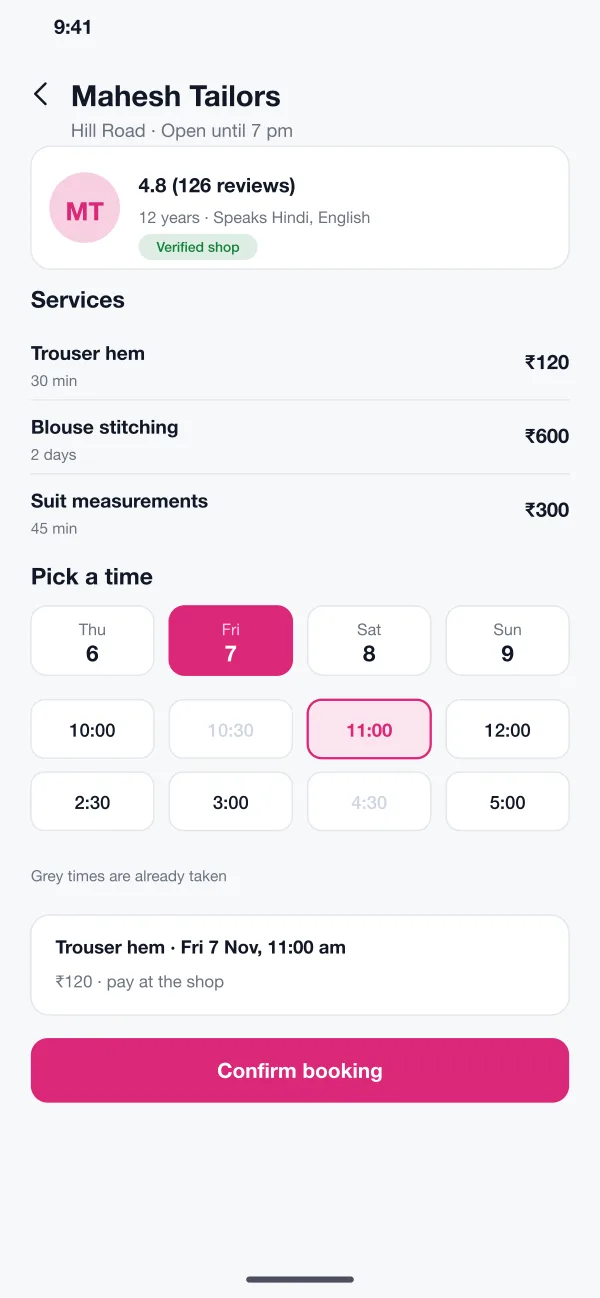
The customer sees free times at a glance, and a summary before confirming.
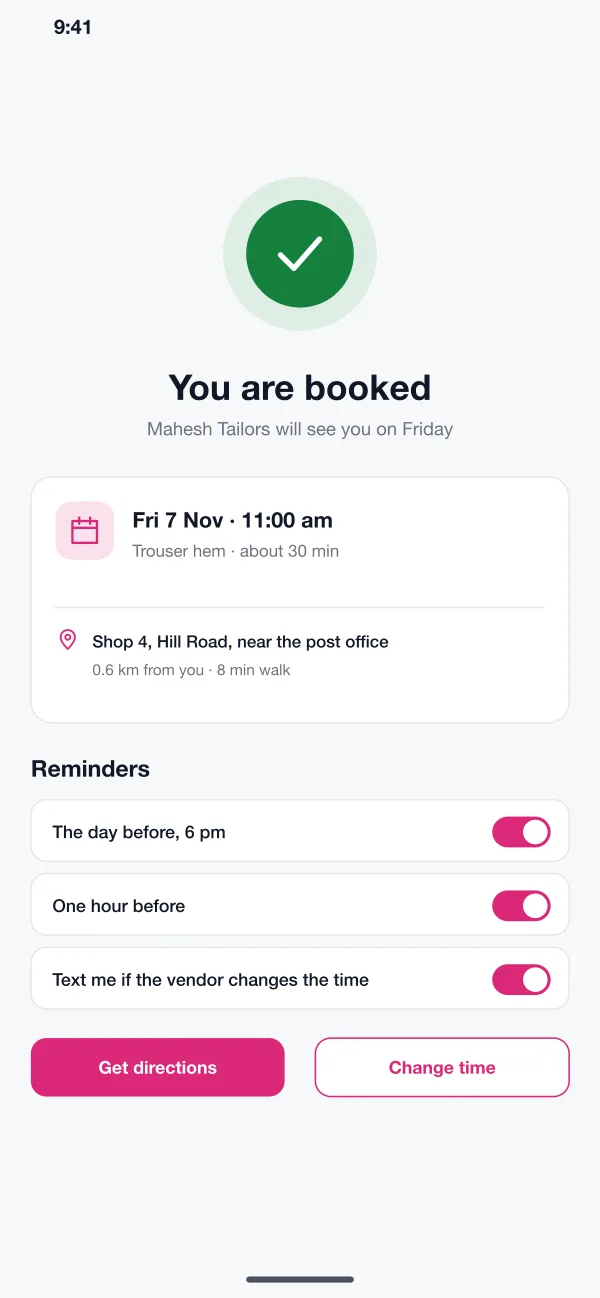
Reminders go out the day before and an hour before, with directions to the shop.
Find a vendor, see the price, pick a slot and get a reminder. Vendors run the same bookings from a simple day view.
Customers pick a service group and see vendors on a small map and a list. Each card shows the distance, the rating and the next free time.
Each vendor page lists services with time and price, a short note on the shop and reviews. Customers know what they will pay before they book.
The customer picks a day and a time. Taken slots are greyed out. The booking summary is shown before the customer confirms.
After booking, the customer gets directions and can turn on reminders for the day before and one hour before. A message is sent if the vendor moves the time.
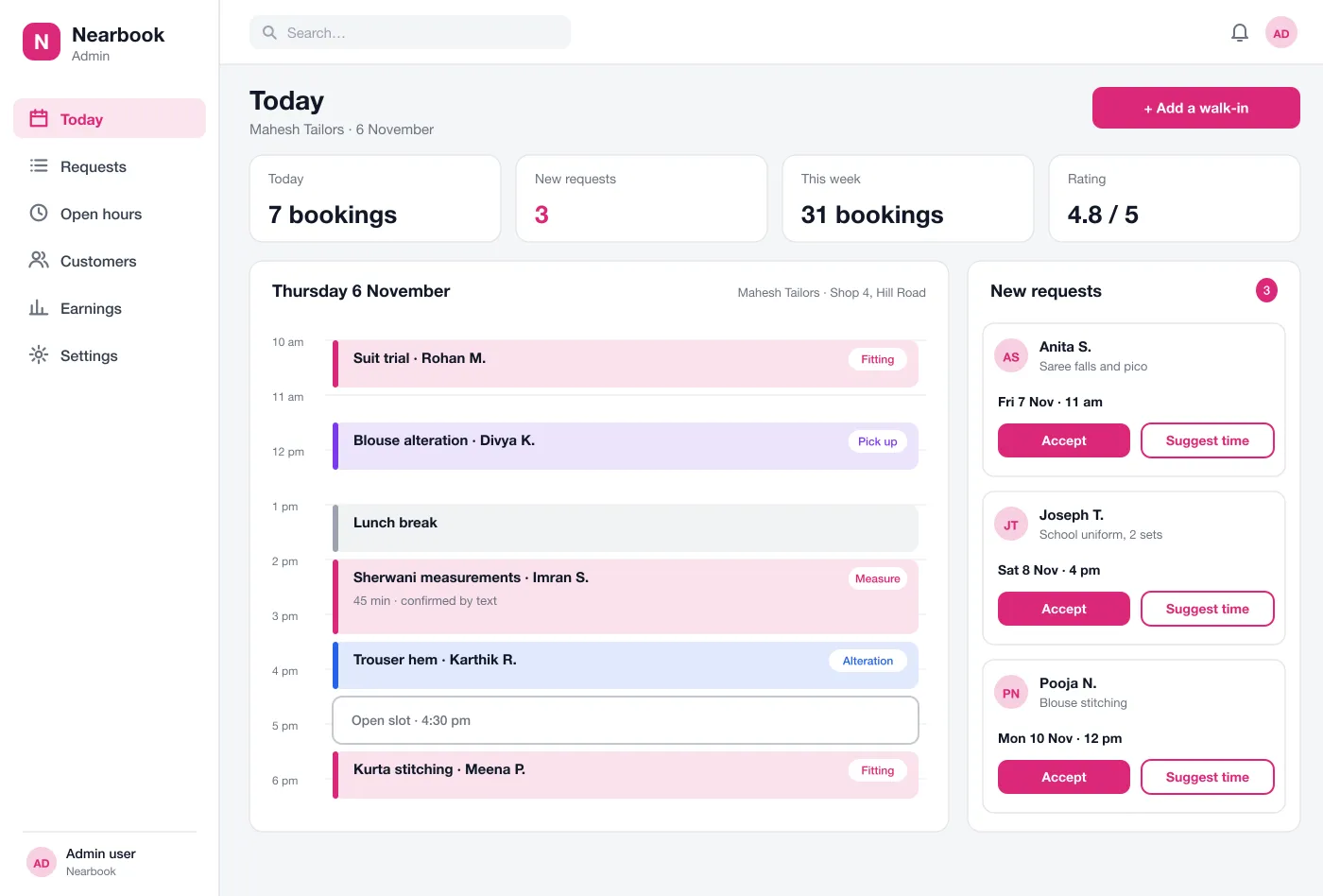
The vendor sees the day as a simple timeline, with bookings, breaks and open slots. They can add a walk-in customer in a few taps.
For services that need a request first, such as stitching, the vendor accepts a booking or suggests another time. The customer is told straight away.
Bookings, breaks and open slots sit in one line. New requests wait on the side until the vendor accepts or suggests another time.
The customer opens the app, taps Tailors and sees three shops nearby with their next free slots.
The customer picks the service, the day and the time, then confirms. The slot turns grey for others.
The customer gets a reminder the day before and one hour before, with directions to the shop.
The vendor opens the day view, accepts new requests, suggests another time where needed and keeps a free slot for walk-ins.
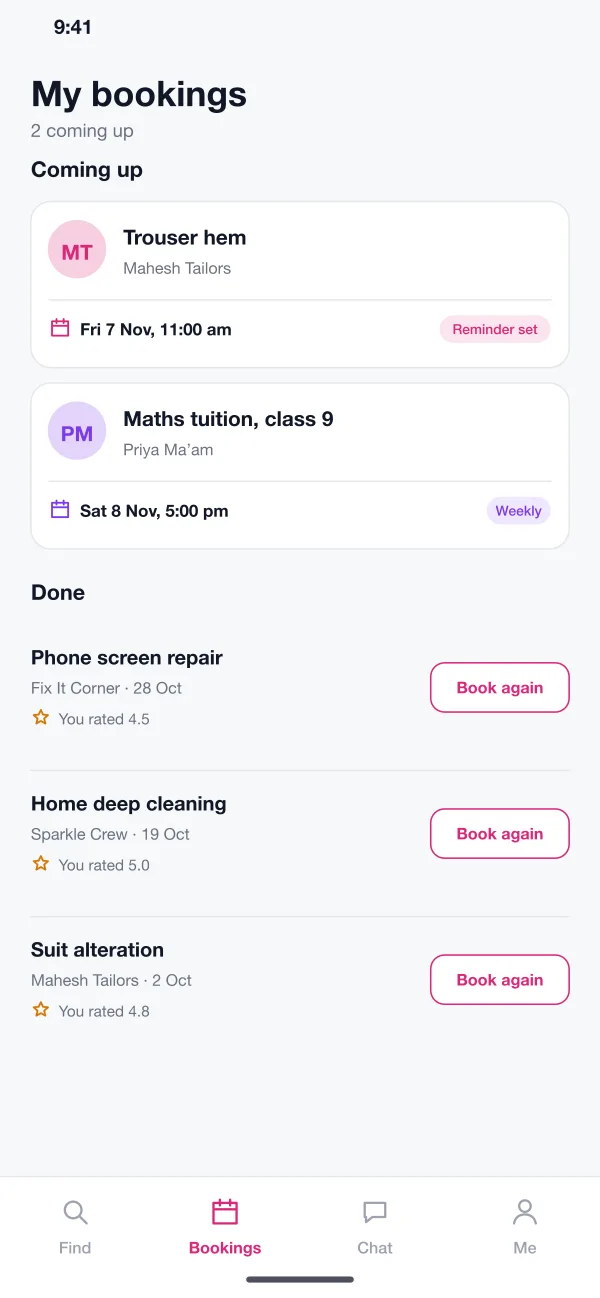
Find a tailor or tutor nearby, see the price first and book in a few taps.
See the day as a timeline, accept or move requests and keep room for walk-ins.
Can be added to the day view in a few taps, so no free slot goes to waste.
It is an app where small local businesses, such as tailors, tutors and repair shops, show their services and free times. Customers pick a slot and get a booking confirmation and reminders.
Yes. A payment gateway such as Razorpay or Stripe can take a full payment or a small deposit at booking. Vendors can also choose pay at the shop.
Yes. We can build the customer app for Android and iOS and a web dashboard for vendors. We can also add online payment, chat or a map of vendors.
Every vendor sets open hours and slot length. When a slot is booked, it turns grey for everyone else. A vendor can also block a time, such as a lunch break.
The vendor can suggest another time from the request screen. The customer gets a message and can accept the new time or choose a different slot.
Follow a customer from the list of tailors to the day before the visit.
Find a vendor