1.Note library
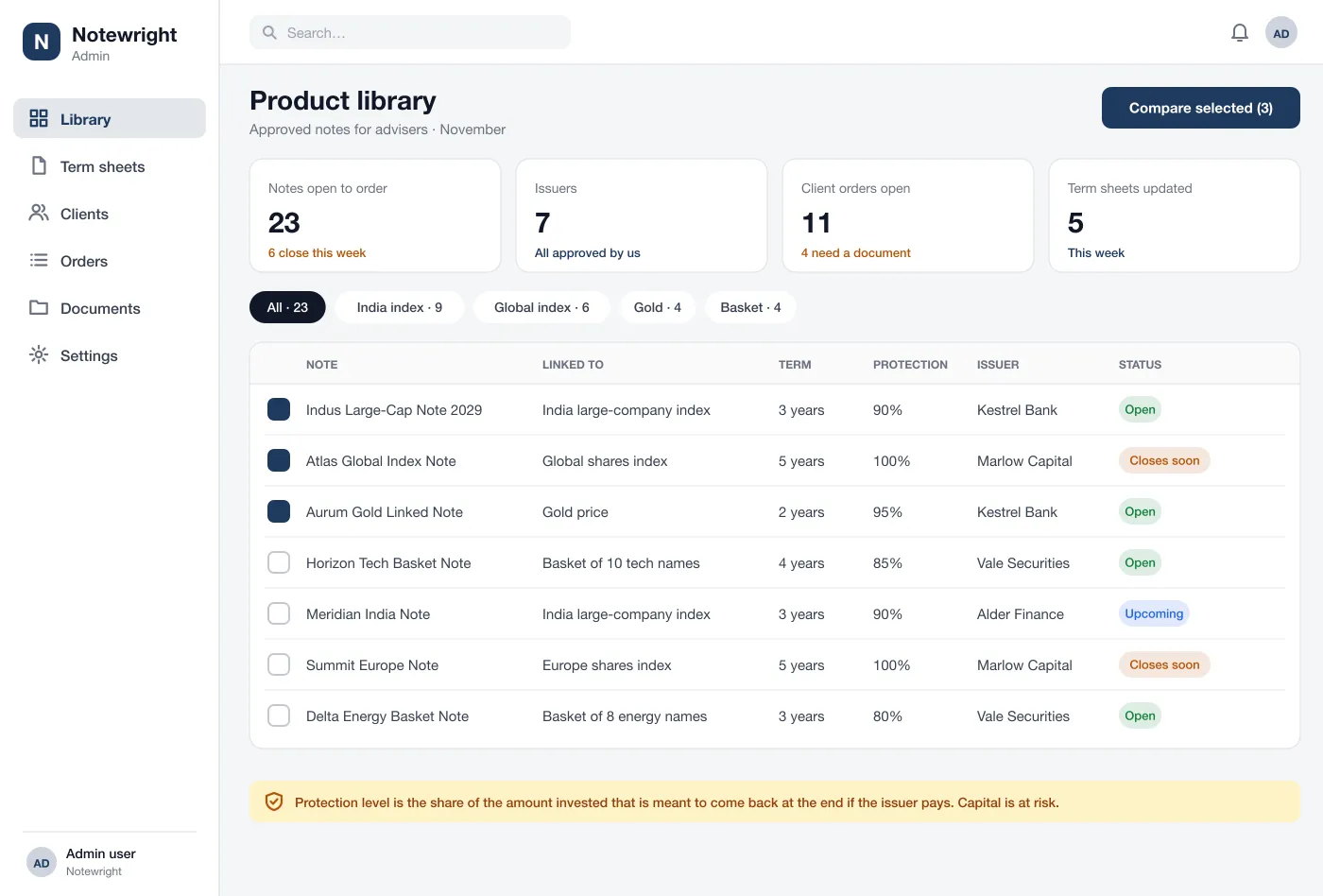
Open and upcoming notes sit in one table. Advisers filter by what the note is linked to, such as an index or gold, and by term, protection level, issuer and status.
The adviser desk
Advisers compare note terms side by side, read plain summaries with the risks, and track each client order to confirmed. It shows terms only.
Advisers who offer structured notes work with many issuers. Each one sends term sheets in a different format. Advisers keep them in email folders and spreadsheets and search for the right one when a client asks.
Orders are slow. The client has to sign forms, pass a risk check and send proof of identity. The adviser chases each item by phone. A missing form is found late, sometimes after the order window has closed.
It shows terms and risks only. It never shows or promises a return.
Open and upcoming notes sit in one table. Advisers filter by what the note is linked to, such as an index or gold, and by term, protection level, issuer and status.
An adviser ticks up to four notes and sees their terms side by side. The same fields line up so differences are easy to see.
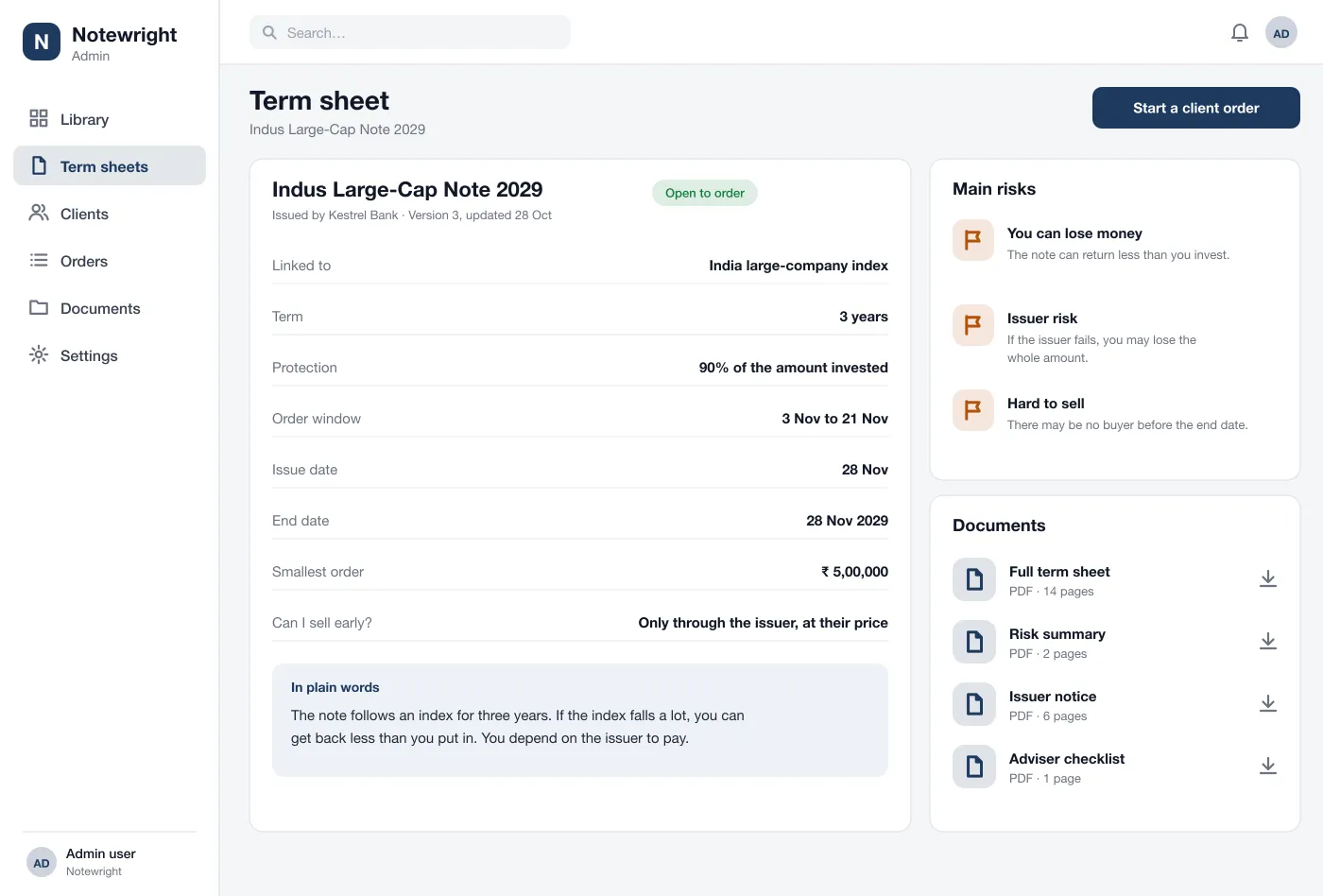
Each note has a page with its dates, term and protection level, a short summary in everyday words and the main risks, next to the full PDF.
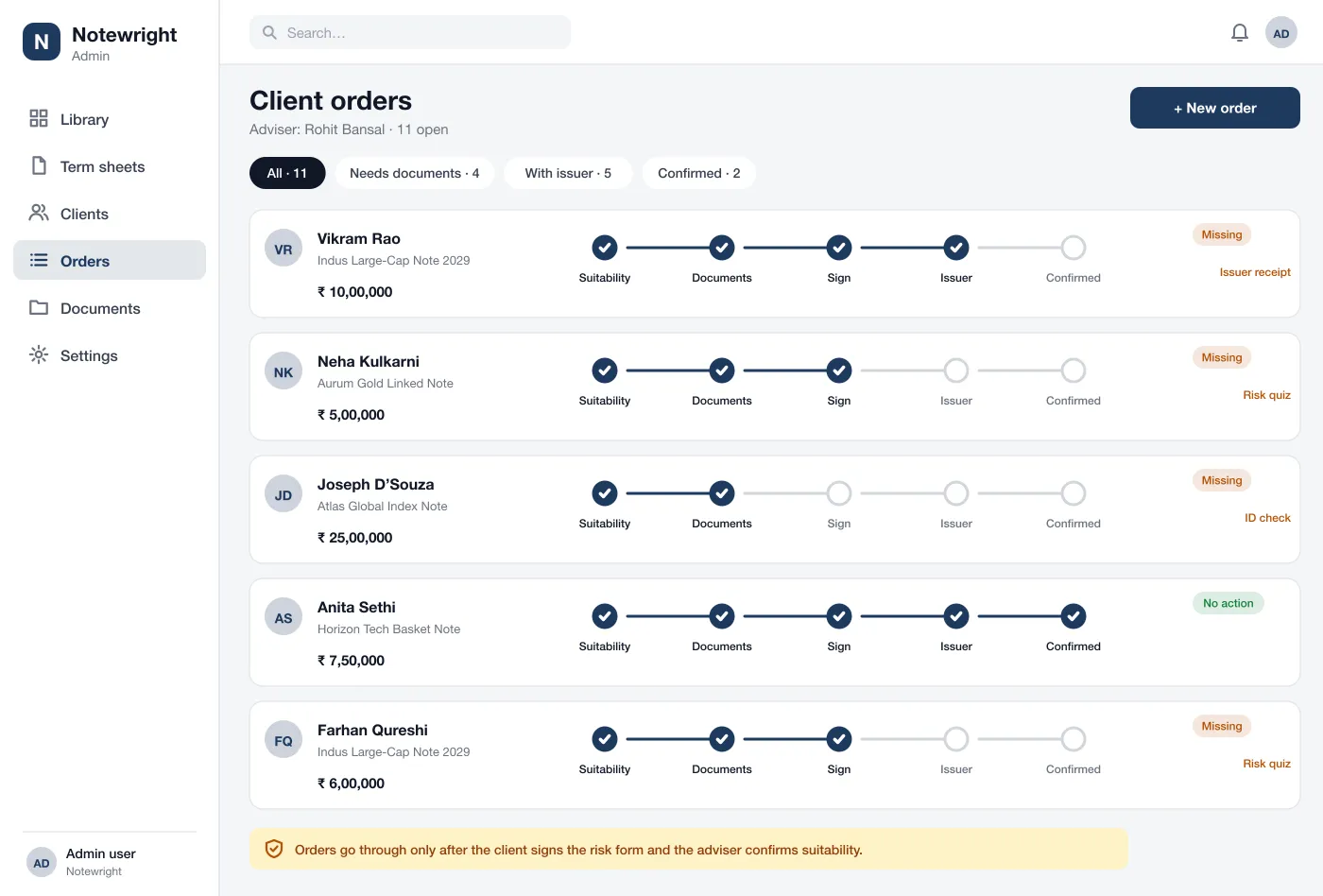
An order moves through suitability, documents, signing, issuer and confirmed. Each step turns done as the work is finished.
Any order that is stuck shows what is missing, such as a risk quiz or an ID check, so the adviser knows whom to chase.
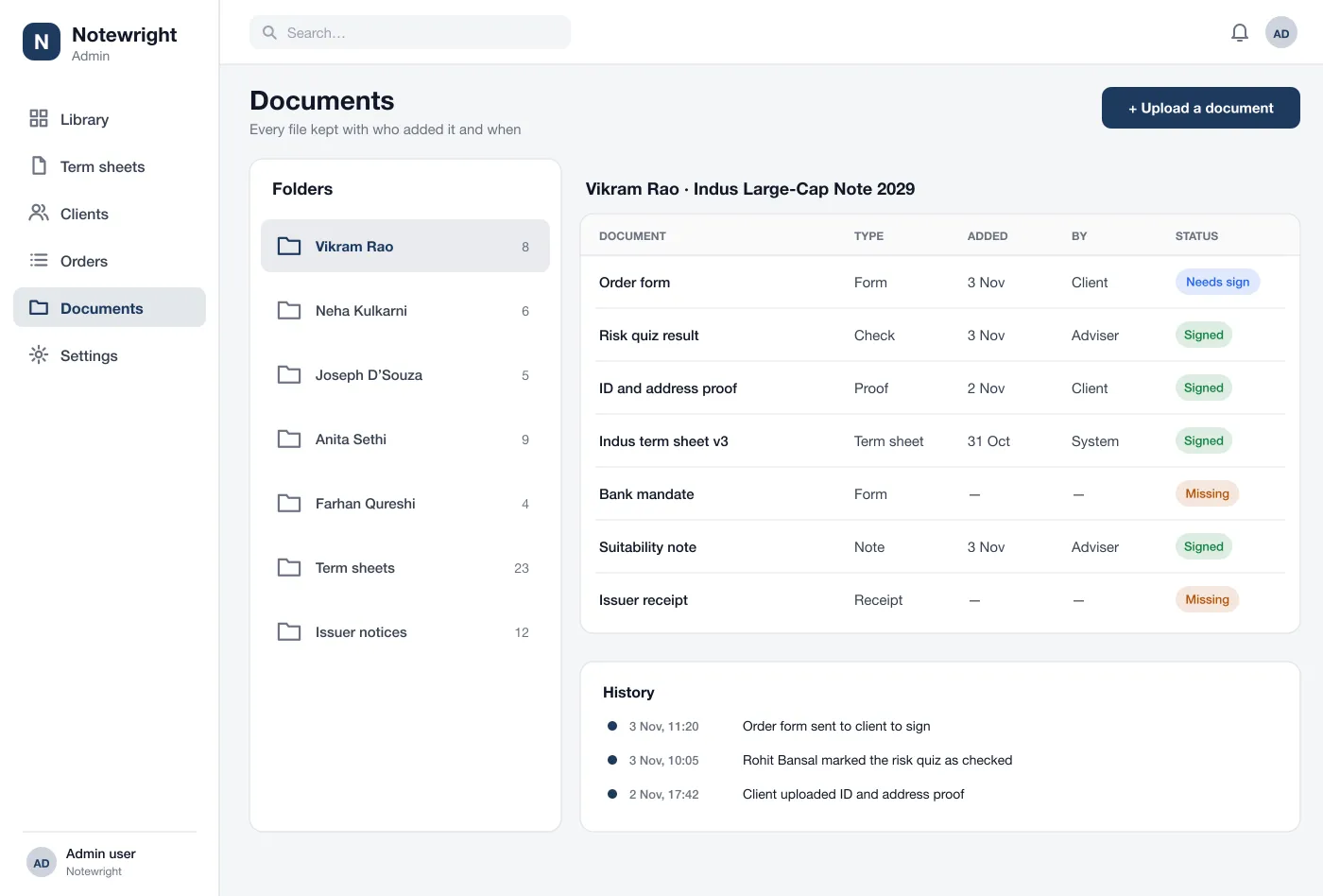
Each client has a folder. Files show their type, who added them, the date and their status, with a history below.
The adviser filters the library, ticks three notes and compares their terms side by side.
The adviser opens one term sheet, reads the plain summary and the risks, and shares the PDF with the client.
The adviser starts an order, the client does the risk quiz and signs, and the order goes to the issuer.
Each file lands in the client folder with a history, so the firm can show what was done and when.
Filter the note library and share term sheets with clients.
Move each client order through its steps and chase what is missing.
Open each client folder and see who added each file, and when.
It is software an adviser uses to look at notes from different issuers, read their terms, place an order for a client and keep all the paperwork in one place.
Each adviser sees only their own clients. Logins use a two-step check, documents are stored encrypted, and every view, download and order change is logged so compliance staff can see who did what.
Yes. We can build the web platform, connect it to your issuers and your signing tool, and add the checks and rules your firm has to follow.
No. Notewright shows only the terms of each note and its risks. It does not show or promise any return.
Each client order has a list of the documents it needs. The platform shows what is signed and what is missing, and keeps a history of who added each file and when.
Open the library, a term sheet and an order.
See the screens