Shop home decor by room, with delivery dates shown early
Browse sofas, rugs and lamps by room, save pieces to compare, and see the delivery date before you pay. Returns can be asked for in the app.
Browse by roomEvery screen, start to finish
Start with a room
Shop by roomLiving room
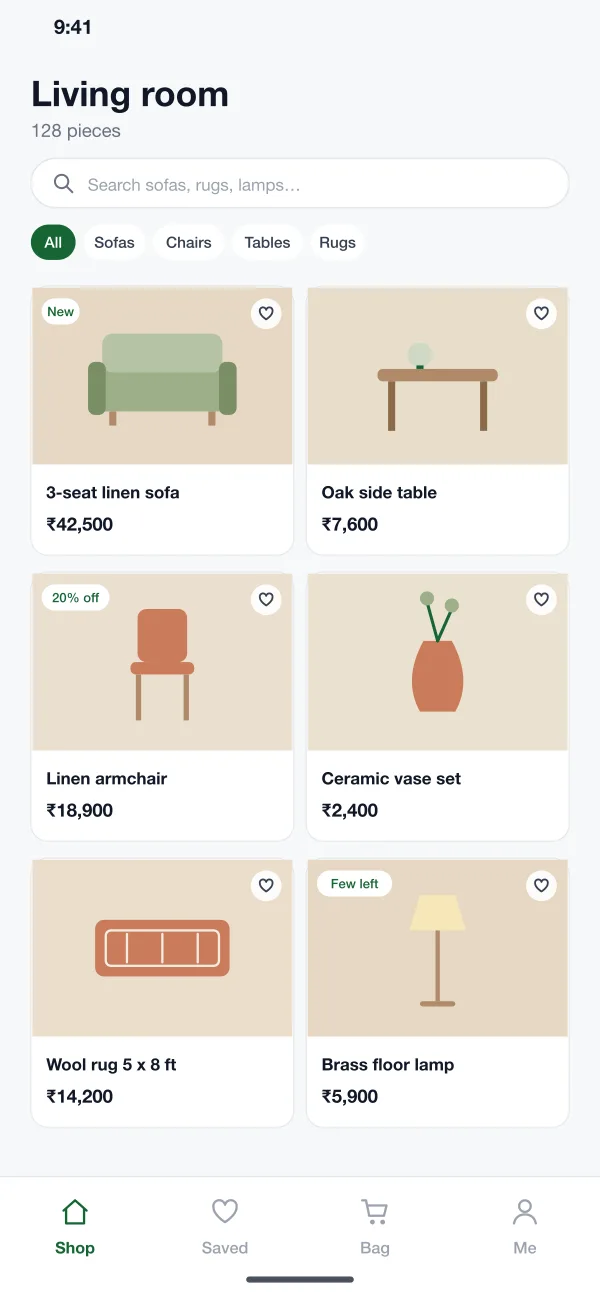
Sofas, coffee tables, rugs and floor lamps that suit a lived-in room.
Bedroom
Beds, side tables, linen and soft light for slow mornings.
Dining
Tables, chairs and sideboards sized for the space you have.
How the store works
FeaturesShop by room
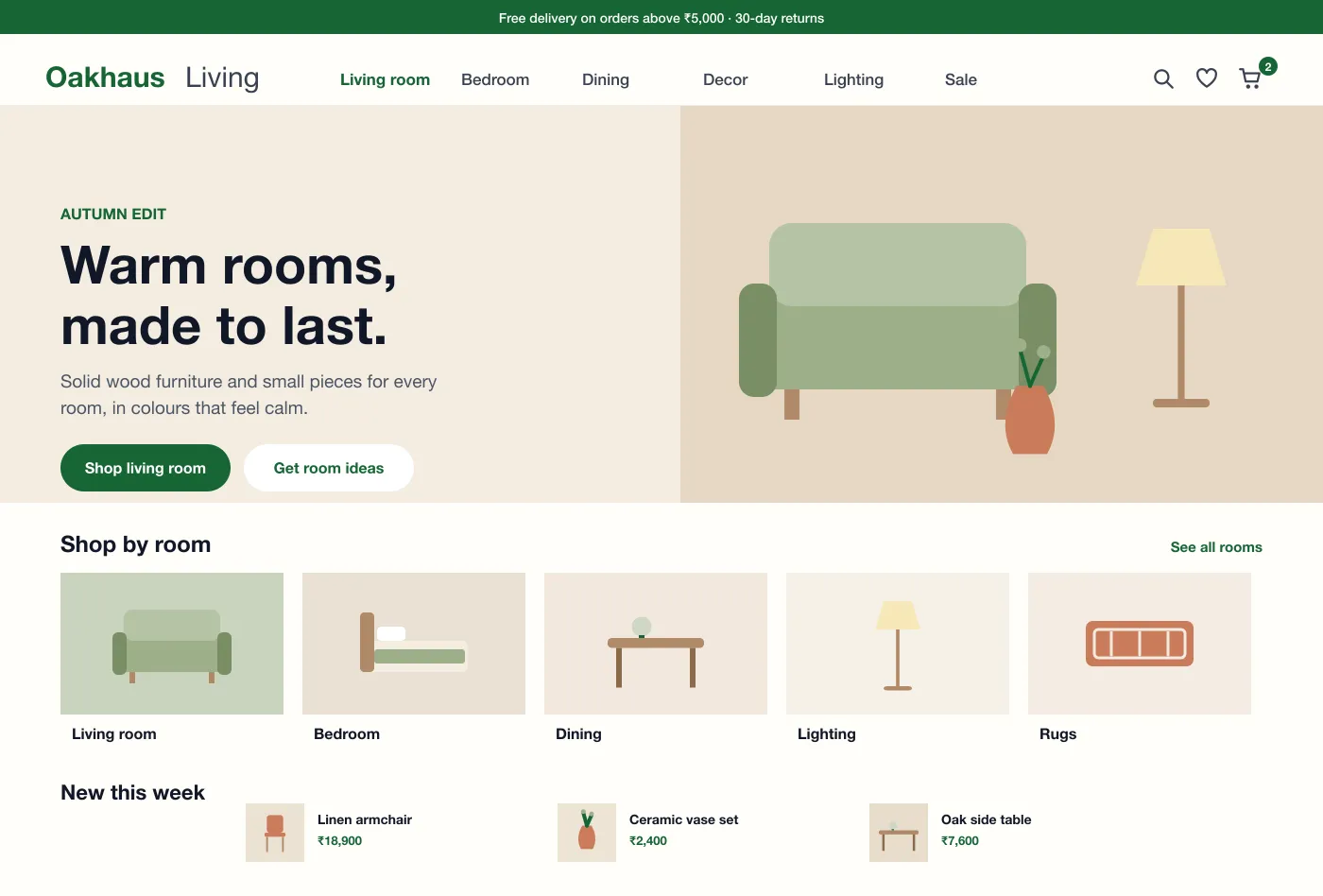
The home page opens with a seasonal story and large room tiles. A shopper picks Living room, Bedroom or Dining and sees only what belongs there.
Collections and filters
Each page can be filtered by type, colour, size, material and price. Saved items are kept in a list so a shopper can compare them later.
Product page
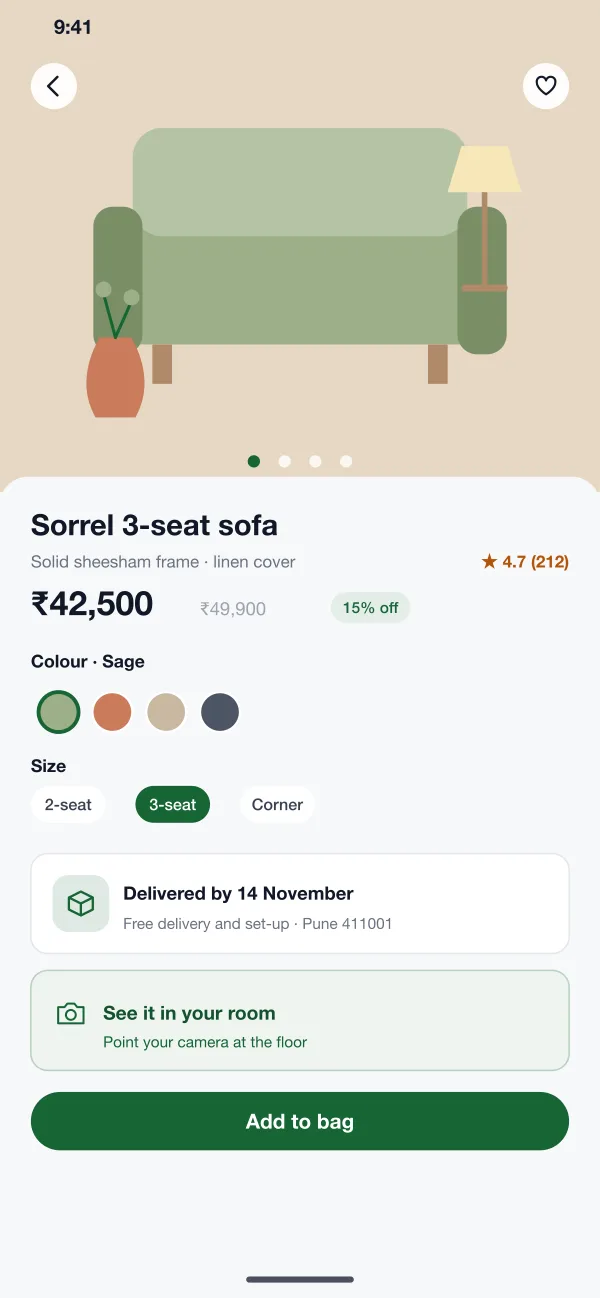
Photos, colour and size choices, the material, the delivery date and the return rules sit on one screen. A camera view shows the piece in the shopper's own room.
Short checkout
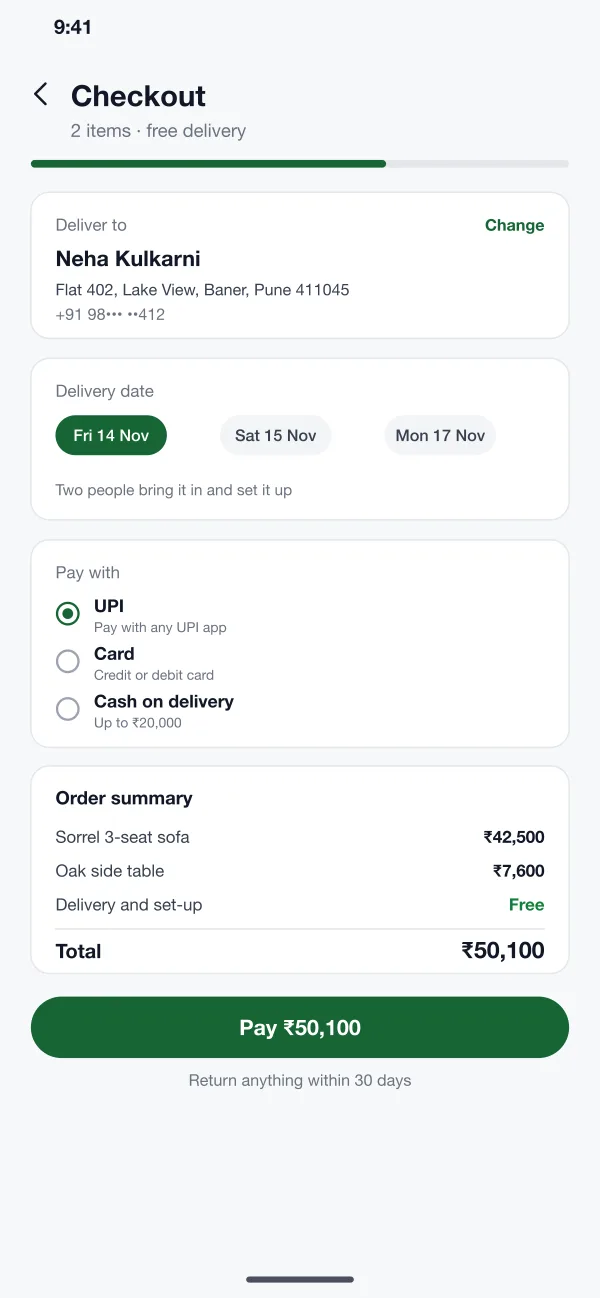
The checkout has three steps on one page: address, delivery date and payment by UPI, card or cash on delivery for small orders.
Orders and stock
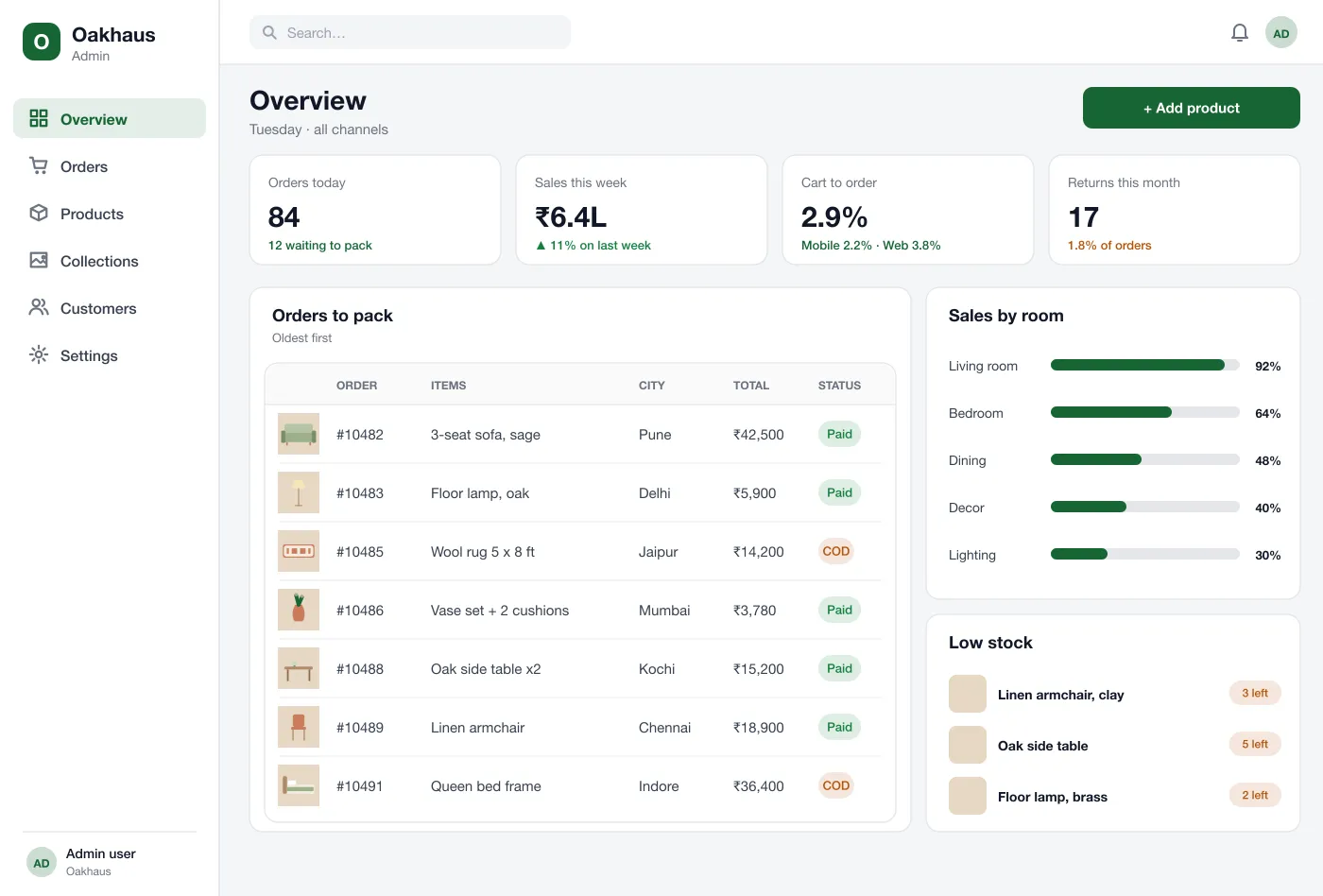
The admin panel shows orders to pack, stock by item and low-stock warnings. Colours and sizes of the same product share one record.
Returns
A customer can ask for a return in the app within the allowed days. The team sees the reason and a photo, and books the pick-up.
From room to doorstep
How it worksPlan a room
A shopper picks Living room, saves a sofa, a rug and a lamp, and compares them in the saved list.
Choose and pay
The shopper picks colour and size, checks the delivery date and pays with UPI in one page.
Pack and ship
The team sees the order, packs it with the right parts and books a two-person delivery slot.
Return an item
The shopper asks for a return in the app with a photo. The pick-up is booked and the refund follows after a check.
Made for both sides of the counter
Shoppers
Browse by room, save pieces to compare, and check out in one short page.
Store owners
Track orders to pack, stock for each item and low-stock warnings in one panel.
Returns desk
See the reason and a photo for each return, then book the pick-up.
Questions
What should a furniture online store have?
Clear photos, sizes, colour choices, a delivery date, easy returns and a short checkout. Large items also need set-up and delivery details, since people worry about them.
Which platforms can a furniture store like this run on?
The same store can run as a website for desktop and mobile browsers and as a shop app for Android and iOS. All three share one product catalogue, one stock count and one admin panel, so a price change shows everywhere at once.
Can you build a furniture store like this for my business?
Yes. We can build the website, a shop app for Android and iOS and an admin panel, and connect your payment gateway, courier and stock.
How does room-based browsing work?
Each product is placed in one or more rooms and collections. Shoppers pick a room first, then narrow down by type, colour and size.
Can customers choose a delivery date?
Yes. The checkout shows the dates available for their pincode. For large items the page also says who brings the item in and sets it up.
See the shop in action
Tap through the room pages, the one-page checkout and the admin stock screens.
Browse by room