Designed and built by PRS CloudTech How we built Ownhearth Get an app like this
Try the app
A guide to selling your own home

Sell your home yourself, with viewings and offers

Ownhearth guides you through the listing, drafts the description from your answers and books viewings. Compare offers side by side in one place.

Ownhearth is an app designed and built by our team for owners who want to sell a home without an agent. The owner adds photos, gets a description written from a few answers, takes viewing bookings and compares offers.

Try the app Read the guide
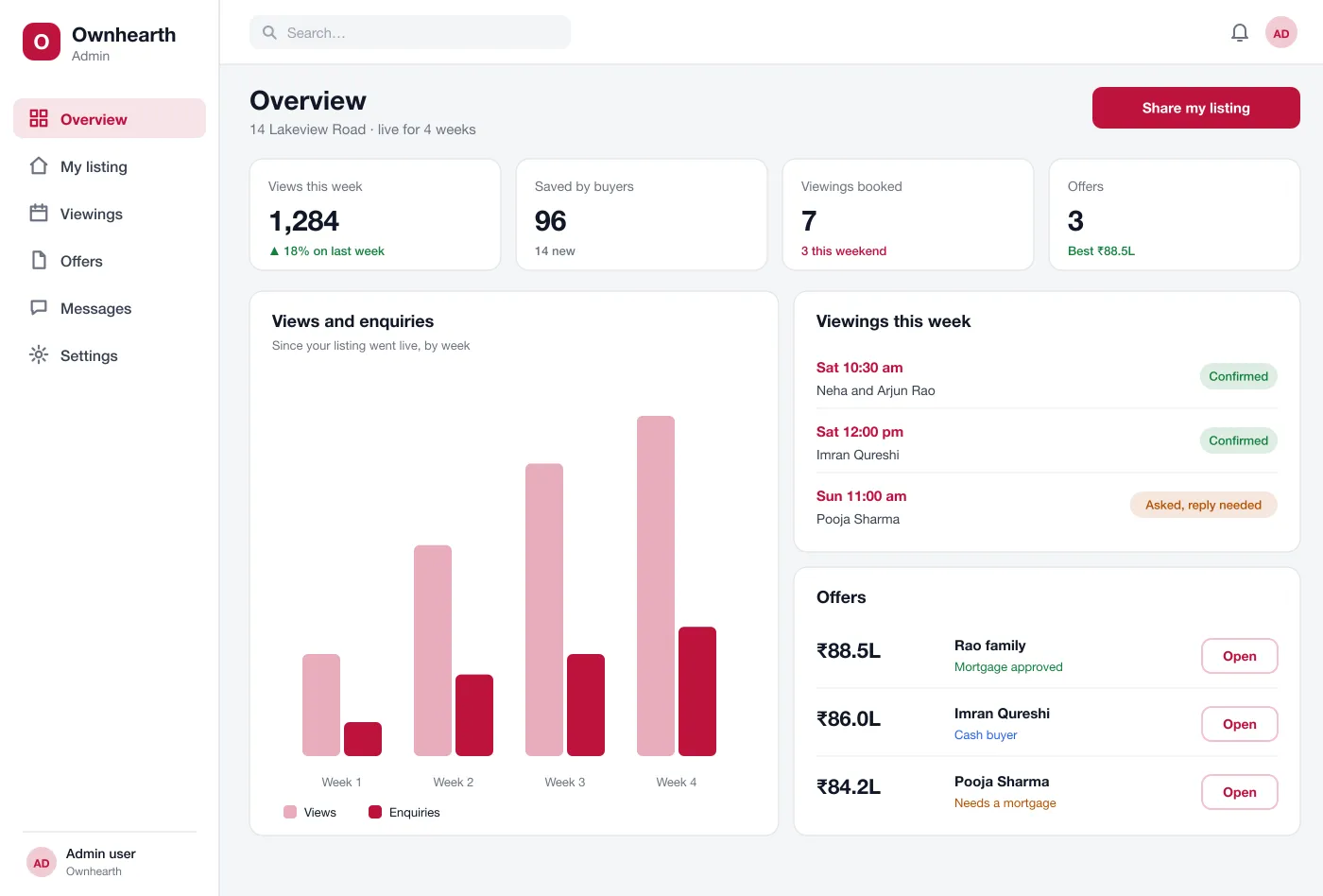
Seller dashboard: views, enquiries, viewings booked and offers in one place
Chapter 1

Before you start

We designed Ownhearth as a seller app and a public listing website, with one list of photos, times and offers behind both.

  • Listing in five stepsAddress, photos, details, description and price, with a progress bar.
  • Price next to nearby salesThe asking price sits beside the range of similar homes sold in the area.
  • Viewings in your free hoursBuyers book only from the times you set, and you get a reminder.

You know your home better than anyone. The app helps you show it, price it and sell it.

Chapter 2

Write the listing

Guided listing

The app walks the owner through five steps: address, photos, details, description and price. A progress bar shows how far along they are.

Description from answers

The owner answers simple questions, such as what buyers love about the home. The app writes a description from the answers, and the owner can edit every word.
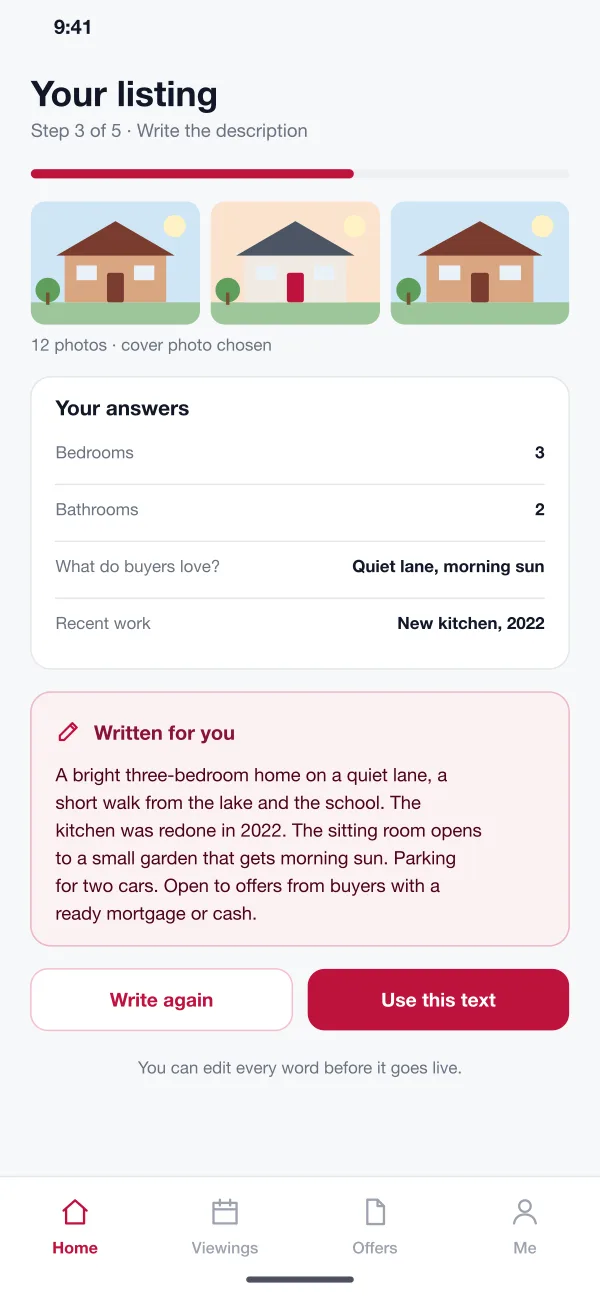
Create the listing: add photos, answer simple questions, get the text written
Chapter 3

Set a fair price

Price guide

The listing page shows the asking price on a bar with the range of similar homes sold in the area, so a buyer can see if it is fair.
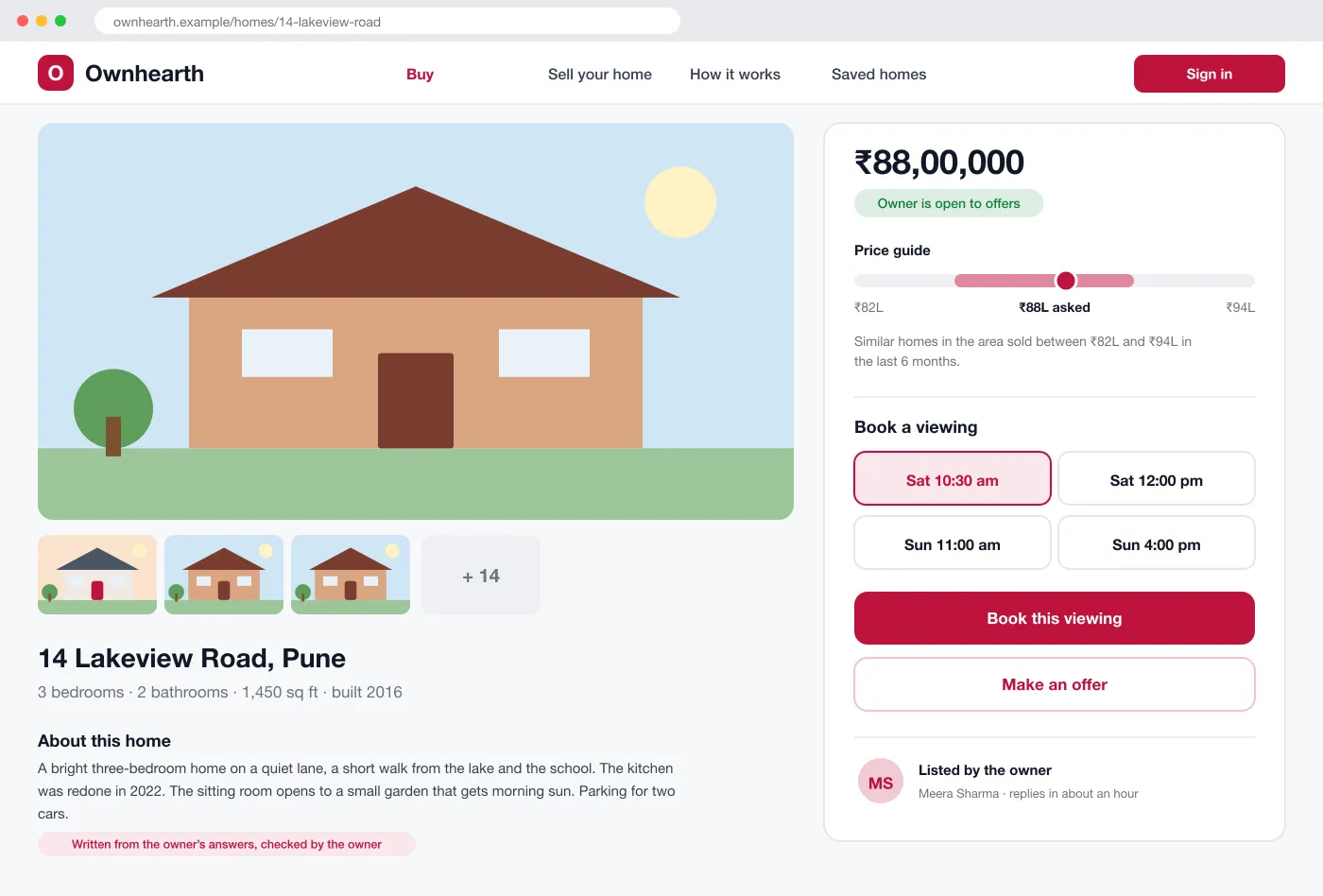
The public listing page buyers see, with the written description and price guide
Chapter 4

Show the home

Open times

The owner picks the days and hours they are free. Buyers book only from those slots, and the app sends directions and a reminder.

Safe viewings

Buyers give their name and phone number before they book. The app reminds the owner to keep someone at home during a viewing.
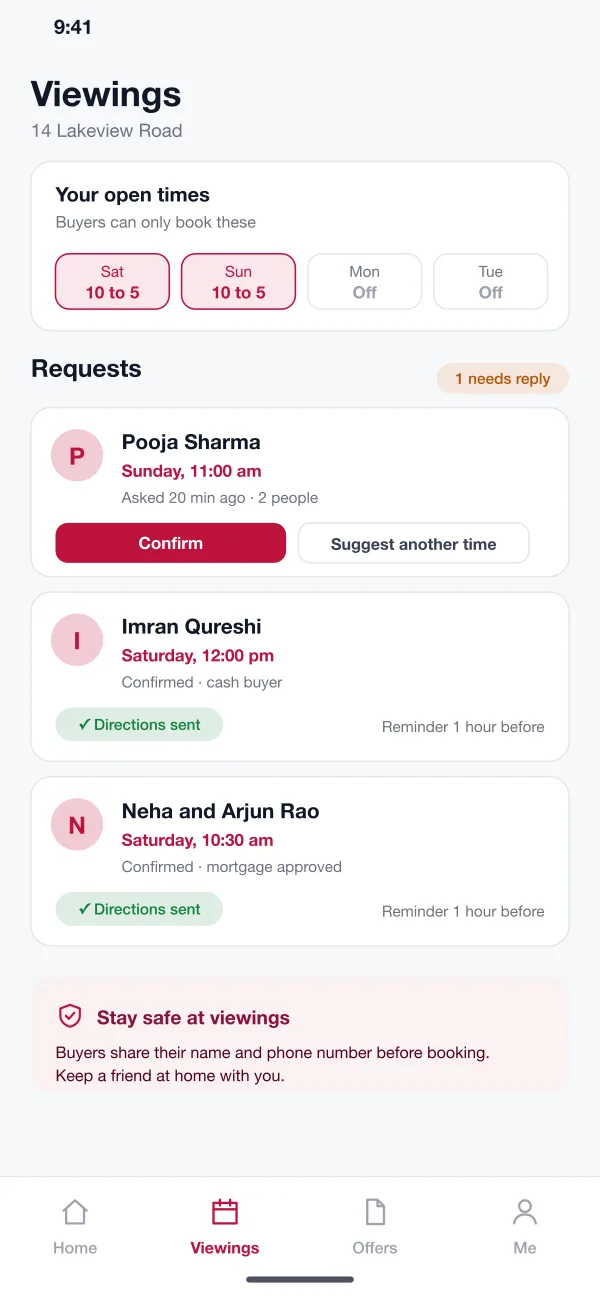
Viewings: pick the times you are free, confirm requests, send directions
Chapter 5

Compare offers

Offer comparison

Each offer shows price, buyer position, move-in date and conditions. The owner can accept, reply or counter in a tap.
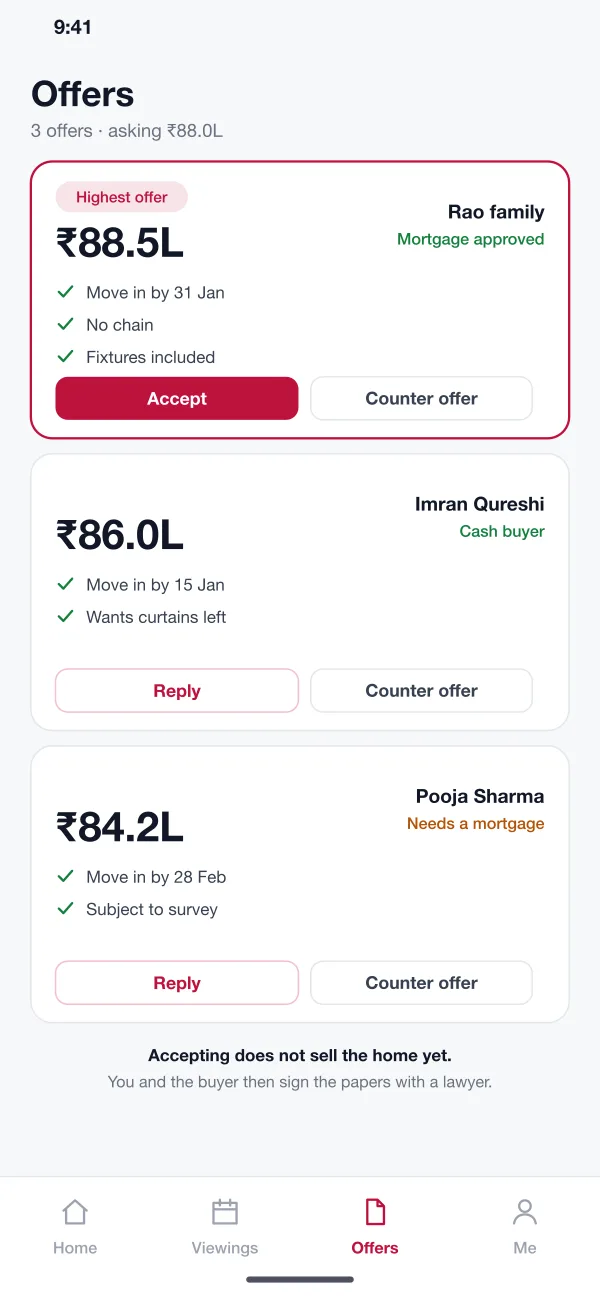
Offers side by side: price, buyer position and conditions, then accept or reply
Chapter 6

The whole sale, step by step

  1. Put the home on sale

    The owner adds photos, answers questions, checks the written description and sets the price. The listing goes live.

  2. Show the home

    Buyers pick a time from the open slots. The owner confirms and the buyer gets directions.

  3. Choose an offer

    Three offers sit side by side. The owner counters one and accepts another.

  4. Move to the papers

    After an offer is accepted, the owner and buyer sign the papers with a lawyer. The app keeps the agreed terms.

Chapter 7

Who it helps

Home owners

List your home and answer simple questions to write the text.

Buyers

Pick a viewing time and get directions before you set off.

Owners with offers

Accept, reply or counter each offer from one screen.

Chapter 8

Questions

What does selling a home without an agent mean?
The owner does the jobs an agent would do: write the listing, set the price, show the home and talk to buyers. Software can make each of these jobs easier.
How is a seller's data kept safe in a home selling app?
The exact address and phone number stay hidden until the seller confirms a viewing. Messages go through the app, and buyer documents are shared only with the seller.
Can you build a home selling app like this for my business?
Yes. We can build the owner app for Android and iOS, the public listing website and an admin panel, and connect your payment gateway, maps and calendar.
Who writes the listing text?
The owner answers a few simple questions and the app writes a description from those answers. The owner reads it, edits any word and decides whether to use it.
How does the owner pick between offers?
Offers appear side by side with the price, the buyer’s position, such as cash or mortgage approved, the move-in date and any conditions. The owner can accept, reply or send a counter offer.

Follow a sale from first photo to offer

Tap through the seller app and the public listing page.

Try the app