Daily site tasks, photos and snags in one app
Crews see their jobs for the day and add stamped photos. Snags go to the right crew, and the manager sees progress by floor. Works without signal.
Try the app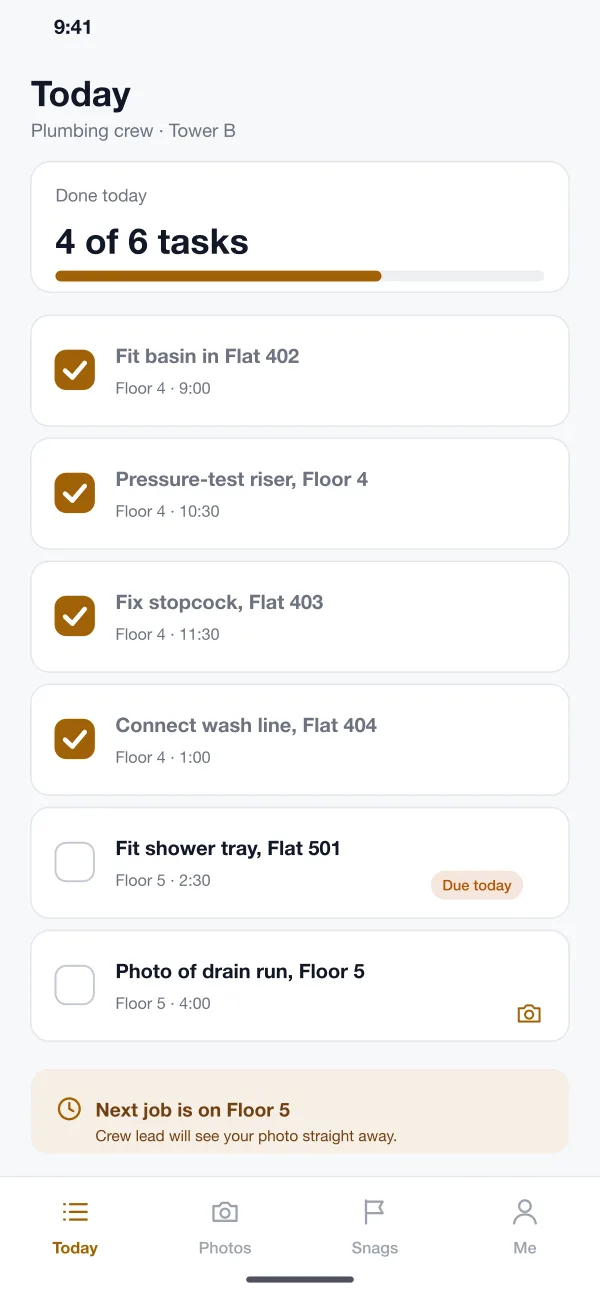
Same site, two ways to run it
The old way:The day is planned on a whiteboard or in a long group chat, and tasks get lost.
With Plumbly:Each crew lead opens one list with the jobs for the day, in order.
The old way:Photos sit on workers’ phones, and “it is done” is all the proof there is.
With Plumbly:Every photo is tied to a floor and a task and stamped with the time.
The old way:A crack is spotted, someone says they will tell the crew, and it is still there at hand-over.
With Plumbly:Each snag has a spot on the plan, a photo, a crew and a date to fix it.
The old way:The manager walks every floor just to find out what is done.
With Plumbly:The dashboard shows tasks done, crews on site and open snags by floor.
What the app does
Daily task list
Each crew sees its jobs for the day, by floor and time. One tap ticks a job off, and the manager sees it at once.
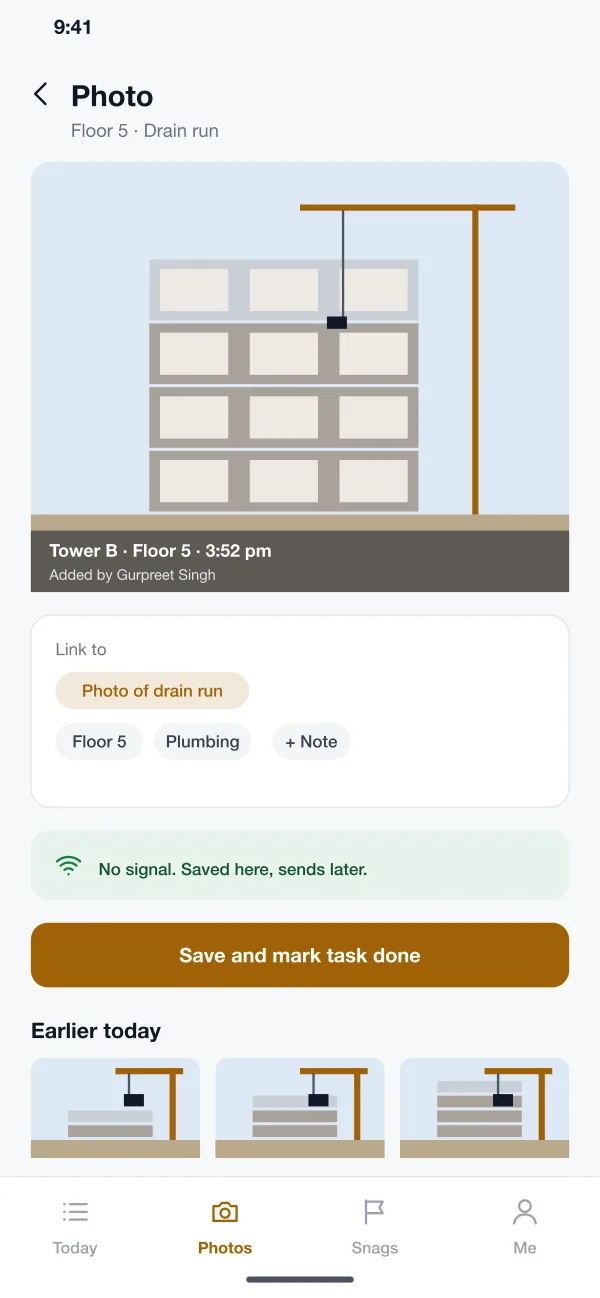
Photo progress
A photo is stamped with the tower, floor, time and name, and linked to a task. Marking the task done and adding the photo happen in one step.
Works without signal
Basements and stair cores often have no network. The app saves tasks and photos on the phone and sends them later.
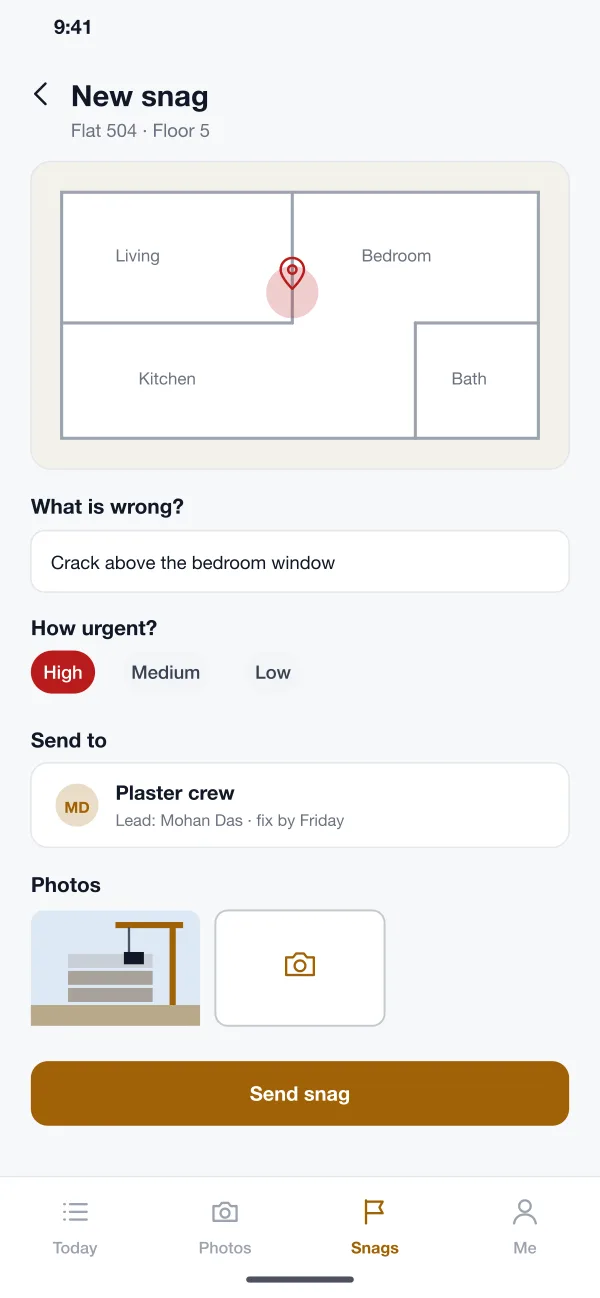
Snag reporting
The worker marks the spot on the flat plan, types what is wrong, adds a photo, picks how urgent it is and sends it to the right crew.
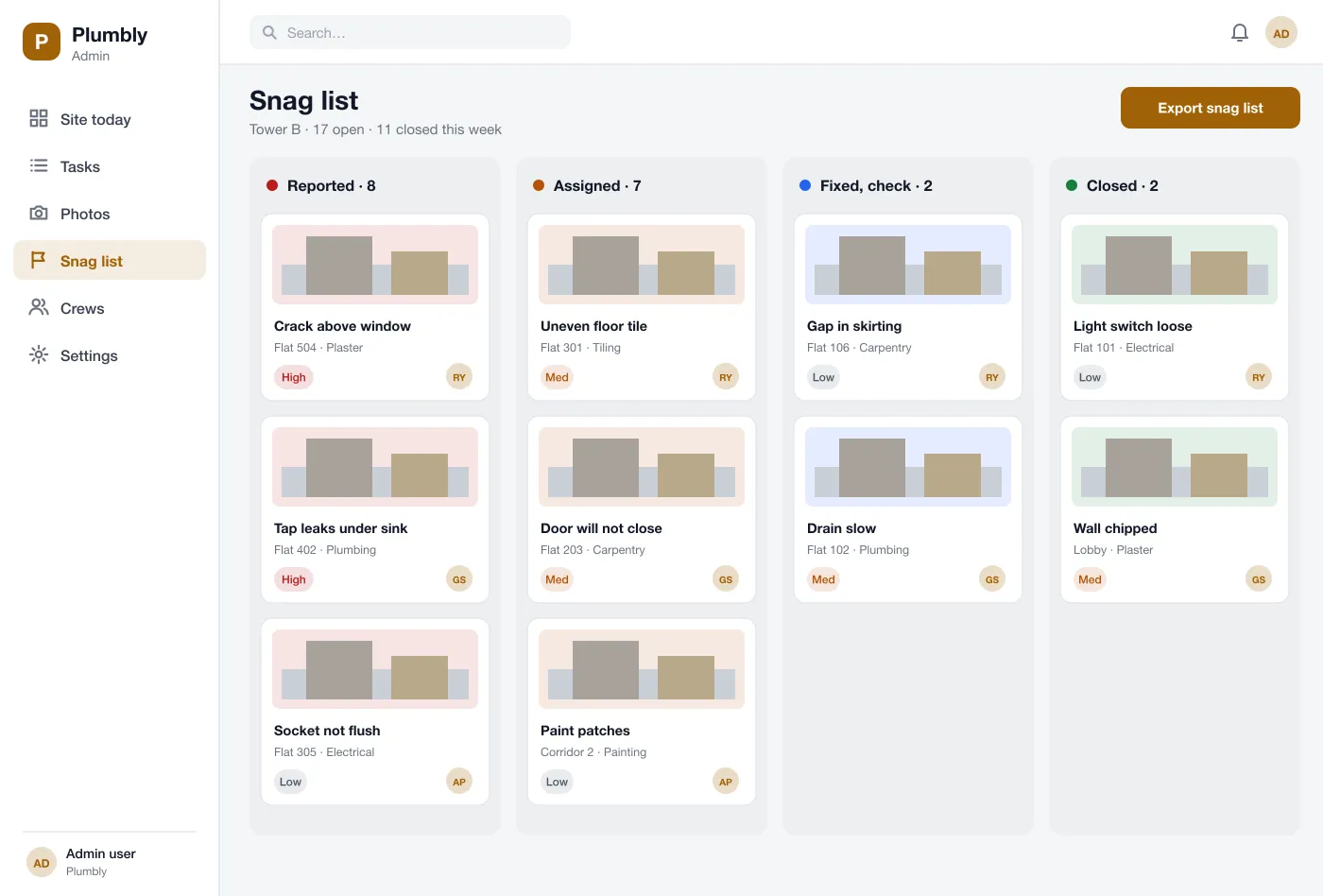
Snag board
The manager sees snags in four columns: reported, assigned, fixed and closed. A closed snag is checked after the crew says it is fixed.
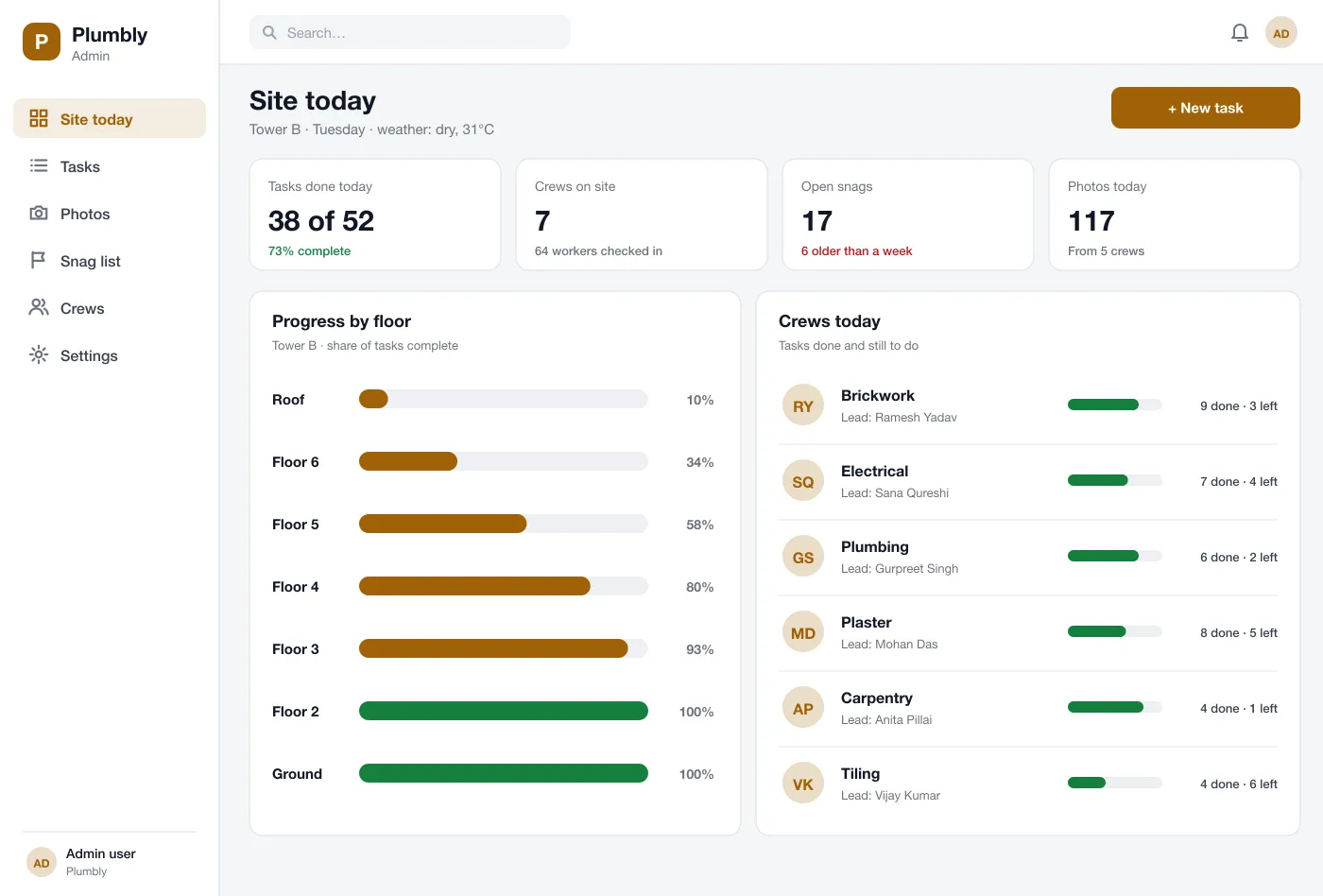
Site dashboard
One page shows tasks done today, crews on site, progress by floor, and open snags that are getting old.
The crew app
Big buttons, one list per crew and photos that save even in a basement with no signal.
From the first task to hand-over
One floor, four steps, from the morning list to sign-off.
Photos stamped with timeEach photo is stamped with the tower, floor and time, and linked to a task.
Works with no signalTasks and photos save on the phone and send when the network returns.
Snags tracked to closedA snag moves from reported to fixed, and the manager checks it before closing.
- 1
Start the day
The manager adds tasks for each crew. Crew leads open the app and see their list for the day.
- 2
Finish a job
The worker takes a photo, ticks the task and moves on. If there is no signal, the app sends it later.
- 3
Fix a defect
A snag goes to the right crew with a photo and a date. The crew fixes it and the manager checks and closes it.
- 4
Hand over a floor
When a floor shows no open tasks or snags, the manager signs it off and the dashboard marks it complete.
The site office view
Who uses it on site
Site managers
See tasks done, crews on site and progress by floor on one page.
Crew leads
Open the day list by floor and tick jobs off with one tap.
Site workers
Mark a defect on the plan and send it with a photo.
Site questions
What is a snag list?
A snag list is a list of small defects found near the end of a building job, such as a crack, a loose socket or a door that will not close. Each one must be fixed and checked before hand-over.
Which features should a site app start with?
Start with daily crew tasks, progress photos and a snag list, because these replace the most phone calls and paper. Drawings, timesheets, material requests and client reports can be added once crews use the app every day.
Can you build a construction site app like this for my business?
Yes. We can build the crew app for Android and iOS and the site manager dashboard, and tailor the tasks, floors and crews to your sites.
Does the app work where there is no phone signal?
In this design it does. Tasks and photos are saved on the phone and sent when the signal returns.
Can the site manager see which crew is behind?
Yes. The dashboard shows tasks done and still to do for each crew and each floor, so a late crew is easy to spot.
Follow one floor from tasks to sign-off
Open the crew app, the snag board and the site dashboard.
Try the app