Classifieds portal with chat, featured ads and moderation
Post ads by category, chat with buyers and sellers, boost ads for more views, and let a review queue catch doubtful posts before they go live.
Post in four steps
Add photos, details, a place and a phone number, then post.
Chat before you call
Buyers can message the seller inside the app first.
Doubtful ads wait
A review queue shows the reason, so one click approves or removes.
Postbay is a place to post ads for the things you want to sell, rent or offer: bikes, phones, sofas, flats and local jobs. This page walks through it chapter by chapter.
Find what you need, close to home
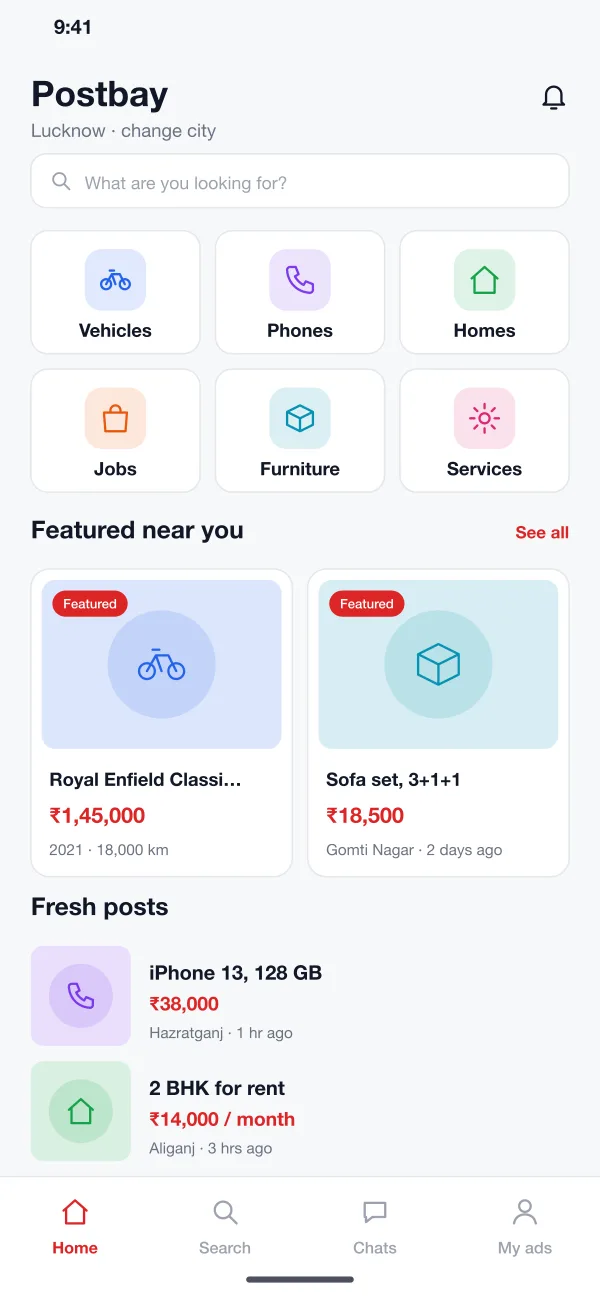
The home screen opens on big category tiles, featured ads near you and the newest posts. Filters narrow the list by price, year, distance and type, so a buyer gets to the right ad in a few taps.
Every ad tells you what matters
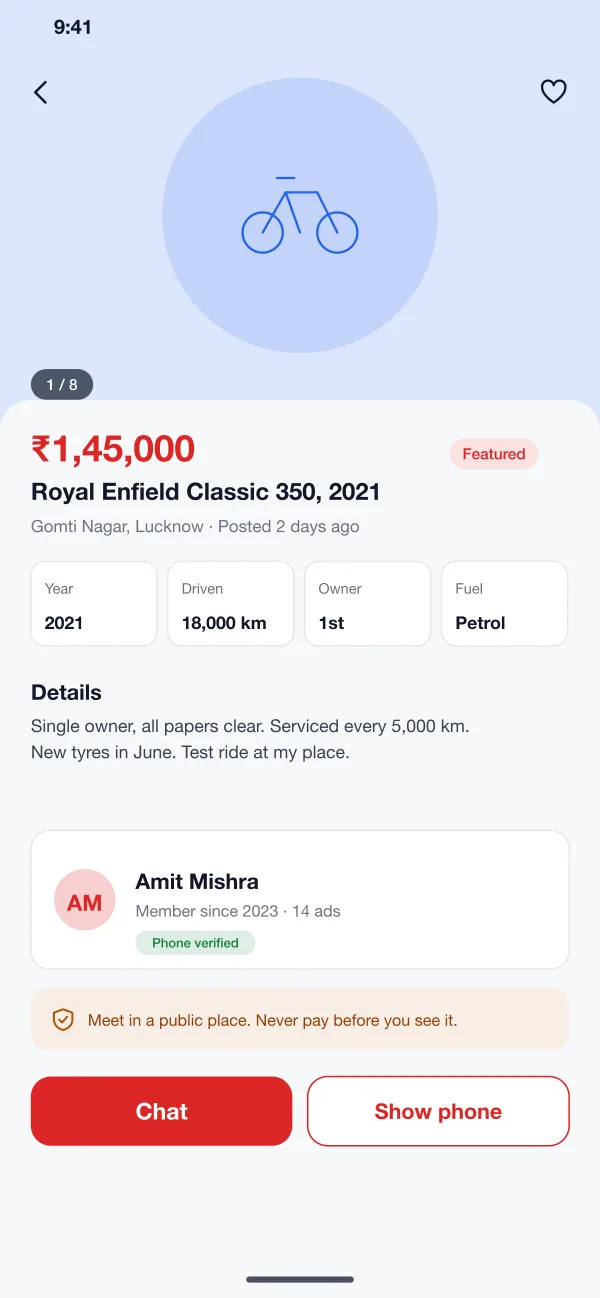
Photos come first, then the price, key facts such as year and distance driven, and a clear description. The seller card shows how long they have been a member and whether their phone is verified.
Post an ad in four short steps
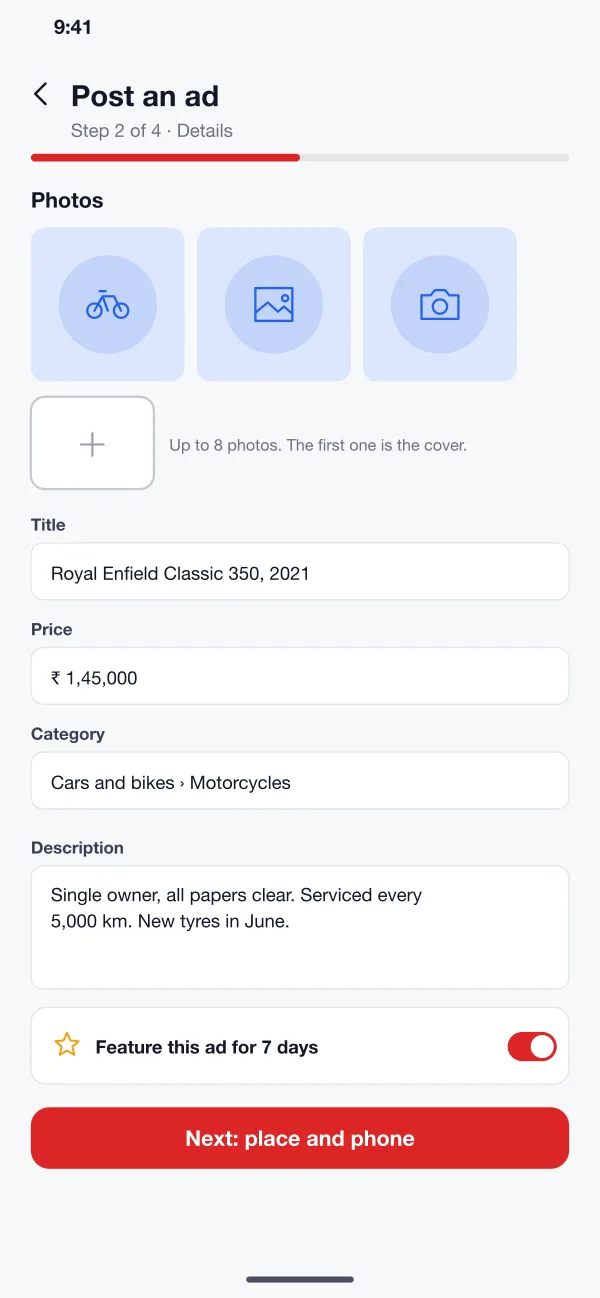
Add photos, then the details, then a place and a phone number, and last a preview. A switch at the end lets the seller feature the ad for a set number of days.
Posting stays quick for sellers. Checking stays strict for the team.
Doubtful ads wait in a queue
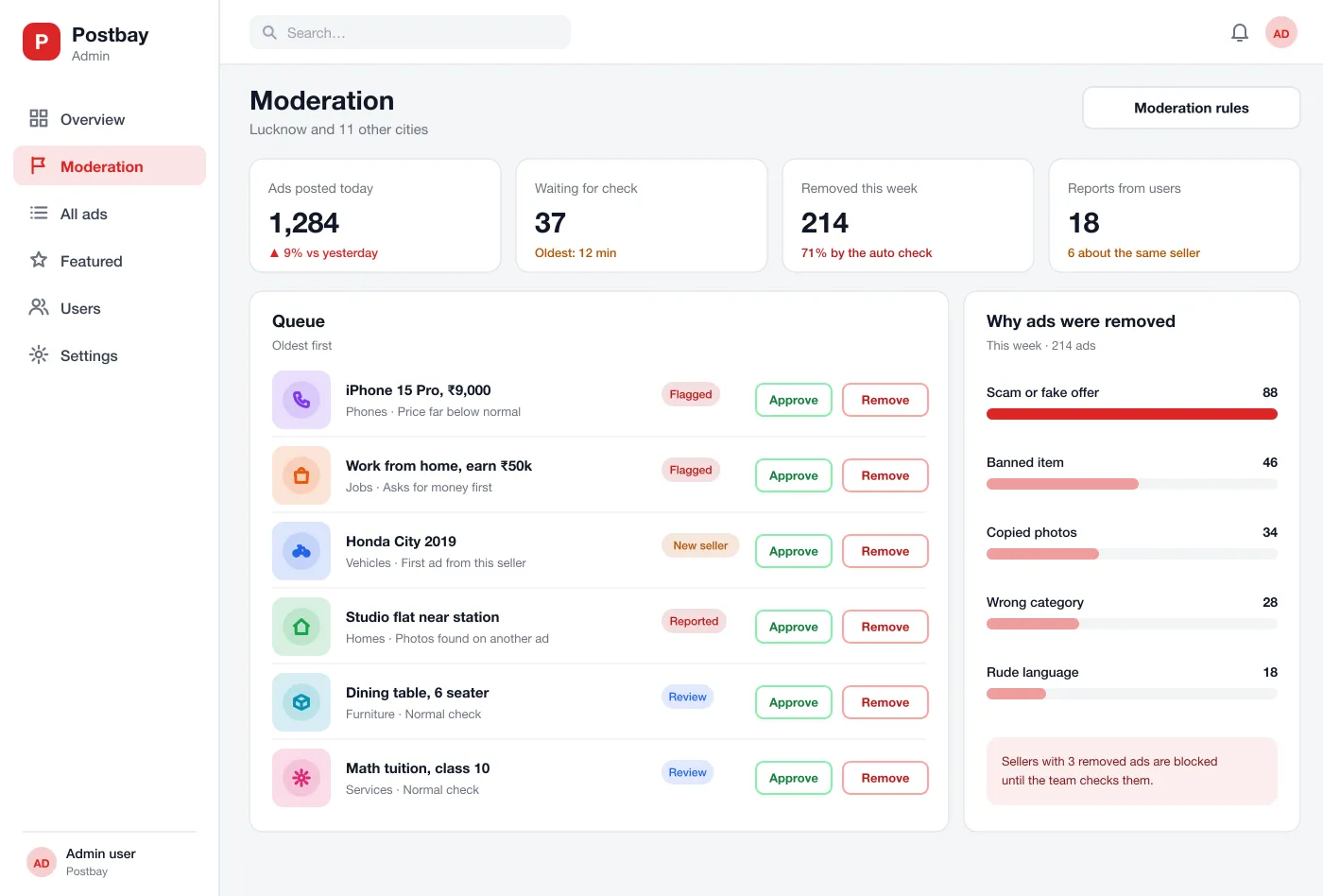
Every new ad passes a first check for signs of trouble, such as a very low price, copied photos or a request to pay first. Flagged ads wait with the reason shown, so the team approves or removes them in one click.
Featured spots for sellers who want more views
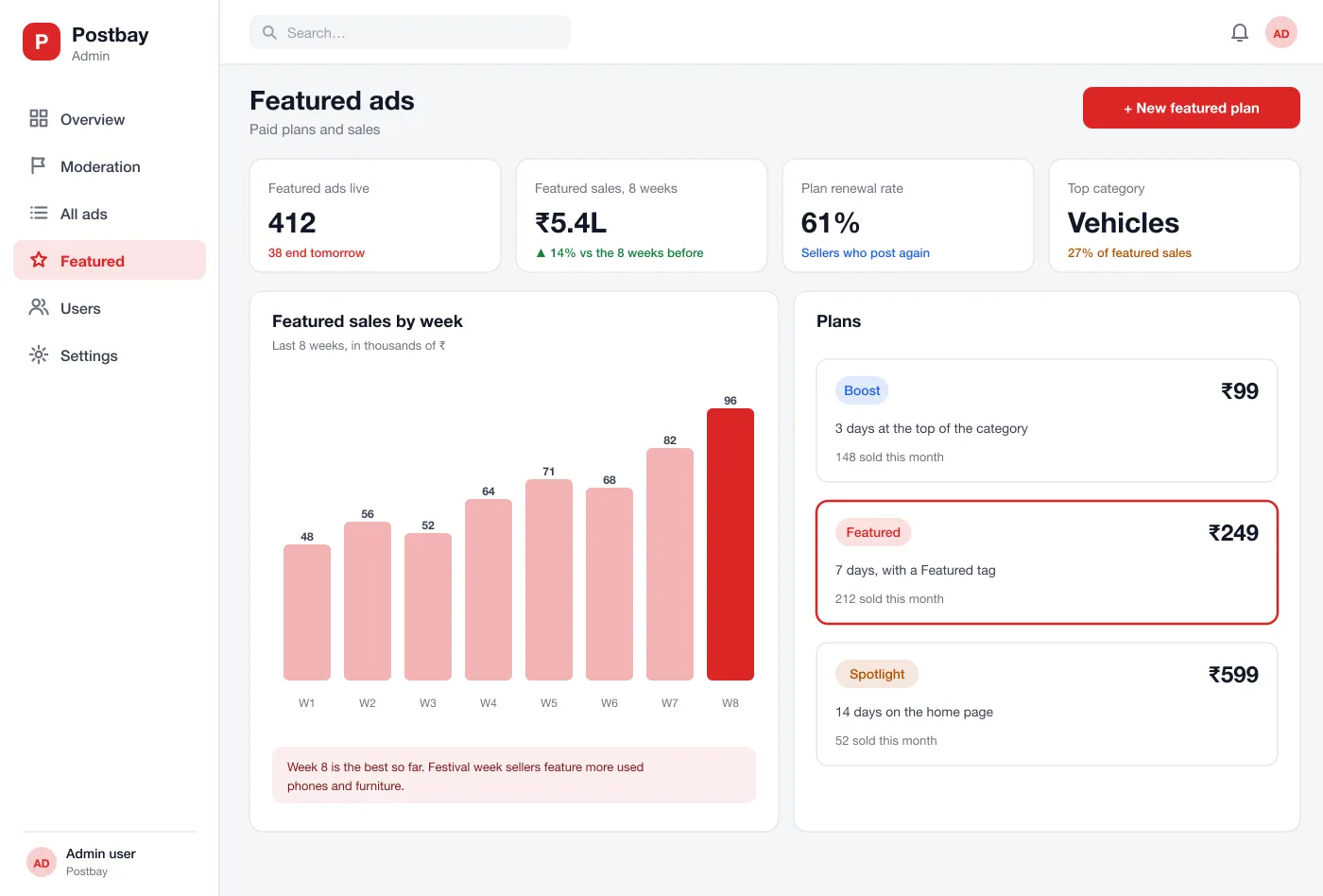
Sellers can boost an ad, tag it as featured or place it on the home page. The admin sets the plans and sees sales by week and the busiest categories.
Everything inside Postbay
Categories and search
The home screen shows big category tiles, featured ads near the user and the newest posts. Search works across the city, and filters narrow by price, year, distance and type.
Ad page
Each ad shows photos, price, key facts such as year and distance driven, and a clear description. The seller card shows how long they have been a member and whether the phone is verified.
Chat and phone
Buyers can chat inside the app or ask to see the seller's phone number. A short safety note reminds both people to meet in a public place and never pay before seeing the item.
Posting in four steps
Sellers add photos, then details, then a place and phone number, and last they preview and post. A switch lets them feature the ad for a set number of days.
Moderation queue
New ads pass a first check for signs of trouble, such as a low price, copied photos or a request to pay first. Doubtful ads wait in a queue with the reason shown, so the team can approve or remove them in one click.
Featured listings
Sellers can pay to boost an ad, feature it with a tag or show it on the home page. The admin sets the plans and sees sales by week and the best categories.
From posting to a safe sale
Post an ad
The seller takes photos, fills in the title, price and details, adds a place and phone, and posts. The ad goes into the check.
Find and ask
A buyer opens a category, filters by price and distance, opens an ad and starts a chat with the seller.
Get more views
The seller chooses a featured plan for the ad and pays by UPI. The ad shows higher in the list with a Featured tag.
Keep it clean
The moderator opens the queue, reads the reason for each flag, approves good ads, removes bad ones and blocks sellers who repeat.
Who it is for
Sellers
Post an ad with photos and a price, and boost it for a set number of days.
Buyers
Browse by category, filter by price and distance, and chat with sellers.
Moderators
Review flagged ads, remove bad ones and block sellers who repeat.
Questions people ask
What is a classifieds portal?
It is a website and app where people post ads for things they want to sell, rent or offer, such as bikes, phones, flats and jobs. Other people search the ads and contact the seller.
Which features should a classifieds portal launch with?
Start with ad posting, categories with city filters, in-app chat and a moderation queue. Featured listings, saved searches and seller badges can follow once ads start coming in.
Can you build a classifieds portal like this for my business?
Yes. We can build the website, the Android and iOS apps and the admin panel, with your own categories, cities, languages and paid plans.
How are scam ads kept out?
A first check looks for signs such as a very low price, copied photos or a request for money first. Doubtful ads wait in a queue where a person approves or removes them. Repeat offenders are blocked.
How does the portal earn money?
Sellers can pay to feature an ad, show it at the top of a category or place it on the home page. The admin sets the plans and sees the sales by week.
See Postbay in action
Tap through the ad app, the posting steps and the review queue.