Language choice
A learner picks Arabic or English once. The app then shows every screen in that language and in the right direction.
A learning platform where Arabic is not an afterthought. Every screen exists twice, once in Arabic from right to left and once in English, for learners, teachers and course leads.
Many learning sites are built for English first and then patched for Arabic. Text sits on the wrong side, buttons point the wrong way and names appear broken. Learners feel the site was not made for them.
Teachers have their own trouble. Courses, live classes and quizzes sit in different tools, and the teacher copies marks into a sheet to issue certificates.
Learners study, join live classes and take quizzes in Arabic or English, with the layout set to match. Teachers track marks and send certificates.
Arabic learners should get a full right-to-left layout, not English screens with Arabic words dropped in.
A learner should find lessons, live classes and quizzes of one course in the same place.
Quizzes need a timer, one question at a time and a clear pass mark.
When a learner passes, the certificate should be ready, in the right language.
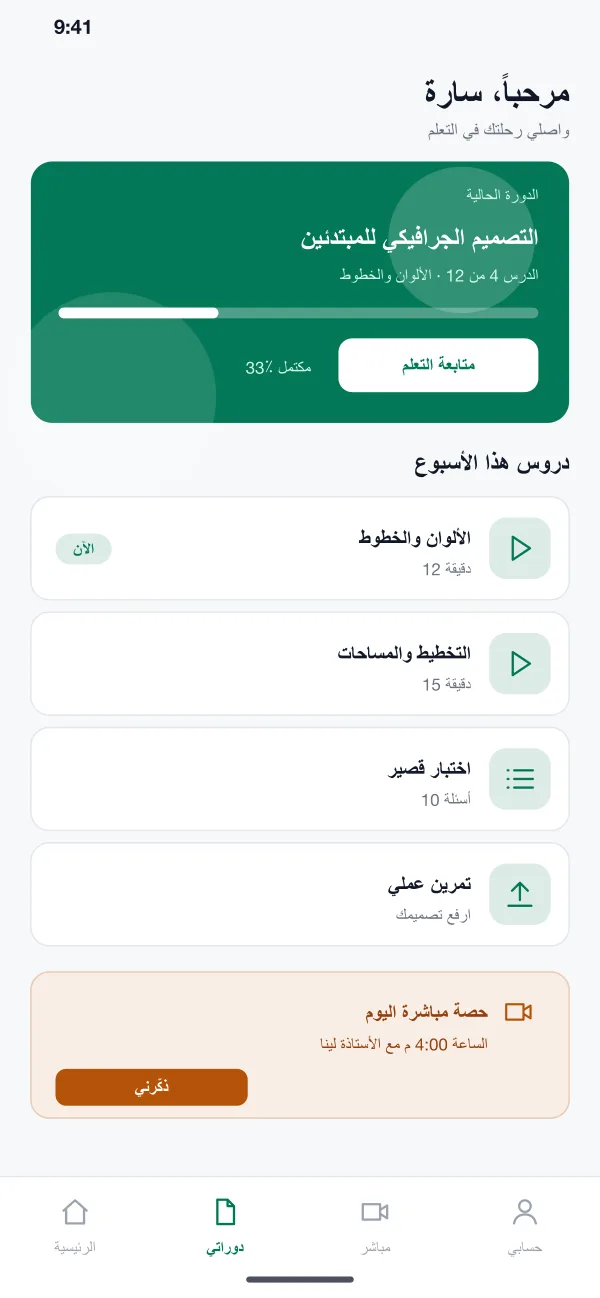
A learner picks Arabic or English once. The app then shows every screen in that language and in the right direction.
The learner sees the current course, the next lesson, progress so far and what to do this week, such as a lesson, a quiz or a small task.
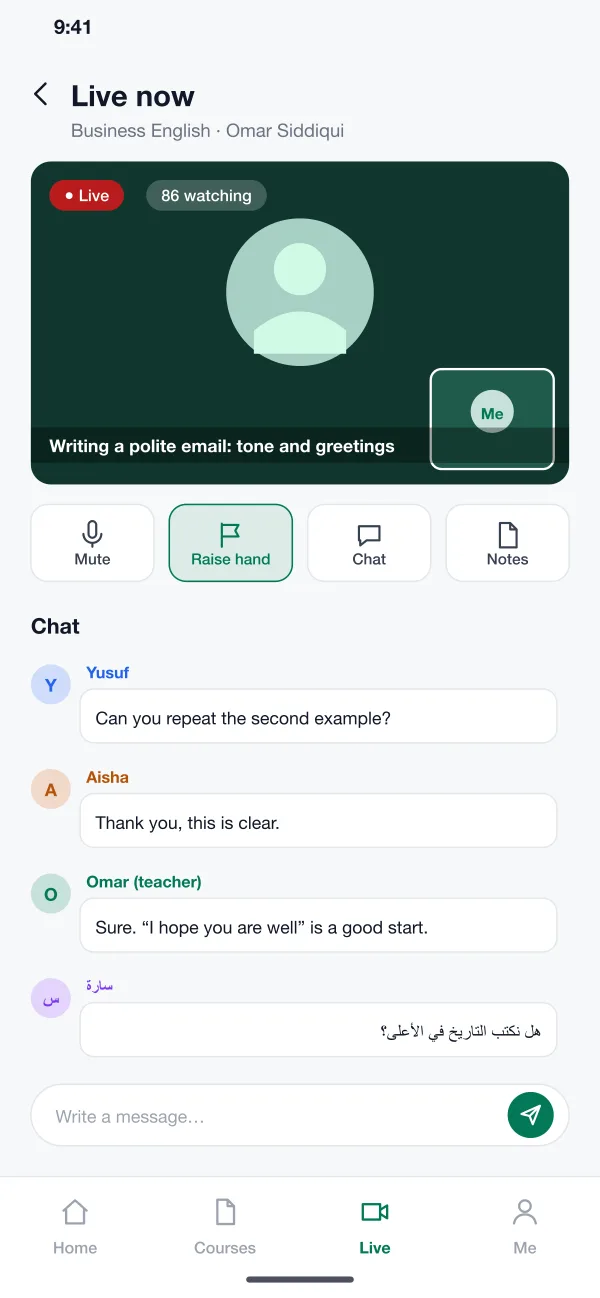
The teacher runs a live class with video, chat and raise-hand. Learners can book a seat and get a reminder before it starts.
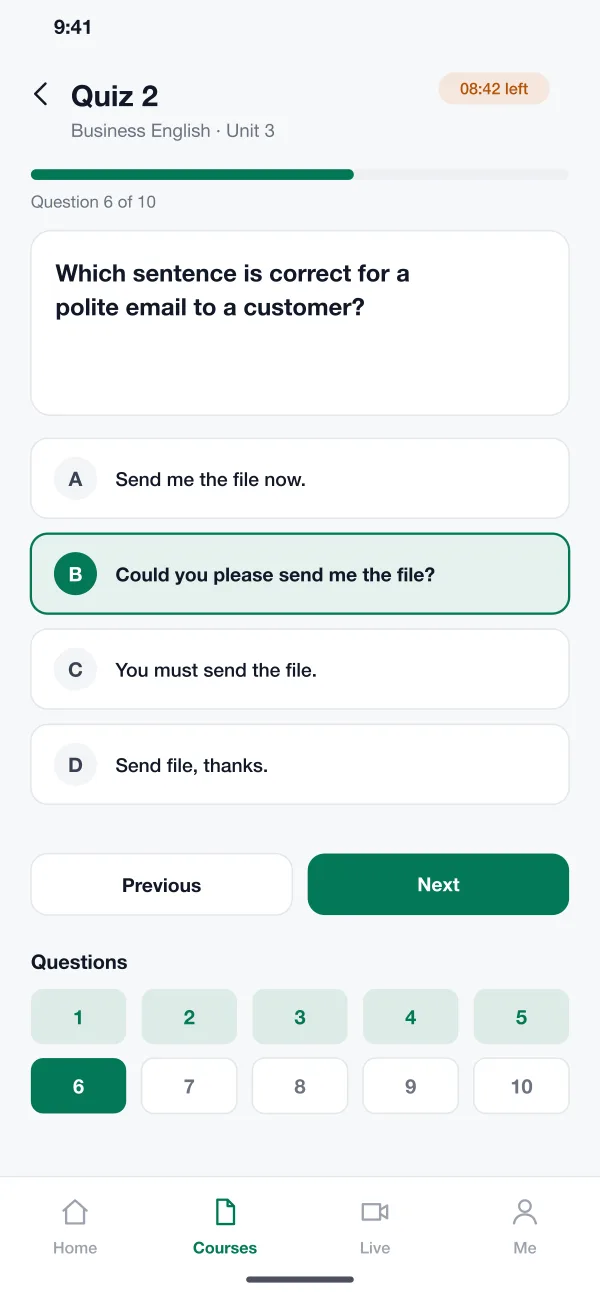
Quizzes show one question per screen with a timer and a row of question numbers. The teacher sets the pass mark and the number of retakes.
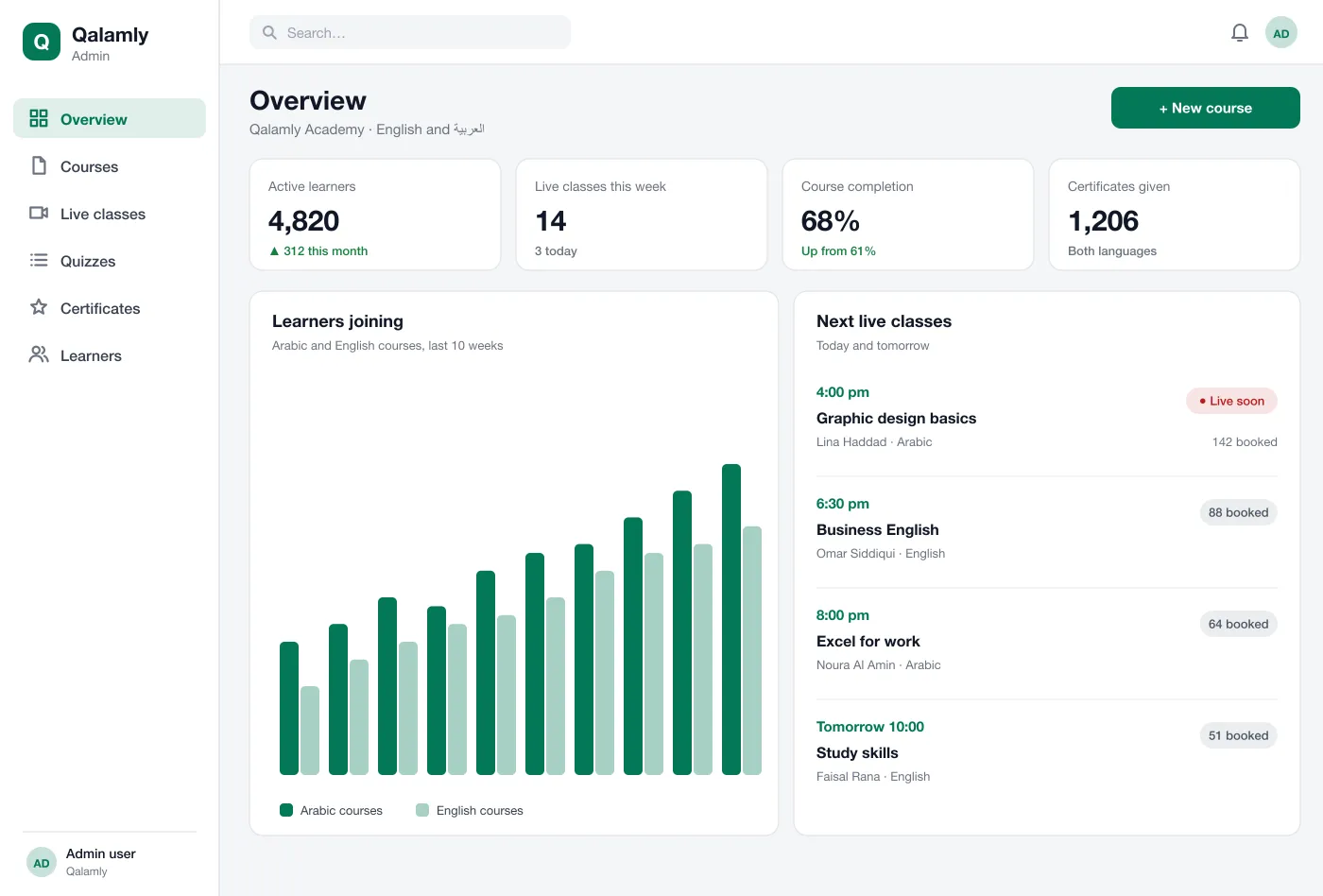
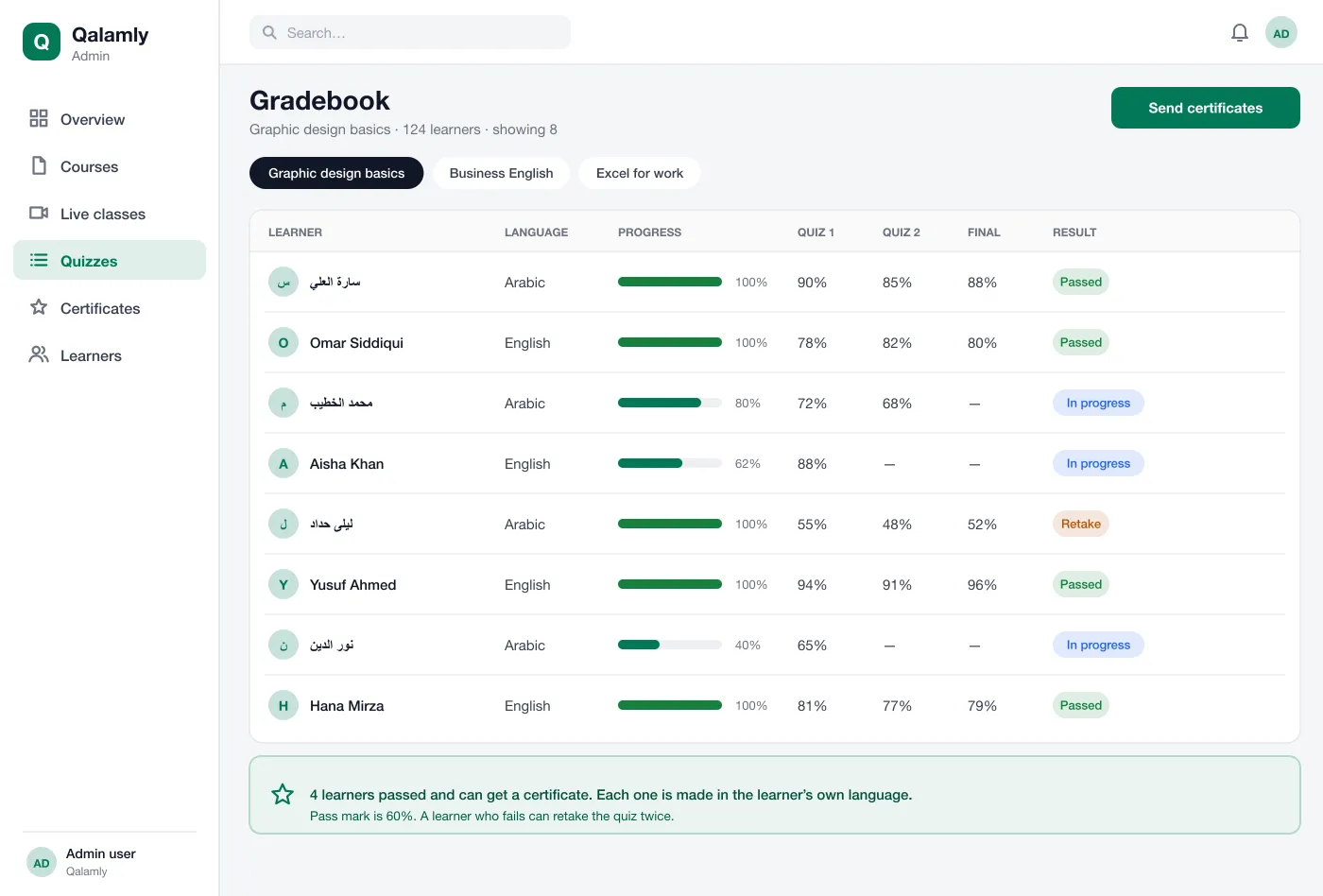
The teacher sees each learner’s progress and quiz marks for a course. The list shows Arabic and English names side by side without breaking.
When learners pass, the teacher sends certificates in one step. Each is made in the language of the course.
A learner opens the app, sees the next lesson and watches it. The progress bar fills from right to left.
The learner books a seat, gets a reminder and joins with one tap. They raise a hand or write in the chat.
The learner answers ten questions in a set time and sees the result at the end, with a chance to retake.
After the pass mark is met, the learner gets a certificate they can download and share.
Study the next lesson, take quizzes and download a certificate.
Run live classes, read the gradebook and send certificates in one step.
Keep Arabic and English names side by side on one list.
A learning management system, or LMS, is software where teachers publish courses, run classes and quizzes, and see how each learner is doing. Learners study on their own time and earn certificates.
Start with courses, video lessons, quizzes and the learner app in both languages. Live classes, the gradebook and certificates can be added in the next release.
Yes. We can build the teacher web panel and the learner app for Android and iOS, with both languages and the right layout direction, and add live classes and certificates.
Yes. When a learner picks Arabic, the whole screen flips: text, lists, buttons and progress bars all follow the right-to-left direction. English stays left-to-right.
Yes. When a learner passes, the certificate is made in the language of the course they took, with their name spelled correctly.
Open the learner app and the teacher panel in Arabic and in English.
Try the app