Search by machine
Pick the machine type, the dates and the site to see what is free.
Contractors find free machines by type and dates, send a request and book. Owners assign operators, and both sides record hours on site.
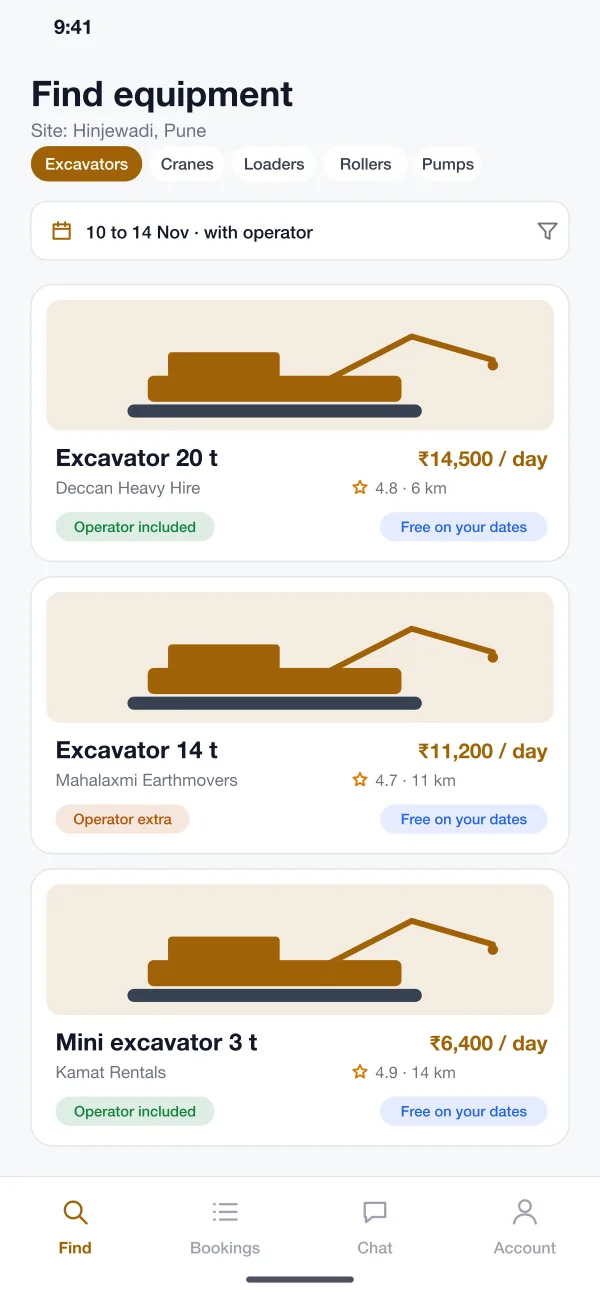
Pick the machine type, the dates and the site to see what is free.
Owners pick a free operator with the right experience for the machine.
Operators log hours and fuel, and the contractor signs off the day's total.
Contractors choose the type of machine, the dates and the site. The app shows machines that are free, with the day rate, the owner, the rating and the distance.
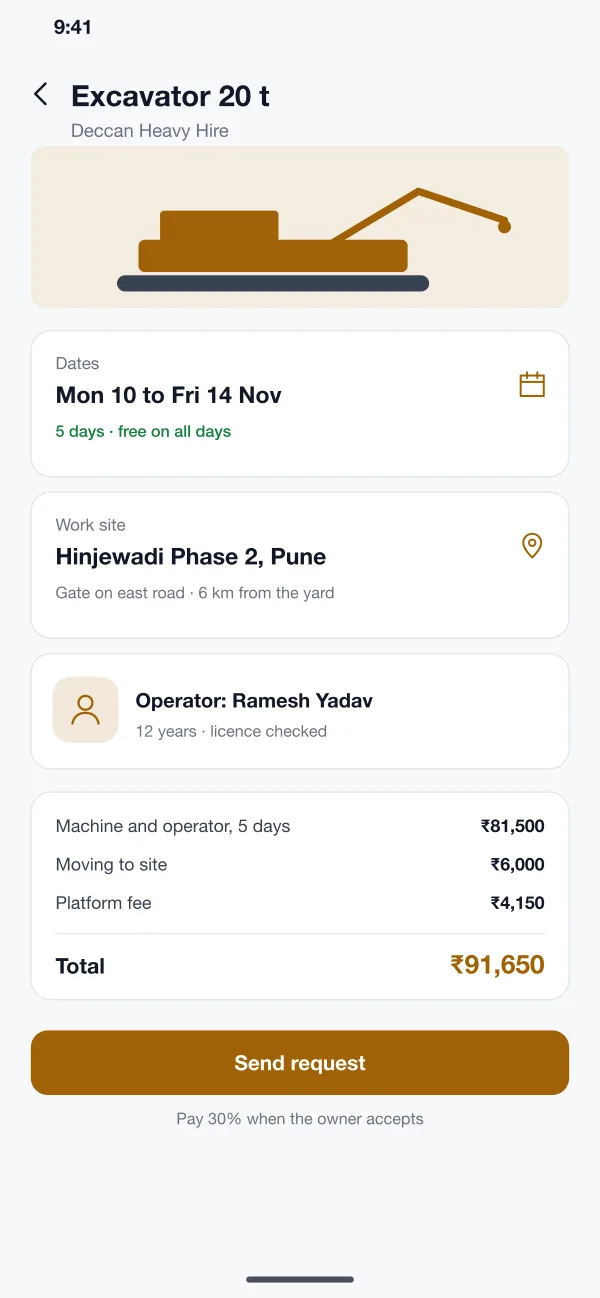
The booking page shows the dates, the site, the operator and the full price. The contractor sends the request, and pays a part when the owner accepts.
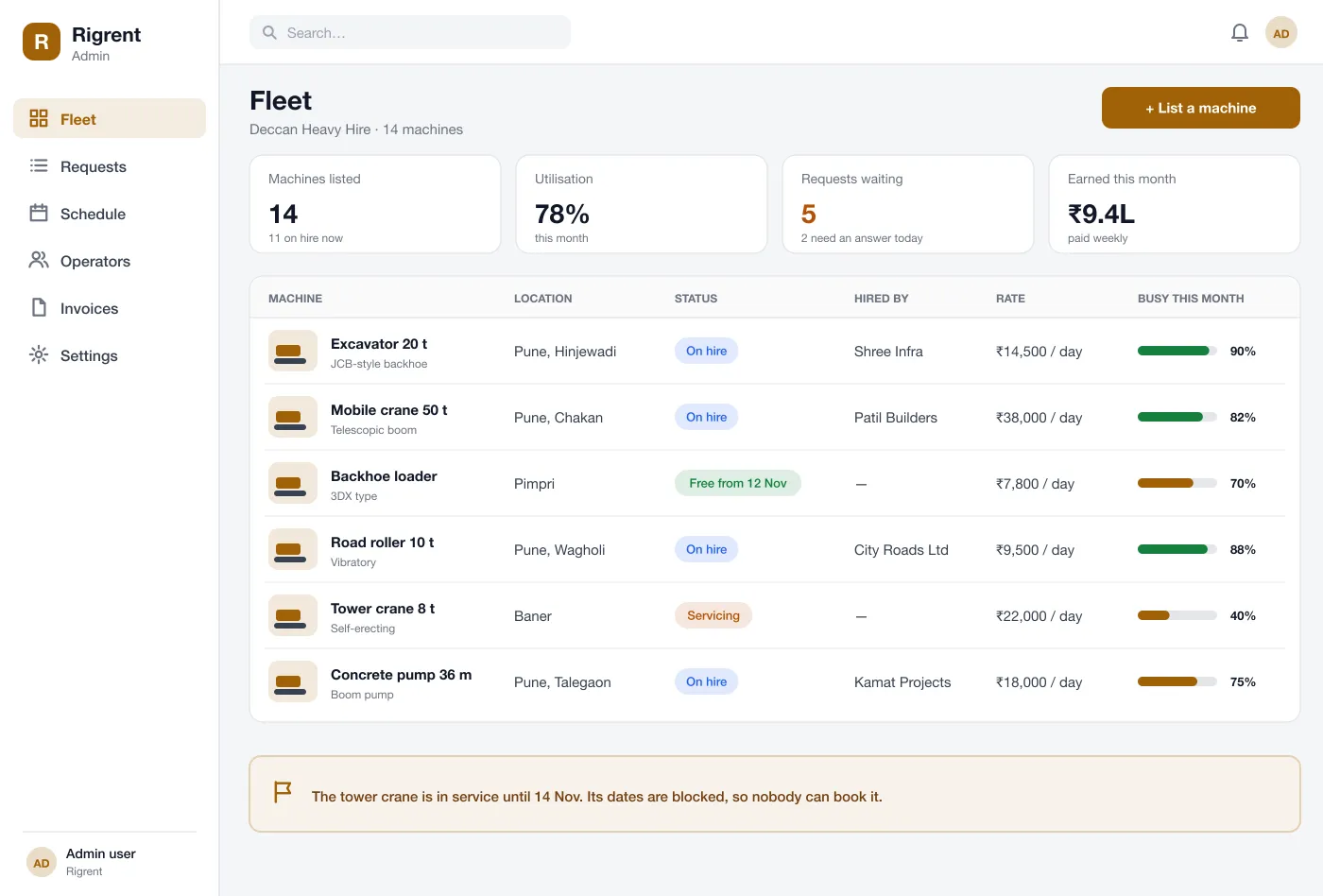
Owners list every machine with its rate and location. One board shows which machines are on hire, which are free and how busy each has been this month.
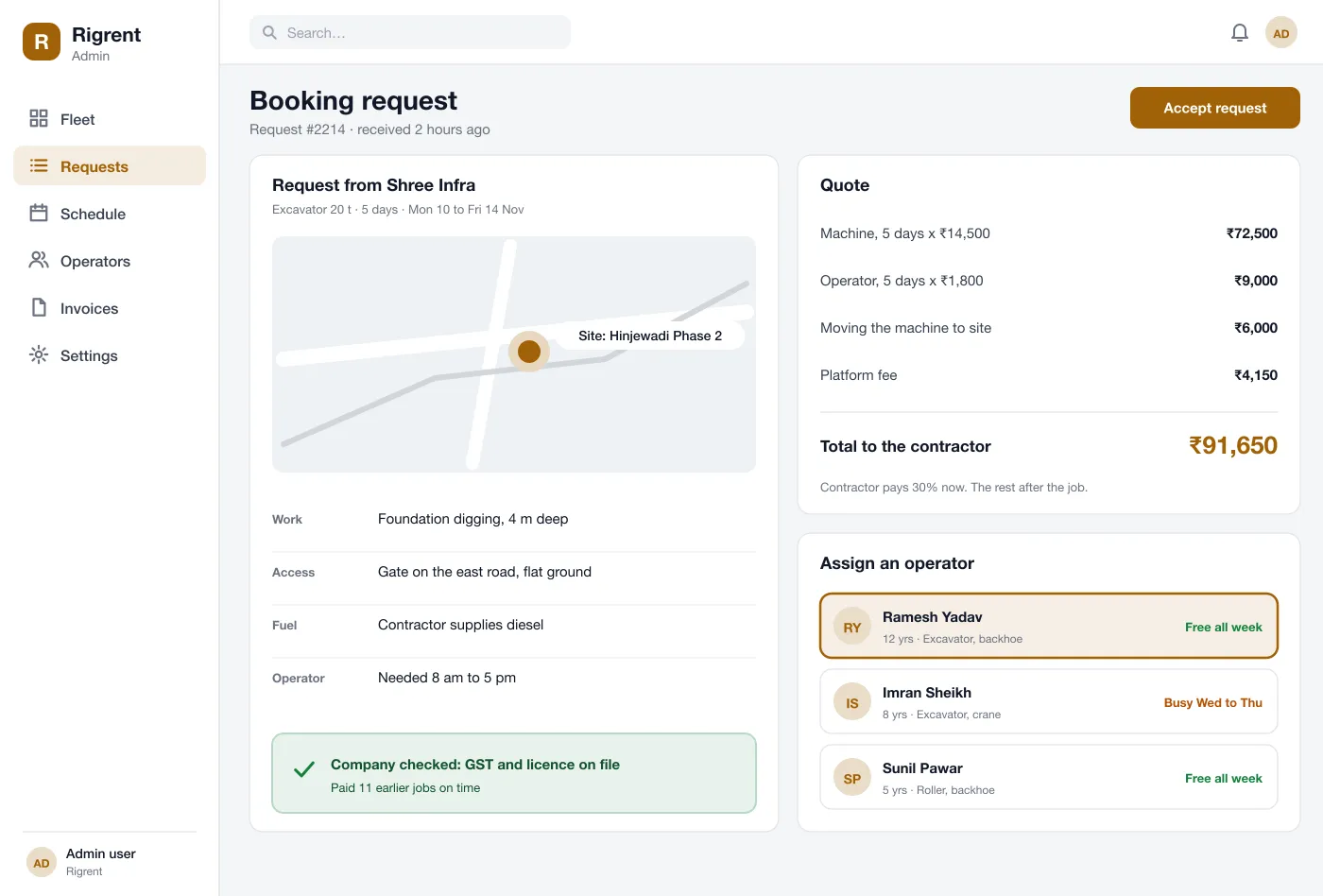
The owner sees the site on a map, the work to be done and the contractor's details. The quote is already worked out, and the owner can accept in one click.
The owner picks a free operator from a list. It shows experience, the machines they can run and any days they are busy.
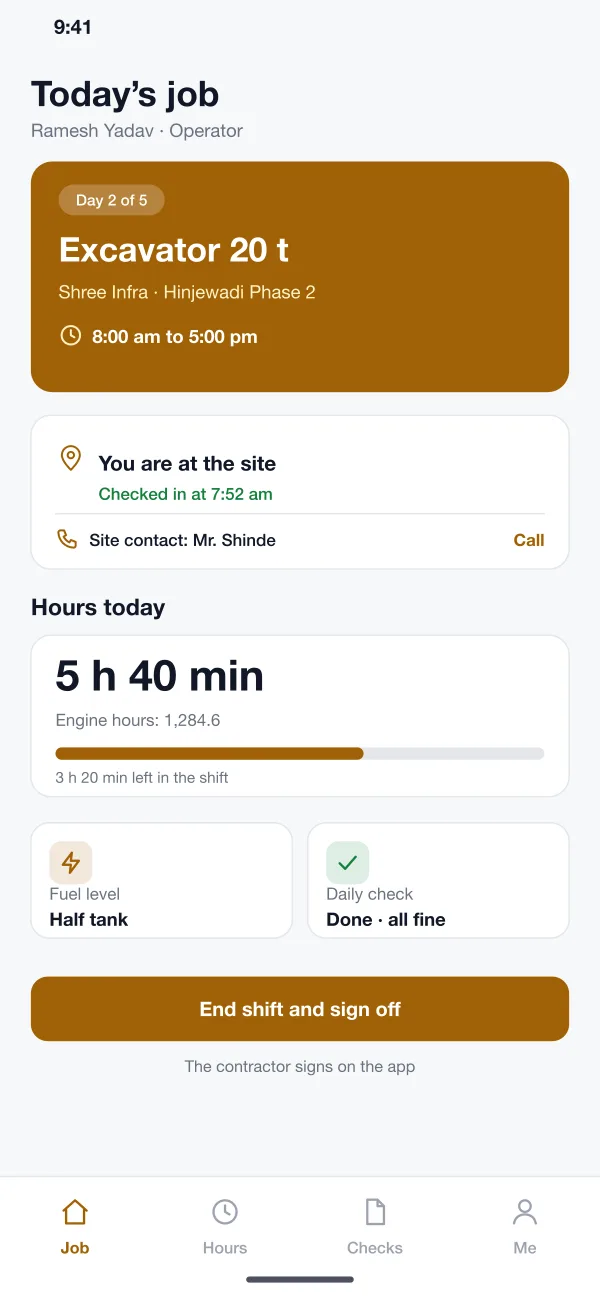
The operator sees today's job, checks in at the site, logs engine hours and fuel, and ends the shift with a sign-off from the contractor.
The contractor searches for a 20 tonne excavator for five days, picks one that is free and sends a request with the site address.
The owner reads the request, checks the quote, picks a free operator and accepts. The dates are blocked on the calendar.
The operator checks in at the site each day, logs hours and fuel, and the contractor signs the day's hours.
After the last day, the rest of the price is paid. The owner is paid weekly and every job has a clear record.
Find the right machine for the site and book it with a clear price.
See the whole fleet on one board and accept requests in one click.
Check in on site, log hours and see your next job.
It is a platform where owners of machines such as excavators, cranes and rollers list them for hire, and contractors search, compare and book them. The platform handles dates, price, operator and payment.
Most need a payment gateway for deposits and payouts, maps for site addresses and transport distance, SMS alerts and GST invoices. Engine-hour readings from machine trackers can be added later.
Yes. We can build the contractor app for Android and iOS, a web dashboard for machine owners, an operator app and an admin panel for you.
The contractor can ask for a machine with or without an operator. The owner assigns a free operator whose licence is on file. The operator then sees the job in their own app.
Each machine has a calendar. Once a booking is accepted, those dates are blocked. The owner can also block days when a machine is in service.
Look at the contractor, owner and operator screens.
Try the app