Costs on one page
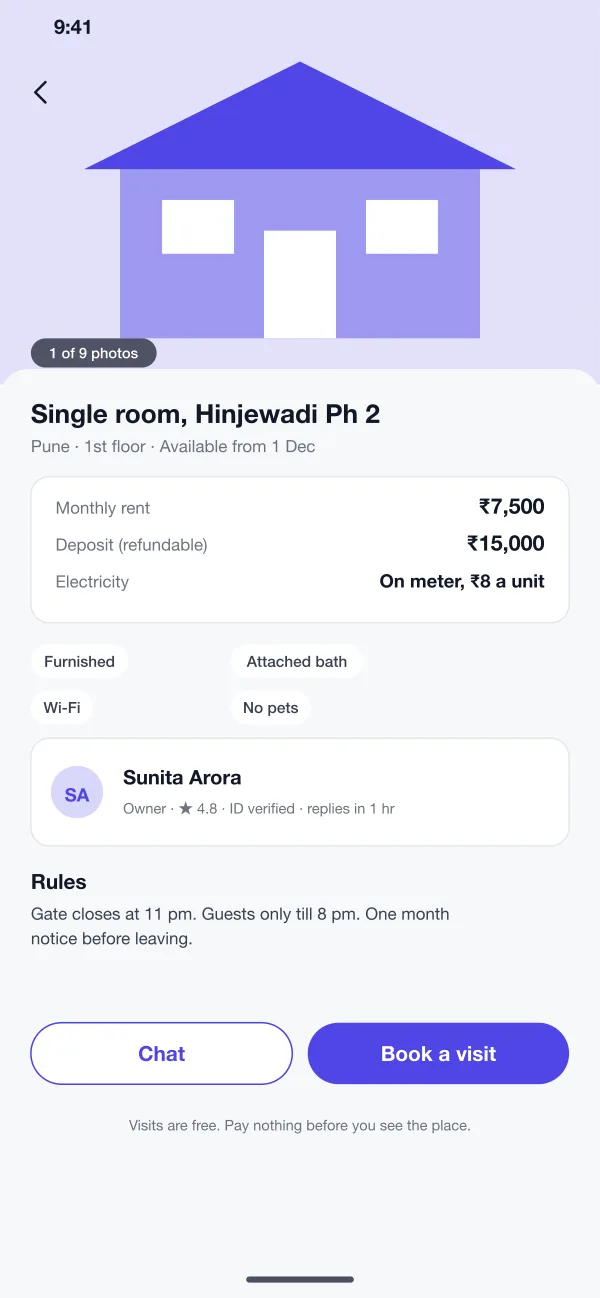
Rent, deposit, house rules and the owner's profile sit on one listing page.
Tenants search rentals in Indian cities, book a visit and follow a simple agreement checklist. Owners and agents use a web dashboard.
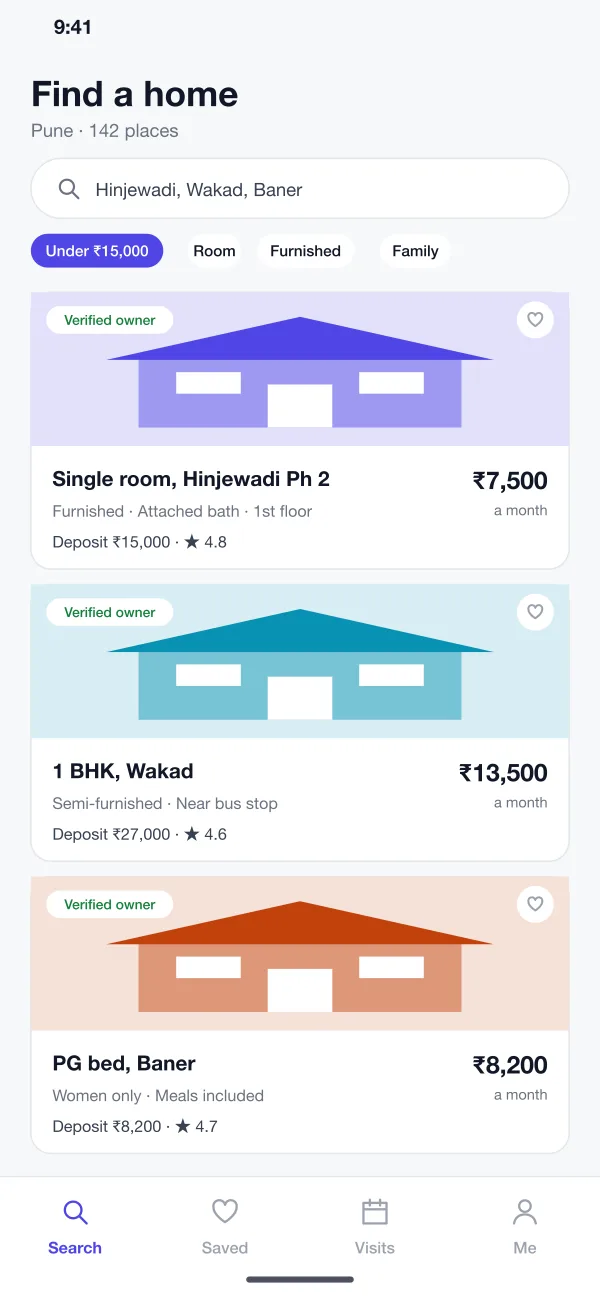
Roomvale is a rental listings app for Indian cities, designed and built by our team. Owners list rooms and houses, tenants search and book a visit, and a simple checklist walks both sides through the rent agreement.
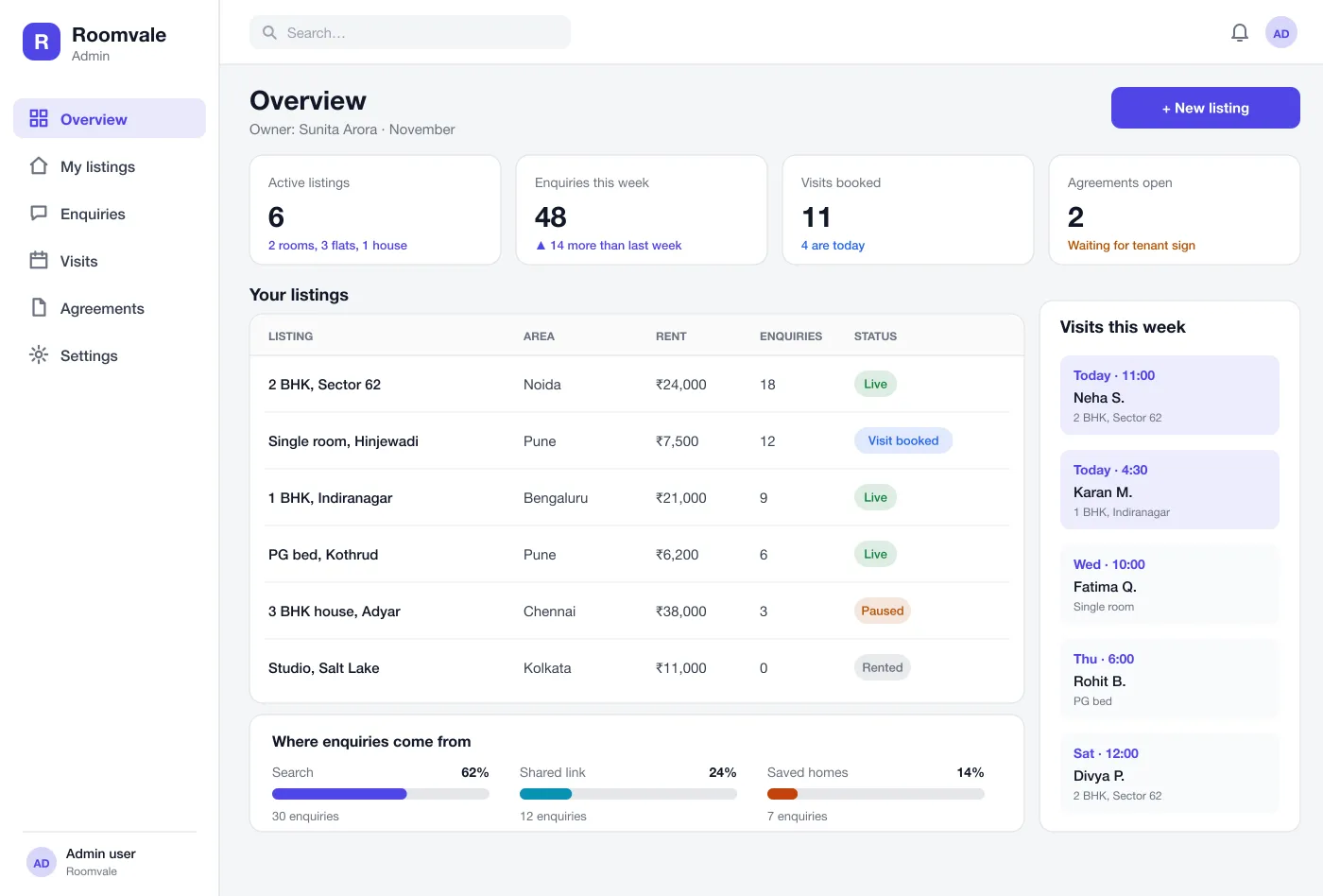
We designed Roomvale as two parts: an app for tenants and a web dashboard for owners and agents. Both work from the same listing records, so a change by the owner shows for the tenant straight away.
Rent, deposit, house rules and the owner's profile sit on one listing page.
Owners add their ID before a listing goes live and earn a Verified tag.
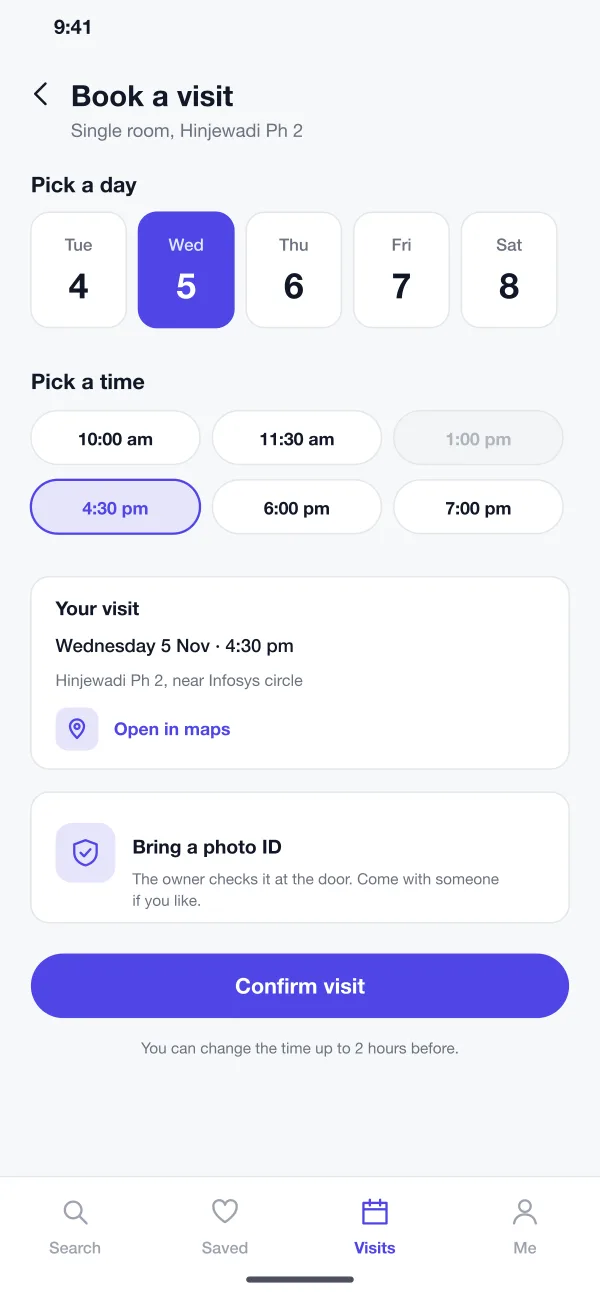
Tenants pick a free day and time, and both sides get a reminder.
An owner adds photos, rent, deposit, rules and the date the place is free. Their ID is checked before the listing goes live, and it earns a Verified owner tag.
Tenants search by area and budget, and filter by room, flat, furnished or family only. Each card shows rent, deposit and the owner's rating.
Photos, a cost box, house rules and the owner's profile sit on one page, with two buttons: Chat and Book a visit.
The tenant picks a free day and time. The owner sees it in their dashboard, and both get a reminder. Visits cost nothing.
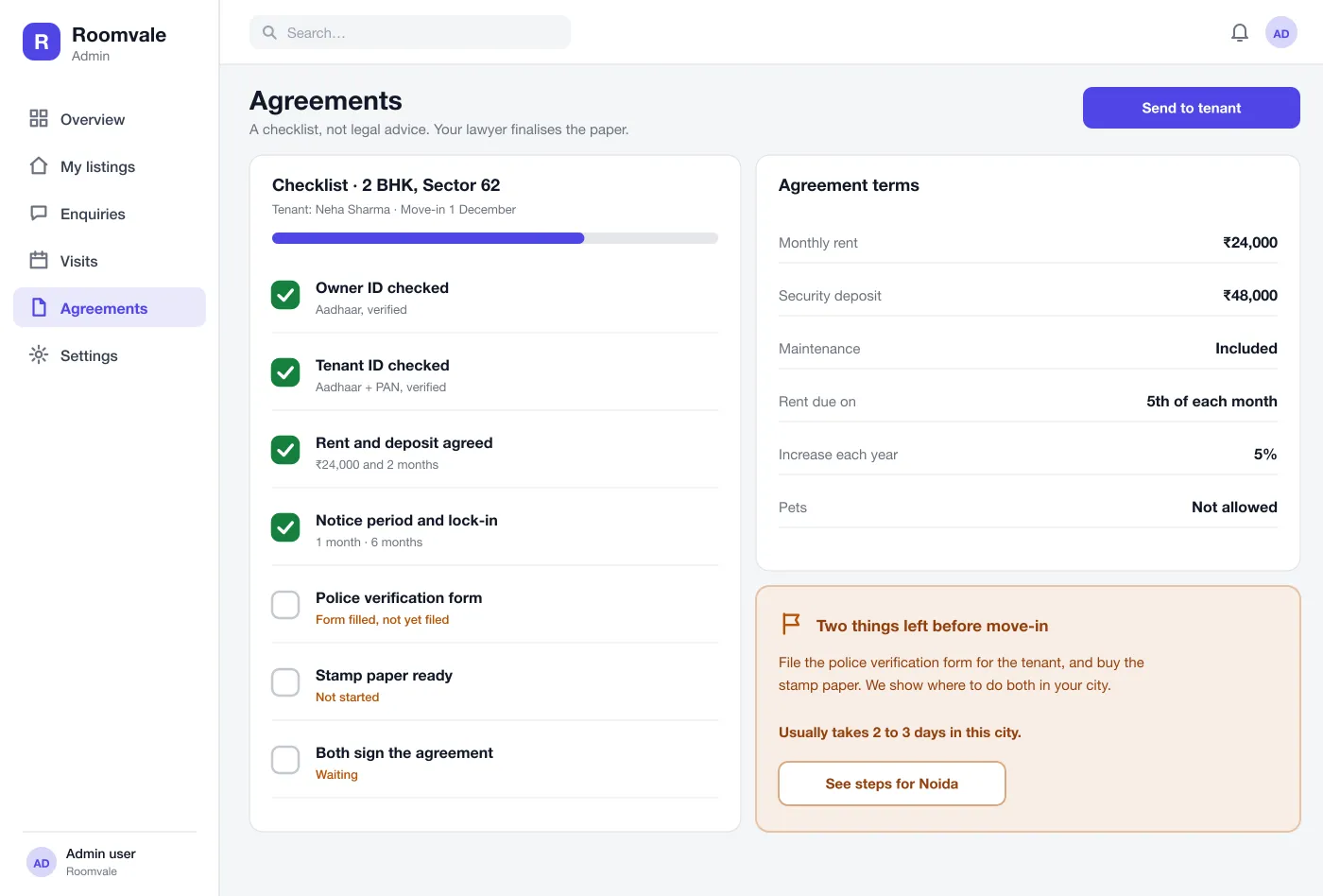
A checklist tracks owner and tenant ID, rent and deposit, notice period, police verification and stamp paper. It shows what is left and where to do it in that city.
The owner sees live listings, enquiries and the week's visits. A listing can be paused or marked rented in one tap.
The tenant sets an area and budget, opens a Verified listing and reads all costs on one page.
The tenant books a visit for the next evening. The owner confirms and both get a reminder.
After the visit, both sides tick off ID checks, deposit and notice period on the checklist.
The checklist shows the last two steps, police form and stamp paper, and the owner marks the listing as rented.
Search by area and budget, then visit a place before you commit.
Post rooms and houses, check visit bookings and keep the listing up to date.
Manage several listings from one web dashboard.
It is an app where owners list rooms, flats and houses for rent and tenants search them by area, rent and other needs. It also helps the two sides talk, visit the place and agree on terms.
Start with listings that show photos and the full cost, search by area and budget, visit booking and owner checks. Paid boosts, rent payments and agreement drafting can come in a later version.
Yes. We can build the tenant app for Android and iOS and a web dashboard for owners or agents, with maps, chat, visit booking and ID checks that suit your city.
No. It only keeps a checklist of what is done and what is missing, such as ID checks, deposit and police verification. A lawyer should finalise the paper.
Owners are ID checked before their listings go live, and each listing shows a Verified owner tag. Tenants can book a free visit and pay nothing before they see the place.