Market screen
One screen shows the order book, a depth chart, the latest trades and an order form. Buy and sell are colour coded, and the fee and total are shown before the order is placed.
A wallet, a buy and sell order screen, deposits and withdrawals, and an identity check, with the fee shown before every order.
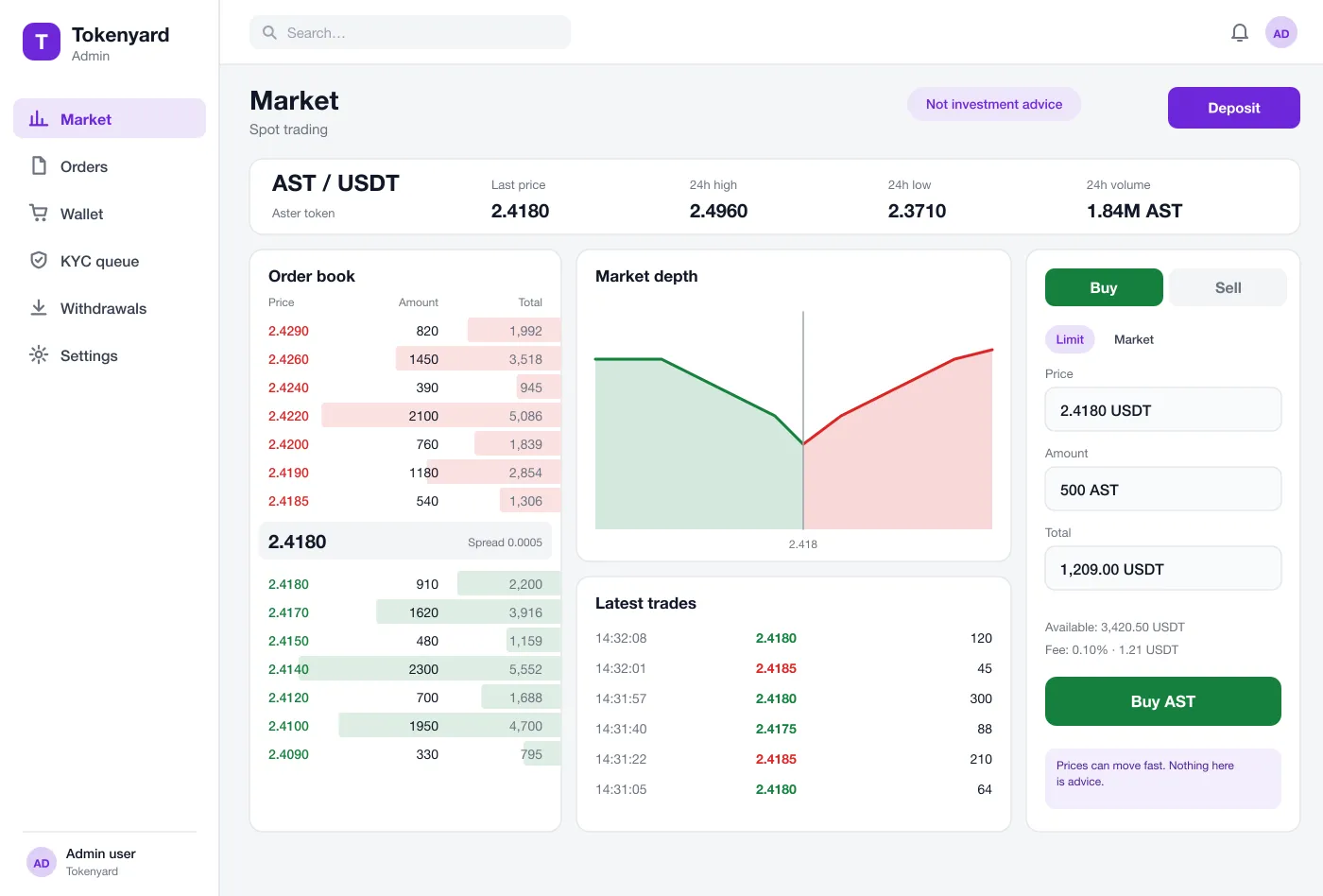
One screen shows the order book, a depth chart, the latest trades and an order form. Buy and sell are colour coded, and the fee and total are shown before the order is placed.
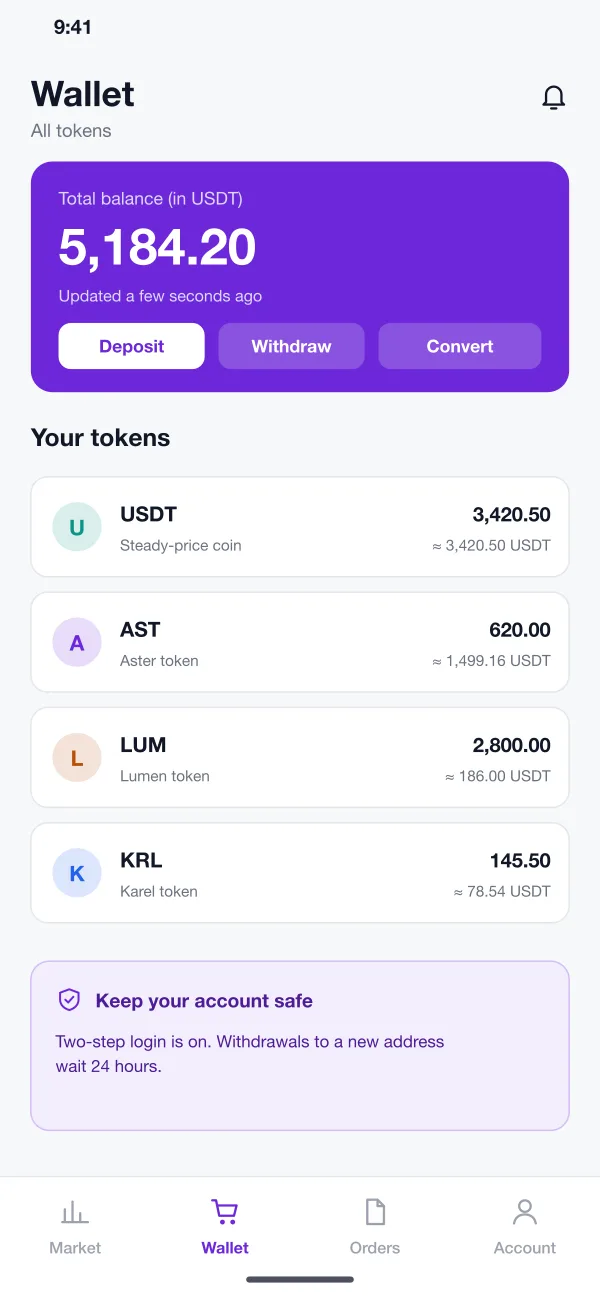
Each token has a balance and a history. Deposit, withdraw and convert are one tap from the wallet. A note explains when a withdrawal will wait.
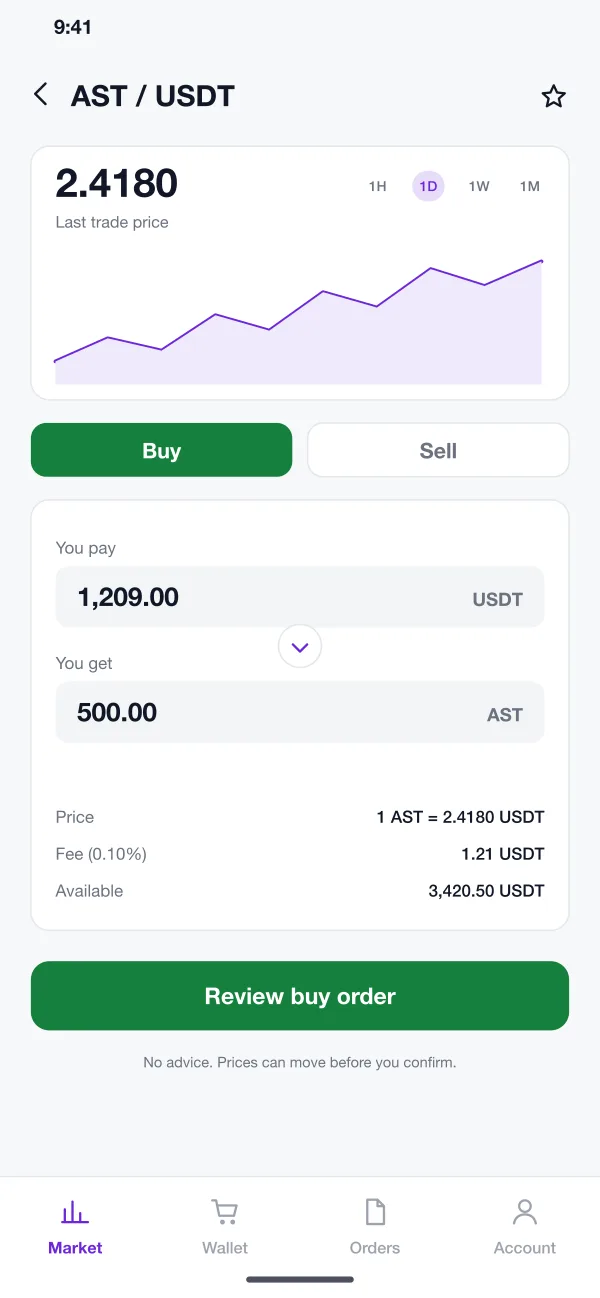
For people who do not want the full order book, a simple screen lets them type what they pay or what they want to get. The price, fee and available balance are shown on the same screen.
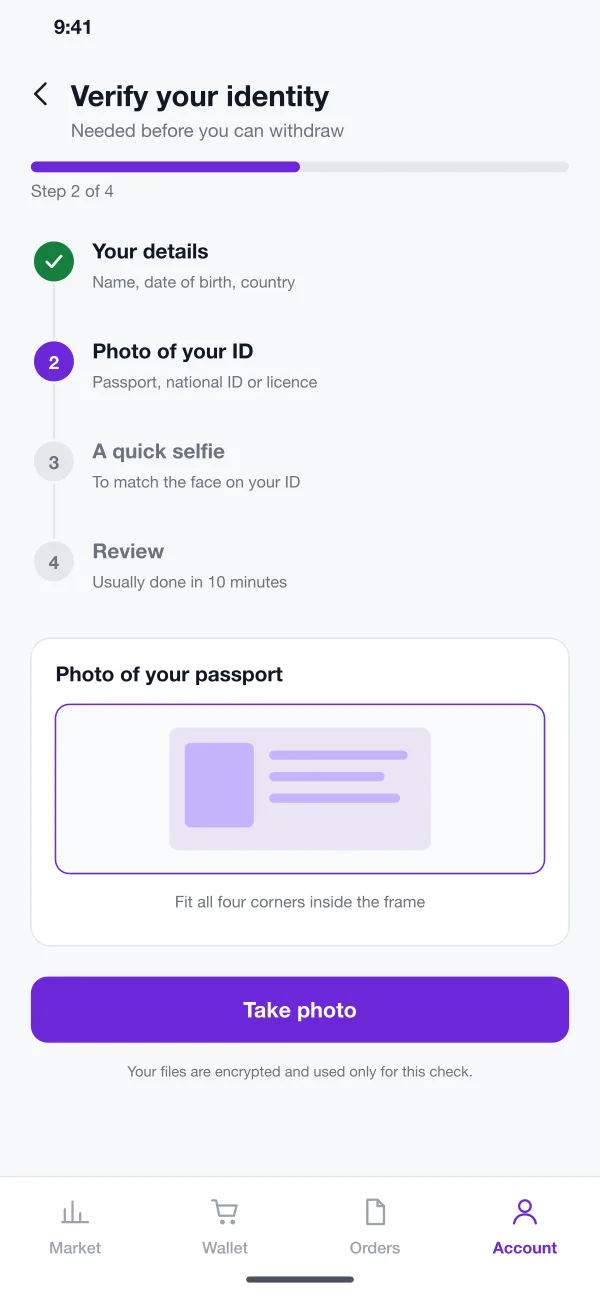
A four-step flow collects details, an ID photo and a selfie. The app shows which step is next and what each photo is for, then tells the user when the review is done.
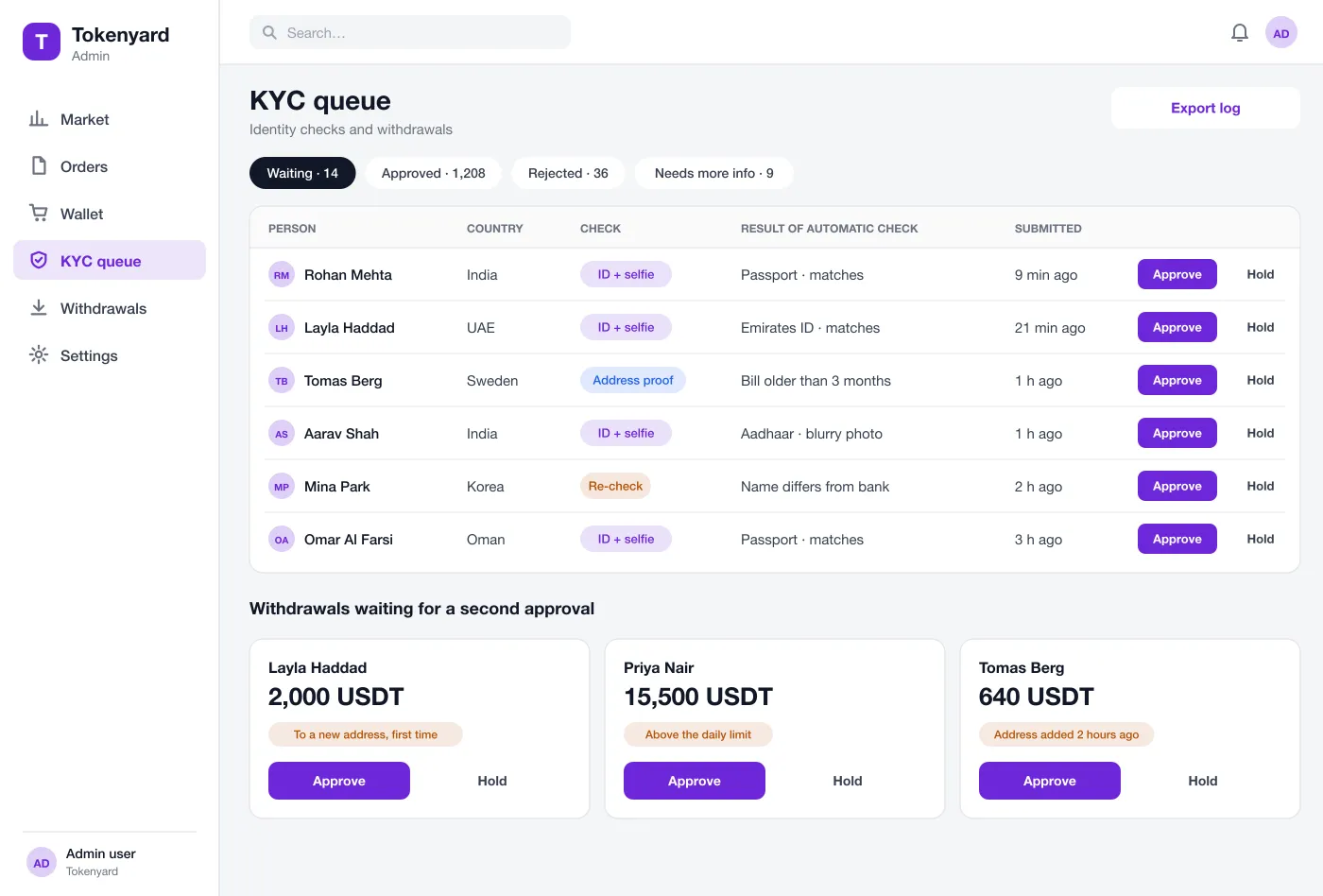
Staff see people waiting for review, with the result of the automatic check next to each one. They can approve, hold or ask for more information.
New addresses, large amounts and unusual patterns go to a second approval. Each decision is saved in a log with the name of the person who made it.
The mobile app keeps the wallet, a quick trade screen and the identity check a thumb away.
Staff see each waiting sign-up and withdrawal with the result of the automatic check next to it, and every decision is saved with a name and a reason.
A new user creates an account, turns on two-step login and finishes the four identity steps in the app.
The user deposits tokens into the wallet, opens the market screen and places a limit order with the fee shown.
A large withdrawal goes to the back office queue. Staff read the notes, approve it or hold it and add a reason.
The user opens the order history and the wallet history and exports both as a file for their own records.
Place buy and sell orders, see the fee first and check your balance.
Review waiting sign-ups and withdrawals, with notes saved for each decision.
Sign up, turn on two-step login and finish four short identity steps.
Tokenyard does not give investment advice and makes no promise about gains. Running an exchange needs legal approval in each country.
It is a platform where people place orders to buy or sell digital tokens. The platform matches buyers and sellers, keeps each person's wallet balance and records every trade.
The main factors are the number of tokens and trading pairs, how orders are matched, the identity check provider, the wallet and custody setup, and the security review. Many teams start with the web exchange and back office, then add the mobile app on the same backend.
We can build the screens, the wallet, the order book, the back office and the identity check flow. Running an exchange also needs legal approval in your country, which is separate from the software.
KYC means know your customer. The user shows an ID and a selfie so the business knows who they are. In this design a person must pass the check before they can withdraw.
New addresses wait before first use, large amounts need a second approval from the team, and every action is saved in a log the team can export.
Tap through the wallet, the market screen and the identity check.
See the screens