Home page
The top of the page says what the firm builds and where, with a button and a short quote form right there. Trust points sit under it, such as licence, insurance and workmanship promise.
A builder's website with service pages, a project gallery, a short quote form and one inbox where the team tracks every lead.
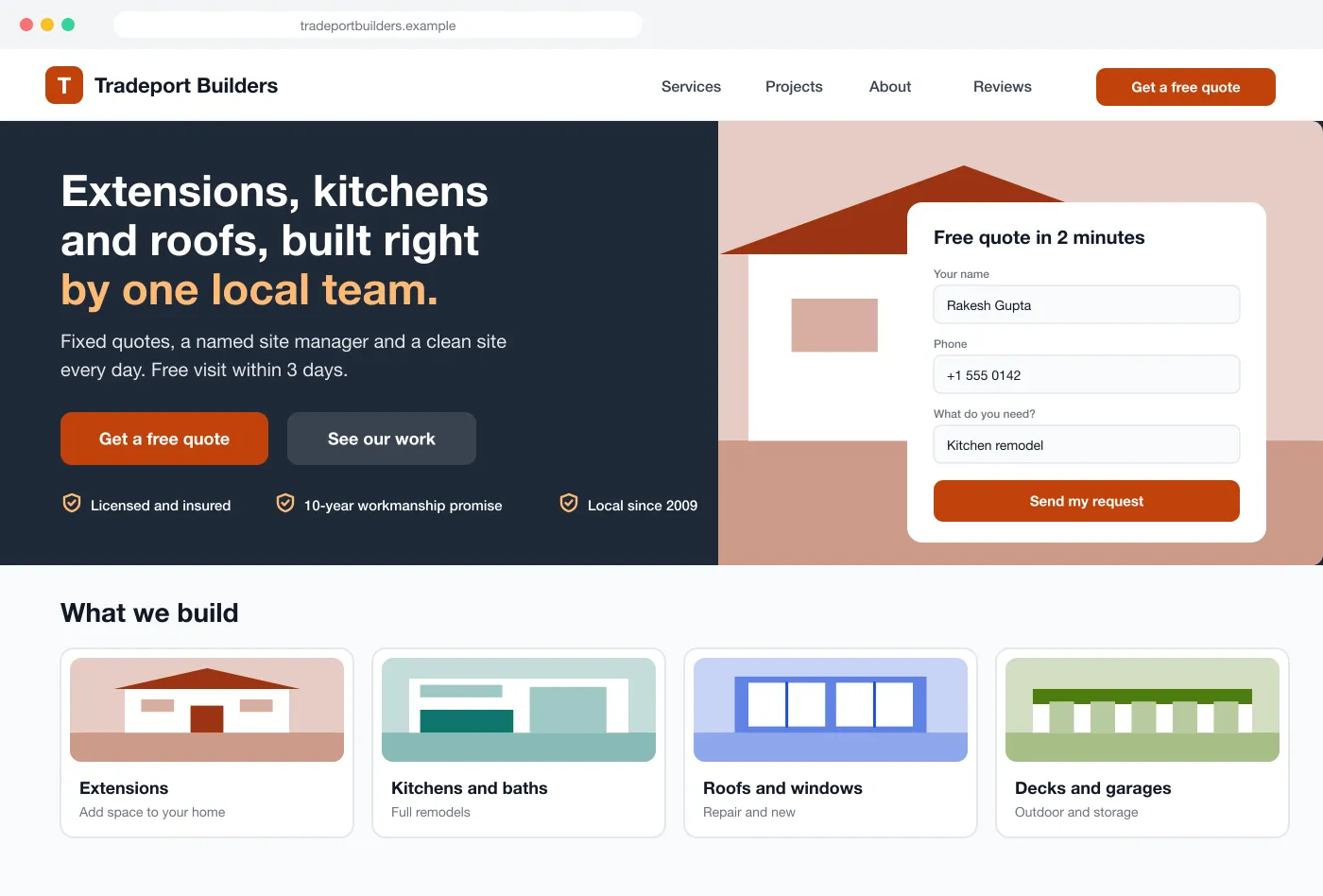
The top of the page says what the firm builds and where, with a button and a short quote form right there. Trust points sit under it, such as licence, insurance and workmanship promise.
Each service has its own page with typical jobs, steps from visit to handover and answers to common questions. Each page can be found by its own search words.
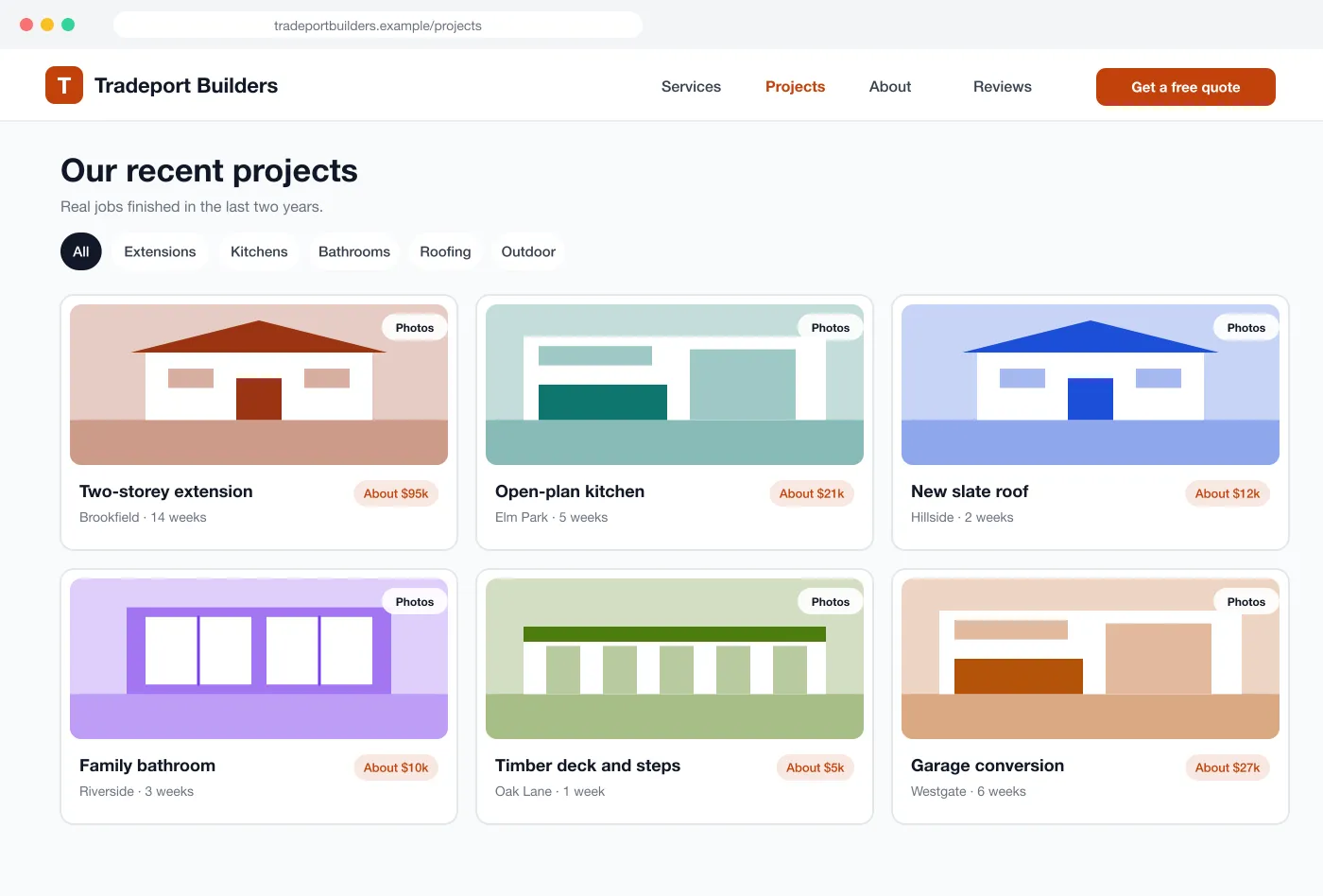
Visitors filter past work by job type. Each project shows photos, the town, how long it took and a rough cost range.
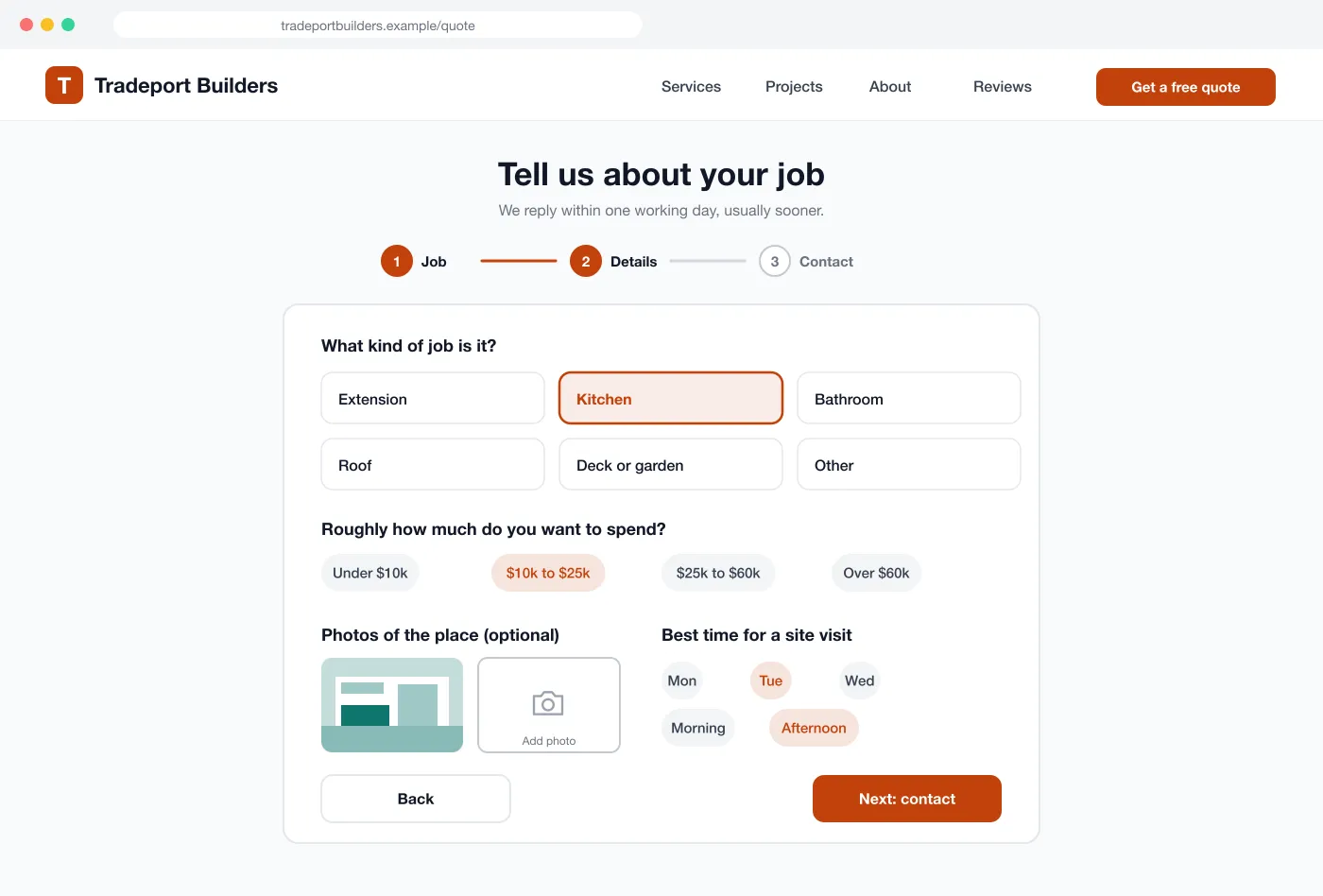
The form takes three short steps: type of job, budget, photos and a preferred time for a site visit. It is easy on a phone.
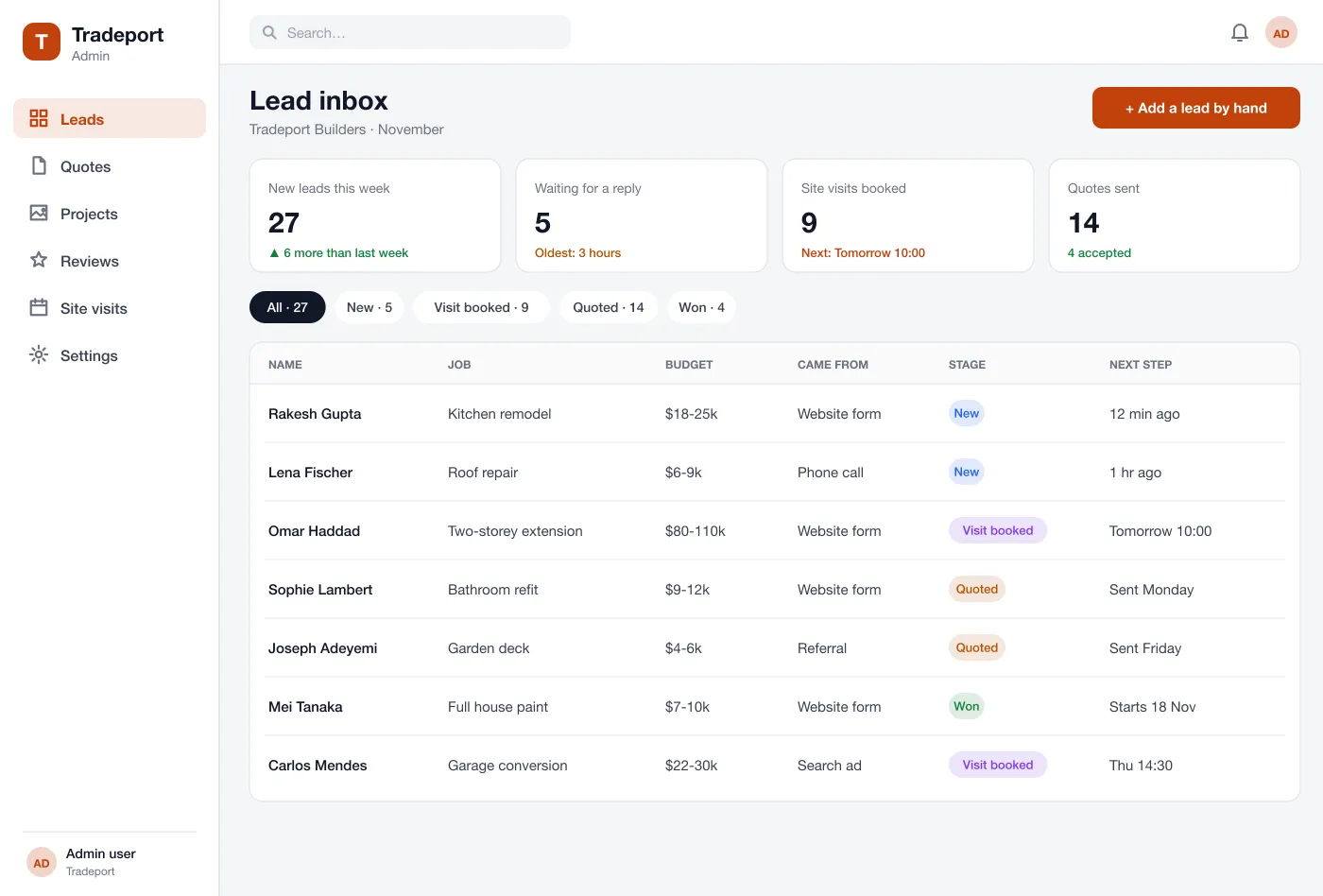
Every request arrives with its details and where it came from. The team sees new leads first, books visits and tracks each one from new to won.
New leads send a text or email at once. Leads that wait too long are marked, so no one forgets to call back.
A homeowner searches for kitchen remodelling, opens the site and sees similar projects with prices and photos.
They answer three short questions, add two photos and choose a time for a visit.
The team gets an alert, sees the job in the inbox and calls back the same day.
The lead moves from visit booked to quoted to won. The team can see which pages and ads bring the best leads.
Find the right service, see past work and ask for a quote from a phone.
See new leads first, book site visits and move each lead along.
Get an alert for each new lead and see which pages bring the best requests.
It is a website built to bring in new jobs. It shows what the contractor builds, proves it with past projects and makes it easy for a visitor to ask for a quote.
Start with clear service pages, a gallery of past jobs, a short quote form that takes photos, and an inbox that shows every lead and its status. Online payments, a customer portal and job scheduling can be added later.
Yes. We can build the public site, the quote form and a private lead inbox, and connect them to your phone alerts, email and calendar.
The request lands in the lead inbox with the job, budget, photos and the page it came from. The team gets an alert, replies and moves the lead through stages such as visit booked, quoted and won.
We build it with clear page titles, fast pages, a page for each service and each town you serve, and project pages that match what people search for. Good search results also depend on ongoing work after launch.
Browse the home page, the project gallery, the quote form and the lead inbox.