Token sale dashboard with a risk note on every page
The sale team sets up each sale, approves people who passed identity checks and shows holders their release dates. It gives information only, not advice.
Information only. Token prices can go down as well as up. Nothing on this dashboard is advice or a promise of a gain.
Risk note on every page
The risk note appears on every project page and cannot be removed by the team.
Approve in one click
Approve people who passed their checks, and add a reason when someone is held or rejected.
Clear release dates
Holders see tokens released, tokens still locked and a bar for each release date.
Four screens, from listing to unlock
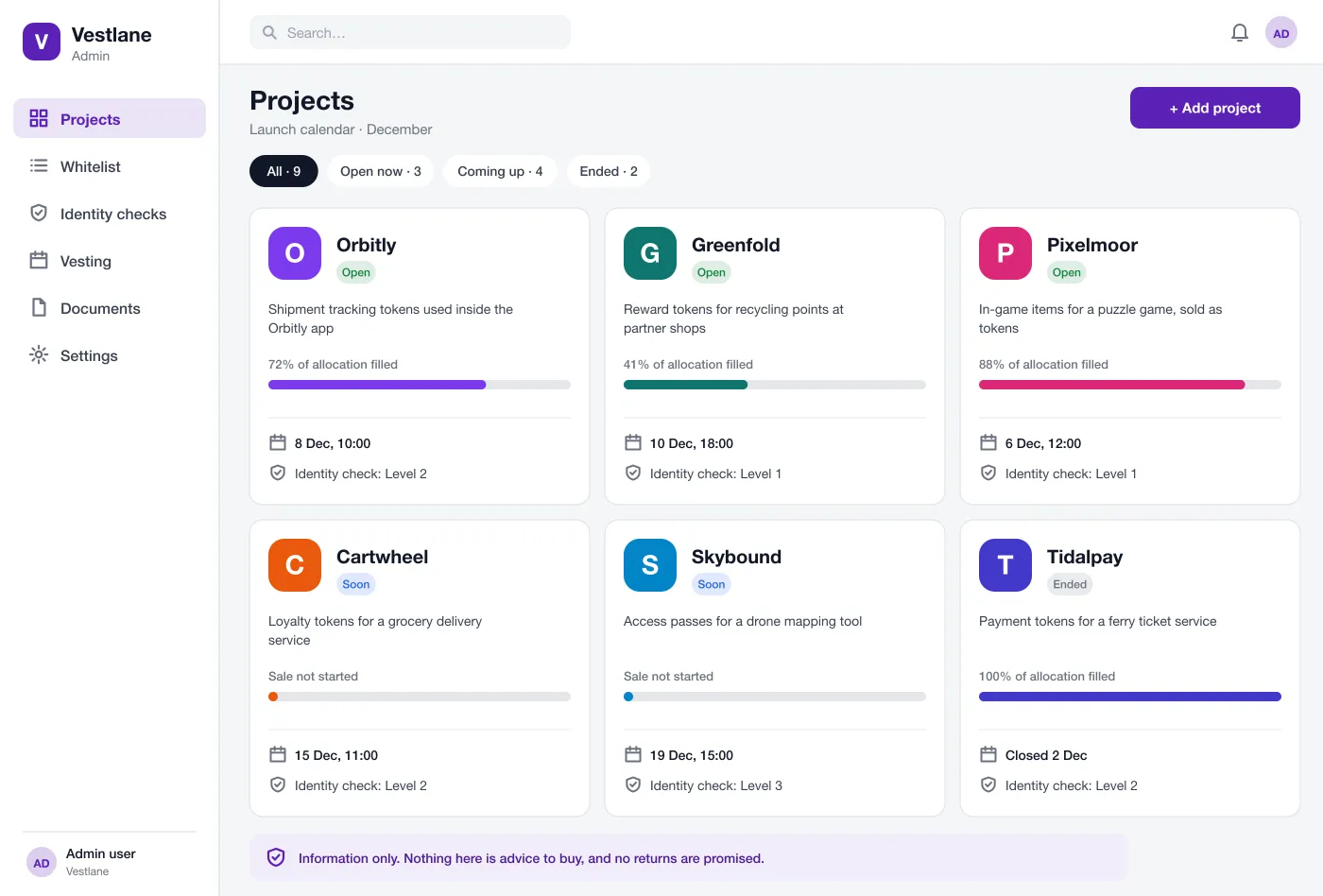
Project list
Sale dates, allocation filled and the identity check needed for each
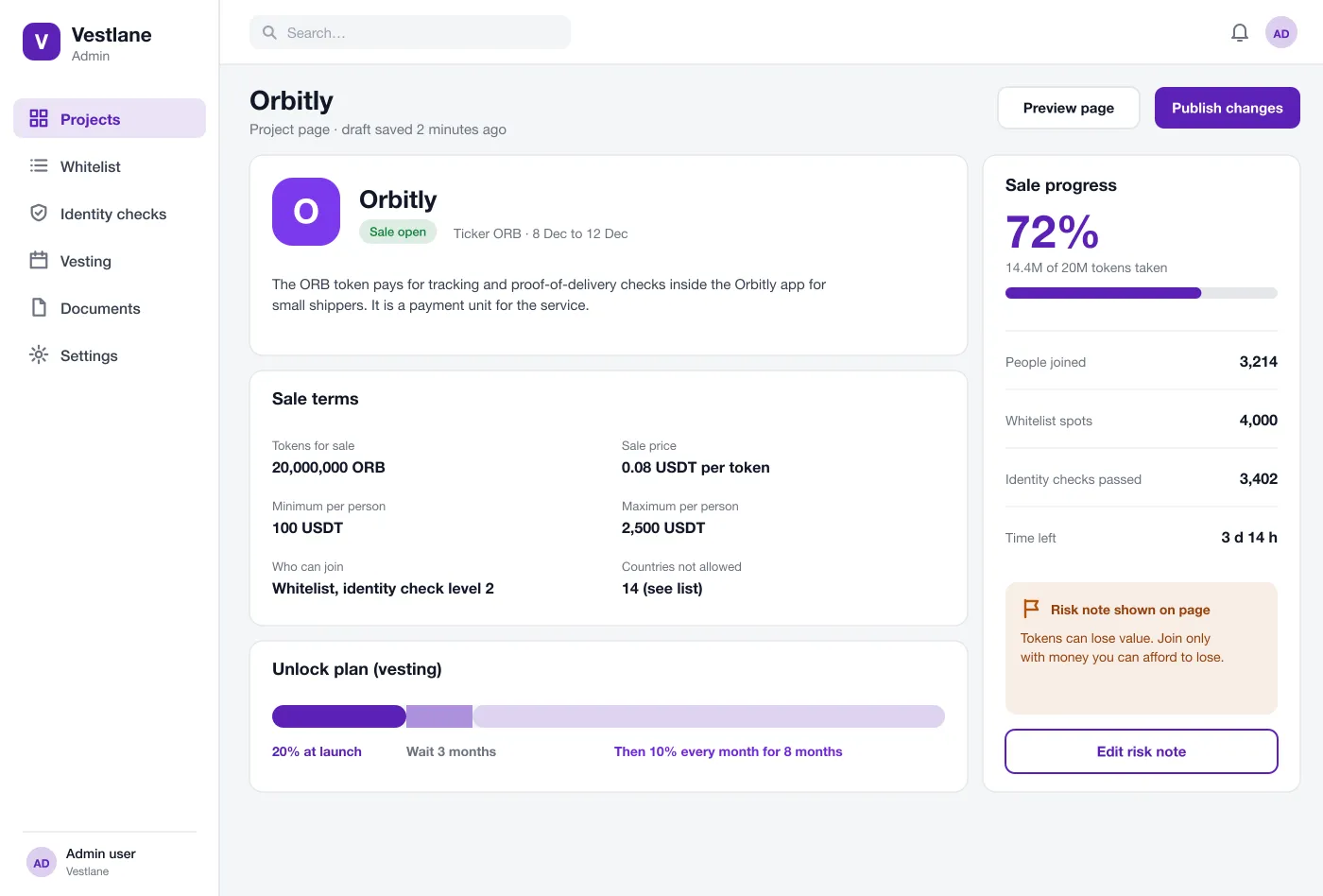
Project page
What the token is for, the sale terms and the unlock plan
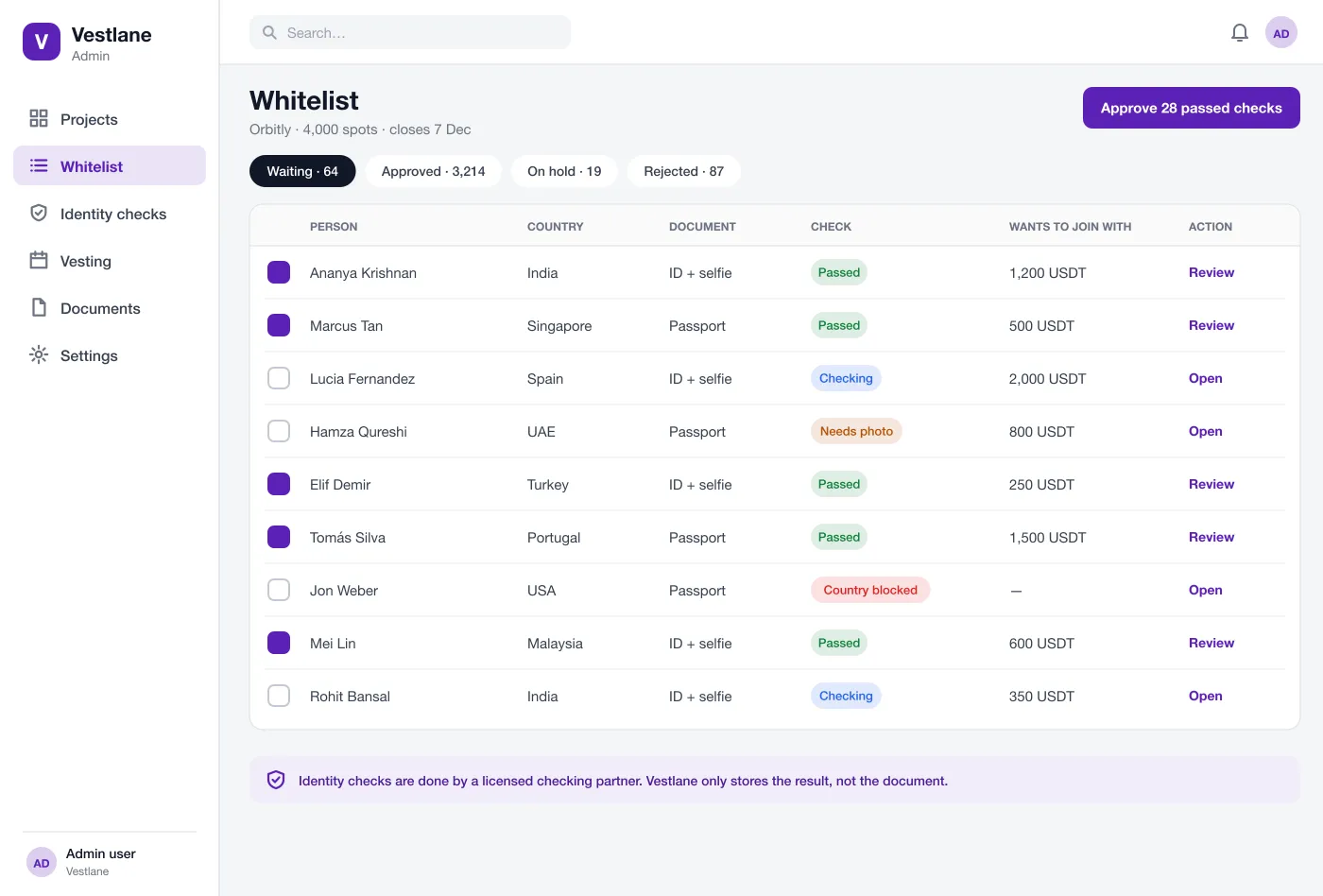
Whitelist and identity checks
Approve, hold or reject each person with a reason
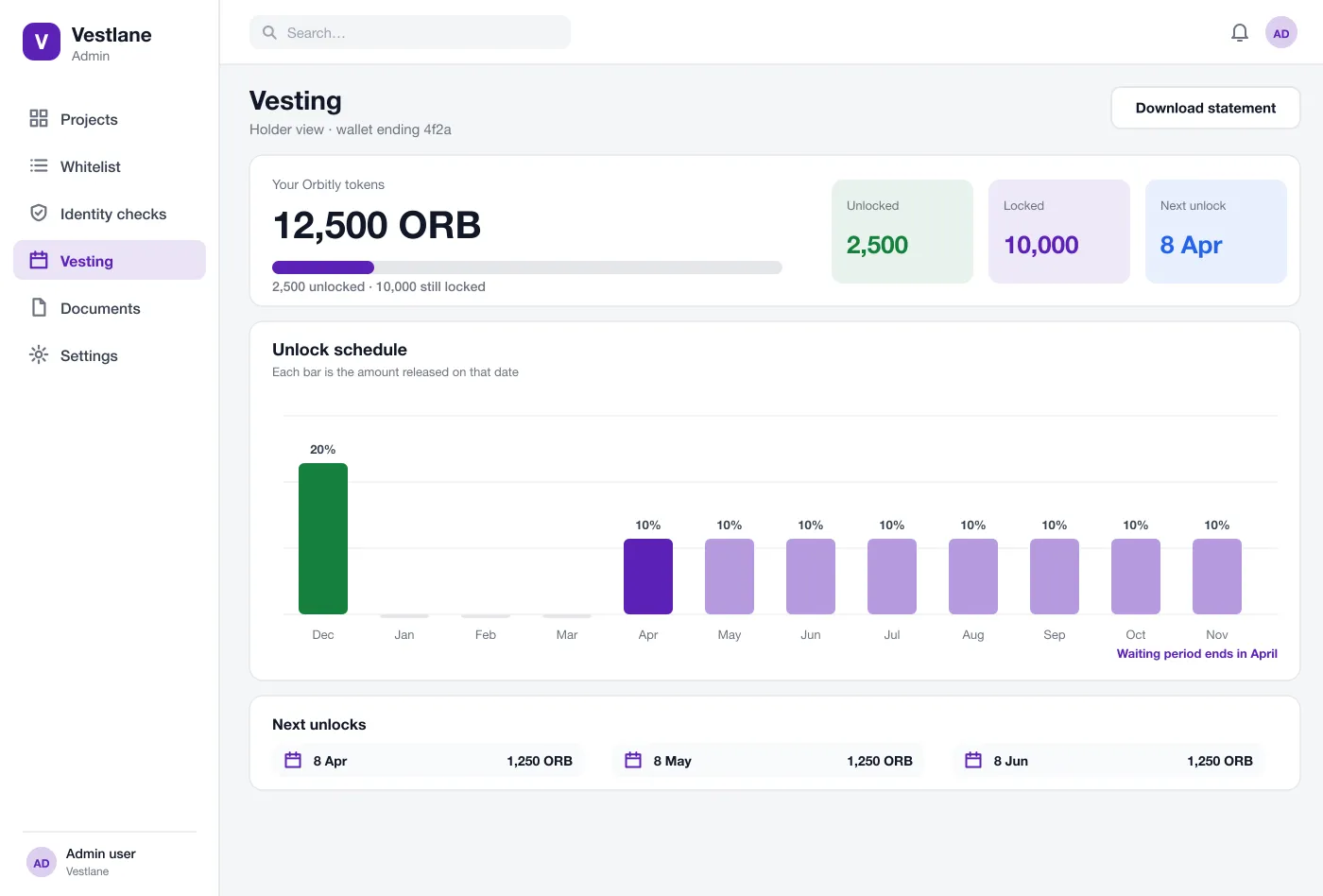
Vesting view
Each holder sees what is unlocked, what is locked and the next date
What the dashboard does
Project list
All projects sit on one screen as cards. Each card shows the sale dates, how much of the allocation is taken and which identity check level is needed.
Project page builder
The team fills in what the token is used for, the sale terms and the unlock plan. A risk note is always shown on the page and cannot be removed.
Whitelist
People who want to join appear in a list with their country, document type and check result. The team can approve those who passed in one click and give a reason when someone is held or rejected.
Identity checks
A licensed checking partner handles the documents. Vestlane keeps only the result and blocks countries the team has marked as not allowed.
Vesting view
A holder sees how many tokens are unlocked, how many are locked and a bar for each unlock date. A waiting period before the first unlock is shown clearly.
Statements
Holders and the team can download a statement that lists the sale terms, the unlock dates and the amount released so far.
One sale, start to statement
Add a project
The team fills in the project page, sets the sale terms and the unlock plan, reads the risk note and publishes.
Approve people
As people apply, the team reviews the identity results and approves everyone who passed. Held cases get a note.
Run the sale
During the sale window the dashboard shows how much of the allocation is taken and how many spots are left.
Check the unlock dates
After the sale a holder opens their view, sees what is unlocked and what is not, and downloads a statement.
Sale team
Fill in project pages, set the sale terms and the release plan, then publish.
Applicants
A licensed partner runs the identity checks. The dashboard keeps only pass or fail.
Token holders
See your release dates and save a statement with the sale terms.
Questions launch teams ask
What is a token launchpad dashboard?
It is a website where teams show their token projects, let approved people join a sale, and publish the dates when tokens unlock. This dashboard is the control panel behind that site.
How is holder data kept safe?
Identity documents stay with the licensed checking partner, and the dashboard keeps only the result. Team logins use roles, so each person sees only what their job needs, and every approval is logged with a name and time.
Does Vestlane give investment advice or promise returns?
No. The dashboard shows facts only: what a token is for, the sale terms and the unlock plan. Every page carries a plain risk note, and nothing promises a gain.
Can you build a launchpad dashboard like this for my business?
Yes. We can build the admin dashboard, the public project pages, the whitelist and the vesting view, and connect an identity-check partner and wallet sign-in. Local rules for your market should be checked with a lawyer first.
How does the identity check work?
The person uploads a document and a selfie to a licensed checking partner. The dashboard stores only the result, such as passed or needs photo, not the document itself.
See a project from set-up to statement
Follow one token sale from the project page to a holder's statement.
View the projects