Tour packages, part payments and trip papers
Travellers book a tour by date and seats, pay in parts and keep their trip papers in one place. The agency builds packages day by day.
The whole trip, frame by frame
Day-by-day tour pages
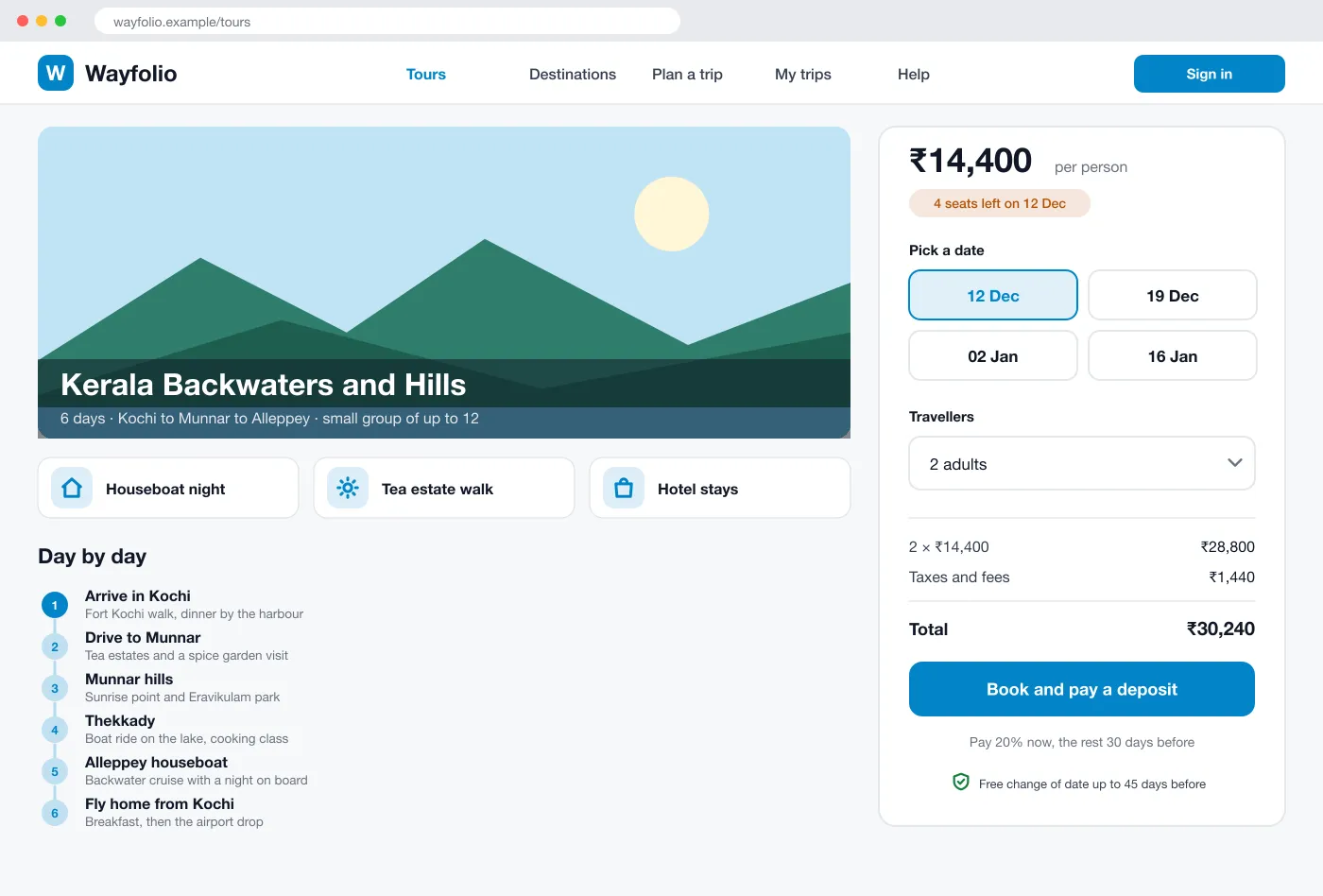
Each tour shows what is included and a plan for every day.
Part payments with reminders
Pay a deposit, then the rest by set dates, with a reminder before each one.
Trip papers in one list
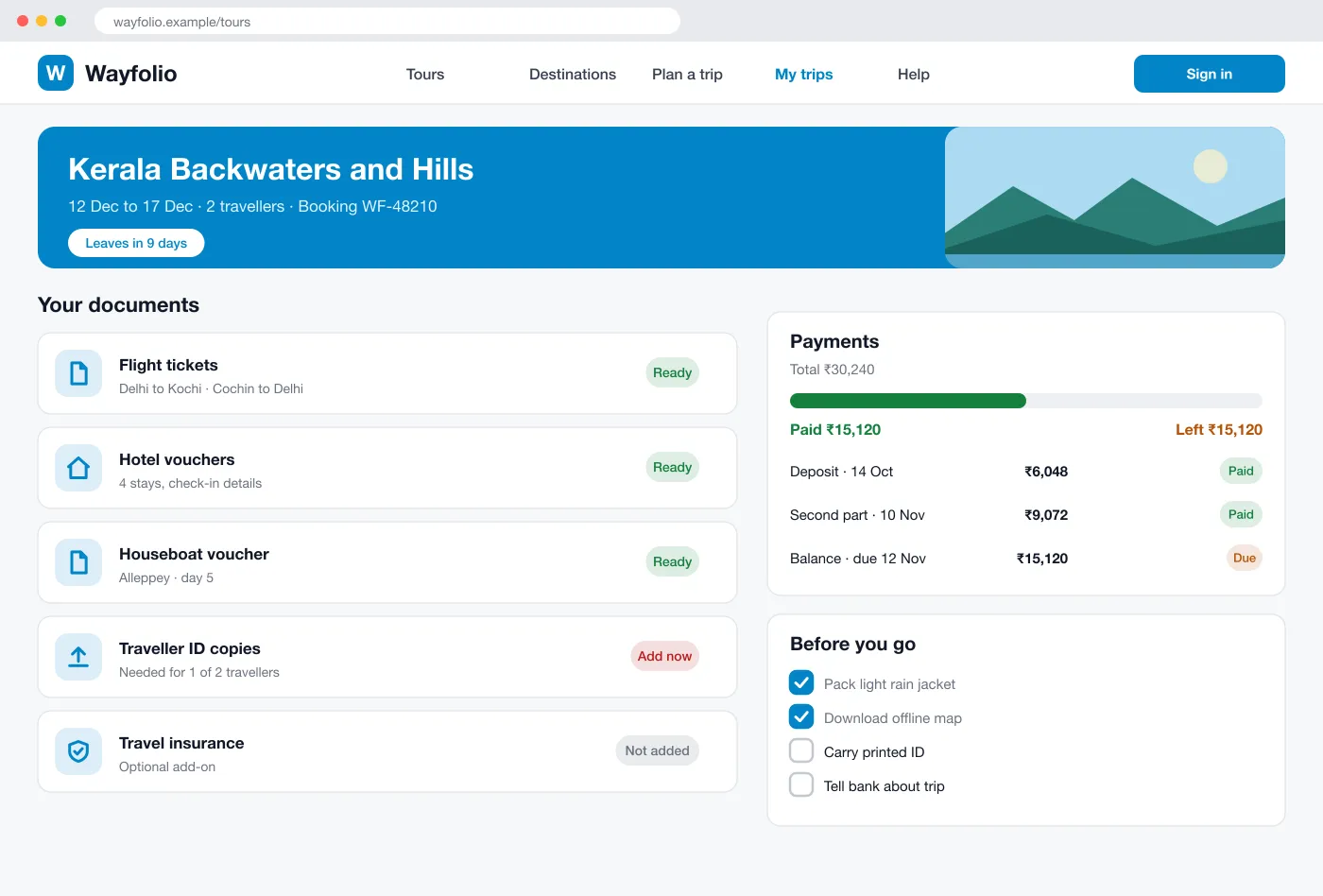
Tickets and vouchers sit on My trip, and missing items are marked.
Packed for the road
Wayfolio is a travel agency website designed and built by our team. Visitors pick a tour, choose a date, pay a deposit and later find all their tickets and vouchers in one place, while the agency builds packages day by day.
See the screensPackage pages
Each tour has a picture, a short list of what is included and a day-by-day plan. A booking box on the side shows dates, seats left and the total.
Date and seat booking
The traveller picks a date and the number of people. The page shows the total with fees, and seats are held while they pay.
Part payments
The traveller pays a deposit to hold the trip. The remaining amounts have set dates, and the app sends reminders before each one.
Day planner
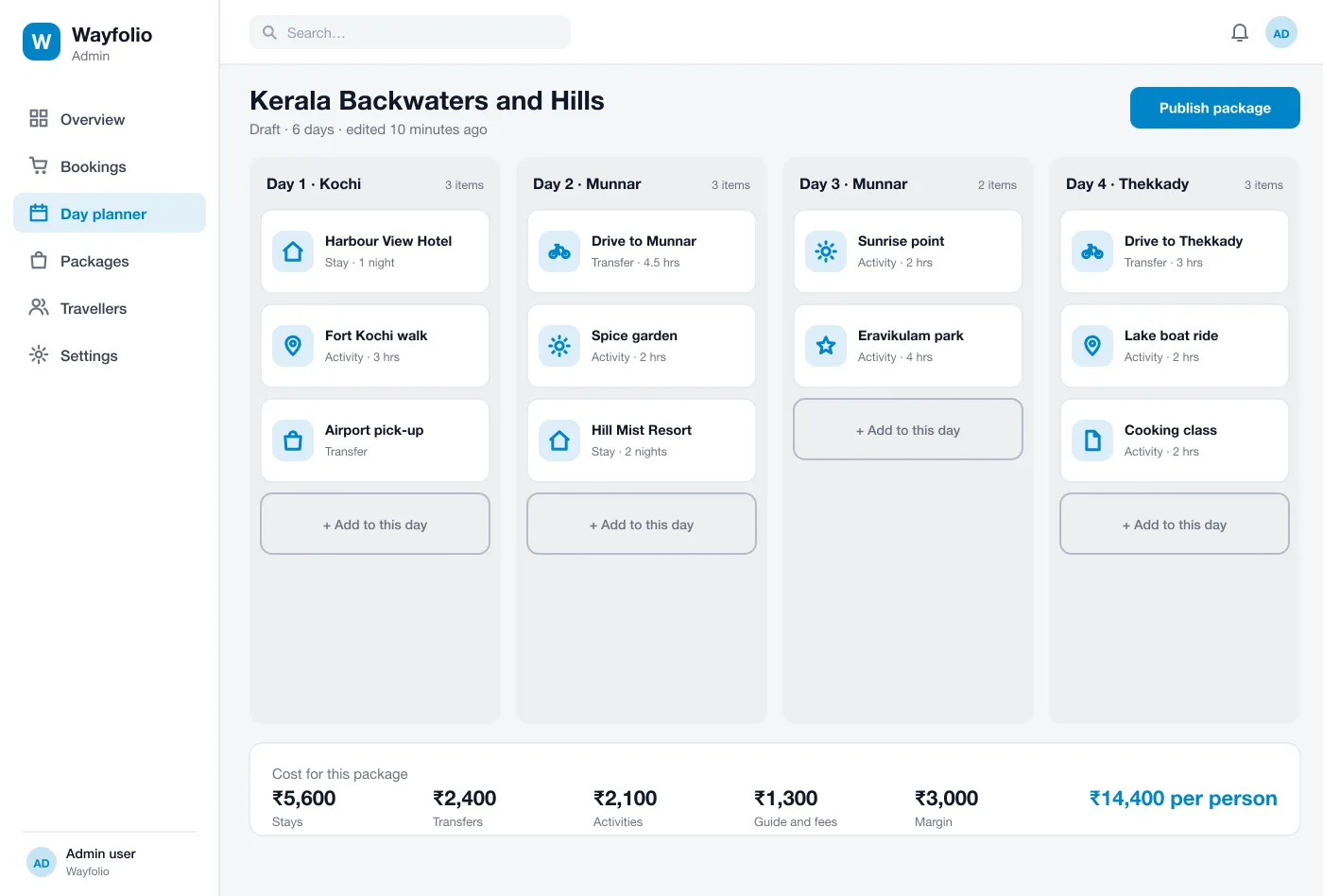
The agency builds a package by dropping stays, transfers and activities onto each day. The cost per person adds up at the bottom as they go.
Trip documents
After booking, the My trip page lists flight tickets, hotel vouchers and other papers. It marks what is ready and what the traveller must still add.
Back office overview
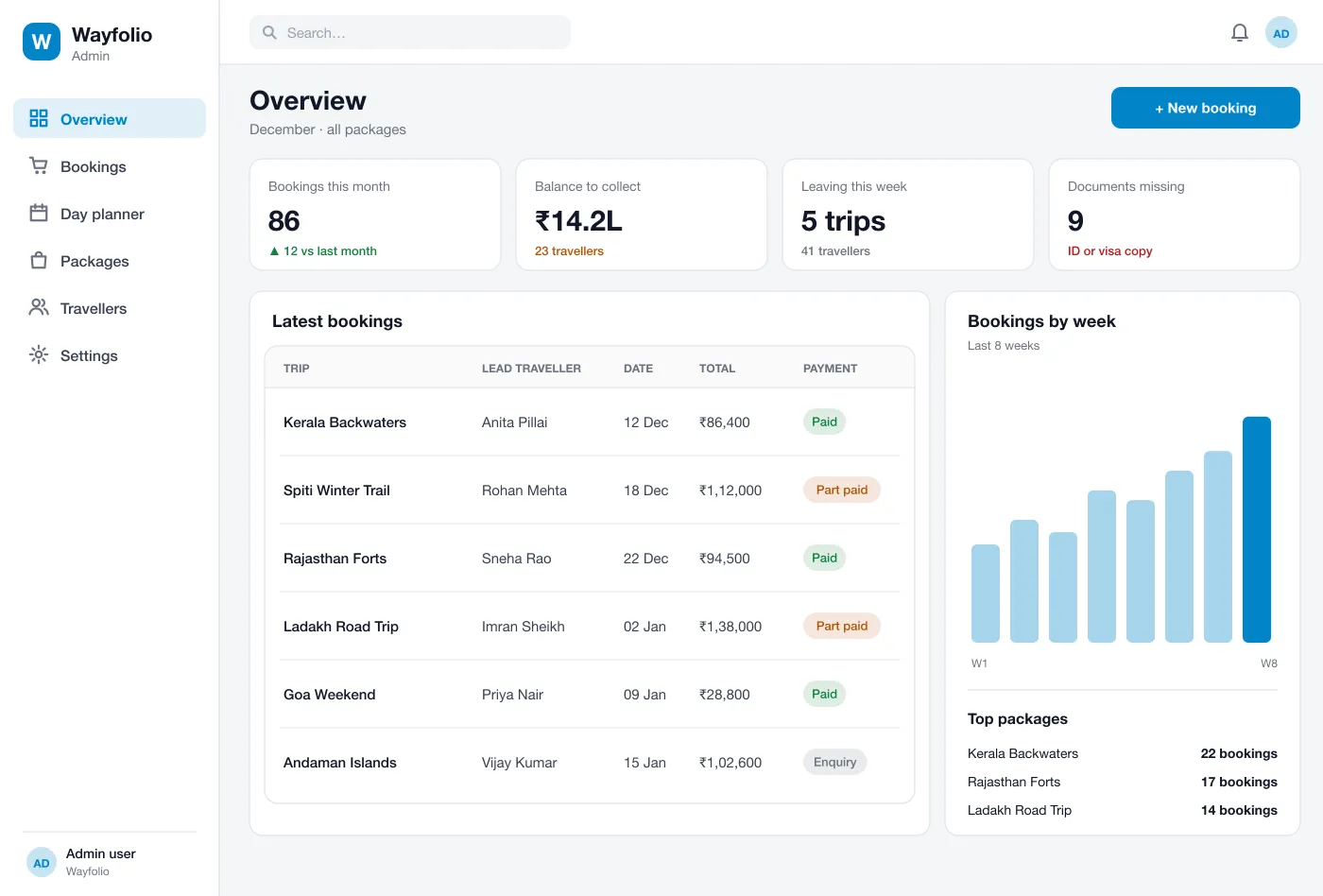
The agency sees new bookings, money to collect, trips leaving this week and bookings with missing documents.
From first look to the day you leave
- Day 1
Book a tour
A visitor opens a package, picks a date and two seats, and pays a deposit by card or UPI.
- Day 2
Build a package
The agency adds days, drops in stays and activities and sees the cost per person. It then publishes the tour.
- Day 3
Pay the balance
A reminder goes out before the due date. The traveller pays from the My trip page and the status changes to paid.
- Day 4
Get ready to travel
The traveller uploads missing ID copies, downloads tickets and works through the short checklist.
Travellers
Pick a date and seats, pay a deposit and get ready to travel.
Agency staff
Build packages day by day and see the cost per person as you go.
Agency managers
See new bookings, money to collect and trips leaving this week.
Questions travel agencies ask
What is a tour booking website?
It is a website where a travel agency shows its tour packages. A visitor picks a package and a date, pays online and gets the trip details, all without calling the office.
Which features should a tour booking website start with?
Start with package pages that show a day-by-day plan, online booking by date and seats, and deposit payments. The package builder, part-payment reminders and the My trip page can follow, along with links to supplier rates if you need them.
Can you build a tour booking website like this for my agency?
Yes. We can build the public website, the back office where you make packages and see bookings, and connect your payment gateway. We can add a mobile app later if you want one.
Can customers pay in parts?
In this design they can. A traveller pays a deposit to hold the seat, then pays the rest by dates the agency sets. Reminders go out before each date.
Where do travellers find their tickets?
On a My trip page. It lists tickets, hotel vouchers, payments and a short checklist, and it flags anything still missing, such as an ID copy.
Book a tour and build a package
Open a package page, the day planner and the My trip page.
See the screens