Post a tender
The buyer writes what is needed, adds drawings or files, sets the closing time and picks which suppliers to invite. Open tenders can also be shown to any approved supplier.
Buyers post a tender and invite suppliers. Bids stay sealed until closing, can be compared side by side and turn into purchase orders.
Requests go out by email, one supplier at a time, each with a slightly different note.
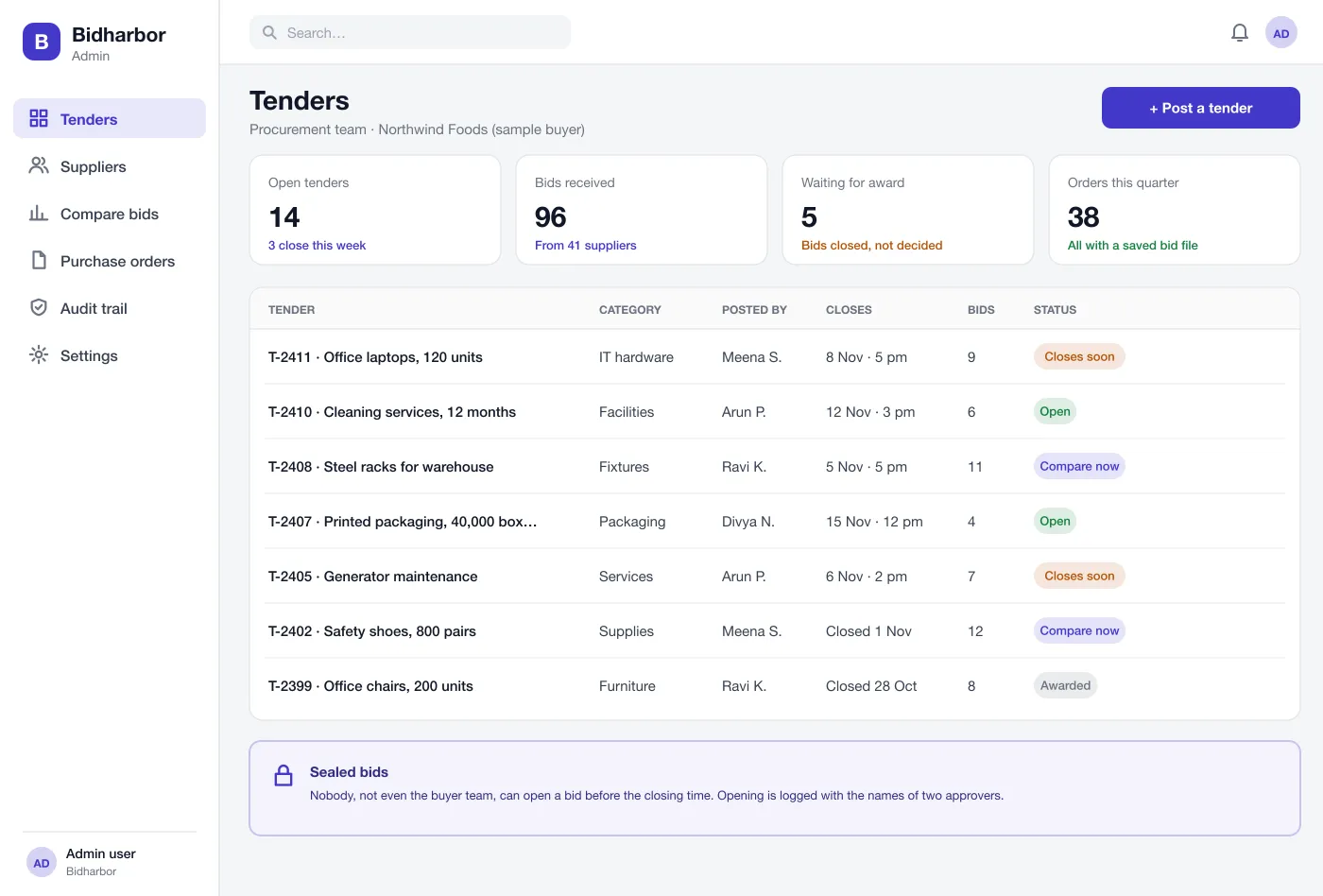
Buyer dashboard: tenders open for bids, with a count down and bids received
Bids stay locked until closing time. Two approvers open them, and the record shows who did.
Set weights for price, delivery, quality and terms, then compare the bids with a score.
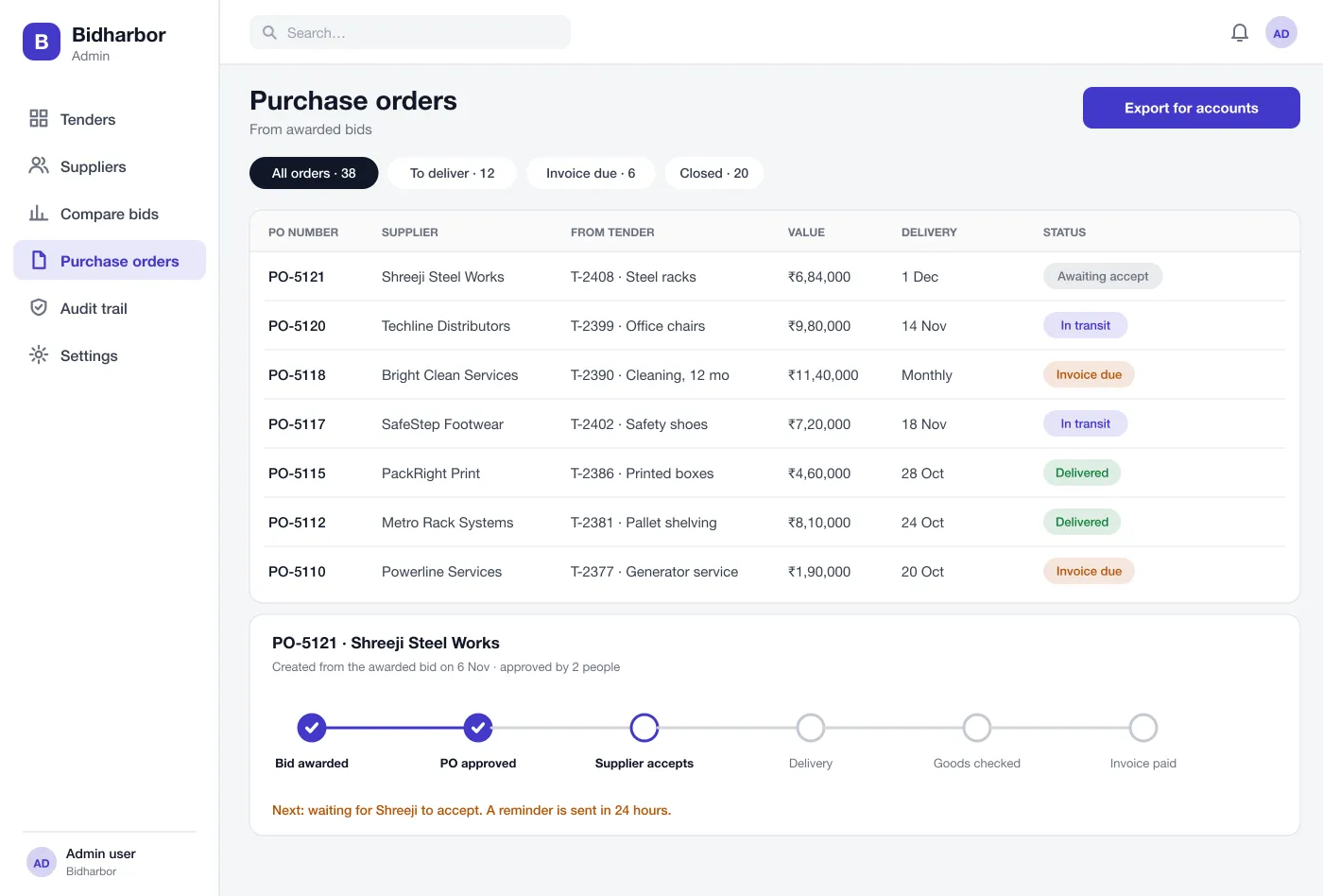
The winning bid turns into a purchase order and a clear timeline through to payment.
The buyer writes what is needed, adds drawings or files, sets the closing time and picks which suppliers to invite. Open tenders can also be shown to any approved supplier.
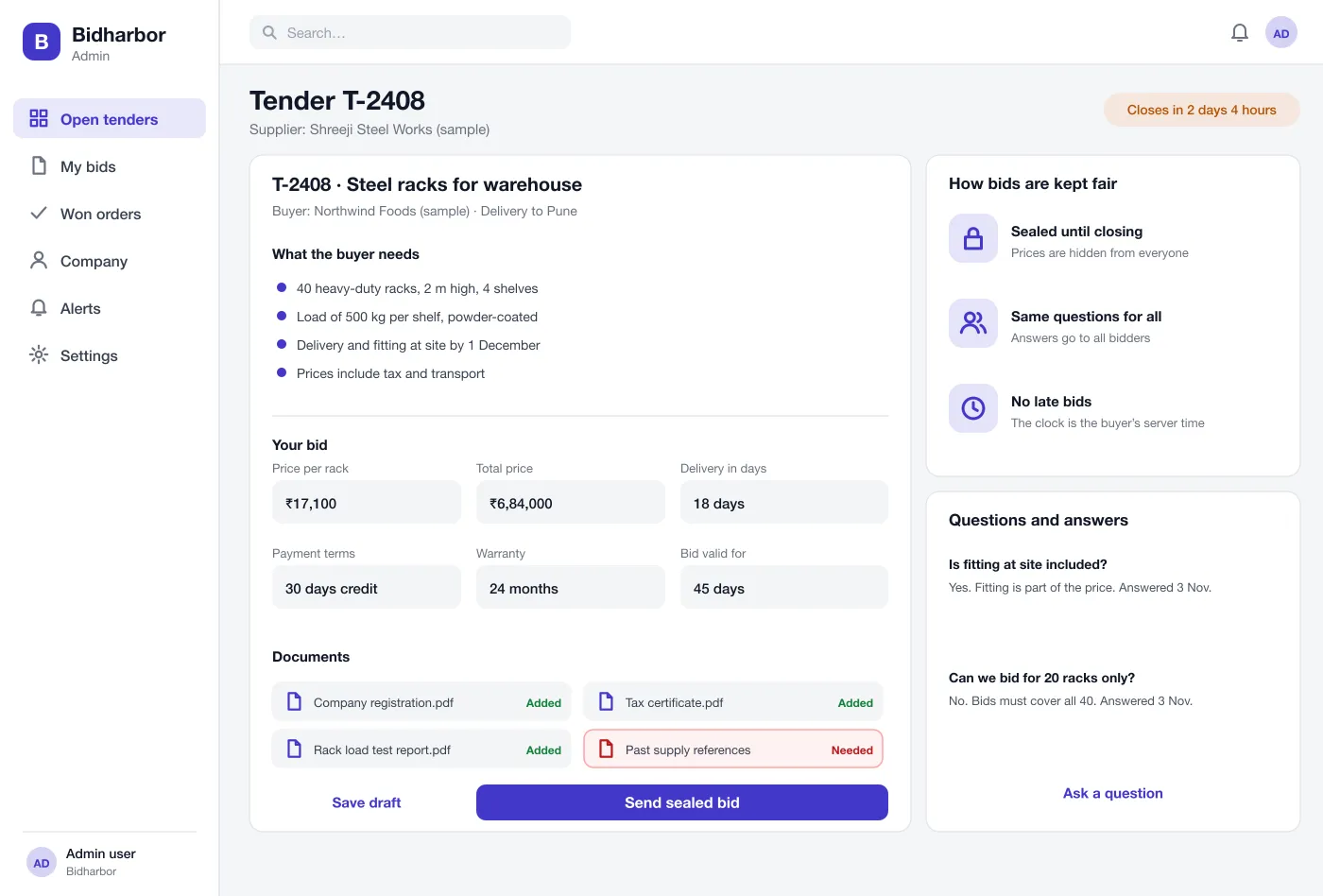
Suppliers read the tender, upload documents, fill in price, delivery time and terms, and ask questions. They see a clear list of what is still missing before they send.
Bids are locked until the closing time. Opening needs two approvers from the buyer, and the platform records who opened them and when.
Bids appear side by side with a score. The buyer sets the weights for price, delivery, quality and terms, and can see why the cheapest bid is not always the best.
The buyer picks a winner and writes a short note. The platform creates a purchase order, sends it to the supplier and tracks acceptance, delivery and invoice.
Every question, answer, bid, opening and decision is saved with a time and a name, ready to show to a manager or an auditor.
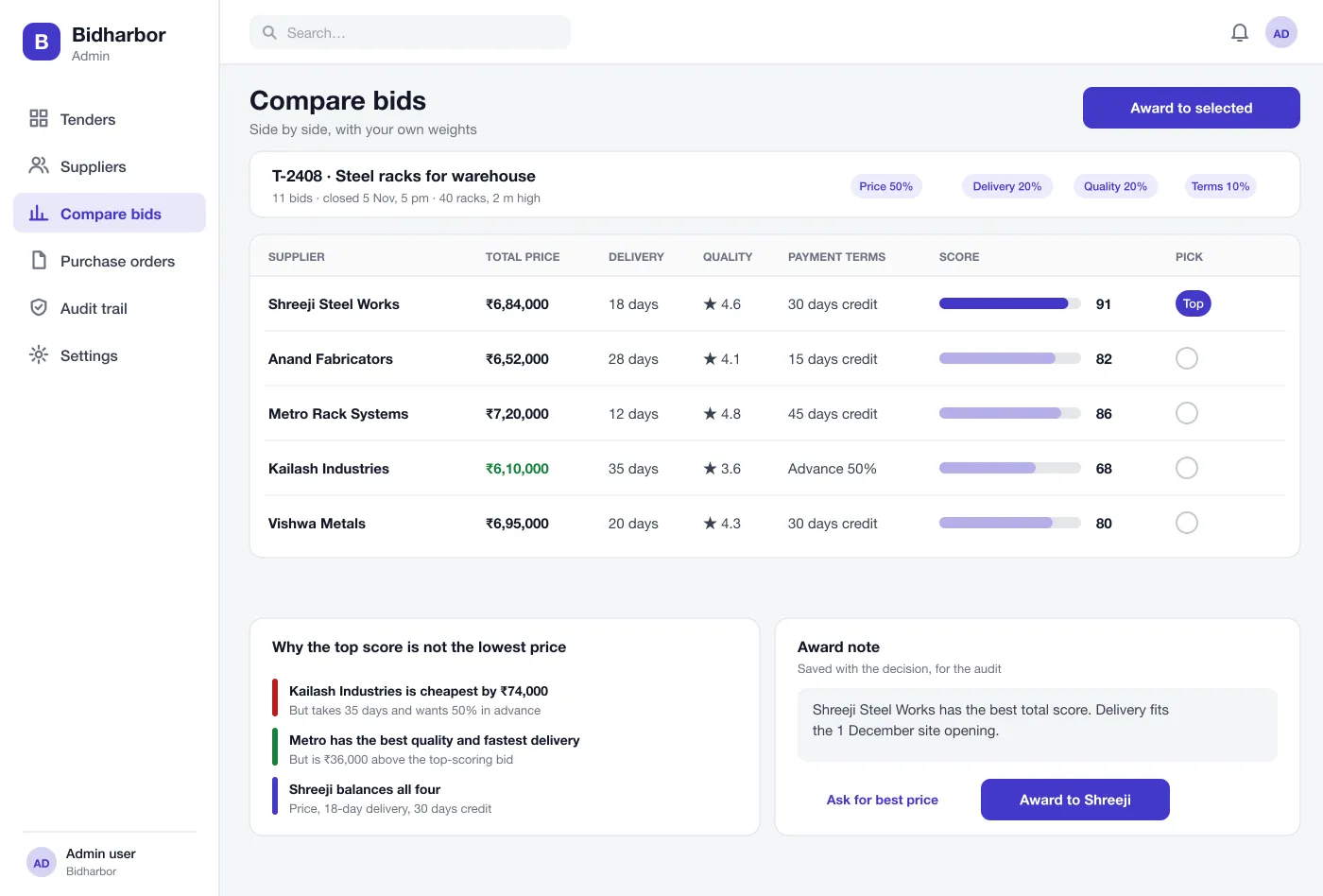
Post what you need, invite suppliers and pick the best offer with a reason.
Read the tender, ask questions, upload documents and send a sealed bid.
Open bids together after closing and check the record of who opened them.
A buyer adds the needs, invites six suppliers and sets the closing time. The suppliers get an alert.
A supplier reads the tender, asks a question, uploads documents, fills in the offer and sends it sealed.
After closing, two approvers open the bids. The buyer compares them, notes the reason and awards the best one.
The supplier accepts the purchase order, delivers, and the buyer checks the goods and pays the invoice. Each step shows on one timeline.
It is software where a company posts what it wants to buy, suppliers send their offers, and the company compares them and picks one. It replaces long email chains and spreadsheets.
Start with tender posting, supplier invites, questions and answers, sealed bids, a comparison screen and purchase orders. Reverse auctions, supplier ratings and contract renewals can come later, once buyers trust the basic flow.
Yes. We can build the buyer and supplier sides as one web platform and connect it to your accounts software, email and document storage.
Bids are sealed until the closing time. All suppliers get the same answers to questions, late bids are not accepted, and every action is saved in an audit trail.
Yes. The buyer picks weights for price, delivery, quality and payment terms. The comparison screen shows a score for each supplier and the reason behind it.
Nobody can say why one supplier was chosen.