Dashboard
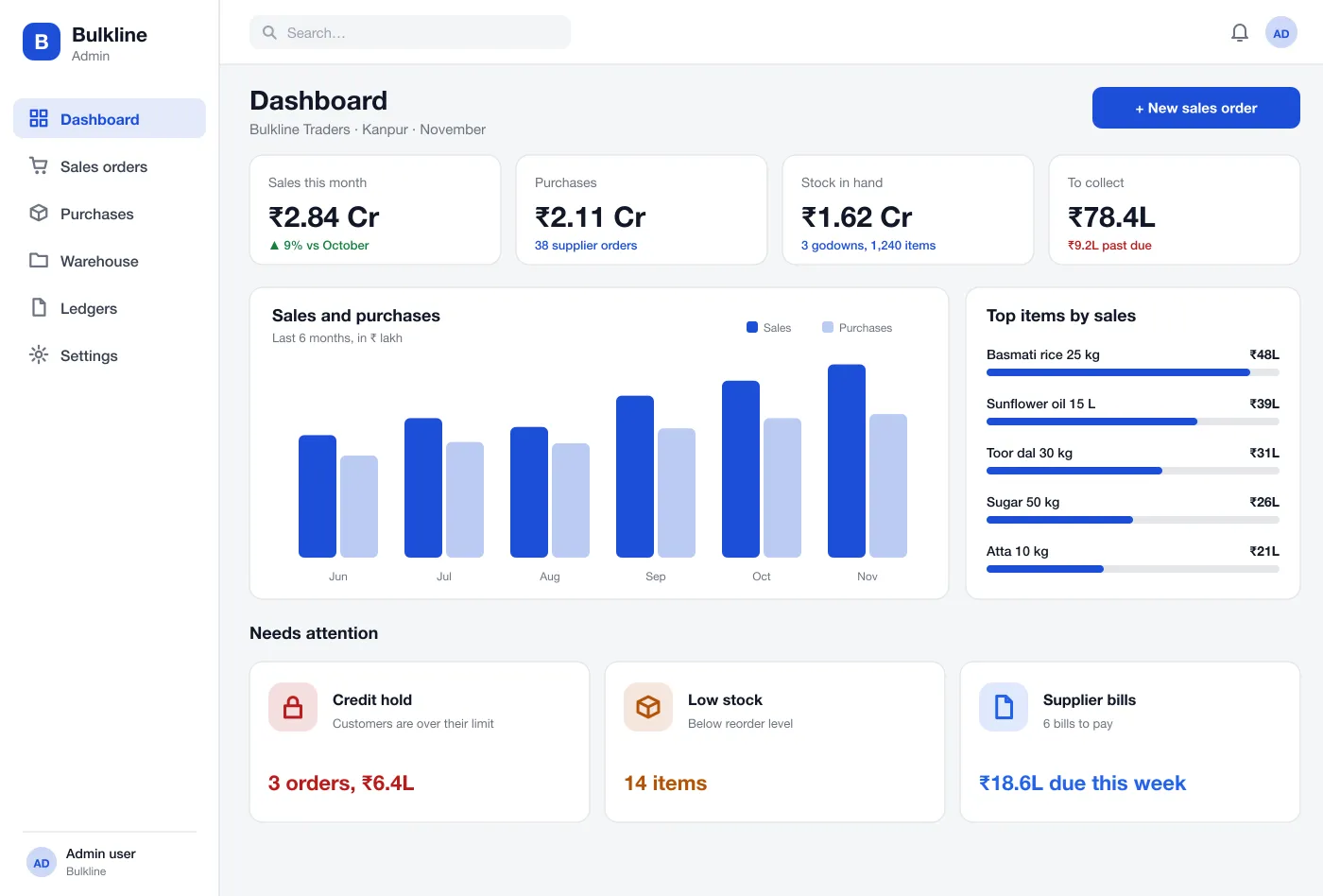
The first screen shows sales, purchases, stock value and money to collect. Below it are cards for orders on hold, items that are low and supplier bills due this week.
Take orders, check each customer's credit limit, track stock by godown and batch, and see who owes what, with bills sorted by age.
An order stops when a customer goes over their limit. A manager decides what happens next.
Items show by godown, rack and batch with expiry dates. Low stock is flagged.
Each customer's bills are sorted by age, so the oldest debts stand out.
The first screen shows sales, purchases, stock value and money to collect. Below it are cards for orders on hold, items that are low and supplier bills due this week.
Staff create an order from the customer’s price list. The list shows each customer’s credit use so held orders stand out.
When an order takes a customer over the limit, it stops. The manager sees the limit, the balance and the overshoot and can approve once or ask for payment.
Orders to suppliers can be received in parts. The system updates stock for each part and keeps the bill ready for payment.
Stock is shown by godown, rack and batch with expiry dates. Items below their reorder level are marked so the buyer can act.
Each customer has a running ledger with invoices, payments and credit notes, plus an ageing strip that shows how old the unpaid bills are.
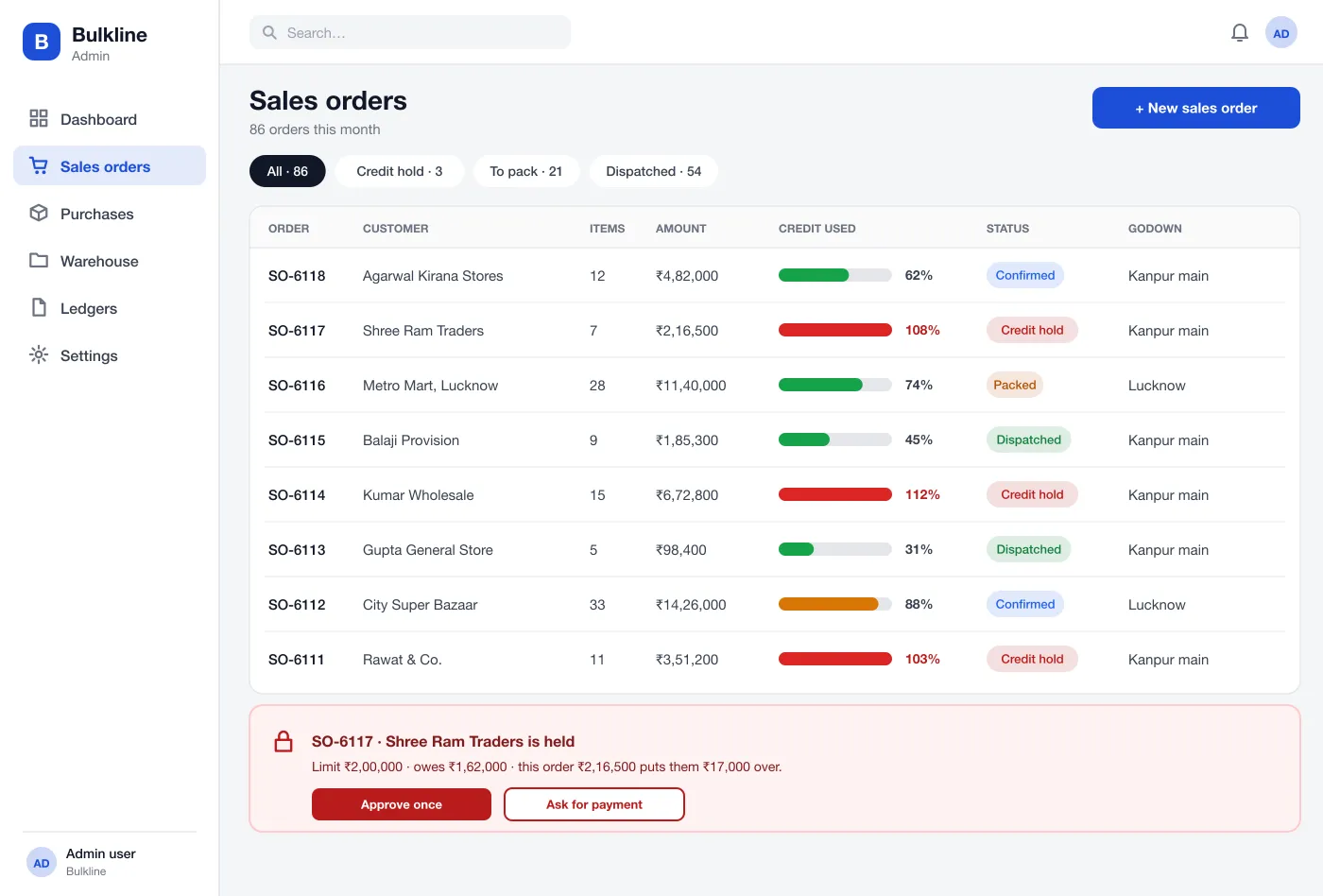
Sales orders, with the credit check shown before an order can be packed
Staff create an order from the customer’s price list. The list shows each customer’s credit use so held orders stand out.
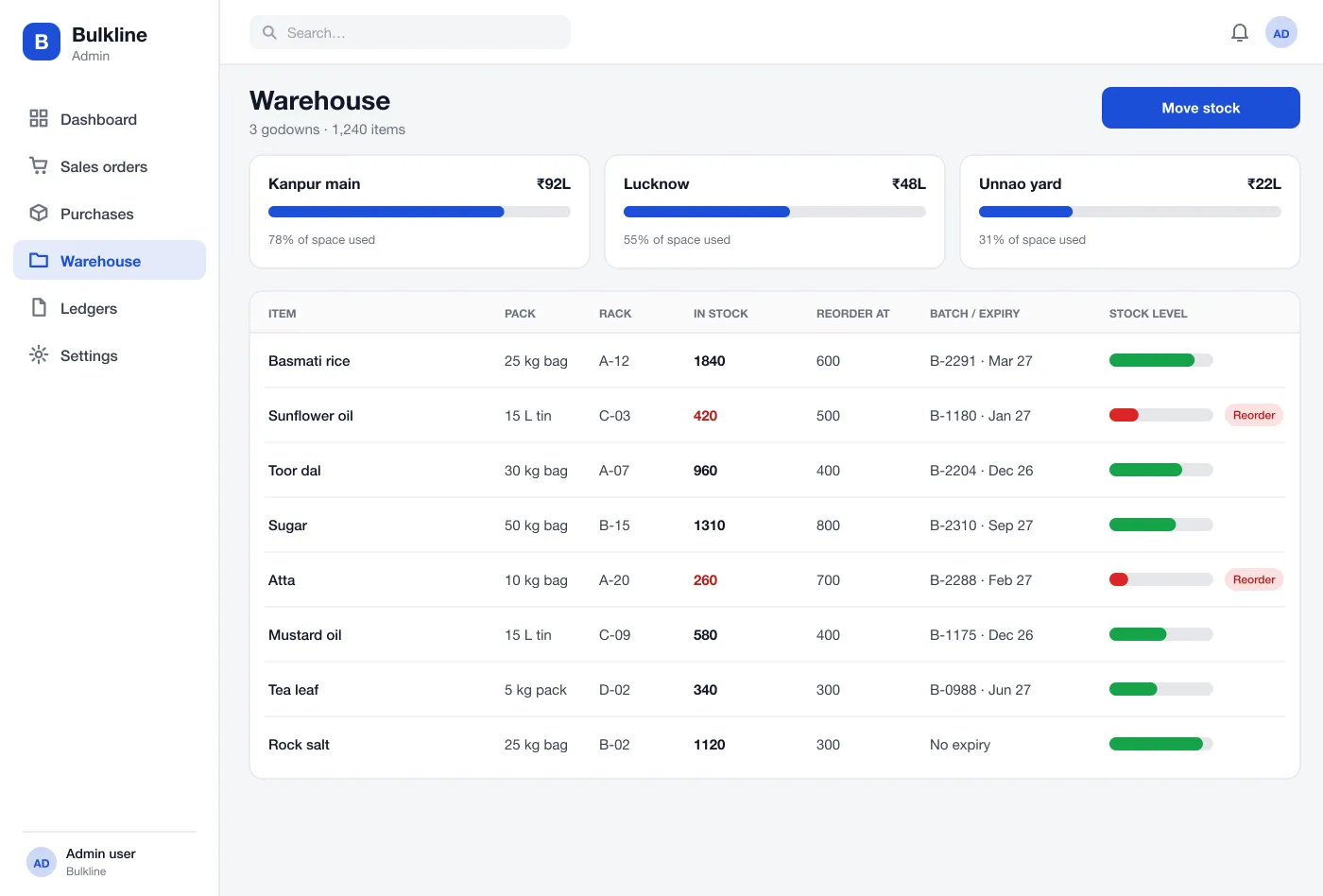
Warehouse stock by godown and rack, with reorder levels and batches
Stock is shown by godown, rack and batch with expiry dates. Items below their reorder level are marked so the buyer can act.
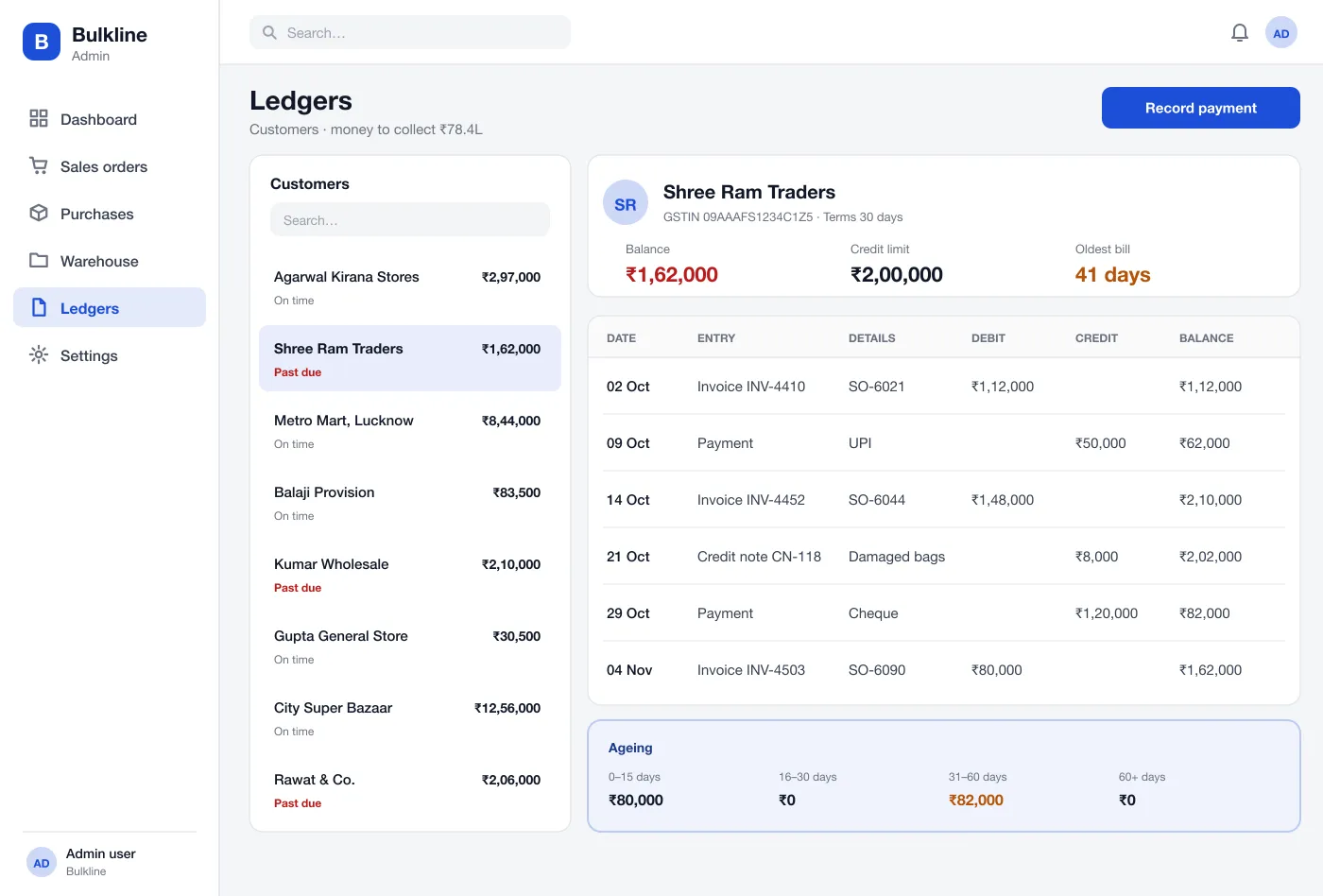
Customer ledger: every bill, payment and credit note in one running balance
Each customer has a running ledger with invoices, payments and credit notes, plus an ageing strip that shows how old the unpaid bills are.
| Role | What they do in Bulkline |
|---|---|
| Sales team | Create orders from the customer's price list and see their credit use. |
| Managers | Approve held orders, review the limit and balance, and ask for payment. |
| Godown and accounts | Receive supplier orders in parts and record payments on each ledger. |
A salesperson picks the customer and items. The system fills the price, checks stock in the nearest godown and checks the credit limit.
A manager opens the held order, reads the limit and balance, then approves it once or asks the customer to pay.
The godown receives a supplier order in two lots. Each lot gets a batch number and a rack, and the order shows as part received.
The accounts team opens a customer ledger, sees the oldest bill is 41 days, records a payment and reduces the balance.
It is one system that runs the buying, selling, stock and money of a trading business. It replaces separate sheets, notebooks and billing tools.
It depends on how clean the current data is and how many godowns and price lists you run. Most of the time goes into importing items, opening stock and customer balances, then running both systems side by side for a short check period.
Yes. We can build an ERP for your trading business, with your own flow for purchase, sales, stock and credit, and connect it to GST, e-way bills and your accounts tool.
Each customer has a limit. When an order would take them over it, the order stops on a credit hold. A manager can approve it once or ask the customer to pay first.
Yes. Stock is kept by godown, rack and batch. Staff can move stock between godowns and the system keeps a record of each move.
Yes. Items that expire, such as oil, tea and food, keep a batch and an expiry date. Stock leaves in first-expiry-first-out order.
Tap through the dashboard, sales orders, credit control, warehouse and ledgers.