Dashboard
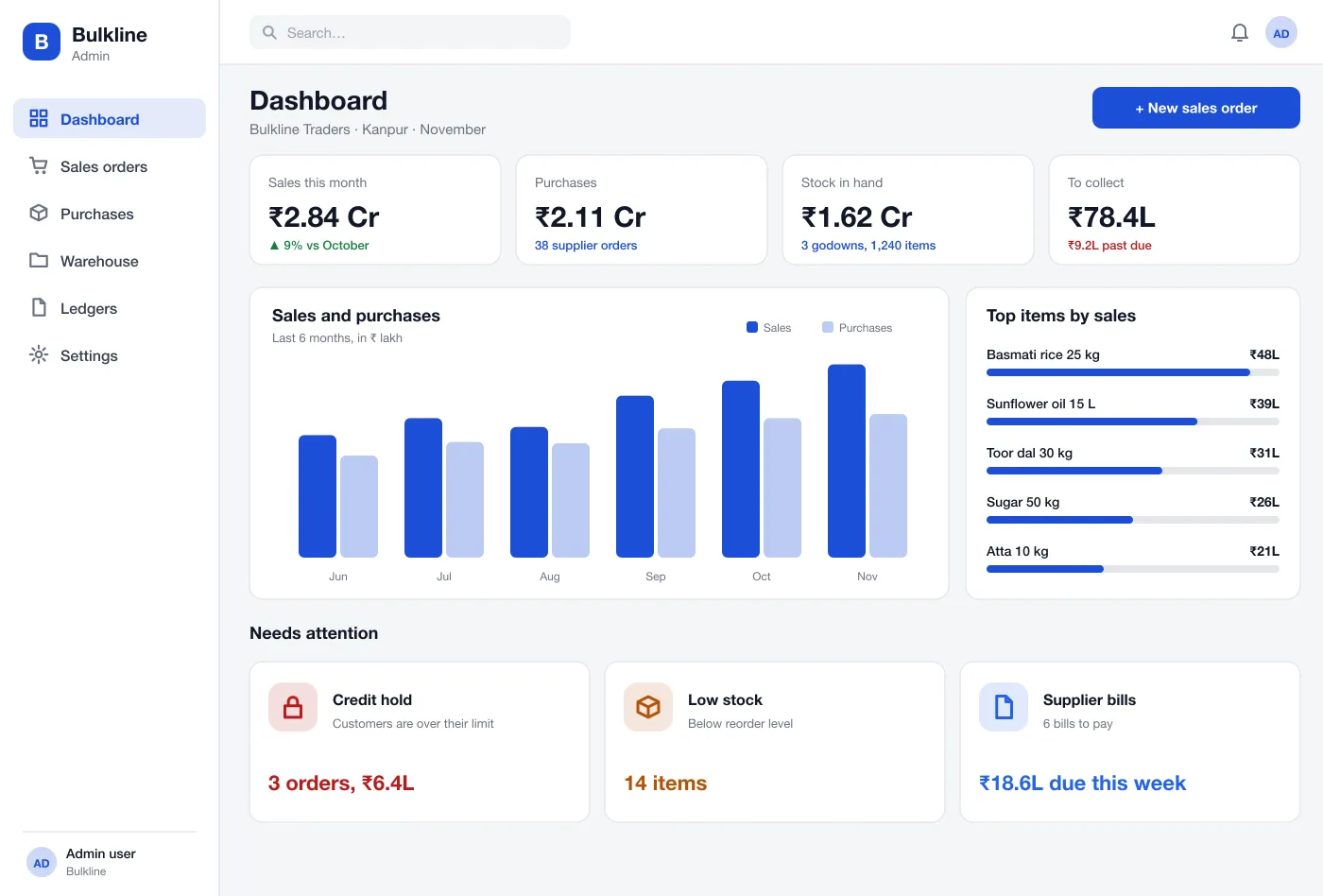
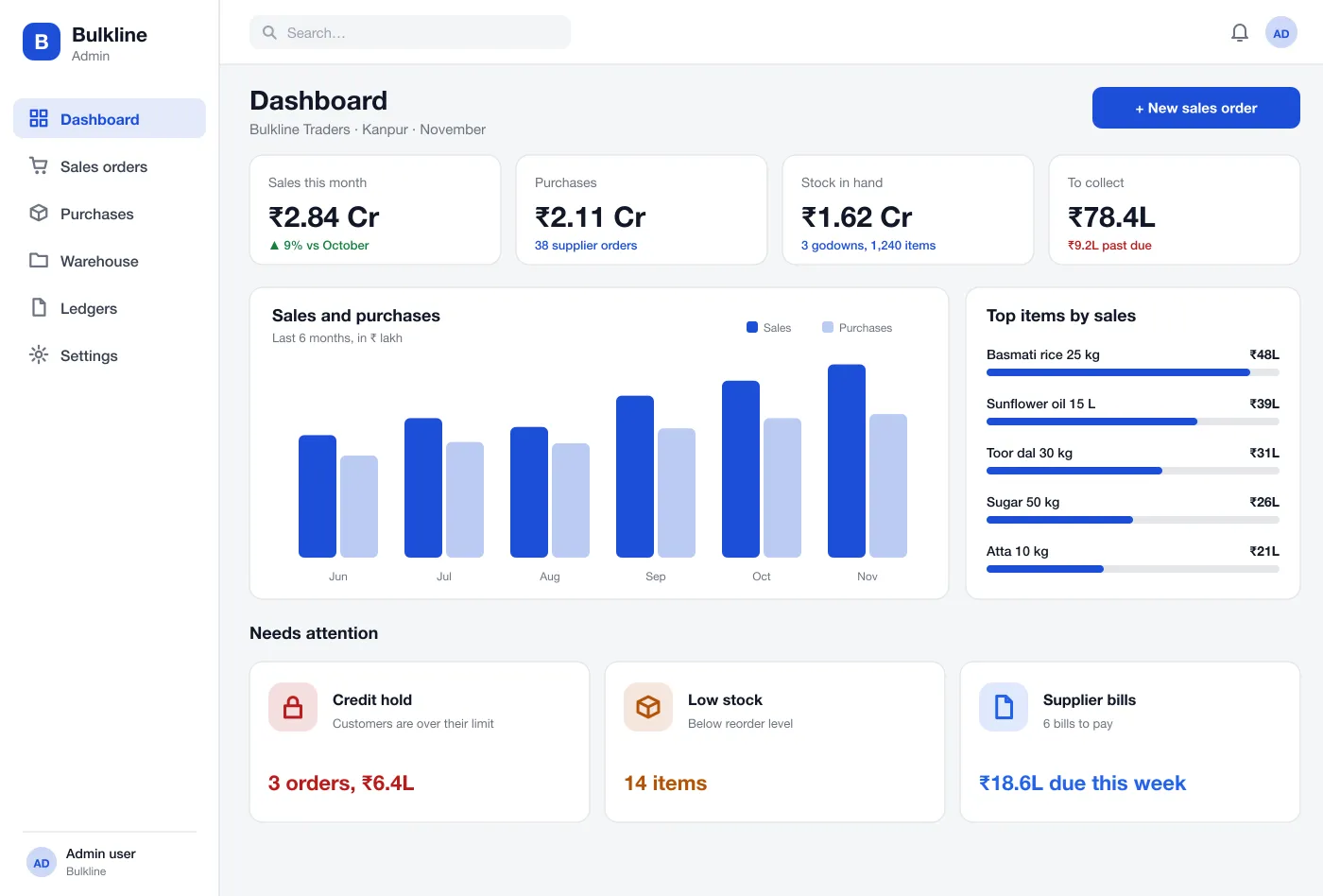
The first screen shows sales, purchases, stock value and money to collect. Below it are cards for orders on hold, items that are low and supplier bills due this week.
Bulkline is an ERP for wholesale traders, designed and built by our team. It keeps purchases, sales orders, godown stock, credit limits and customer ledgers together, so everyone sees the same numbers.
Bulkline was designed and built by the PRS CloudTech team.
The brief
A wholesale trader buys in bulk, keeps stock in several godowns and sells to many shops on credit. Money is always tied up in stock and in bills that customers have not paid.
Many traders run this on billing software, spreadsheets and phone calls. Stock counts differ between godowns, and nobody can say quickly who is over their credit limit.
One set of numbers
Sales, stock and money owed should come from one system, so the owner, godown staff and accountant all see the same thing.
Safe credit
Orders should check a customer’s limit and due bills before goods leave the godown.
Stock that is correct
Stock should be tracked by godown, rack and batch, with a warning before an item runs out.
Clear ledgers
Each customer and supplier needs a running account with every bill, payment and credit note.
What we designed
We designed Bulkline as a web ERP for the office, the sales team and the godown. All parts read from the same records.
The first screen shows sales, purchases, stock value and money to collect. Below it are cards for orders on hold, items that are low and supplier bills due this week.
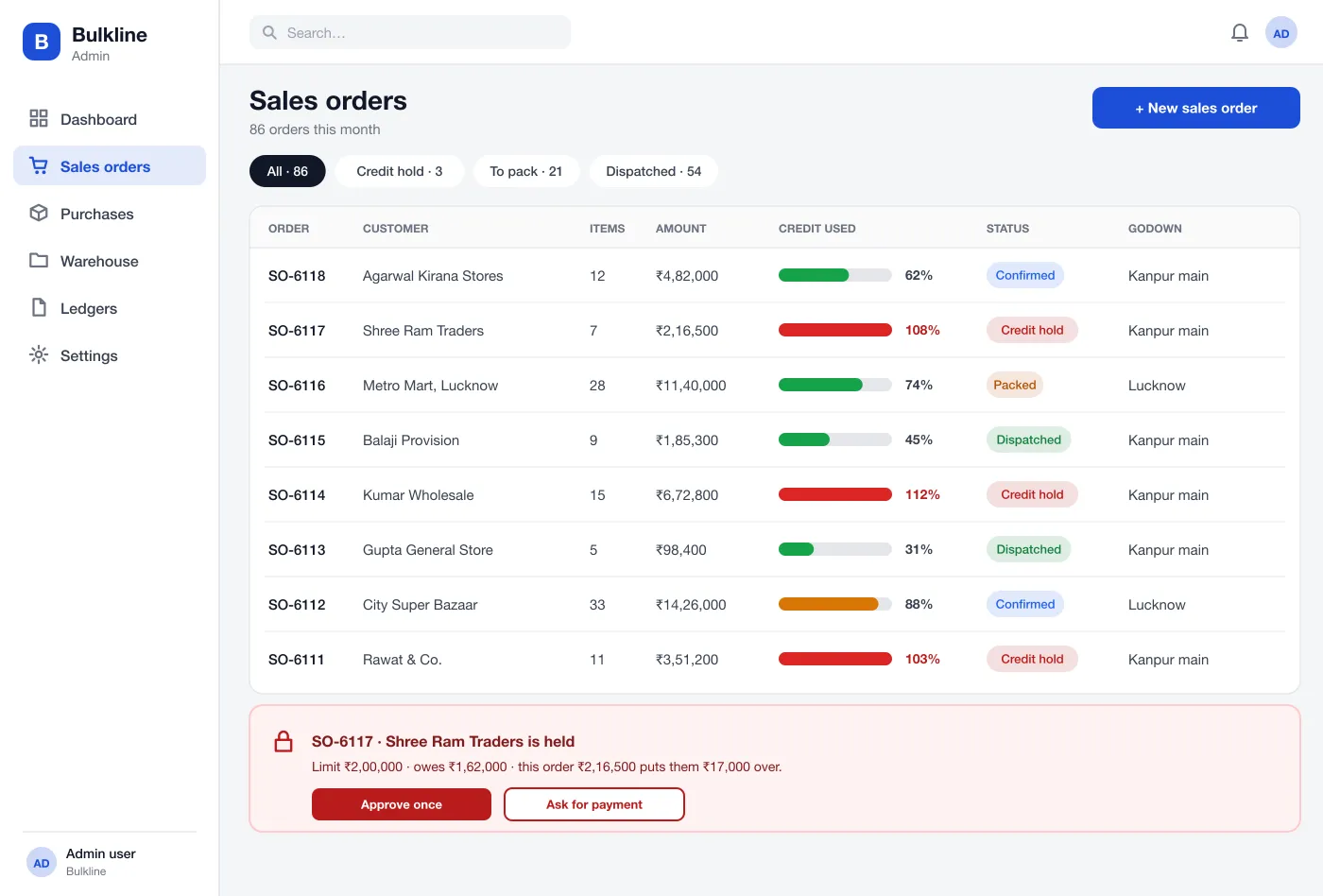
Staff create an order from the customer’s price list. The list shows each customer’s credit use so held orders stand out.
When an order takes a customer over the limit, it stops. The manager sees the limit, the balance and the overshoot and can approve once or ask for payment.
Orders to suppliers can be received in parts. The system updates stock for each part and keeps the bill ready for payment.
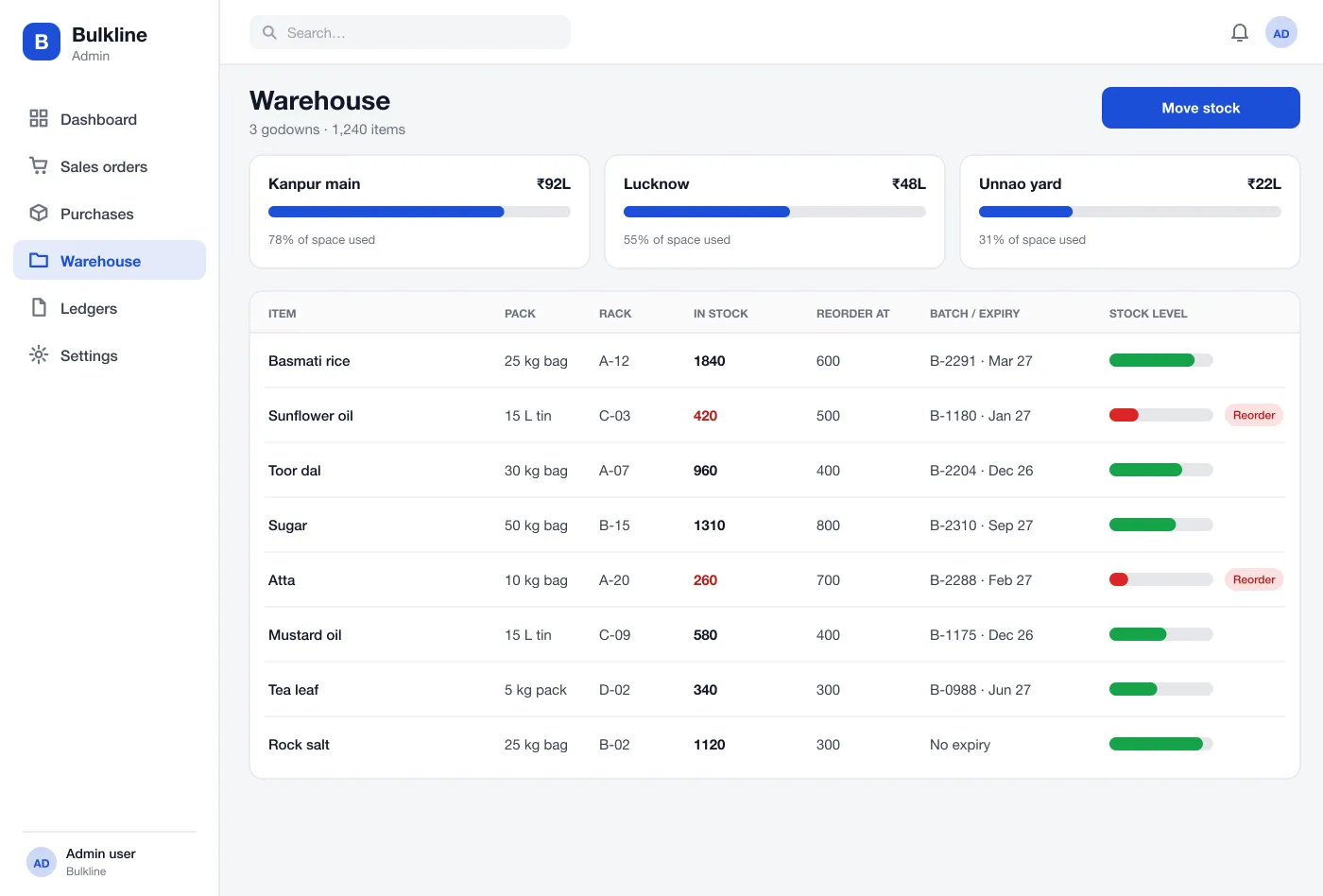
Stock is shown by godown, rack and batch with expiry dates. Items below their reorder level are marked so the buyer can act.
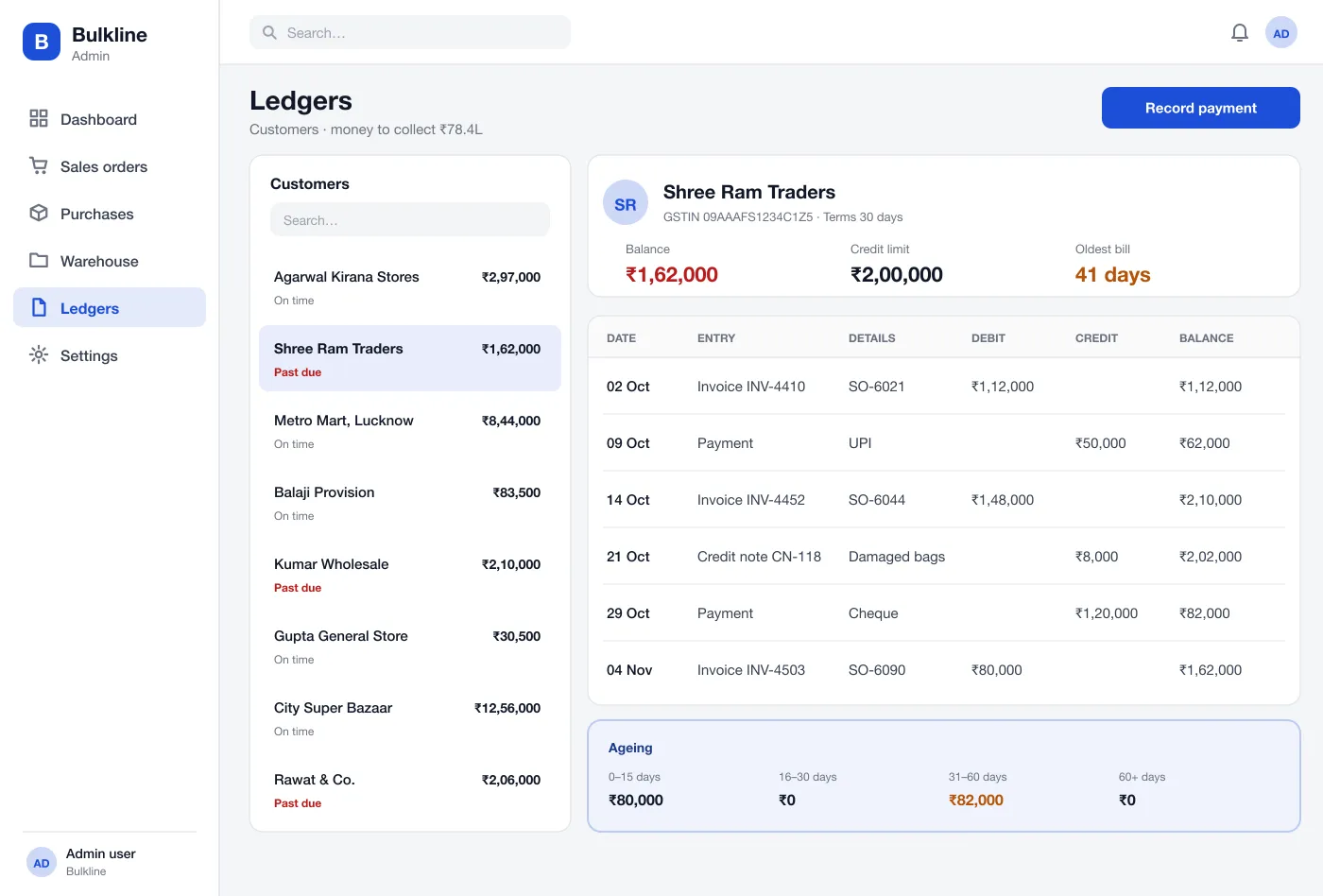
Each customer has a running ledger with invoices, payments and credit notes, plus an ageing strip that shows how old the unpaid bills are.
Screens
How it works
Here is how the main tasks run in Bulkline.
Take an order
A salesperson picks the customer and items. The system fills the price, checks stock in the nearest godown and checks the credit limit.
Clear a credit hold
A manager opens the held order, reads the limit and balance, then approves it once or asks the customer to pay.
Receive stock
The godown receives a supplier order in two lots. Each lot gets a batch number and a rack, and the order shows as part received.
Collect money
The accounts team opens a customer ledger, sees the oldest bill is 41 days, records a payment and reduces the balance.
Suggested technology
What we would deliver
FAQ
It is one system that runs the buying, selling, stock and money of a trading business. It replaces separate sheets, notebooks and billing tools.
It depends on how clean the current data is and how many godowns and price lists you run. Most of the time goes into importing items, opening stock and customer balances, then running both systems side by side for a short check period.
Yes. We can build an ERP for your trading business, with your own flow for purchase, sales, stock and credit, and connect it to GST, e-way bills and your accounts tool.
Each customer has a limit. When an order would take them over it, the order stops on a credit hold. A manager can approve it once or ask the customer to pay first.
Yes. Stock is kept by godown, rack and batch. Staff can move stock between godowns and the system keeps a record of each move.
Yes. Items that expire, such as oil, tea and food, keep a batch and an expiry date. Stock leaves in first-expiry-first-out order.
Tell us who will use it and what it must do. We will reply with a plan, a timeline and a price.