Bid pipeline
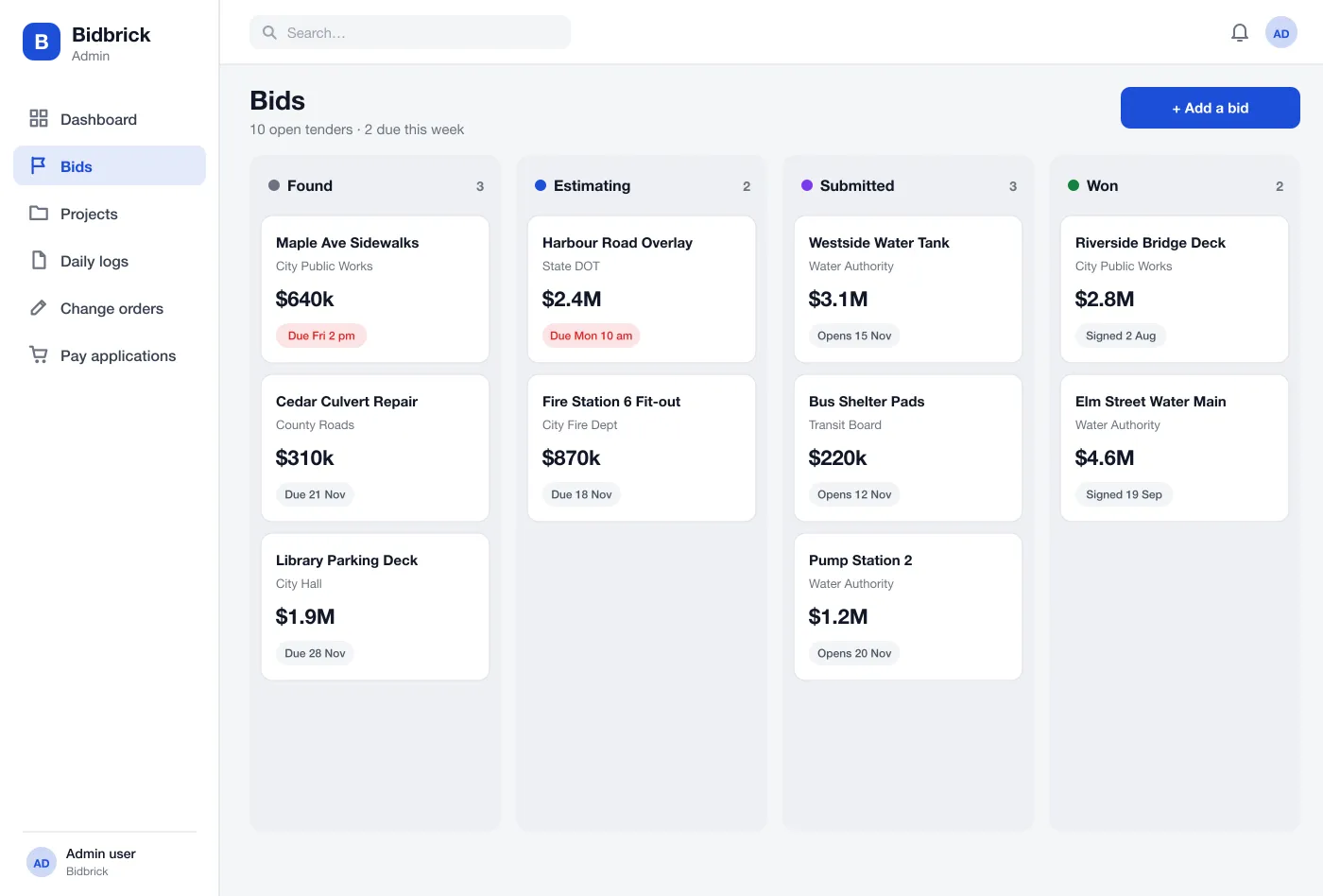
Open tenders sit on a board from found to estimating, submitted and won. Each card shows the owner, the value and the due date, and due dates that are close turn red.
Bidbrick is a construction ERP for contractors who work on public projects, designed and built by our team. It tracks bids, projects, daily site logs, change orders and pay applications in one system.
Bidbrick was designed and built by the PRS CloudTech team.
The brief
Contractors who build roads, pipes and public buildings juggle a lot of paper. Bids are in one file, project costs in another, site notes in a notebook and the monthly bill in a spreadsheet that only one person understands.
Public owners ask for exact records: signed daily logs, written approval for every change and clear pay applications. When these are missing or late, payment is late too.
Know which bids to chase
The team must see open tenders, due dates and the estimate status of each, so no deadline is missed.
Keep a daily record
Site managers need a quick way to log crew, weather, work and photos and sign it the same day.
Control changes
Every change to the job needs a price, a reason and an owner's answer before work is paid for.
Bill correctly
The monthly pay application must match the work done, the changes approved and the amount held back.
What we designed
We designed Bidbrick as one web system for the office, with simple screens for the site manager. Bids, projects, logs, changes and bills are all connected.
Open tenders sit on a board from found to estimating, submitted and won. Each card shows the owner, the value and the due date, and due dates that are close turn red.
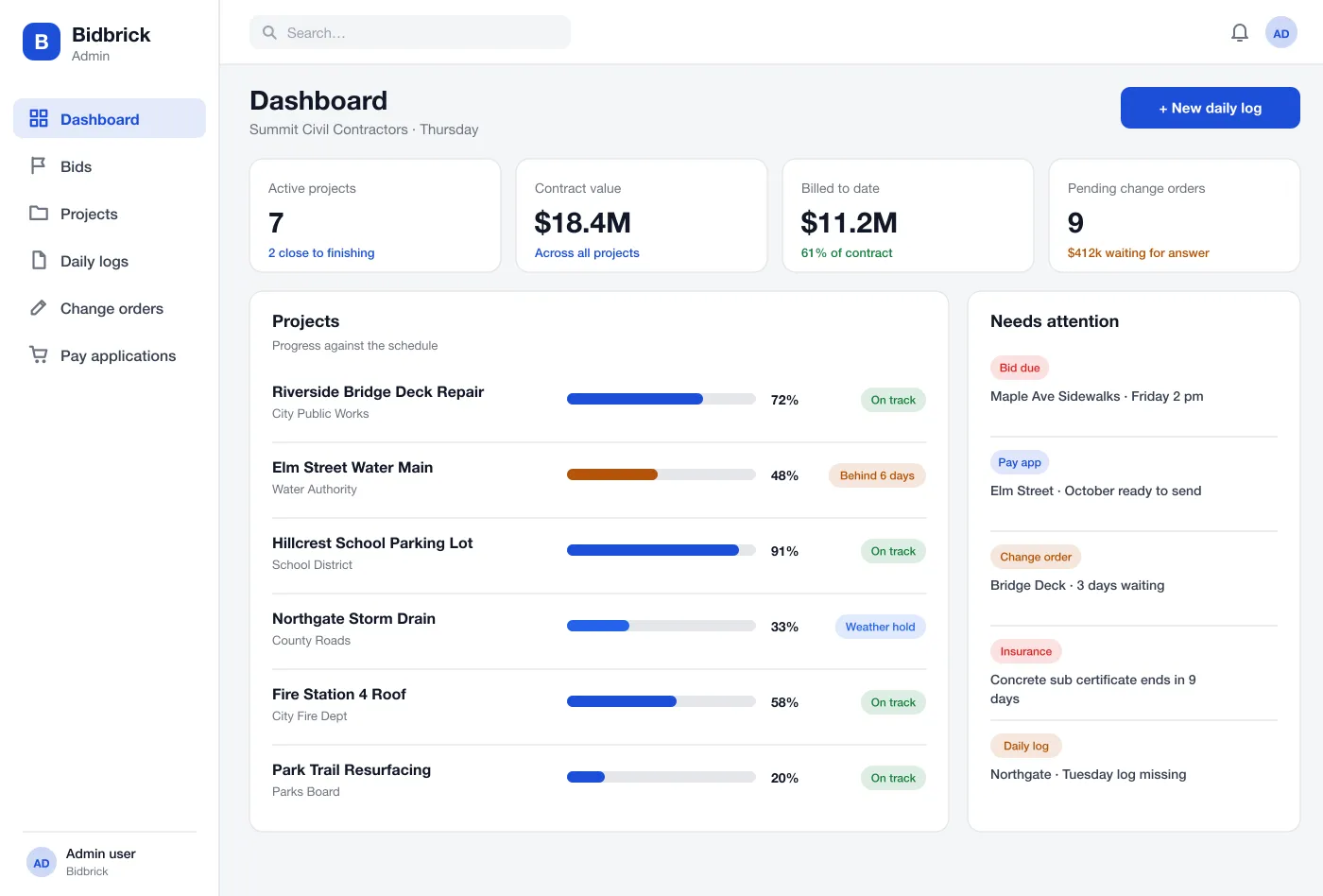
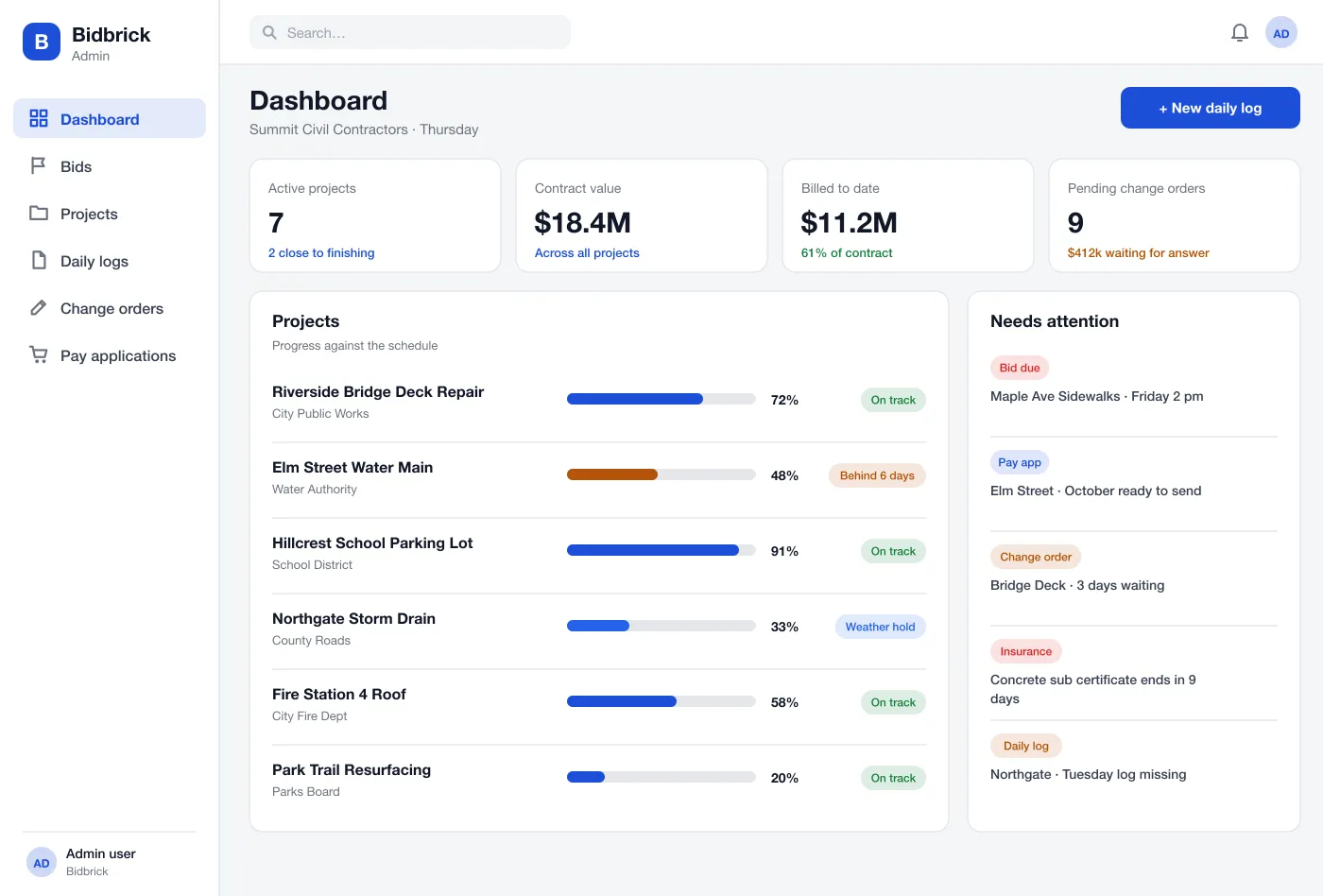
Each project shows its progress against the schedule, money billed against the contract and anything that needs attention, such as a missing log or an insurance paper about to expire.
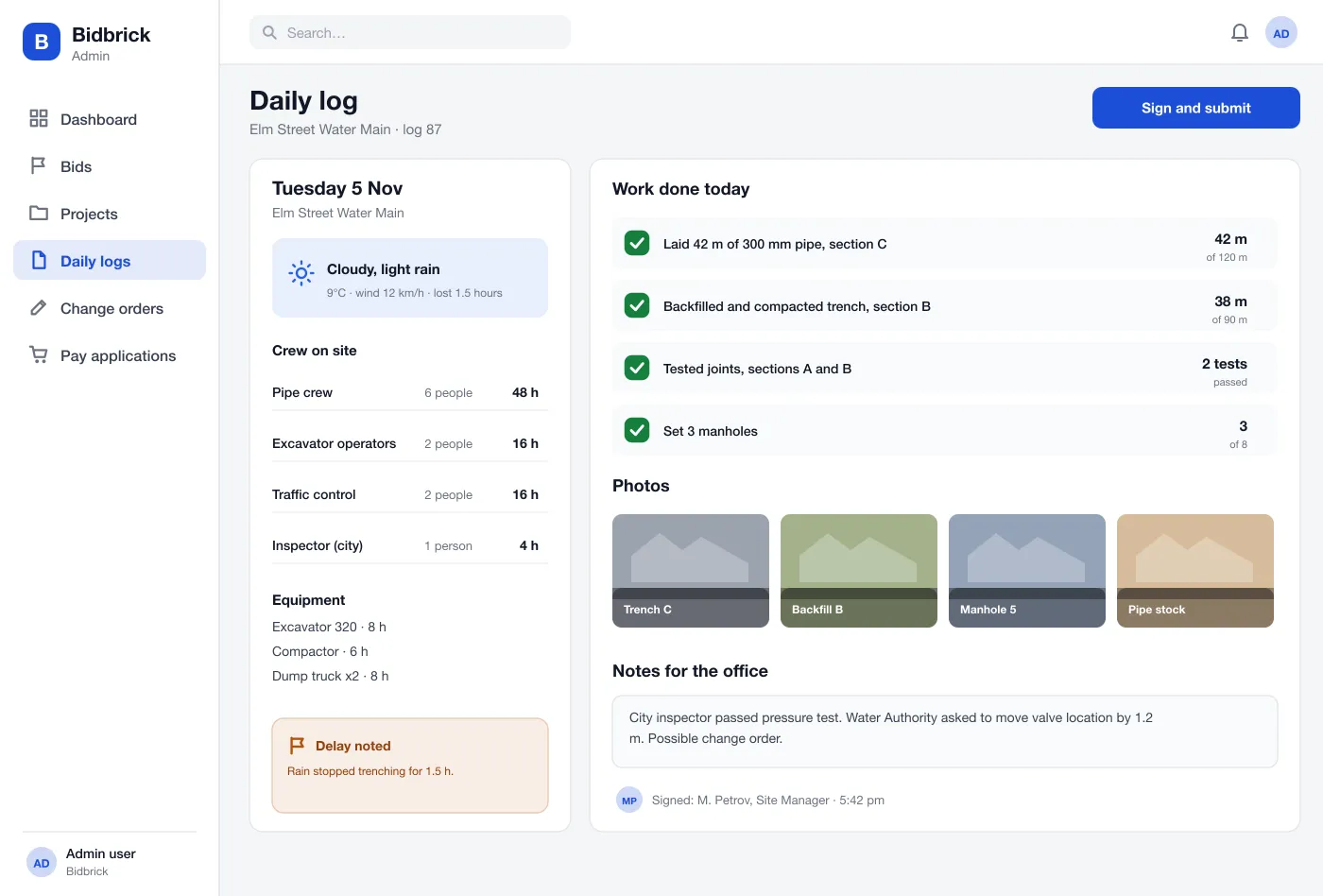
The site manager records weather, crew, equipment, work done with quantities, delays and photos, then signs. Signed logs cannot be changed, only added to.
A change starts from a note in a daily log. The office adds cost and time, sends it to the owner and tracks the answer. Approved changes are added to the contract total.
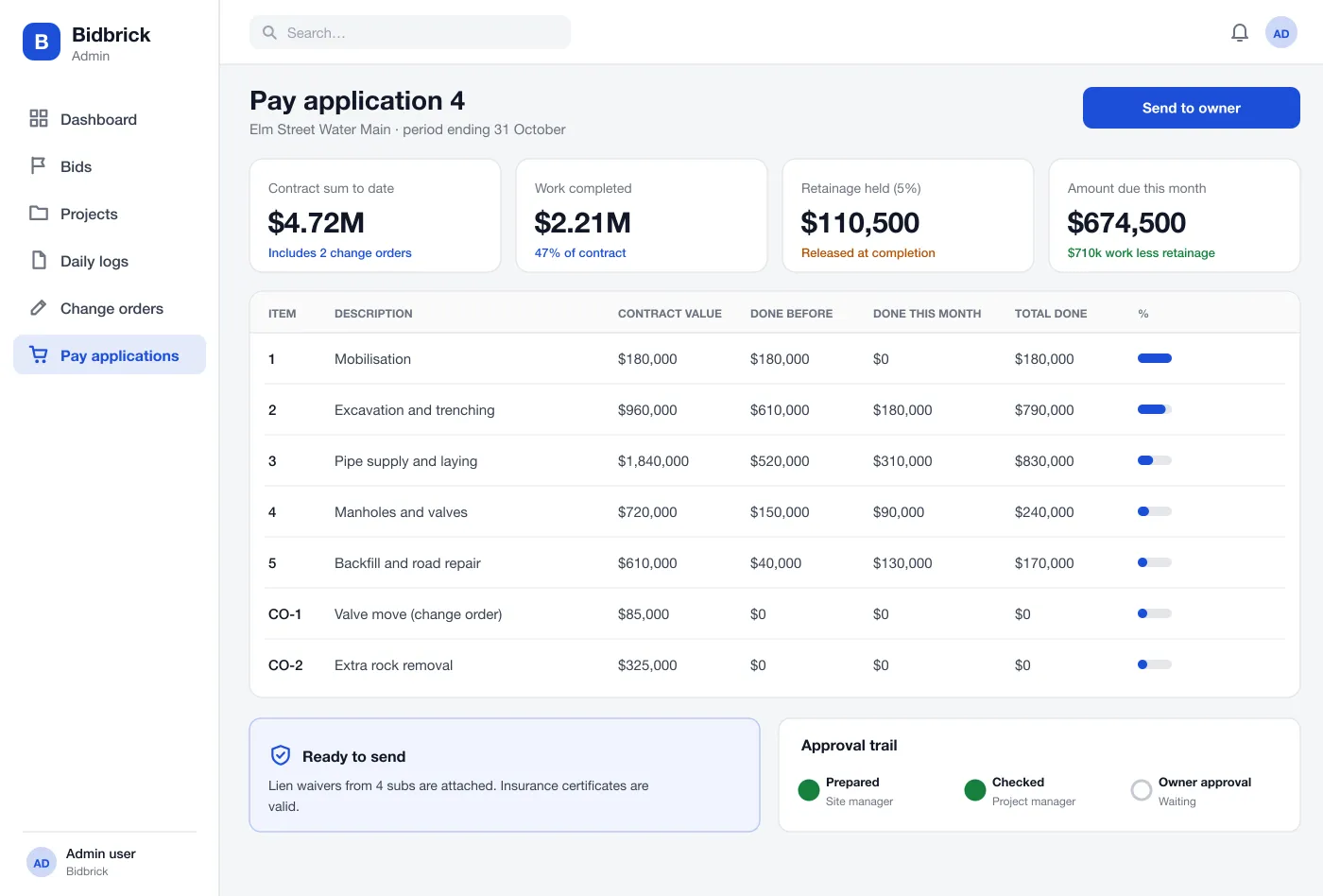
The system fills the monthly bill from the work logged. It shows each item, the amount held as retainage, attached waivers and the approval steps.
Insurance certificates, licences and waivers from subcontractors are stored with the project. The system warns before they run out.
Screens
How it works
Here is how the main tasks work in Bidbrick, from a new tender to the money received.
Win a bid
The estimator finds a tender, builds the estimate, submits it and moves the card to Submitted. When it is won, the project is created with its price and schedule.
Run the site
Each day the site manager fills in the log from a phone or laptop, adds photos and signs. Delays and extra work are flagged.
Handle a change
A moved valve is noted in the log. The office makes a change order, the owner approves it and the contract total updates.
Get paid
At month end the pay application is built from the logs and approved changes, checked, and sent to the owner with waivers attached.
Suggested technology
FAQ
It is one system that holds a contractor's bids, projects, site records, changes and billing, so the office and the site work from the same numbers instead of many spreadsheets.
It depends on how many modules you start with and what data has to move from old sheets. Most teams start with bids, projects and daily logs, then add change orders, pay applications and accounting links in later rounds.
Yes. We can build it as a web app with simple site screens for phones, and match your own forms, approval steps and bid and pay application formats.
It is the monthly bill a contractor sends to the owner for work done so far. It lists each item, what was done before and this month, and the amount held back as retainage.
Owners and inspectors can ask what happened on a given day. A signed daily log with crew, weather, work done and photos is the record that settles those questions.
Tell us who will use it and what it must do. We will reply with a plan, a timeline and a price.