Booking page
Each salon gets its own page with its name, colours, services and prices. The client picks services, a stylist and a time. It works on a phone without an app.
Each salon gets its own booking page, a calendar for every stylist, client notes and reminders, and the company team can help set each salon up.
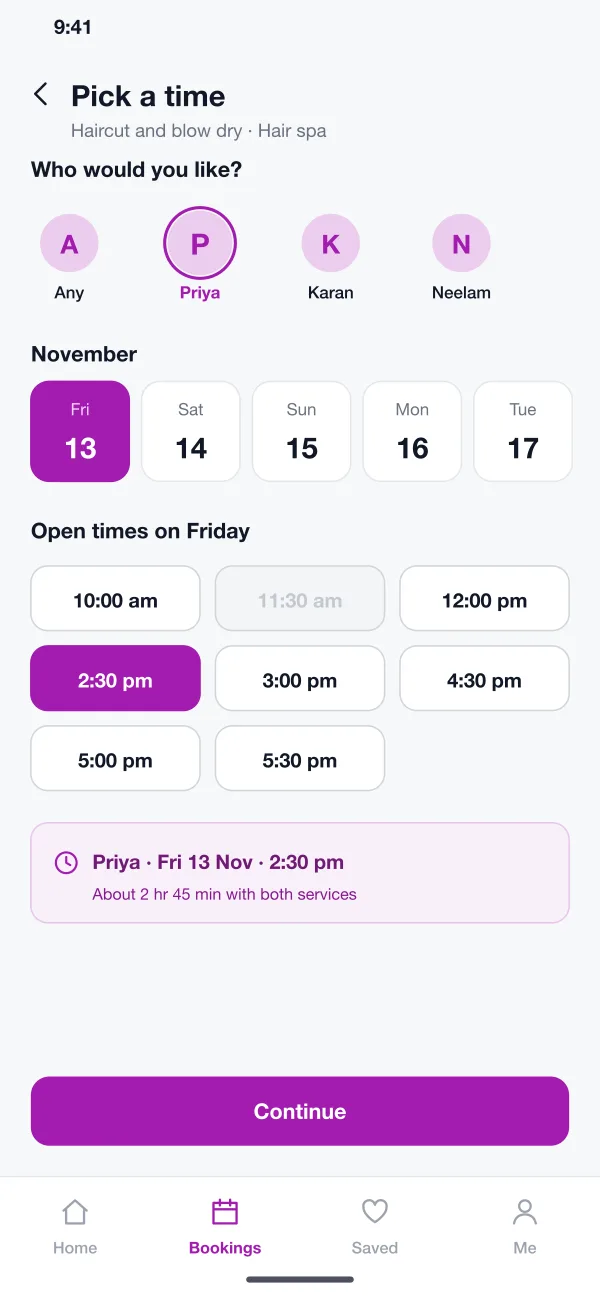
Clients pick services, a stylist and a free time from a phone.
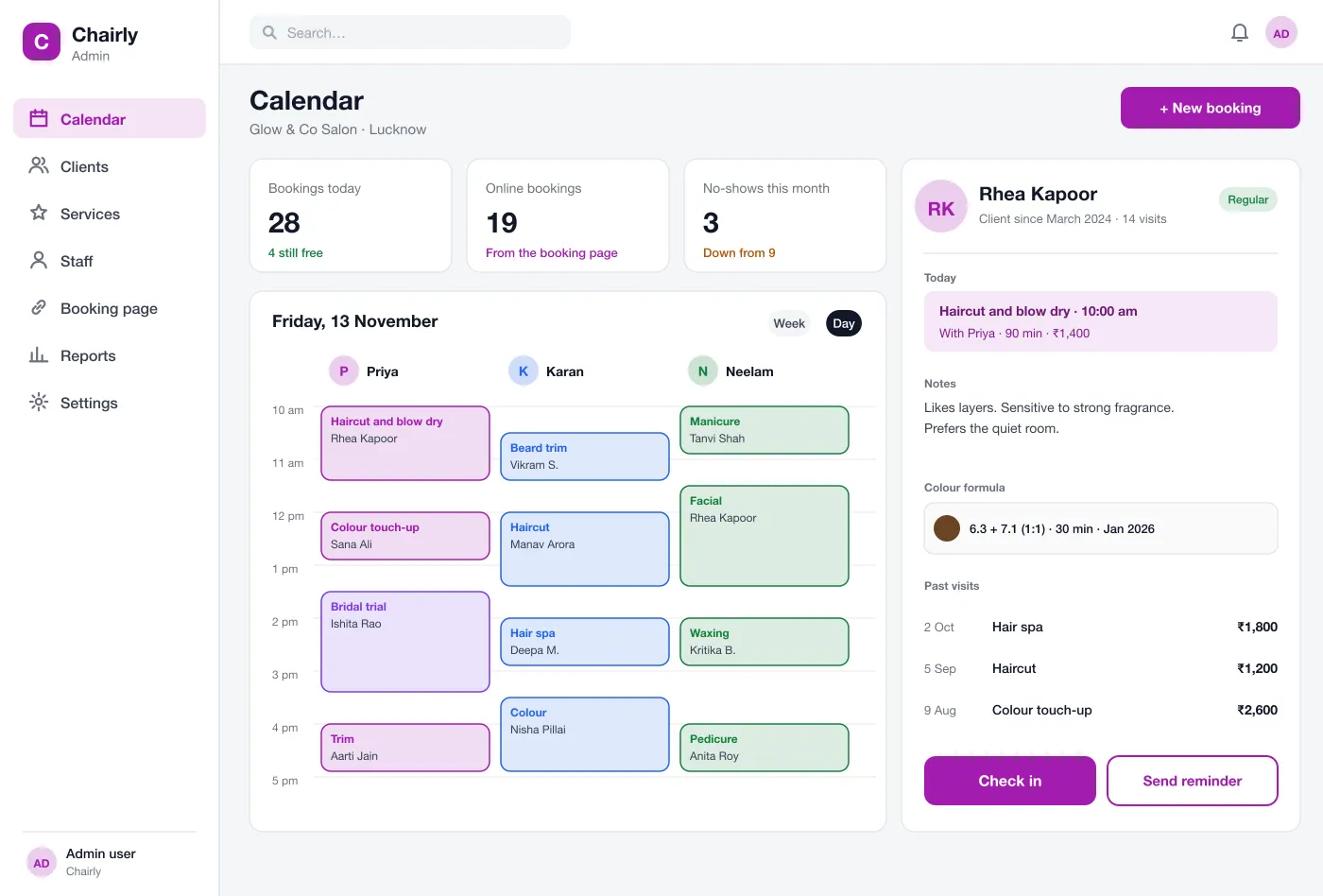
Salon calendar: one column per stylist, with the client record beside it
The system adds up service length and checks each stylist calendar.
Six parts that work together, from the first tap on the booking page to the platform team that looks after every salon.
Each salon gets its own page with its name, colours, services and prices. The client picks services, a stylist and a time. It works on a phone without an app.
Only real open times are shown. The system adds up the length of the chosen services and checks the stylist's calendar, so a client cannot book a time that will not fit.
The front desk sees a column for each stylist. They can add a walk-in, move a booking or block time off. Online bookings show up at once.
Each client has a page with their visits, notes and colour formulas. The stylist reads it before the visit and adds to it after.
Clients get a message a day before and a few hours before. They can change or cancel from the message, which frees the slot for someone else.
The company that runs Chairly sees every salon, its plan, staff and bookings. They can add a new salon, help with set-up and answer support chats. They open a salon's data only when it asks for help.
A client opens the salon's page, picks what they want, picks who and when, and gets a confirmation they can change later.
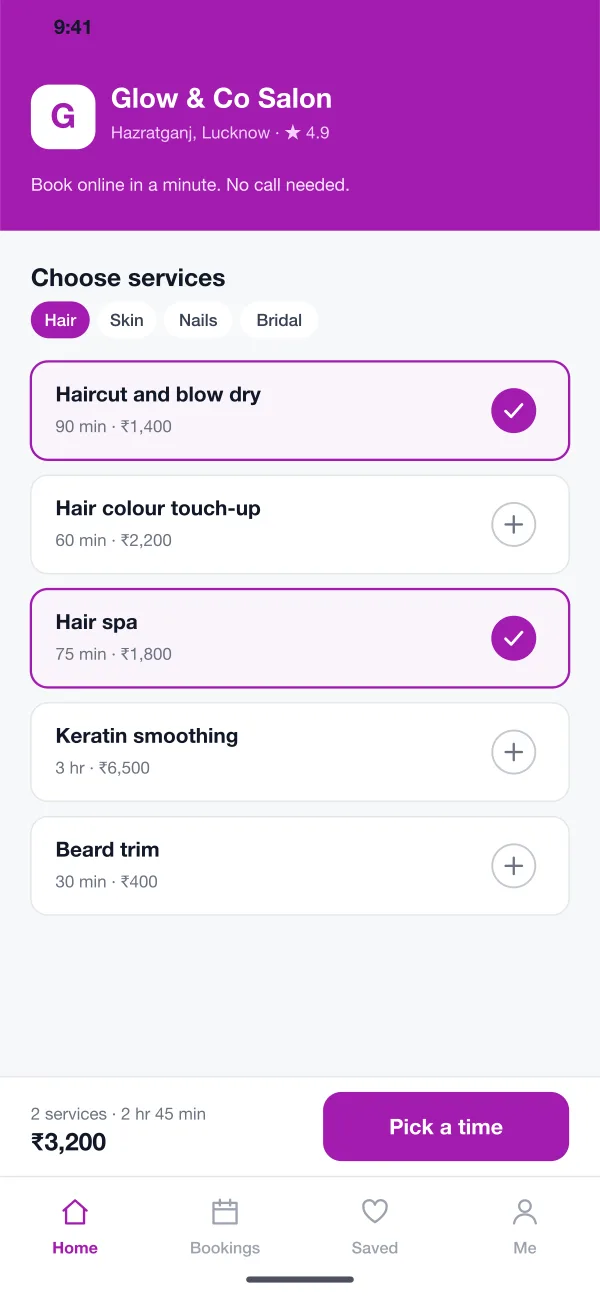
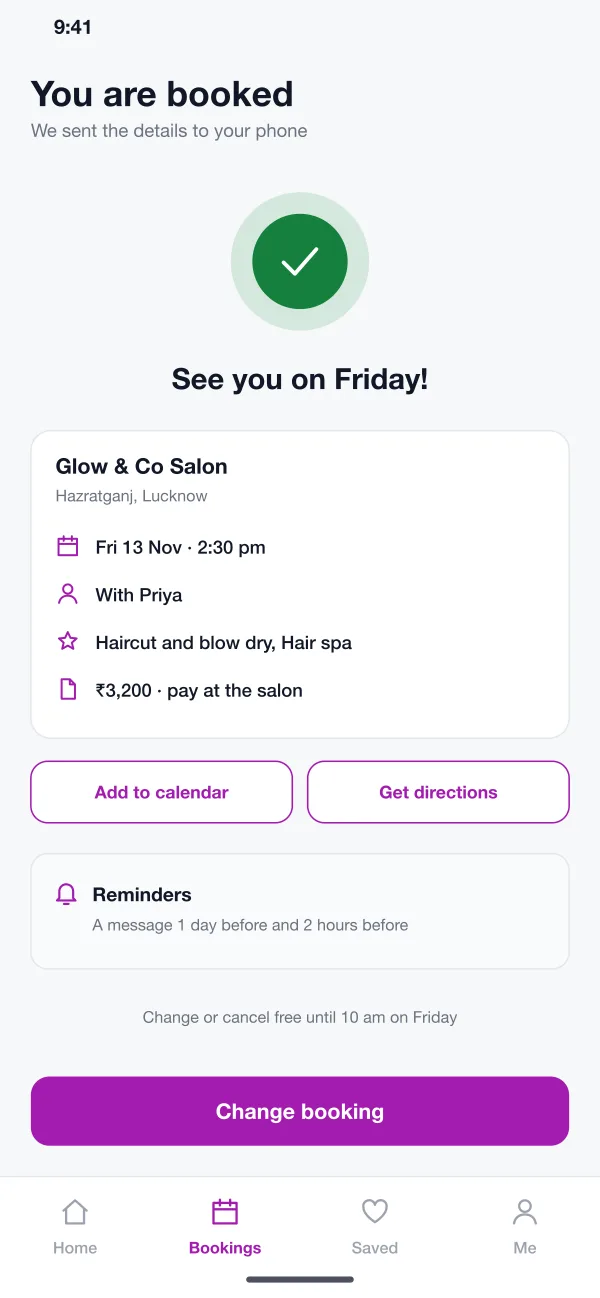
Book a visit, get a reminder and change it from the message.
Check clients in, add walk-ins and move bookings when needed.
Read client notes and colour formulas before each visit.
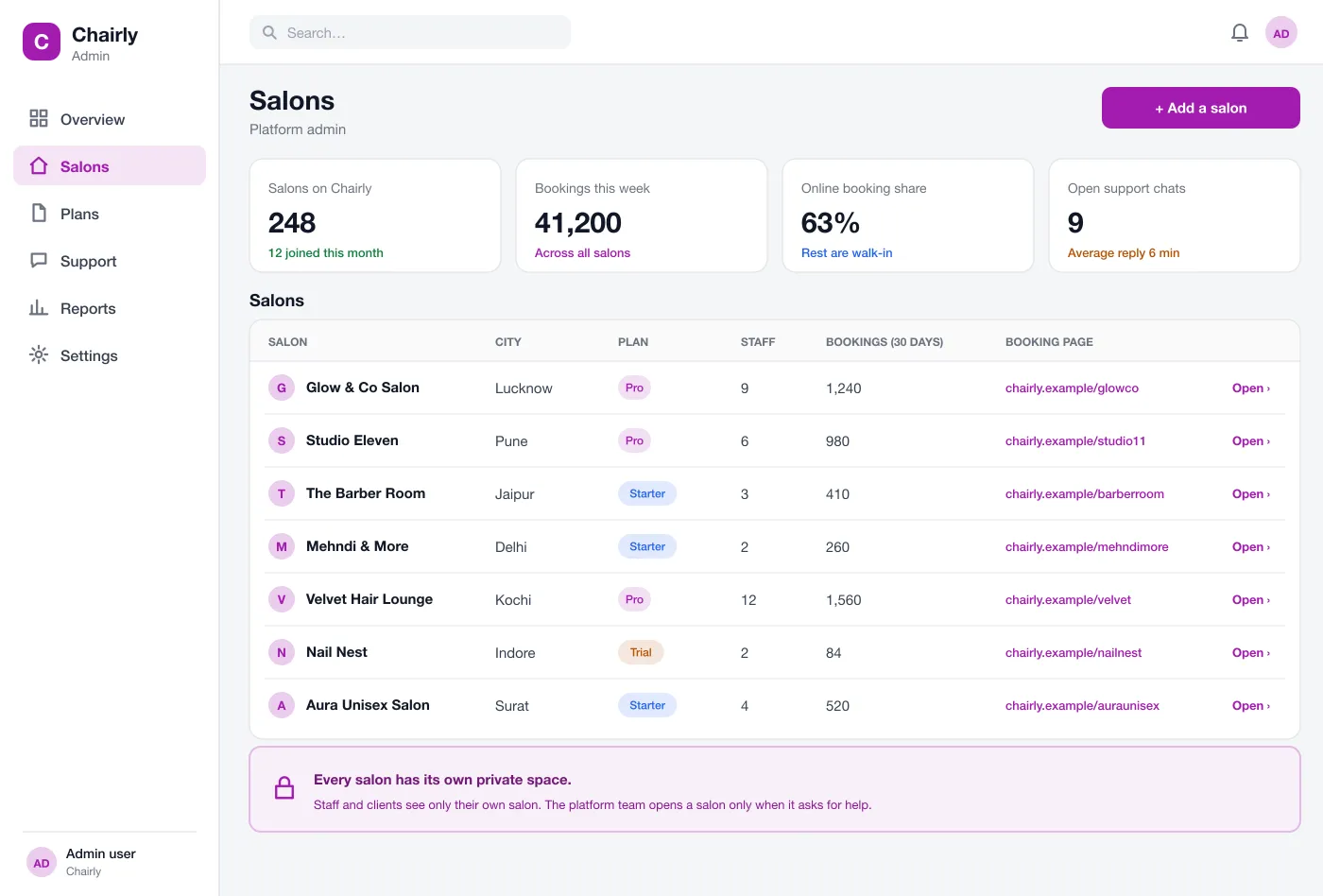
The platform team adds a salon, sets its plan and booking page, and sees bookings across all salons from one place.
A client opens the salon's page, picks a haircut and a spa, picks Priya and a time, and gets a confirmation.
The front desk sees the day by stylist, checks clients in, adds walk-ins and moves bookings when a stylist is late.
The stylist opens the client page, reads the notes and the last colour formula, and starts the visit well prepared.
The platform team creates a new salon, sets its plan and booking page, and the owner is ready to take bookings the same day.
It is software that lets clients book a salon service online, and lets the salon see all bookings by stylist on a calendar. It also keeps client notes and sends reminders.
Start with the booking page, staff calendars, services with prices and times, and reminders. Client notes, deposits, packages and reports can follow once salons are using the basics every day.
Each salon that joins gets its own private space and its own booking page, with its name, services and prices. Staff and clients of one salon never see another salon's data.
Yes. We can build it for one salon group or as a product you sell to many salons, with plans, onboarding, booking pages and reminders. We can also add payments and a client app.
Clients get a reminder a day before and a few hours before. They can change or cancel from the message, so the salon can fill the slot.
Walk through the booking page, the staff calendar and client records.