Chain overview
The first screen shows active members, monthly income, the share of members leaving and class seats filled, with a table that compares every club.
Owners see members, income, members at risk and class fill for every club on one screen. Each number has a goal, and managers see the same goals.
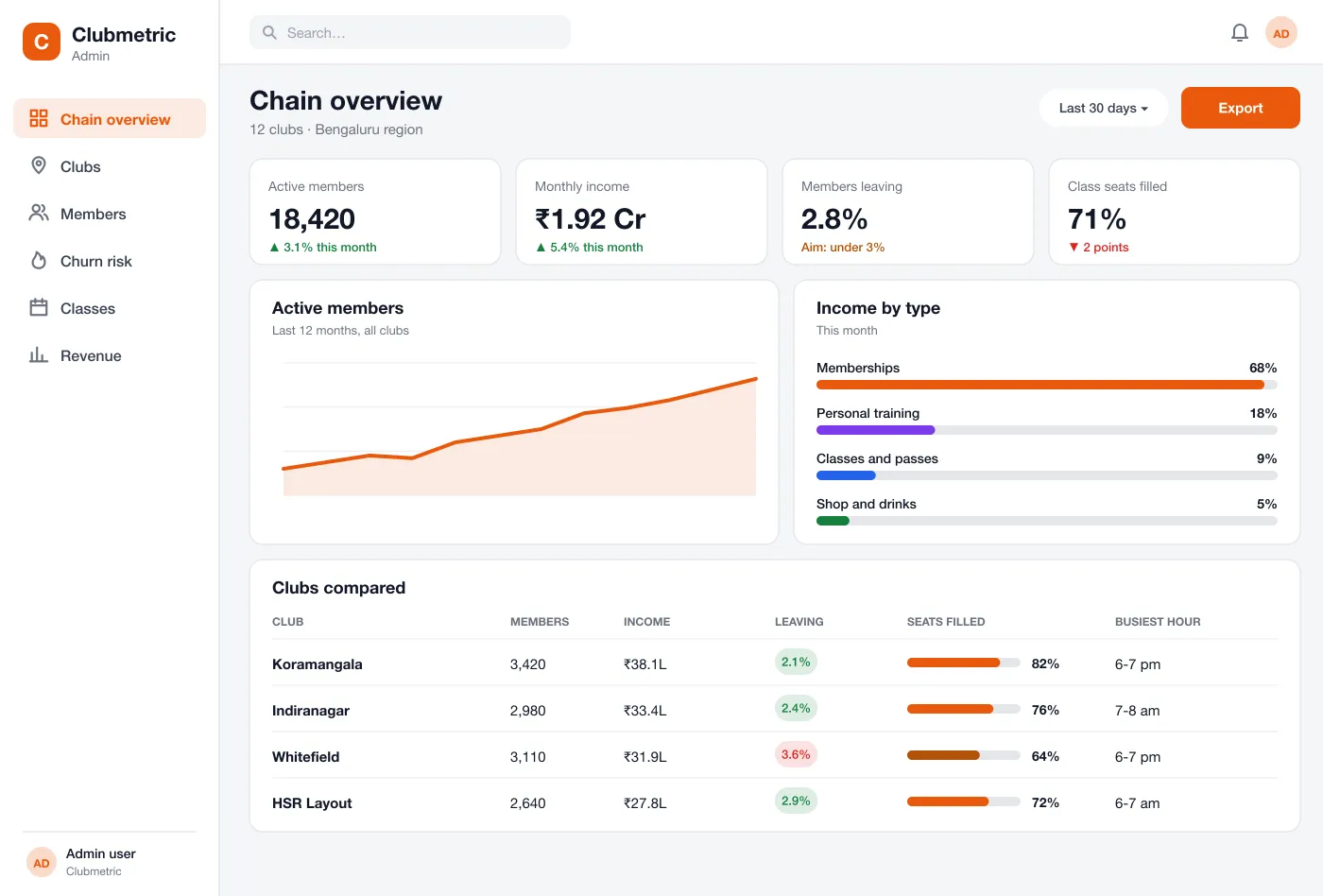
Each screen reads the numbers the gym already has, and puts the goal next to every figure.
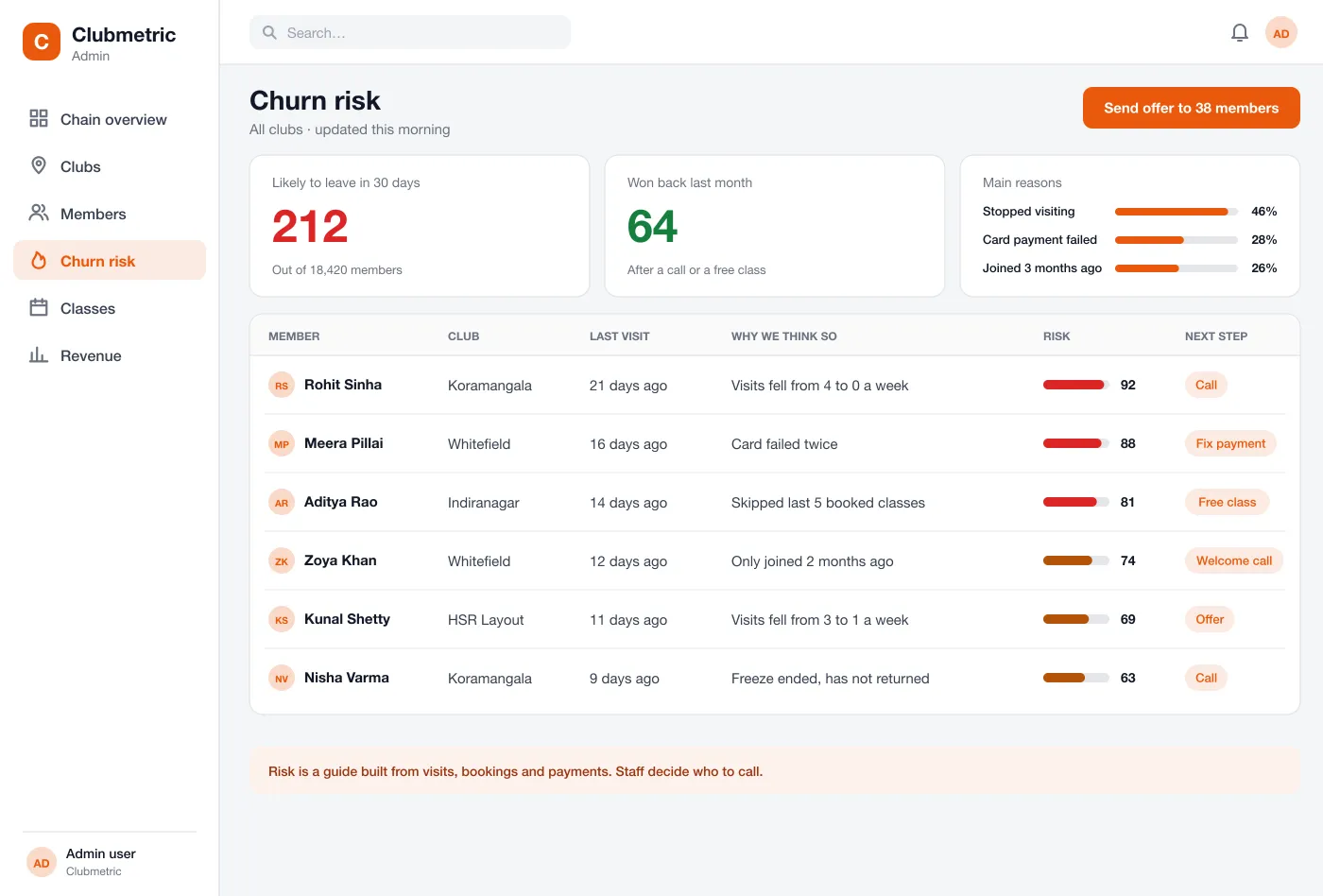
A list shows members whose visits have dropped or whose card failed. Each one has a short reason, a risk number and a suggested next step such as a call or a free class.
Members likely to leave: who they are, why we think so and what to do
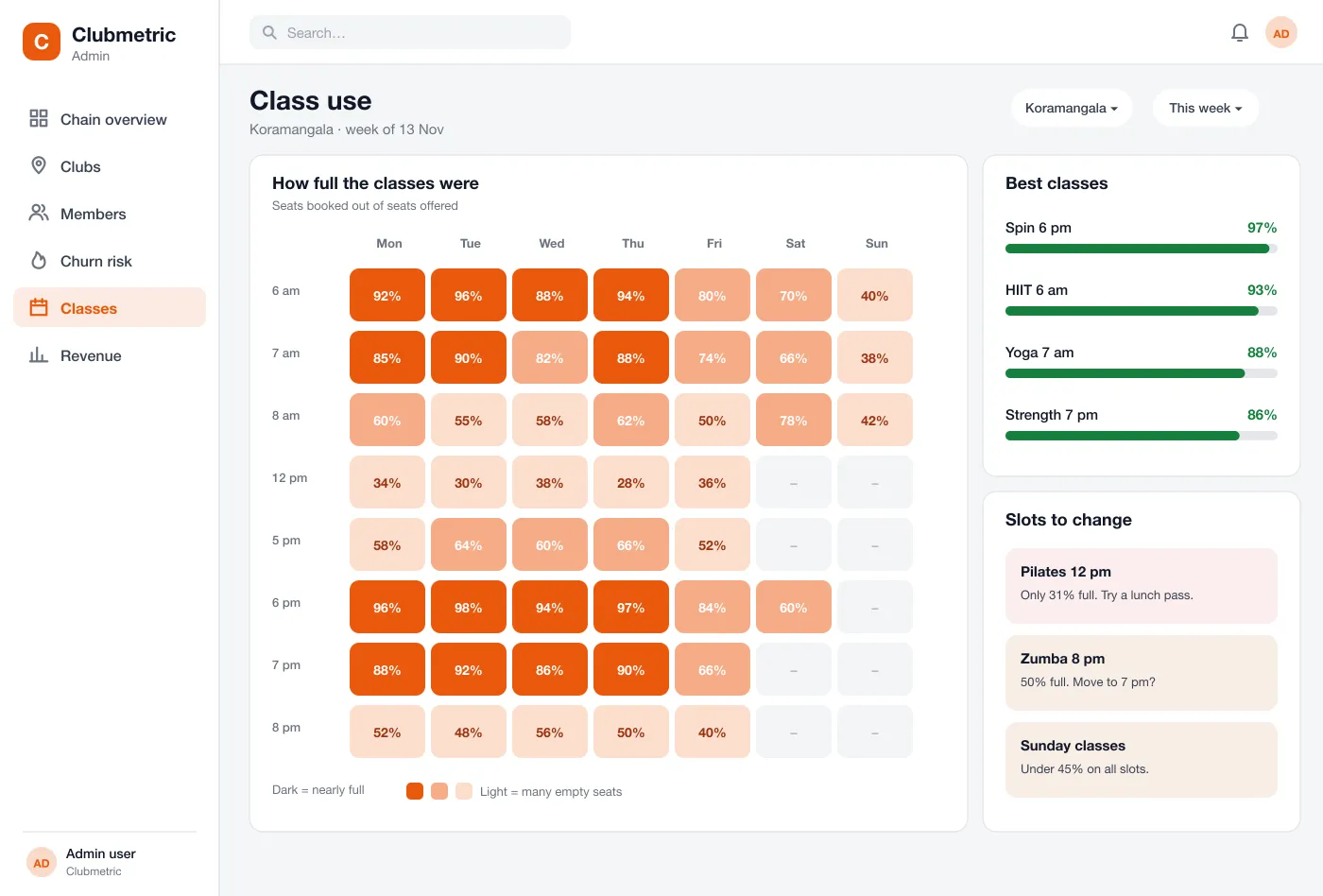
A grid of days and hours shows how full each class was. Dark squares are nearly full and light squares have many empty seats.
Class fill rates by day and hour, so empty slots and full ones are easy to see
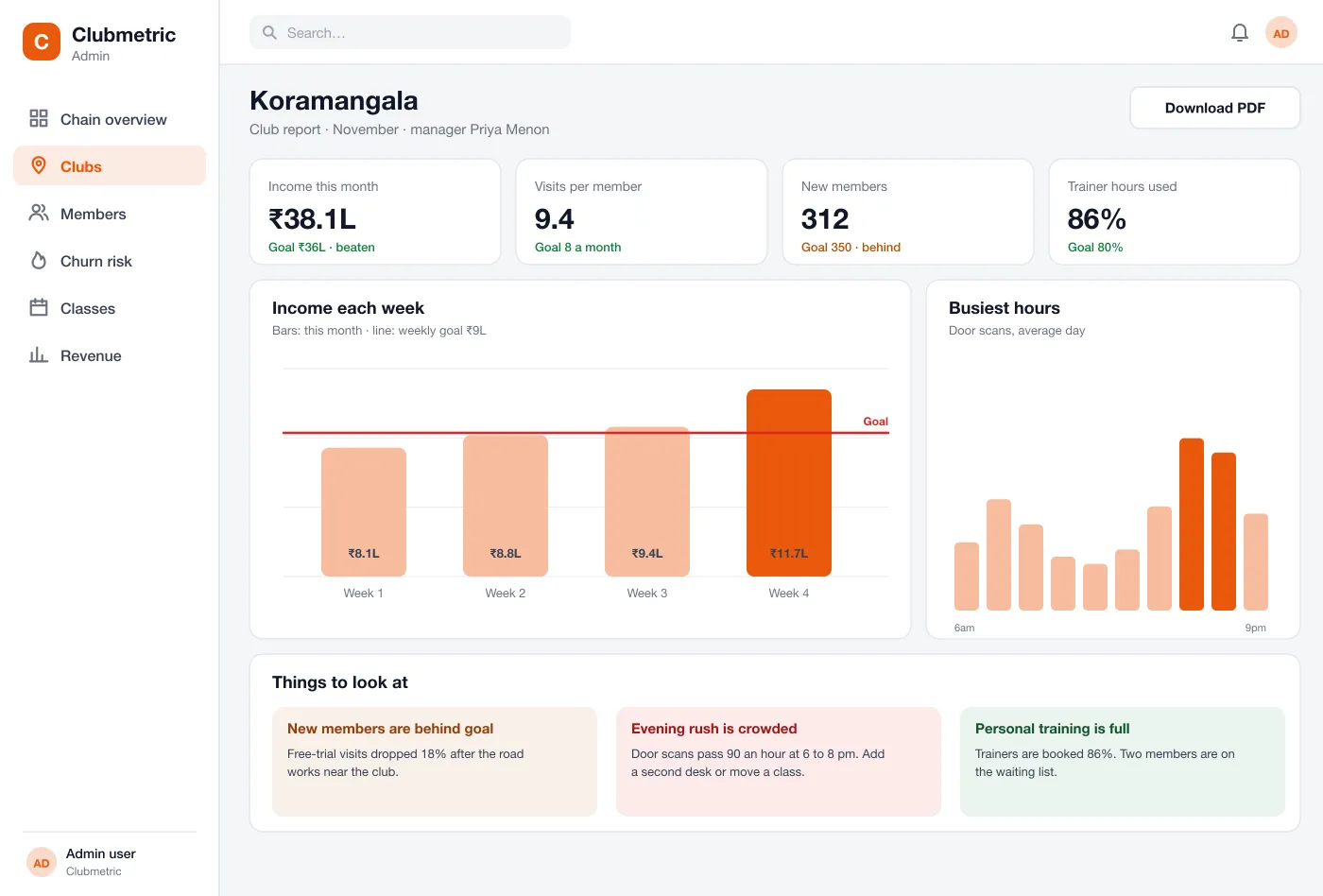
Each club has its own page with income by week, busiest hours and a few plain notes on what to look at, such as a crowded evening rush.
One club in detail: income, visits and staff numbers against its goals
The chain view, the money view and the goals behind every number.
The first screen shows active members, monthly income, the share of members leaving and class seats filled, with a table that compares every club.
Income is split by memberships, personal training, classes and shop sales, so the owner can see where the money comes from.
Owners set a goal for each number and for each club. The dashboard shows when a club is ahead or behind, and managers see the same goals.
Owners see the chain. Managers see their own club and its goals.
| Role | What they do | Sees |
|---|---|---|
| Owners | Check the whole chain each morning and see which club is behind. | Every club |
| Club managers | Open the timetable grid, move a half-empty class and follow up on members at risk. | Their own club |
| Front desk | Call the top few members on the leave list and record what was said. | The leave list |
Follow an owner from the morning check to a manager's action on one club.
The owner opens the overview, sees which club is behind on members or income and opens that club.
The front desk opens the list of members who may leave, calls the top few and records what was said.
The manager looks at the class grid, moves a half-empty class to a busier hour and drops a slot nobody books.
The owner downloads one report per club and goes through the numbers and goals with each manager.
About gym dashboards, data sources and access.
It is one screen that shows the main numbers of a gym business, such as active members, income, how many members leave and how full the classes are. Owners use it to compare clubs and spot problems early.
It can read members, visits and class bookings from your gym software, payments from your billing system or gateway, and door access logs. Where there is no API, a daily file import works.
Yes. We can build it on top of your membership, booking and door-scan data, whatever software you use now, and add the club, trainer and class views you need.
It looks at visits, class bookings and payment problems. A member who stops coming or whose card keeps failing gets a higher risk number. It is only a guide, and staff decide who to call.
Yes. Owners see the whole chain. Managers see their own club and the goals set for it.
Click through the chain overview, the leave list, the class grid and a club report.