Explore
One shift, four points of view
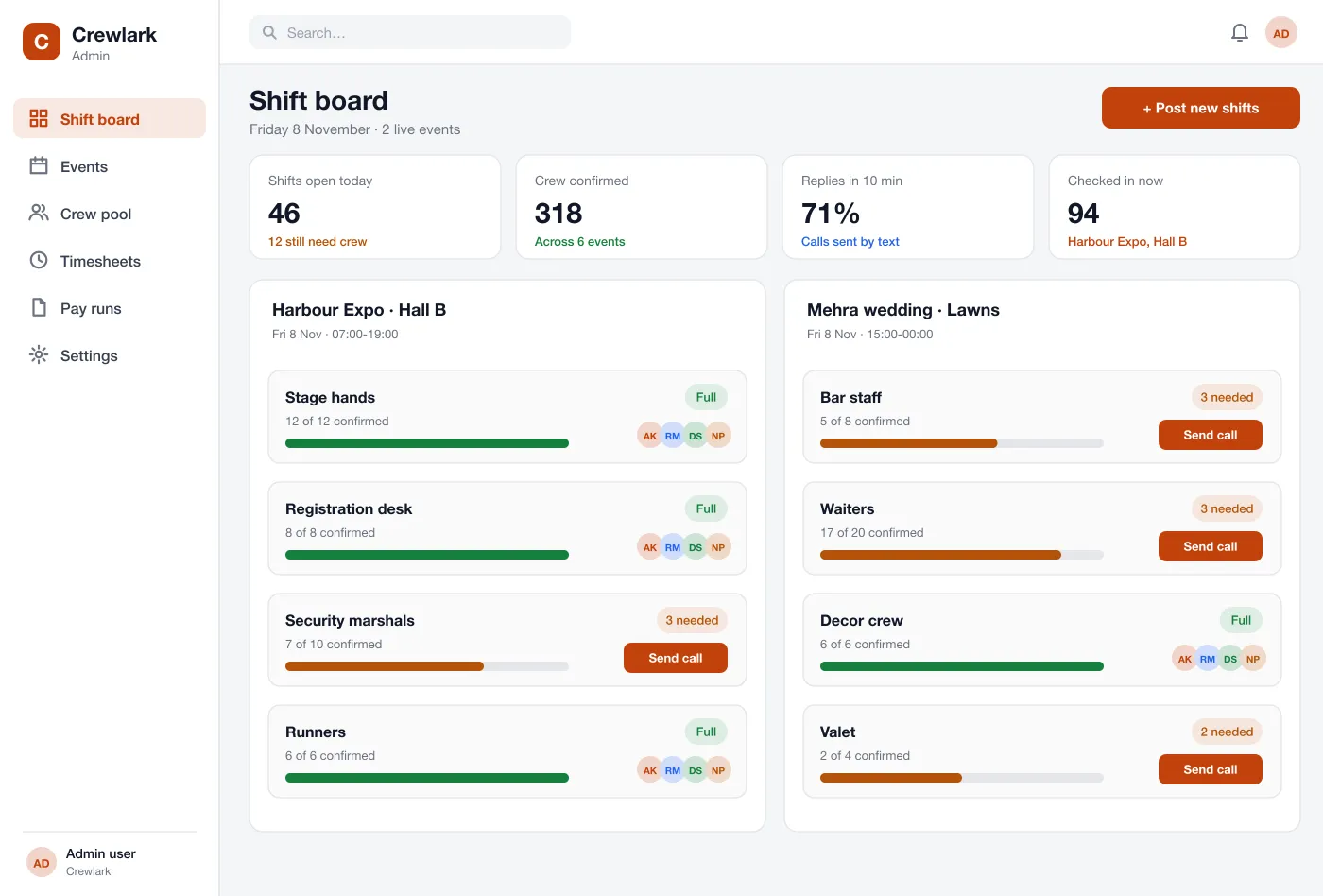
Fill the board before the doors open
Each event shows its roles with a bar for how many crew have said yes. Short roles get a Send call button, and the board fills as replies come in.
Shift board: every role for tonight and tomorrow, with how many crew have said yes
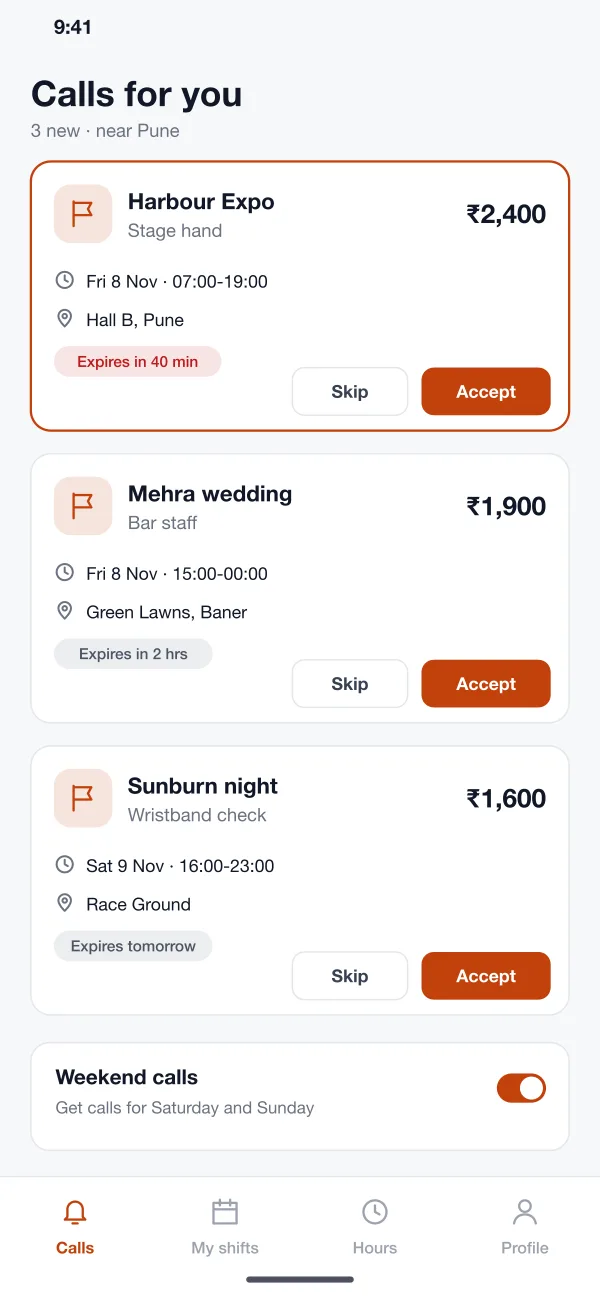
Pay, place and hours, then one tap
A call shows what the shift pays, where it is and when it starts. Accept puts it in the calendar. Skip moves it to the next name.
Crew app: new shift calls with pay and place, accept in one tap
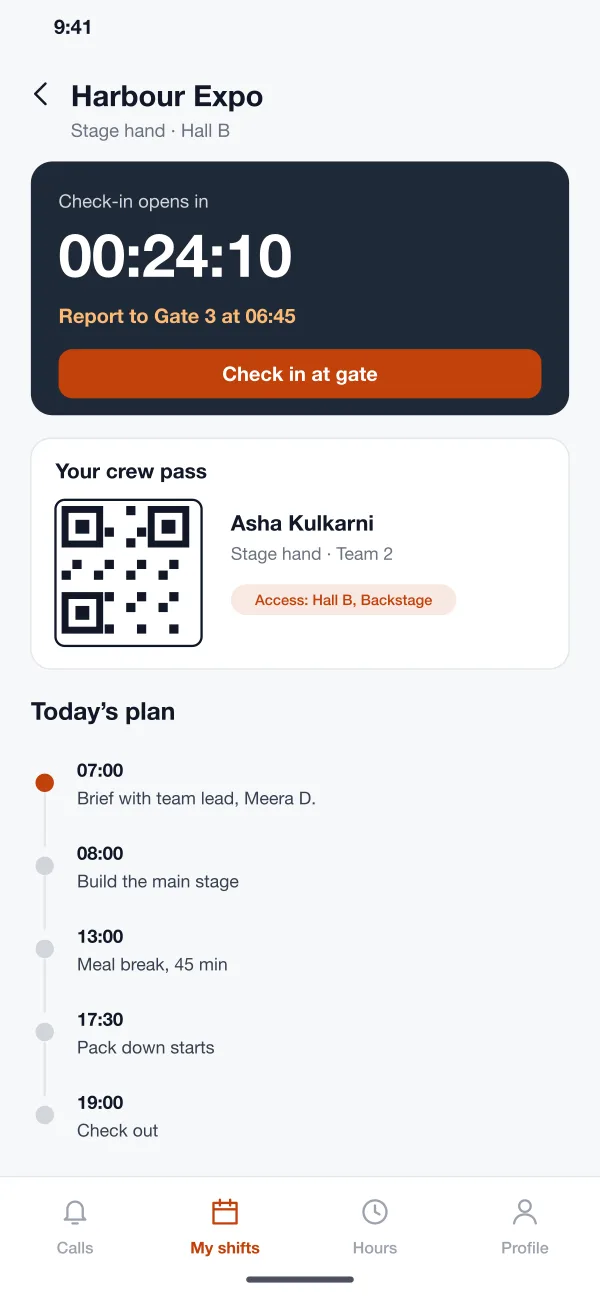
Check in where the work is
Check-in only works near the venue gate. The crew pass carries a code, so the gate team lets the right people in.
Shift day: see the call time, check in at the gate and show your crew pass
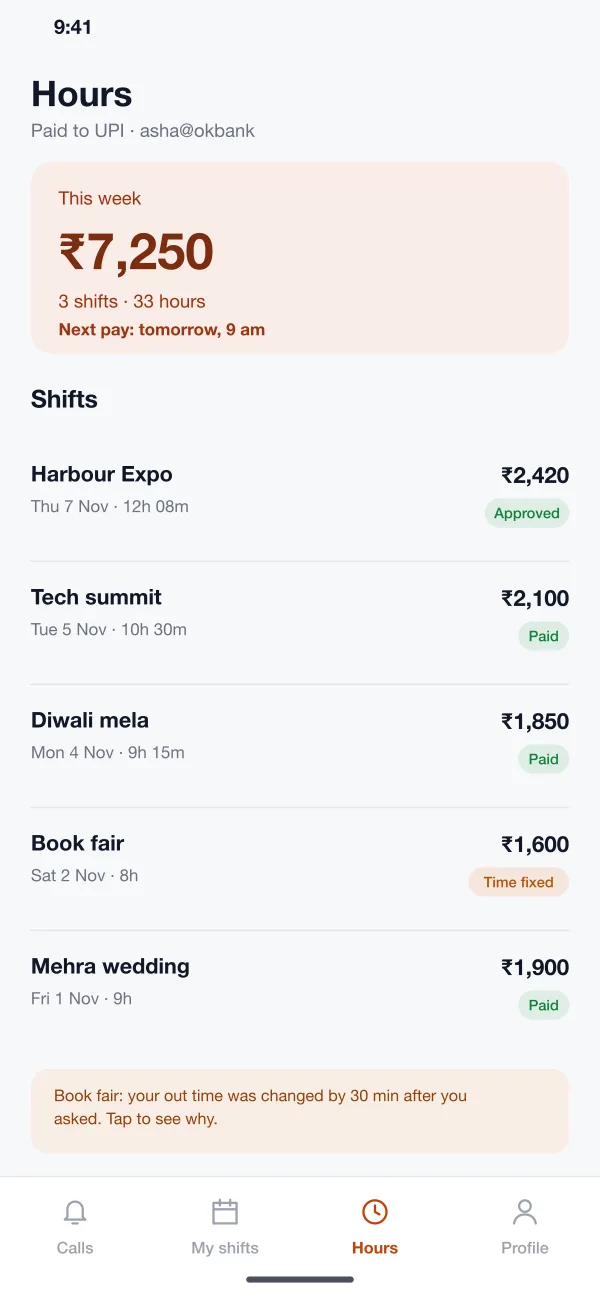
Approve the hours, pay in one go
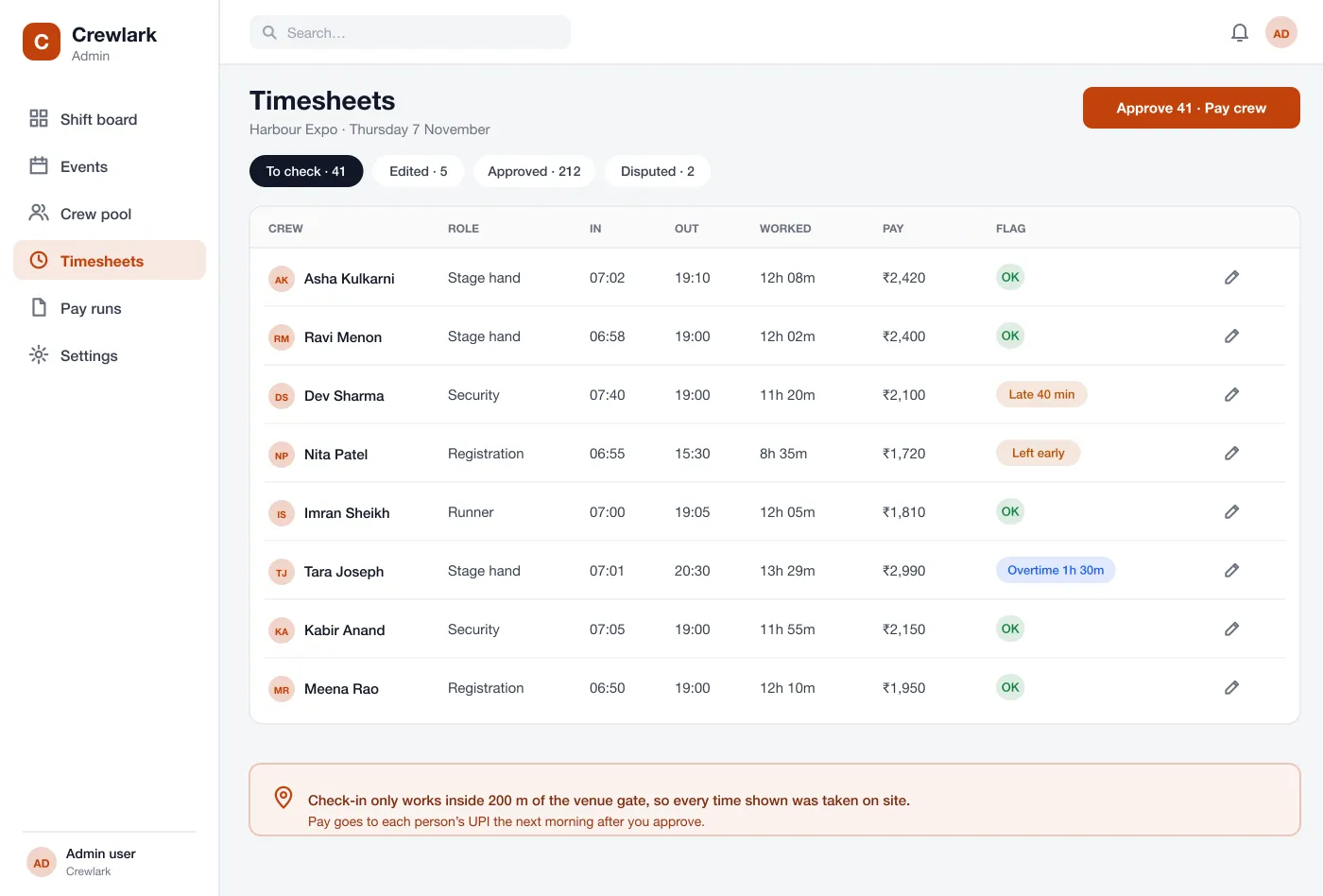
Timesheets come from check-in and check-out. Flagged times are fixed first, then everyone is paid by UPI the next morning.
Timesheets: check-in times from the app, fix a late finish, then approve and pay
Why it works
Built for the night before the event
Calls to the right people
Crew accept or skip in one tap, and unanswered calls move to the next names.
Gate check-in with a pass
Crew check in near the venue gate and show a code pass to get in.
Timesheets with flags
Late starts, early exits and overtime are marked for the office to review.
Features
Everything between the call and the pay
Shift board
Each event shows its roles as cards with a bar for how many are confirmed. Short roles show a Send call button. Full roles show the faces of the crew who are coming.
Calls to crew
The app sends a call with the pay, the place and the hours. Crew can accept or skip in one tap. A call that has not been answered in time goes to the next people on the list.
Crew pool
The office keeps a list of people with their roles, rates and past shifts. A good record moves someone to the top of the list for the next call.
Venue check-in
Crew check in from the app, and it only works close to the venue gate. A crew pass with a code lets the gate team let the right people in.
Timesheets
The console lists each person with the time they checked in and out. Late starts, early exits and overtime are marked so the office can look at them and fix them.
Pay runs
After approval, the app pays each person by UPI the next morning. Crew see each shift, its hours and its pay in their own app.
How it works
A shift, start to finish
Post and fill
The office posts shifts for an event. Calls go out, and the board fills up as replies come in.
Accept a call
A crew member sees the pay and place, taps Accept and gets the shift in their calendar.
Work the day
The crew member checks in at the gate, shows the pass, follows the plan for the day and checks out.
Approve and pay
The office checks the flagged times, approves the rest and pays everyone in one go.
Who it is for
Event companies
Post shifts, track the board and pay crew from one console.
Crew members
See the pay, the place and the hours, then accept in one tap.
Gate teams
Check a crew pass by its code before letting people in.
FAQ
Questions from event teams
What is an event crew staffing app?
It helps event companies find and manage part-time crew such as stage hands, bar staff and security. The company posts shifts, crew say yes or no on their phones, and the app records who worked and for how long.
Which features should a crew staffing app start with?
Start with the shift board, calls to crew, venue check-in, timesheets and pay runs. Crew ratings, multi-company pools, uniform and kit lists and client invoices can follow once events are running through the app.
Can you build a crew staffing app like this for my business?
Yes. We can build the web console for your office and the app for your crew on Android and iOS, and connect it to your SMS provider and your UPI or bank payouts.
How does the app know crew really worked their hours?
Crew check in and out from the app, and it only works near the venue gate. The office sees those times and can fix any that look wrong before approving.
Can crew work for more than one company?
Yes, if you want that. Each company keeps its own crew pool and rates, and a person can be in more than one pool with a single login.
Fill a shift from call to pay
Open the event console and the crew app screens.