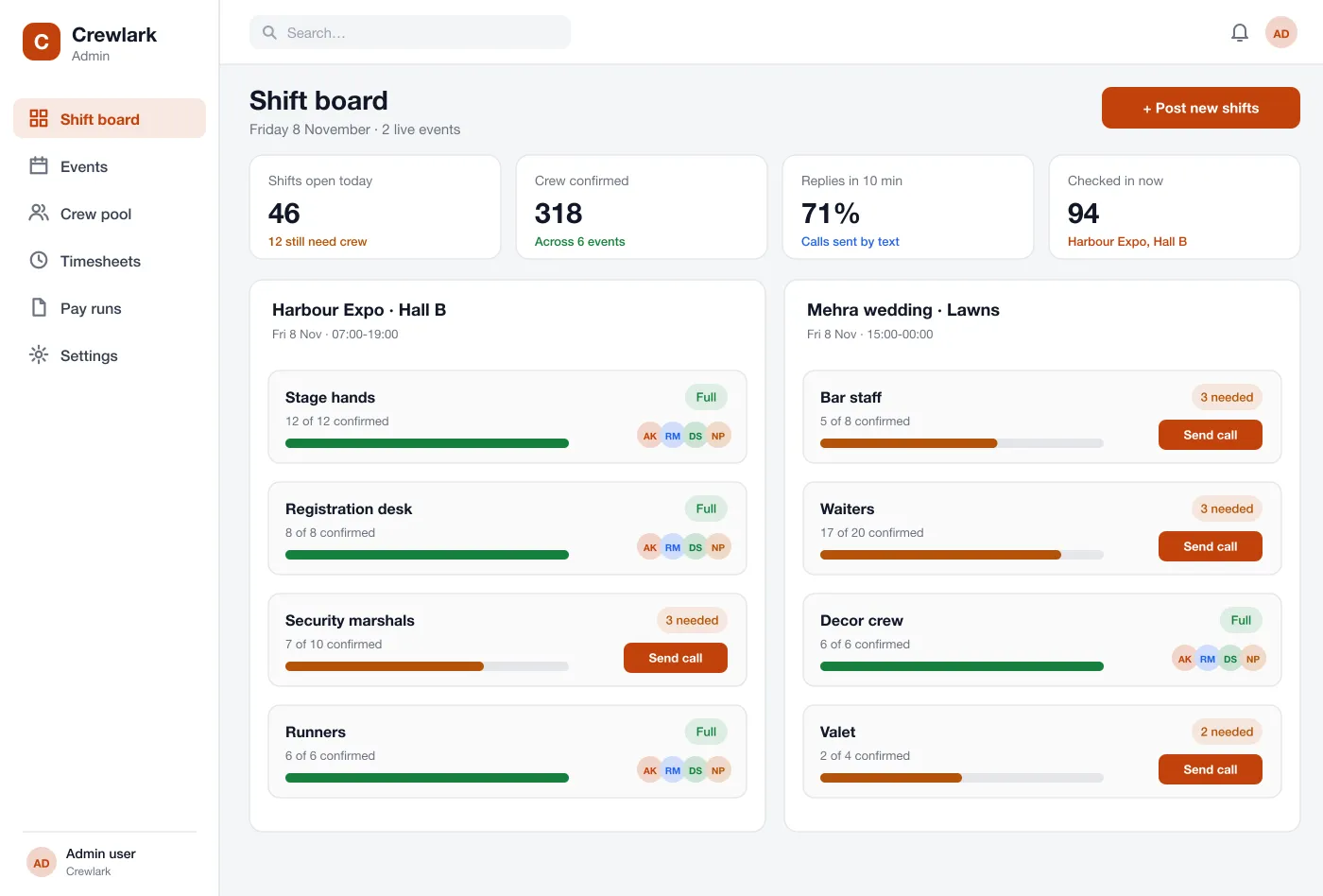
Shift board
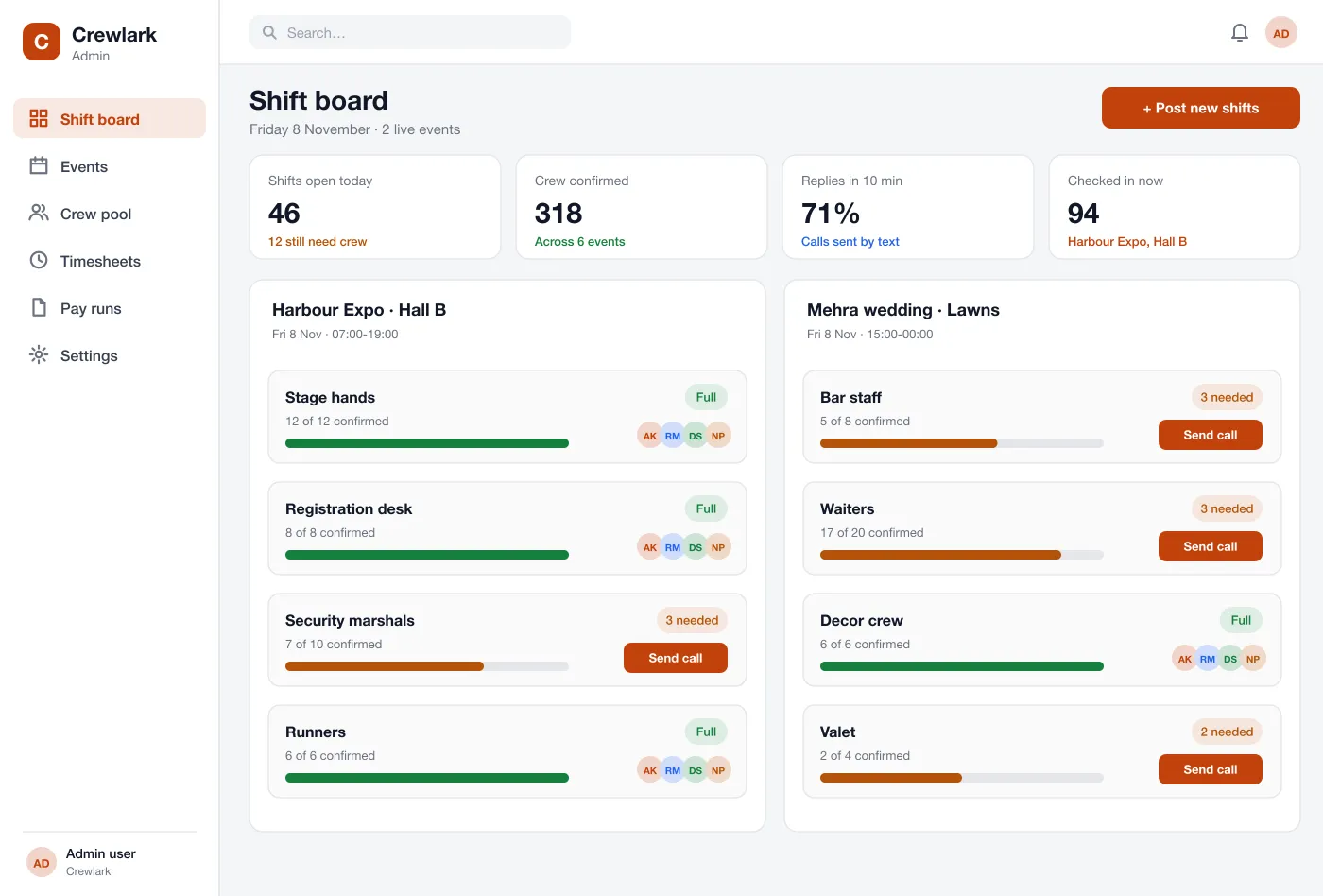
Each event shows its roles as cards with a bar for how many are confirmed. Short roles show a Send call button. Full roles show the faces of the crew who are coming.
Crewlark is an event staffing app designed and built by our team. Event companies post shifts, crew accept the calls on their phones, check in at the venue and get paid from approved timesheets.
Crewlark was designed and built by the PRS CloudTech team.
The brief
Weddings, concerts and trade shows all need extra hands for a day or two. Event companies keep long lists of people they can call: stage hands, waiters, bar staff, security, runners.
Most of that work happens on phone calls and WhatsApp groups. Nobody is sure who has said yes. People turn up late or not at all. After the event, someone has to work out hours from paper sign-in sheets and pay each person by hand.
See who is coming
For every role at every event, the office should see how many people have said yes and how many are still missing.
Fill gaps fast
When a role is short, calls should go to the right people at once, and the first replies should win the shift.
Trust the hours
Start and finish times should come from the venue, not from memory or a paper sheet.
Pay without delay
Crew work for the day and expect their money the next day. The office needs one place to approve and pay.
What we designed
We designed Crewlark as a web console for the event company and a phone app for the crew. Both use the same shift records.
Each event shows its roles as cards with a bar for how many are confirmed. Short roles show a Send call button. Full roles show the faces of the crew who are coming.
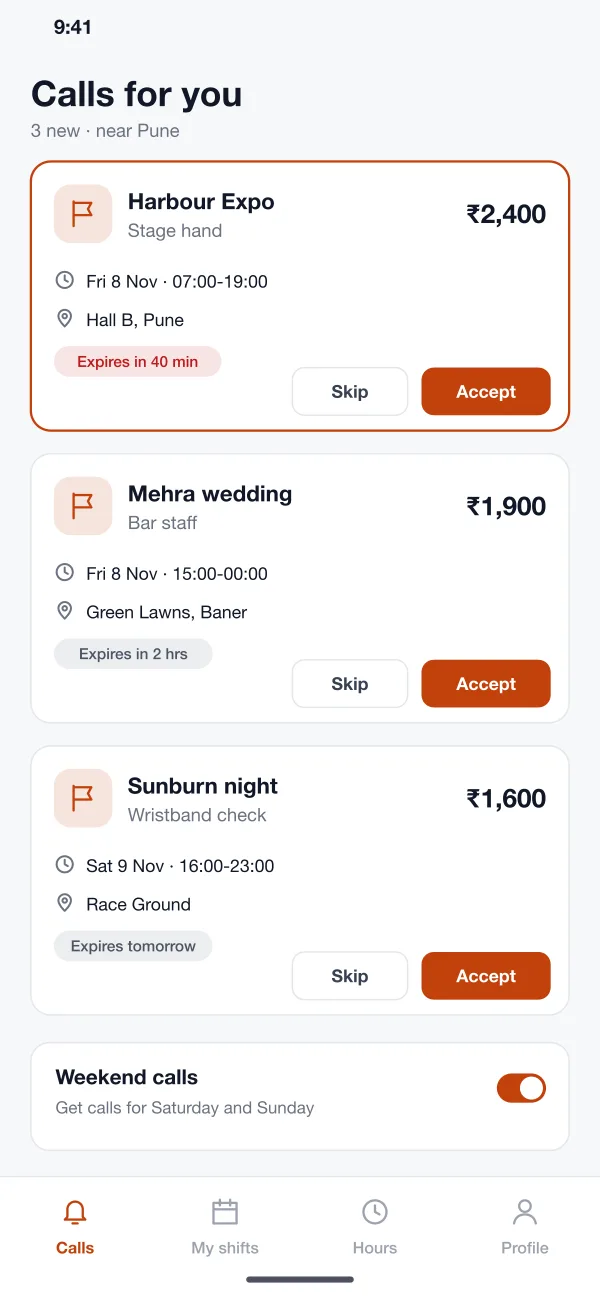
The app sends a call with the pay, the place and the hours. Crew can accept or skip in one tap. A call that has not been answered in time goes to the next people on the list.
The office keeps a list of people with their roles, rates and past shifts. A good record moves someone to the top of the list for the next call.
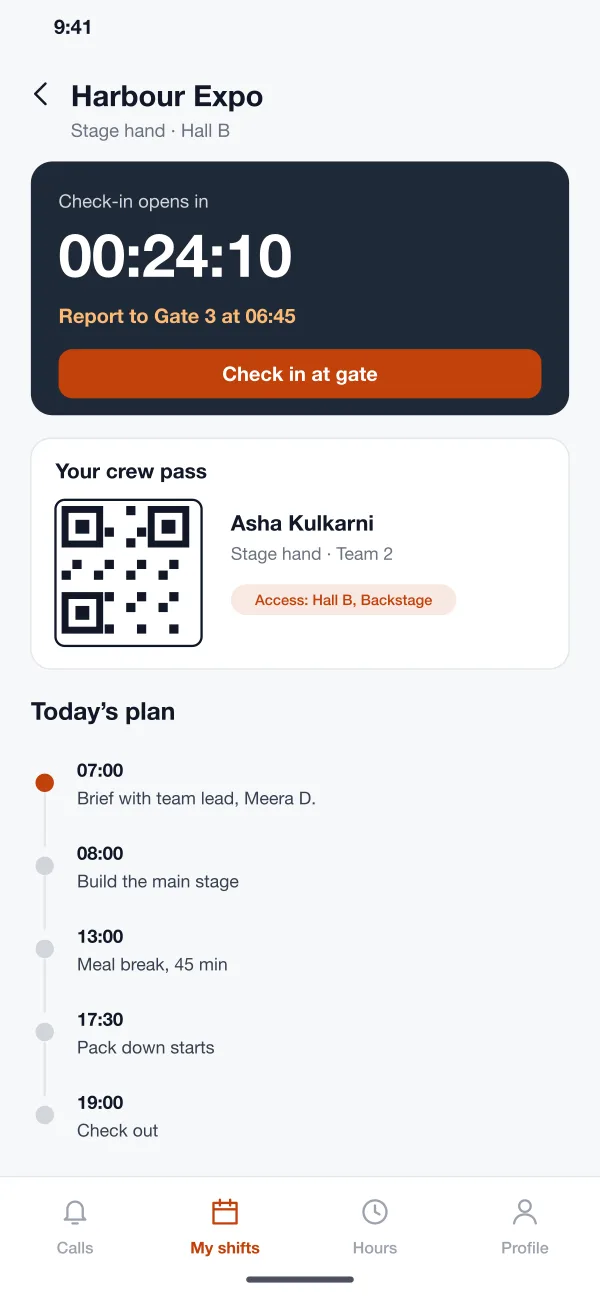
Crew check in from the app, and it only works close to the venue gate. A crew pass with a code lets the gate team let the right people in.
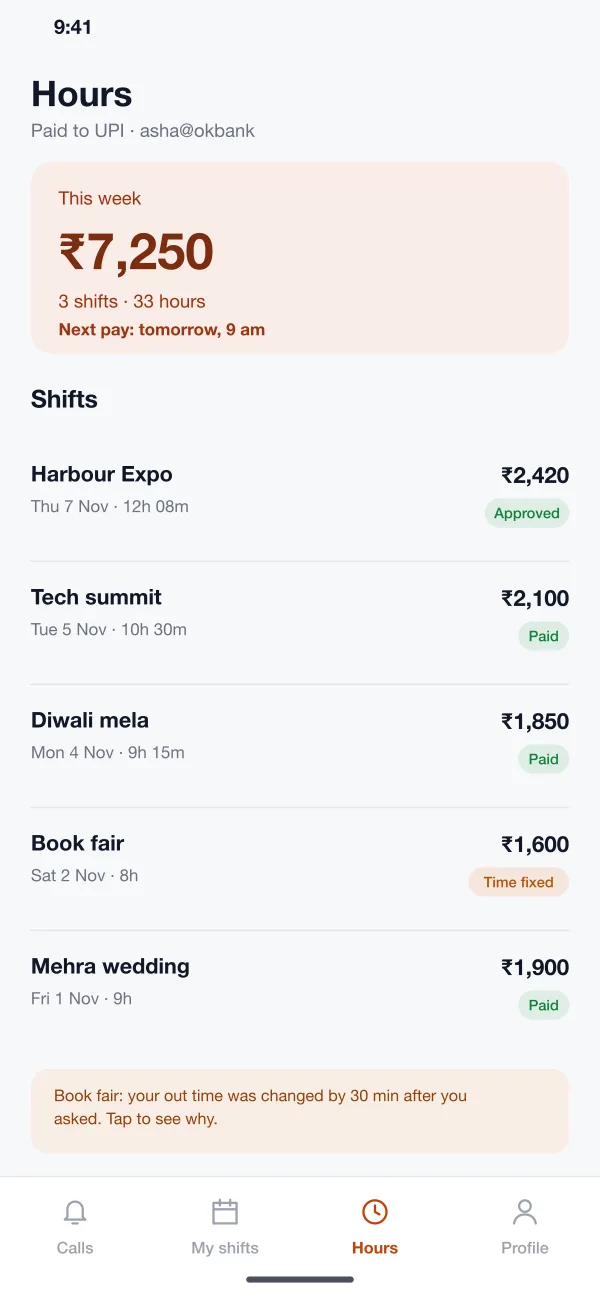
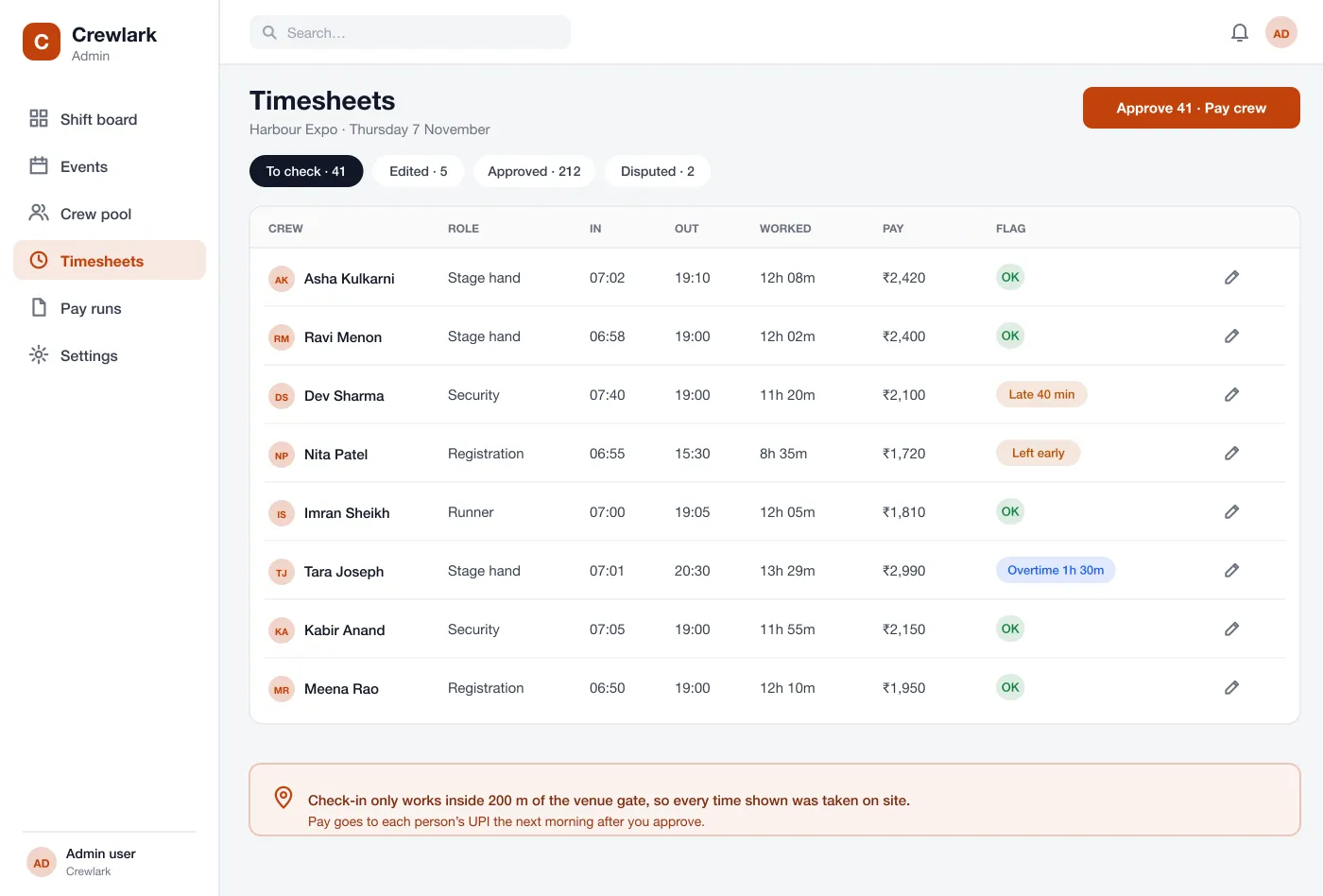
The console lists each person with the time they checked in and out. Late starts, early exits and overtime are marked so the office can look at them and fix them.
After approval, the app pays each person by UPI the next morning. Crew see each shift, its hours and its pay in their own app.
Screens
The mobile app
How it works
Here is how the main tasks work in Crewlark, from posting a shift to money in the crew member’s account.
Post and fill
The office posts shifts for an event. Calls go out, and the board fills up as replies come in.
Accept a call
A crew member sees the pay and place, taps Accept and gets the shift in their calendar.
Work the day
The crew member checks in at the gate, shows the pass, follows the plan for the day and checks out.
Approve and pay
The office checks the flagged times, approves the rest and pays everyone in one go.
Suggested technology
What we would deliver
FAQ
It helps event companies find and manage part-time crew such as stage hands, bar staff and security. The company posts shifts, crew say yes or no on their phones, and the app records who worked and for how long.
Start with the shift board, calls to crew, venue check-in, timesheets and pay runs. Crew ratings, multi-company pools, uniform and kit lists and client invoices can follow once events are running through the app.
Yes. We can build the web console for your office and the app for your crew on Android and iOS, and connect it to your SMS provider and your UPI or bank payouts.
Crew check in and out from the app, and it only works near the venue gate. The office sees those times and can fix any that look wrong before approving.
Yes, if you want that. Each company keeps its own crew pool and rates, and a person can be in more than one pool with a single login.
Tell us who will use it and what it must do. We will reply with a plan, a timeline and a price.