Customer app
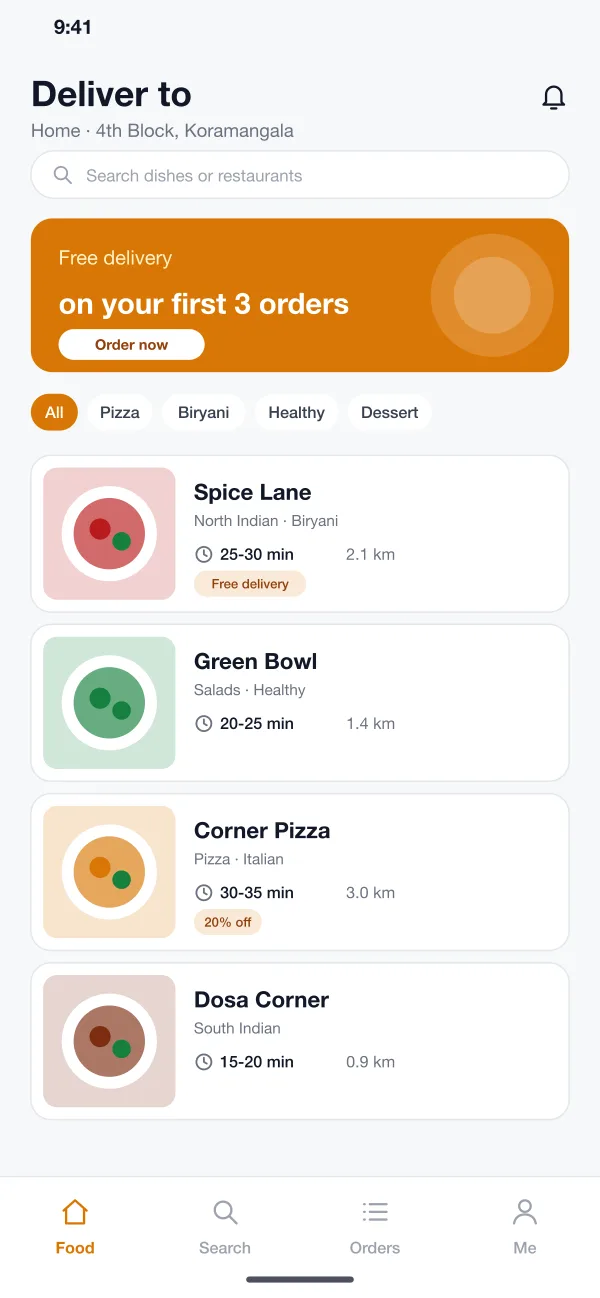
The customer sees restaurants near them with a delivery time and a distance on each card. Offers and cuisine filters sit at the top. A cart and payment follow.
Platewing is a food delivery platform designed and built by our team. Customers order and watch the rider on a map, restaurants accept and cook orders in their own app, riders get one delivery at a time, and the operations team sees everything on one live map.
Platewing was designed and built by the PRS CloudTech team.
The brief
A food delivery business has three groups of people who all depend on each other. The customer wants hot food on time. The restaurant wants clear orders. The rider wants short trips and clear steps.
When these three use one phone call or one chat group, things break. Orders are missed, riders wait outside kitchens, and customers call to ask where the food is. The team in the middle has no single place to see what is late.
Easy ordering
Customers need to find a restaurant, see a delivery time and order in a few taps.
A calm kitchen
Restaurants need new orders with a timer, a cooking time to choose and one button when the food is ready.
Clear trips
Riders need the next pickup and drop in order, with the route and what they earned today.
A view of everything
The operations team needs one map that shows riders, orders and anything running late.
What we designed
We designed Platewing as three apps and one web screen. All of them read the same order, so every step one person takes shows up for the other two at once.
The customer sees restaurants near them with a delivery time and a distance on each card. Offers and cuisine filters sit at the top. A cart and payment follow.
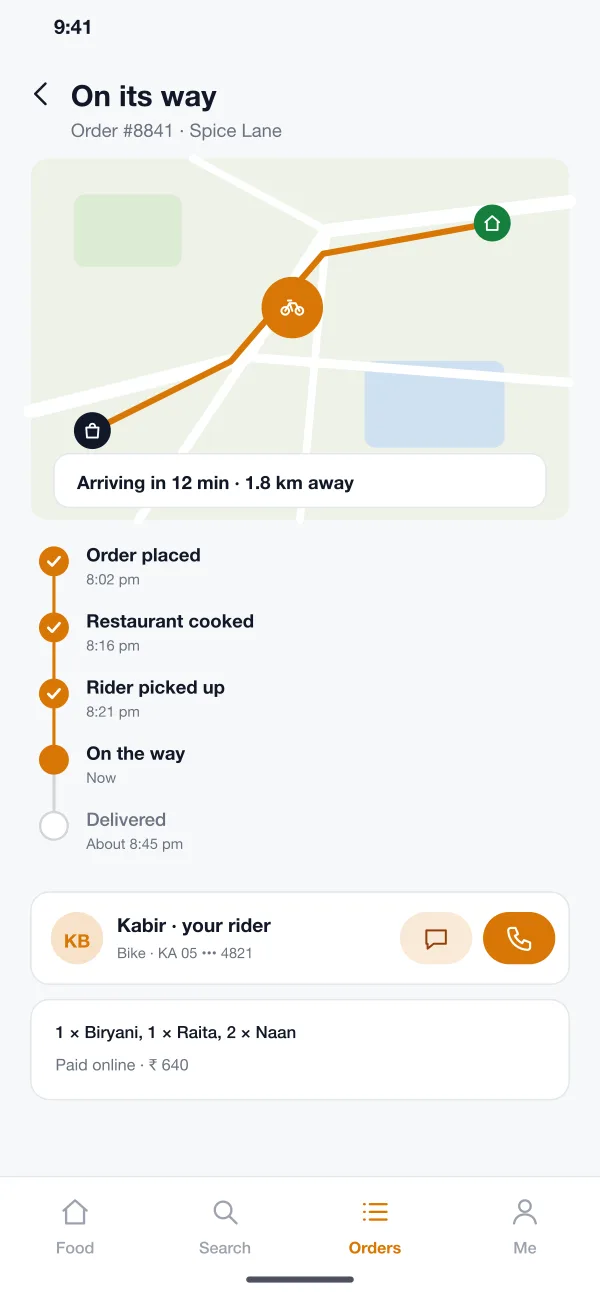
After the order, the customer sees each step: placed, cooked, picked up, on the way and delivered. The rider shows on a map with the time left, and the customer can call or message them.
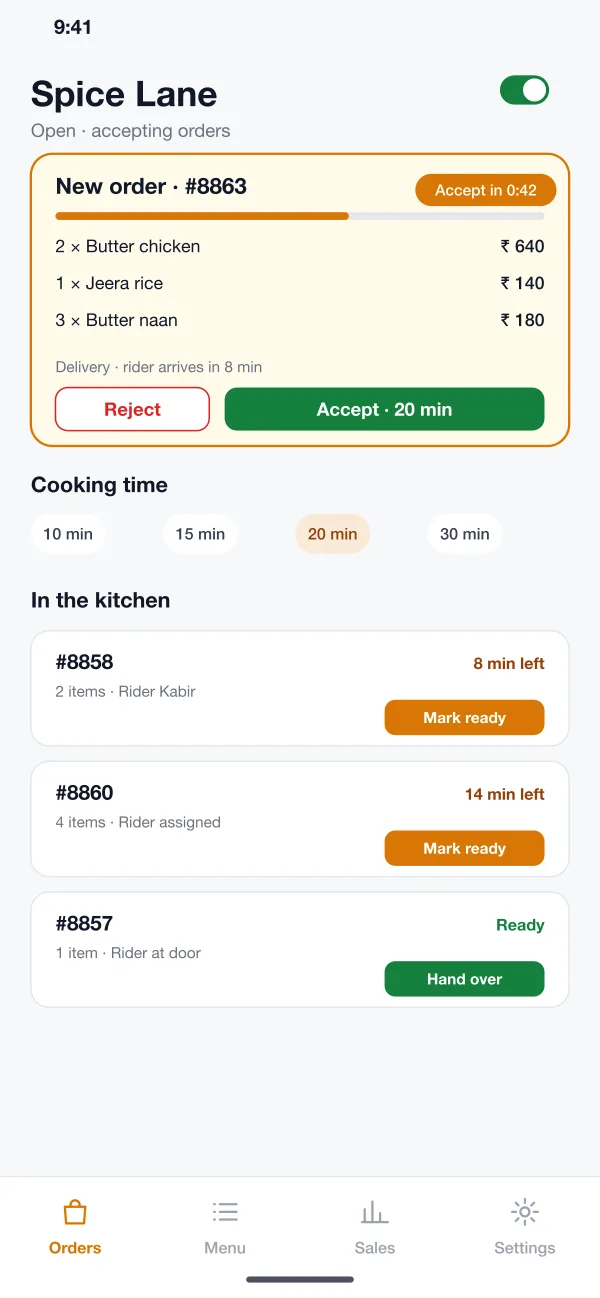
A new order appears with a timer. The kitchen picks a cooking time and accepts or rejects it. Orders in the kitchen show the time left and a mark-ready button.
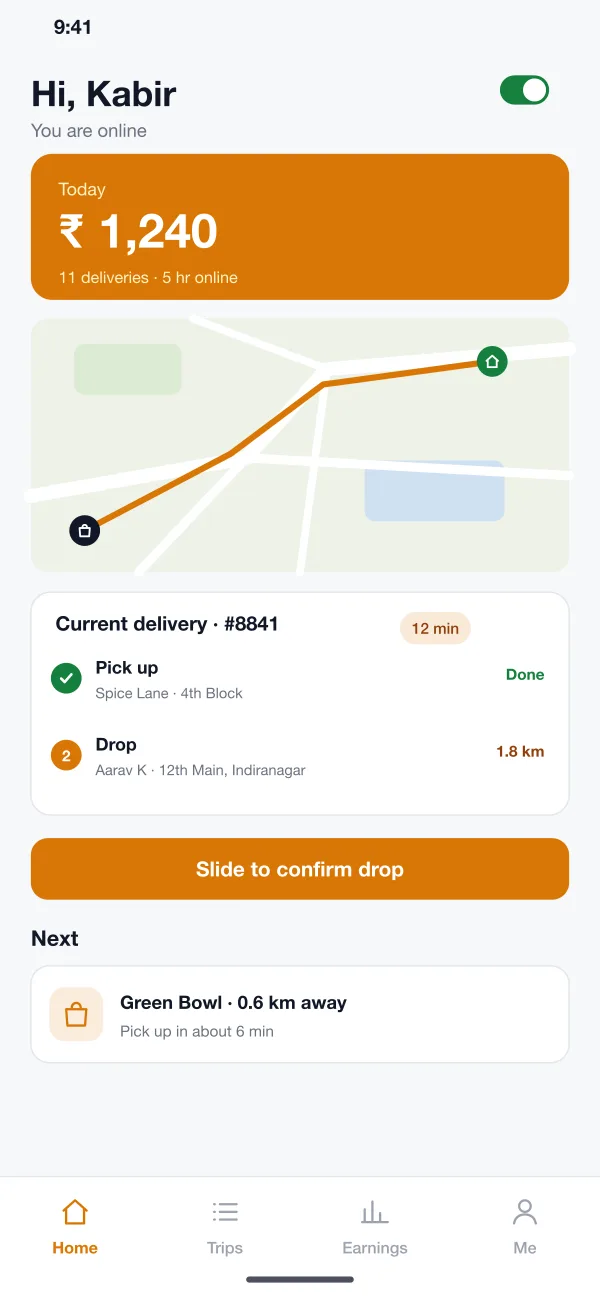
The rider goes online and gets one delivery at a time. The screen shows the pickup, then the drop, the route and today's earnings. A slide confirms each step.
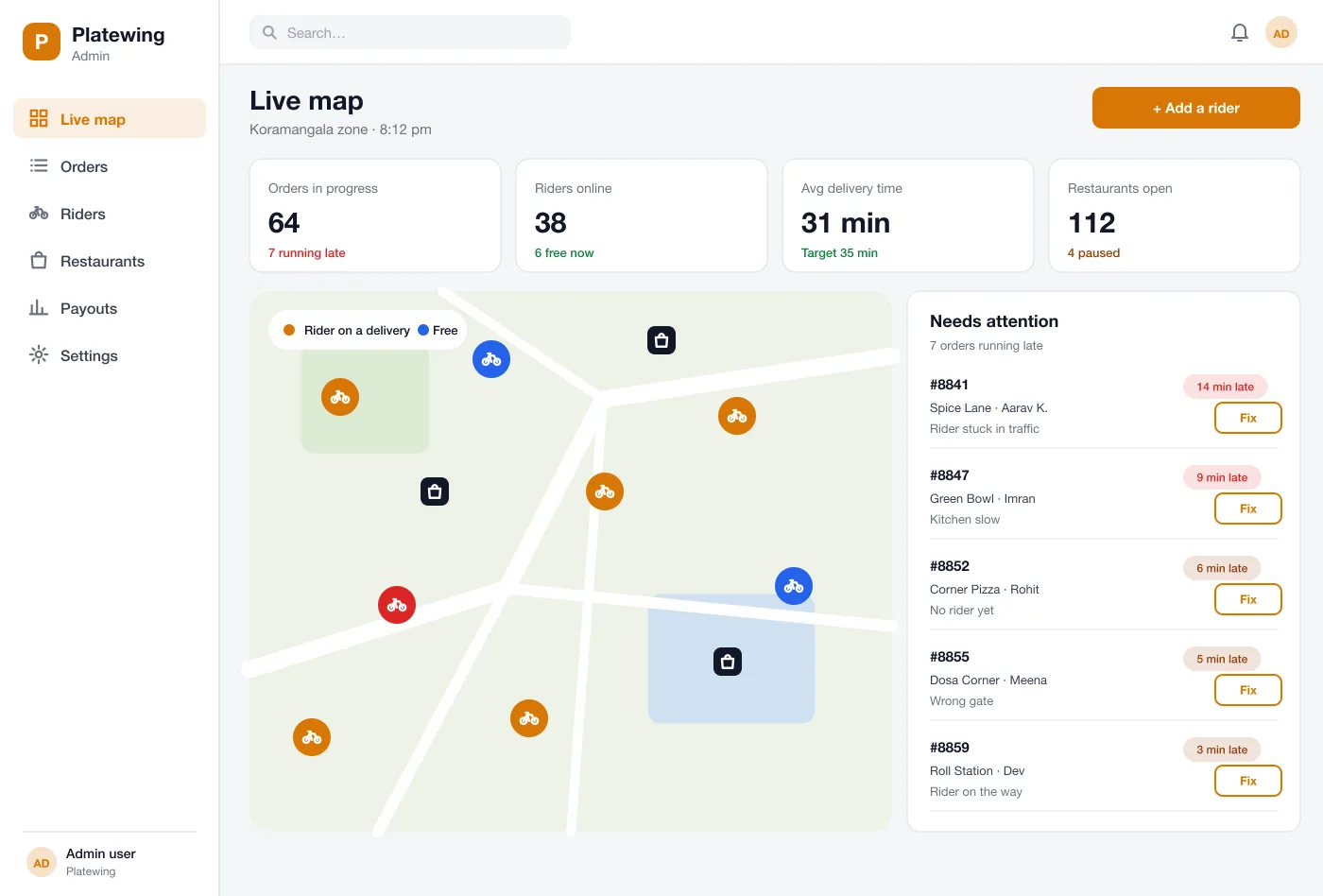
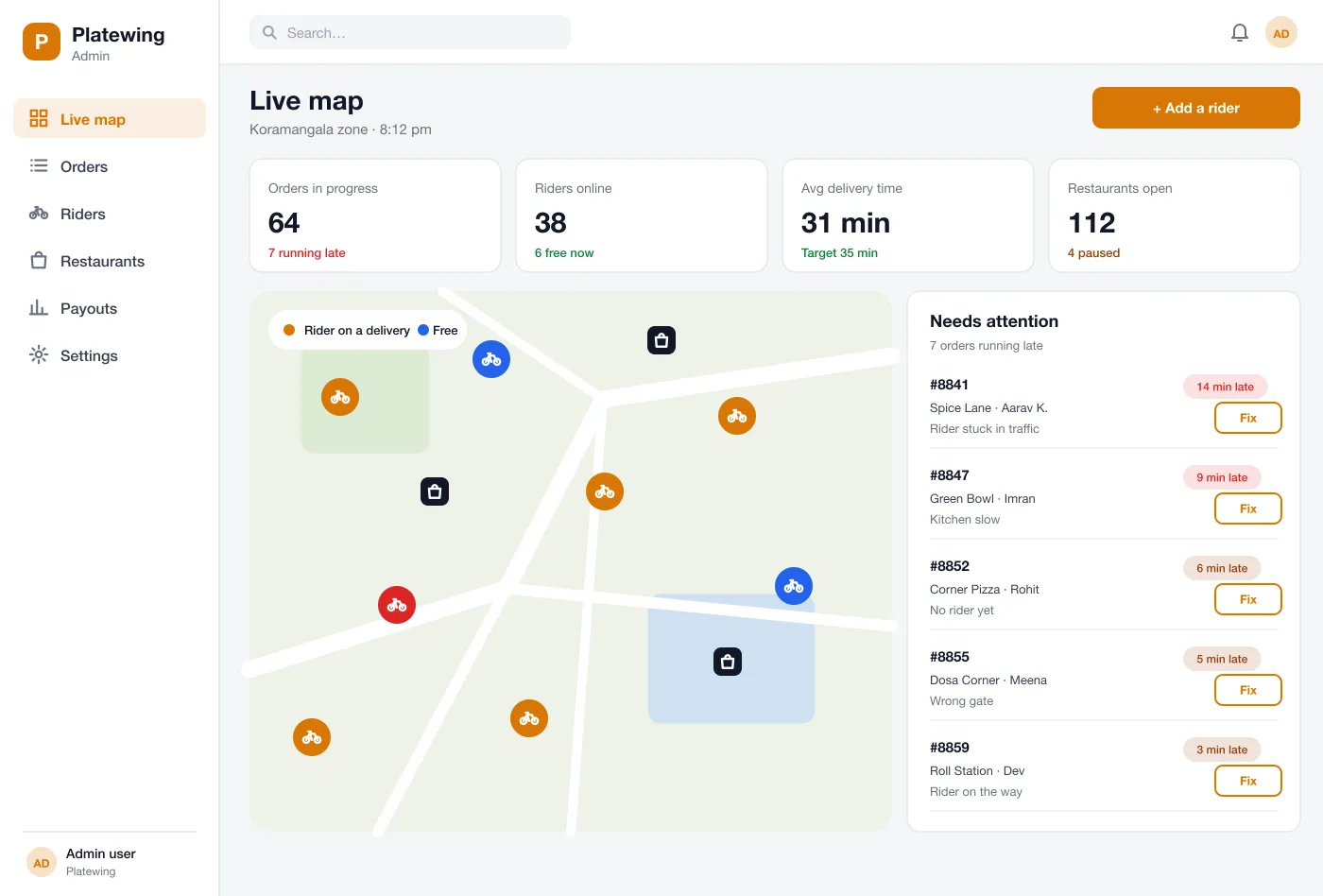
The team sees every rider and every pickup on a live map. Orders running late are listed with the reason, such as a slow kitchen or no rider yet.
From the late list, the team can message the rider, move the order to another rider or tell the customer about the delay.
Screens
The mobile app
How it works
Here is how the main tasks work in Platewing, from the first tap to the front door.
Order food
The customer picks a restaurant, adds a biryani and a naan and pays in the app.
Cook the order
The restaurant accepts, picks a cooking time and marks the food ready when it is packed.
Deliver it
The rider picks up, follows the route and slides to confirm the drop at the door.
Watch the day
The operations team follows every order on the map and steps in when an order runs late.
Suggested technology
What we would deliver
FAQ
One is for customers who order. One is for restaurants who cook and hand over the food. One is for riders who carry it. A web screen lets the operations team see everything.
The main factors are the number of apps, how riders are matched, live tracking, payment and payout rules, and the admin reports you need. Many teams launch the customer, restaurant and rider apps with simple matching, then add offers, scheduled orders and deeper reports.
Yes. We can build the three apps for Android and iOS and the web screens for your team. We can connect them to your payment gateway and your maps account.
The rider's phone sends its location while a delivery is open. The customer sees the rider on a map with the time left. The operations team sees every rider on one map.
The platform offers an order to the nearest free rider when the kitchen is about to finish. The operations team can still change a rider by hand.
Tell us who will use it and what it must do. We will reply with a plan, a timeline and a price.