Tree-care app for surveys, quotes and crew jobs
Surveyors take photos and notes on site and turn them into quotes. Crews get their jobs in order, and the office sees the week on one schedule.
From the first look at a tree to a signed report
Every job follows the same path. Each stop is a screen in the app.
Survey a tree
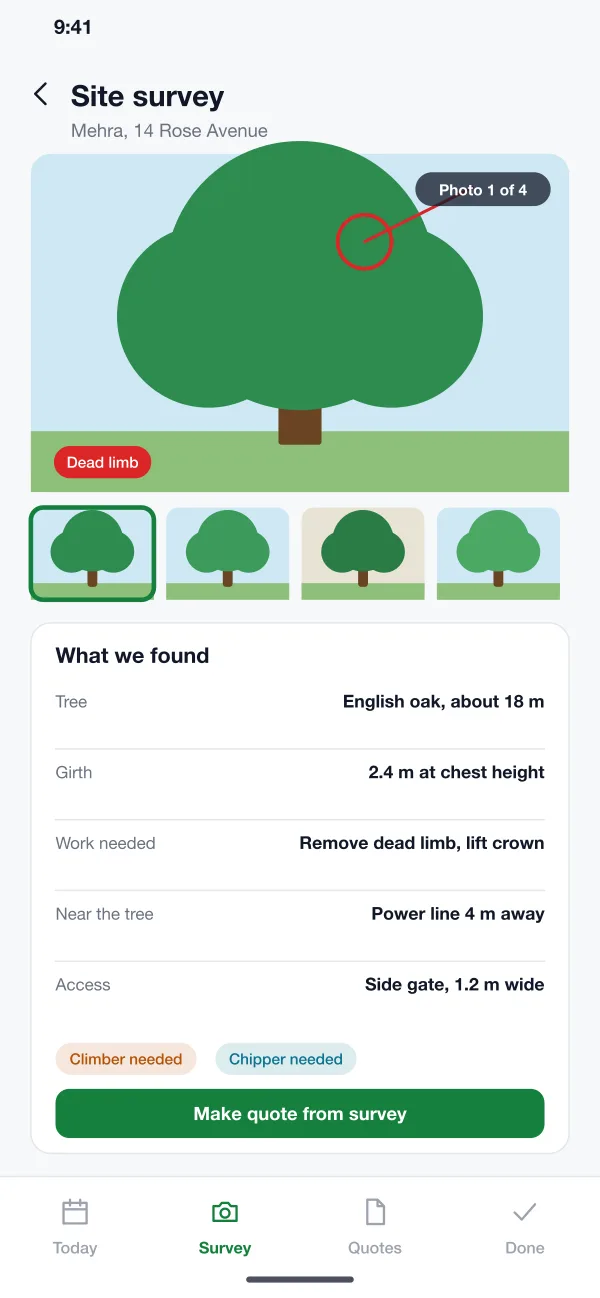
The surveyor visits, takes photos, marks the dead limb and notes a power line 4 metres away.
Send a quote
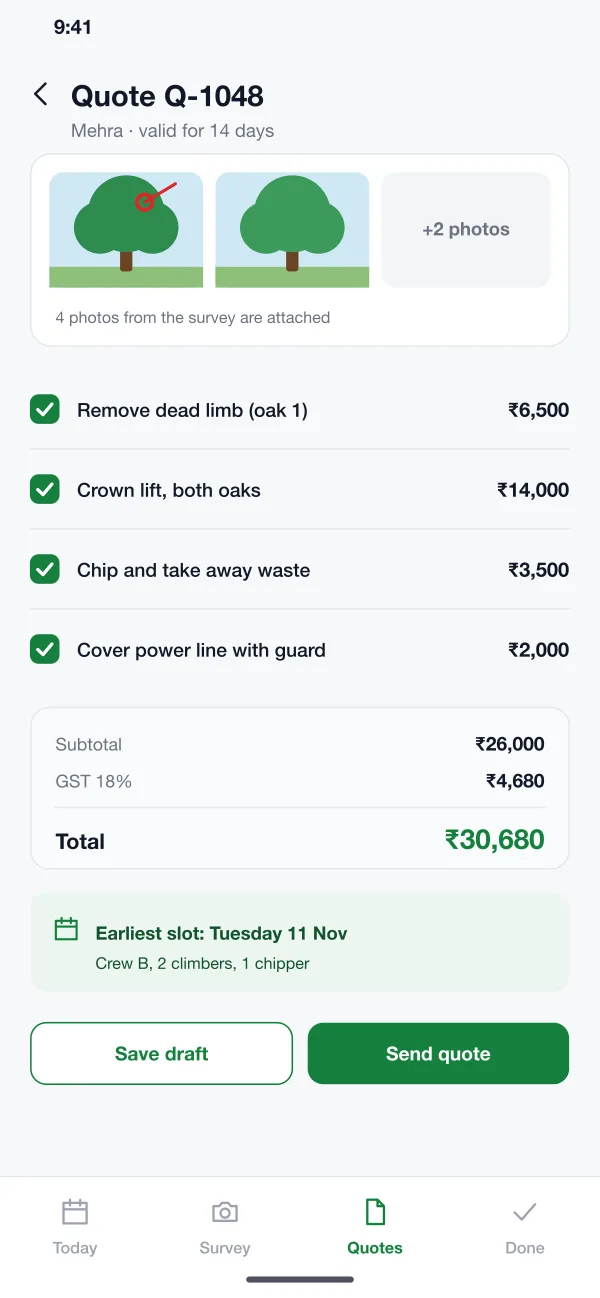
The surveyor builds the quote from the survey, checks the earliest crew slot and sends it to the customer.
Book and run the job
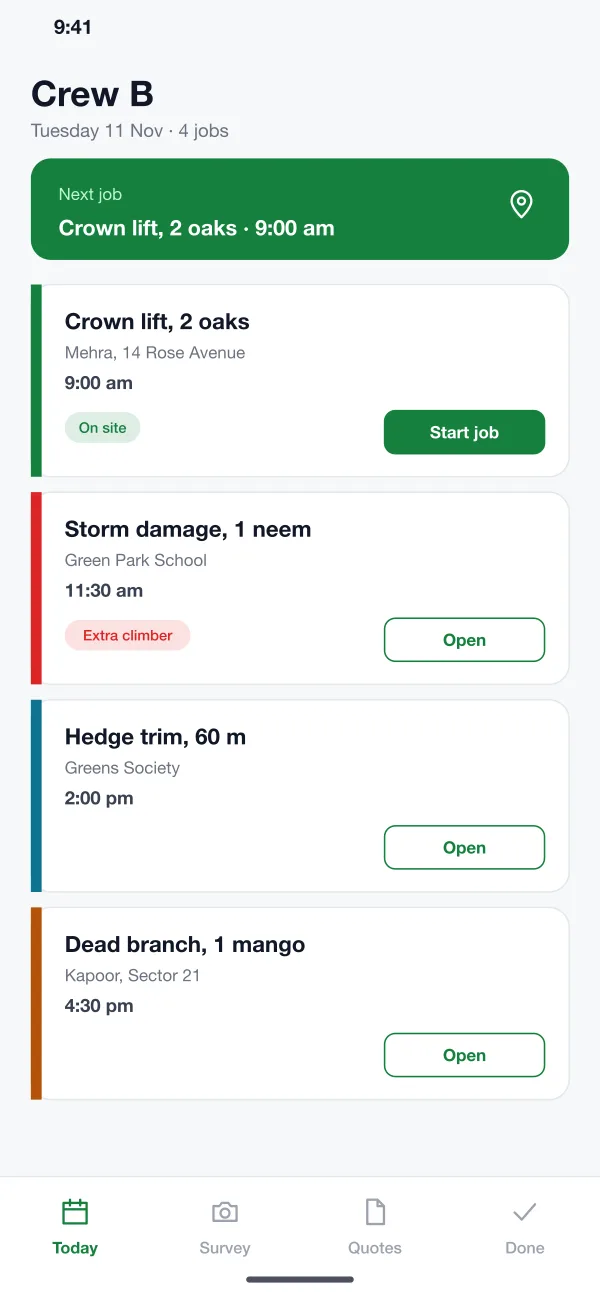
Once the customer agrees, the office puts the job on a crew. The crew opens it in the morning and sees the notes.
Close the job
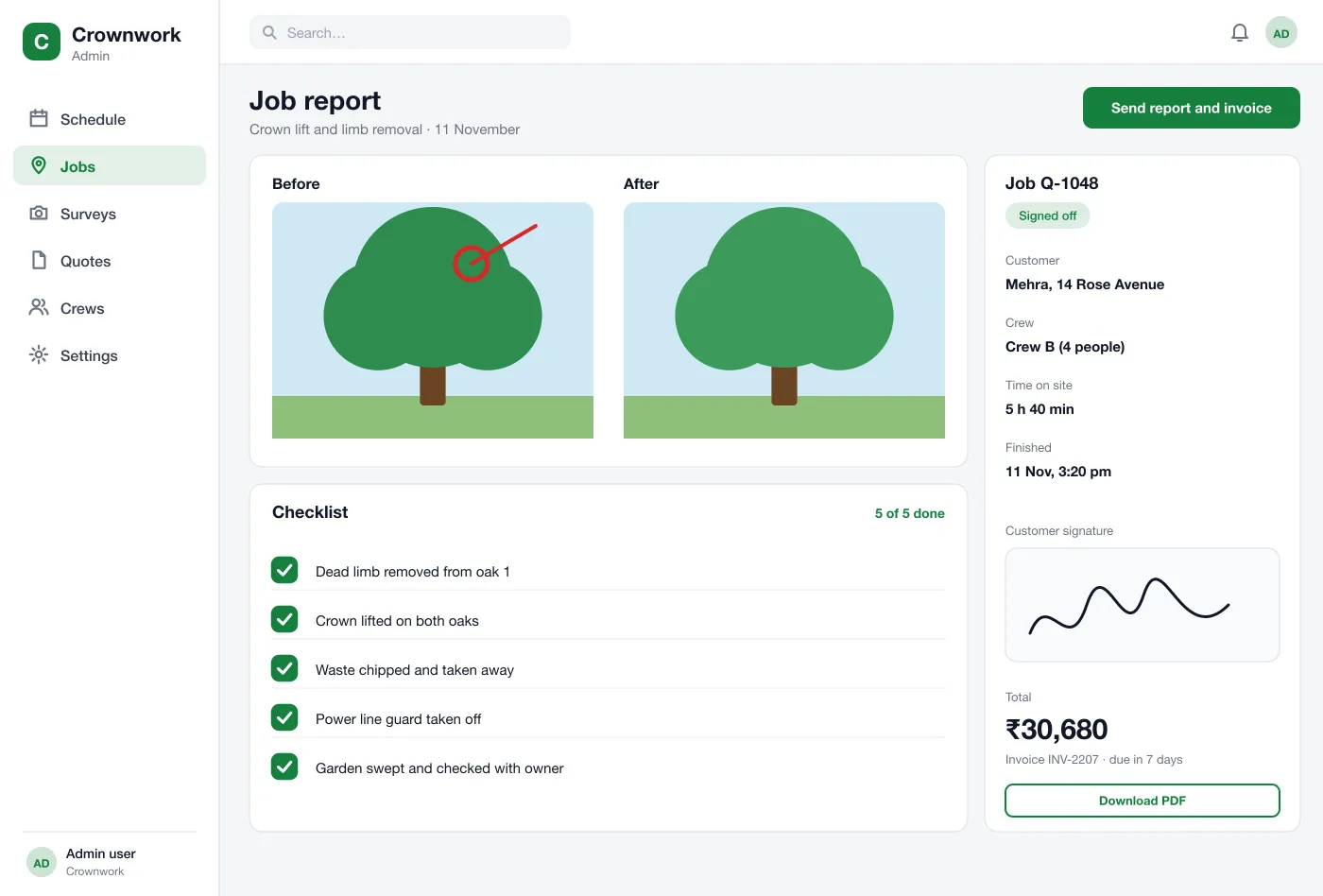
The crew ticks the checklist, takes after photos and gets the signature. The office sends the report and invoice.
In the field kit
One app for the whole crew
Surveyors
Visit the tree, take photos, note the risks and send a quote.
Office team
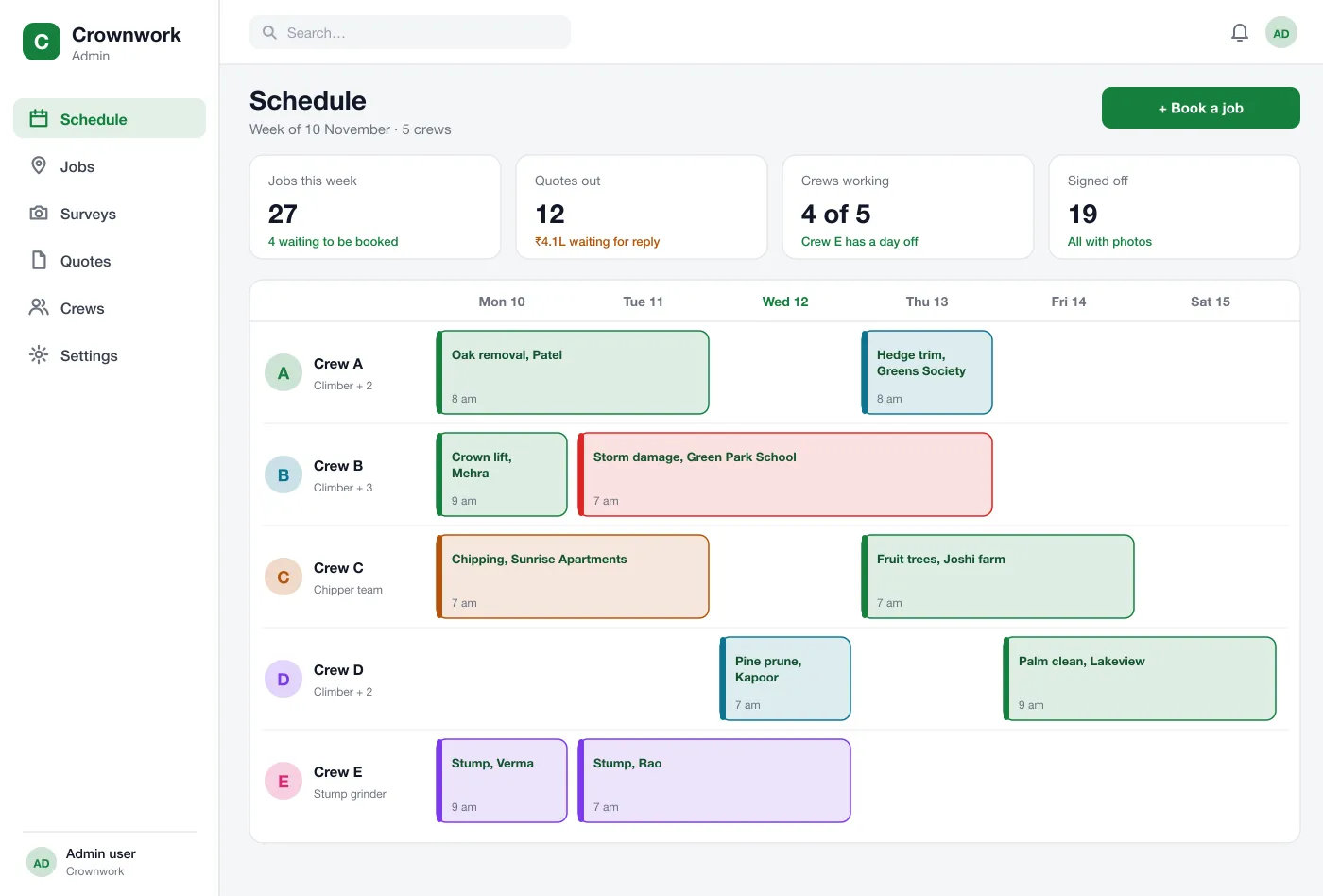
Book crews on a weekly grid and see which jobs need extra kit.
Crew members
See the day jobs in order, with the address, notes and warnings.
Questions from tree-care teams
What is a field service app for tree care?
It is an app that helps a tree-care firm run its jobs. It covers the site visit, the quote, the crew booking and the sign-off after the work, in one place.
How long does it take to build a field service app like this?
It depends on the number of roles, whether the app must work offline, and which accounting or payment tools it connects to. A first version with surveys, quotes, the schedule and sign-off is usually planned in stages so crews can start using the core early.
Can you build a tree-care field service app like this for my business?
Yes. We can build a crew app for Android and iOS with a web schedule for the office. It can cover surveys, quotes, booking, sign-off and invoices, and connect to your accounts tool.
How are quotes made from a survey?
The surveyor takes photos, marks problem branches and notes the size and access. The app turns those notes into a list of tasks with prices, and the photos are attached to the quote.
Does it work where there is no signal?
The design saves surveys and sign-offs on the phone and sends them when the signal is back, because many sites are outdoors or on farms.
How does the customer sign off?
At the end of the job the customer signs on the crew’s phone. The app adds before and after photos and the checklist to a report and sends it with the invoice.