Site survey
The surveyor takes up to a dozen photos and marks problem spots with a circle or line. The app asks for tree type, size, work needed, risks and access.
Crownwork is a field service app for tree-care companies, designed and built by our team. A surveyor takes photos on site, the app turns them into a quote, the office books a crew, and the crew gets the customer to sign when the job is done.
Crownwork was designed and built by the PRS CloudTech team.
The brief
A tree-care company works outdoors, across many sites. The person who looks at the tree, the person who writes the quote and the crew who does the work are often three different people.
Details get lost on the way. A photo stays on one phone, a note about a power line is not passed on, and the crew arrives without the right kit.
Good site notes
The surveyor needs to record photos, tree size, access and risks in minutes, even without signal.
Quotes that match the work
A quote should list each task with a price and show the photos so the customer sees what is being priced.
A clear crew plan
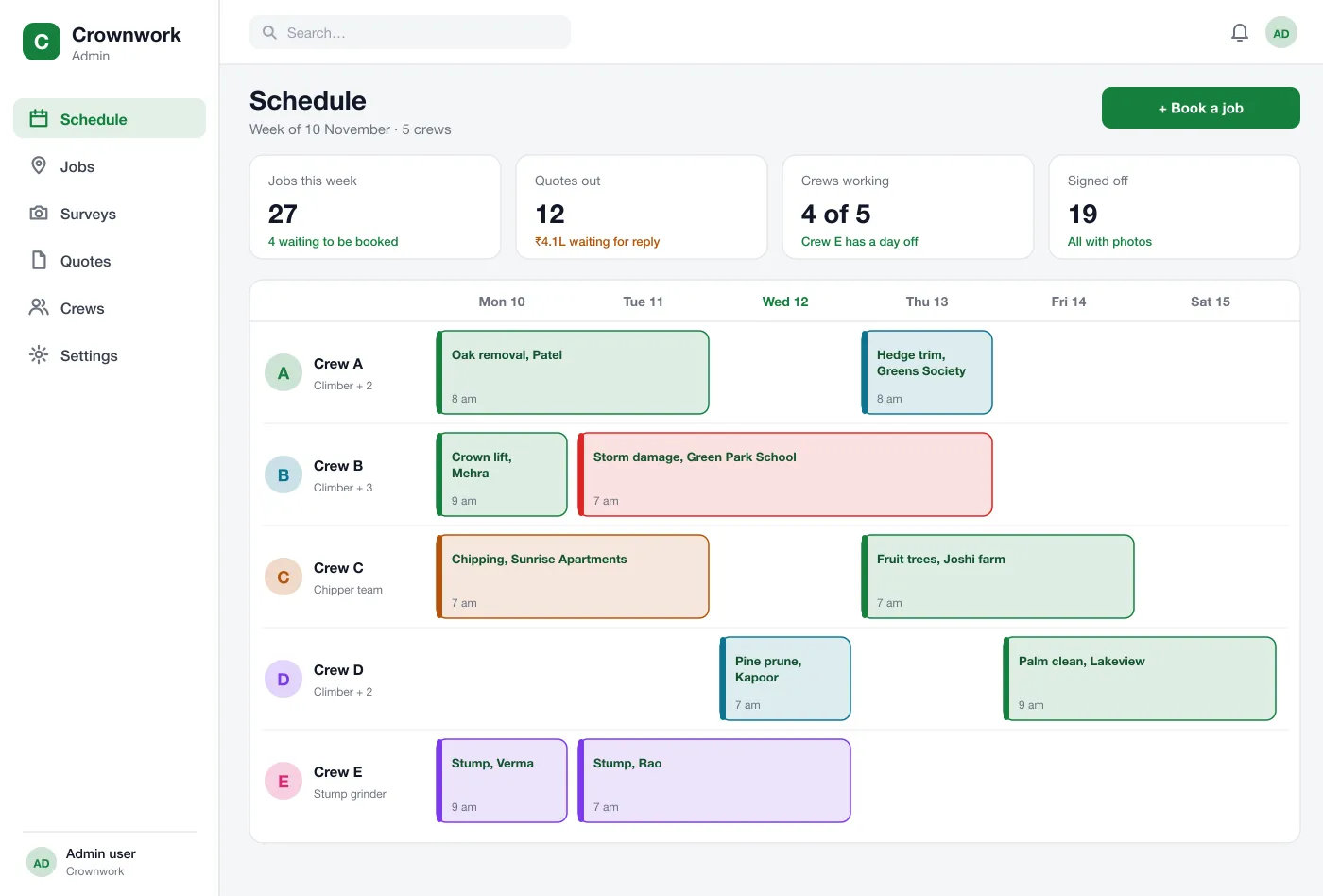
The office needs to see which crews are free and give each crew the right jobs and equipment.
Proof when the job is done
Both sides need a record of what was done, with photos and a signature, before the invoice goes out.
What we designed
We designed Crownwork as a crew app for phones and a web schedule for the office. Both use the same job records.
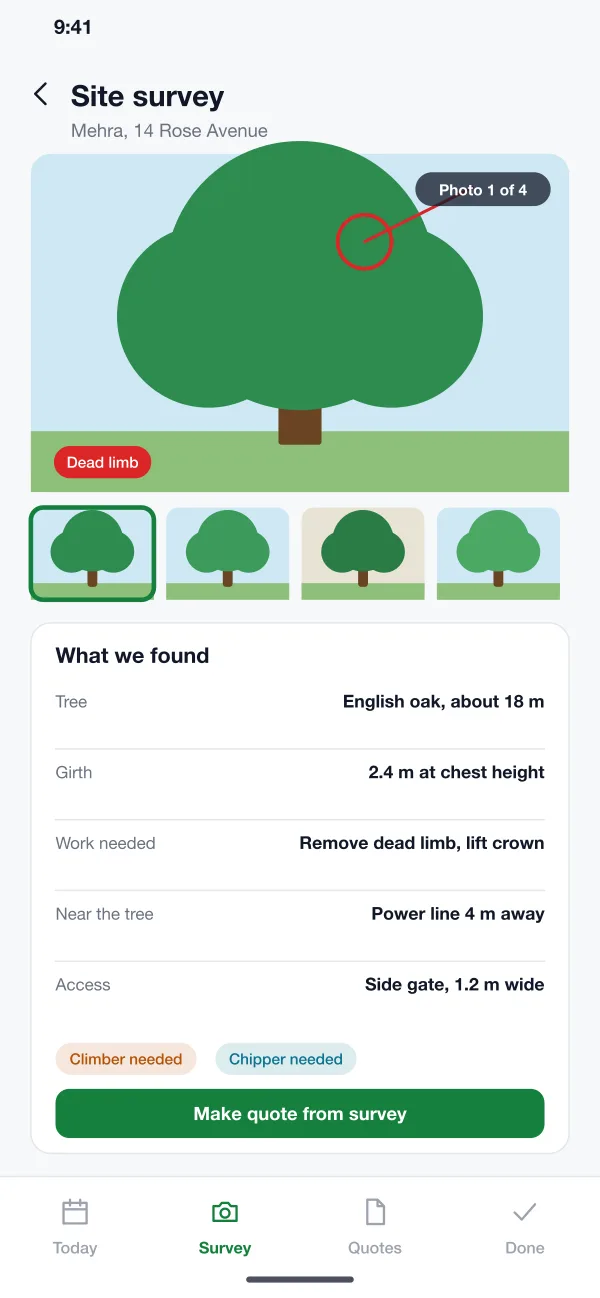
The surveyor takes up to a dozen photos and marks problem spots with a circle or line. The app asks for tree type, size, work needed, risks and access.
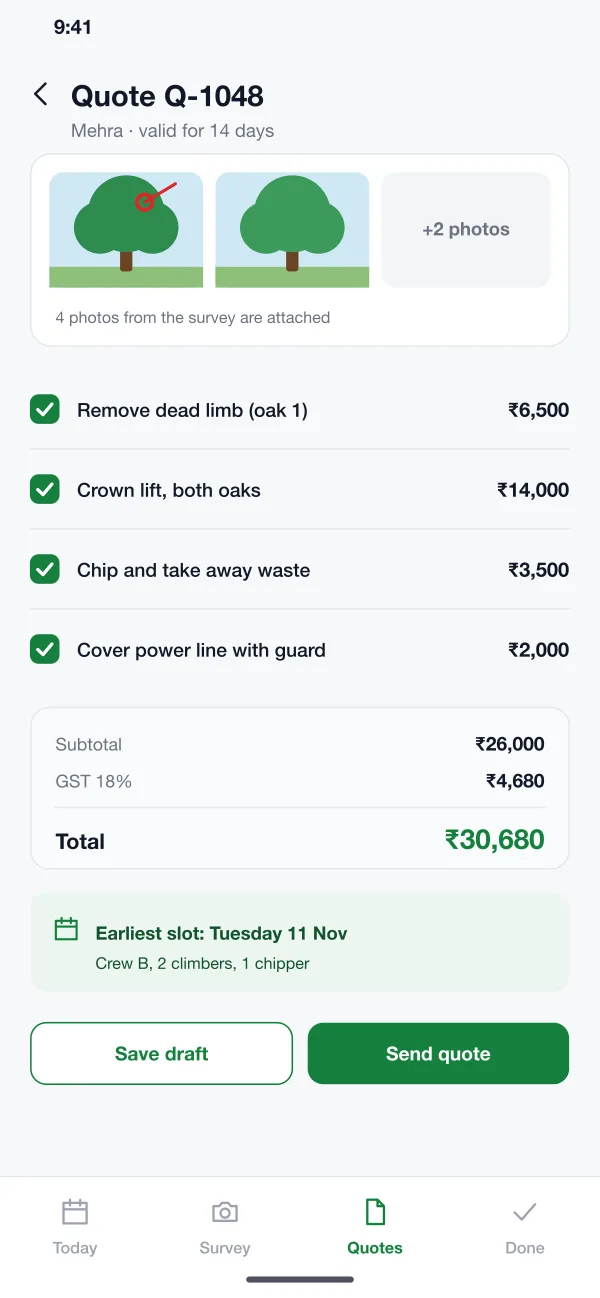
One tap turns the survey into a quote with a line for each task. The surveyor sets prices, and the photos go on the quote.
The survey notes show what the job needs, such as a climber or a chipper. The office sees those hints when booking the crew.
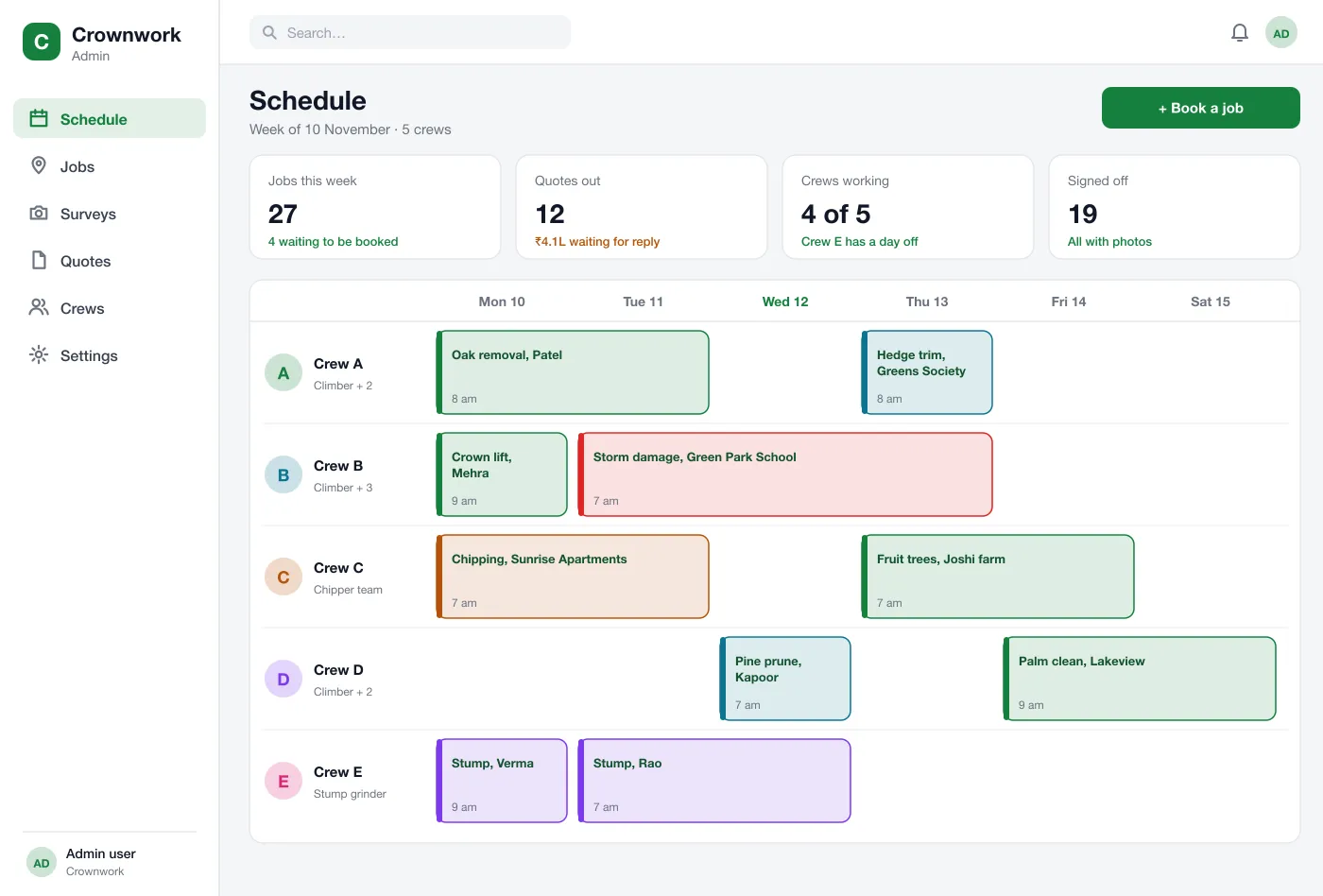
The office sees the week as a grid of crews and days. Jobs are placed on a crew, and jobs that need more people or kit are marked in red.
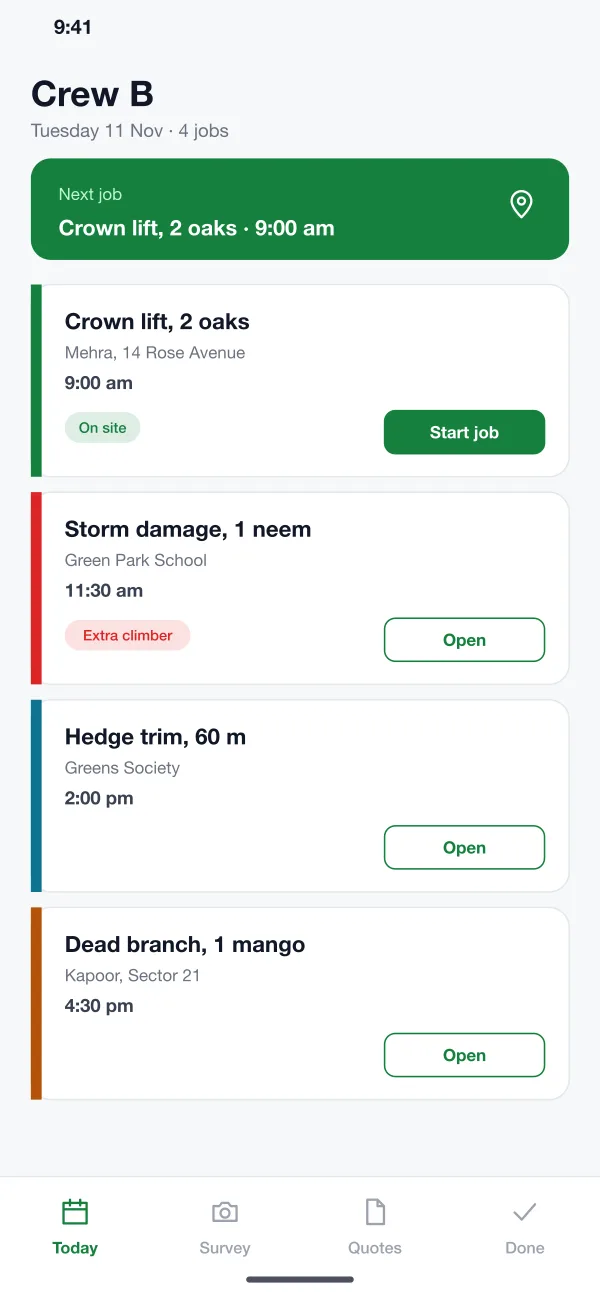
Each crew sees its jobs in order, with the address, the survey notes and a start button. Jobs open with the photos and warnings.
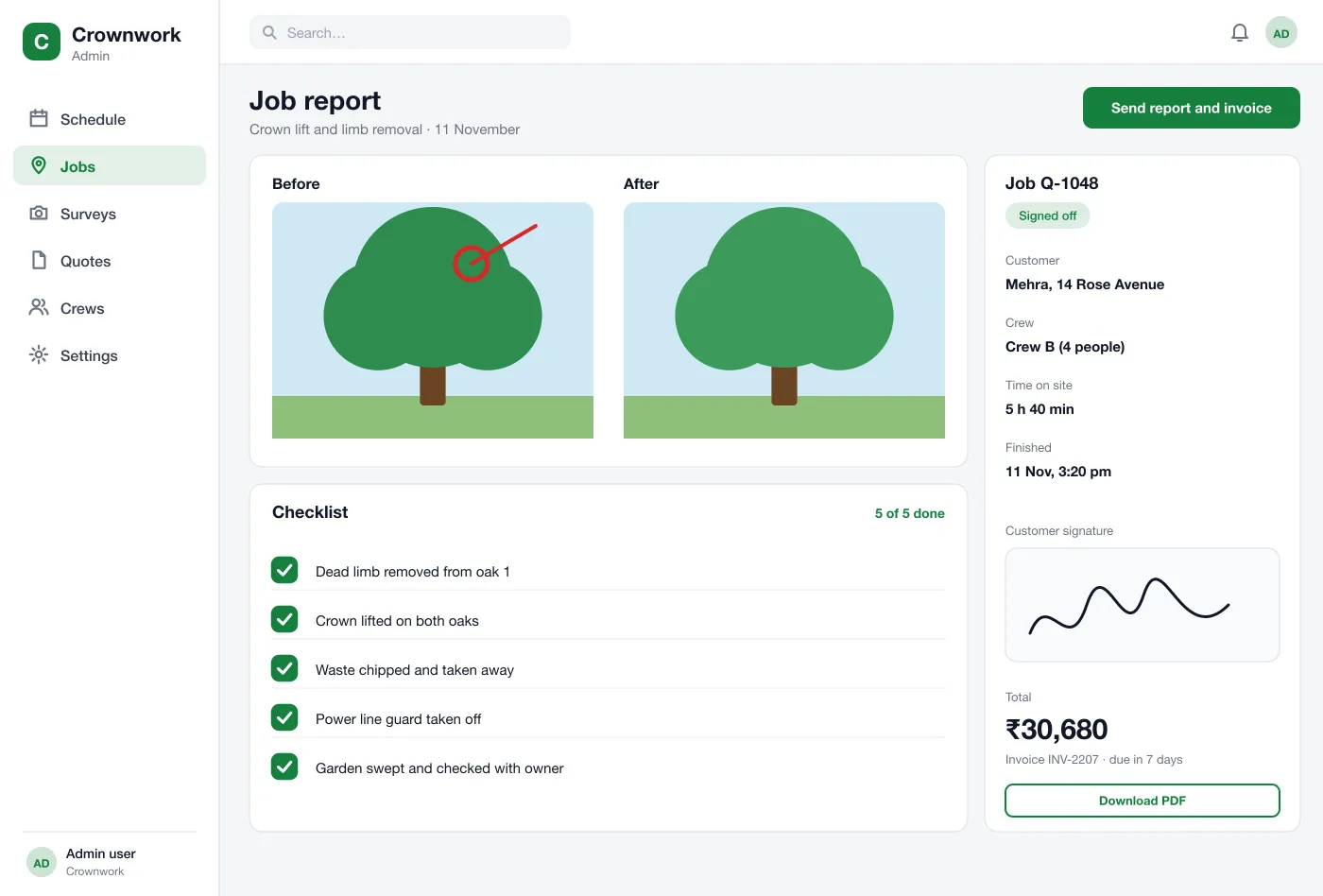
The crew takes after photos, ticks the checklist and gets the customer’s signature. The app builds a report and a matching invoice.
Screens
The mobile app
How it works
Here is how the main tasks run in the app, from the survey to the signed report.
Survey a tree
The surveyor visits, takes photos, marks the dead limb and notes a power line 4 metres away.
Send a quote
The surveyor builds the quote from the survey, checks the earliest crew slot and sends it to the customer.
Book and run the job
Once the customer agrees, the office puts the job on a crew. The crew opens it in the morning and sees the notes.
Close the job
The crew ticks the checklist, takes after photos and gets the signature. The office sends the report and invoice.
Suggested technology
What we would deliver
FAQ
It is an app that helps a tree-care firm run its jobs. It covers the site visit, the quote, the crew booking and the sign-off after the work, in one place.
It depends on the number of roles, whether the app must work offline, and which accounting or payment tools it connects to. A first version with surveys, quotes, the schedule and sign-off is usually planned in stages so crews can start using the core early.
Yes. We can build a crew app for Android and iOS with a web schedule for the office. It can cover surveys, quotes, booking, sign-off and invoices, and connect to your accounts tool.
The surveyor takes photos, marks problem branches and notes the size and access. The app turns those notes into a list of tasks with prices, and the photos are attached to the quote.
The design saves surveys and sign-offs on the phone and sends them when the signal is back, because many sites are outdoors or on farms.
At the end of the job the customer signs on the crew’s phone. The app adds before and after photos and the checklist to a report and sends it with the invoice.
Tell us who will use it and what it must do. We will reply with a plan, a timeline and a price.