Job requests
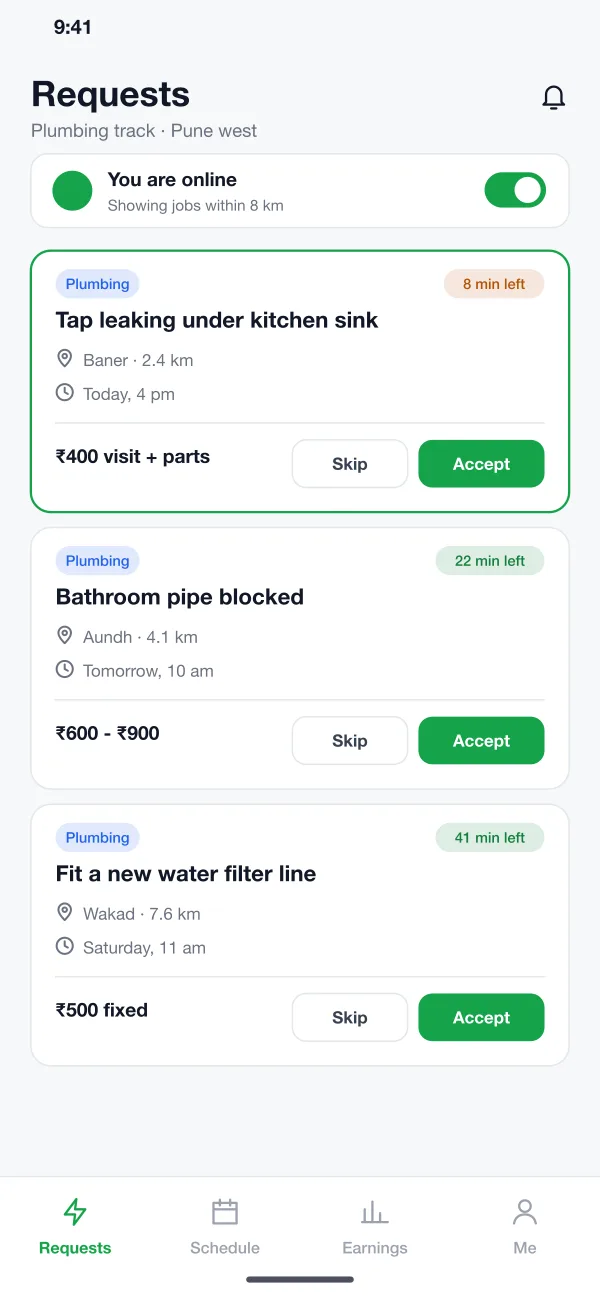
New jobs appear as cards with the problem, distance, time and pay. A timer shows how long the job stays open. The provider taps Accept or Skip.
Jobsprig is a service provider app designed and built by our team. Plumbers, electricians and AC technicians get job requests, send quotes, keep a schedule, see their earnings and upload documents in one app.
Jobsprig was designed and built by the PRS CloudTech team.
The brief
A skilled plumber or electrician gets work by phone calls and word of mouth. Days are full of missed calls, last-minute changes and customers who do not pay what they agreed.
For a company that sends these providers to homes, the problems are different. They must know who is qualified, who is free and whether the price was fair.
Jobs they can take quickly
A request must show the area, the problem and the pay at a glance, with a time limit to accept.
A fair way to quote
Providers need to list the visit, parts and time and send one clear price.
A calendar that makes sense
Jobs, travel time and free slots should sit on one day view.
Papers that stay valid
IDs and licences must be checked and renewed on time.
What we designed
We designed Jobsprig as two parts: a mobile app for providers and a web console for the operations team. Each provider belongs to one of three trade tracks and sees only jobs from that track.
New jobs appear as cards with the problem, distance, time and pay. A timer shows how long the job stays open. The provider taps Accept or Skip.
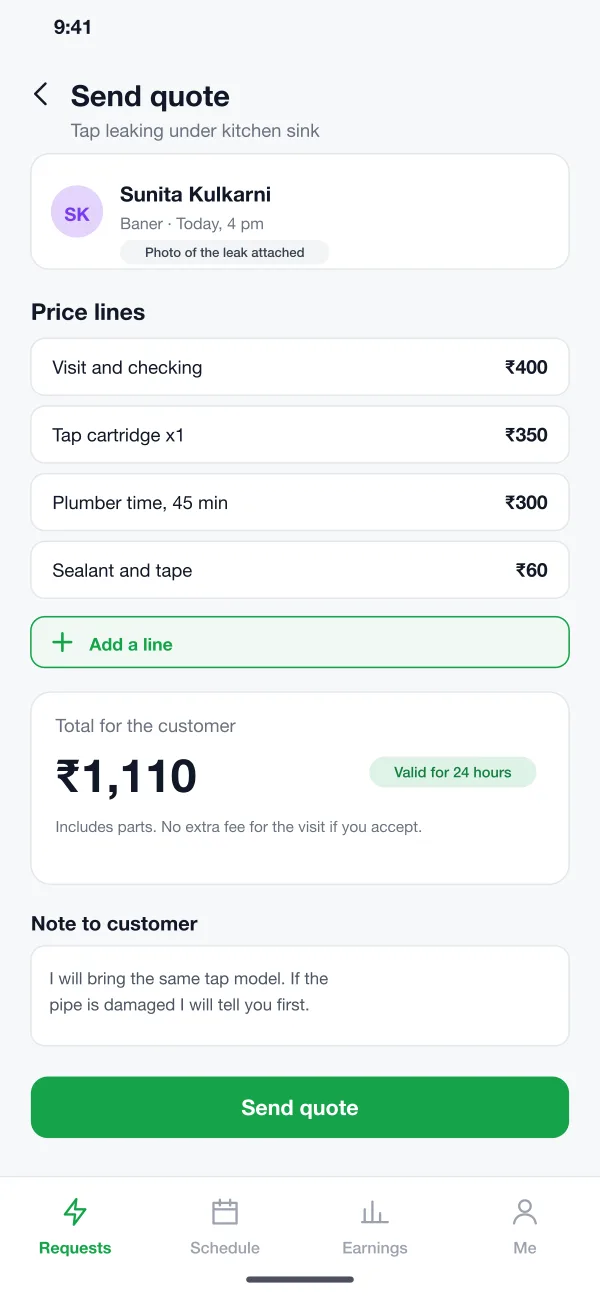
The provider adds price lines for the visit, parts and time, writes a note and sends the quote. The customer sees one total and approves it.
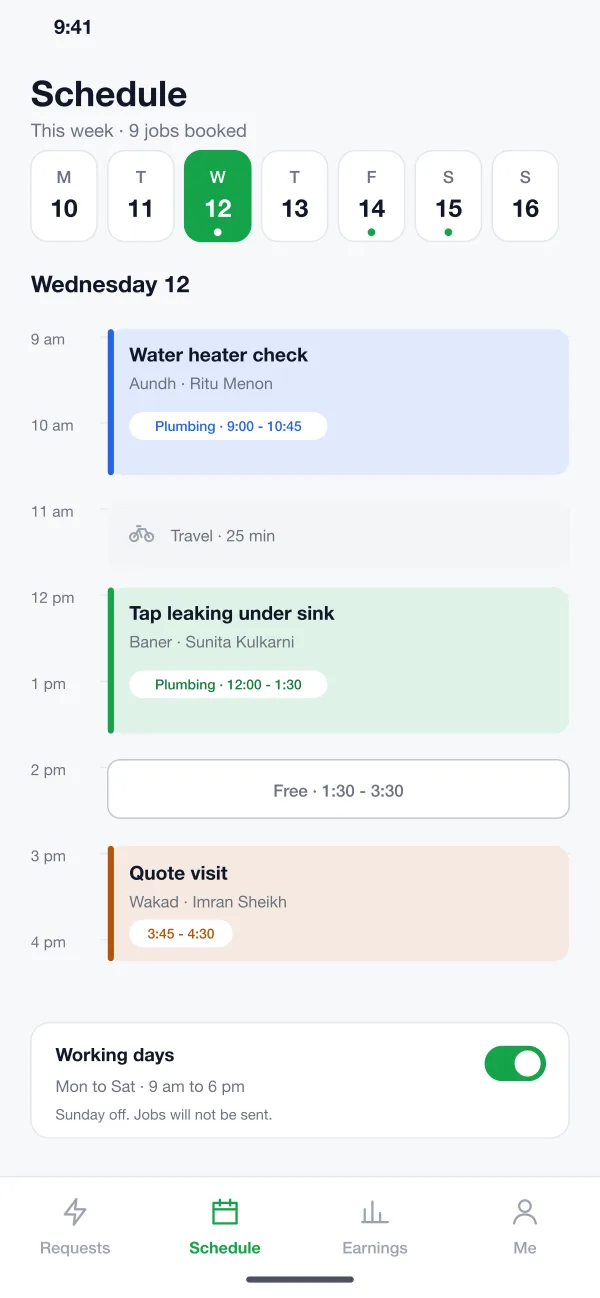
A week strip and a day view show jobs, travel time and free slots. The provider sets working days and can go offline with one switch.
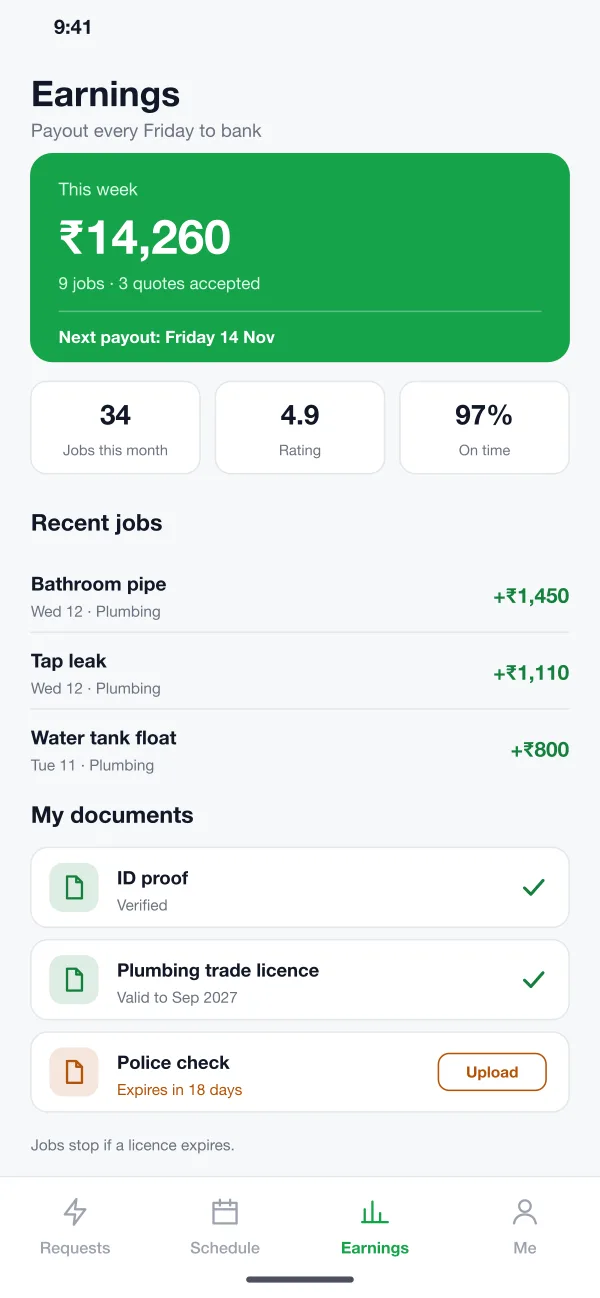
The app shows this week's money, jobs done, rating and on-time rate. Each job lists what was earned, and payouts reach the bank each Friday.
The provider uploads ID, address proof, trade licence and police check. The app shows what is valid and warns before anything expires.
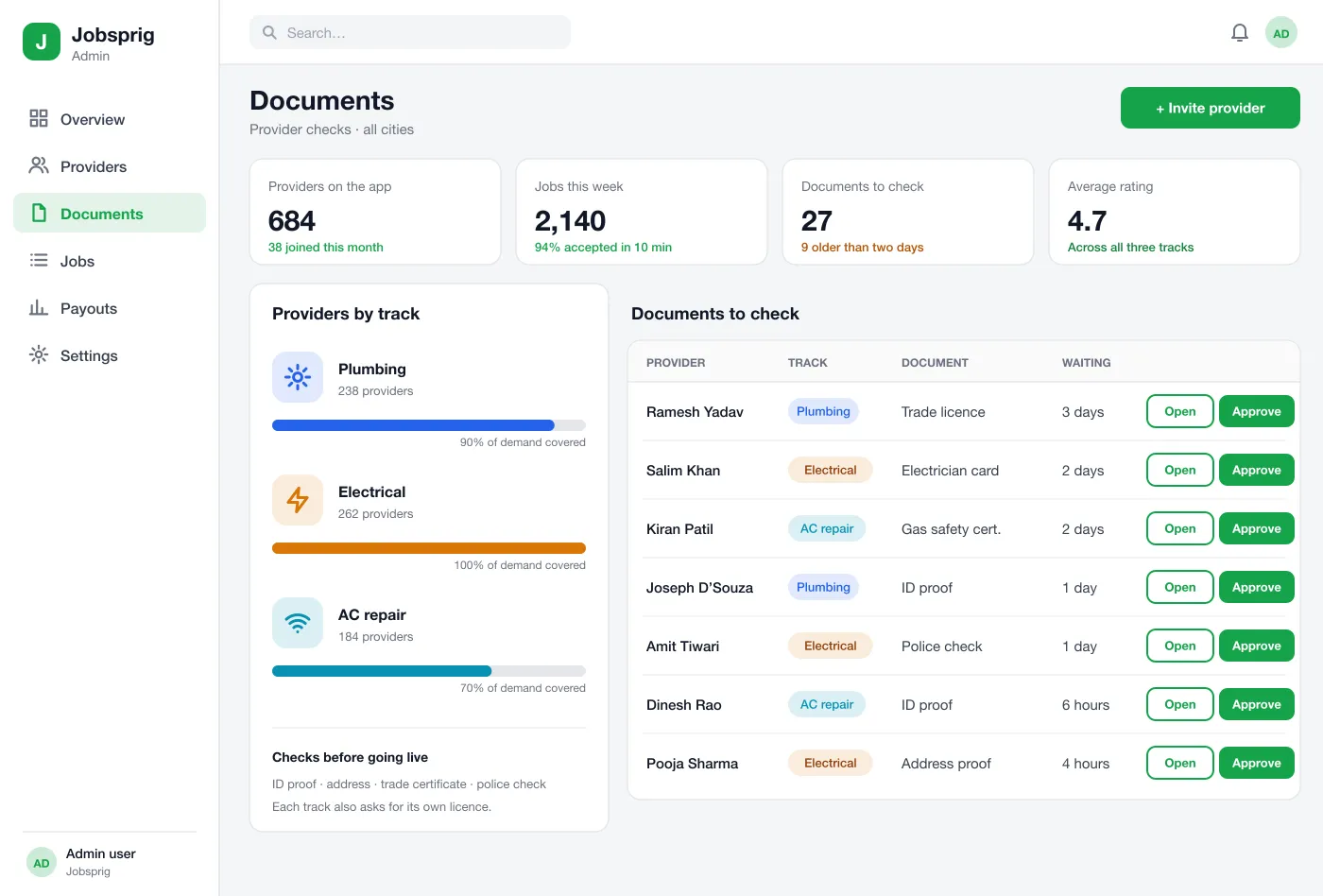
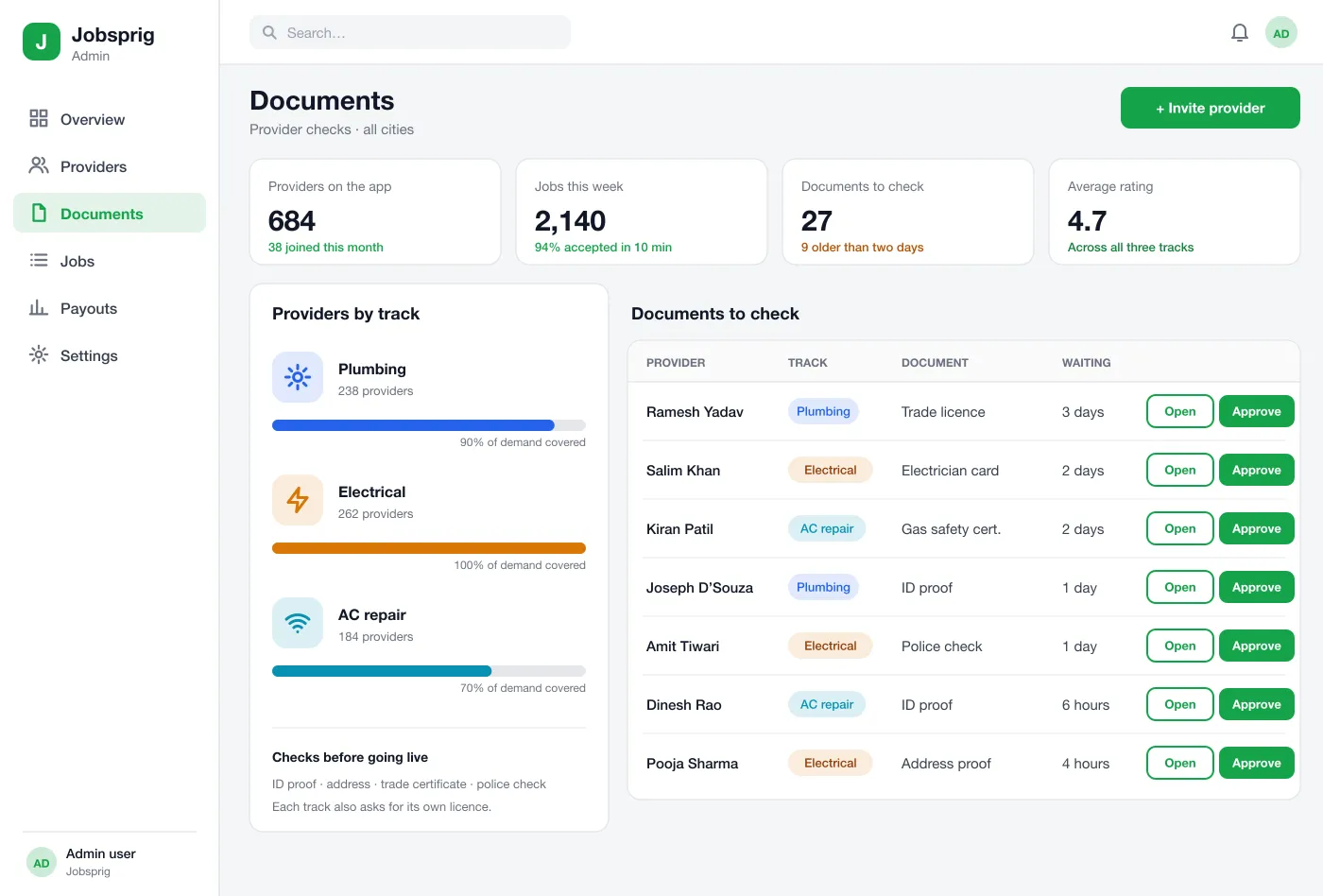
The ops team sees providers by track, a queue of documents to check and how much demand each track covers. They open, approve or reject each paper.
Screens
The mobile app
How it works
Here is how the main tasks work in Jobsprig, from joining to getting paid.
Join and get checked
A technician signs up, picks a track and uploads papers. The ops team approves them and the technician goes live.
Take a job
A request comes in. The technician accepts, visits and sends a quote based on what they find.
Plan the week
The technician looks at the schedule, opens free slots and closes Sundays so no jobs arrive.
Get paid
On Friday the week's earnings go to the bank, with a list of every job and what it paid.
Suggested technology
What we would deliver
FAQ
It is the app used by the person who does the work, such as a plumber or electrician. It shows new job requests, lets them accept and quote, keeps their calendar and shows what they have earned.
Providers need an Android and iPhone app because they work on the move. The operations team needs a web panel to review documents, set price lines and handle disputes. Customers can book from an app or a simple web page.
Yes. We can build the provider app for Android and iOS, the customer side if you need it, and a web console for your team to check providers and follow jobs.
In Jobsprig they are plumbing, electrical work and AC repair. Each track has its own job types, price lines and licence checks, and a provider only sees jobs from their own track.
Before going live a provider uploads ID, address proof, a trade certificate and a police check. The ops team approves each one. If a licence expires, the app stops sending jobs until a new one is uploaded.
Tell us who will use it and what it must do. We will reply with a plan, a timeline and a price.