Simple booking
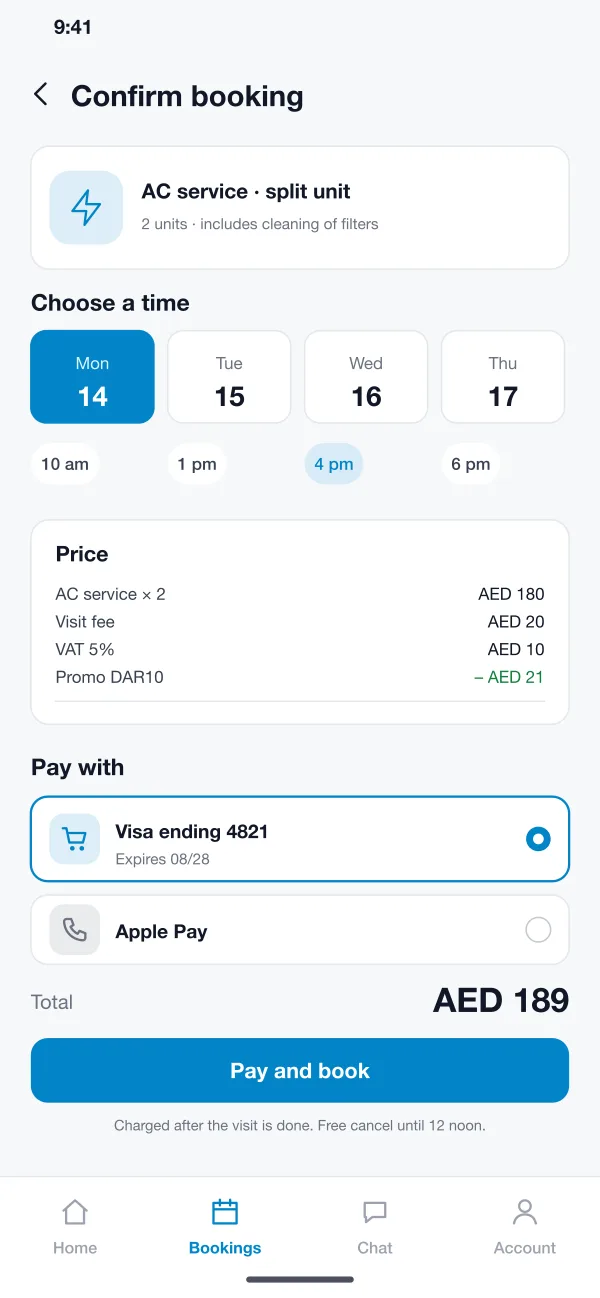
The customer picks a service, chooses a day and a time slot, and sees the full price with VAT and any promo code before paying.
Dar Assist is a home services app for Gulf cities, designed and built by our team. Customers book cleaners, AC repair and plumbers and pay by card. Technicians get their jobs in an app. The office sees every job on one dispatch board.
Dar Assist was designed and built by the PRS CloudTech team.
The brief
Home help is still booked by phone call and WhatsApp message in many Gulf cities. A customer asks for an AC repair, waits for a callback, and then waits again for a technician who may or may not turn up.
For the company it is just as messy. Jobs sit in chat threads, technicians are called one by one, and the money is collected in cash and counted at night.
Book in a minute
The customer should pick a service, a time and a payment method without a phone call.
Know where every technician is
The office needs to see who is free, who is on a job and who is running late.
Take payment without fuss
Cards and Apple Pay should work, and the price should be clear before the visit.
Work in two languages
Customers expect English and Arabic, and prices with VAT shown in plain view.
What we designed
These are the main parts of the Dar Assist app.
The customer picks a service, chooses a day and a time slot, and sees the full price with VAT and any promo code before paying.
The customer can pay with a saved card or Apple Pay. The card is charged after the visit is done, and cash on visit can be switched on for some services.
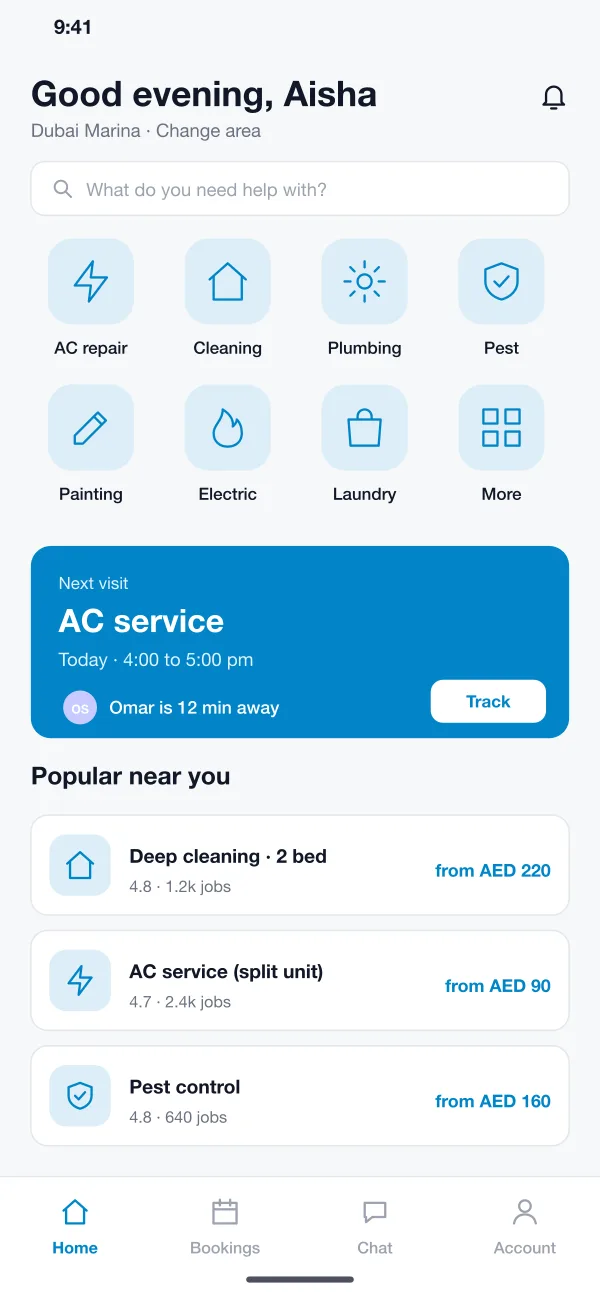
Once a technician is on the way, the customer sees how many minutes away they are and can call or chat from the app.
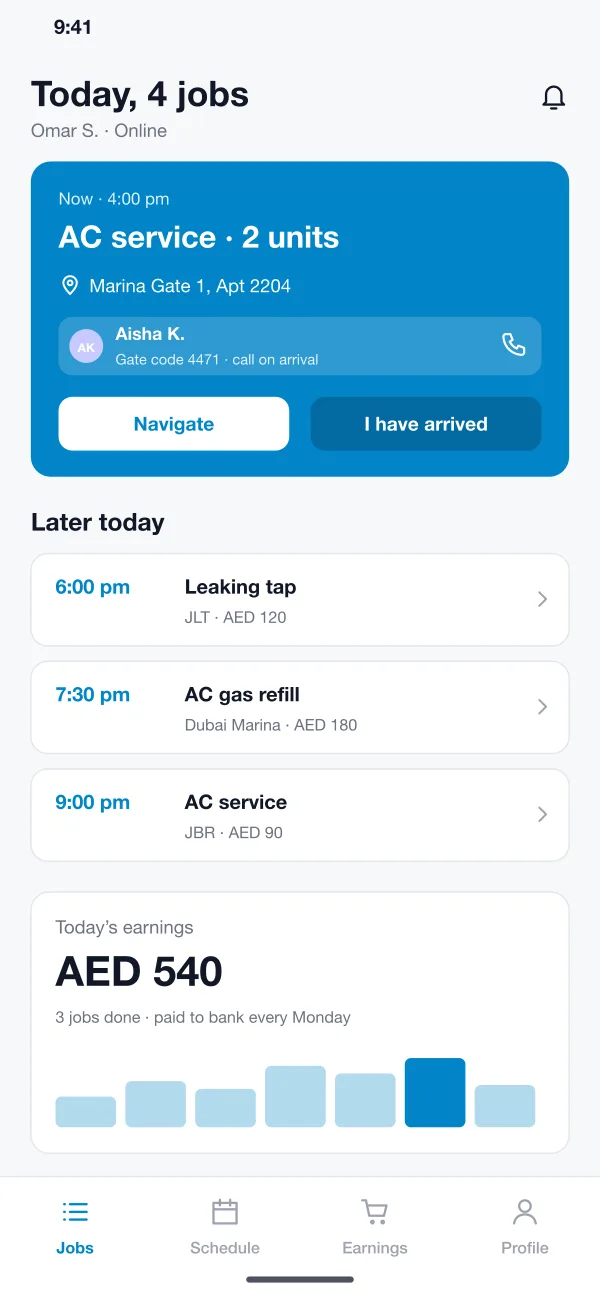
Technicians see today's jobs in order, open the address in a map, call the customer, take before and after photos and mark the job done.
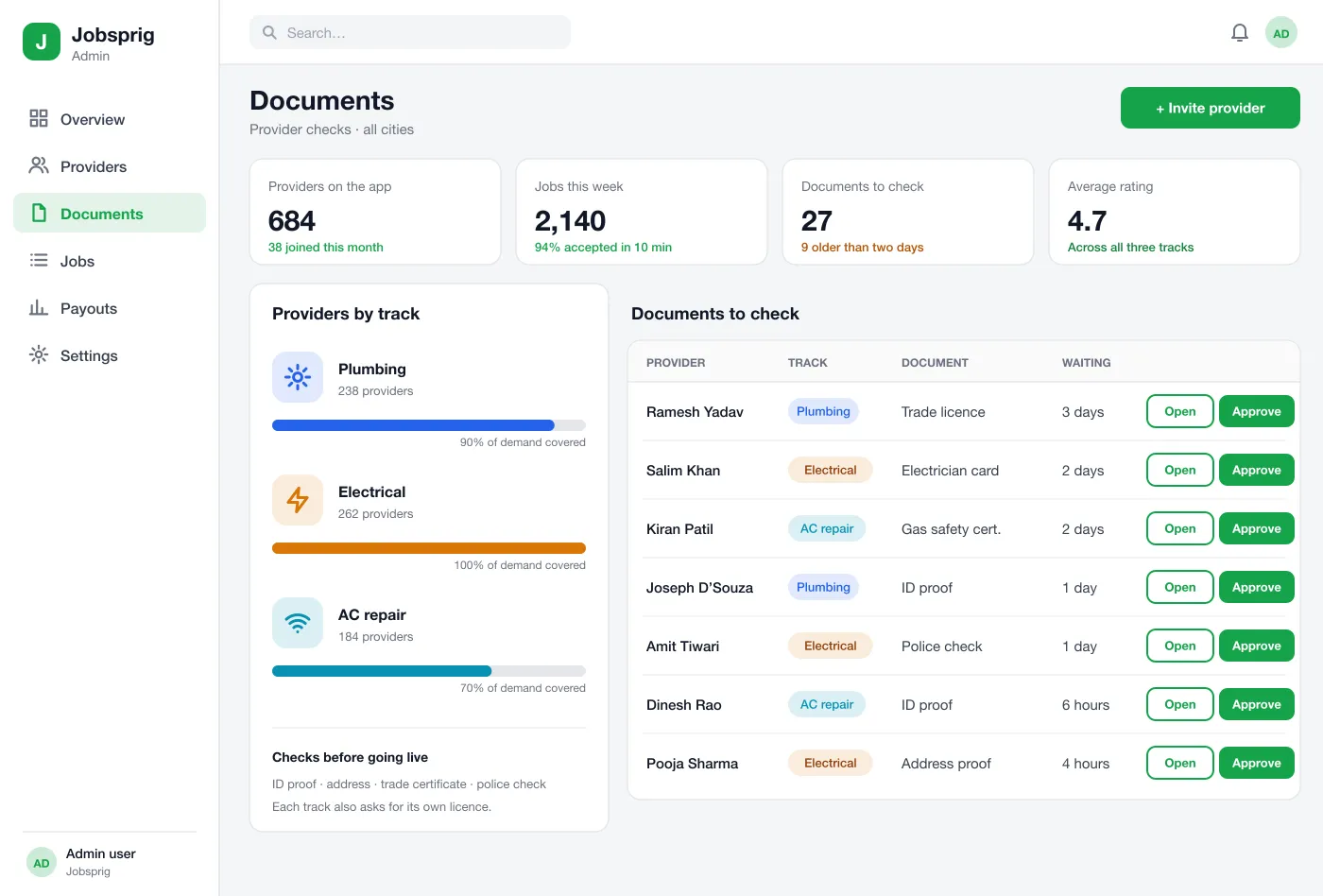
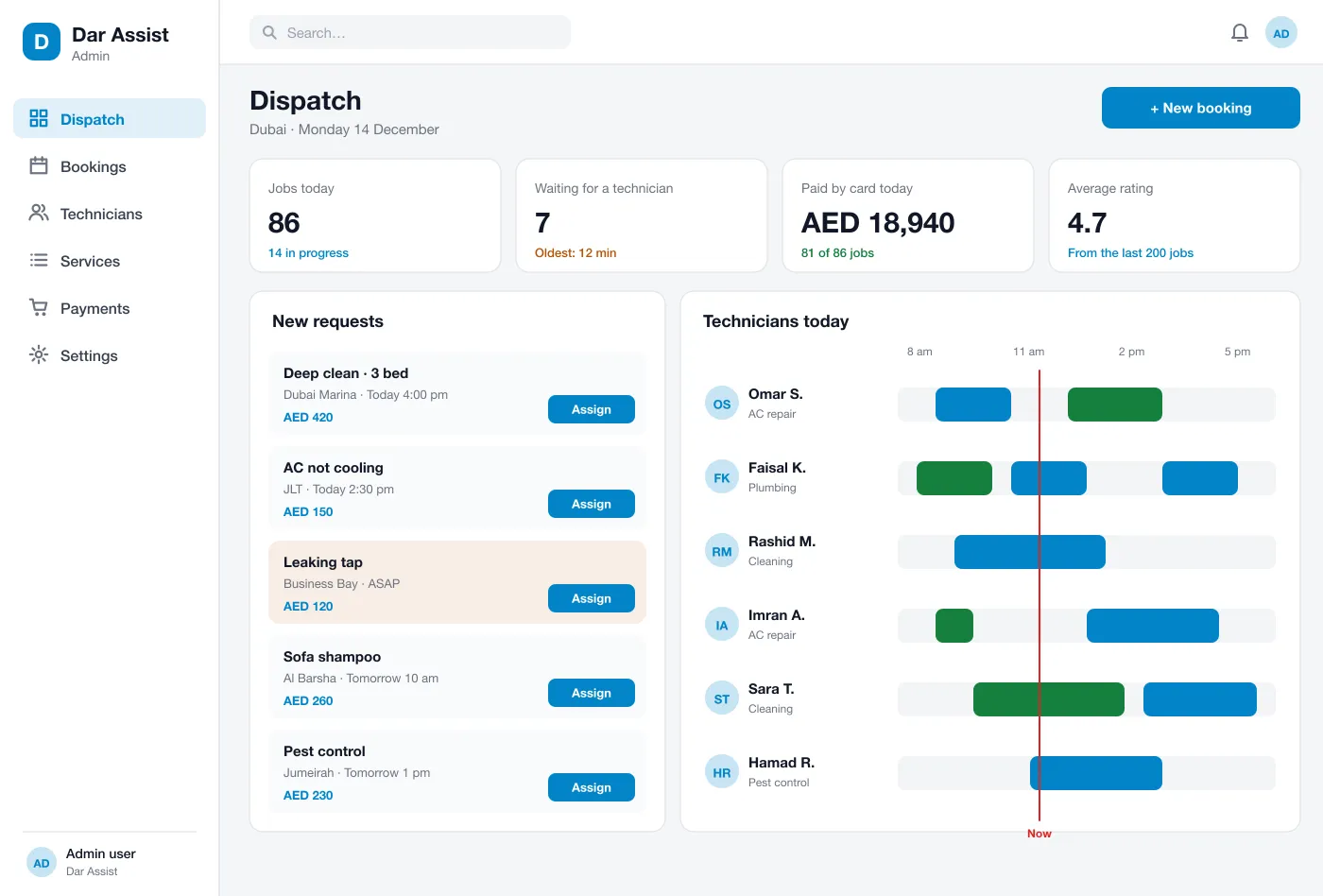
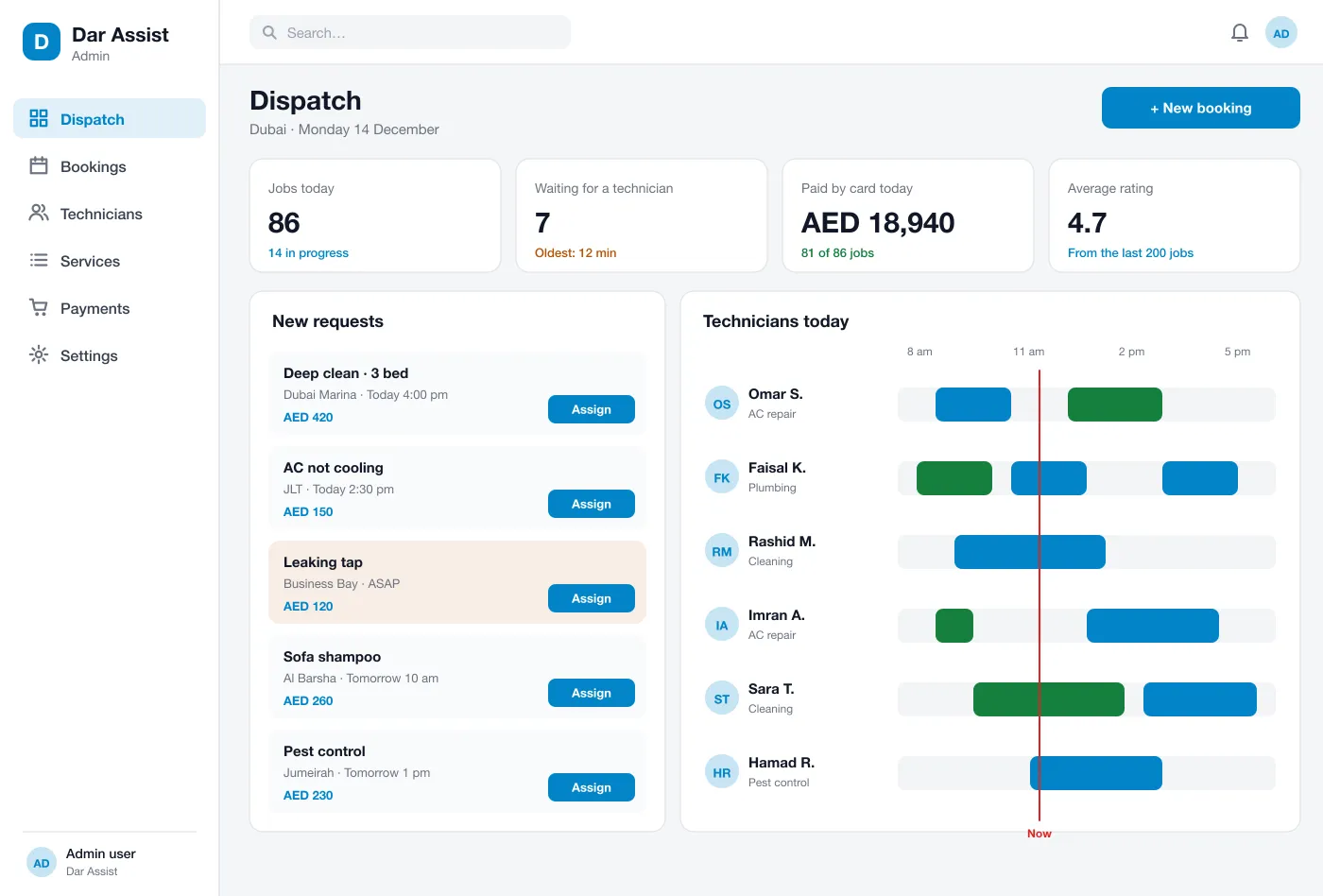
The office sees new requests, each technician's day on a timeline and any job that has waited too long. A job can be assigned with one click.
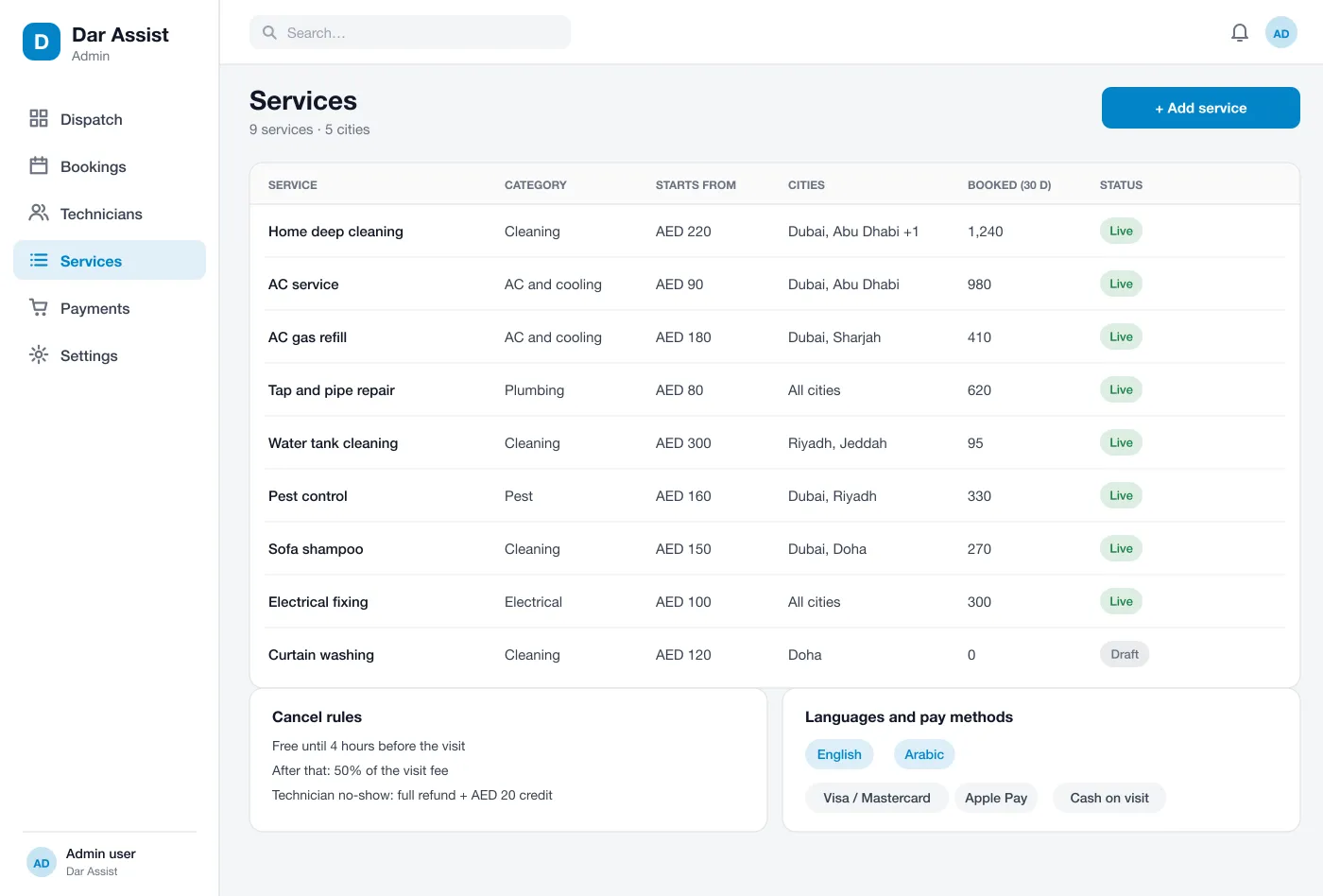
The admin sets each service, its price in each city, add-ons, cancel rules and the languages shown. New cities can be added without new code.
Screens
The mobile app
How it works
Here is how the main tasks work in the app, from the first booking to the technician being paid.
Book a visit
The customer opens the app, picks AC service, chooses 4 pm, checks the price and pays. A confirmation arrives at once.
Get a technician
The office assigns the job, or the app offers it to the nearest free technician. The customer is told who is coming.
Do the job
The technician navigates to the door, takes photos, finishes the work and collects any extra payment in the app.
Rate and pay out
The customer rates the visit. The technician sees the day's earnings and is paid to their bank on a set day each week.
Suggested technology
What we would deliver
FAQ
It is an app where people book a cleaner, an AC repairer, a plumber or another home helper. The customer picks a service and a time, a technician is sent to the door, and payment is taken in the app.
Start with service booking with time slots, card payment, a technician app with job steps and photos, and a dispatch board. Live tracking, promo codes, ratings and more cities can follow in later releases.
Yes. We can build the customer app, the technician app and the web admin for your services and your cities, and connect your card payment gateway.
Yes. Customers can switch between English and Arabic, and the screens turn right to left in Arabic.
The office can assign a job by hand from the dispatch board, or the app can offer it to the nearest free technician with the right skill. You choose which way to work.
Tell us who will use it and what it must do. We will reply with a plan, a timeline and a price.