AI assistant for your day, notes, tasks and email
Chat to check your day, move meetings, sort your inbox and find old notes, with every reply drafted for you to read before it is sent.
It drafts. You decide. Nothing is sent or moved until you say so.
Three rules it follows
Chat first
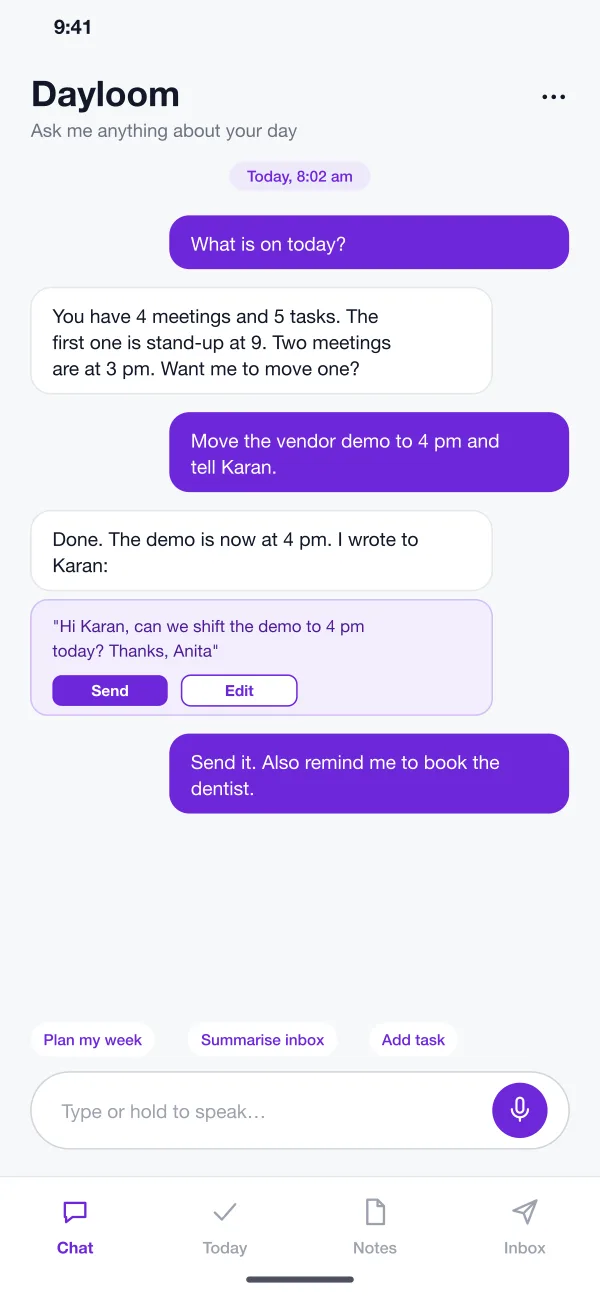
Ask what is on, add a task or move a meeting by typing or speaking.
Drafts you approve
Replies are written for you and sent only after you tap Send.
Find old notes
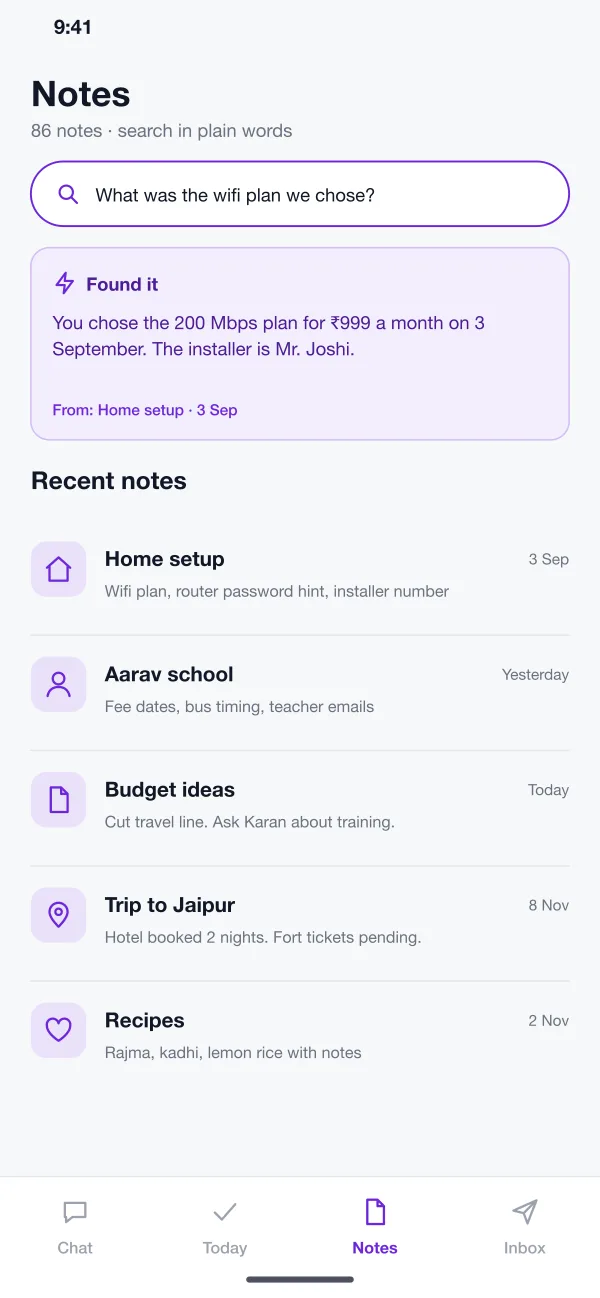
Ask in plain words and see which note the answer came from.
What lives behind the chat
- Chat first
- The home screen is a chat. You can ask what is on today, add a task, move a meeting or find a note. You can type, or hold the microphone and speak.
- Today list
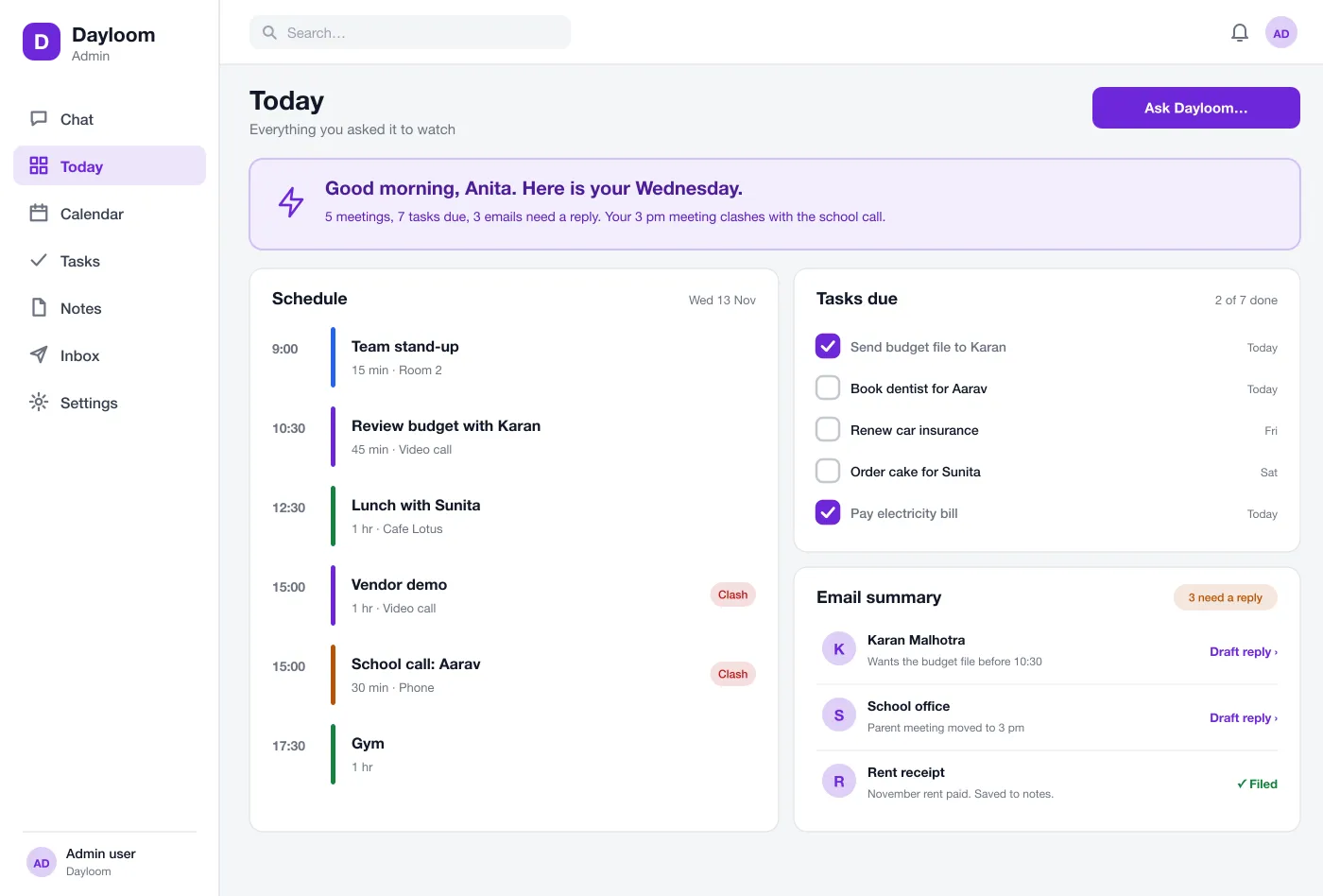
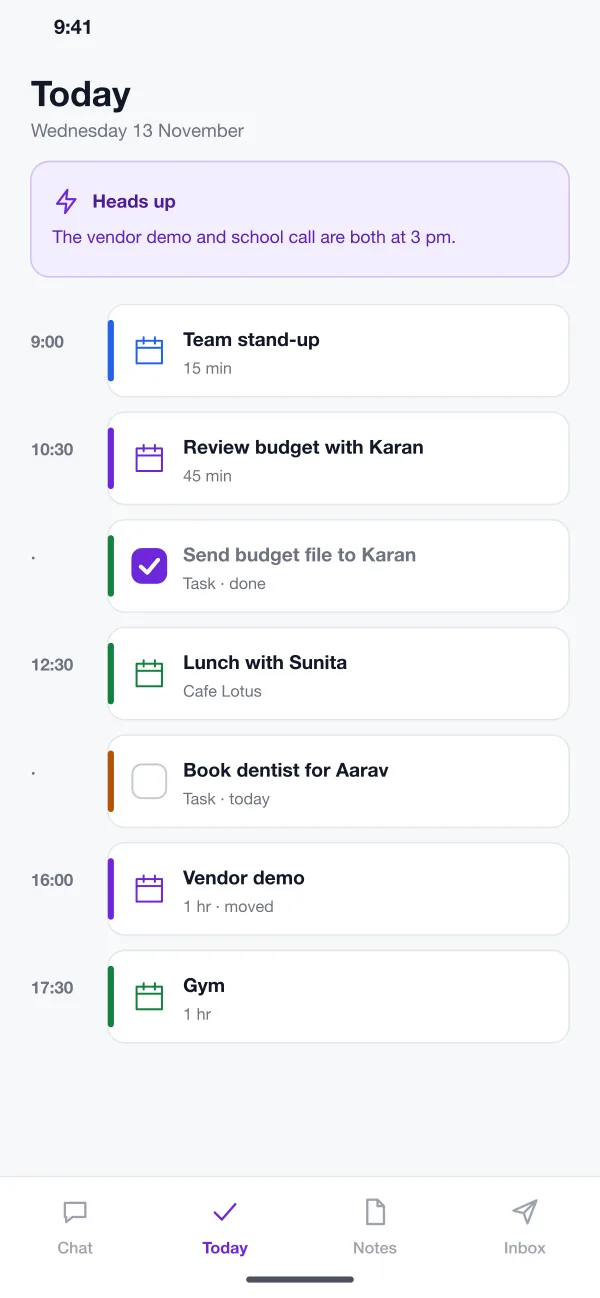
- Meetings and tasks show in one list, in time order. A short note at the top warns you about clashes and things that are due.
- Calendar changes
- When you ask to move a meeting, the app moves it and offers a short message to the other person. You read the message and tap Send, or edit it first.
- Inbox summary
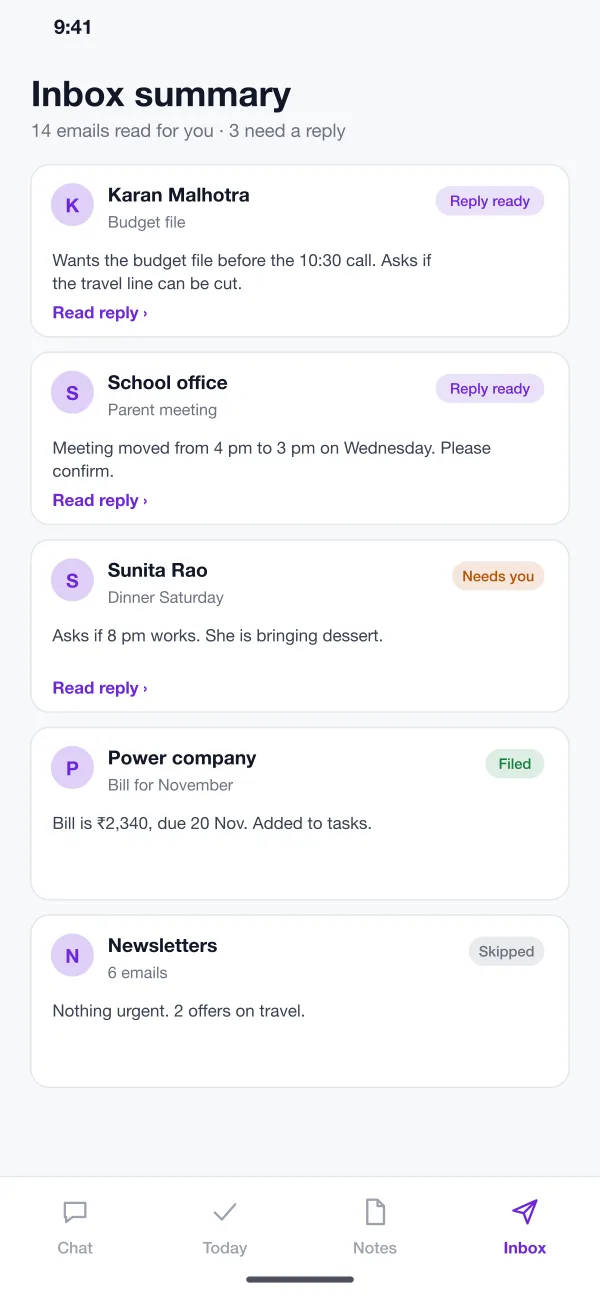
- The app reads your email and gives each one a short line. It marks the ones that need a reply and prepares a draft. Bills and receipts are filed and added to your tasks.
- Notes you can search
- Ask a question like "What wifi plan did we choose?" and the app finds the answer and shows which note it came from. You do not need to remember the title.
- Web view
- On a laptop, the full day appears on one page: schedule, tasks and email summary side by side. It is the same data as the phone, so nothing needs to be copied.
The day, on every screen
A day with Dayloom
Step 1Plan the day
In the morning you ask what is on. The app lists your meetings and tasks and points out two meetings at the same time.
Step 2Fix a clash
You ask it to move one meeting. It does that and writes a short message to the other person for you to send.
Step 3Clear the inbox
You read the summary, send the two drafts you like, and let the app file the bills and receipts.
Step 4Find something old
You ask a question in plain words. The app answers it and shows the note it found the answer in.
Who it helps
Busy people. Plan the day and clear email from one chat.
Small business owners. Keep bills, receipts and meetings in one place, without copying data.
Laptop users. Use the web view to see the schedule, tasks and email side by side.
Questions
What is an AI personal assistant app?
It is an app you talk to in plain words. It can add tasks, move meetings, find old notes and summarise your email, so you do not have to open four different apps.
Which calendar and email accounts can an assistant app connect to?
Most builds start with Google and Microsoft accounts, since both offer calendar and mail access. Each connection asks the user for permission first, and the app only reads what that permission allows.
Can you build an AI assistant app like this for my business?
Yes. We can build a chat-first app for your team or your customers, connect it to your calendar, email or business data, and set what it is allowed to do.
Does the assistant send emails by itself?
Not in this design. It writes a draft and shows it to you. Nothing is sent until you tap Send. The same rule applies to moving meetings.
How does the assistant find things in my notes?
You ask a question in plain words. The app looks through your notes, picks the one that answers it and shows you the answer with a link to the note it came from.
See Dayloom in action
Follow a morning in the chat, then open the same day on the web view.
Try the app