Chat first
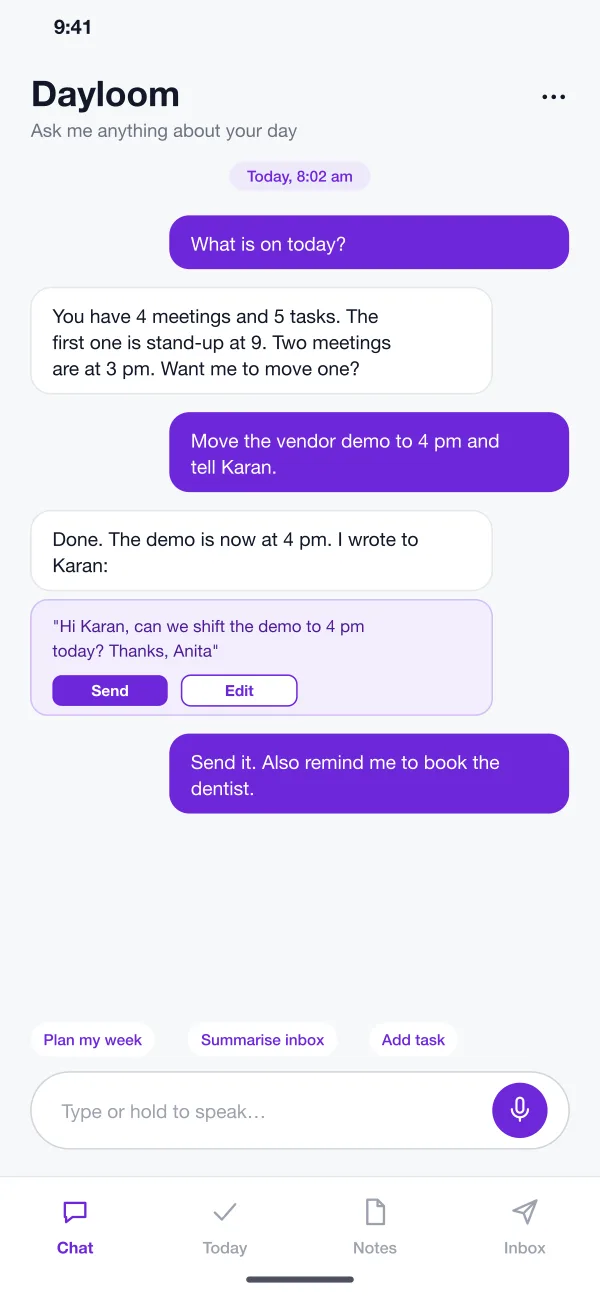
The home screen is a chat. You can ask what is on today, add a task, move a meeting or find a note. You can type, or hold the microphone and speak.
Dayloom is a personal assistant app designed and built by our team. You talk to it like a person. It keeps your notes, tasks and calendar, reads your email and writes short summaries, and drafts replies that you check before they go out.
Dayloom was designed and built by the PRS CloudTech team.
The brief
A busy day lives in many places. Meetings are in a calendar. Tasks are in a list. Ideas are in notes. The important message is somewhere in a pile of email.
People spend a lot of the day just moving between these apps. Two meetings land at the same time and nobody sees it. A bill is due and the reminder is buried in a long email.
One place to ask
You should be able to say what you want in plain words, by typing or speaking, instead of finding the right screen.
A clear view of today
Meetings and tasks should sit in one list in the order of the day, with clashes pointed out.
Short email summaries
Long emails should become one line each, with the ones that need a reply picked out.
You stay in charge
The app can suggest and draft, but it should not send or change anything until you say so.
What we designed
Dayloom keeps four tools behind one chat. Here are its six main parts.
The home screen is a chat. You can ask what is on today, add a task, move a meeting or find a note. You can type, or hold the microphone and speak.
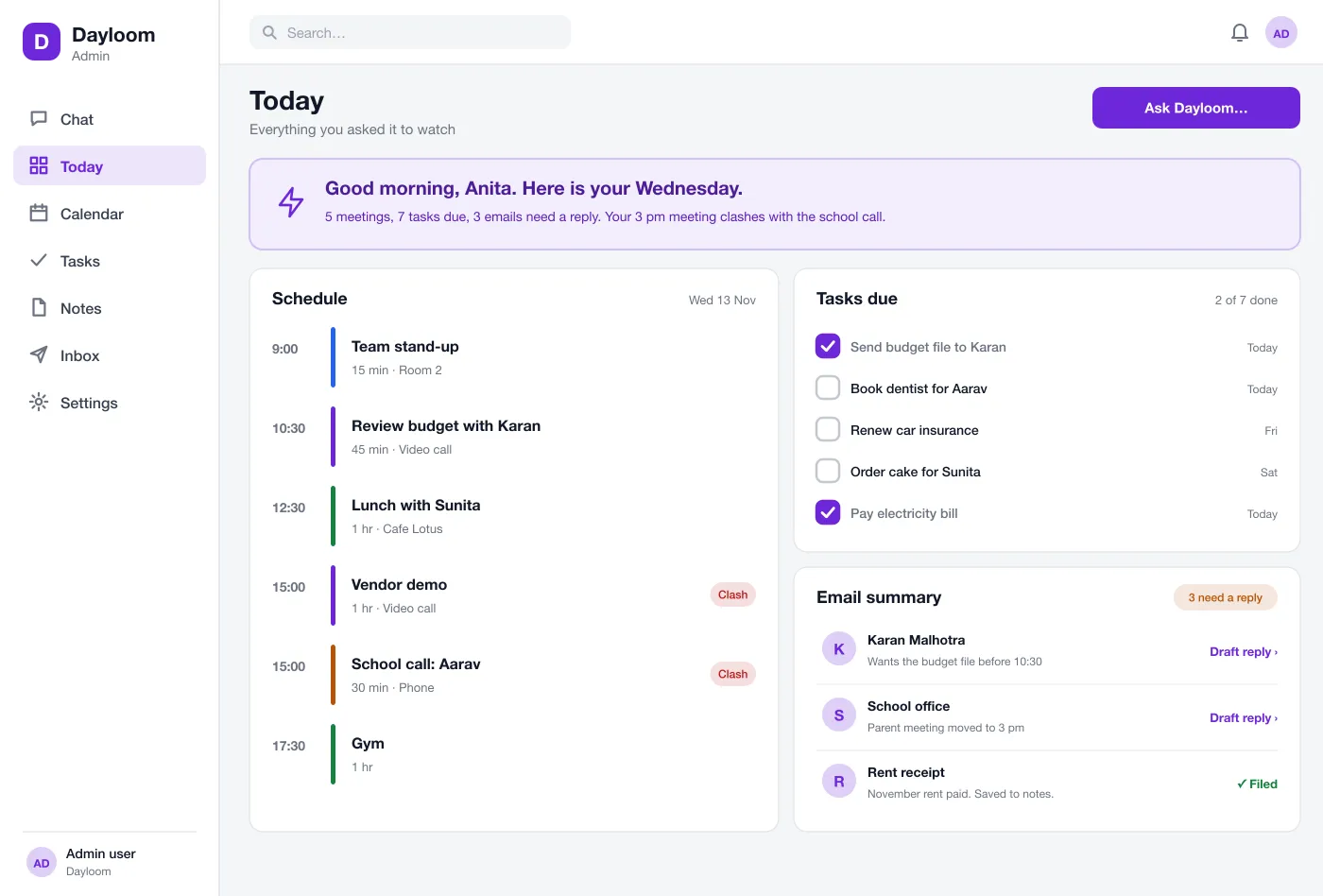
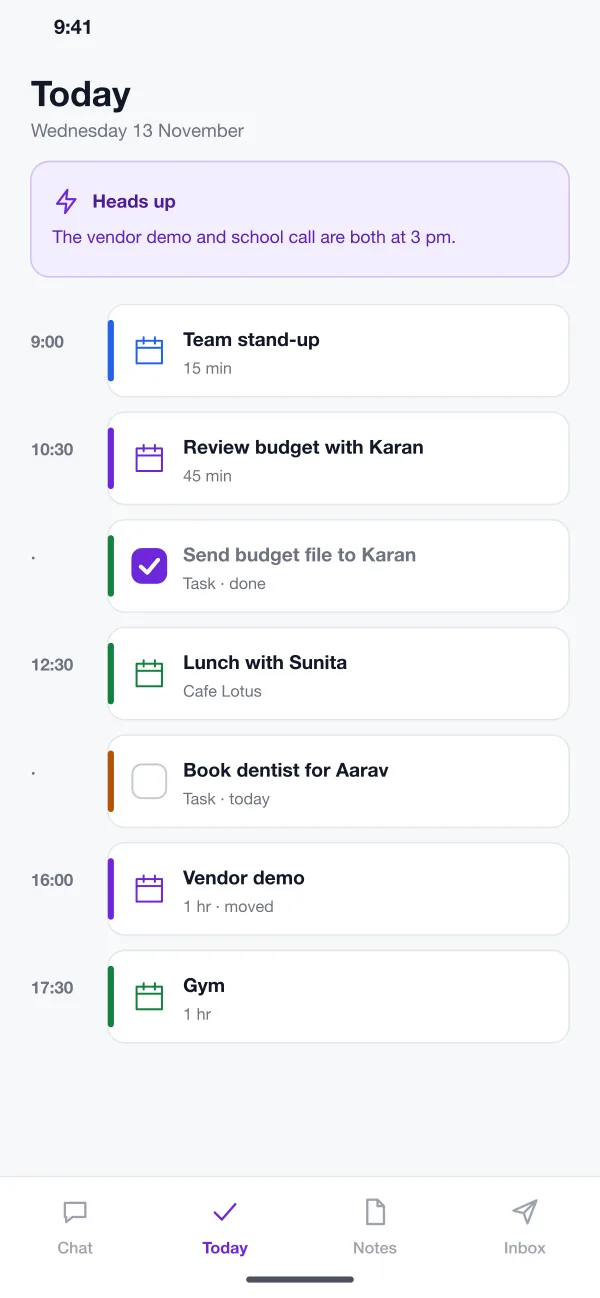
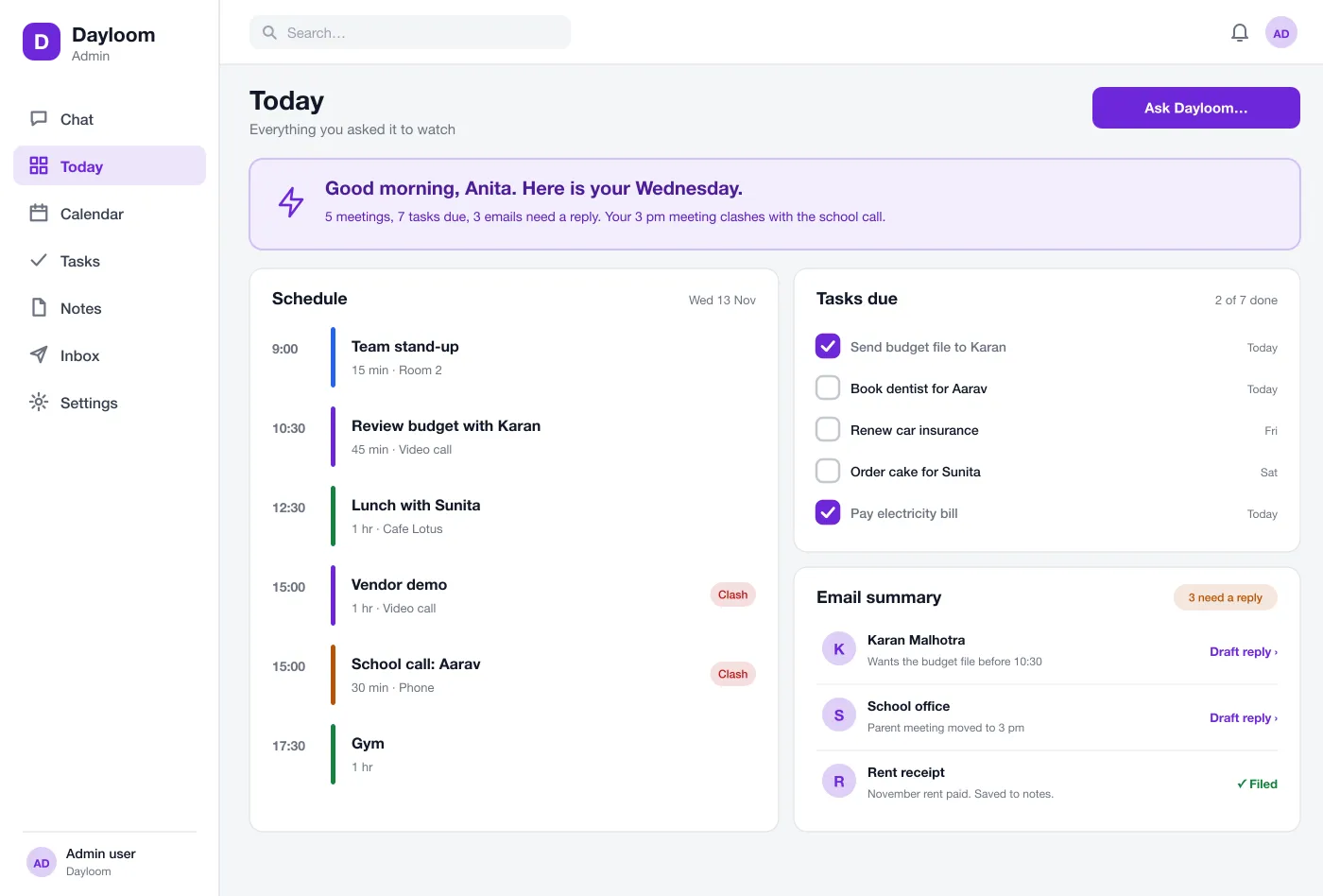
Meetings and tasks show in one list, in time order. A short note at the top warns you about clashes and things that are due.
When you ask to move a meeting, the app moves it and offers a short message to the other person. You read the message and tap Send, or edit it first.
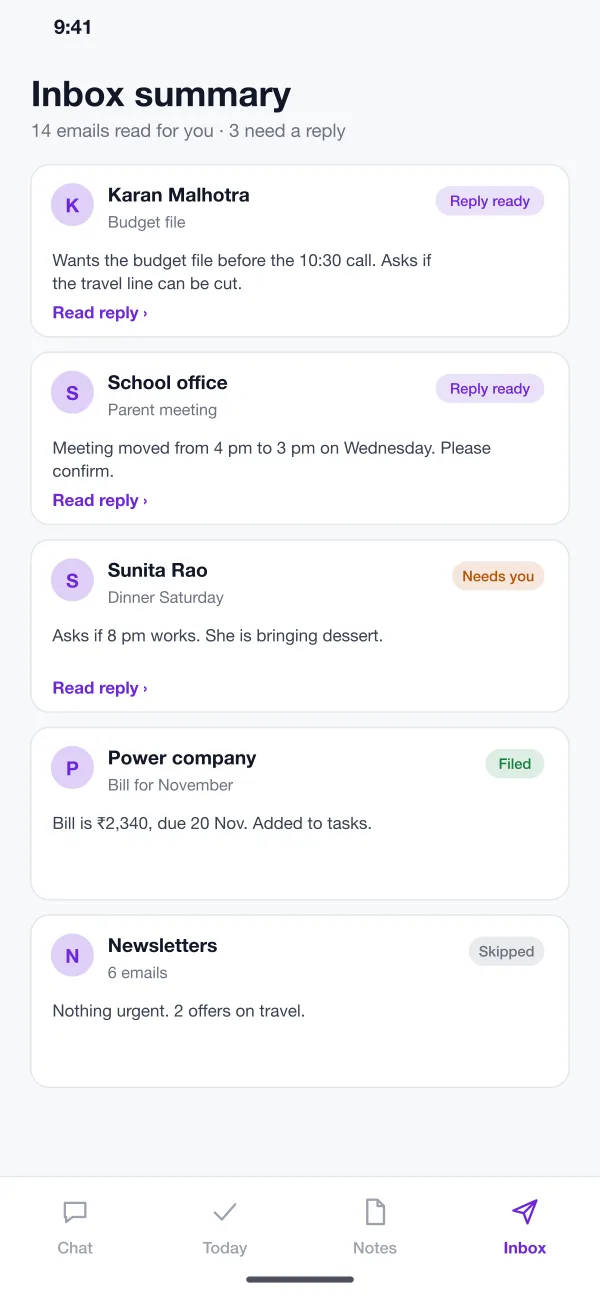
The app reads your email and gives each one a short line. It marks the ones that need a reply and prepares a draft. Bills and receipts are filed and added to your tasks.
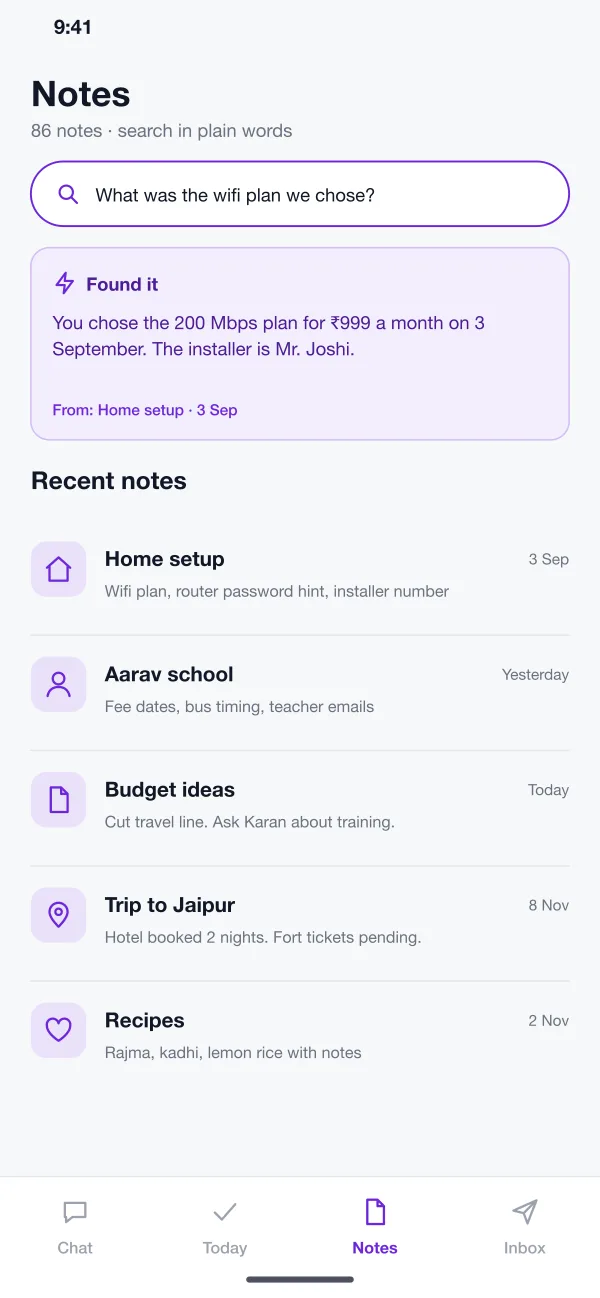
Ask a question like "What wifi plan did we choose?" and the app finds the answer and shows which note it came from. You do not need to remember the title.
On a laptop, the full day appears on one page: schedule, tasks and email summary side by side. It is the same data as the phone, so nothing needs to be copied.
Screens
The mobile app
How it works
Here is how the main tasks work, from the first message of the day to the last task ticked off.
Plan the day
In the morning you ask what is on. The app lists your meetings and tasks and points out two meetings at the same time.
Fix a clash
You ask it to move one meeting. It does that and writes a short message to the other person for you to send.
Clear the inbox
You read the summary, send the two drafts you like, and let the app file the bills and receipts.
Find something old
You ask a question in plain words. The app answers it and shows the note it found the answer in.
Suggested technology
What we would deliver
FAQ
It is an app you talk to in plain words. It can add tasks, move meetings, find old notes and summarise your email, so you do not have to open four different apps.
Most builds start with Google and Microsoft accounts, since both offer calendar and mail access. Each connection asks the user for permission first, and the app only reads what that permission allows.
Yes. We can build a chat-first app for your team or your customers, connect it to your calendar, email or business data, and set what it is allowed to do.
Not in this design. It writes a draft and shows it to you. Nothing is sent until you tap Send. The same rule applies to moving meetings.
You ask a question in plain words. The app looks through your notes, picks the one that answers it and shows you the answer with a link to the note it came from.
Tell us who will use it and what it must do. We will reply with a plan, a timeline and a price.