Dispatch board
The office sees every technician's day as a row of time blocks. Urgent jobs wait in a side list and can be moved onto any technician's day. Colours show what is done, running or booked.
Plan technician days on one board, let staff finish jobs on a phone, turn quotes into jobs, track parts, and send invoices with a pay link.
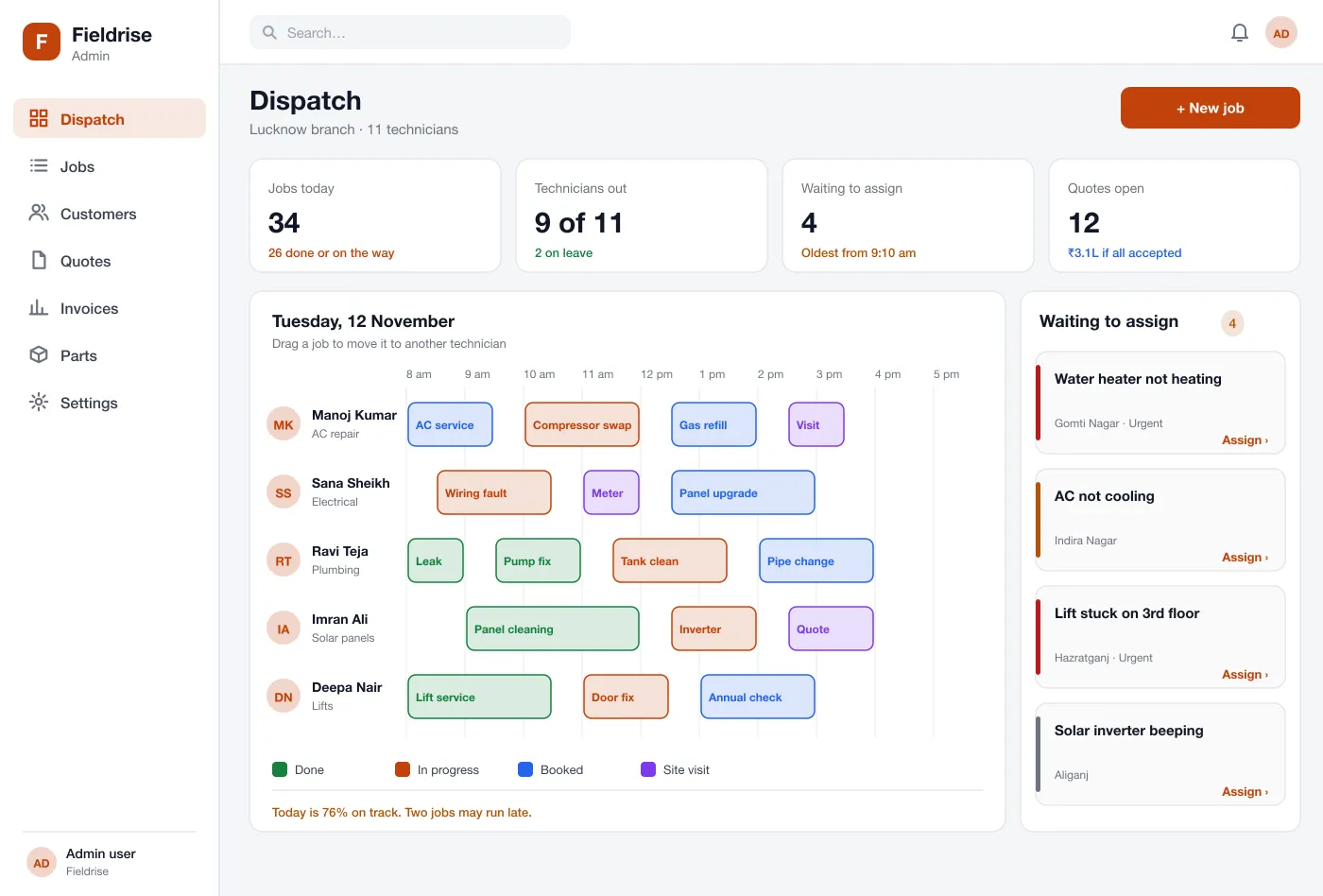
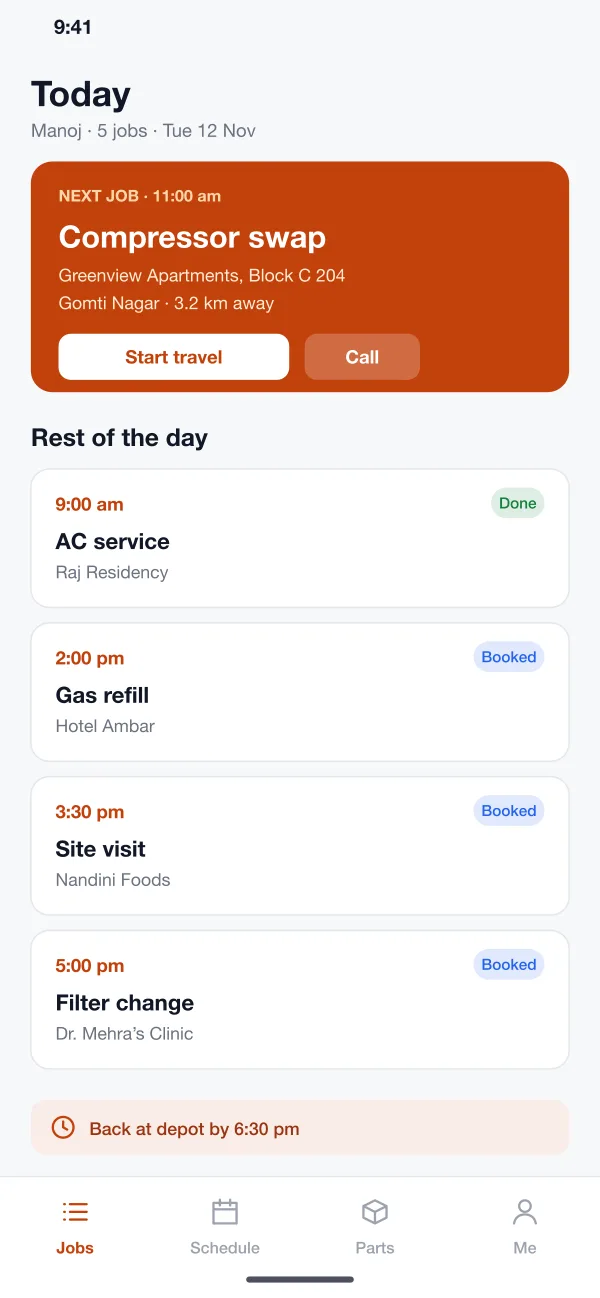
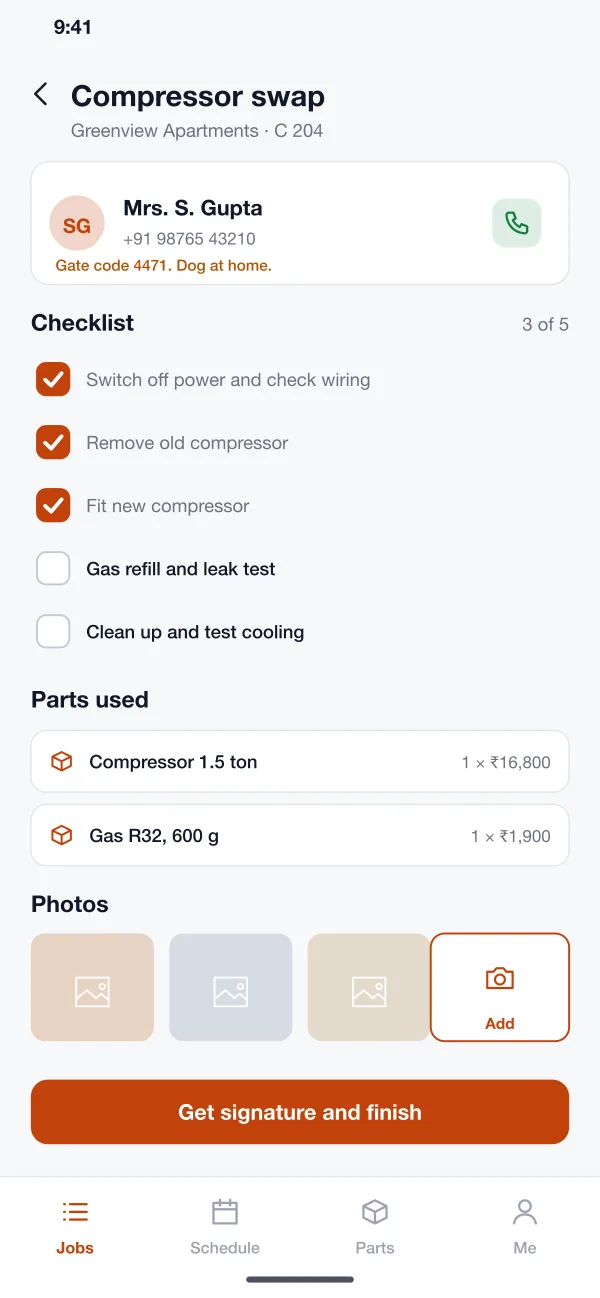
Office staff work on a large screen. Technicians carry the same job on their phone, with the address, the steps and the signature pad.
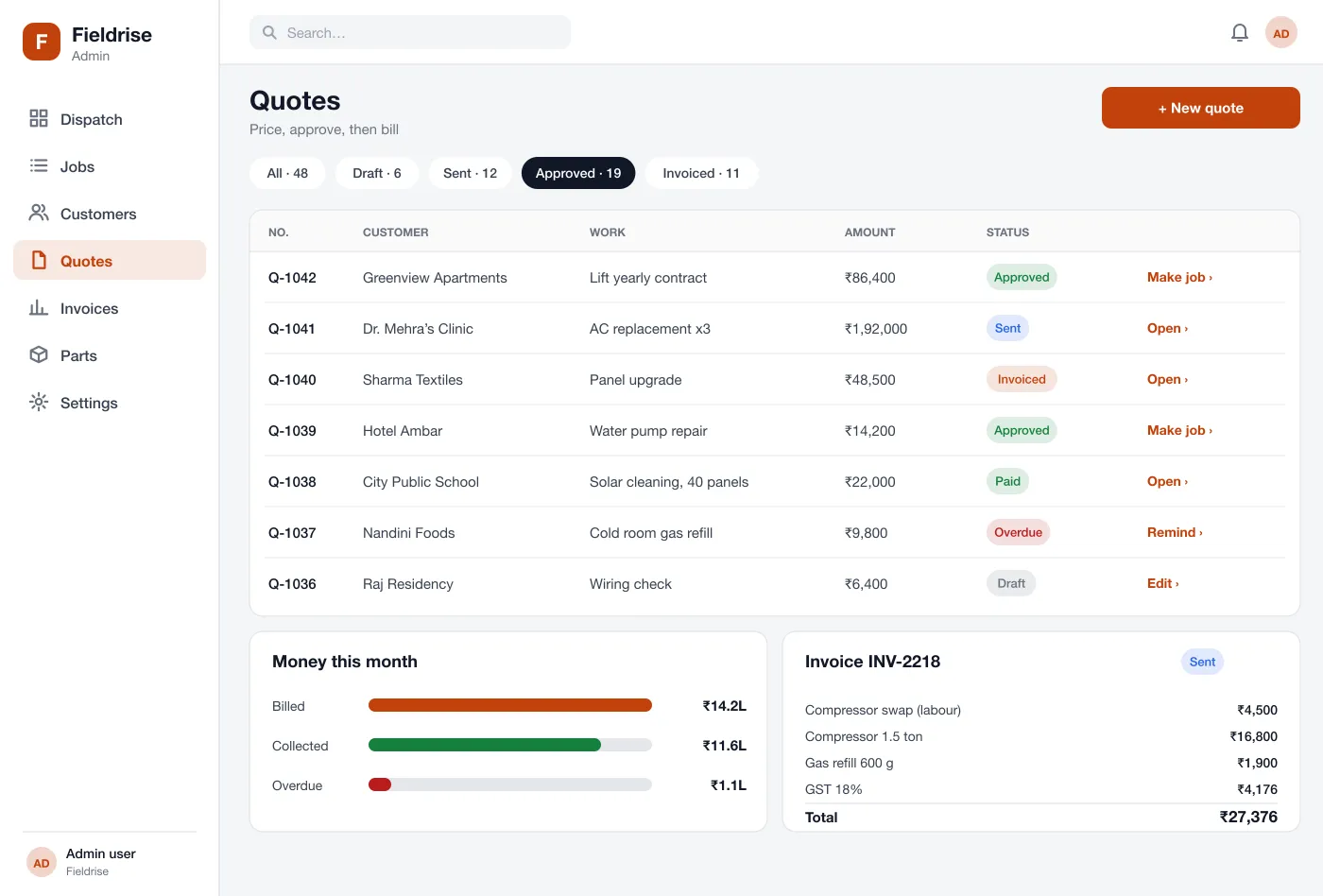
Every module reads and writes the same job, so nothing is typed twice.
The office sees every technician's day as a row of time blocks. Urgent jobs wait in a side list and can be moved onto any technician's day. Colours show what is done, running or booked.
The technician sees today's jobs in order, with the next job on top. One tap starts travel, opens the map or calls the customer.
Each job has steps to tick off, parts used and photos of the work. The steps can be changed for each type of job, such as a lift service or a solar clean.
The office builds a quote from a price list and sends it to the customer. When the customer approves it, one tap turns it into a booked job.
Parts used on a job are taken off the stock list. The office sees what is running low before a technician arrives and finds the van empty.
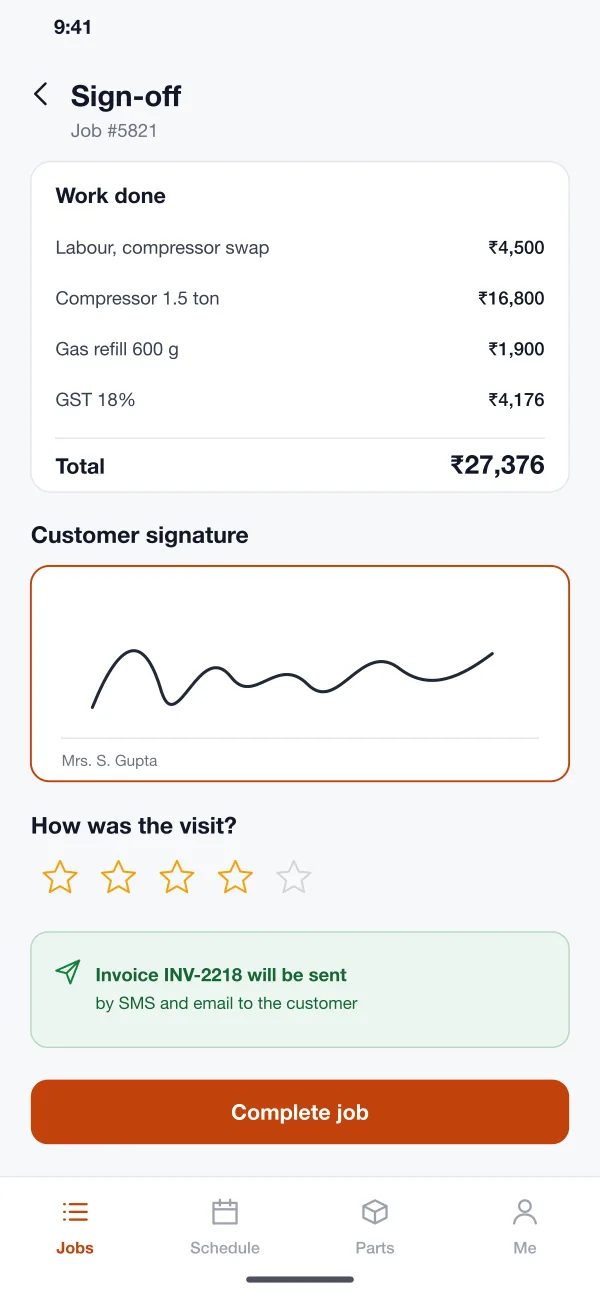
At the end of the job the customer signs on the phone. The invoice, with tax, goes out by SMS and email with a pay link. Late bills get a reminder.
From the first phone call to the money in the bank, this is what happens at each step.
The office takes the details, adds the job and picks a technician who is free and has the right skill. The technician gets the job on the phone at once.
They tick off the steps, add the parts and photos, and get the customer's signature before they leave.
The customer approves the price. The office turns the quote into a job and picks a day.
The invoice is sent the same day. If it stays unpaid, the system sends a reminder and the office sees it in the overdue list.
Take a call, add the job and pick a free technician with the right skill.
Tick off steps, add parts and photos, and collect the signature before leaving.
Track overdue bills and low stock in one place.
It is software for businesses that send people to a customer's home or site, such as AC repair, plumbing, solar or lift service. It keeps jobs, technicians, quotes, parts and invoices in one place.
Start with the job list, the dispatch board, the technician app and invoices. Quotes, parts stock and pay links can follow once the team uses the basics every day.
Yes. We can build the web admin and the technician app for Android and iOS, and connect it to your payment gateway, SMS and maps. We can adjust the job steps to match your trade.
If you sell the software to many service companies, each one signs in to its own space. They see only their own jobs, customers and prices, and cannot see anyone else's.
Yes. The technician app keeps the day's jobs on the phone. Notes, photos and signatures are saved and sent when the phone is online again.
Tap through the dispatch board, the technician app and the invoice flow.