Drivers
See today's vehicle, do the walkaround and report a fault in a few taps.
Drivers walk round the vehicle in the app and flag faults with photos. Managers track papers, servicing and a record for each vehicle, ready for an audit.
The old way
With Fleetproof
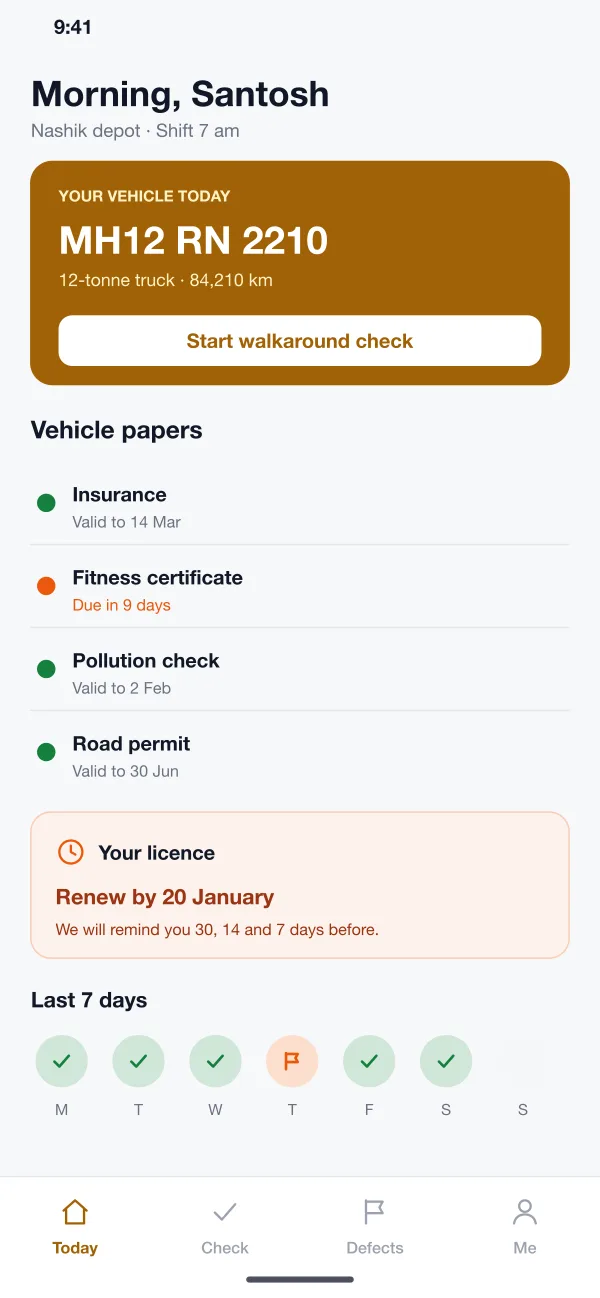
The old way: Paper sheets get filled in late, or lost in the cab.
With Fleetproof: Each driver checks the vehicle in the app, and the manager sees who has not.
The old way: A fault is told to someone by phone and forgotten.
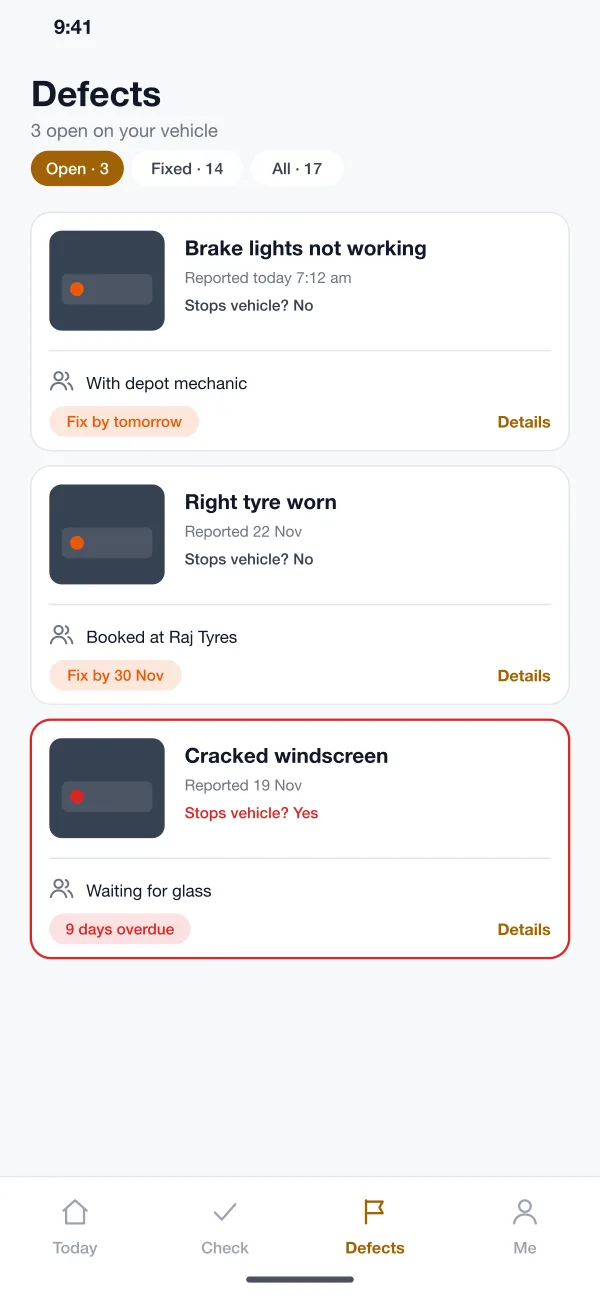
With Fleetproof: A flagged item stays on the defect list, with a photo, until it is fixed and signed off.
The old way: Insurance, permits and licences run out on different days, kept in a diary.
With Fleetproof: Every date is tracked, with reminders 30, 14 and 7 days before it runs out.
The old way: It takes days to find the right sheets and repair bills.
With Fleetproof: One report shows the checks, defects and repairs for a vehicle, as a PDF.
The driver sees today's vehicle, the walkaround button, the state of the vehicle's papers and a reminder for their own licence.
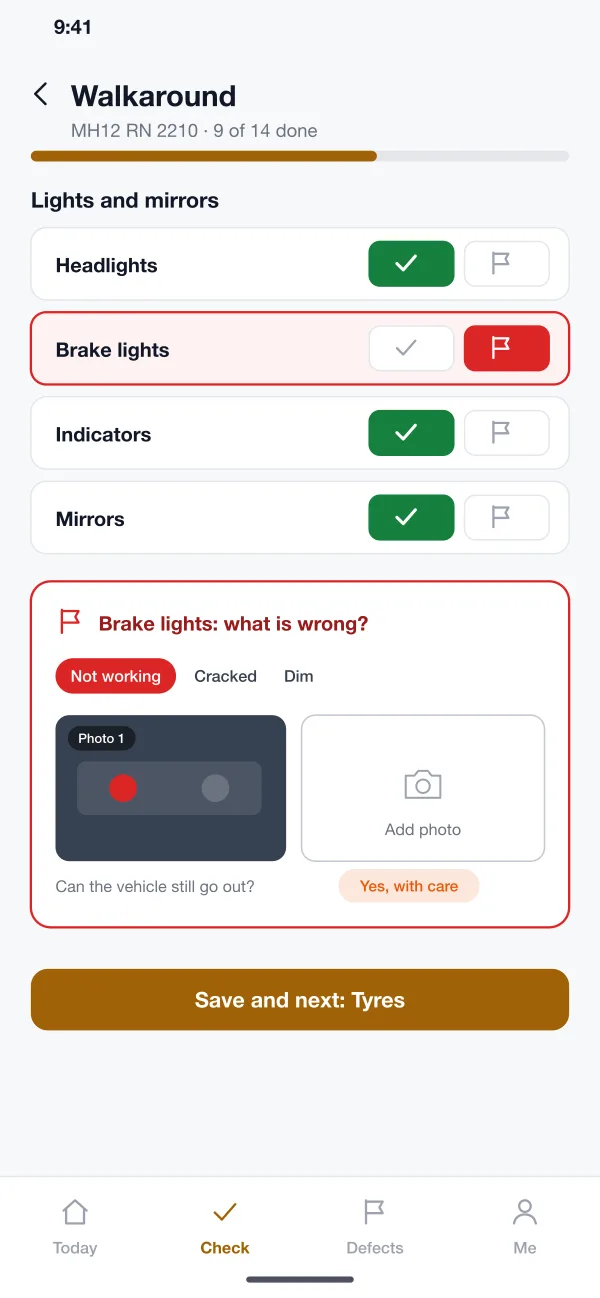
The driver goes through a list by area, such as lights or tyres, and taps OK or flag for each item. The list can be different for each vehicle type.
A flagged item asks what is wrong, takes a photo and asks if the vehicle can still go out. The report goes to the depot at once.
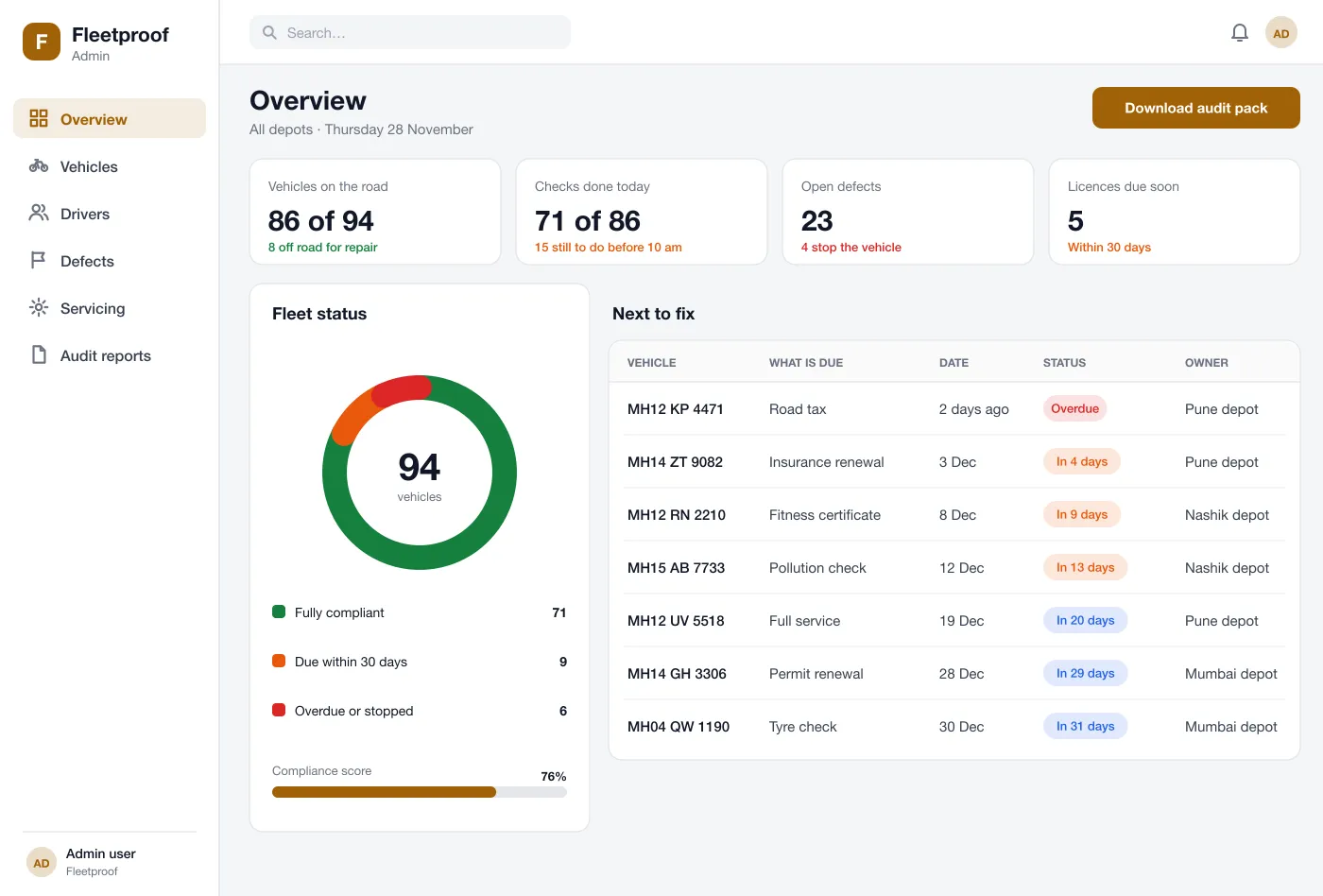
Insurance, fitness, permits, pollution checks and driver licences all get due dates. Reminders go out 30, 14 and 7 days before.
Each vehicle has a service plan based on days or kilometres. The manager sees what falls due and books it.
One screen builds a record for a vehicle: a calendar of checks, defects, repairs and who signed them off. It exports as a PDF.
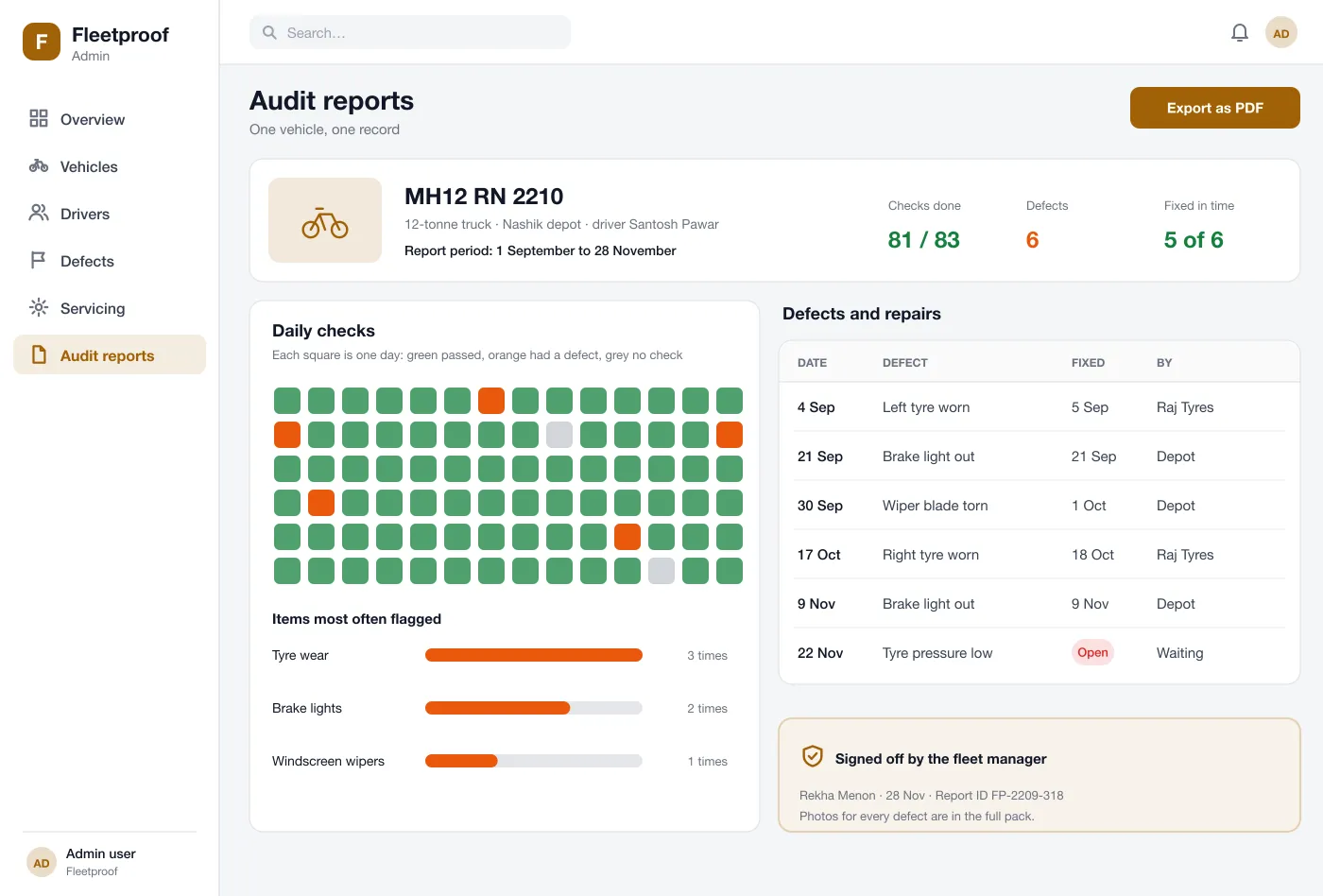
Audit report
One vehicle’s checks, defects and repairs, ready to hand to an inspector
The driver opens the app, walks round the vehicle and flags a broken brake light with a photo.
The depot mechanic gets the report, books the repair and marks it done. The driver sees the status change.
The manager opens the overview, sees which papers fall due soon and sends the vehicle for renewal.
An inspector asks for proof. The manager exports a report with every check, defect and repair for that vehicle.
See today's vehicle, do the walkaround and report a fault in a few taps.
See what falls due, book servicing and send vehicles for renewal.
Get each defect report, book the repair and mark it done.
It helps a business that runs vehicles keep to the rules. It records vehicle checks, tracks papers and driver licences, follows defects until they are fixed and produces records for an inspector.
Start with the daily walkaround check, defect reports with photos and expiry reminders for papers and licences. Servicing plans and audit reports can follow once checks happen every day.
Yes. We can build the web admin and the driver app for Android and iOS, with your own check lists, rules, depots and report layouts.
Yes. The check, photos and notes are saved on the phone and sent when the signal returns, with the time of the check kept.
Some defects can be marked as stopping the vehicle. The manager is told at once and the vehicle shows as off the road until the repair is signed off.
Follow one check, one defect and one audit report from the depot.