Dating app with safety tools and verified profiles
Members get a short daily list, confirm their profile with a selfie and chat only after a match. Safety tools sit on every main screen.
- Selfie check
- Safety on every screen
- Gentle chat reminders
Made for meeting the right people, safely
Every main screen has a way to stay in control: verify, hide, block, report or share your plans with a friend.
Daily suggestions
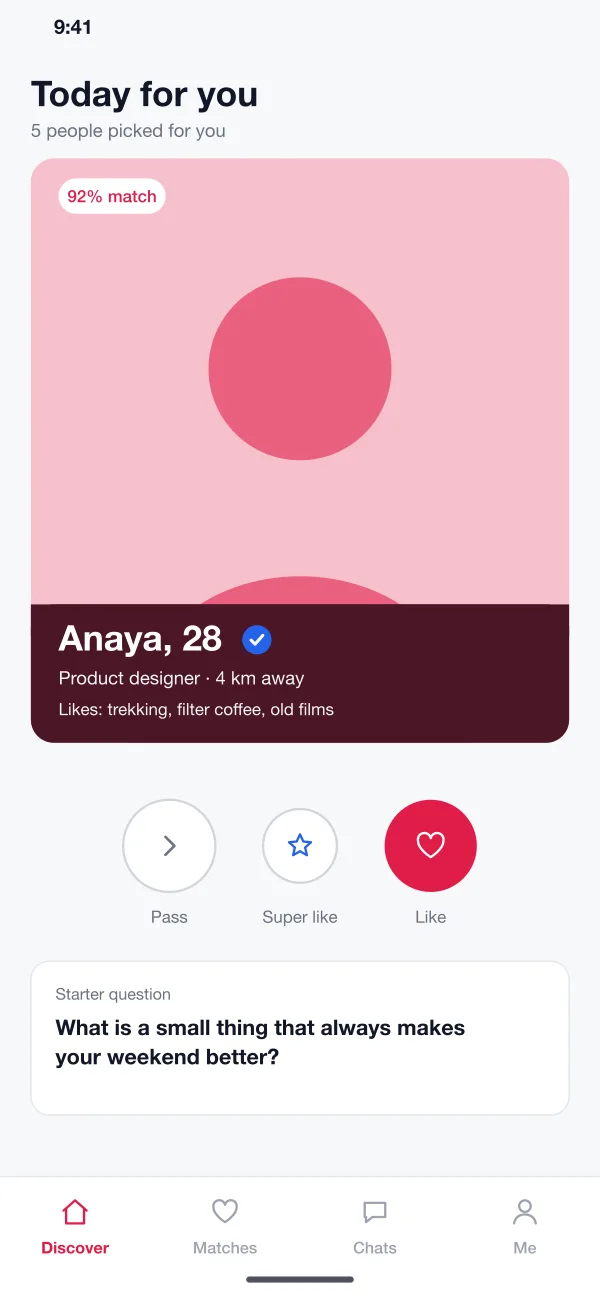
Each day a member gets a short list of people, picked from shared interests, distance and what they asked for. A match score and a starter question sit on each card.
Discover: today’s suggestions with shared interests and a verified badge
Selfie verification
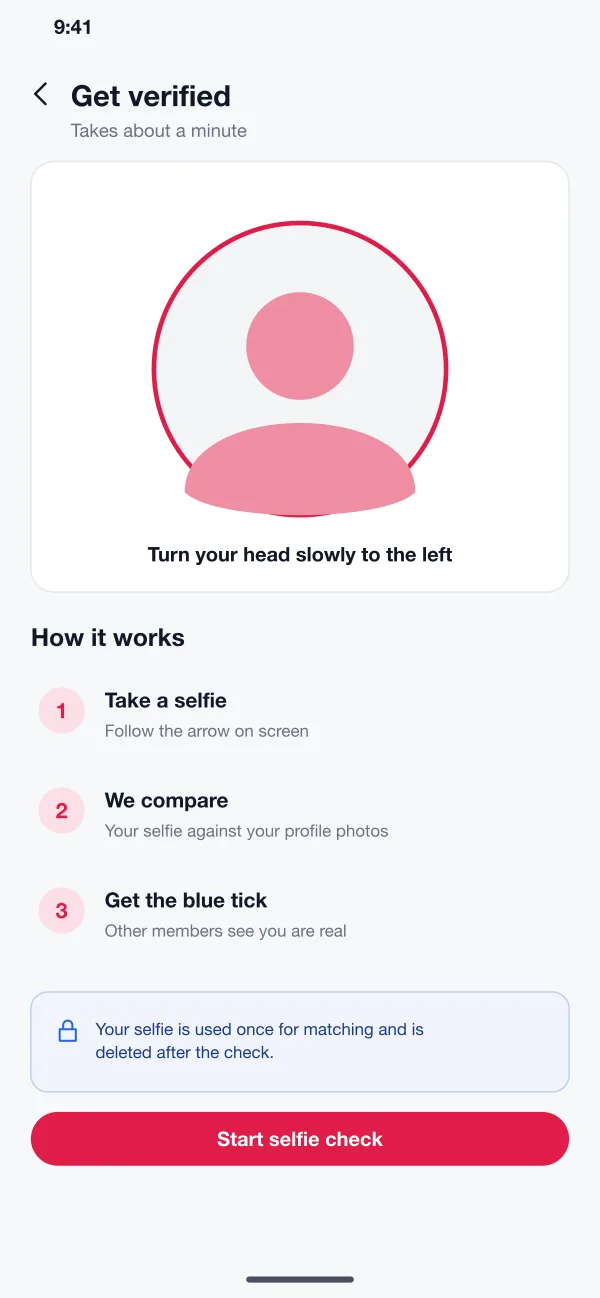
A short selfie is compared with the profile photos. Members who pass get a blue tick. The selfie is deleted after the check.
Get verified: a quick selfie is matched to the profile photos
Chat with gentle reminders
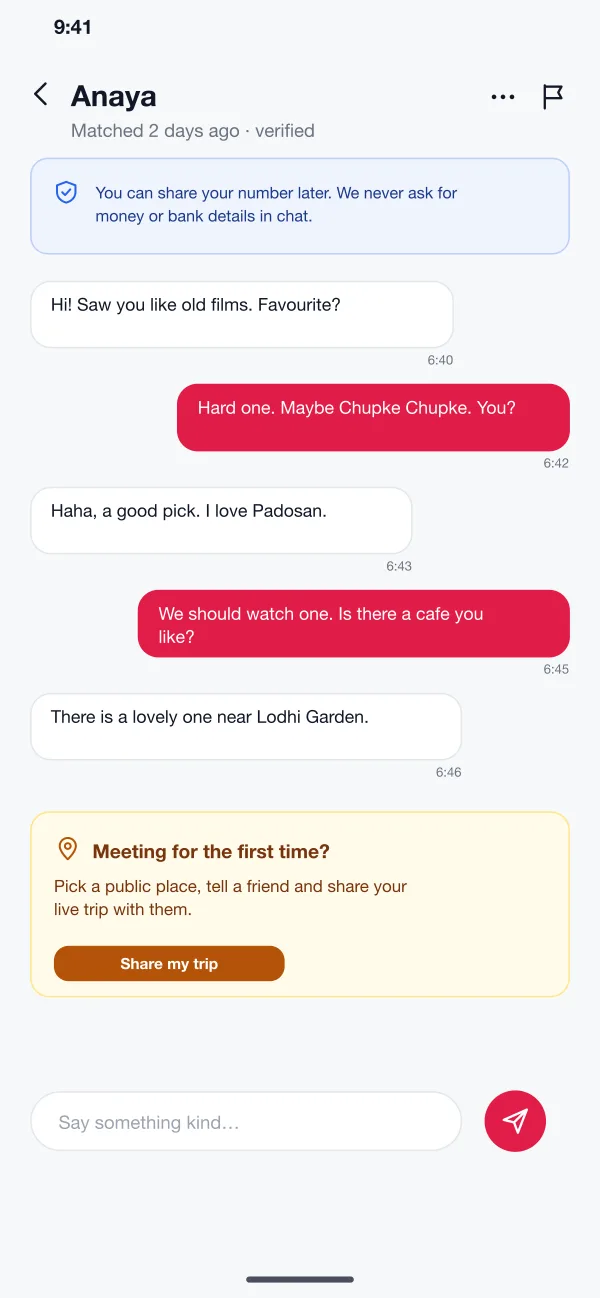
Chat opens after both people like each other. A short note reminds members not to share money or bank details, and flags risky words.
Chat: kind reminders, a nudge to meet in public and one-tap report
Safety centre
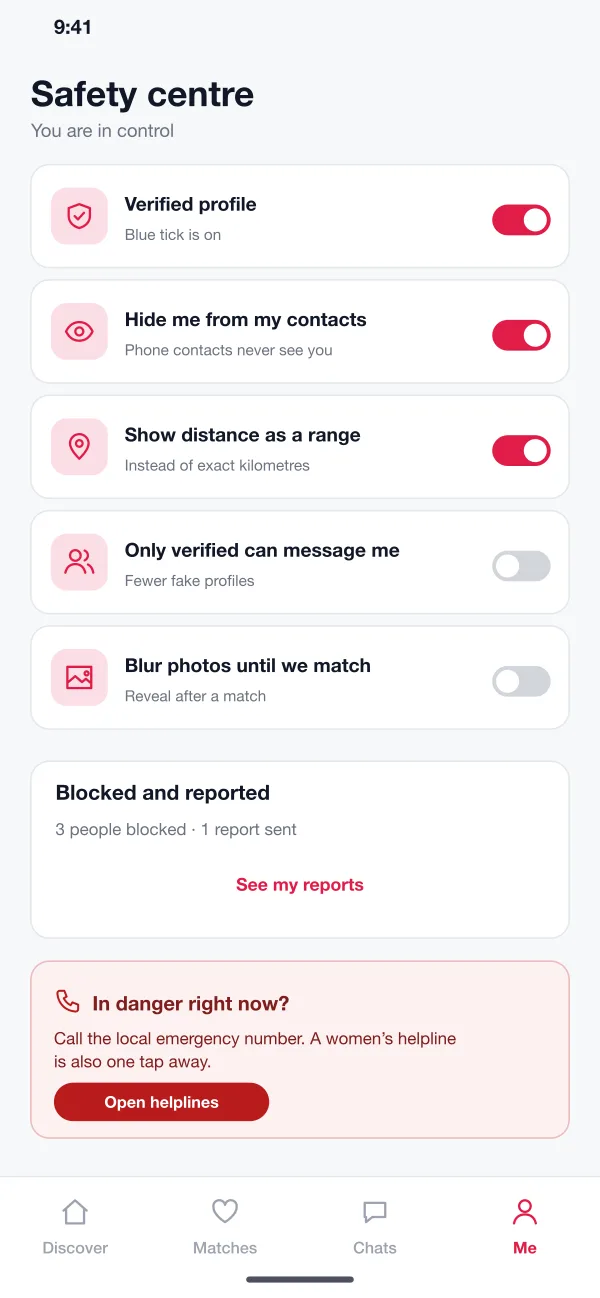
One screen holds the privacy switches: hide from contacts, show distance as a range, blur photos until a match, and allow only verified members to message.
Safety centre: block, report, hide from contacts and share a trip
Meeting safely
Before a first meeting the app suggests a public place and lets the member share a live trip with a friend. Helpline numbers are always one tap away.
Members
Browse daily picks, chat with matches and report anyone who asks for money.
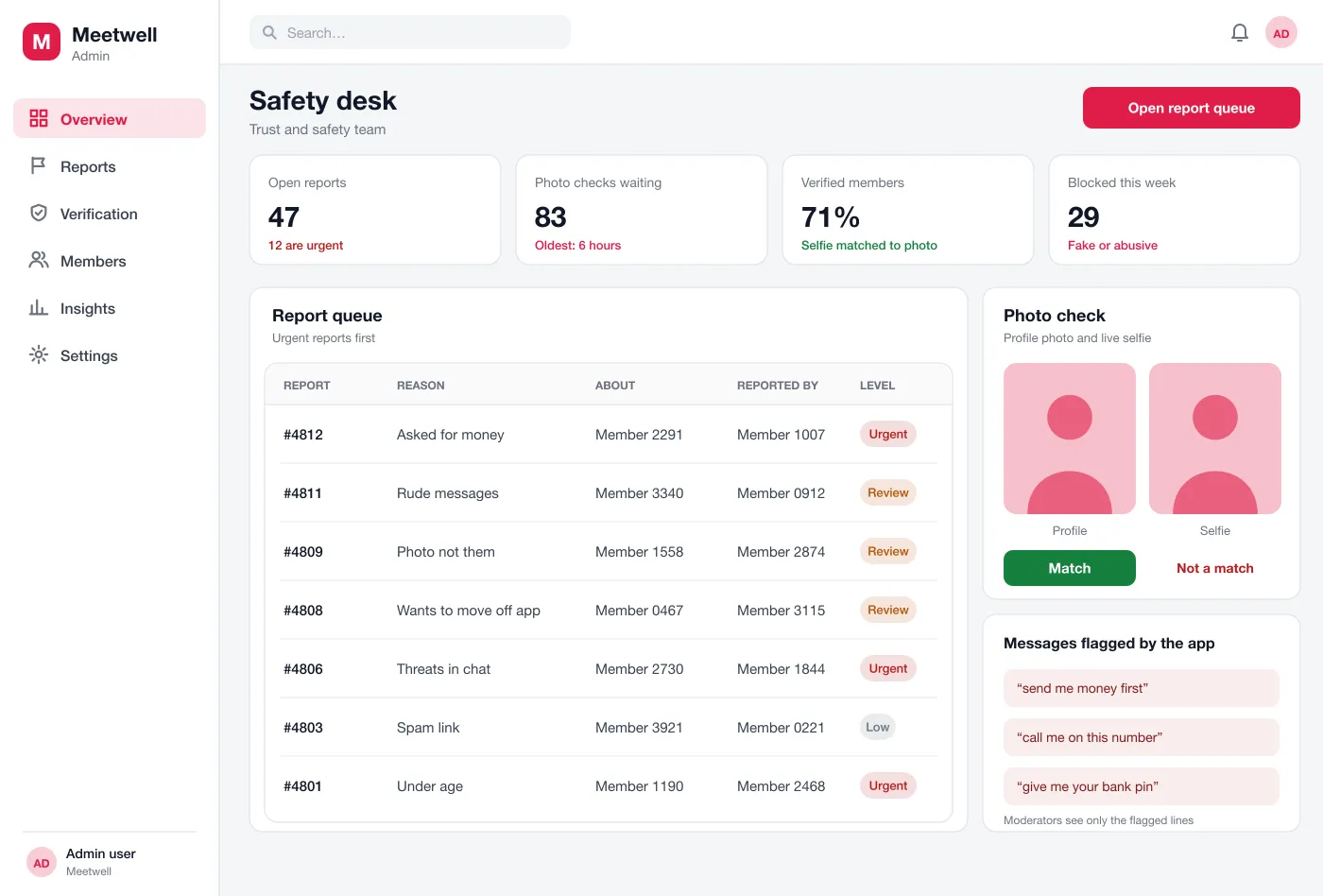
A safety desk behind every report
Reports, photo checks and members waiting for review sit in one queue, with the most urgent ones first.
Moderators
Work a queue with urgent reports first and read only the flagged lines.
Safety leads
Review reports, decide on warnings and reply to the person who reported.
From hello to a first meeting
Join and get verified
A new member adds photos and interests, takes the selfie check and gets the blue tick.
Find a match
The member looks through the day's suggestions, likes a profile and starts a chat when it is mutual.
Stay safe
If someone asks for money, the member taps report. The report goes to the top of the safety queue.
Review a report
A moderator opens the flagged lines, decides to warn or block the member and sends a short note back to the reporter.
Questions before you join
What features does a dating app need?
At a minimum: profiles, match suggestions, chat, photo checks, and tools to block and report people. Safety tools matter as much as matching.
How is member data kept safe in a dating app?
Photos, chats and selfie checks are stored encrypted, and staff see only what a case needs. Members can hide their profile, delete their account and download their data. Location is shown as a distance, never as an exact place.
Can you build a dating app like this for my business?
Yes. We can build the app for Android and iOS, the matching rules, chat, and a panel for your moderators. We can also connect a selfie check service.
How does verification work?
The member takes a short selfie and the system compares it with the profile photos. A person on the safety team looks at unclear cases. A blue tick shows on a match.
How are reports handled?
Reports go to a queue with urgent ones first. Moderators see only the flagged lines of a chat, not the whole conversation.
See Meetwell in action
Tap through the daily picks, the safety centre and the moderator queue.
Try the app