Daily suggestions
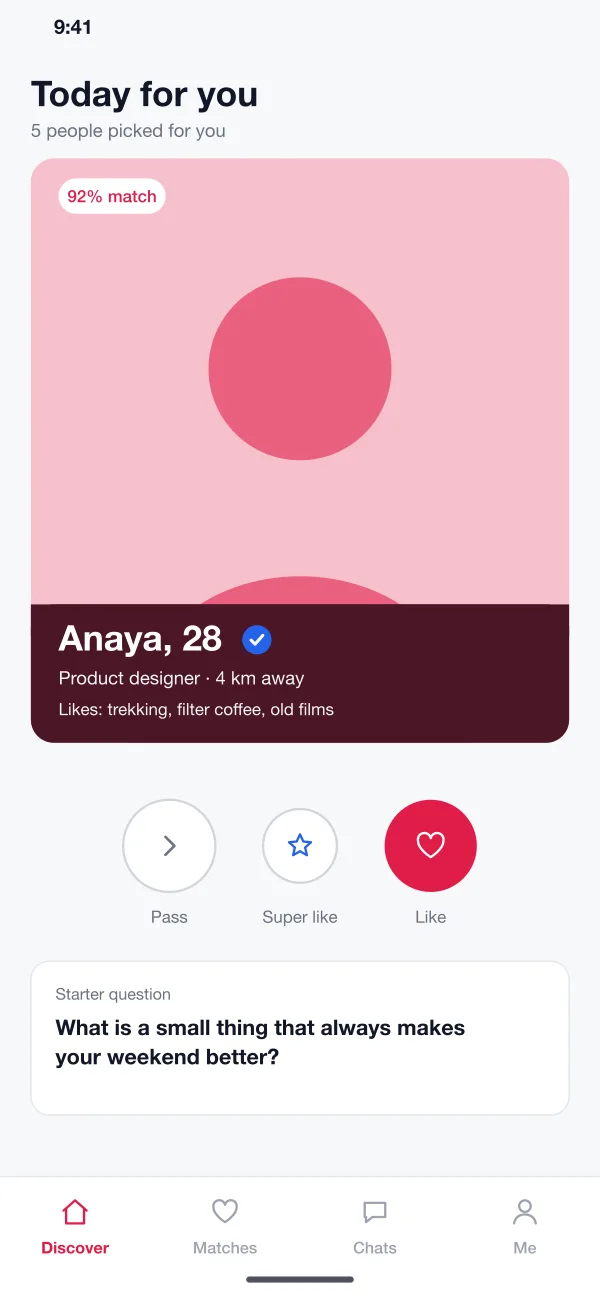
Each day a member gets a short list of people, picked from shared interests, distance and what they asked for. A match score and a starter question sit on each card.
Meetwell is a dating app designed and built by our team. Members get daily match suggestions and chat, and can prove they are real with a selfie check. A safety team panel handles reports and photo checks.
Meetwell was designed and built by the PRS CloudTech team.
The brief
Dating apps are easy to start and hard to trust. Many people have met profiles that hide who they are, rude messages or requests for money. Some stop using the app after one bad week.
The team behind an app has the same worry from the other side. Reports arrive faster than people can read them, and urgent cases look like all the rest.
Real people
Members want to know that the photo they see belongs to the person they are chatting with.
Quiet control
People need to hide from contacts, blur photos and block anyone in one tap.
A good start
A match with nothing to say goes cold, so conversations need a gentle push.
Fast safety work
The safety team needs urgent reports at the top and only the lines they must read.
What we designed
Meetwell puts safety in every main screen, not in a hidden menu.
Each day a member gets a short list of people, picked from shared interests, distance and what they asked for. A match score and a starter question sit on each card.
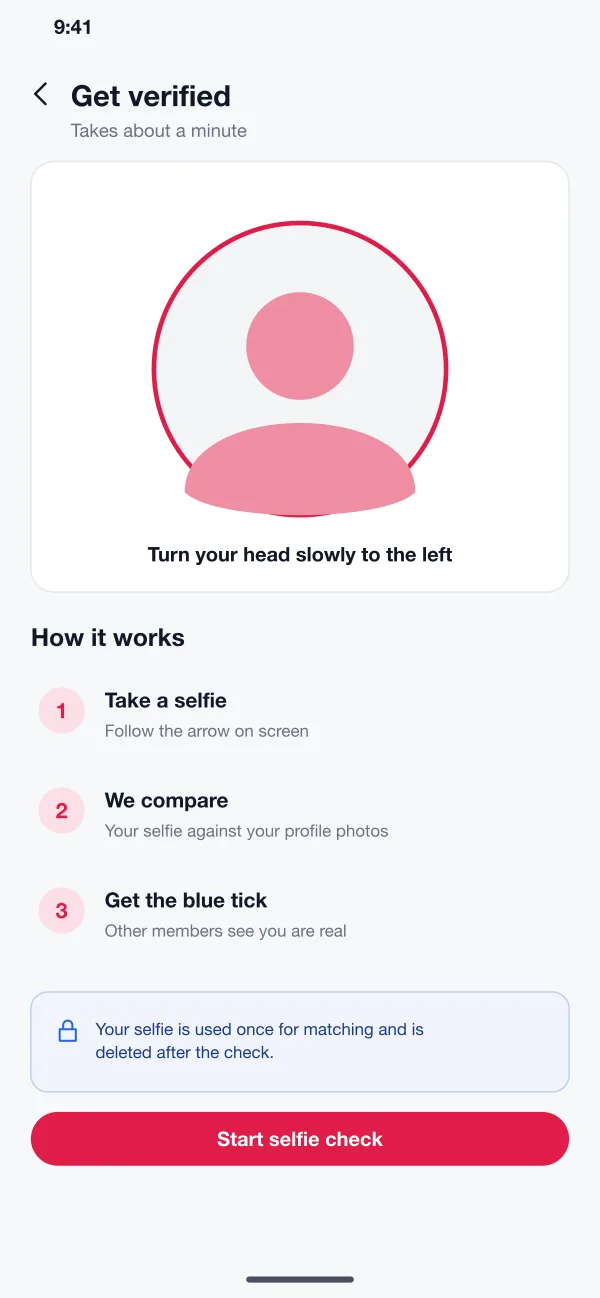
A short selfie is compared with the profile photos. Members who pass get a blue tick. The selfie is deleted after the check.
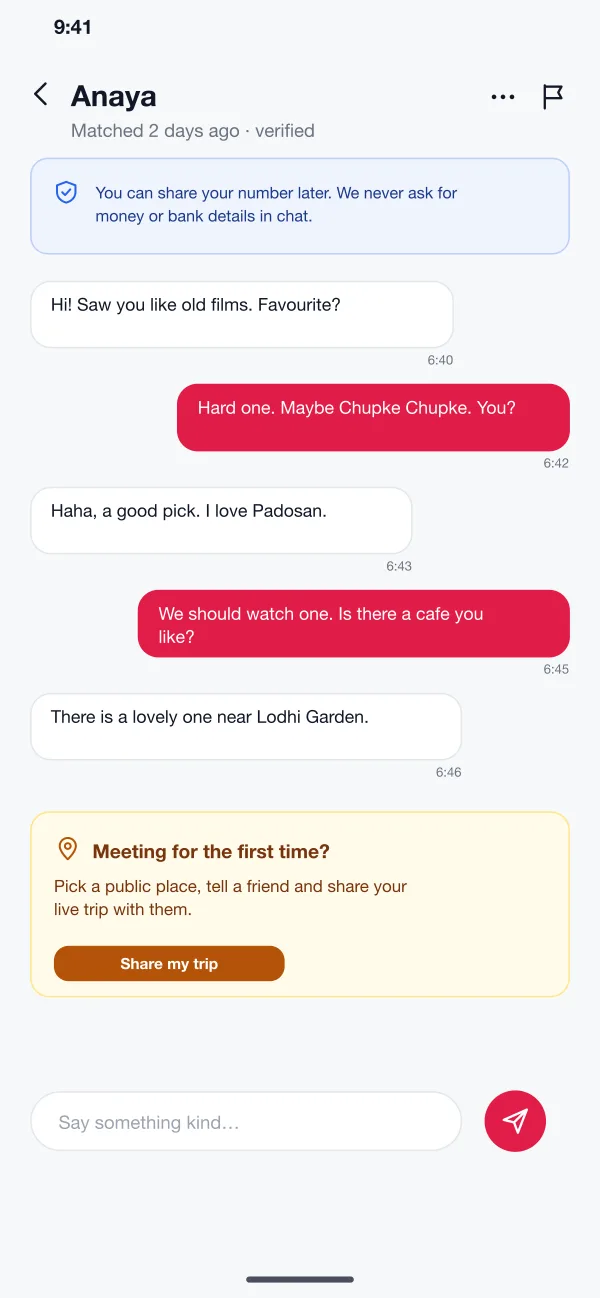
Chat opens after both people like each other. A short note reminds members not to share money or bank details, and flags risky words.
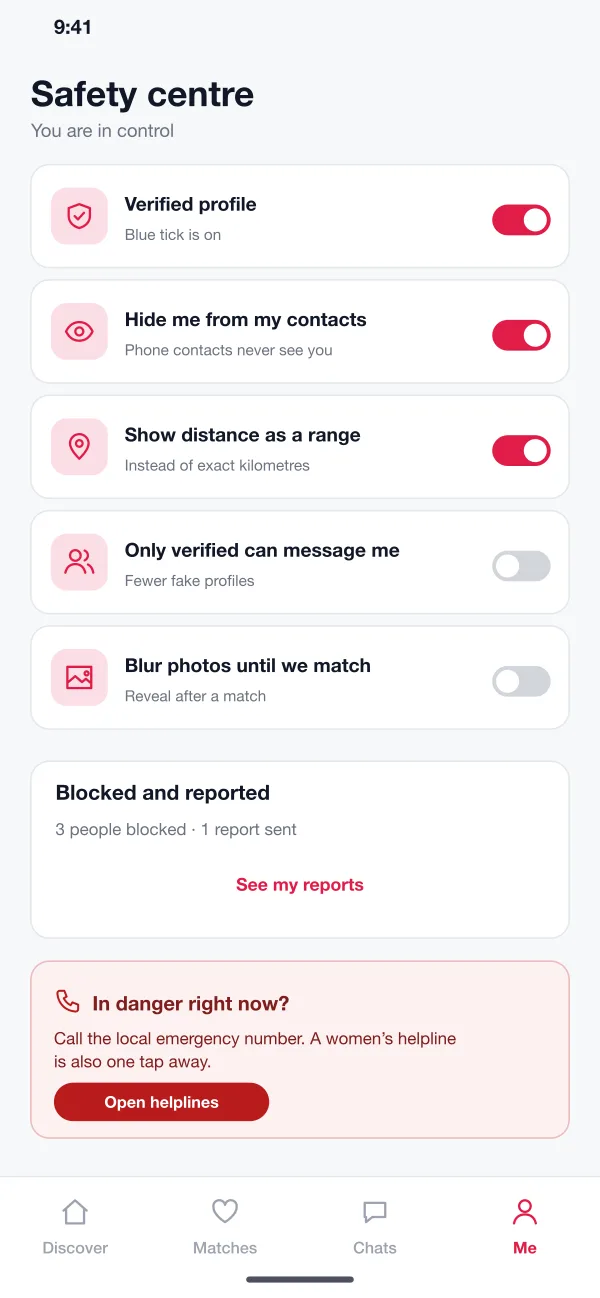
One screen holds the privacy switches: hide from contacts, show distance as a range, blur photos until a match, and allow only verified members to message.
Before a first meeting the app suggests a public place and lets the member share a live trip with a friend. Helpline numbers are always one tap away.
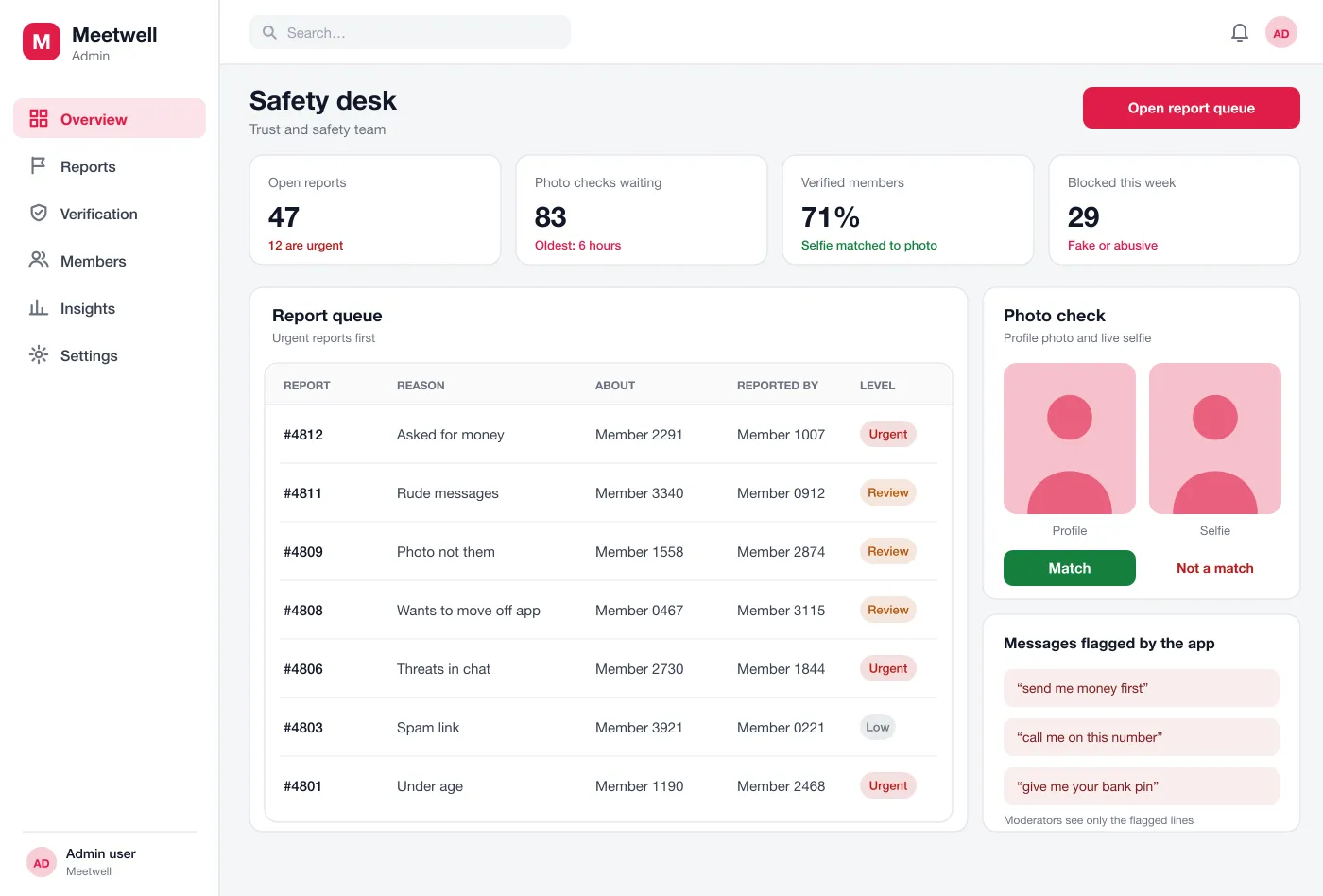
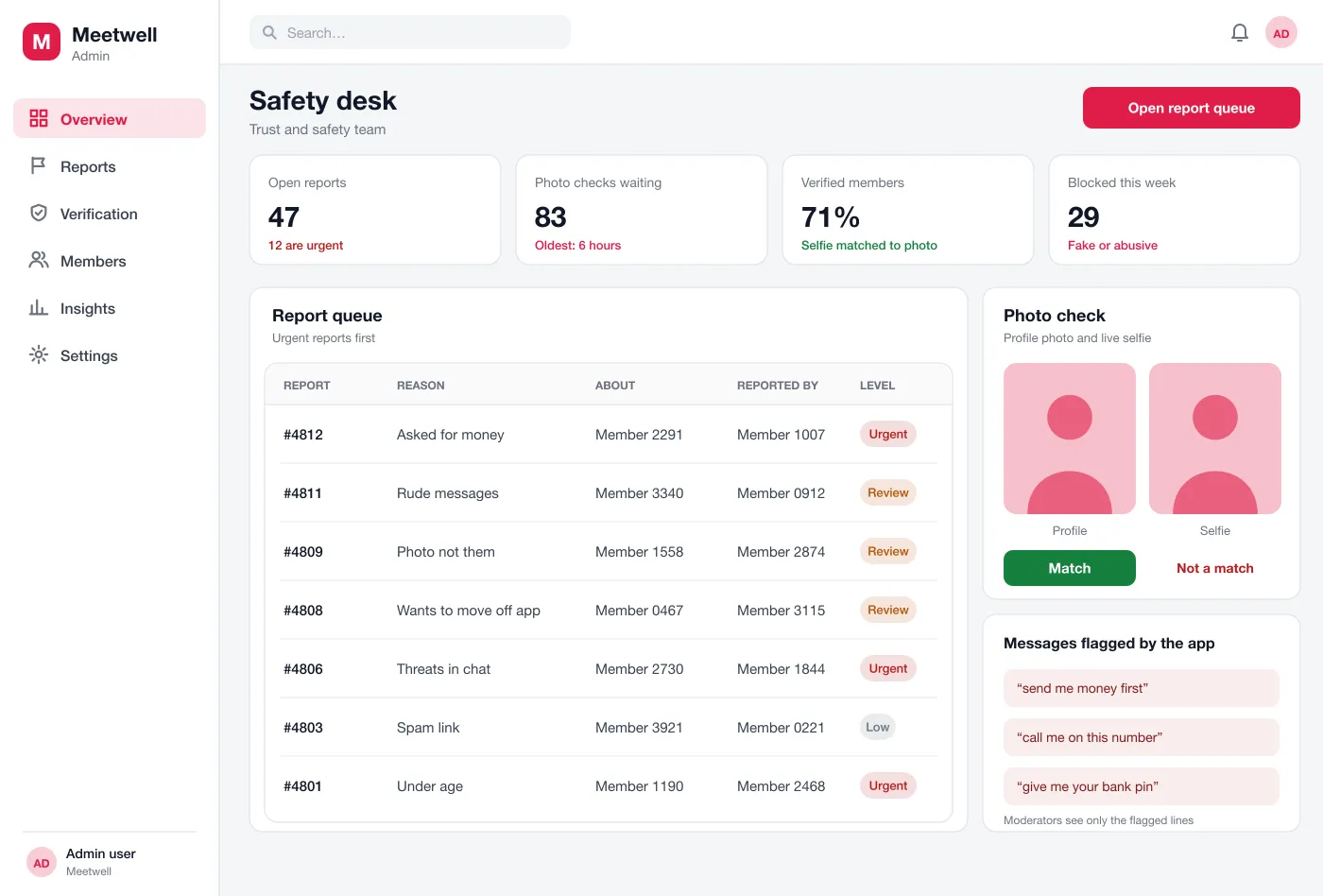
Moderators work from a queue with urgent reports first. They compare photos with selfies and read only the lines the app flagged.
Screens
The mobile app
How it works
Here is how the main tasks work in Meetwell, from signing up to a first meeting.
Join and get verified
A new member adds photos and interests, takes the selfie check and gets the blue tick.
Find a match
The member looks through the day's suggestions, likes a profile and starts a chat when it is mutual.
Stay safe
If someone asks for money, the member taps report. The report goes to the top of the safety queue.
Review a report
A moderator opens the flagged lines, decides to warn or block the member and sends a short note back to the reporter.
Suggested technology
What we would deliver
FAQ
At a minimum: profiles, match suggestions, chat, photo checks, and tools to block and report people. Safety tools matter as much as matching.
Photos, chats and selfie checks are stored encrypted, and staff see only what a case needs. Members can hide their profile, delete their account and download their data. Location is shown as a distance, never as an exact place.
Yes. We can build the app for Android and iOS, the matching rules, chat, and a panel for your moderators. We can also connect a selfie check service.
The member takes a short selfie and the system compares it with the profile photos. A person on the safety team looks at unclear cases. A blue tick shows on a match.
Reports go to a queue with urgent ones first. Moderators see only the flagged lines of a chat, not the whole conversation.
Tell us who will use it and what it must do. We will reply with a plan, a timeline and a price.