Shared free times
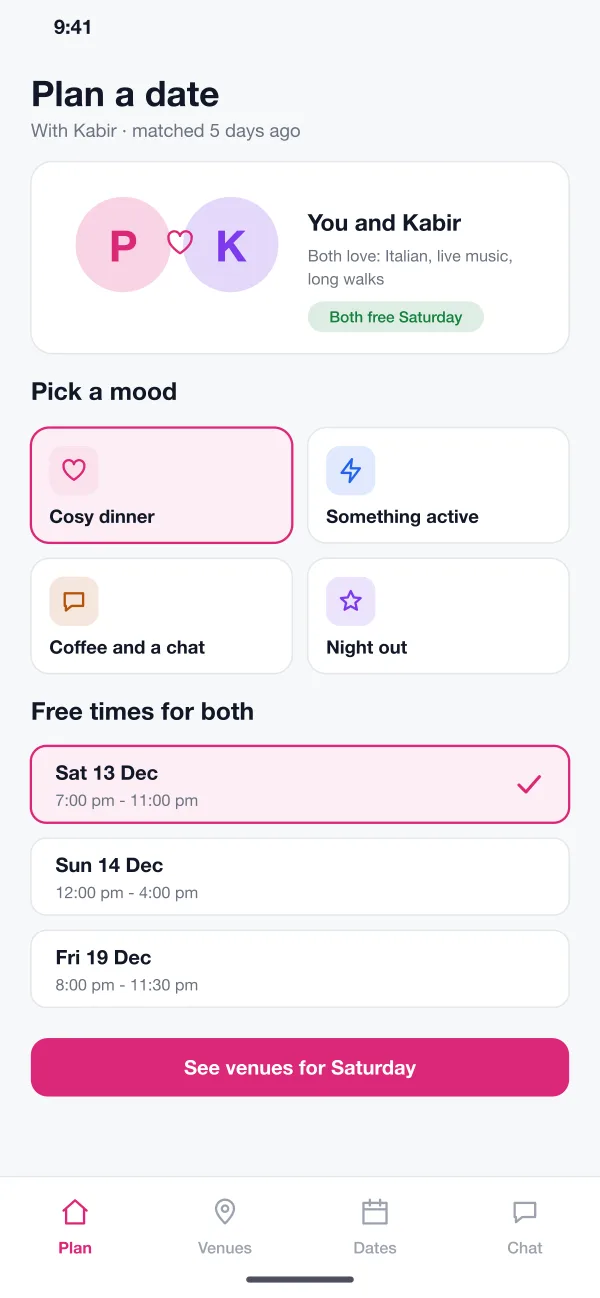
Each person links their calendar or marks evenings as free. The app shows only the times that suit both of them.
Datenook is a date planning app designed and built by our team. Two people who have matched pick a mood and a time that suits both, choose a venue, book a table and share the plan for the evening.
Datenook was designed and built by the PRS CloudTech team.
The brief
Two people match, chat for a week and then the plan falls apart. Nobody wants to pick the place, finding a free evening takes ten messages and the table is gone by the time they decide.
Restaurants also lose out. They get couples who book and do not turn up, and they have no idea who is coming for a first date or a birthday.
Find a time for both
The app should show evenings when both people are free, so no one has to ask back and forth.
Suggest places that fit
Venues should match what both people like, such as food, noise level and budget.
Book for two, together
A table should only be held when both people agree, so no one is booked by surprise.
Keep the plan in one place
The meeting point, dinner, dessert and ride home should sit on one shared timeline.
What we designed
We designed Datenook as two parts: a couples app for Android and iOS and a web dashboard for venues. The app works on top of a match, so both people are already known to each other.
Each person links their calendar or marks evenings as free. The app shows only the times that suit both of them.
The pair picks a mood, such as a cosy dinner or something active. The app also shows what they both like, so the ideas feel personal.
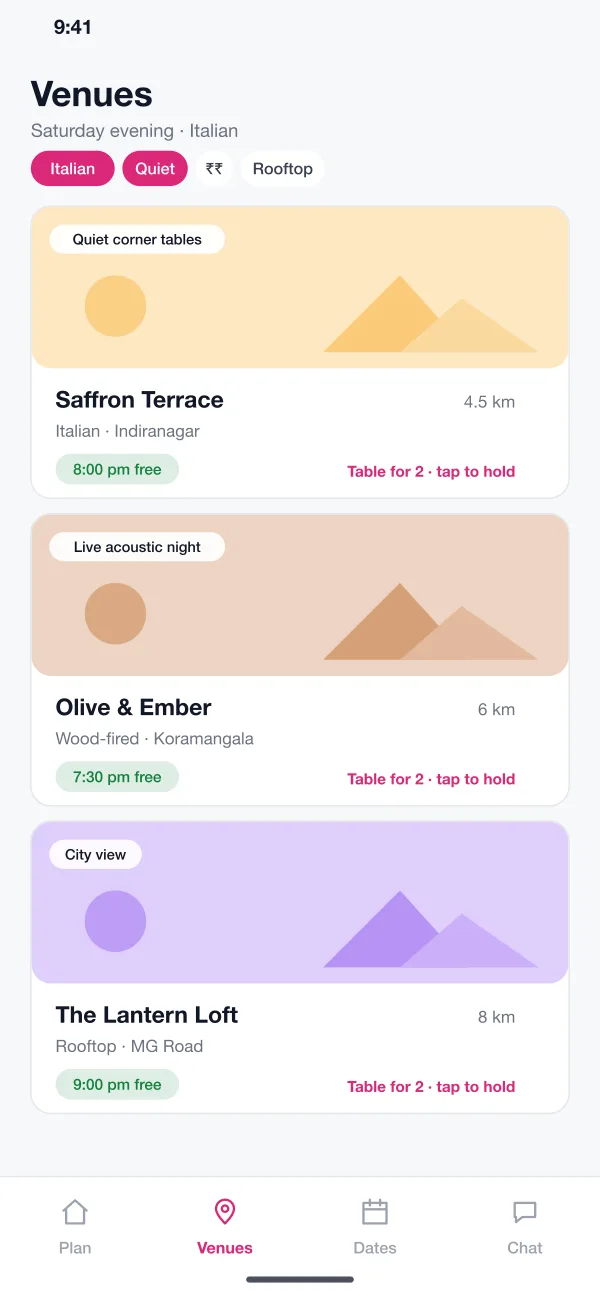
Venues are listed with distance, tags like quiet corner tables and the times that still have a free table for two.
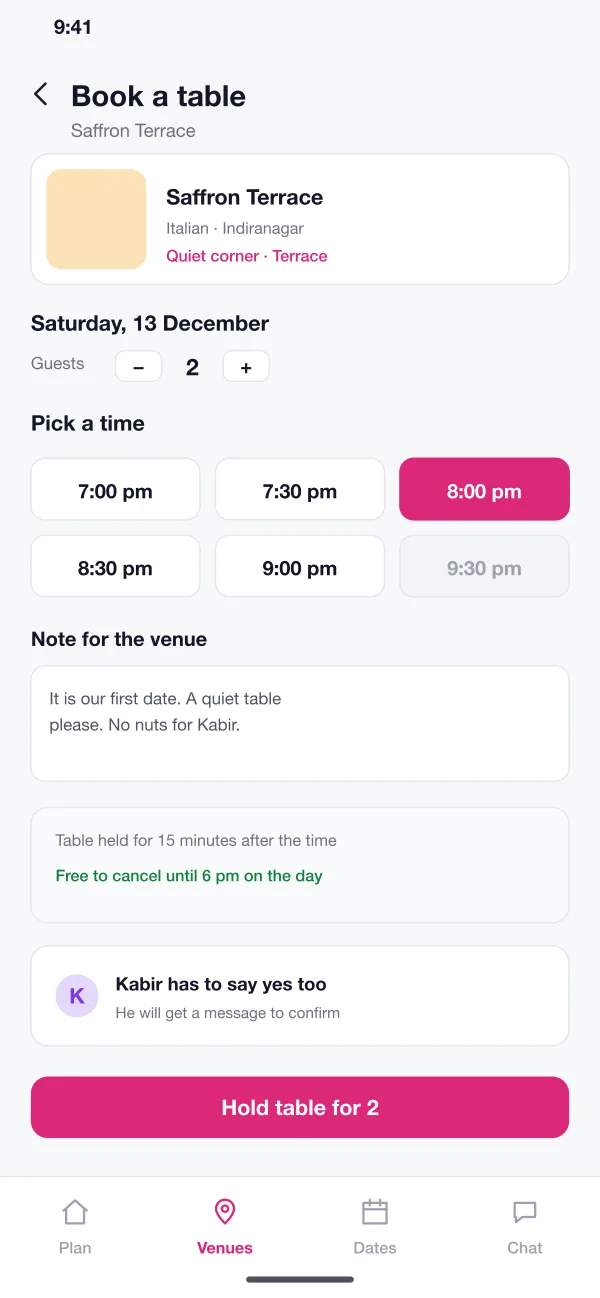
The couple picks a time, adds a note for the venue and holds a table. The other person must confirm before it is final.
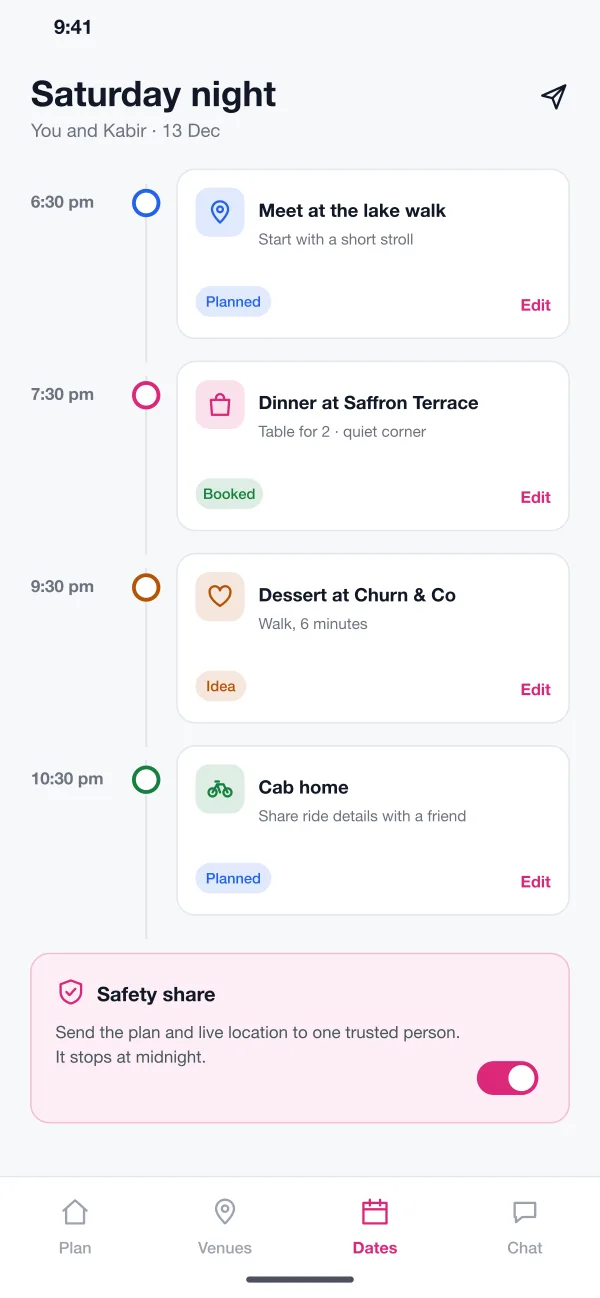
Meeting point, dinner, dessert and ride home sit on one timeline. Either person can edit it and each stop shows if it is booked.
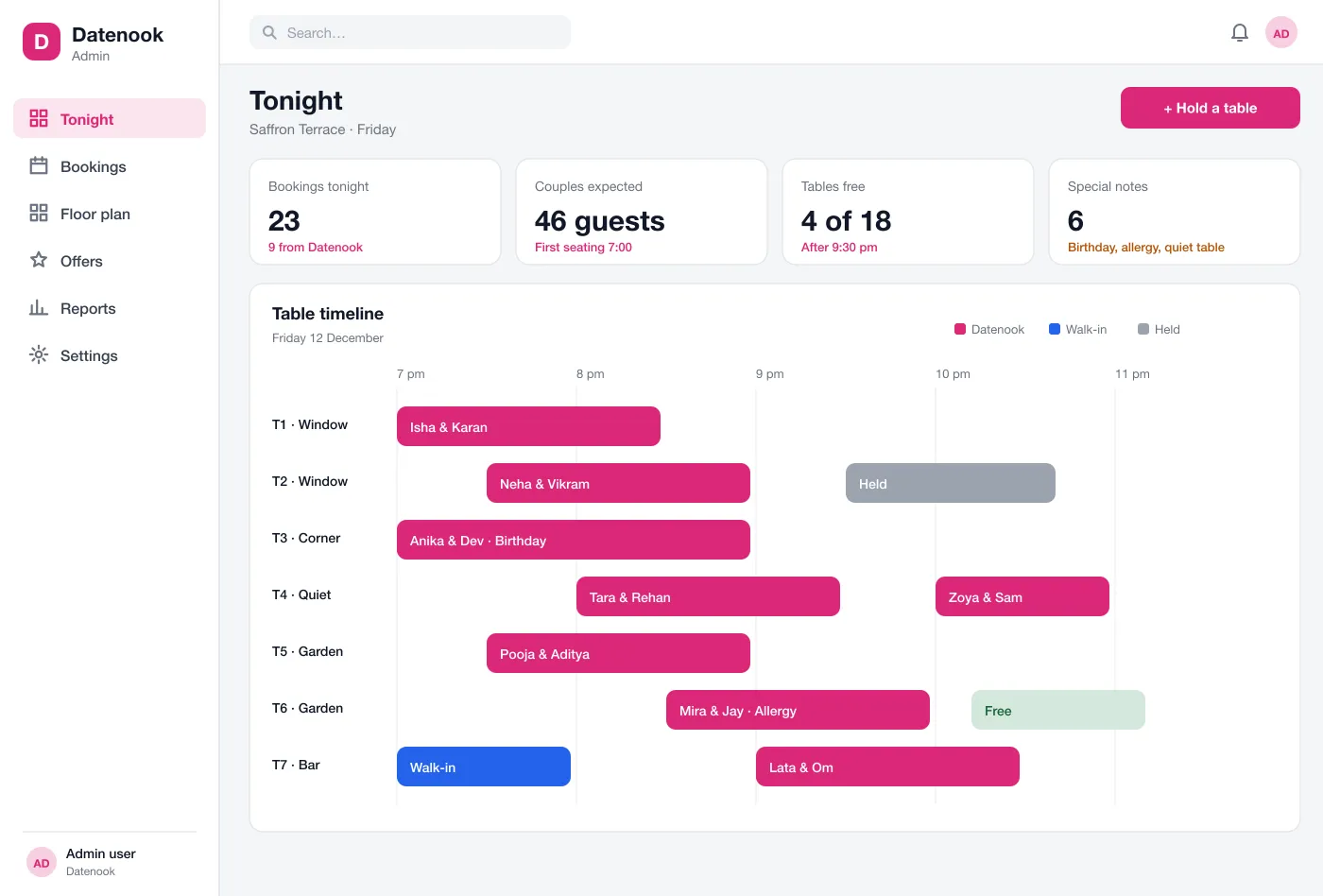
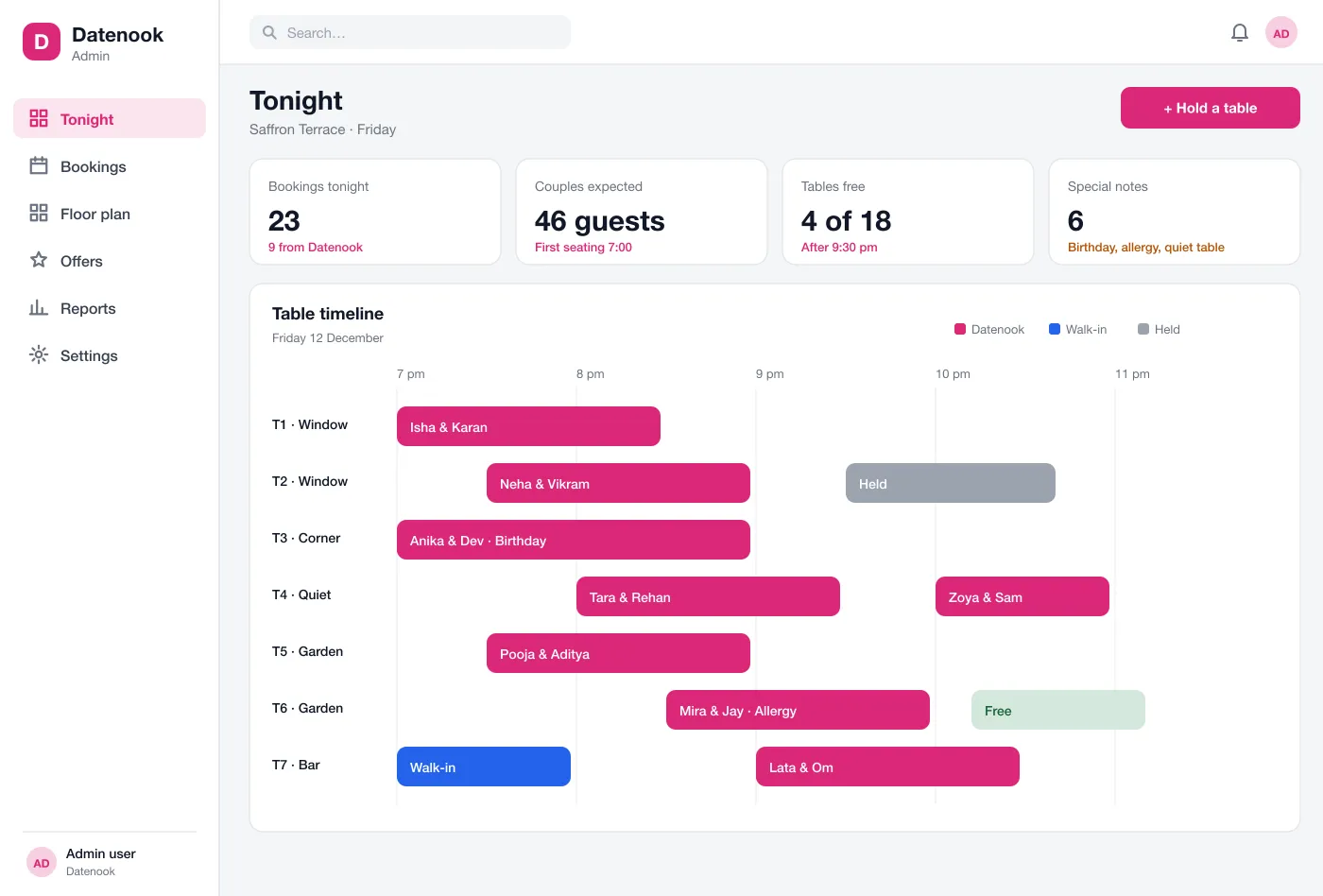
Venues see tonight's bookings on a table timeline, with notes for birthdays and allergies, and can hold tables for walk-ins.
Screens
The mobile app
How it works
Here is how the main tasks work in Datenook, from a new match to the end of the evening.
Pick a date
Two matched people choose a mood, see the evenings they are both free and select one.
Book a table
They choose a venue, add a note and hold a table. The second person confirms with one tap.
Share the plan
The itinerary goes to both phones. One trusted friend can also get the plan and live location until midnight.
Host the couple
The venue sees the booking on its dashboard with the note and seats them at the right table.
Suggested technology
What we would deliver
FAQ
It helps two people who like each other move from chatting to meeting. It suggests places, finds a time that works for both, books a table and keeps the plan for the evening in one place.
Each person sees only the free times and tastes the pair has in common. Live location goes only to one friend the user picks, and only until the time they set. Venues see the booking name and notes, not the chat.
Yes. We can build the couples app for Android and iOS, a dashboard for restaurants and cafes, and connect it to your existing matching app if you have one.
In the design, either person can share the plan and live location with one trusted friend. Sharing is off by default and ends at a set time, so nobody is tracked after the date.
Yes. Each venue gets a web dashboard with a table timeline. Bookings from the app show up there with notes such as birthdays or allergies.
Tell us who will use it and what it must do. We will reply with a plan, a timeline and a price.