Invitations
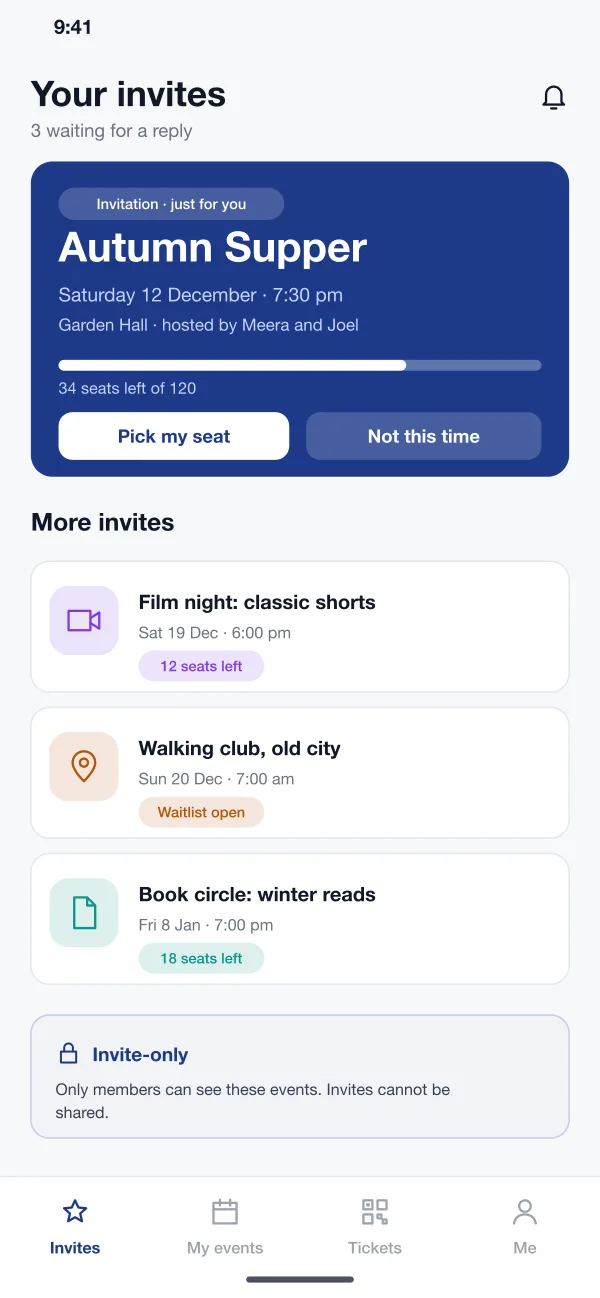
The host sends invites to members or to a group. A member sees only their own invites in the app, with the date, place, host and how many seats are left.
Seatcircle is an app for events that only members can join, designed and built by our team. Members get invites, pick a seat at a round table, join a waitlist when the event is full and show a QR pass at the door. Hosts manage everything in a web console.
Seatcircle was designed and built by the PRS CloudTech team.
The brief
Small clubs and communities often plan private events with a group chat and a spreadsheet. A host posts a date, people reply with thumbs up, and a week later nobody is sure who is coming or where they will sit.
Public ticket sites do not fit well either. They are open to everyone, they push the event to strangers, and they do not know who is a member and who is not.
Only the right people see it
An event should be visible only to the members who were invited, and an invite should work for one person only.
Seats that make sense
Guests at a dinner or a talk want to choose where to sit and see who is at their table.
A fair waitlist
When an event is full, the next person in line should be offered a seat the moment one opens.
A smooth door
Staff need a quick way to check who is coming in, with no paper lists.
What we designed
These are the main parts of Seatcircle.
The host sends invites to members or to a group. A member sees only their own invites in the app, with the date, place, host and how many seats are left.
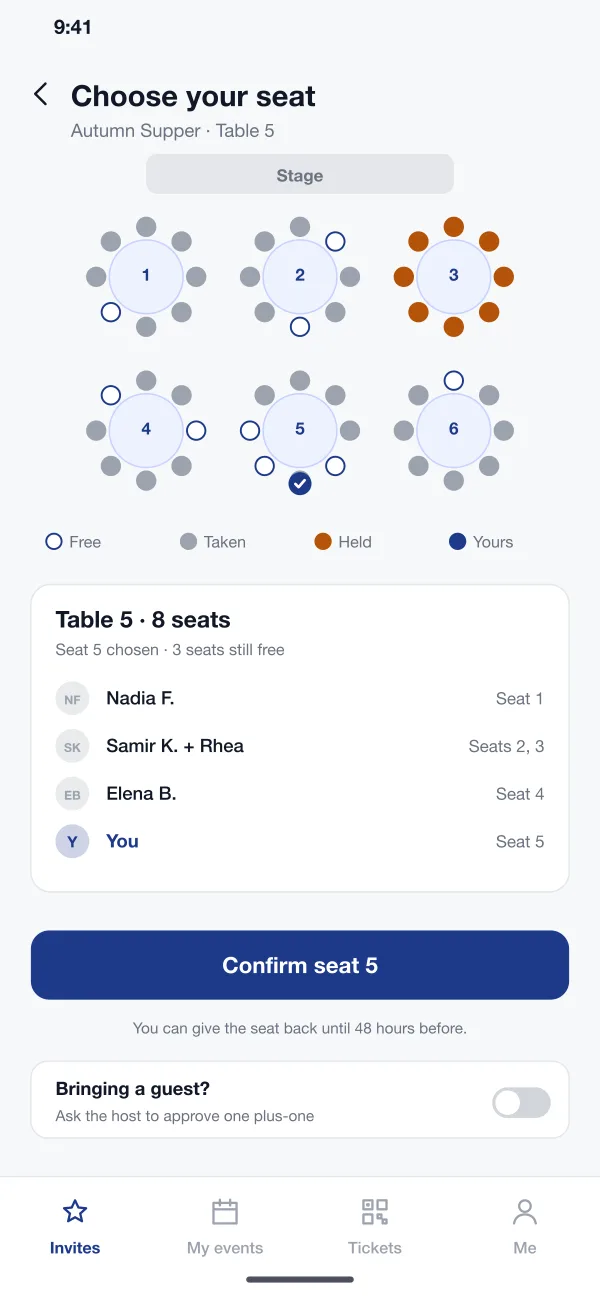
The member opens the hall plan, taps a free seat and sees who else is at that table. Taken seats, held seats and the member's own seat each have their own colour.
A member can ask to bring a guest. The host approves or declines the request, so the guest list stays under control.
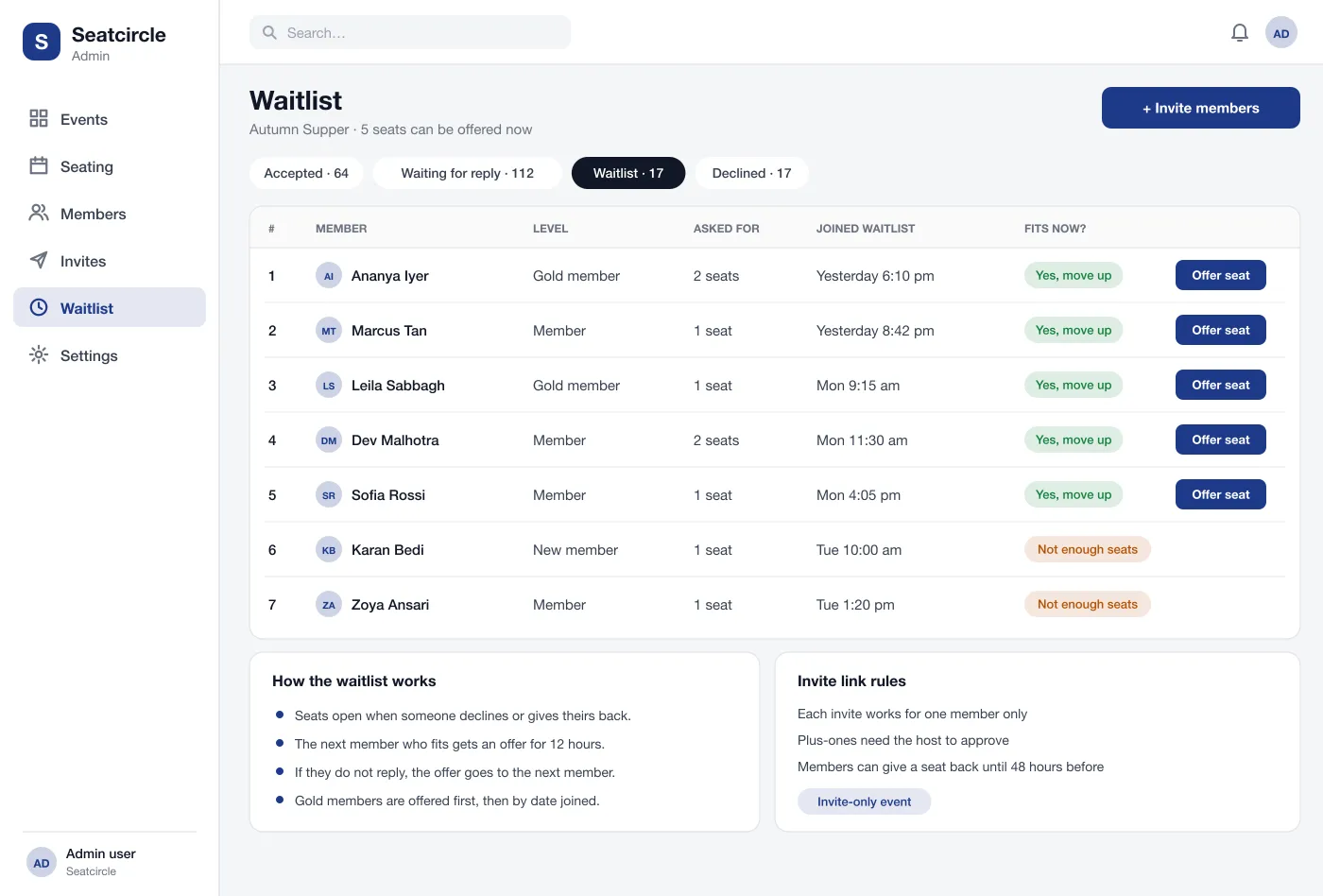
When an event is full, members join a waitlist. If a seat opens, the next member who fits gets an offer that lasts 12 hours. Gold members can be offered first.
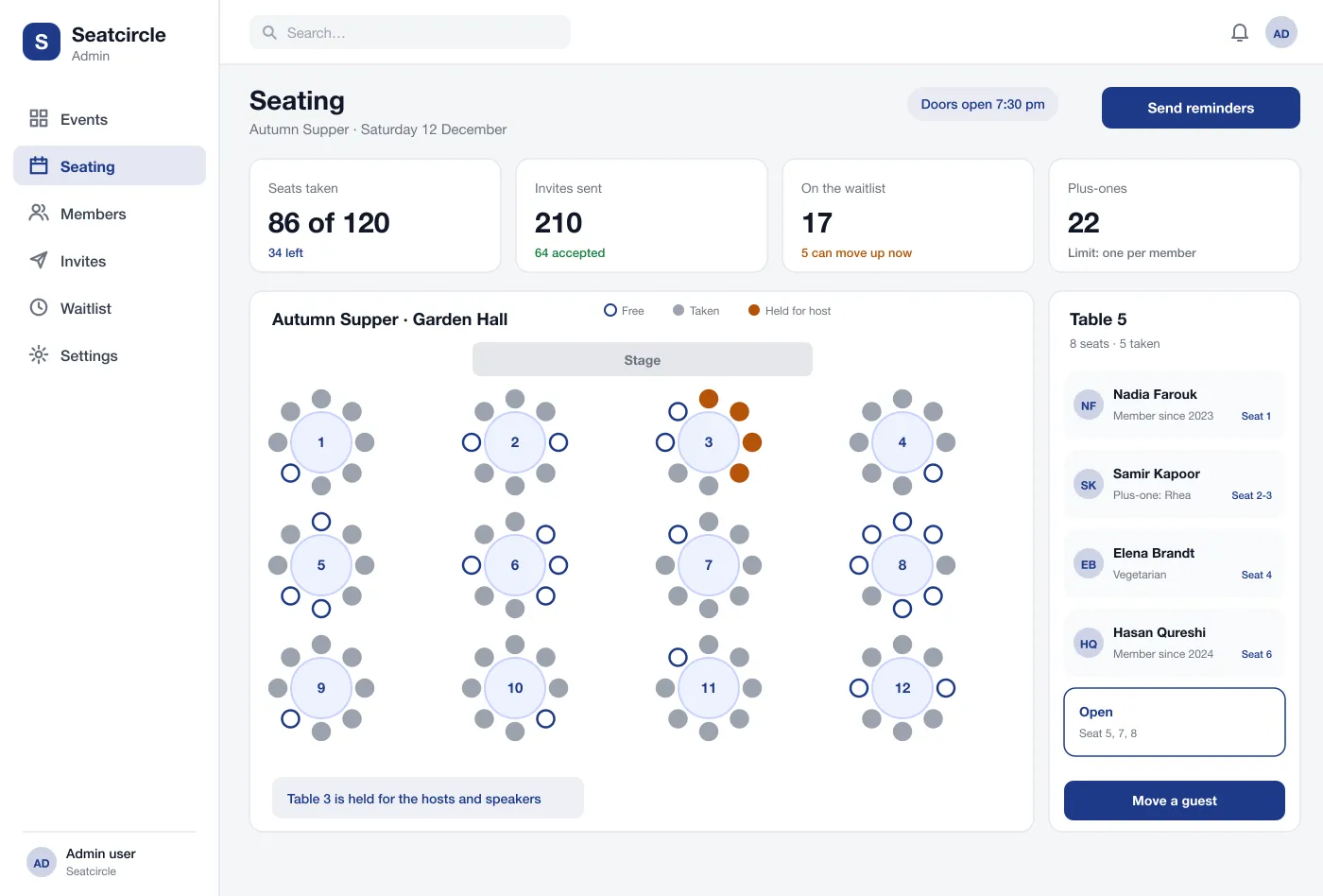
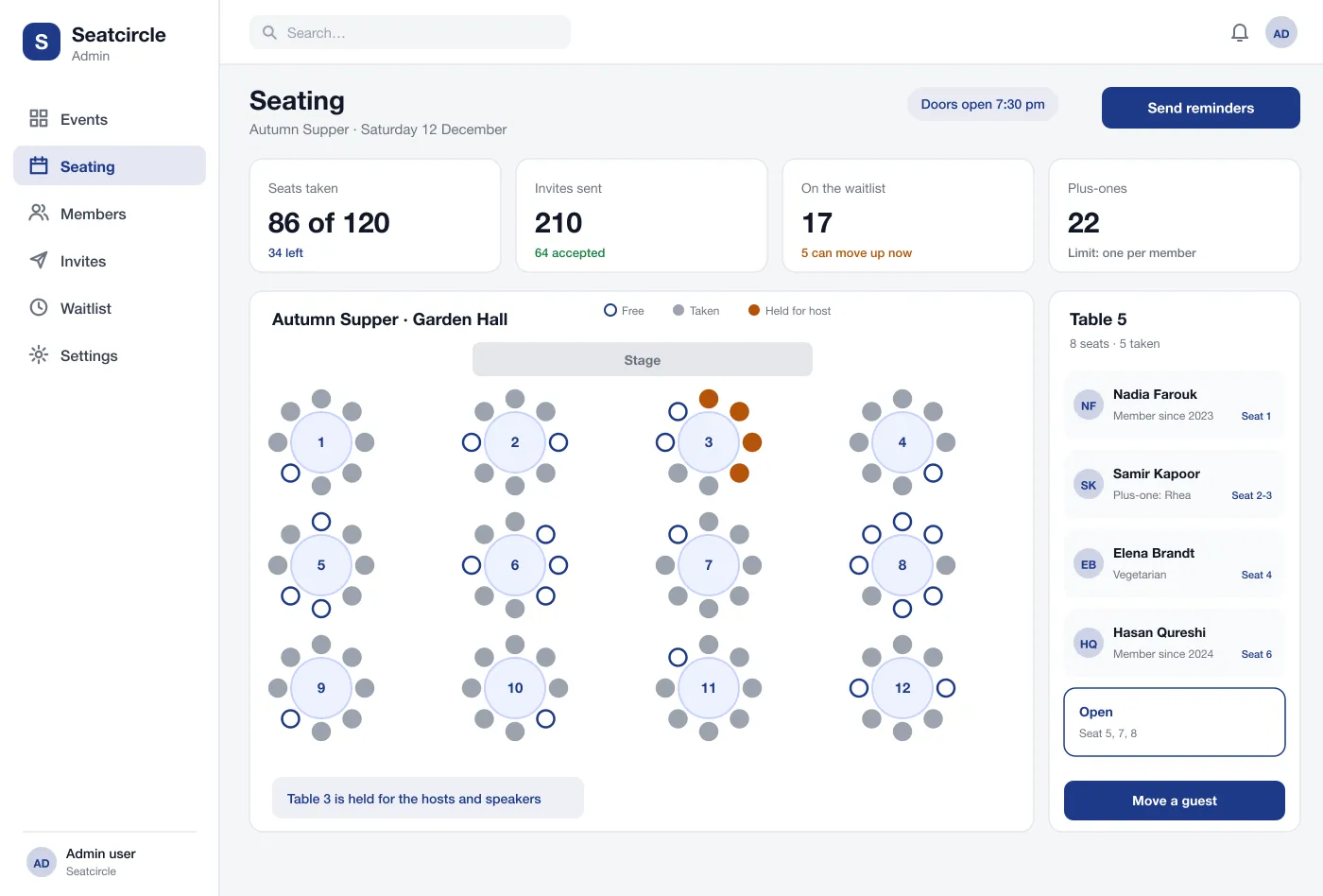
The host sees seats taken, replies, the waitlist and plus-ones. The seating plan can be changed, tables can be held, and reminders can be sent in one click.
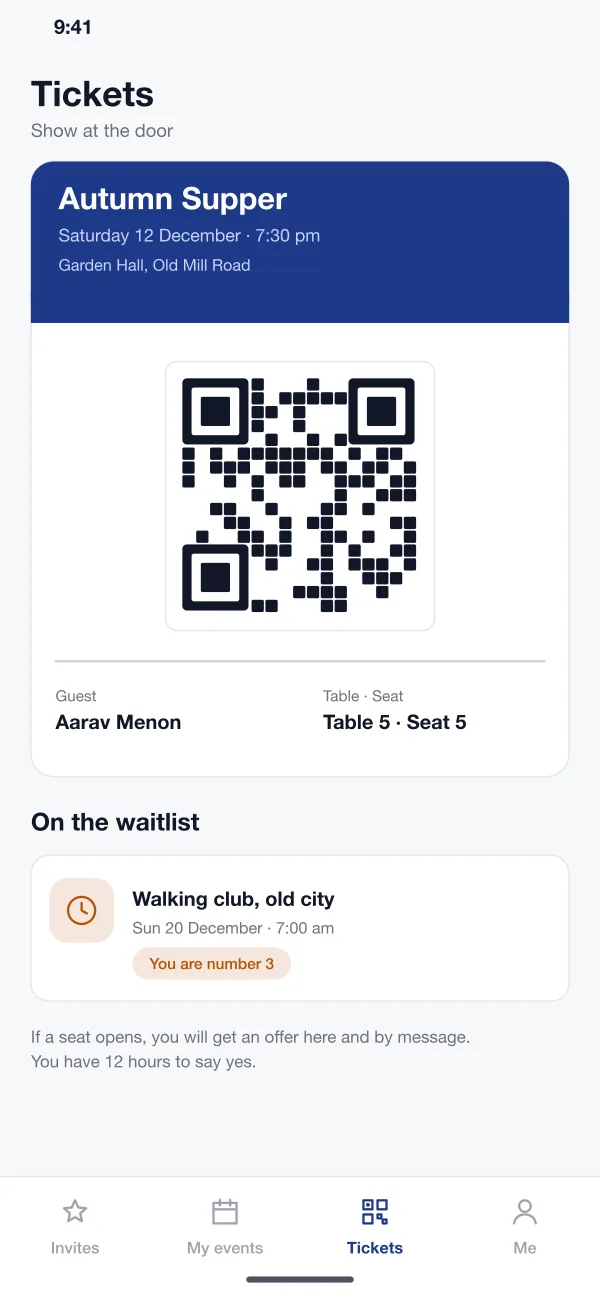
Each member gets a QR pass with their name, table and seat. At the door the staff scan it, and the host console shows who has arrived.
Screens
The mobile app
How it works
Here is how the main tasks work in Seatcircle, from the first invite to the door of the event.
Accept an invite
A member opens an invitation, taps to pick a seat, chooses seat 5 at table 5 and confirms in a few taps.
Join a waitlist
The event is full, so the member joins the waitlist. When a seat opens they get an offer and say yes within the time limit.
Plan the hall
The host holds table 3 for speakers, checks who sits where and moves one guest to another table before the evening.
Welcome guests
At the door staff scan each QR pass. The host sees the count of guests who have arrived and who is still to come.
Suggested technology
What we would deliver
FAQ
It is software for events that are not open to the public. Only members who are invited can see an event, choose a seat and book. Nobody can share the link with an outsider.
Members usually book on a phone app for Android and iOS, and hosts plan the hall in a web console on a laptop. Door staff can scan passes from the same phone app, so no extra device is needed.
Yes. We can build the member app, the host console and the seating plan editor for your clubs, dinners, talks or workshops.
When an event is full, members can join a waitlist. If a seat opens, the next member who fits gets an offer and a set time to say yes. If they do not reply, it goes to the next person.
Yes. In this design the host draws the hall with tables, rows or open areas, holds some seats for speakers and guests, and moves people between seats when plans change.
Tell us who will use it and what it must do. We will reply with a plan, a timeline and a price.