Daily job list
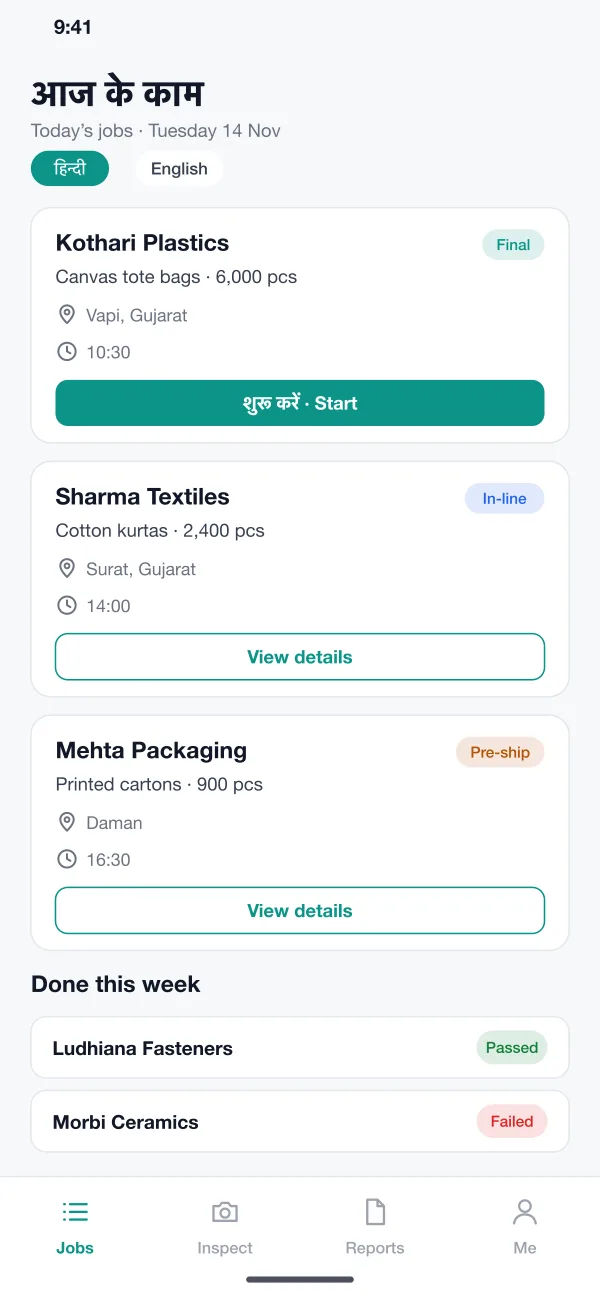
Each inspector sees today's jobs in order, with the factory address, the product and the type of check: in-line, final or before shipping.
Supplier quality control
Inspectors run checks in Hindi or English, take defect photos and get a pass or fail mark. Buyers see a score for each supplier over time.
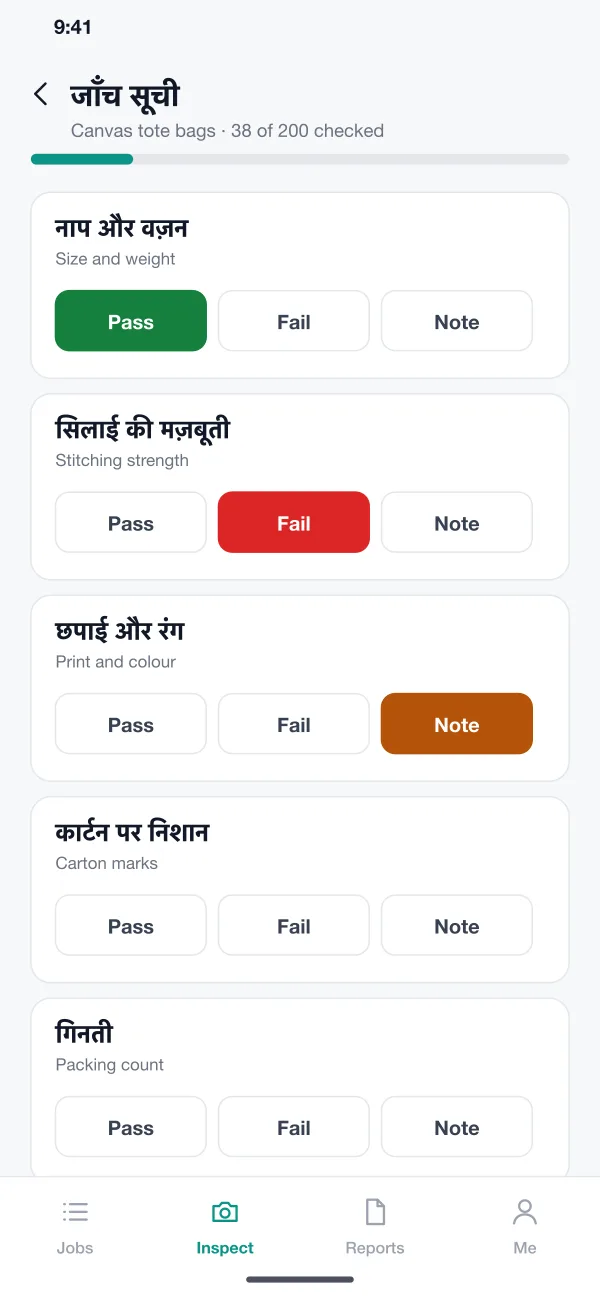
Switch the checklist language with one tap. Each point is marked pass, fail or note.
The team sets how many minor defects are allowed. Pass or fail follows from that.
The inspector keeps working offline, and the report is ready once the check is finished.
A phone app for inspectors and a web admin for the buying and quality team. A report is ready the moment the inspector finishes.
Each inspector sees today's jobs in order, with the factory address, the product and the type of check: in-line, final or before shipping.
The checklist can be switched between Hindi and English with one tap. Each point is marked pass, fail or note, and a bar shows how much of the sample is done.
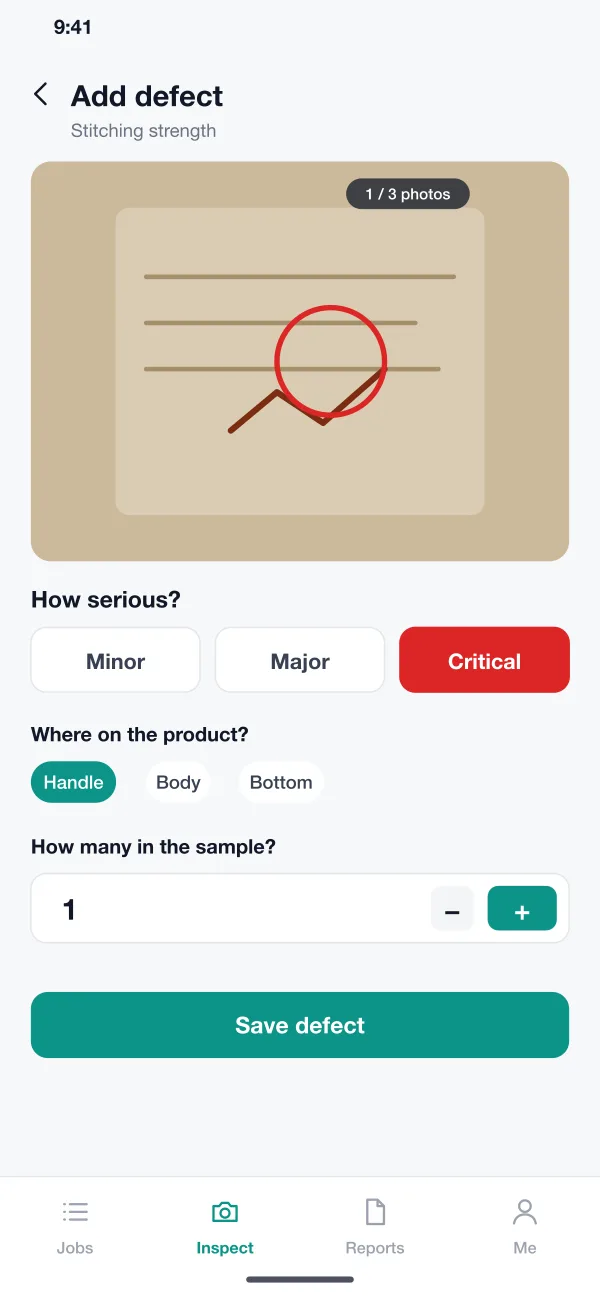
The inspector takes a photo, circles the problem, picks minor, major or critical, and says how many were found in the sample.
The team sets how many minor defects are allowed and that no critical defects are allowed. The report shows the result by itself, so no one has to argue about the count.
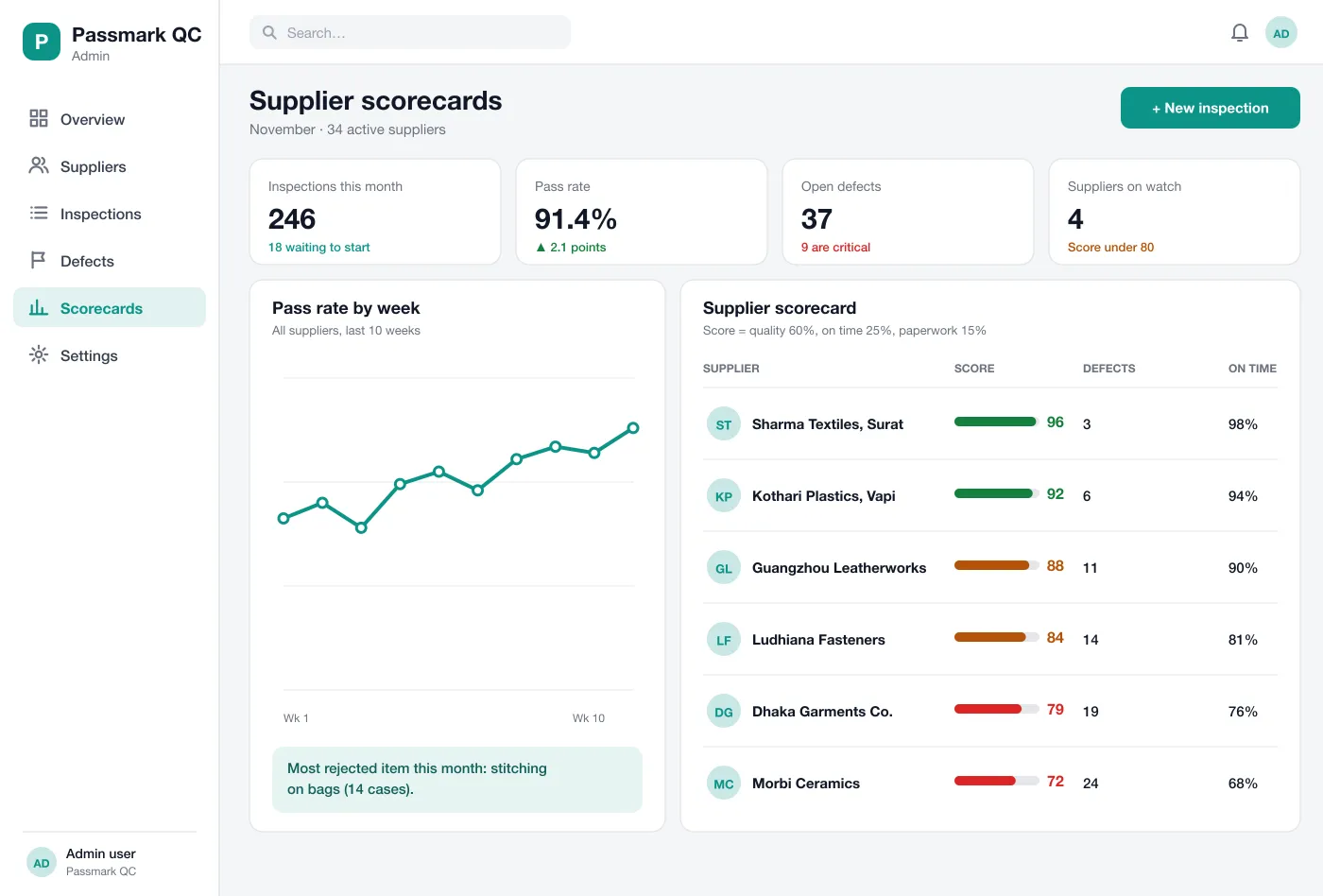
Every supplier gets a score built from pass rate, on-time delivery and paperwork. The team can sort by score and spot suppliers that need a closer look.
A finished report can be downloaded as a PDF or sent to the supplier with the photos, so they can fix the problem before the next order.
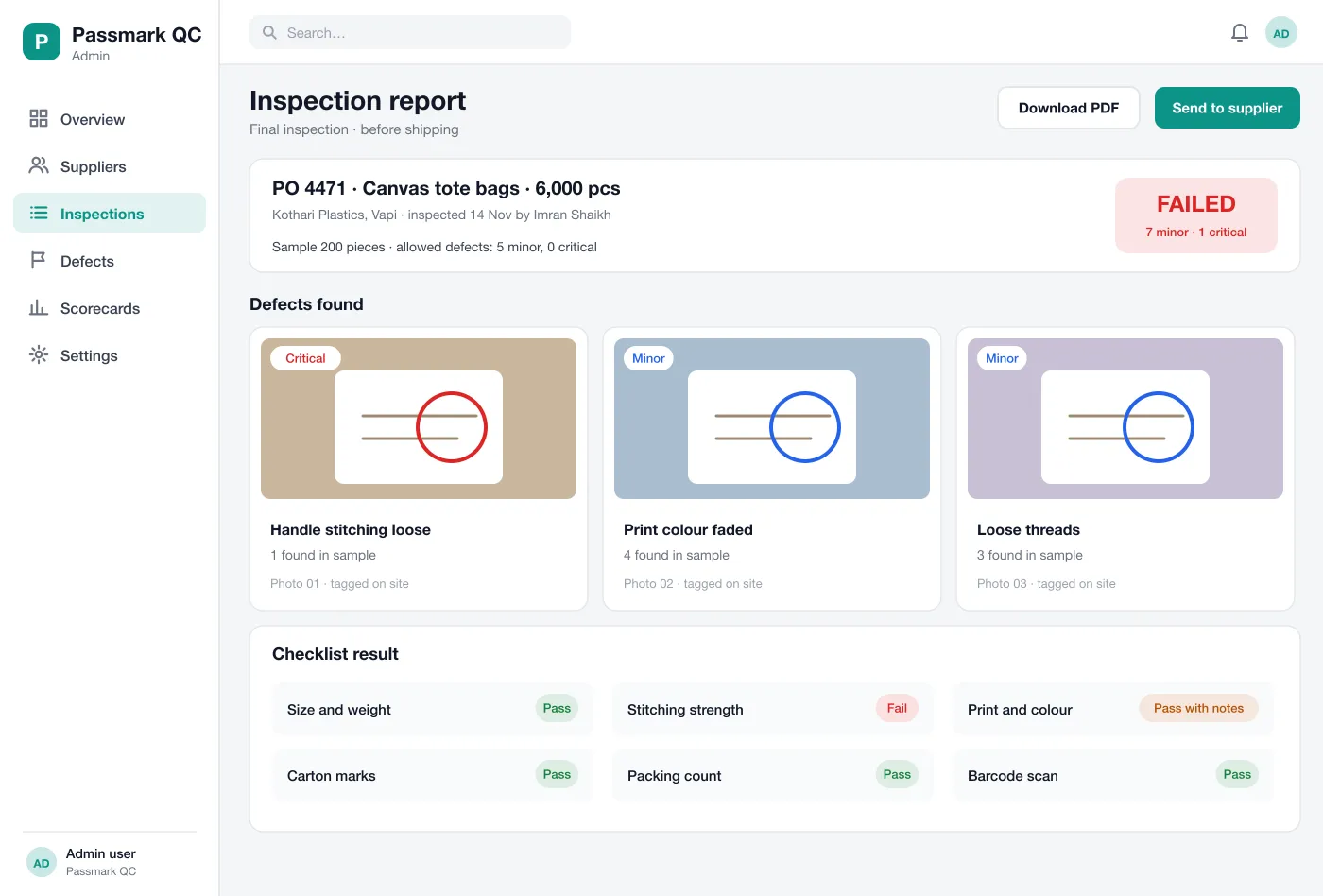
Photos, sample count and the pass or fail result in one page, ready as a PDF for the supplier.
From the morning job list to the report a supplier receives.
The inspector opens the job list, taps Start on the first factory and the checklist opens in the language they chose.
They go point by point, take photos of any defect and save. The app keeps working with no signal.
The buying team opens the report, sees pass or fail with the photos, and decides to accept, rework or re-inspect.
Over the weeks the scorecard shows who is getting better, and the team can plan visits for suppliers on the watch list.
Pass rate, on-time delivery and paperwork side by side. Sort by score and plan visits for suppliers on the watch list.
Start the day's job list, check point by point and photograph each defect.
Read the report, decide to accept, rework or re-inspect, and watch supplier scores.
Get the report with photos as a PDF, so they can fix problems before the next order.
It is software that records how goods from each supplier are checked. Inspectors fill in a checklist, take photos of problems and give a pass or fail. The buyer sees the results and a score for each supplier.
The main factors are how many checklist types you need, offline use on the inspector app, the number of languages, how reports reach suppliers, and links to your buying or ERP system. A first version can cover one product line and grow.
Yes. We can build the web admin and the inspector app for Android and iOS, with checklists that match your own products and the languages your inspectors use.
Yes. The checklist and photos are saved on the phone and sent when the signal comes back, so factory floors with poor coverage are not a problem.
You choose the rule. In this design it mixes the pass rate, on-time delivery and paperwork, and the weights can be changed in settings.