Group view
Owners open one screen and see visits today, waiting time, doctors in and open claims for every clinic. Clinics that are busy are marked, so staff can be moved to help.
Run appointments and billing for several clinics, turn each visit into an insurance claim, and follow every claim until the insurer answers.
See the screens →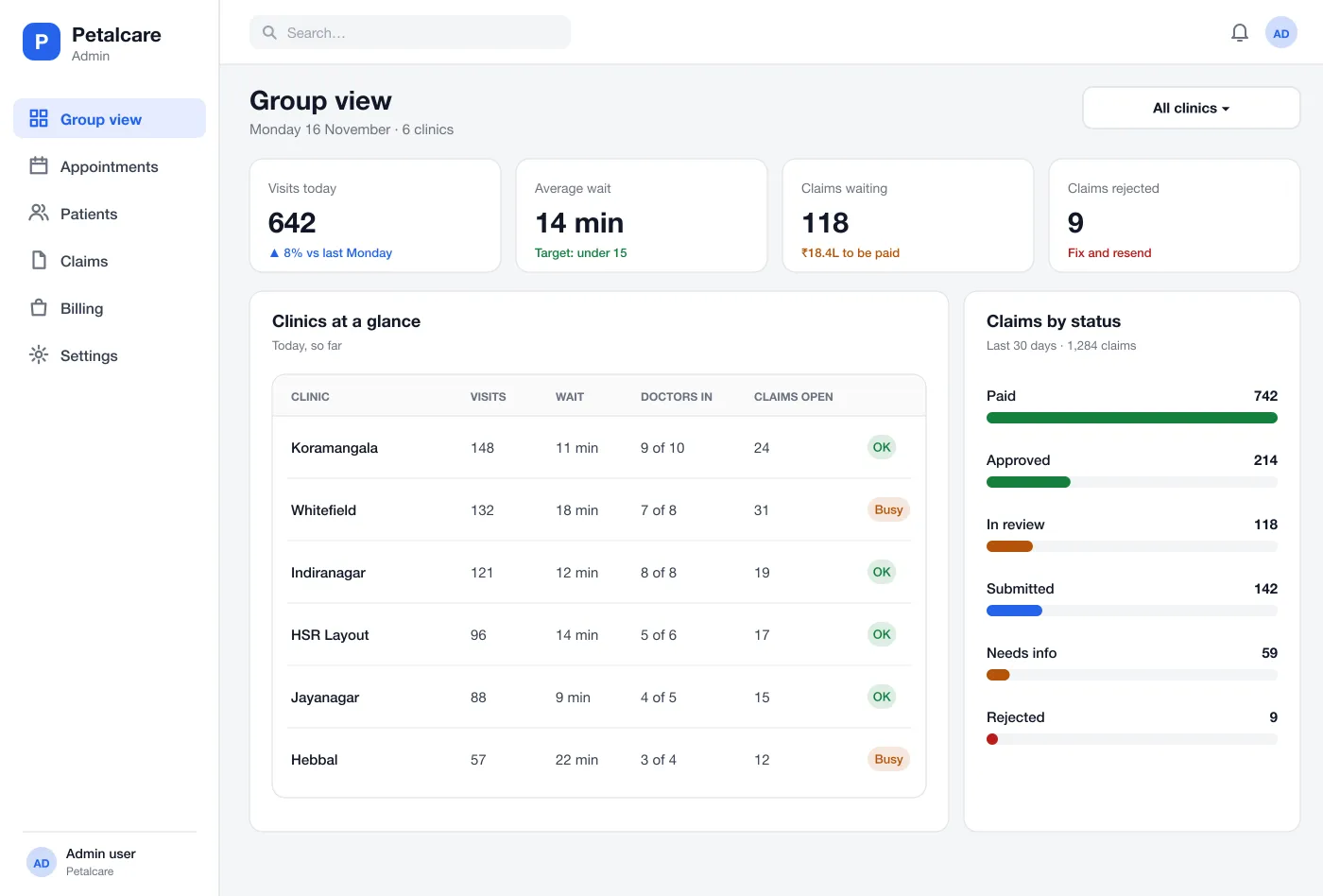
Clinic work and claim work share the same patient, visit and bill. Nothing is copied from one system to another.
Owners open one screen and see visits today, waiting time, doctors in and open claims for every clinic. Clinics that are busy are marked, so staff can be moved to help.
The appointment list shows each patient, the doctor, the reason and the status. Check-in is one tap. A payment column says whether the patient pays cash, has cashless cover or needs approval first.
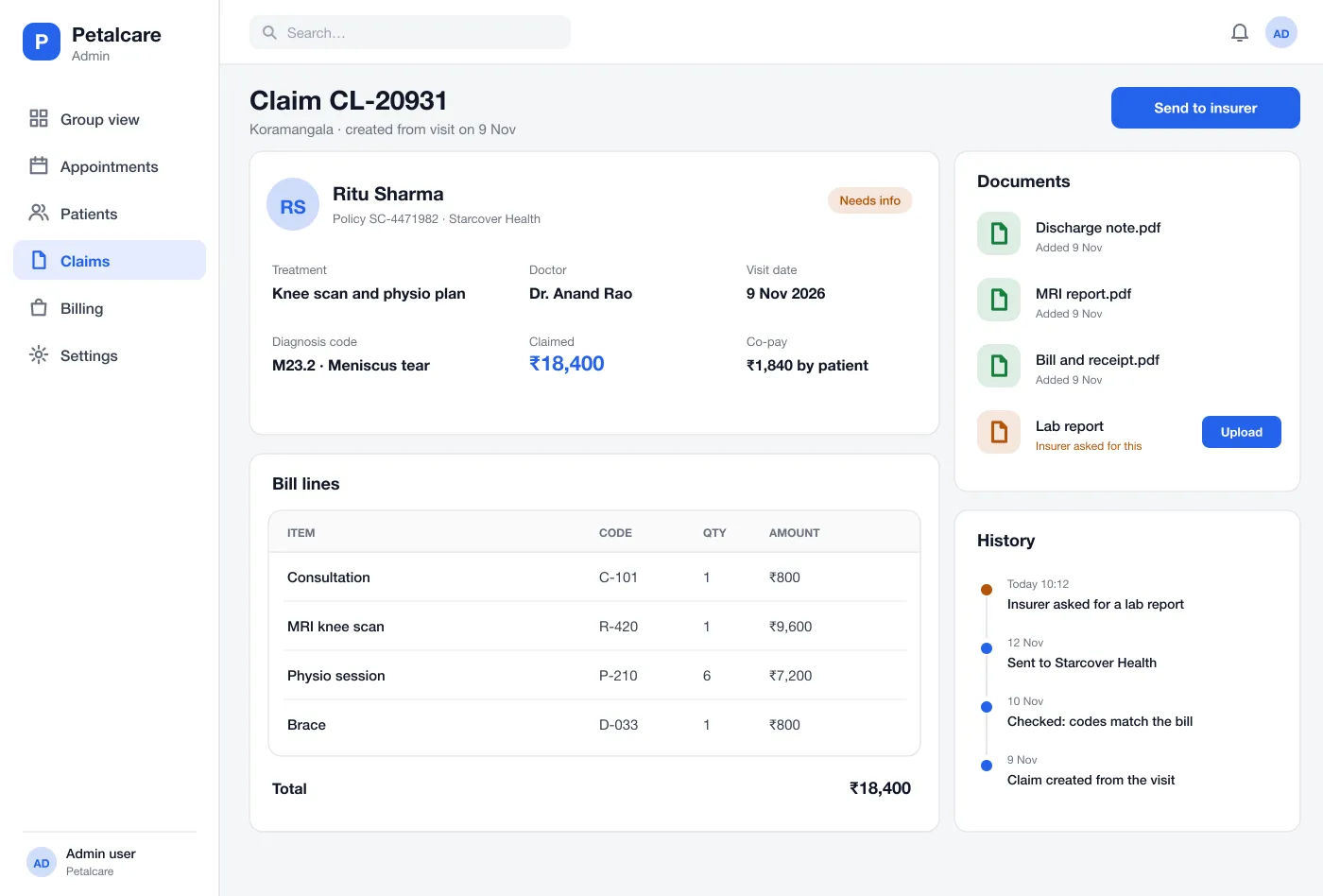
After a visit, the bill lines and diagnosis go into a draft claim. Staff check the codes, add documents such as reports and receipts, and send the claim to the insurer.
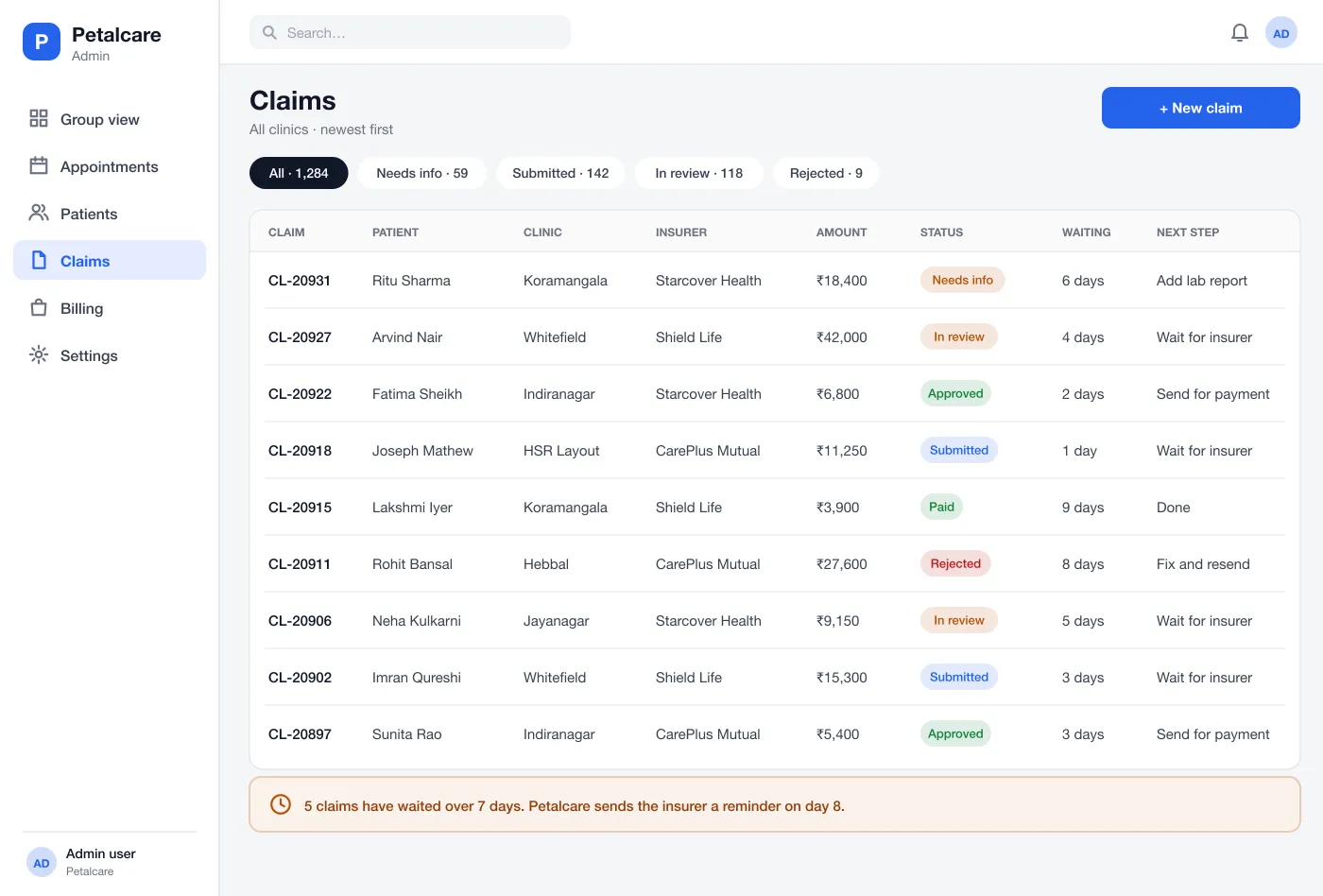
Every claim sits in one list with its insurer, amount, status and days waiting. Filters show claims that need information, are waiting for the insurer or have been rejected.
When an insurer asks for a missing document, the claim shows what is needed and who should add it. A history on the right records every step, so nothing is lost between people.
Claims that wait too long get an automatic reminder to the insurer. Reports show how much is paid, how much is waiting and which reasons for rejection come up most.
Owners see visits, waiting time and open claims at a glance.
Bills and diagnosis turn into a draft claim, with no retyping.
Filter claims that need information or wait for the insurer.
Walk through the group view, the front desk and the claims tracker.
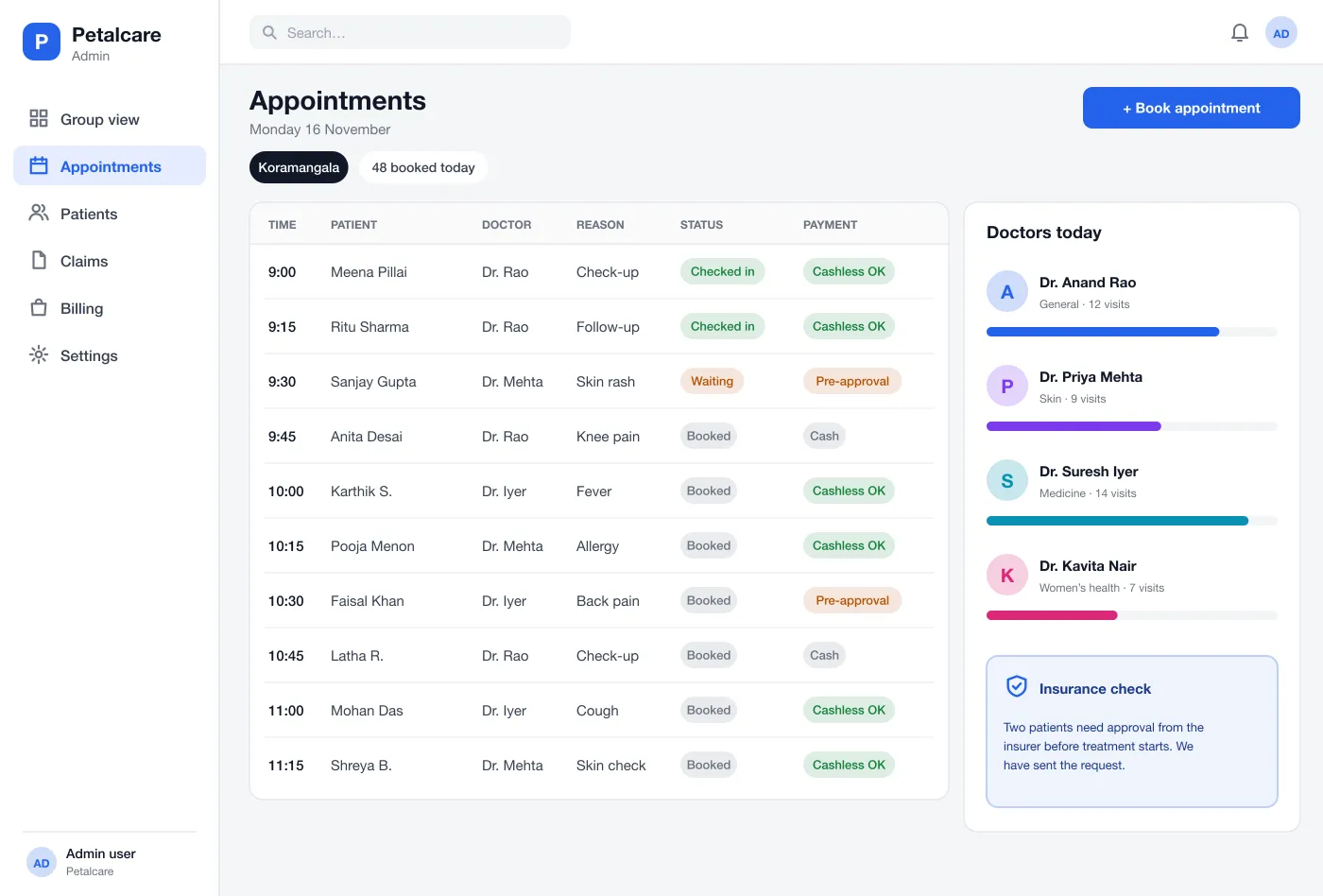
The front desk opens today's list, checks the insurance column, and taps Check in. If approval is needed, a request goes to the insurer.
The doctor adds the diagnosis and treatment. The bill and a draft claim are created from them.
Claims staff attach documents, send the claim, and watch its status. If the insurer asks for more, the claim is flagged.
The owner opens the group view, sees which clinic is busy and which claims are stuck, and assigns people to fix them.
See every clinic on one screen and move staff to the busy ones.
Check patients in, see how each one pays and send approval requests.
Attach reports and receipts, send claims and answer insurer questions.
It is software that runs the daily work of a clinic, such as appointments, patient records and bills, and also prepares insurance claims from each visit and tracks them until the insurer pays.
The main drivers are the number of clinics and roles, how many insurers you need to connect to, the forms and price lists you use today, and whether old patient records must be moved in. A first version with appointments, billing and claims can be built first, with reports and reminders added after.
Yes. We can build it for one clinic or many, with your own forms, doctors, price lists and insurer rules, and connect it to the systems you already use.
When the doctor finishes a visit, the bill lines and diagnosis already in the record are copied into a draft claim. Staff check it, attach documents and send it to the insurer.
Each person only sees what their role needs. Front desk, doctors, billing and claims staff have different access, and every change to a record is logged with who made it and when.
Walk through the group view, the front desk and the claims tracker.
See the screens →