Today board
One screen shows each suit bay as Free, In session or Cleaning, with a timer, who is next and any packs that end soon.
Trainers run each suit bay from a large tablet. Strength is capped for each member, and a safety check must be cleared before a session can start.
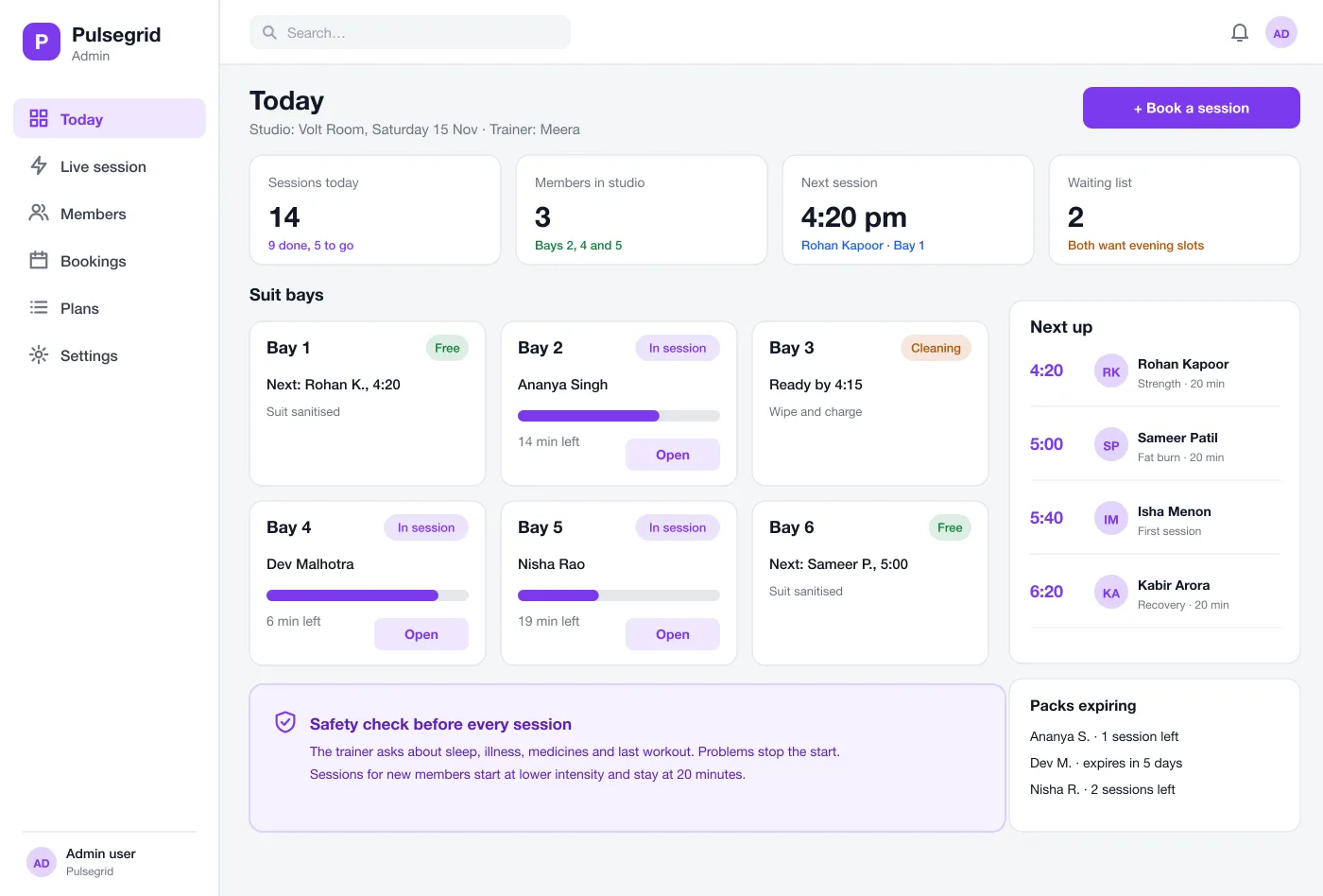
One screen shows each suit bay as Free, In session or Cleaning, with a timer, who is next and any packs that end soon.
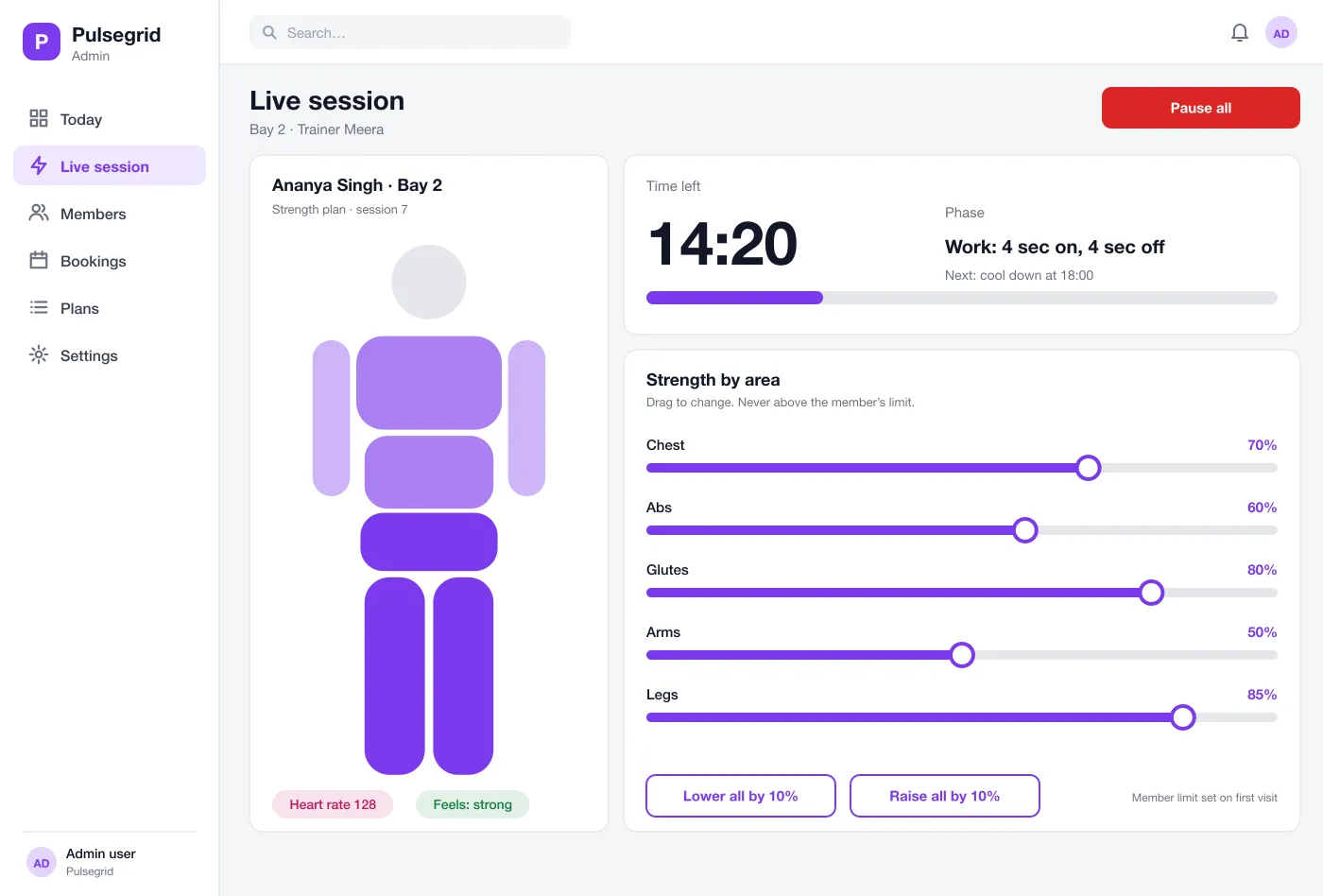
The trainer sees the time left, the current phase and a body figure. Each area has a slider for strength, and a Pause all button stops everything at once.
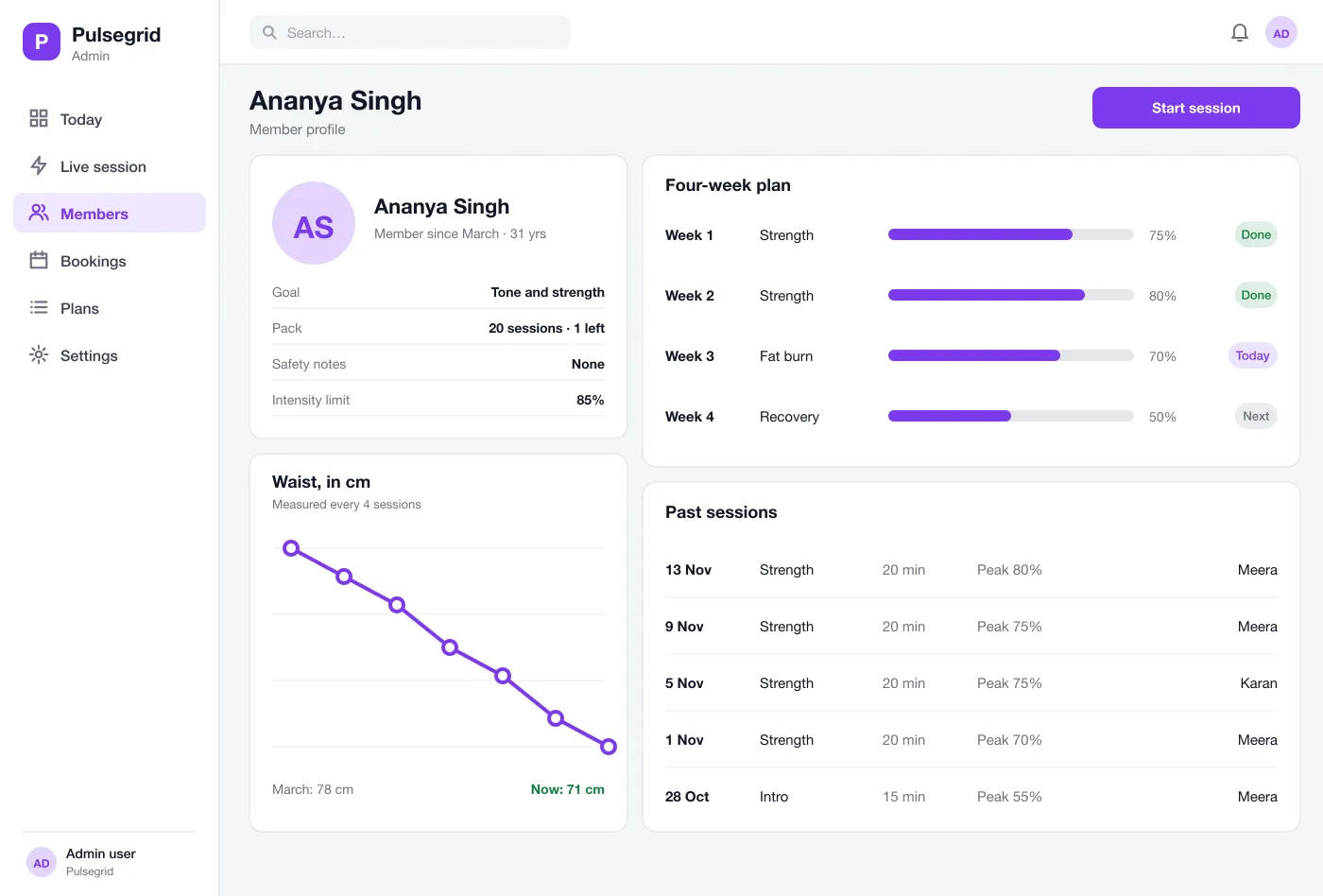
Goal, pack, safety notes and intensity limit sit at the top. Below are body measurements over time, past sessions and the plan.
A plan sets the type of session, such as strength, fat burn or recovery, and the peak strength for each week. New members start low and short.
Before a session the trainer asks a few questions about sleep, illness and medicines. If a member flags a problem, the session cannot start until the trainer clears it.
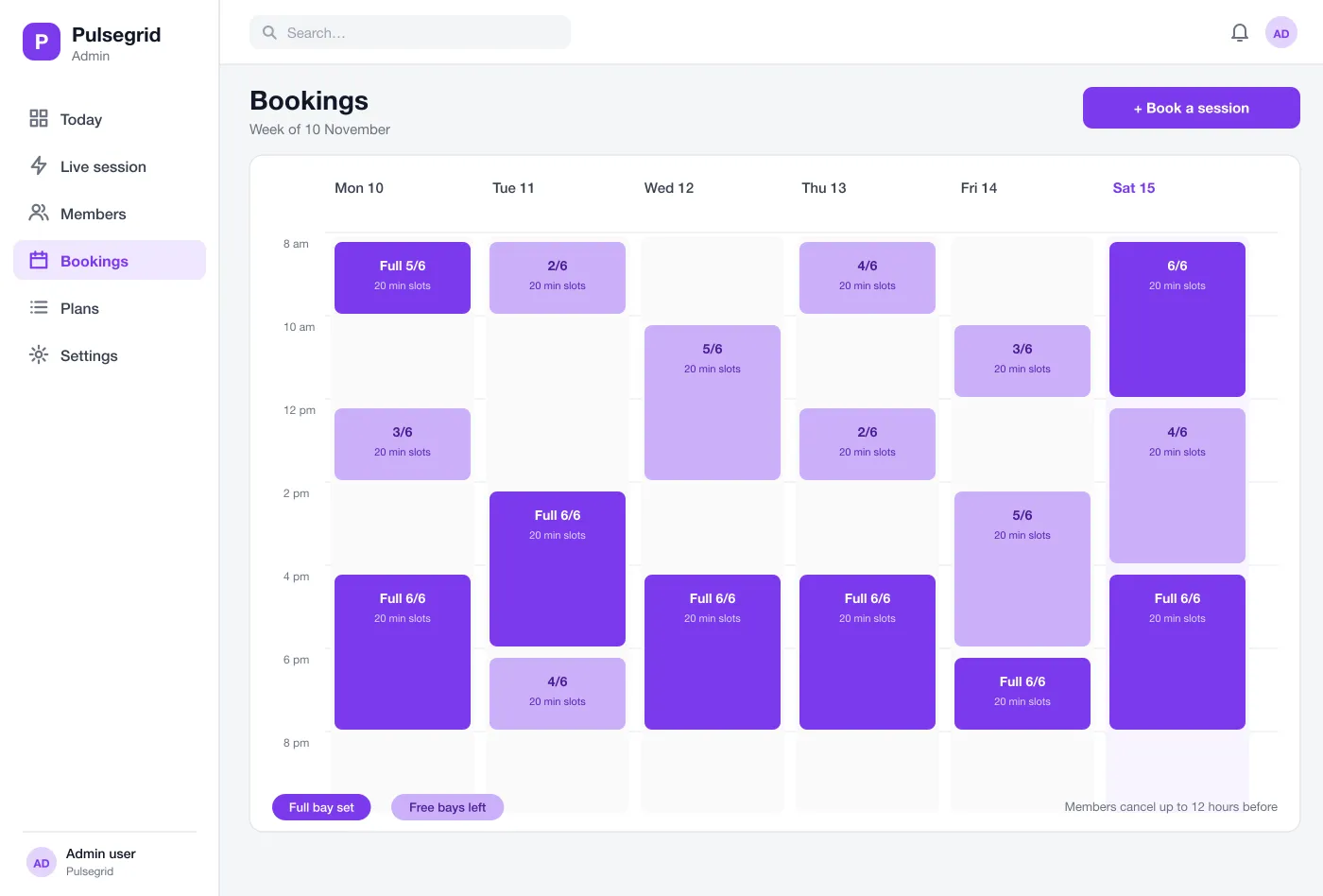
A week view shows every slot across all bays. Members book from their phone, and the studio sees full and free slots at a glance.
The today board shows every bay. Tap a bay to run the live session, then open the member profile or the week of bookings.
The member books a slot, arrives, and the trainer opens the profile and does the safety check.
The trainer starts the plan, adjusts each area within the member's limit and watches the timer.
After the session the app saves the peak strength, time and the trainer's notes.
Every fourth session the trainer adds measurements, and the app shows the change since the start.
Start the plan, adjust each area and watch the timer from a large tablet.
See bays, bookings and members on a web admin, with full and free slots.
Book a slot from the phone and see your goal, your pack and past sessions.
EMS is short for electro muscle stimulation. The member wears a suit and the studio sends gentle electric signals to the muscles during a short workout. A trainer sets how strong each area is.
The trainer app is built for an Android tablet or an iPad, with a web screen for the studio owner. It can connect to EMS suits over Bluetooth when the suit maker offers an interface, and member booking can be added as a phone app.
Yes. We can build the trainer's tablet app, a web admin for the owner and a member booking app, and link it to the suit devices your studio uses.
Each member has an intensity limit saved on the first visit, and the trainer cannot raise any area above it. A short safety check comes before every session, and a flagged problem stops the start.
Yes. Members book a time slot from their phone and the trainer sees it on the bookings calendar. Members can cancel up to a set number of hours before.
From check-in and the safety questions to the notes saved after the session.
See the bay board